GLM Image - AI Image Generation API: Pricing, Documentation
by Zhipu AI
GLM-Image API is a versatile interface that allows developers to integrate advanced image generation and editing capabilities into their applications. By leveraging a specialized model architecture, it can transform natural language prompts into high-quality visuals with a particular focus on accurate text rendering and complex scene composition. The API supports various performance tiers to balance speed and detail, making it suitable for a wide range of use cases from rapid prototyping to final asset creation.
Models Version
Get 10% Cashback on Your First Payment (up to $500)
Add funds and get 10% cashback on your first payment (up to $500).
GLM Image v1 API Documentation
https://gateway.pixazo.ai/glm-image/v1/glm-image-requestAuthentication
All requests require an API key passed via header.
| Header | Type | Required | Description |
|---|---|---|---|
| Ocp-Apim-Subscription-Key | string | Yes | Your API subscription key |
GLM Image generate request - GLM Image
Request Code
POST https://gateway.pixazo.ai/glm-image/v1/glm-image-request
Content-Type: application/json
Cache-Control: no-cache
Ocp-Apim-Subscription-Key: YOUR_SUBSCRIPTION_KEY

{
  "prompt": "An elegant watercolor menu card painted on textured cream paper, soft turquoise washes, golden accents, dreamy bokeh background, editorial photography style",
  "image_size": "square_hd",
  "num_inference_steps": 30,
  "guidance_scale": 1.5,
  "num_images": 1,
  "enable_safety_checker": true,
  "output_format": "jpeg"
}
import requests
url = "https://gateway.pixazo.ai/glm-image/v1/glm-image-request"
headers = {
"Content-Type": "application/json",
"Cache-Control": "no-cache",
"Ocp-Apim-Subscription-Key": "YOUR_SUBSCRIPTION_KEY"
}
data = {
"prompt": "An elegant watercolor menu card painted on textured cream paper, soft turquoise washes, golden accents, dreamy bokeh background, editorial photography style",
"image_size": "square_hd",
"num_inference_steps": 30,
"guidance_scale": 1.5,
"num_images": 1,
"enable_safety_checker": true,
"output_format": "jpeg"
}
response = requests.post(url, json=data, headers=headers)
print(response.json())const url = 'https://gateway.pixazo.ai/glm-image/v1/glm-image-request';
const headers = {
'Content-Type': 'application/json',
'Cache-Control': 'no-cache',
'Ocp-Apim-Subscription-Key': 'YOUR_SUBSCRIPTION_KEY'
};
const data = {
prompt: 'An elegant watercolor menu card painted on textured cream paper, soft turquoise washes, golden accents, dreamy bokeh background, editorial photography style',
image_size: 'square_hd',
num_inference_steps: 30,
guidance_scale: 1.5,
num_images: 1,
enable_safety_checker: true,
output_format: 'jpeg'
};
fetch(url, {
method: 'POST',
headers: headers,
body: JSON.stringify(data)
})
.then(response => response.json())
.then(data => console.log(data))
.catch(error => console.error('Error:', error));curl -X POST "https://gateway.pixazo.ai/glm-image/v1/glm-image-request" \
-H "Content-Type: application/json" \
-H "Cache-Control: no-cache" \
-H "Ocp-Apim-Subscription-Key: YOUR_SUBSCRIPTION_KEY" \
--data-raw '{
"prompt": "An elegant watercolor menu card painted on textured cream paper, soft turquoise washes, golden accents, dreamy bokeh background, editorial photography style",
"image_size": "square_hd",
"num_inference_steps": 30,
"guidance_scale": 1.5,
"num_images": 1,
"enable_safety_checker": true,
"output_format": "jpeg"
}'Output
{
  "images": [
    {
      "file_name": "nano-banana-pro-edit-output.png",
      "content_type": "image/png",
      "url": "[RESPONSE_URL]"
    }
  ],
  "description": ""
}Request Parameters - GLM Image generate request
| Parameter | Required | Type | Default | Allowed values / range | Description |
|---|---|---|---|---|---|
| prompt | Yes | string | — | — | Text prompt describing the image to generate. Detailed, descriptive prompts produce the best results. |
| image_size | No | string or object | square_hd | square_hd, square, portrait_4_3, portrait_16_9, landscape_4_3, landscape_16_9, portrait_3_2, landscape_3_2, portrait_hd, landscape_hd — or a custom {"width": 1280, "height": 720} object (1–14142 px per side) | Output image size. Use one of the preset aspect-ratio values, or pass a custom object with width and height in pixels. |
| num_inference_steps | No | integer | 30 | 10–100 | Number of diffusion denoising steps. More steps generally produce higher-quality images but take longer. |
| guidance_scale | No | float | 1.5 | 1–10 | Classifier-free guidance scale (prompt adherence). Higher values follow the prompt more closely; lower values allow more creative variation. |
| seed | No | integer | — | Any integer | Random seed for reproducibility. Reuse the same seed with identical settings to reproduce the same image; leave it empty for a different output each time. |
| num_images | No | integer | 1 | 1–4 | Number of images to generate in a single request. |
| enable_safety_checker | No | boolean | true | true, false | Enables NSFW safety checking on the generated images. Leave enabled unless you have a specific reason to disable it. |
| output_format | No | string | jpeg | jpeg, png | Output image format. |
| sync_mode | No | boolean | false | true, false | If true, the image is returned directly as a base64 data URI instead of a hosted URL. Handy for quick tests; for normal use leave it off to get a download link. |
| enable_prompt_expansion | No | boolean | false | true, false | If true, your prompt is automatically expanded and enriched by an LLM before generation for more detailed, higher-quality results. |
Minimum Request
{
  "prompt": "An elegant watercolor menu card painted on textured cream paper, soft turquoise washes, golden accents, dreamy bokeh background, editorial photography style"
}
Full Request (all options)
{
  "prompt": "An elegant watercolor menu card painted on textured cream paper, soft turquoise washes, golden accents, dreamy bokeh background, editorial photography style",
  "image_size": "square_hd",
  "num_inference_steps": 30,
  "guidance_scale": 1.5,
  "seed": 42,
  "num_images": 1,
  "enable_safety_checker": true,
  "output_format": "jpeg",
  "sync_mode": false,
  "enable_prompt_expansion": true
}
Response
{
  "images": [
    {
      "file_name": "nano-banana-pro-edit-output.png",
      "content_type": "image/png",
      "url": "[RESPONSE_URL]"
    }
  ],
  "description": ""
}
Response Fields - GLM Image generate request
| Field | Type | Description |
|---|---|---|
| images | array | Array of generated image objects. |
| file_name | string | Name of the generated image file. |
| content_type | string | MIME type of the image (e.g., image/png, image/jpeg). |
| url | string | Public URL to access the generated image. |
| description | string | Empty string placeholder for compatibility. |
Request Headers
| Header | Value |
|---|---|
| Content-Type | application/json |
| Cache-Control | no-cache |
| Ocp-Apim-Subscription-Key | Your API subscription key |
Response Handling
Common status codes for GLM Image generate request.
| Code | Meaning |
|---|---|
| 200 | Success |
| 400 | Bad Request |
| 401 | Unauthorized |
| 403 | Forbidden |
| 404 | Not Found |
| 429 | Too Many Requests |
| 500 | Internal Server Error |
Error Responses
{
  "error": {
    "code": "INVALID_PARAMETER",
    "message": "Invalid image_size value: invalid_size"
  }
}
{
"error": {
"code": "UNAUTHORIZED",
"message": "Missing or invalid Ocp-Apim-Subscription-Key header"
}
}{
"error": {
"code": "INSUFFICIENT_FUNDS",
"message": "Insufficient wallet balance to process request"
}
}{
"error": {
"code": "RATE_LIMIT_EXCEEDED",
"message": "Rate limit exceeded. Retry after 60 seconds."
}
}{
"error": {
"code": "INTERNAL_ERROR",
"message": "Internal server error. Please retry later."
}
}Status Values
| Status | Description |
|---|---|
| QUEUED | Request accepted, waiting to be processed |
| PROCESSING | Being processed by the model |
| COMPLETED | Done — output contains the result |
| FAILED | Failed — check error field for details |
| ERROR | System error — request was not processed and not charged |
Status Flow
QUEUED → PROCESSING → (COMPLETED / FAILED / ERROR)
Typical Workflow
- Submit a request to
/glm-image-requestto get arequest_id - Wait 2–3 seconds, then send a GET request to
/v2/requests/status/{request_id} - Repeat polling every 2–3 seconds until status is COMPLETED, FAILED, or ERROR
- If COMPLETED, use
output.media_url[0]to retrieve the generated image - Implement exponential backoff for ERROR or 500 responses
GLM Image check status - GLM Image
Request Code
POST https://gateway.pixazo.ai/v2/requests/status/glm-image_019dxxxx-xxxx-xxxx-xxxx-xxxxxxxxxxxx
Ocp-Apim-Subscription-Key: YOUR_SUBSCRIPTION_KEY

{
  "request_id": "glm-image_019dxxxx-xxxx-xxxx-xxxx-xxxxxxxxxxxx"
}
import requests
url = "https://gateway.pixazo.ai/v2/requests/status/glm-image_019dxxxx-xxxx-xxxx-xxxx-xxxxxxxxxxxx"
headers = {
"Ocp-Apim-Subscription-Key": "YOUR_SUBSCRIPTION_KEY"
}
data = {
"request_id": "glm-image_019dxxxx-xxxx-xxxx-xxxx-xxxxxxxxxxxx"
}
response = requests.post(url, json=data, headers=headers)
print(response.json())const url = 'https://gateway.pixazo.ai/v2/requests/status/glm-image_019dxxxx-xxxx-xxxx-xxxx-xxxxxxxxxxxx';
const headers = {
'Ocp-Apim-Subscription-Key': 'YOUR_SUBSCRIPTION_KEY'
};
const data = {
request_id: 'glm-image_019dxxxx-xxxx-xxxx-xxxx-xxxxxxxxxxxx'
};
fetch(url, {
method: 'POST',
headers: headers,
body: JSON.stringify(data)
})
.then(response => response.json())
.then(data => console.log(data))
.catch(error => console.error('Error:', error));curl -X POST "https://gateway.pixazo.ai/v2/requests/status/glm-image_019dxxxx-xxxx-xxxx-xxxx-xxxxxxxxxxxx" \
-H "Ocp-Apim-Subscription-Key: YOUR_SUBSCRIPTION_KEY" \
--data-raw '{
"request_id": "glm-image_019dxxxx-xxxx-xxxx-xxxx-xxxxxxxxxxxx"
}'Output
{
  "images": [
    {
      "file_name": "nano-banana-pro-edit-output.png",
      "content_type": "image/png",
      "url": "[RESPONSE_URL]"
    }
  ],
  "description": ""
}
Request Parameters - GLM Image check status
| Parameter | Required | Type | Default | Allowed values / range | Description |
|---|---|---|---|---|---|
| request_id | Yes | string | — | — | The unique identifier returned from the initial /glm-image-request call. |
Minimum Request
{
  "request_id": "glm-image_019dxxxx-xxxx-xxxx-xxxx-xxxxxxxxxxxx"
}
Full Request
{
  "request_id": "glm-image_019dxxxx-xxxx-xxxx-xxxx-xxxxxxxxxxxx"
}
Response
{
  "images": [
    {
      "file_name": "nano-banana-pro-edit-output.png",
      "content_type": "image/png",
      "url": "[RESPONSE_URL]"
    }
  ],
  "description": ""
}
Response Fields - GLM Image check status
| Field | Type | Description |
|---|---|---|
| images | array | Array of generated image objects. |
| file_name | string | Name of the generated image file. |
| content_type | string | MIME type of the image (e.g., image/png, image/jpeg). |
| url | string | Public URL to access the generated image. |
| description | string | Empty string placeholder for compatibility. |
Request Headers
| Header | Value |
|---|---|
| Ocp-Apim-Subscription-Key | Your API subscription key |
Response Handling
Common status codes for GLM Image check status.
| Code | Meaning |
|---|---|
| 200 | Success |
| 400 | Bad Request |
| 401 | Unauthorized |
| 404 | Not Found |
| 429 | Too Many Requests |
| 500 | Internal Server Error |
Notes & Tips
- Poll the status endpoint every 2–3 seconds until COMPLETED, FAILED, or ERROR is returned.
- Implement exponential backoff for retry logic on ERROR or 500 responses.
- Use detailed, descriptive prompts with specific styles, lighting, and composition cues for optimal results.
- Set a seed value to reproduce identical outputs for iterative refinement.
- Use enable_prompt_expansion: true for complex scenes to improve detail and coherence.
- Prefer output_format: "png" for images requiring transparency or lossless quality.
- Avoid overly long prompts exceeding 500 characters for best performance.
- Processing time typically ranges from 5–15 seconds depending on complexity.
- Multiple images (num_images > 1) may increase processing time proportionally.
GLM Image v1 API Pricing
GLM Image v1 API Documentation
https://gateway.pixazo.ai/glm-image-image-to-image/v1/glm-image-image-to-image-requestAuthentication
All requests require an API key passed via header.
| Header | Type | Required | Description |
|---|---|---|---|
| Ocp-Apim-Subscription-Key | string | Yes | Your API subscription key |
GLM Image (Image to Image) generate request - GLM Image (Image to Image)
Request Code
POST https://gateway.pixazo.ai/glm-image-image-to-image/v1/glm-image-image-to-image-request
Content-Type: application/json
Cache-Control: no-cache
Ocp-Apim-Subscription-Key: YOUR_SUBSCRIPTION_KEY

{
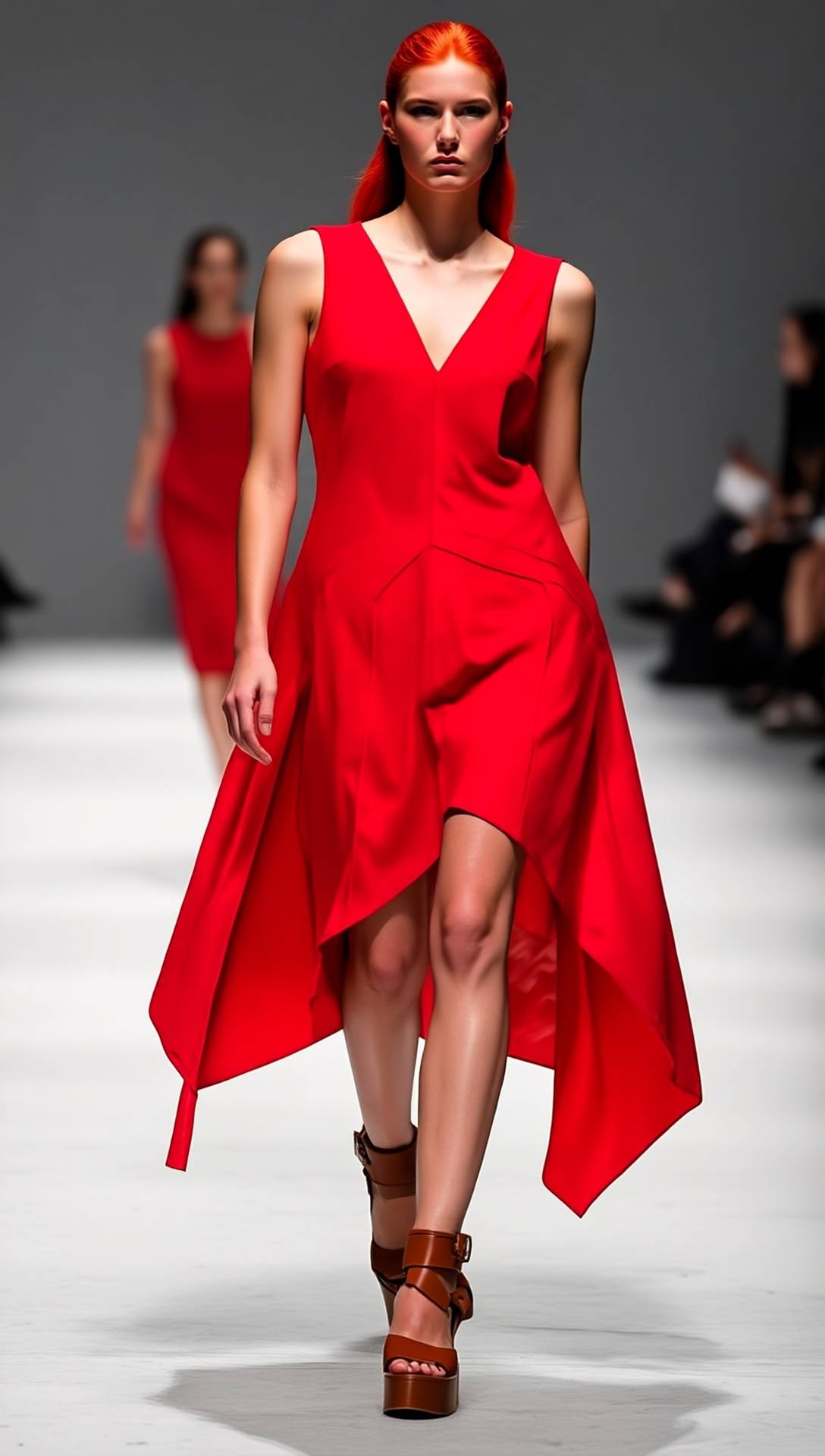
  "prompt": "Make the dress red.",
  "image_urls": [
    "https://pub-582b7213209642b9b995c96c95a30381.r2.dev/doc-assets/images/input.jpg"
  ]
}
import requests
url = "https://gateway.pixazo.ai/glm-image-image-to-image/v1/glm-image-image-to-image-request"
headers = {
"Content-Type": "application/json",
"Cache-Control": "no-cache",
"Ocp-Apim-Subscription-Key": "YOUR_SUBSCRIPTION_KEY"
}
data = {
"prompt": "Make the dress red.",
"image_urls": [
"https://pub-582b7213209642b9b995c96c95a30381.r2.dev/doc-assets/images/input.jpg"
]
}
response = requests.post(url, json=data, headers=headers)
print(response.json())const url = "https://gateway.pixazo.ai/glm-image-image-to-image/v1/glm-image-image-to-image-request";
const headers = {
"Content-Type": "application/json",
"Cache-Control": "no-cache",
"Ocp-Apim-Subscription-Key": "YOUR_SUBSCRIPTION_KEY"
};
const data = {
prompt: "Make the dress red.",
image_urls: [
"https://pub-582b7213209642b9b995c96c95a30381.r2.dev/doc-assets/images/input.jpg"
]
};
fetch(url, {
method: "POST",
headers: headers,
body: JSON.stringify(data)
})
.then(response => response.json())
.then(data => console.log(data))
.catch(error => console.error("Error:", error));curl -X POST "https://gateway.pixazo.ai/glm-image-image-to-image/v1/glm-image-image-to-image-request" \
-H "Content-Type: application/json" \
-H "Cache-Control: no-cache" \
-H "Ocp-Apim-Subscription-Key: YOUR_SUBSCRIPTION_KEY" \
--data-raw '{
"prompt": "Make the dress red.",
"image_urls": [
"https://pub-582b7213209642b9b995c96c95a30381.r2.dev/doc-assets/images/input.jpg"
]
}'Output
{
  "images": [
    {
      "file_name": "nano-banana-pro-edit-output.png",
      "content_type": "image/png",
      "url": "[RESPONSE_URL]"
    }
  ],
  "description": ""
}Request Parameters - GLM Image (Image to Image) generate request
| Parameter | Required | Type | Default | Allowed values / range | Description |
|---|---|---|---|---|---|
| prompt | Yes | string | — | — | Text prompt describing the desired edit or transformation of the input image(s). |
| image_urls | Yes | string[] | — | 1–4 image URLs | URL(s) of the condition image(s) used for image-to-image generation. Supports up to 4 URLs for multi-image references. |
| image_size | No | string or object | square_hd | square_hd, square, portrait_4_3, portrait_16_9, landscape_4_3, landscape_16_9, portrait_3_2, landscape_3_2, portrait_hd, landscape_hd — or a custom {"width": 1280, "height": 720} object (1–14142 px per side) | Output image size. Use one of the preset aspect-ratio values, or pass a custom object with width and height in pixels. |
| num_inference_steps | No | integer | 30 | 10–100 | Number of diffusion denoising steps. More steps generally produce higher-quality images but take longer. |
| guidance_scale | No | float | 1.5 | 1–10 | Classifier-free guidance scale (prompt adherence). Higher values follow the prompt more closely; lower values allow more creative variation. |
| seed | No | integer | — | Any integer | Random seed for reproducibility. Reuse the same seed with identical settings to reproduce the same image; leave it empty for a different output each time. |
| num_images | No | integer | 1 | 1–4 | Number of images to generate in a single request. |
| enable_safety_checker | No | boolean | true | true, false | Enables NSFW safety checking on the generated images. Leave enabled unless you have a specific reason to disable it. |
| output_format | No | string | jpeg | jpeg, png | Output image format. |
| sync_mode | No | boolean | false | true, false | If true, the image is returned directly as a base64 data URI instead of a hosted URL. Handy for quick tests; for normal use leave it off to get a download link. |
| enable_prompt_expansion | No | boolean | false | true, false | If true, your prompt is automatically expanded and enriched by an LLM before generation for more detailed, higher-quality results. |
Content Item Types & Limits
| Type | Max | Format / Size | Description |
|---|---|---|---|
| image | — | JPG, PNG, WEBP | Image(s) to transform. |
Minimum Request
{
  "prompt": "Make the dress red.",
  "image_urls": [
    "https://pub-582b7213209642b9b995c96c95a30381.r2.dev/v1/upscaler_019ed0c8-bb34-7854-afbc-b2a164758a15b/output.png"
  ]
}
Full Request (all options)
{
  "prompt": "Make the dress red.",
  "image_urls": [
    "https://pub-582b7213209642b9b995c96c95a30381.r2.dev/doc-assets/images/input.jpg"
  ],
  "image_size": "square_hd",
  "num_inference_steps": 30,
  "guidance_scale": 1.5,
  "seed": 42,
  "num_images": 1,
  "enable_safety_checker": true,
  "output_format": "jpeg",
  "sync_mode": false,
  "enable_prompt_expansion": false
}
Response
{
  "images": [
    {
      "file_name": "nano-banana-pro-edit-output.png",
      "content_type": "image/png",
      "url": "[RESPONSE_URL]"
    }
  ],
  "description": ""
}
Response Fields - GLM Image (Image to Image) generate request
| Field | Type | Description |
|---|---|---|
| images | array | Array of generated images, each with file_name, content_type, and url. |
| file_name | string | Name of the generated image file. |
| content_type | string | MIME type of the image (e.g., image/png, image/jpeg). |
| url | string | URL to download the generated image. |
| description | string | Empty string placeholder for compatibility. |
Request Headers
| Header | Value |
|---|---|
| Content-Type | application/json |
| Cache-Control | no-cache |
| Ocp-Apim-Subscription-Key | Your API subscription key |
Response Handling
Common status codes for GLM Image (Image to Image) generate request.
| Code | Meaning |
|---|---|
| 200 | Success |
| 400 | Bad Request |
| 401 | Unauthorized |
| 403 | Forbidden |
| 404 | Not Found |
| 429 | Too Many Requests |
| 500 | Internal Server Error |
Error Responses
400 Validation Error
{
  "error": "Missing required parameter: prompt",
  "code": "VALIDATION_ERROR"
}
404 Not Found
{
  "error": "Operation not found",
  "code": "NOT_FOUND"
}
Status Handling
Polling status values for GLM Image (Image to Image) generate request.
| Status | Description |
|---|---|
| QUEUED | Request accepted, waiting to be processed |
| PROCESSING | Being processed by the model |
| COMPLETED | Done — output contains the result |
| FAILED | Failed — check error field for details |
| ERROR | System error — request was not processed and not charged |
Status Flow
QUEUED → PROCESSING → (COMPLETED or FAILED or ERROR)
Typical Workflow
- Submit request to
/glm-image-image-to-image-requestand receive arequest_id. - Poll the status endpoint
/glm-image-image-to-image-request-resultevery 2–3 seconds using therequest_id. - Continue polling until response status is COMPLETED, FAILED, or ERROR.
- When COMPLETED, extract the image URL from the response and download the result.
GLM Image (Image to Image) check status - GLM Image (Image to Image)
Request Code
POST https://gateway.pixazo.ai/glm-image-image-to-image/v1/glm-image-image-to-image-request-result
Content-Type: application/json
Ocp-Apim-Subscription-Key: YOUR_SUBSCRIPTION_KEY

{
  "request_id": "glm-image-image-to-image_019dxxxx-xxxx-xxxx-xxxx-xxxxxxxxxxxx"
}
import requests
url = "https://gateway.pixazo.ai/glm-image-image-to-image/v1/glm-image-image-to-image-request-result"
headers = {
"Content-Type": "application/json",
"Ocp-Apim-Subscription-Key": "YOUR_SUBSCRIPTION_KEY"
}
data = {
"request_id": "glm-image-image-to-image_019dxxxx-xxxx-xxxx-xxxx-xxxxxxxxxxxx"
}
response = requests.post(url, json=data, headers=headers)
print(response.json())const url = "https://gateway.pixazo.ai/glm-image-image-to-image/v1/glm-image-image-to-image-request-result";
const headers = {
"Content-Type": "application/json",
"Ocp-Apim-Subscription-Key": "YOUR_SUBSCRIPTION_KEY"
};
const data = {
request_id: "glm-image-image-to-image_019dxxxx-xxxx-xxxx-xxxx-xxxxxxxxxxxx"
};
fetch(url, {
method: "POST",
headers: headers,
body: JSON.stringify(data)
})
.then(response => response.json())
.then(data => console.log(data))
.catch(error => console.error("Error:", error));curl -X POST "https://gateway.pixazo.ai/glm-image-image-to-image/v1/glm-image-image-to-image-request-result" \
-H "Content-Type: application/json" \
-H "Ocp-Apim-Subscription-Key: YOUR_SUBSCRIPTION_KEY" \
--data-raw '{
"request_id": "glm-image-image-to-image_019dxxxx-xxxx-xxxx-xxxx-xxxxxxxxxxxx"
}'Output
{
  "images": [
    {
      "file_name": "nano-banana-pro-edit-output.png",
      "content_type": "image/png",
      "url": "[RESPONSE_URL]"
    }
  ],
  "description": ""
}Request Parameters - GLM Image (Image to Image) check status
| Parameter | Required | Type | Default | Allowed values / range | Description |
|---|---|---|---|---|---|
| request_id | Yes | string | — | — | The unique identifier returned from the initial request to /glm-image-image-to-image-request. |
Minimum Request
{
  "request_id": "glm-image-image-to-image_019dxxxx-xxxx-xxxx-xxxx-xxxxxxxxxxxx"
}
Full Request (all options)
{
  "request_id": "glm-image-image-to-image_019dxxxx-xxxx-xxxx-xxxx-xxxxxxxxxxxx"
}
Response
{
  "images": [
    {
      "file_name": "nano-banana-pro-edit-output.png",
      "content_type": "image/png",
      "url": "[RESPONSE_URL]"
    }
  ],
  "description": ""
}
Response Fields - GLM Image (Image to Image) check status
| Field | Type | Description |
|---|---|---|
| images | array | Array of generated images, each with file_name, content_type, and url. |
| file_name | string | Name of the generated image file. |
| content_type | string | MIME type of the image (e.g., image/png, image/jpeg). |
| url | string | URL to download the generated image. |
| description | string | Empty string placeholder for compatibility. |
Request Headers
| Header | Value |
|---|---|
| Content-Type | application/json |
| Ocp-Apim-Subscription-Key | Your API subscription key |
Response Handling
Common status codes for GLM Image (Image to Image) check status.
| Code | Meaning |
|---|---|
| 200 | Success |
| 400 | Bad Request |
| 401 | Unauthorized |
| 403 | Forbidden |
| 404 | Not Found |
| 429 | Too Many Requests |
| 500 | Internal Server Error |
Notes & Tips
- Poll the status endpoint every 2–3 seconds until COMPLETED, FAILED, or ERROR is returned.
- Implement exponential backoff for retrying failed or timed-out requests.
- Use detailed, descriptive prompts with specific color, texture, and style references for best results.
- For multi-image conditioning, ensure all reference images are high-resolution and clearly depict the elements to be preserved.
- Use enable_prompt_expansion for ambiguous prompts to improve generation quality.
- Prefer output_format: png for edits requiring transparency or lossless quality.
- Set a seed value when reproducibility is required across multiple runs.
GLM Image v1 API Pricing
⚡ Performance
Live usage measured on Pixazo's gateway, split by model version. Generation time is how long a generation takes end-to-end (lower is better). Success rate is the percent of generations that complete (higher is better).
〰 Uptime
Percent of generations that succeeded over the selected period, per model version.