Google Virtual Try On 1 API: Pricing, Documentation
by Google
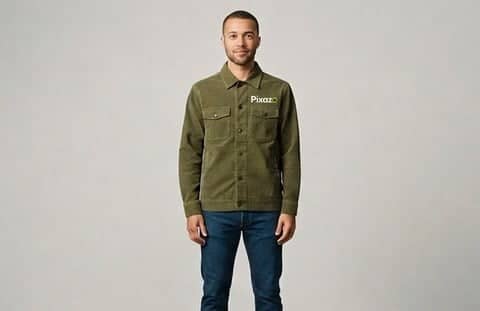
Dress a person in any garment using Google's virtual try-on model on Vertex AI. Supply a photo of a person and a photo of a clothing item and receive up to four photorealistic variations, at the same resolution as the input.
Models Version
Google Virtual Try-On v1 API Documentation
POST https://gateway.pixazo.ai/google-virtual-try-on/v1/try-onAuthentication
All requests require an API key passed via header.
| Header | Type | Required | Description |
|---|---|---|---|
| Ocp-Apim-Subscription-Key | string | Yes | Your API subscription key |
Image to Image (Virtual Try On) - Google Virtual Try On
Dress a person in any garment. Supply a photograph of a person and a photograph of a clothing item, and the model returns photorealistic images of that person wearing it. Output resolution matches the person image you supply.
Request Code
POST /google-virtual-try-on/v1/try-on HTTP/1.1
Host: gateway.pixazo.ai
Ocp-Apim-Subscription-Key: YOUR_API_KEY
Content-Type: application/json

{
  "person_image_url": "https://pub-582b7213209642b9b995c96c95a30381.r2.dev/api-static/vto-person-example.jpg",
  "product_image_url": "https://pub-582b7213209642b9b995c96c95a30381.r2.dev/api-static/vto-garment-example.jpg",
  "num_images": 1
}
import requests
response = requests.post(
"https://gateway.pixazo.ai/google-virtual-try-on/v1/try-on",
headers={
"Ocp-Apim-Subscription-Key": "YOUR_API_KEY",
"Content-Type": "application/json",
},
json={
"person_image_url": "https://pub-582b7213209642b9b995c96c95a30381.r2.dev/api-static/vto-person-example.jpg",
"product_image_url": "https://pub-582b7213209642b9b995c96c95a30381.r2.dev/api-static/vto-garment-example.jpg",
"num_images": 1,
},
)
data = response.json()
print(data["request_id"])const response = await fetch(
"https://gateway.pixazo.ai/google-virtual-try-on/v1/try-on",
{
method: "POST",
headers: {
"Ocp-Apim-Subscription-Key": "YOUR_API_KEY",
"Content-Type": "application/json",
},
body: JSON.stringify({
person_image_url: "https://pub-582b7213209642b9b995c96c95a30381.r2.dev/api-static/vto-person-example.jpg",
product_image_url: "https://pub-582b7213209642b9b995c96c95a30381.r2.dev/api-static/vto-garment-example.jpg",
num_images: 1,
}),
}
);
const data = await response.json();
console.log(data.request_id);curl -X POST "https://gateway.pixazo.ai/google-virtual-try-on/v1/try-on" \
-H "Ocp-Apim-Subscription-Key: YOUR_API_KEY" \
-H "Content-Type: application/json" \
-d '{
"person_image_url": "https://pub-582b7213209642b9b995c96c95a30381.r2.dev/api-static/vto-person-example.jpg",
"product_image_url": "https://pub-582b7213209642b9b995c96c95a30381.r2.dev/api-static/vto-garment-example.jpg",
"num_images": 1
}'Output
{
"request_id": "google-virtual-try-on_019dxxxx-xxxx-xxxx-xxxx-xxxxxxxxxxxx",
"status": "QUEUED",
"polling_url": "https://gateway.pixazo.ai/v2/requests/status/google-virtual-try-on_019dxxxx-xxxx-xxxx-xxxx-xxxxxxxxxxxx"
}Webhook (Optional)
Instead of polling, supply a webhook URL and we will POST the result to it as soon as the request reaches a terminal state.
Webhook Headers
| Header | Required | Description |
|---|---|---|
X-Webhook-URL | Yes, to enable | HTTPS endpoint that will receive the callback. |
X-Webhook-Mode | No | terminal (default) delivers once the request completes or fails. sync also delivers intermediate state changes. |
Example: enable the Webhook
curl -X POST "https://gateway.pixazo.ai/google-virtual-try-on/v1/try-on" \\
-H "Ocp-Apim-Subscription-Key: YOUR_API_KEY" \\
-H "Content-Type: application/json" \\
-H "X-Webhook-URL: https://your-server.example.com/pixazo-callback" \\
-d '{"person_image_url":"https://pub-582b7213209642b9b995c96c95a30381.r2.dev/api-static/vto-person-example.jpg","product_image_url":"https://pub-582b7213209642b9b995c96c95a30381.r2.dev/api-static/vto-garment-example.jpg","num_images":1}'Webhook Payload (Success)
{
"request_id": "google-virtual-try-on_019dxxxx-xxxx-xxxx-xxxx-xxxxxxxxxxxx",
"status": "COMPLETED",
"model_id": "google-virtual-try-on",
"error": null,
"output": {
"media_url": [
"https://pub-582b7213209642b9b995c96c95a30381.r2.dev/v1/google-virtual-try-on_019dxxxx-xxxx-xxxx-xxxx-xxxxxxxxxxxx/output.jpg"
],
"media_type": "image/jpeg"
},
"created_at": "2026-08-26T11:55:04.812Z",
"completed_at": "2026-08-26 11:55:41"
}Webhook Payload (Failure)
{
"request_id": "google-virtual-try-on_019dxxxx-xxxx-xxxx-xxxx-xxxxxxxxxxxx",
"status": "ERROR",
"model_id": "google-virtual-try-on",
"error": "person_image_url must be image/png or image/jpeg",
"output": null
}Delivery semantics
- Terminal mode delivers exactly one callback, once the request has completed or failed.
- Sync mode additionally delivers intermediate transitions, so expect more than one callback per request.
- Callbacks are idempotent on
request_id— deduplicate on it, as a retry may deliver the same payload twice. - Respond
200within a few seconds. Slow or failing endpoints are retried, then abandoned. - HTTPS is required. Plain HTTP callback URLs are rejected.
Request Parameters
| Parameter | Required | Type | Default | Allowed values / range | Description |
|---|---|---|---|---|---|
person_image_url | Yes | string | — | Publicly reachable URL | Photograph of the person who will wear the garment. Must be a JPEG or PNG no larger than 7 MB. |
product_image_url | Yes | string | — | Publicly reachable URL | Photograph of the clothing item. A flat-lay or catalogue shot on a plain background gives the best result. |
num_images | No | integer | 1 | 1 – 4 | How many variations to generate. Each image is billed separately. Values outside 1–4 are rejected before any charge is made. |
Both input images must be image/png or image/jpeg and no larger than 7 MB each. Images are fetched server-side, so the URLs must be publicly reachable without authentication.
Example Request
curl -X POST "https://gateway.pixazo.ai/google-virtual-try-on/v1/try-on" \
  -H "Ocp-Apim-Subscription-Key: YOUR_API_KEY" \
  -H "Content-Type: application/json" \
  -d '{
    "person_image_url": "https://pub-582b7213209642b9b995c96c95a30381.r2.dev/api-static/vto-person-example.jpg",
    "product_image_url": "https://pub-582b7213209642b9b995c96c95a30381.r2.dev/api-static/vto-garment-example.jpg",
    "num_images": 1
}'Example Response
{
  "request_id": "google-virtual-try-on_019dxxxx-xxxx-xxxx-xxxx-xxxxxxxxxxxx",
  "status": "QUEUED",
  "polling_url": "https://gateway.pixazo.ai/v2/requests/status/google-virtual-try-on_019dxxxx-xxxx-xxxx-xxxx-xxxxxxxxxxxx"
}Request Headers
| Header | Required | Description |
|---|---|---|
Ocp-Apim-Subscription-Key | Yes | Your API subscription key. |
Content-Type | Yes | Must be application/json. |
X-Webhook-URL | No | Receive the result by callback instead of polling. |
Response Handling
| Code | Meaning | What to do |
|---|---|---|
202 | Request accepted and queued. | Poll https://gateway.pixazo.ai/v2/requests/status/{request_id} until the status is terminal. |
400 | Invalid request body. | Check that both image URLs are present and that num_images is between 1 and 4. |
401 | Missing or invalid subscription key. | Check the Ocp-Apim-Subscription-Key header. |
402 | Insufficient wallet balance. | Top up and retry. Nothing has been charged. |
403 | Key is not subscribed to this API. | Check your subscription. |
429 | Rate limit exceeded. | Back off and retry. |
500 | Unexpected server error. | Retry. If it persists, contact support with the request_id. |
Error Responses
Submit-time errors are returned directly:
{
"error": "Insufficient Balance",
"message": "Your wallet balance is too low for this request."
}Errors raised during generation appear on the status response and in the webhook callback, with status set to ERROR:
{
"request_id": "google-virtual-try-on_019dxxxx-xxxx-xxxx-xxxx-xxxxxxxxxxxx",
"status": "ERROR",
"model_id": "google-virtual-try-on",
"error": "product_image_url must be image/png or image/jpeg",
"output": null
}When a request fails, the amount held for it is released and you are not charged.
Retrieving Results
Poll the universal status endpoint with the request_id returned on submit.
curl "https://gateway.pixazo.ai/v2/requests/status/google-virtual-try-on_019dxxxx-xxxx-xxxx-xxxx-xxxxxxxxxxxx" \\
-H "Ocp-Apim-Subscription-Key: YOUR_API_KEY"While the request is running:
{
"request_id": "google-virtual-try-on_019dxxxx-xxxx-xxxx-xxxx-xxxxxxxxxxxx",
"status": "PROCESSING",
"model_id": "google-virtual-try-on",
"error": null,
"output": null
}Once complete:
{
  "request_id": "google-virtual-try-on_019dxxxx-xxxx-xxxx-xxxx-xxxxxxxxxxxx",
  "status": "COMPLETED",
  "model_id": "google-virtual-try-on",
  "error": null,
  "output": {
    "media_url": [
      "https://pub-582b7213209642b9b995c96c95a30381.r2.dev/v1/google-virtual-try-on_019dxxxx-xxxx-xxxx-xxxx-xxxxxxxxxxxx/output.jpg"
    ],
    "media_type": "image/jpeg"
  },
  "created_at": "2026-08-26T11:55:04.812Z",
  "completed_at": "2026-08-26 11:55:41"
}A single-image request returns one output.jpg. A request asking for more than one image returns one numbered URL per image:
  "media_url": [
    "https://pub-582b7213209642b9b995c96c95a30381.r2.dev/v1/google-virtual-try-on_019dxxxx-xxxx-xxxx-xxxx-xxxxxxxxxxxx/output_0.jpg",
    "https://pub-582b7213209642b9b995c96c95a30381.r2.dev/v1/google-virtual-try-on_019dxxxx-xxxx-xxxx-xxxx-xxxxxxxxxxxx/output_1.jpg",
    "https://pub-582b7213209642b9b995c96c95a30381.r2.dev/v1/google-virtual-try-on_019dxxxx-xxxx-xxxx-xxxx-xxxxxxxxxxxx/output_2.jpg"
  ]
Response Fields
| Field | Type | Description |
|---|---|---|
request_id | string | Unique identifier for this request. Use it to poll for the result. |
status | string | Current state — see Status Values below. |
model_id | string | Always google-virtual-try-on. |
error | string | null | Failure reason when status is FAILED or ERROR, otherwise null. |
output.media_url | array | One JPEG URL per generated image, in the order produced. Length always equals num_images. |
output.media_type | string | Always image/jpeg. |
created_at | string | ISO 8601 timestamp of when the request was accepted. |
completed_at | string | Timestamp of when generation finished. |
polling_url | string | Full URL to poll for this request, returned on submit. |
Status Values
| Status | Meaning |
|---|---|
QUEUED | Accepted and waiting to start. |
PROCESSING | Generation is under way. |
COMPLETED | Finished. Images are in output.media_url. |
FAILED | Generation failed. No charge is made. |
ERROR | The request could not be processed. See error. No charge is made. |
Flow
QUEUED -> PROCESSING -> COMPLETED\n \\-> FAILED / ERRORTypical Workflow
- POST the person and garment image URLs to the submit endpoint.
- Read
request_idfrom the202response. - Poll
https://gateway.pixazo.ai/v2/requests/status/{request_id}every few seconds, or supplyX-Webhook-URLand skip polling. - On
COMPLETED, download the images fromoutput.media_url.
Generation typically takes about 15–20 seconds for one or two images.
Google Virtual Try-On v1 API Pricing
No data available
Could not load current pricing
⚡ Performance
Live usage measured on Pixazo's gateway, split by model version. Generation time is how long a generation takes end-to-end (lower is better). Success rate is the percent of generations that complete (higher is better).
〰 Uptime
Percent of generations that succeeded over the selected period, per model version.