Video to Previs API: Pricing, Documentation
by Pixazo
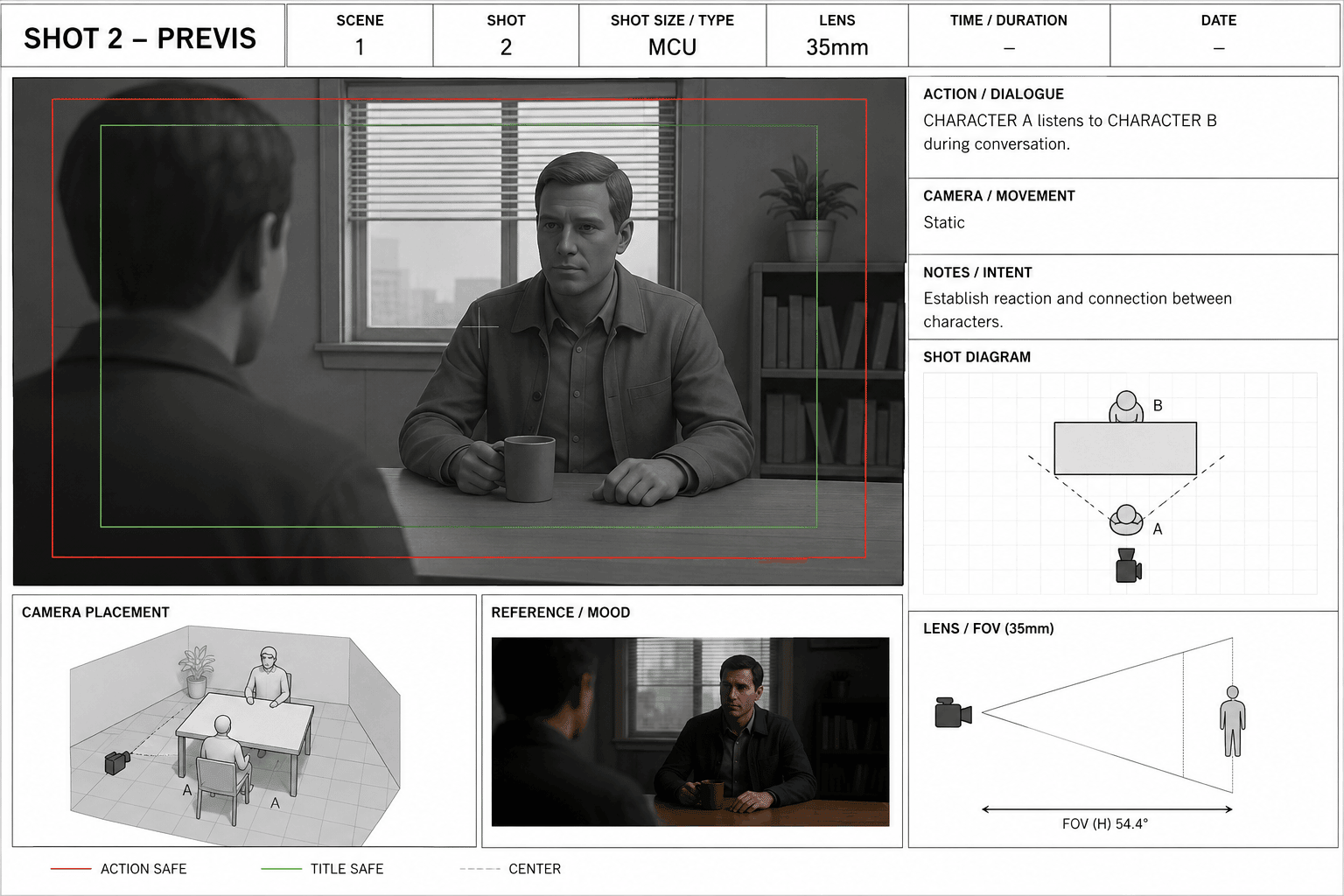
Video to Previs API converts a video shot into a temporally consistent previs (previsualization) reference — a clay-shaded 3D depth render with multi-person pose skeletons that captures the shot's camera movement, framing, and subject blocking without reproducing any pixels. Upload a video, poll the job, download the previs mp4; feed it to a generative video model (Seedance, Wan-VACE, LTX) as a structural reference. Optional green-screen mode isolates the performer.
Models Version
Get 10% Cashback on Your First Payment (up to $500)
Add funds and get 10% cashback on your first payment (up to $500).
Video to Previs API Documentation
Shot2Previs converts any input video shot into a temporally consistent previs (previsualization) reference video — a clay-shaded 3D depth render with multi-person pose skeletons that captures the shot's camera movement, framing, and subject blocking without reproducing any of its pixels. Feed the output to a generative video model (e.g. Seedance @video, Wan-VACE, LTX IC-LoRA) to regenerate the scene with new characters, environments, and style while preserving the original cinematography.
Asynchronous queue API: submit a video URL, poll the request status (or use a webhook), then download the result from the returned media URL. Processing runs on GPU; a 10–15 second clip completes in roughly 45–70 seconds.
Video to Previs API Documentation
POST https://gateway.pixazo.ai/shot2previs/v1/video-to-videoAuthentication
All requests require an API key passed via header.
| Header | Type | Required | Description |
|---|---|---|---|
| Ocp-Apim-Subscription-Key | string | Yes | Your API subscription key |
Create a Previs Job — Video to Previs
How to pass the video
The input video is passed as a URL in the JSON body (field video_url) — not as a file upload. Host the clip anywhere publicly fetchable (a signed URL is fine); the service downloads it server-side. MP4/MOV, up to 200 MB.
{
  "video_url": "https://pub-582b7213209642b9b995c96c95a30381.r2.dev/boxing_day.mp4"
}
Do not send multipart/form-data — the request body is plain application/json.
Request Code
POST https://gateway.pixazo.ai/shot2previs/v1/video-to-video HTTP/1.1
Ocp-Apim-Subscription-Key: YOUR_API_KEY
Content-Type: application/json

{
  "video_url": "https://pub-582b7213209642b9b995c96c95a30381.r2.dev/boxing_day.mp4"
}
import requests, time
API_KEY = "YOUR_API_KEY"
headers = {"Ocp-Apim-Subscription-Key": API_KEY, "Content-Type": "application/json"}
# 1. Submit — the video is passed as a URL, not a file upload
submit = requests.post(
"https://gateway.pixazo.ai/shot2previs/v1/video-to-video",
headers=headers,
json={"video_url": "https://pub-582b7213209642b9b995c96c95a30381.r2.dev/boxing_day.mp4"},
)
job = submit.json()
print(job) # {"request_id": "...", "status": "QUEUED", "polling_url": "..."}
# 2. Poll until terminal
while True:
status = requests.get(job["polling_url"], headers=headers).json()
print(status["status"])
if status["status"] in ("COMPLETED", "FAILED", "ERROR"):
break
time.sleep(10)
# 3. Download the previs video
if status["status"] == "COMPLETED":
url = status["output"]["media_url"][0]
open("previs.mp4", "wb").write(requests.get(url).content)const API_KEY = "YOUR_API_KEY";
const headers = {
"Ocp-Apim-Subscription-Key": API_KEY,
"Content-Type": "application/json",
};
// 1. Submit — the video is passed as a URL, not a file upload
const submit = await fetch("https://gateway.pixazo.ai/shot2previs/v1/video-to-video", {
method: "POST",
headers,
body: JSON.stringify({ video_url: "https://pub-582b7213209642b9b995c96c95a30381.r2.dev/boxing_day.mp4" }),
});
const job = await submit.json(); // { request_id, status: "QUEUED", polling_url }
// 2. Poll until terminal
let status;
do {
await new Promise(r => setTimeout(r, 10000));
status = await (await fetch(job.polling_url, { headers })).json();
console.log(status.status);
} while (!["COMPLETED", "FAILED", "ERROR"].includes(status.status));
// 3. status.output.media_url[0] is the previs mp4 URL
console.log(status.output?.media_url?.[0]);curl -X POST "https://gateway.pixazo.ai/shot2previs/v1/video-to-video" \
-H "Ocp-Apim-Subscription-Key: YOUR_API_KEY" \
-H "Content-Type: application/json" \
-d '{"video_url": "https://pub-582b7213209642b9b995c96c95a30381.r2.dev/boxing_day.mp4"}'Output
{
  "request_id": "shot2previs_019dxxxx-xxxx-xxxx-xxxx-xxxxxxxxxxxx",
  "status": "QUEUED",
  "polling_url": "https://gateway.pixazo.ai/v2/requests/status/shot2previs_019dxxxx-xxxx-xxxx-xxxx-xxxxxxxxxxxx"
}Webhook (Optional)
Add the X-Webhook-URL header to your submit request to receive a POST callback when the job completes — no polling required.
Using curl? These are HTTP request headers — pass each with -H, e.g. -H "X-Webhook-URL: https://your-server.com/webhook/callback". Do not paste them as bare lines, and end every line of a multi-line command with \.
Webhook Headers
| Header | Required | Default | Description |
|---|---|---|---|
X-Webhook-URL | Yes (to enable) | — | HTTPS endpoint on your server that will receive the POST callback. Must respond 2xx within a few seconds (process async if needed). |
X-Webhook-Mode | No | terminal | terminal — fires once at the final status (COMPLETED/FAILED/ERROR). sync — fires on every poll cycle plus the terminal event, and caps the queue’s polling delay at 15s for tighter progress updates. |
Example: enable webhook
X-Webhook-URL: https://your-server.com/webhook/callback
X-Webhook-Mode: terminal
Callback Payload
Your endpoint receives a POST application/json with the same shape as the GET /v2/requests/status/{request_id} response. Example terminal callback (mode terminal):
{
  "request_id": "shot2previs_019dxxxx-xxxx-xxxx-xxxx-xxxxxxxxxxxx",
  "status": "COMPLETED",
  "model_id": "shot2previs",
  "error": null,
  "output": {
    "media_url": [
      "https://pub-582b7213209642b9b995c96c95a30381.r2.dev/v1/shot2previs_019dxxxx-xxxx-xxxx-xxxx-xxxxxxxxxxxx/output.mp4"
    ],
    "media_type": "video/mp4"
  },
  "created_at": "2026-07-07T10:15:32.110Z",
  "updated_at": "2026-07-07 10:16:41",
  "completed_at": "2026-07-07 10:16:41"
}
Failure callback shape
{
  "request_id": "shot2previs_019dxxxx-xxxx-xxxx-xxxx-xxxxxxxxxxxx",
  "status": "ERROR",
  "model_id": "shot2previs",
  "error": "Description of the error",
  "output": null,
  "created_at": "...",
  "updated_at": "...",
  "completed_at": "..."
}
Delivery semantics
- terminal mode (default) — exactly one
POSTwhen the request reaches a terminal status. No callback duringPROCESSING. - sync mode —
POSTon every status poll (with delay capped at ~15s) plus a finalPOSTat terminal status. Use when you want progress updates. - Idempotency — use
request_idas your idempotency key. Network retries can deliver the same callback more than once; your handler must tolerate duplicates. - Response — respond
200 OKwithin a few seconds. The queue does not block on slow handlers, but persistent failures may stop further deliveries. - HTTPS required — plain
http://URLs are rejected.
Request Parameters — Video to Previs
| Parameter | Required | Type | Default | Allowed values / range | Description |
|---|---|---|---|---|---|
video_url | Yes | string (URL) | — | Public MP4/MOV URL, ≤ 200 MB | The input shot, passed as a publicly fetchable URL (not a file upload). The service downloads it server-side. Any resolution/frame-rate; it is normalized by fps / max_height. |
style | No | string | clay | clay, depth, pose, edge (comma-separated) | Output track(s). clay = matcap-shaded 3D look. depth = grayscale depth. pose = skeletons on black. edge = line render. The completed response returns the primary previs video (first available of clay/depth/pose/edge). |
pose | No | boolean | true | true, false | Overlay multi-person pose skeletons on the clay/depth output. |
greenscreen | No | boolean | false | true, false | Isolate the performer via person segmentation and remove everything else (green screen, floor, markers, studio equipment). |
sbs | No | boolean | false | true, false | Also render a side-by-side comparison video (the source shot beside the previs) as an additional output, useful for checking that camera move, framing and blocking were tracked faithfully. Left off by default so the job returns a single deliverable — the previs video. |
model | No | string | small | small, base | Depth model size. small is fast and sufficient for most shots; base is higher fidelity at greater cost. |
fps | No | float | 24 | 1–60 | Output frame-rate cap. Source is resampled to constant frame rate at or below this value. |
max_height | No | integer | 720 | 256–1080 | Frames are downscaled so height ≤ this before processing (aspect preserved). |
ema | No | float | 0.6 | 0.0–0.95 | Temporal smoothing strength. Higher = smoother motion; hard cuts are auto-detected and reset. |
start | No | string | — | HH:MM:SS or seconds | Trim the input to start at this timestamp before processing. Trimming reduces billed input seconds. |
end | No | string | — | HH:MM:SS or seconds | Trim the input to end at this timestamp before processing. |
Example Request
POST https://gateway.pixazo.ai/shot2previs/v1/video-to-video
Ocp-Apim-Subscription-Key: YOUR_API_KEY
Content-Type: application/json

{
  "video_url": "https://pub-582b7213209642b9b995c96c95a30381.r2.dev/boxing_day.mp4",
  "style": "clay",
  "model": "small",
  "fps": 24,
  "max_height": 720,
  "ema": 0.6,
  "pose": true,
  "greenscreen": false,
  "start": "00:00:02",
  "end": "00:00:12"
}
Response
HTTP 202 Accepted — the request is queued. Save request_id and poll polling_url.
{
  "request_id": "shot2previs_019dxxxx-xxxx-xxxx-xxxx-xxxxxxxxxxxx",
  "status": "QUEUED",
  "polling_url": "https://gateway.pixazo.ai/v2/requests/status/shot2previs_019dxxxx-xxxx-xxxx-xxxx-xxxxxxxxxxxx"
}
Request Headers
| Header | Required | Value |
|---|---|---|
Ocp-Apim-Subscription-Key | Yes | Your API subscription key |
Content-Type | Yes | application/json |
X-Webhook-URL | No | HTTPS callback URL (see Webhook section) |
X-Webhook-Mode | No | terminal (default) or sync |
Response Handling
| Status Code | Meaning | Action |
|---|---|---|
202 | Request accepted and queued | Poll polling_url (or wait for your webhook) |
400 | Invalid parameters (bad video_url, unknown style, …) | Fix the request body and retry |
401 | Missing or invalid subscription key | Check the Ocp-Apim-Subscription-Key header |
402 | Insufficient wallet balance | Top up your account balance |
403 | Key not authorized for this API | Verify your subscription/product access |
429 | Rate limit exceeded | Back off and retry after a delay |
500 | Internal error | Retry; contact support if persistent |
Error Responses
Submit-time failures return a JSON error immediately (e.g. 402):
{
  "error": "Insufficient balance",
  "message": "Your wallet balance is too low to run this request."
}
Failures after queuing (bad source URL, pipeline error) surface through the status endpoint / webhook with status: "ERROR" and a populated error field — see the failure callback shape above. Failed requests are not billed.
Retrieving Results
Poll the status endpoint with the request_id from the submit response:
GET https://gateway.pixazo.ai/v2/requests/status/{request_id}cURL Example
curl "https://gateway.pixazo.ai/v2/requests/status/shot2previs_019dxxxx-xxxx-xxxx-xxxx-xxxxxxxxxxxx" \\
  -H "Ocp-Apim-Subscription-Key: YOUR_API_KEY"
Response (Completed)
{
  "request_id": "shot2previs_019dxxxx-xxxx-xxxx-xxxx-xxxxxxxxxxxx",
  "status": "COMPLETED",
  "model_id": "shot2previs",
  "error": null,
  "output": {
    "media_url": [
      "https://pub-582b7213209642b9b995c96c95a30381.r2.dev/v1/shot2previs_019dxxxx-xxxx-xxxx-xxxx-xxxxxxxxxxxx/output.mp4"
    ],
    "media_type": "video/mp4"
  },
  "created_at": "2026-07-07T10:15:32.110Z",
  "updated_at": "2026-07-07 10:16:41",
  "completed_at": "2026-07-07 10:16:41"
}
output.media_url[0] is a direct, downloadable URL of the previs video (hosted on our CDN) — a plain GET with no auth headers.
Response Fields
| Field | Type | Description |
|---|---|---|
request_id | string | Unique id of your request; use it to poll and as your idempotency key |
status | string | QUEUED | PROCESSING | COMPLETED | FAILED | ERROR |
model_id | string | Always shot2previs |
error | string | null | Error description when status is ERROR/FAILED |
output.media_url | string[] | Download URL(s) of the previs video (mp4) |
output.media_type | string | video/mp4 |
created_at / completed_at | string | Request lifecycle timestamps |
polling_url | string | Convenience URL for status polling (submit response only) |
Status Values
| Status | Meaning |
|---|---|
QUEUED | Accepted; waiting for a worker |
PROCESSING | Previs generation in progress on GPU |
COMPLETED | Done — output.media_url is ready |
FAILED / ERROR | Terminal failure — see error; not billed |
Status Flow
QUEUED -> PROCESSING -> COMPLETED
                     \-> FAILED / ERROR
Typical Workflow
- POST the JSON body with your
video_url→ getrequest_id - Poll
GET /v2/requests/status/{request_id}every 10–15s (or use a webhook) - On
COMPLETED, downloadoutput.media_url[0] - Use the previs mp4 as a structural reference in your generative video pipeline
Notes
- Billing — $0.05 per second of input video (after
start/endtrimming). A 10-second clip costs $0.50. Failed requests are not billed. - Input —
video_urlmust be publicly fetchable (signed URLs are fine); MP4/MOV up to 200 MB. - Output — one previs mp4 per request (the first available of
clay/depth/pose/edgeper yourstyle). The side-by-side (sbs) preview is not returned through this API. - No pixels are copied — the previs is a synthetic 3D render of scene structure; it contains no source footage.
Video to Previs API Pricing
⚡ Performance
Live usage measured on Pixazo's gateway, split by model version. Generation time is how long a generation takes end-to-end (lower is better). Success rate is the percent of generations that complete (higher is better).
〰 Uptime
Percent of generations that succeeded over the selected period, per model version.