KI-Produktetiketten-Maker: kostenlose Produktetiketten in Minuten erstellen
Erstelle individuelle Produktetiketten schnell mit dem besten KI-Produktetiketten-Maker von Pixazo. Kostenlos testen!
Loslegen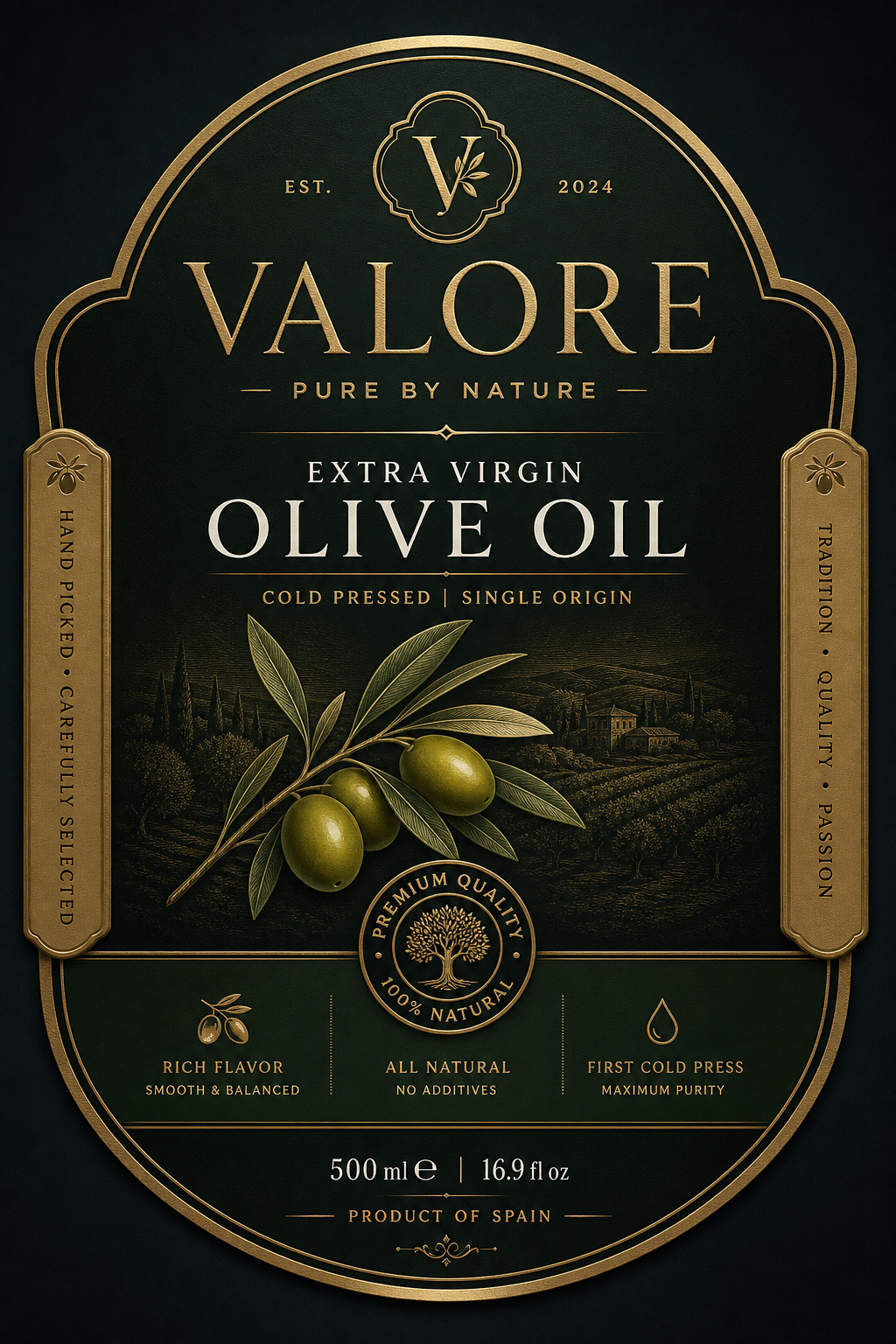
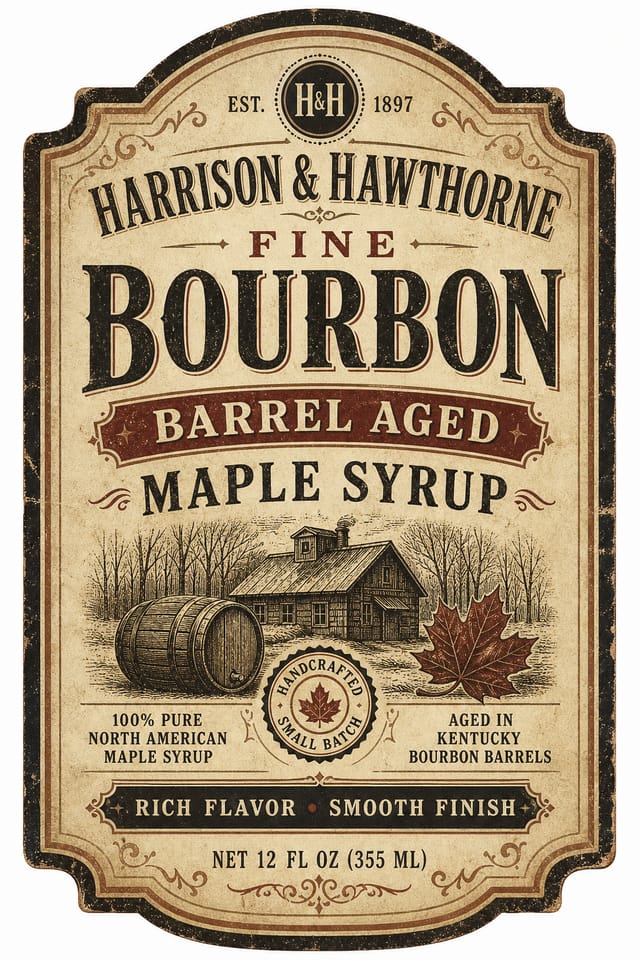
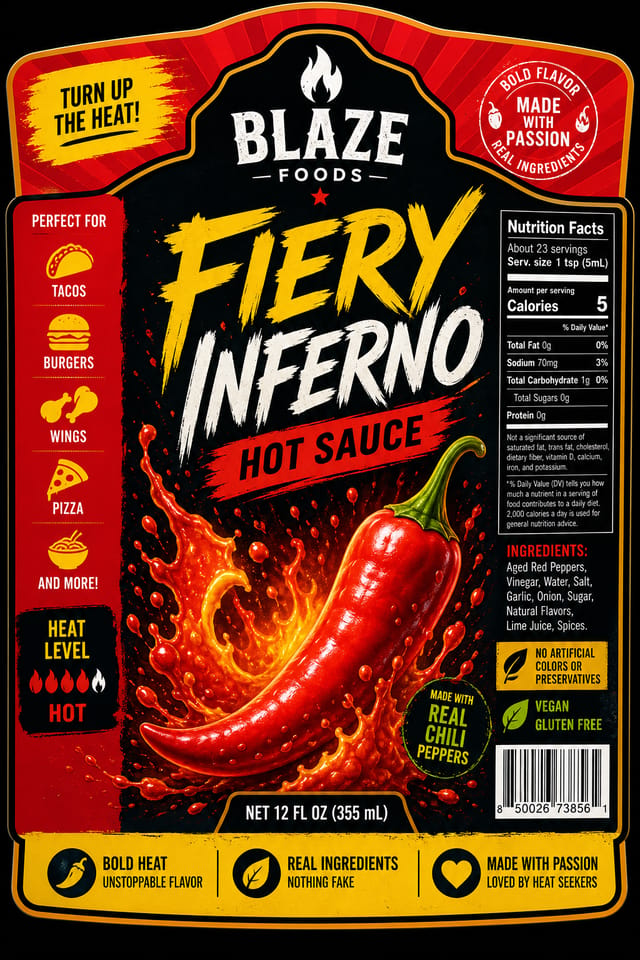
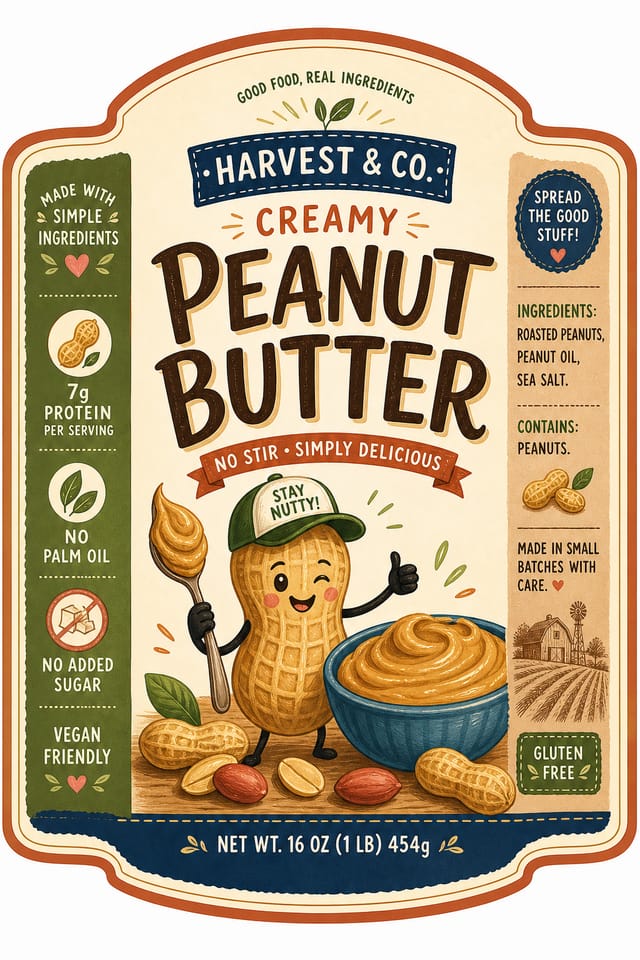
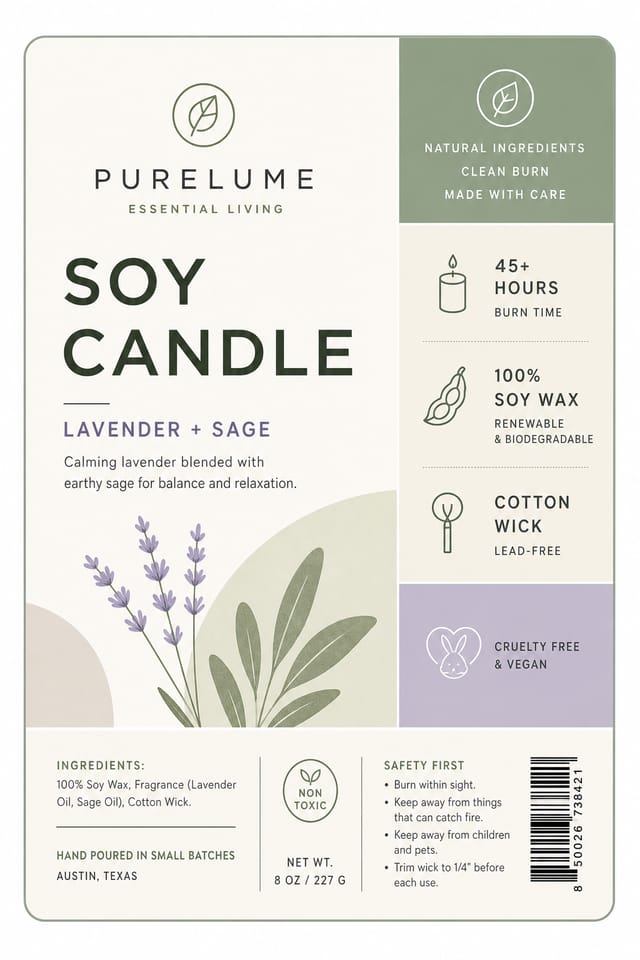
Visuelle Sprache des Produktetiketts: Der zugrunde liegende Rahmen
Warum Produktetiketten-Design spezifisches Fachwissen erfordert
Ein überzeugendes Produktetikett zu erstellen erfordert, das Produktetikett als Designsprache zu verstehen – nicht nur als Etikett.
Die Farbbeziehungen, die Schriftwahl, die räumliche Anordnung.
Diese Elemente wirken zusammen, um den Eindruck eines bewusst gestalteten Produktetiketts zu erzeugen.
Das Generierungsmodell von Pixazo erkennt Designmuster von Produktetiketten und wendet sie systematisch an.
Produktetiketten gestalten: Schritt für Schritt einfach erklärt
Die Vision dokumentieren
Schreibe einen Prompt, der dein Produktetikett beschreibt. Berücksichtige Stilpräferenzen, Farbrichtung, den wichtigsten anzuzeigenden Text und alle gewünschten visuellen Elemente. Je konkreter deine Beschreibung, desto zielgerichteter das Ergebnis.
Das KI-Ergebnis bewerten
Dein Produktetikett wird unmittelbar nach dem Absenden generiert. Bewerte das Design anhand deiner Anforderungen und verfeinere den Prompt, um Elemente zu korrigieren, die nicht deiner Absicht entsprechen.
Das Layout optimieren
Verfeinere das Produktetikett, indem du deine Beschreibung mit präzisen Änderungen aktualisierst. Füge Vorgaben hinzu, die du anfangs ausgelassen hast, oder entferne Elemente, die nicht funktionieren. Die KI reagiert auf konkrete Anweisungen.
Das Ergebnis herunterladen
Hol dir die finale Produktetiketten-Datei mit einem Klick. Format wählen, in voller Auflösung herunterladen und sofort einsetzen. Kein Wasserzeichen, keine Zusatzgebühren, kein Warten.
Produktetiketten-Spezifikationen
Ansehen: Produktetiketten-Designs Schritt für Schritt erstellen
Die Produktetiketten-Pipeline: Aufschlüsselung des Arbeitsablaufs
Überprüfen
Vergleichen Sie die generierten Produktetiketten-Optionen mit Ihrem Briefing. Markieren Sie, was funktioniert, und notieren Sie konkrete Änderungen für die nächste Iteration.
Generieren
Nutzen Sie KI, um mehrere Produktetiketten-Varianten basierend auf Ihrem Briefing zu erzeugen. Beginnen Sie breit und engen Sie aus den stärksten Optionen ein.
Recherche
Sammle Beispiele wirksamer Produktetiketten, halte fest, was funktioniert, und erkenne projektrelevante Muster.
Freigeben
Hole dir die Freigabe der Stakeholder für die fertige Produktetikett. Prüfe alle Texte und stelle sicher, dass das Design Marken- und Technik-Anforderungen erfüllt.
Briefing
Lege Kernbotschaft, Maße, Farbpräferenzen und Zielgruppe deiner Produktetikett fest, bevor das Design beginnt.
Produktetiketten-Werkzeuge im Vergleich: Das passende Tool finden
Piktochart
Infografik- und Präsentations-Maker für datengetriebene Visualisierungen
Pixazo
KI-gestützter Produktetiketten-Generator mit Prompt-basiertem Design und professioneller Ausgabequalität
Schablone
Schlanker Bild-Editor, optimiert für schnelle Social-Media-Grafiken.
VistaCreate
Plattform für visuelle Inhalte mit Vorlagen und integrierter Asset-Bibliothek.
Desygner
Design-Tool für mehrere Formate mit PDF-Bearbeitung und Markenmanagement.
Produktetiketten in der Praxis: Wo sie zum Einsatz kommen
Grafiken für Messen und Ausstellungsstände
Erstelle Produktetiketten für Messestände, Roll-ups und Booth-Backdrops. Großformat-Designs, die Laufkundschaft anziehen.
Produktlaunch-Kampagnen
Gestalte Produktetiketten für Produkteinführungen über digitale und Print-Kanäle. Materialien, die das Positioning vom ersten Tag an etablieren.
Recruiting und Arbeitgeber-Kommunikation
Erstelle Produktetiketten für Karriere-Messen, Karriere-Seiten und Employer-Branding-Initiativen. Designs, die Unternehmenskultur sichtbar machen.
Schaufenster und Büro-Displays
Erstelle Produktetiketten für Schaufenster, Empfangsbereiche und Retail-Umgebungen. Designs, die Markenpräsenz im physischen Raum stärken.
Das Produktetiketten-Toolkit: Professionelle Funktionen
Flexible Exporte
Laden Sie Ihr Produktetikett in Formaten herunter, die zu Ihrem Anwendungsfall passen. Weboptimierte Versionen für die digitale Anzeige, hochauflösende Dateien für den Druck.
Auflösungskontrolle
Legen Sie die Ausgabeabmessungen Ihres Produktetiketts fest. Erhalten Sie Dateien in den passenden Größen für Web, Social Media oder großformatigen Druck.
Kommerzielle Nutzungsrechte
Mit Pixazo erstellte Designs dürfen Sie kommerziell nutzen. Für Produktetiketten-Projekte ist keine zusätzliche Lizenzierung erforderlich.
Kompositionsstruktur
Layout- und Hierarchie-Entscheidungen spiegeln Designmuster von Produktetiketten wider. Die Proportionen und Anordnung entsprechen der konventionellen Strukturierung von Produktetiketten-Designs.
Umgang mit Negativraum
Die KI handhabt Weißraum in Produktetiketten-Designs gemäß den ästhetischen Konventionen für Produktetiketten und nicht nach generischen Poster-Vorgaben.
Designkriterien für Produktetiketten: Die Perspektive eines Designers
Typografische Klarheit
Die Schriftwahl im Produktetiketten-Design sollte zuallererst der Lesbarkeit dienen. Die Schriftauswahl sollte die Ästhetik des Produktetiketts unterstreichen und gleichzeitig auf den vorgesehenen Betrachtungsdistanzen lesbar bleiben.
Ausrichtung und Raster
Starke Produktetiketten-Layouts richten Elemente an einem unsichtbaren Raster aus. Konsistente Ausrichtung schafft Vertrauen und Professionalität, während bewusste Abweichungen vom Raster Akzente setzen.
Gezielt eingesetzter Negativraum
Leerraum im Produktetiketten-Design ist kein verschwendeter Platz. Großzügige Ränder und Raum um die Elemente herum vermitteln Qualität und erleichtern die Lesbarkeit des Designs.
Prompt-Techniken für Produktetiketten schreiben
Kopiere einen der Prompts unten und füge ihn in Pixazo ein, um dein Design sofort zu generieren.
Monochromes Produktetikett, einfarbige Palette mit Helligkeitsvariation für Kontrast, typografische Hierarchie schafft visuelles Interesse ohne FarbkomplexitätVerfeinertes Produktetikett, ausgefeilte Farbbeziehungen, bewusst gesetzter Weißraum, zum Produktetiketten-Stil passende Schriften, ausgewogene KompositionProduktetikett mit starker visueller Hierarchie, größtes Element klar lesbar, Supporting-Elemente nach Wichtigkeit geordnet, klarer HintergrundZweifarbiges Produktetiketten-Design, hoher Kontrast zwischen Primär- und Sekundärfarbe, klare Trennung von Grafik- und TextzonenProduktetikett im Großformat, Elemente in Druckmaßstab gut sichtbar dimensioniert, keine feinen Details, die in der Produktion verloren gehenArbeiten mit Produktetiketten-KI: Funktionen und Einschränkungen
Bekannte Grenzen und Kompromisse beim KI-generierten Produktetiketten-Design. Transparenz ist wichtig, wenn KI für Produktetiketten-Design eingesetzt wird. Die folgenden Punkte beschreiben, wo Sie die KI-Ausgabe gegebenenfalls durch manuelle Nacharbeit ergänzen müssen.
Produktetiketten-Community: Sehenswerte Designs
Echte Creator zeigen ihre mit Pixazo AI erstellten Produktetiketten.
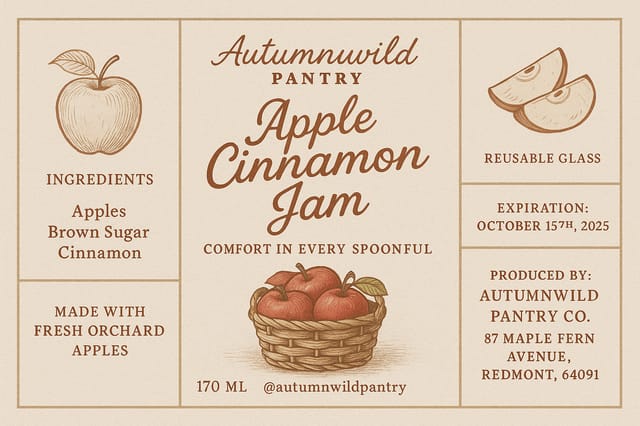
Produktetikett im A3-Querformat für Konferenzstand, informatives Layout mit drei Spalten, klare Abschnittsüberschriften, Platzierungszone für QR-Code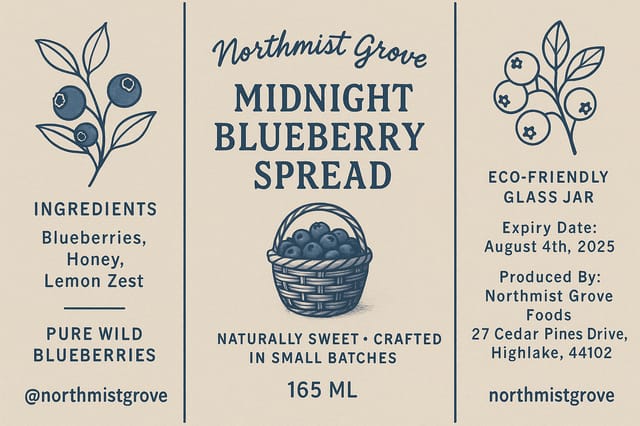
Produktetikett mit 1080×1920 Pixeln für Instagram Stories, fette serifenlose Headline zentriert, Verlauf-Hintergrund in Produktetiketten-Tönen, Call-to-Action am unteren Rand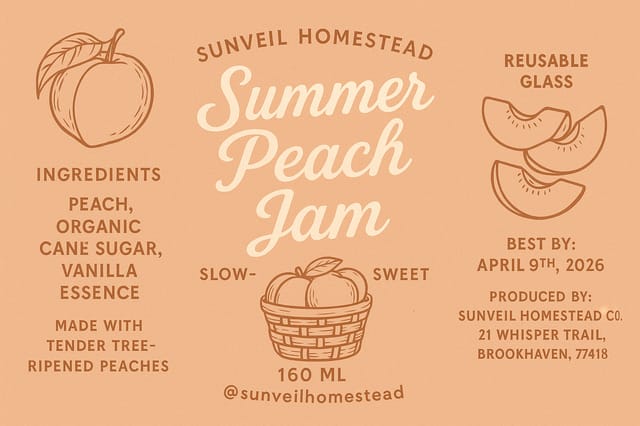
Produktetikett mit Vollbleed-Hintergrund, Bild oder Textur reicht bis zu den Rändern, Vordergrund-Elemente schweben darüber, Headline zentriert verankertProduktetiketten-Maker: Das Wichtigste auf einen Blick
Einzelne Produktetiketten werden in Sekunden generiert. Für die Stapelverarbeitung können Sie mehrere Prompts nacheinander absenden und die Ergebnisse herunterladen, sobald sie fertig sind. Eine Serie von zehn Produktetiketten-Varianten dauert typischerweise unter fünf Minuten insgesamt.
Jede Generierung nutzt Ihren einzigartigen Prompt-Text, um ein eigenständiges Produktetiketten-Design zu erstellen. Selbst ähnliche Prompts erzeugen aufgrund des generativen KI-Prozesses spürbar unterschiedliche Ergebnisse. Zwei Nutzer erhalten niemals identische Designs.
Pixazo bietet einen kostenlosen Tarif, mit dem Sie Produktetiketten in Standardauflösung generieren können. Bezahlte Tarife schalten höhere Auflösungen, vorrangige Generierung und zusätzliche Exportformate frei. Sie können die Produktetiketten-Generierung ohne Angabe von Zahlungsdaten ausprobieren.
Mit Pixazo erstellte Designs stehen für die kommerzielle Nutzung zur Verfügung. Sie können Ihre Produktetiketten für Kundenprojekte, Produktverkäufe, Werbung und andere kommerzielle Anwendungen ohne zusätzliche Lizenzgebühren einsetzen.
Professionelles Produktetiketten-Design beruht auf den richtigen Farbbeziehungen, einer passenden typografischen Hierarchie und einer kompositorischen Ausgewogenheit, die den ästhetischen Konventionen für Produktetiketten entspricht. Generischen Designs fehlen diese Details, weil sie neutrale Standardwerte verwenden statt stilbezogener Entscheidungen. Pixazo wendet das Designwissen für Produktetiketten an, wenn Sie den Stil angeben.

