KI-Produktetiketten-Maker: kostenlose Produktetiketten in Minuten erstellen
Erstelle individuelle Produktetiketten schnell mit dem besten KI-Produktetiketten-Maker von Pixazo. Kostenlos testen!
Loslegen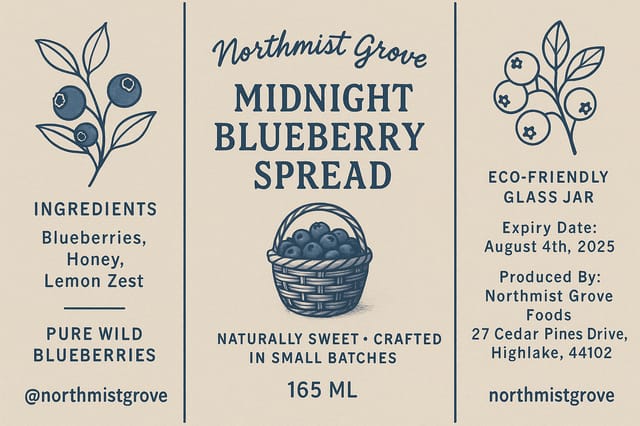
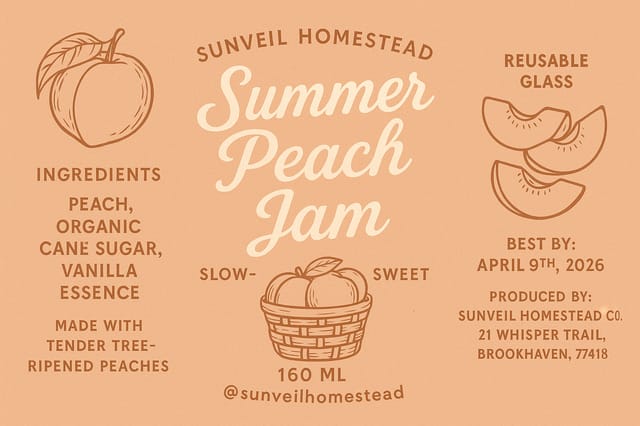
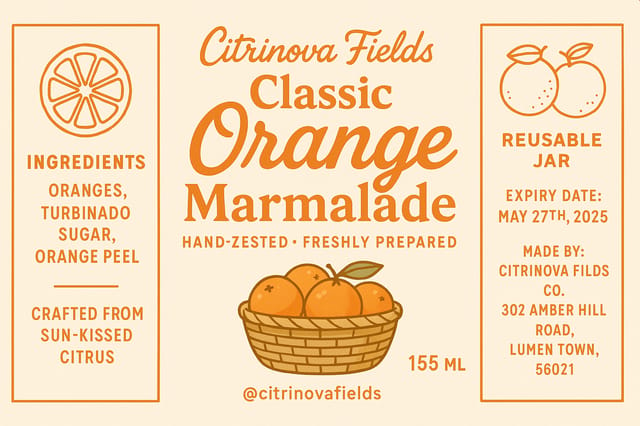
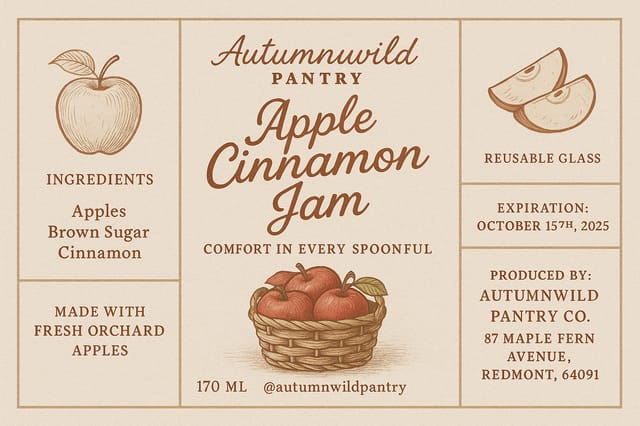
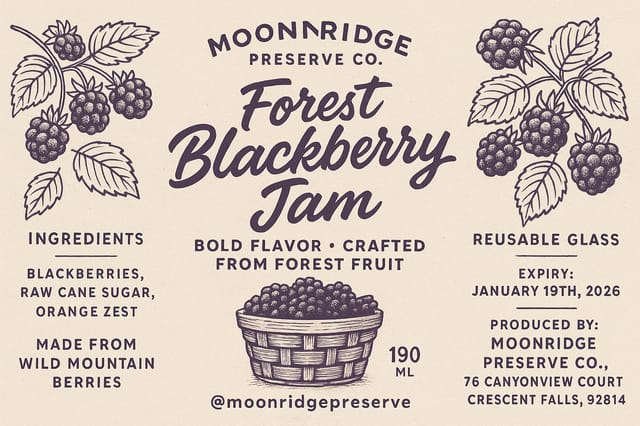
Product-Label Visual Language: The Underlying Framework
Why Product-Label Design Requires Specific Knowledge
Creating a convincing product-label requires understanding product-label as a design vocabulary, not just as a label.
The color relationships, the type choices, the spatial organization.
These elements work together to create the impression of intentional product-label design.
Pixazo's generation model recognizes product-label design patterns and applies them systematically.
Product-Label Design Steps: Made Simple
Document the Vision
Write a Prompt describing your product-label. Include style preferences, color direction, the most important text to display, and any specific visual elements you want. The more specific your description, the more targeted the output.
Judge the AI Result
Your product-label generates immediately after submission. Evaluate the design against your requirements and refine the Prompt to correct any elements that don't match your intent.
Optimize the Layout
Verfeinern the product-label by updating your description with precise changes. Add constraints you didn't include initially or remove elements that aren't working. The AI responds to specific direction.
Download the Result
Hol dir die finale Produktetiketten-Datei mit einem Klick. Format wählen, in voller Auflösung herunterladen und sofort einsetzen. Kein Wasserzeichen, keine Zusatzgebühren, kein Warten.
Produktetiketten-Spezifikationen
Ansehen: Produktetiketten-Designs Schritt für Schritt erstellen
The Product-Label Pipeline: Workflow Breakdown
Überprüfen
Compare generated product-label options against your brief. Mark what works and note specific changes needed for the next iteration.
Generieren
Use AI to produce multiple product-label variations based on your brief. Start broad and narrow down from the strongest options.
Recherche
Sammle Beispiele wirksamer Produktetiketten, halte fest, was funktioniert, und erkenne projektrelevante Muster.
Freigeben
Hole dir die Freigabe der Stakeholder für die fertige Produktetikett. Prüfe alle Texte und stelle sicher, dass das Design Marken- und Technik-Anforderungen erfüllt.
Briefing
Lege Kernbotschaft, Maße, Farbpräferenzen und Zielgruppe deiner Produktetikett fest, bevor das Design beginnt.
Comparing Product-Label Werkzeuge: Finding the Right Fit
Piktochart
Infographic and presentation maker for datengetrieben visuals
Pixazo
AI-powered product-label generator with Prompt-based design and professional output quality
Schablone
Schlanker Bild-Editor, optimiert für schnelle Social-Media-Grafiken.
VistaCreate
Plattform für visuelle Inhalte mit Vorlagen und integrierter Asset-Bibliothek.
Desygner
Design-Tool für mehrere Formate mit PDF-Bearbeitung und Markenmanagement.
Product-Labels in Practice: Where They Fit
Grafiken für Messen und Ausstellungsstände
Erstelle Produktetiketten für Messestände, Roll-ups und Booth-Backdrops. Großformat-Designs, die Laufkundschaft anziehen.
Produktlaunch-Kampagnen
Gestalte Produktetiketten für Produkteinführungen über digitale und Print-Kanäle. Materialien, die das Positioning vom ersten Tag an etablieren.
Recruiting und Arbeitgeber-Kommunikation
Erstelle Produktetiketten für Karriere-Messen, Karriere-Seiten und Employer-Branding-Initiativen. Designs, die Unternehmenskultur sichtbar machen.
Schaufenster und Büro-Displays
Erstelle Produktetiketten für Schaufenster, Empfangsbereiche und Retail-Umgebungen. Designs, die Markenpräsenz im physischen Raum stärken.
The Product-Label Toolkit: Professional Funktionen
Flexible Exportierene
Download your product-label in formats suited for your use case. Web-optimized versions for digital display, high-DPI files for print.
Auflösungskontrolle
Specify output dimensions for your product-label. Get files sized for web display, social media, or large-format printing.
Kommerzielle Nutzungsrechte
Designs generated with Pixazo are yours to use commercially. No additional licensing required for product-label projects.
Kompositionsstruktur
Layout and hierarchy decisions reflect product-label design patterns. The proportions and arrangement match how product-label designs are conventionally structured.
Umgang mit Negativraum
The AI manages whitespace in product-label designs according to product-label aesthetic conventions, not generic poster defaults.
Design Criteria for Product-Label: A Designer's Perspective
Typografische Klarheit
Type choices in product-label design should serve legibility first. Font selection should reinforce the product-label aesthetic while remaining readable at intended viewing distances.
Ausrichtung und Raster
Strong product-label layouts align elements to an invisible grid. Consistent alignment builds trust and professionalism, while deliberate breaks from the grid create emphasis.
Purposeful Negative Space
Empty space in product-label design is not wasted space. Generous margins and breathing room around elements signal quality and make the design easier to read.
Writing Product-Label Prompt Techniques
Kopiere einen der Prompts unten und füge ihn in Pixazo ein, um dein Design sofort zu generieren.
Monochromatic product-label, single-hue palette with value variation for contrast, typographic hierarchy creates visual interest without color complexityVerfeinernd product-label, sophisticated color relationships, intentional whitespace, typefaces appropriate to product-label style, balanced compositionProduktetikett mit starker visueller Hierarchie, größtes Element klar lesbar, Supporting-Elemente nach Wichtigkeit geordnet, klarer HintergrundZweifarbiges Produktetiketten-Design, hoher Kontrast zwischen Primär- und Sekundärfarbe, klare Trennung von Grafik- und TextzonenProduktetikett im Großformat, Elemente in Druckmaßstab gut sichtbar dimensioniert, keine feinen Details, die in der Produktion verloren gehenWorking with Product-Label AI: Funktionen and Caveats
Known limitations and trade-offs of AI-generated product label design. Transparenz matters when using AI for product-label design. The points below describe where you may need to supplement AI output with manual work.
Product-Label Community: Designs Worth Seeing
Echte Creator zeigen ihre mit Pixazo AI erstellten Produktetiketten.
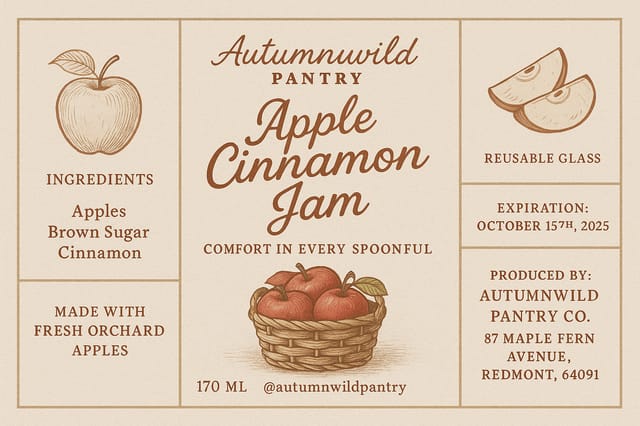
A3 landscape product-label for conference booth, informational layout with three columns, clear section headers, QR code placement zone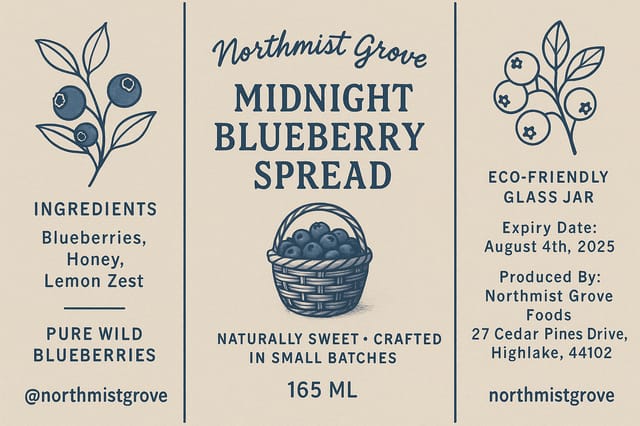
Product-Label at 1080x1920 pixels for Instagram stories, bold sans-serif headline centered, Verlauf background in product-label tones, call-to-action at bottom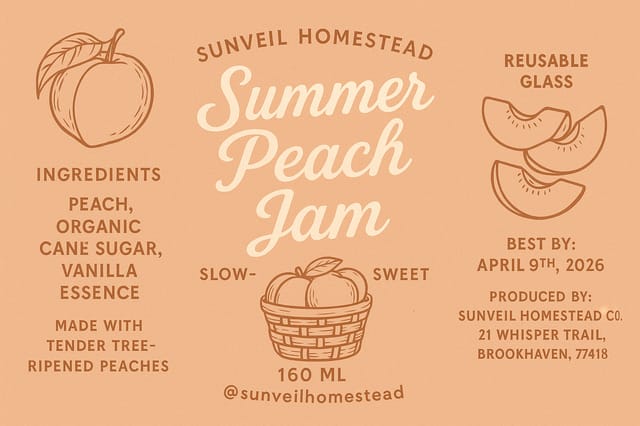
Produktetikett mit Vollbleed-Hintergrund, Bild oder Textur reicht bis zu den Rändern, Vordergrund-Elemente schweben darüber, Headline zentriert verankertTeile deine Arbeit: @pixazo #PixazoProductlabel
Product-Label Maker: Key Things to Know
Individual product-labels generate in seconds. For batch production, you can submit multiple Prompts in sequence and download results as they complete. A series of ten product-label variations typically takes under five minutes total.
Each generation uses your unique Prompt text to produce a distinct product-label design. Even similar Prompts produce noticeably different outputs due to the AI's generative process. No two users receive identical designs.
Pixazo offers a free tier that lets you generate product-labels with standard resolution output. Paid plans unlock higher resolution, priority generation, and additional export formats. You can try product-label generation without entering payment details.
Designs created with Pixazo are available for commercial use. You can use your product-labels for client projects, product sales, advertising, and other commercial applications without additional licensing fees.
Professional product-label design comes down to the right color relationships, appropriate typographic hierarchy, and compositional balance that fits product-label aesthetic conventions. Generic designs miss these details because they apply neutral defaults rather than style-specific decisions. Pixazo applies product-label design knowledge when you specify the style.

