Pixazo APIAI Image Upscaler API

AI Image & Video Upscaler APIs

Access AI Image & Video Upscaler APIs to increase image and video resolution without quality loss. Upscale with Crystal Upscaler, SeedVR, and Topaz via Pixazo API.

Explore AI Image Upscaler API Models

Browse and compare the best AI image and video upscaler API models. Filter by capability, check supported features and output quality, and pick the right model for your project.
Crystal Upscaler

Crystal Upscaler

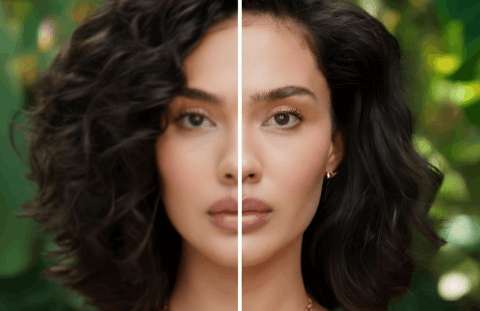
AI image upscaling up to 4x with detail preservation.

View API
Seed VR

Seed VR

AI upscaling for images and videos with detail enhancement.

View API
Topaz

Topaz

Professional AI video upscaling and enhancement.

View API
P Image

P Image

AI-powered image editing and transformation by Pruna AI.

View API

AI Image & Video Upscaler APIs

AI Image & Video Upscaler API

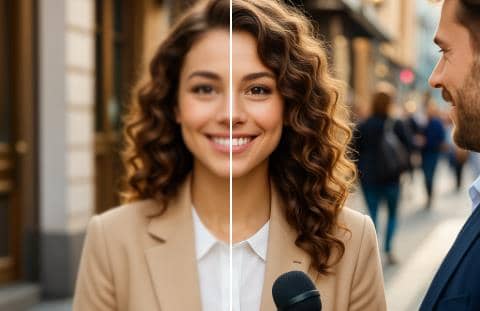
Pixazo's Upscaler API transforms low-resolution images and footage into crisp, publication-ready output using state-of-the-art deep learning. Access Crystal Upscaler, SeedVR, and Topaz — three industry-leading models — through one unified REST endpoint.

Scale images and videos by 2×, 4×, or 8× without artefacts, softness, or quality loss. One API key. Unlimited upscaling power.

Resolution Scale

From SD to 8K — in one API call

AI upscaling synthesises real detail at every tier. See exactly how far your content can reach from its original resolution.


Supported Models

Three best-in-class models, one endpoint

Every model is pre-integrated and production-ready — no configuration required beyond your Pixazo API key.


Quick Start

Start upscaling in under a minute

One API key, one endpoint — no infrastructure to manage or models to deploy.

cURL · REST API
$ curl -X POST https://api.pixazo.ai/v1/upscale \
  -H "Authorization: Bearer YOUR_API_KEY" \
  -H "Content-Type: application/json" \
  -d '{
        "model":         "crystal-upscaler",
        "image_url":     "https://example.com/photo.jpg",
        "scale":         4,
        "output_format": "png"
      }'

# Response
{
  "status":        "success",
  "output_url":   "https://cdn.pixazo.ai/output/upscaled_4x.png",
  "input_size":   "512x512",
  "output_size":  "2048x2048",
  "scale":        4,
  "credits_used": 2
}

FAQ

Common questions

Everything you need to know about Pixazo's AI Image & Video Upscaler API.