Krea 2 Turbo API, Krea 2 API: Pricing, Documentation
by Krea.AI
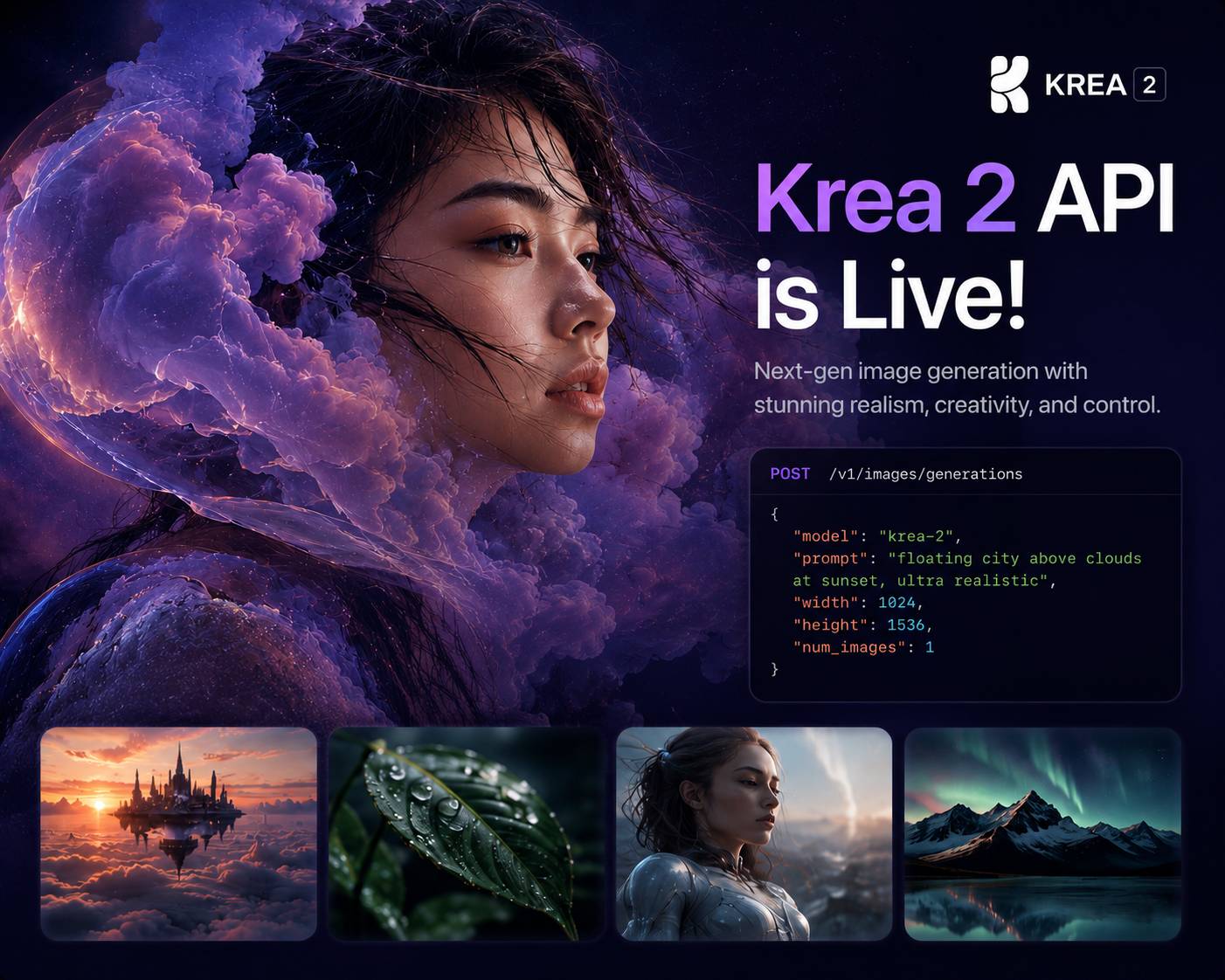
Krea 2 Turbo API is a developer-focused interface for accessing Krea’s flagship foundation image model, enabling applications to generate and transform high-quality visuals with fine-grained creative control. Designed to support a wide range of artistic and commercial workflows, the API allows developers to create images from text prompts, leverage reference images and moodboards, apply advanced style transfer, and adjust creativity parameters to influence the visual direction of outputs. As part of Krea’s broader AI platform, Krea 2 API integrates into a scalable, asynchronous workflow and is built to help teams produce distinctive, brand-aligned imagery while maintaining flexibility across diverse creative use cases.
Models Version
Get $5 Free Credit on First Payment
No strings attached — add funds and get $5 bonus instantly
Krea 2 Turbo API Documentation
https://gateway.pixazo.ai/krea-2-turbo/v1/krea-2-turbo-requestAuthentication
All requests require an API key passed via header.
| Header | Type | Required | Description |
|---|---|---|---|
| Ocp-Apim-Subscription-Key | string | Yes | Your API subscription key |
Krea 2 Turbo generate request
Request Code
POST https://gateway.pixazo.ai/krea-2-turbo/v1/krea-2-turbo-request
Content-Type: application/json
Cache-Control: no-cache
Ocp-Apim-Subscription-Key: YOUR_API_KEY

{
  "prompt": "A surreal floating island with waterfalls cascading into the clouds, soft golden light",
  "image_size": "square_hd",
  "num_images": 1,
  "acceleration": "none",
  "output_format": "png",
  "enable_safety_checker": true,
  "sync_mode": false
}
import requests
url = "https://gateway.pixazo.ai/krea-2-turbo/v1/krea-2-turbo-request"
headers = {
"Content-Type": "application/json",
"Cache-Control": "no-cache",
"Ocp-Apim-Subscription-Key": "YOUR_API_KEY"
}
data = {
"prompt": "A surreal floating island with waterfalls cascading into the clouds, soft golden light",
"image_size": "square_hd",
"num_images": 1,
"acceleration": "none",
"output_format": "png",
"enable_safety_checker": true,
"sync_mode": false
}
response = requests.post(url, json=data, headers=headers)
print(response.json())const url = "https://gateway.pixazo.ai/krea-2-turbo/v1/krea-2-turbo-request";
const headers = {
"Content-Type": "application/json",
"Cache-Control": "no-cache",
"Ocp-Apim-Subscription-Key": "YOUR_API_KEY"
};
const data = {
"prompt": "A surreal floating island with waterfalls cascading into the clouds, soft golden light",
"image_size": "square_hd",
"num_images": 1,
"acceleration": "none",
"output_format": "png",
"enable_safety_checker": true,
"sync_mode": false
};
fetch(url, {
method: "POST",
headers: headers,
body: JSON.stringify(data)
})
.then(response => response.json())
.then(data => console.log(data));curl -X POST "https://gateway.pixazo.ai/krea-2-turbo/v1/krea-2-turbo-request" \
-H "Content-Type: application/json" \
-H "Cache-Control: no-cache" \
-H "Ocp-Apim-Subscription-Key: YOUR_API_KEY" \
--data-raw '{
"prompt": "A surreal floating island with waterfalls cascading into the clouds, soft golden light",
"image_size": "square_hd",
"num_images": 1,
"acceleration": "none",
"output_format": "png",
"enable_safety_checker": true,
"sync_mode": false
}'Output
{
  "request_id": "krea-2-turbo_019dxxxx-xxxx-xxxx-xxxx-xxxxxxxxxxxx",
  "status": "QUEUED",
  "polling_url": "https://gateway.pixazo.ai/v2/requests/status/krea-2-turbo_019dxxxx-xxxx-xxxx-xxxx-xxxxxxxxxxxx"
}Webhook (Optional)
Add the X-Webhook-URL header to your generate request to receive a POST callback instead of polling.
X-Webhook-URL: https://your-server.com/webhook/callbackRequest Parameters - Krea 2 Turbo generate request
| Parameter | Required | Type | Default | Allowed values / range | Description |
|---|---|---|---|---|---|
| prompt | Yes | string | — | non-empty; ≤ 5000 chars | Text prompt for image generation (1–5000 characters) |
| image_size | No | string or object | "square_hd" | "square_hd", "square", "portrait_4_3", "portrait_16_9", "landscape_4_3", "landscape_16_9", or {width: int, height: int} (max 14142 each) | Preset aspect ratios: square_hd, square, portrait_4_3, portrait_16_9, landscape_4_3, landscape_16_9. Alternatively, provide a custom object with width and height integers (max 14142 each). |
| num_images | No | integer | 1 | 1–4 | Number of images to generate (1–4). Each image uses seed + i as its random seed. |
| acceleration | No | string | "none" | "none", "regular" | Inference acceleration mode. Allowed: none, regular. |
| enable_prompt_expansion | No | boolean | false | true, false | If true, the prompt is expanded with an LLM into a more detailed image-generation prompt for higher-quality results. If expansion fails, the original prompt is used unchanged. |
| output_format | No | string | "png" | "jpeg", "png" | Output image format. Allowed: jpeg, png. |
| enable_safety_checker | No | boolean | true | true, false | Enable NSFW content filtering. Set to false to disable. |
| seed | No | integer | — | — | Optional random seed for reproducible results. If omitted, a random seed is used. |
| sync_mode | No | boolean | false | true, false | If true, returns the generated image(s) as data URI(s) inline in the response. If false, returns a request_id for async polling. |
Example Request
{
  "prompt": "A surreal floating island with waterfalls cascading into the clouds, soft golden light",
  "image_size": "square_hd",
  "num_images": 1,
  "acceleration": "none",
  "output_format": "png",
  "enable_safety_checker": true,
  "sync_mode": false
}
Response
{
  "request_id": "krea-2-turbo_019dxxxx-xxxx-xxxx-xxxx-xxxxxxxxxxxx",
  "status": "QUEUED",
  "polling_url": "https://gateway.pixazo.ai/v2/requests/status/krea-2-turbo_019dxxxx-xxxx-xxxx-xxxx-xxxxxxxxxxxx"
}
Request Headers
| Header | Value |
|---|---|
| Content-Type | application/json |
| Cache-Control | no-cache |
| Ocp-Apim-Subscription-Key | YOUR_API_KEY |
Response Handling
Common status codes.
| Code | Meaning |
|---|---|
| 202 | Accepted — Request queued |
| 400 | Bad Request |
| 401 | Unauthorized |
| 402 | Insufficient Balance |
| 403 | Forbidden |
| 429 | Too Many Requests |
| 500 | Internal Server Error |
Error Responses
Queue system errors and model validation errors.
Queue System Errors
// 402 — Insufficient balance
{
  "error": "Insufficient Balance",
  "message": "Your wallet does not have enough balance."
}
// 400 — Model not found
{
"error": "Model not found",
"message": "Model 'krea-2-turbo' not found or is disabled"
}Error via Status/Webhook
{
  "request_id": "krea-2-turbo_019dxxxx-xxxx-xxxx-xxxx-xxxxxxxxxxxx",
  "status": "ERROR",
  "model_id": "krea-2-turbo",
  "error": "Description of the error",
  "output": null
}
Retrieving Results
Poll the universal status endpoint to check progress and retrieve results.
Endpoint
GET https://gateway.pixazo.ai/v2/requests/status/{request_id}
Ocp-Apim-Subscription-Key: YOUR_API_KEY
cURL Example
curl -H "Ocp-Apim-Subscription-Key: YOUR_API_KEY" \
  "https://gateway.pixazo.ai/v2/requests/status/krea-2-turbo_019dxxxx-xxxx-xxxx-xxxx-xxxxxxxxxxxx"
Response (Completed)
{
  "request_id": "krea-2-turbo_019dxxxx-xxxx-xxxx-xxxx-xxxxxxxxxxxx",
  "status": "COMPLETED",
  "model_id": "krea-2-turbo",
  "error": null,
  "output": {
    "media_url": ["https://pub-582b7213209642b9b995c96c95a30381.r2.dev/v1/krea-2-turbo_019dxxxx/output.png"],
    "media_type": "image/png"
  },
  "created_at": "2026-03-31T10:00:00.000Z",
  "updated_at": "2026-03-31T10:00:15.000Z",
  "completed_at": "2026-03-31T10:00:15.000Z"
}
Response Fields
| Field | Type | Description |
|---|---|---|
| request_id | string | Unique request identifier |
| status | string | QUEUED, PROCESSING, COMPLETED, FAILED, or ERROR |
| model_id | string | Model that processed the request |
| error | string|null | Error message if failed |
| output.media_url | array | URLs to generated media (R2 CDN) |
| output.media_type | string | MIME type of the output |
| created_at | string | When request was created |
| completed_at | string | When request completed |
| polling_url | string | Status URL (initial response only) |
Status Values
| Status | Description |
|---|---|
| QUEUED | Request accepted, waiting to be processed |
| PROCESSING | Being processed by the model |
| COMPLETED | Done — output contains the result |
| FAILED | Failed — check error field |
| ERROR | System error — not charged |
Status Flow
QUEUED → PROCESSING → COMPLETED
                    → FAILED
                    → ERROR
Typical Workflow
- Send a generate request to the API endpoint
- Save the
request_idfrom the response - Poll every 5-10 seconds:
GET /v2/requests/status/{request_id} - When
statusis"COMPLETED", download fromoutput.media_url
Tip: Use X-Webhook-URL header to get a callback instead of polling.
Krea 2 Turbo API Pricing
Krea 2 Turbo API Documentation
https://gateway.pixazo.ai/krea-2-turbo-lora/v1/krea-2-turbo-lora-requestAuthentication
All requests require an API key passed via header.
| Header | Type | Required | Description |
|---|---|---|---|
| Ocp-Apim-Subscription-Key | string | Yes | Your API subscription key |
Krea 2 Turbo LoRA generate request
Request Code
POST https://gateway.pixazo.ai/krea-2-turbo-lora/v1/krea-2-turbo-lora-request
Content-Type: application/json
Cache-Control: no-cache
Ocp-Apim-Subscription-Key: YOUR_API_KEY

{
  "prompt": "A portrait of sks_subject in the style of a vintage oil painting, dramatic lighting",
  "loras": [
    {
      "path": "https://your-bucket.example.com/your-trained-lora.safetensors",
      "scale": 1
    }
  ],
  "image_size": "square_hd",
  "num_images": 1,
  "acceleration": "none",
  "output_format": "png",
  "enable_safety_checker": true,
  "sync_mode": false
}
import requests
url = "https://gateway.pixazo.ai/krea-2-turbo-lora/v1/krea-2-turbo-lora-request"
headers = {
"Content-Type": "application/json",
"Cache-Control": "no-cache",
"Ocp-Apim-Subscription-Key": "YOUR_API_KEY"
}
data = {
"prompt": "A portrait of sks_subject in the style of a vintage oil painting, dramatic lighting",
"loras": [
{
"path": "https://your-bucket.example.com/your-trained-lora.safetensors",
"scale": 1
}
],
"image_size": "square_hd",
"num_images": 1,
"acceleration": "none",
"output_format": "png",
"enable_safety_checker": true,
"sync_mode": false
}
response = requests.post(url, json=data, headers=headers)
print(response.json())const url = "https://gateway.pixazo.ai/krea-2-turbo-lora/v1/krea-2-turbo-lora-request";
const headers = {
"Content-Type": "application/json",
"Cache-Control": "no-cache",
"Ocp-Apim-Subscription-Key": "YOUR_API_KEY"
};
const data = {
"prompt": "A portrait of sks_subject in the style of a vintage oil painting, dramatic lighting",
"loras": [
{
"path": "https://your-bucket.example.com/your-trained-lora.safetensors",
"scale": 1
}
],
"image_size": "square_hd",
"num_images": 1,
"acceleration": "none",
"output_format": "png",
"enable_safety_checker": true,
"sync_mode": false
};
fetch(url, {
method: "POST",
headers: headers,
body: JSON.stringify(data)
})
.then(response => response.json())
.then(data => console.log(data));curl -X POST "https://gateway.pixazo.ai/krea-2-turbo-lora/v1/krea-2-turbo-lora-request" \
-H "Content-Type: application/json" \
-H "Cache-Control: no-cache" \
-H "Ocp-Apim-Subscription-Key: YOUR_API_KEY" \
--data-raw '{
"prompt": "A portrait of sks_subject in the style of a vintage oil painting, dramatic lighting",
"loras": [
{
"path": "https://your-bucket.example.com/your-trained-lora.safetensors",
"scale": 1
}
],
"image_size": "square_hd",
"num_images": 1,
"acceleration": "none",
"output_format": "png",
"enable_safety_checker": true,
"sync_mode": false
}'Output
{
  "request_id": "krea-2-turbo-lora_019dxxxx-xxxx-xxxx-xxxx-xxxxxxxxxxxx",
  "status": "QUEUED",
  "polling_url": "https://gateway.pixazo.ai/v2/requests/status/krea-2-turbo-lora_019dxxxx-xxxx-xxxx-xxxx-xxxxxxxxxxxx"
}Webhook (Optional)
Add the X-Webhook-URL header to your generate request to receive a POST callback instead of polling.
X-Webhook-URL: https://your-server.com/webhook/callbackRequest Parameters - Krea 2 Turbo LoRA generate request
| Parameter | Required | Type | Default | Allowed values / range | Description |
|---|---|---|---|---|---|
| prompt | Yes | string | — | non-empty; ≤ 5000 chars | Text description for image generation (1–5000 characters). |
| loras | No | array | [] | up to 3 items | Up to 3 LoRA weights to apply. Each element {path (string, required), scale (float, default 1, 0-4)}. path accepts a URL, HuggingFace repo id (owner/repo), or local path. Tip: for a trained subject, use scale about 0.9 — higher values overfit and the model starts ignoring the prompt/scene. |
| image_size | No | string or object | "square_hd" | "square_hd", "square", "portrait_4_3", "portrait_16_9", "landscape_4_3", "landscape_16_9", or {width: integer, height: integer} (max 14142 each) | Image dimensions preset or custom. Presets: square_hd, square, portrait_4_3, portrait_16_9, landscape_4_3, landscape_16_9. Custom object: {width: integer, height: integer} with max 14142 for either dimension. |
| num_images | No | integer | 1 | 1–4 | Number of images to generate (1–4). Each image uses seed + i for variation. |
| acceleration | No | string | "none" | "none", "regular" | Inference acceleration mode. |
| enable_prompt_expansion | No | boolean | false | true, false | If true, the prompt is expanded with an LLM into a more detailed image-generation prompt for higher-quality results. If expansion fails, the original prompt is used unchanged. |
| output_format | No | string | "png" | "jpeg", "png" | Output image format. |
| enable_safety_checker | No | boolean | true | true, false | Enable NSFW content filtering. |
| seed | No | integer | — | — | Optional random seed for reproducible results. |
| sync_mode | No | boolean | false | true, false | If true, returns the image as a base64-encoded data URI inline in the response. Otherwise, returns a polling ID. |
Example Request
{
  "prompt": "A portrait of sks_subject in the style of a vintage oil painting, dramatic lighting",
  "loras": [
    {
      "path": "https://your-bucket.example.com/your-trained-lora.safetensors",
      "scale": 1
    }
  ],
  "image_size": "square_hd",
  "num_images": 1,
  "acceleration": "none",
  "output_format": "png",
  "enable_safety_checker": true,
  "sync_mode": false
}
Response
{
  "request_id": "krea-2-turbo-lora_019dxxxx-xxxx-xxxx-xxxx-xxxxxxxxxxxx",
  "status": "QUEUED",
  "polling_url": "https://gateway.pixazo.ai/v2/requests/status/krea-2-turbo-lora_019dxxxx-xxxx-xxxx-xxxx-xxxxxxxxxxxx"
}
Request Headers
| Header | Value |
|---|---|
| Content-Type | application/json |
| Cache-Control | no-cache |
| Ocp-Apim-Subscription-Key | YOUR_API_KEY |
Response Handling
Common status codes.
| Code | Meaning |
|---|---|
| 202 | Accepted — Request queued |
| 400 | Bad Request |
| 401 | Unauthorized |
| 402 | Insufficient Balance |
| 403 | Forbidden |
| 429 | Too Many Requests |
| 500 | Internal Server Error |
Error Responses
Queue system errors and model validation errors.
Queue System Errors
// 402 — Insufficient balance
{
  "error": "Insufficient Balance",
  "message": "Your wallet does not have enough balance."
}
// 400 — Model not found
{
"error": "Model not found",
"message": "Model 'krea-2-turbo-lora' not found or is disabled"
}Error via Status/Webhook
{
  "request_id": "krea-2-turbo-lora_019dxxxx-xxxx-xxxx-xxxx-xxxxxxxxxxxx",
  "status": "ERROR",
  "model_id": "krea-2-turbo-lora",
  "error": "Description of the error",
  "output": null
}
Retrieving Results
Poll the universal status endpoint to check progress and retrieve results.
Endpoint
GET https://gateway.pixazo.ai/v2/requests/status/{request_id}
Ocp-Apim-Subscription-Key: YOUR_API_KEY
cURL Example
curl -H "Ocp-Apim-Subscription-Key: YOUR_API_KEY" \
  "https://gateway.pixazo.ai/v2/requests/status/krea-2-turbo-lora_019dxxxx-xxxx-xxxx-xxxx-xxxxxxxxxxxx"
Response (Completed)
{
  "request_id": "krea-2-turbo-lora_019dxxxx-xxxx-xxxx-xxxx-xxxxxxxxxxxx",
  "status": "COMPLETED",
  "model_id": "krea-2-turbo-lora",
  "error": null,
  "output": {
    "media_url": ["https://pub-582b7213209642b9b995c96c95a30381.r2.dev/v1/krea-2-turbo-lora_019dxxxx/output.png"],
    "media_type": "image/png"
  },
  "created_at": "2026-03-31T10:00:00.000Z",
  "updated_at": "2026-03-31T10:00:15.000Z",
  "completed_at": "2026-03-31T10:00:15.000Z"
}
Response Fields
| Field | Type | Description |
|---|---|---|
| request_id | string | Unique request identifier |
| status | string | QUEUED, PROCESSING, COMPLETED, FAILED, or ERROR |
| model_id | string | Model that processed the request |
| error | string|null | Error message if failed |
| output.media_url | array | URLs to generated media (R2 CDN) |
| output.media_type | string | MIME type of the output |
| created_at | string | When request was created |
| completed_at | string | When request completed |
| polling_url | string | Status URL (initial response only) |
Status Values
| Status | Description |
|---|---|
| QUEUED | Request accepted, waiting to be processed |
| PROCESSING | Being processed by the model |
| COMPLETED | Done — output contains the result |
| FAILED | Failed — check error field |
| ERROR | System error — not charged |
Status Flow
QUEUED → PROCESSING → COMPLETED
                    → FAILED
                    → ERROR
Typical Workflow
- Send a generate request to the API endpoint
- Save the
request_idfrom the response - Poll every 5-10 seconds:
GET /v2/requests/status/{request_id} - When
statusis"COMPLETED", download fromoutput.media_url
Tip: Use X-Webhook-URL header to get a callback instead of polling.
Krea 2 Turbo API Pricing
Krea 2 Large API Documentation
Generate a high-quality image from a text prompt with Krea 2 Large. This is an asynchronous (queue) API: submit a request, then poll for the result.
POST https://gateway.pixazo.ai/krea-2-large/v1/text-to-imageAuthentication
All requests require an API key passed via header.
| Header | Type | Required | Description |
|---|---|---|---|
Ocp-Apim-Subscription-Key | string | Yes | Your API subscription key |
Text to Image - Krea 2 Large
Request Code
POST /krea-2-large/v1/text-to-image HTTP/1.1
Host: gateway.pixazo.ai
Ocp-Apim-Subscription-Key: YOUR_API_KEY
Content-Type: application/json

{
  "prompt": "a cinematic glass cabin beside a frozen lake at sunrise",
  "aspect_ratio": "16:9",
  "resolution": "1K"
}
import requests
resp = requests.post(
"https://gateway.pixazo.ai/krea-2-large/v1/text-to-image",
headers={
"Ocp-Apim-Subscription-Key": "YOUR_API_KEY",
"Content-Type": "application/json",
},
json={
"prompt": "a cinematic glass cabin beside a frozen lake at sunrise",
"aspect_ratio": "16:9",
"resolution": "1K",
},
)
print(resp.json())const res = await fetch("https://gateway.pixazo.ai/krea-2-large/v1/text-to-image", {
method: "POST",
headers: {
"Ocp-Apim-Subscription-Key": "YOUR_API_KEY",
"Content-Type": "application/json",
},
body: JSON.stringify({
prompt: "a cinematic glass cabin beside a frozen lake at sunrise",
aspect_ratio: "16:9",
resolution: "1K",
}),
});
const data = await res.json();
console.log(data);curl -X POST "https://gateway.pixazo.ai/krea-2-large/v1/text-to-image" \
-H "Ocp-Apim-Subscription-Key: YOUR_API_KEY" \
-H "Content-Type: application/json" \
-d '{
"prompt": "a cinematic glass cabin beside a frozen lake at sunrise",
"aspect_ratio": "16:9",
"resolution": "1K"
}'Output
{
  "request_id": "krea-2-large_019dxxxx-xxxx-xxxx-xxxx-xxxxxxxxxxxx",
  "status": "QUEUED",
  "polling_url": "https://gateway.pixazo.ai/v2/requests/status/krea-2-large_019dxxxx-xxxx-xxxx-xxxx-xxxxxxxxxxxx"
}Webhook (Optional)
Instead of polling, you can receive an HTTP callback when the request reaches a terminal state. Pass the webhook URL via the X-Webhook-URL header on the submit request.
Webhook Headers
| Header | Type | Required | Description |
|---|---|---|---|
X-Webhook-URL | string | No | HTTPS URL that receives a POST callback when the request finishes. Enables webhook delivery. |
X-Webhook-Mode | string | No | terminal (default) fires once on COMPLETED/ERROR; sync also fires a progress webhook on every poll cycle. |
Example: enable webhook
curl -X POST "https://gateway.pixazo.ai/krea-2-large/v1/text-to-image" \
  -H "Ocp-Apim-Subscription-Key: YOUR_API_KEY" \
  -H "Content-Type: application/json" \
  -H "X-Webhook-URL: https://your-server.com/webhooks/krea" \
  -d '{"prompt":"a serene mountain lake","aspect_ratio":"16:9","resolution":"1K"}'
Callback Payload (Success)
{
  "request_id": "krea-2-large_019dxxxx-xxxx-xxxx-xxxx-xxxxxxxxxxxx",
  "status": "COMPLETED",
  "model_id": "krea-2-large",
  "output": {
    "media_url": "https://pub-582b7213209642b9b995c96c95a30381.r2.dev/krea-2-large/019dxxxx-result.png",
    "media_type": "image/png"
  },
  "completed_at": "2026-06-23T10:00:18.000Z"
}
Callback Payload (Failure)
{
  "request_id": "krea-2-large_019dxxxx-xxxx-xxxx-xxxx-xxxxxxxxxxxx",
  "status": "ERROR",
  "model_id": "krea-2-large",
  "error": "GENERATION_FAILED: ",
  "output": null
}
Delivery semantics
- terminal mode (default): one webhook fires when the request reaches COMPLETED or ERROR.
- sync mode: a progress webhook fires on every poll cycle (carrying the current status) plus the terminal webhook.
- Deliveries are idempotent on
request_id— de-duplicate on your side. - Respond
200within a few seconds; non-2xx may be retried. - The webhook URL must be HTTPS.
Request Parameters - Text to Image
| Parameter | Required | Type | Default | Allowed values / range | Description |
|---|---|---|---|---|---|
prompt | Yes | string | — | Any descriptive text | Text prompt describing the image to generate. |
aspect_ratio | Yes | string | — | "1:1", "4:3", "3:2", "16:9", "2.35:1", "4:5", "2:3", "9:16" | Aspect ratio of the generated image. |
resolution | Yes | string | — | "1K" | Resolution scale. |
creativity | No | string | "low" | "raw", "low", "medium", "high" | Prompt expansion mode. raw disables expansion; low/medium/high control strength. |
complexity | No | integer | 0 | -100 – 100 | K2 Complexity slider. 0 disables the slider LoRA. |
intensity | No | integer | 0 | -100 – 100 | K2 Intensity slider. 0 disables the slider LoRA. |
movement | No | integer | 0 | -100 – 100 | K2 Movement slider. 0 disables the slider LoRA. |
seed | No | number | — (random) | any integer, or null | Random seed for reproducible generations. Omit or pass null for a random seed. |
image_style_references | No | array | — | up to 10 items | Reference images to drive the visual style (not editing — style conditioning only). |
image_style_references[].url | Conditional | string (uri) | — | max 1024 chars | URL of the reference image. Required for each item. |
image_style_references[].strength | No | number | 0.5 | 0 – 1 | Style influence (0 = none, 1 = maximum). |
moodboards | No | array | — | exactly 1 item | Moodboard reference (currently limited to one). |
moodboards[].id | Conditional | string (uuid) | — | UUID | Moodboard identifier. Required for each item. |
moodboards[].strength | No | number | 0.23 | 0 – 1 | Moodboard influence (0 = none, 1 = maximum). |
styles | No | array | — | LoRAs / style presets | Styles (typically LoRAs) to apply to the generation. |
styles[].id | Conditional | string | — | — | Style (LoRA) identifier. Required for each item. |
styles[].strength | Conditional | number | — | -2 – 2 | Style strength. Required for each item. |
image_url | No | string (uri) | — | max 1024 chars | Optional source image for image-to-image generation. When provided, generation starts from this image instead of pure noise (control how much it changes with strength). Accepts an external URL, base64 data URI, or uploaded asset URL. |
strength | No | number | 0.99 | 0 – 1 | Denoising strength applied when image_url is provided. 0 keeps the input image, 1 fully replaces it. Has no effect without image_url. |
Content Item Types & Limits
| Type | Max | Format / Size | Description |
|---|---|---|---|
| image | 10 | JPG, PNG, WEBP | Style reference image(s), up to 10. |
Note: Krea 2 Large is text-to-image only. The image inputs above (image_style_references, moodboards) are style/conditioning references — there is no image-to-image or editing mode.
Example Request
{
  "prompt": "a cinematic glass cabin beside a frozen lake at sunrise",
  "aspect_ratio": "16:9",
  "resolution": "1K",
  "creativity": "medium",
  "complexity": 0,
  "intensity": 0,
  "movement": 0,
  "seed": 12345,
  "image_style_references": [
    { "url": "https://pub-582b7213209642b9b995c96c95a30381.r2.dev/doc-assets/images/input.jpg", "strength": 0.5 }
  ]
}
Response
{
  "request_id": "krea-2-large_019dxxxx-xxxx-xxxx-xxxx-xxxxxxxxxxxx",
  "status": "QUEUED",
  "polling_url": "https://gateway.pixazo.ai/v2/requests/status/krea-2-large_019dxxxx-xxxx-xxxx-xxxx-xxxxxxxxxxxx"
}
Request Headers
| Header | Type | Required | Description |
|---|---|---|---|
Ocp-Apim-Subscription-Key | string | Yes | Your API subscription key |
Content-Type | string | Yes | application/json |
X-Webhook-URL | string | No | HTTPS URL to receive a terminal callback |
X-Webhook-Mode | string | No | terminal (default) or sync |
Response Handling
| Status Code | Meaning |
|---|---|
202 | Accepted — request queued; use polling_url to retrieve the result. |
400 | Bad request — invalid or missing parameters. |
401 | Unauthorized — missing or invalid subscription key. |
402 | Insufficient balance — top up your wallet. |
403 | Forbidden — key not authorized for this API. |
429 | Too many requests — rate limit exceeded. |
500 | Internal server error. |
Error Responses
Submit-time errors are returned synchronously; generation errors are reported on the status response (and webhook) with status: "ERROR".
// 402 Insufficient balance
{ "error": "Insufficient balance. Required amount: $0.06" }

// 400 Validation error
{ "success": false, "error": { "message": "aspect_ratio is required and must be one of: 1:1, 4:3, 3:2, 16:9, 2.35:1, 4:5, 2:3, 9:16", "code": "VALIDATION_ERROR" } }

// Generation failure (via status / webhook)
{ "request_id": "krea-2-large_019dxxxx-...", "status": "ERROR", "model_id": "krea-2-large", "error": "GENERATION_FAILED: ", "output": null }
Retrieving Results
Poll the universal status endpoint with the request_id from the submit response until status is terminal (COMPLETED / FAILED / ERROR).
GET https://gateway.pixazo.ai/v2/requests/status/{request_id}cURL Example
curl "https://gateway.pixazo.ai/v2/requests/status/krea-2-large_019dxxxx-xxxx-xxxx-xxxx-xxxxxxxxxxxx" \
  -H "Ocp-Apim-Subscription-Key: YOUR_API_KEY"
Response (Completed)
{
  "request_id": "krea-2-large_019dxxxx-xxxx-xxxx-xxxx-xxxxxxxxxxxx",
  "status": "COMPLETED",
  "model_id": "krea-2-large",
  "error": null,
  "output": {
    "media_url": "https://pub-582b7213209642b9b995c96c95a30381.r2.dev/krea-2-large/019dxxxx-result.png",
    "media_type": "image/png"
  },
  "created_at": "2026-06-23T10:00:00.000Z",
  "completed_at": "2026-06-23T10:00:18.000Z"
}
Response Fields
| Field | Type | Description |
|---|---|---|
request_id | string | Unique id for the request; use it to poll status. |
status | string | QUEUED, PROCESSING, COMPLETED, FAILED, or ERROR. |
model_id | string | Always krea-2-large. |
error | string | null | Failure reason when status is ERROR/FAILED; otherwise null. |
output.media_url | string | URL of the generated image (PNG). |
output.media_type | string | image/png |
created_at | string | ISO 8601 submit timestamp. |
completed_at | string | ISO 8601 completion timestamp. |
polling_url | string | Full status URL for this request. |
Status Values
| Status | Meaning |
|---|---|
QUEUED | Request accepted and waiting to be processed. |
PROCESSING | Generation in progress. |
COMPLETED | Done — output.media_url is available. |
FAILED / ERROR | Generation failed — see error. Failed requests are not charged. |
Status Flow
QUEUED → PROCESSING → COMPLETED (or FAILED / ERROR)
Typical Workflow
- POST to
/krea-2-large/v1/text-to-image→ receiverequest_id+polling_url. - Poll
GET /v2/requests/status/{request_id}every few seconds (or use a webhook). - When
statusisCOMPLETED, downloadoutput.media_url.
Krea 2 Large API Pricing
Krea 2 Large API Documentation
Generate a high-quality image from a text prompt with Krea 2 Large Fast. This is an asynchronous (queue) API: submit a request, then poll for the result.
POST https://gateway.pixazo.ai/krea-2-large-fast/v1/text-to-imageAuthentication
All requests require an API key passed via header.
| Header | Type | Required | Description |
|---|---|---|---|
Ocp-Apim-Subscription-Key | string | Yes | Your API subscription key |
Text to Image - Krea 2 Large Fast
Request Code
POST /krea-2-large-fast/v1/text-to-image HTTP/1.1
Host: gateway.pixazo.ai
Ocp-Apim-Subscription-Key: YOUR_API_KEY
Content-Type: application/json

{
  "prompt": "a cinematic glass cabin beside a frozen lake at sunrise",
  "aspect_ratio": "16:9",
  "resolution": "1K"
}
import requests
resp = requests.post(
"https://gateway.pixazo.ai/krea-2-large-fast/v1/text-to-image",
headers={
"Ocp-Apim-Subscription-Key": "YOUR_API_KEY",
"Content-Type": "application/json",
},
json={
"prompt": "a cinematic glass cabin beside a frozen lake at sunrise",
"aspect_ratio": "16:9",
"resolution": "1K",
},
)
print(resp.json())const res = await fetch("https://gateway.pixazo.ai/krea-2-large-fast/v1/text-to-image", {
method: "POST",
headers: {
"Ocp-Apim-Subscription-Key": "YOUR_API_KEY",
"Content-Type": "application/json",
},
body: JSON.stringify({
prompt: "a cinematic glass cabin beside a frozen lake at sunrise",
aspect_ratio: "16:9",
resolution: "1K",
}),
});
const data = await res.json();
console.log(data);curl -X POST "https://gateway.pixazo.ai/krea-2-large-fast/v1/text-to-image" \
-H "Ocp-Apim-Subscription-Key: YOUR_API_KEY" \
-H "Content-Type: application/json" \
-d '{
"prompt": "a cinematic glass cabin beside a frozen lake at sunrise",
"aspect_ratio": "16:9",
"resolution": "1K"
}'Output
{
  "request_id": "krea-2-large-fast_019dxxxx-xxxx-xxxx-xxxx-xxxxxxxxxxxx",
  "status": "QUEUED",
  "polling_url": "https://gateway.pixazo.ai/v2/requests/status/krea-2-large-fast_019dxxxx-xxxx-xxxx-xxxx-xxxxxxxxxxxx"
}Webhook (Optional)
Instead of polling, you can receive an HTTP callback when the request reaches a terminal state. Pass the webhook URL via the X-Webhook-URL header on the submit request.
Webhook Headers
| Header | Type | Required | Description |
|---|---|---|---|
X-Webhook-URL | string | No | HTTPS URL that receives a POST callback when the request finishes. Enables webhook delivery. |
X-Webhook-Mode | string | No | terminal (default) fires once on COMPLETED/ERROR; sync also fires a progress webhook on every poll cycle. |
Example: enable webhook
curl -X POST "https://gateway.pixazo.ai/krea-2-large-fast/v1/text-to-image" \
  -H "Ocp-Apim-Subscription-Key: YOUR_API_KEY" \
  -H "Content-Type: application/json" \
  -H "X-Webhook-URL: https://your-server.com/webhooks/krea" \
  -d '{"prompt":"a serene mountain lake","aspect_ratio":"16:9","resolution":"1K"}'
Callback Payload (Success)
{
  "request_id": "krea-2-large-fast_019dxxxx-xxxx-xxxx-xxxx-xxxxxxxxxxxx",
  "status": "COMPLETED",
  "model_id": "krea-2-large-fast",
  "output": {
    "media_url": "https://pub-582b7213209642b9b995c96c95a30381.r2.dev/krea-2-large-fast/019dxxxx-result.png",
    "media_type": "image/png"
  },
  "completed_at": "2026-06-23T10:00:18.000Z"
}
Callback Payload (Failure)
{
  "request_id": "krea-2-large-fast_019dxxxx-xxxx-xxxx-xxxx-xxxxxxxxxxxx",
  "status": "ERROR",
  "model_id": "krea-2-large-fast",
  "error": "GENERATION_FAILED: ",
  "output": null
}
Delivery semantics
- terminal mode (default): one webhook fires when the request reaches COMPLETED or ERROR.
- sync mode: a progress webhook fires on every poll cycle (carrying the current status) plus the terminal webhook.
- Deliveries are idempotent on
request_id— de-duplicate on your side. - Respond
200within a few seconds; non-2xx may be retried. - The webhook URL must be HTTPS.
Request Parameters - Text to Image
| Parameter | Required | Type | Default | Allowed values / range | Description |
|---|---|---|---|---|---|
prompt | Yes | string | — | Any descriptive text | Text prompt describing the image to generate. |
aspect_ratio | Yes | string | — | "1:1", "4:3", "3:2", "16:9", "2.35:1", "4:5", "2:3", "9:16" | Aspect ratio of the generated image. |
resolution | Yes | string | — | "1K" | Resolution scale. |
creativity | No | string | "low" | "raw", "low", "medium", "high" | Prompt expansion mode. raw disables expansion; low/medium/high control strength. |
complexity | No | integer | 0 | -100 – 100 | K2 Complexity slider. 0 disables the slider LoRA. |
intensity | No | integer | 0 | -100 – 100 | K2 Intensity slider. 0 disables the slider LoRA. |
movement | No | integer | 0 | -100 – 100 | K2 Movement slider. 0 disables the slider LoRA. |
seed | No | number | — (random) | any integer, or null | Random seed for reproducible generations. Omit or pass null for a random seed. |
image_style_references | No | array | — | up to 10 items | Reference images to drive the visual style (not editing — style conditioning only). |
image_style_references[].url | Conditional | string (uri) | — | max 1024 chars | URL of the reference image. Required for each item. |
image_style_references[].strength | No | number | 0.5 | 0 – 1 | Style influence (0 = none, 1 = maximum). |
moodboards | No | array | — | exactly 1 item | Moodboard reference (currently limited to one). |
moodboards[].id | Conditional | string (uuid) | — | UUID | Moodboard identifier. Required for each item. |
moodboards[].strength | No | number | 0.23 | 0 – 1 | Moodboard influence (0 = none, 1 = maximum). |
styles | No | array | — | LoRAs / style presets | Styles (typically LoRAs) to apply to the generation. |
styles[].id | Conditional | string | — | — | Style (LoRA) identifier. Required for each item. |
styles[].strength | Conditional | number | — | -2 – 2 | Style strength. Required for each item. |
image_url | No | string (uri) | — | max 1024 chars | Optional source image for image-to-image generation. When provided, generation starts from this image instead of pure noise (control how much it changes with strength). Accepts an external URL, base64 data URI, or uploaded asset URL. |
strength | No | number | 0.99 | 0 – 1 | Denoising strength applied when image_url is provided. 0 keeps the input image, 1 fully replaces it. Has no effect without image_url. |
Content Item Types & Limits
| Type | Max | Format / Size | Description |
|---|---|---|---|
| image | 10 | JPG, PNG, WEBP | Style reference image(s), up to 10. |
Note: Krea 2 Large Fast is text-to-image only. The image inputs above (image_style_references, moodboards) are style/conditioning references — there is no image-to-image or editing mode.
Example Request
{
  "prompt": "a cinematic glass cabin beside a frozen lake at sunrise",
  "aspect_ratio": "16:9",
  "resolution": "1K",
  "creativity": "medium",
  "complexity": 0,
  "intensity": 0,
  "movement": 0,
  "seed": 12345,
  "image_style_references": [
    { "url": "https://pub-582b7213209642b9b995c96c95a30381.r2.dev/doc-assets/images/input.jpg", "strength": 0.5 }
  ]
}
Response
{
  "request_id": "krea-2-large-fast_019dxxxx-xxxx-xxxx-xxxx-xxxxxxxxxxxx",
  "status": "QUEUED",
  "polling_url": "https://gateway.pixazo.ai/v2/requests/status/krea-2-large-fast_019dxxxx-xxxx-xxxx-xxxx-xxxxxxxxxxxx"
}
Request Headers
| Header | Type | Required | Description |
|---|---|---|---|
Ocp-Apim-Subscription-Key | string | Yes | Your API subscription key |
Content-Type | string | Yes | application/json |
X-Webhook-URL | string | No | HTTPS URL to receive a terminal callback |
X-Webhook-Mode | string | No | terminal (default) or sync |
Response Handling
| Status Code | Meaning |
|---|---|
202 | Accepted — request queued; use polling_url to retrieve the result. |
400 | Bad request — invalid or missing parameters. |
401 | Unauthorized — missing or invalid subscription key. |
402 | Insufficient balance — top up your wallet. |
403 | Forbidden — key not authorized for this API. |
429 | Too many requests — rate limit exceeded. |
500 | Internal server error. |
Error Responses
Submit-time errors are returned synchronously; generation errors are reported on the status response (and webhook) with status: "ERROR".
// 402 Insufficient balance
{ "error": "Insufficient balance. Required amount: $0.03" }

// 400 Validation error
{ "success": false, "error": { "message": "aspect_ratio is required and must be one of: 1:1, 4:3, 3:2, 16:9, 2.35:1, 4:5, 2:3, 9:16", "code": "VALIDATION_ERROR" } }

// Generation failure (via status / webhook)
{ "request_id": "krea-2-large-fast_019dxxxx-...", "status": "ERROR", "model_id": "krea-2-large-fast", "error": "GENERATION_FAILED: ", "output": null }
Retrieving Results
Poll the universal status endpoint with the request_id from the submit response until status is terminal (COMPLETED / FAILED / ERROR).
GET https://gateway.pixazo.ai/v2/requests/status/{request_id}cURL Example
curl "https://gateway.pixazo.ai/v2/requests/status/krea-2-large-fast_019dxxxx-xxxx-xxxx-xxxx-xxxxxxxxxxxx" \
  -H "Ocp-Apim-Subscription-Key: YOUR_API_KEY"
Response (Completed)
{
  "request_id": "krea-2-large-fast_019dxxxx-xxxx-xxxx-xxxx-xxxxxxxxxxxx",
  "status": "COMPLETED",
  "model_id": "krea-2-large-fast",
  "error": null,
  "output": {
    "media_url": "https://pub-582b7213209642b9b995c96c95a30381.r2.dev/krea-2-large-fast/019dxxxx-result.png",
    "media_type": "image/png"
  },
  "created_at": "2026-06-23T10:00:00.000Z",
  "completed_at": "2026-06-23T10:00:18.000Z"
}
Response Fields
| Field | Type | Description |
|---|---|---|
request_id | string | Unique id for the request; use it to poll status. |
status | string | QUEUED, PROCESSING, COMPLETED, FAILED, or ERROR. |
model_id | string | Always krea-2-large-fast. |
error | string | null | Failure reason when status is ERROR/FAILED; otherwise null. |
output.media_url | string | URL of the generated image (PNG). |
output.media_type | string | image/png |
created_at | string | ISO 8601 submit timestamp. |
completed_at | string | ISO 8601 completion timestamp. |
polling_url | string | Full status URL for this request. |
Status Values
| Status | Meaning |
|---|---|
QUEUED | Request accepted and waiting to be processed. |
PROCESSING | Generation in progress. |
COMPLETED | Done — output.media_url is available. |
FAILED / ERROR | Generation failed — see error. Failed requests are not charged. |
Status Flow
QUEUED → PROCESSING → COMPLETED (or FAILED / ERROR)
Typical Workflow
- POST to
/krea-2-large-fast/v1/text-to-image→ receiverequest_id+polling_url. - Poll
GET /v2/requests/status/{request_id}every few seconds (or use a webhook). - When
statusisCOMPLETED, downloadoutput.media_url.
Krea 2 Large API Pricing
Krea 2 Large API Documentation
https://gateway.pixazo.ai/krea-2-trainer/v1/krea-2-trainer-requestAuthentication
All requests require an API key passed via header.
| Header | Type | Required | Description |
|---|---|---|---|
| Ocp-Apim-Subscription-Key | string | Yes | Your API subscription key |
Krea 2 Trainer generate request
Request Code
POST https://gateway.pixazo.ai/krea-2-trainer/v1/krea-2-trainer-request
Content-Type: application/json
Cache-Control: no-cache
Ocp-Apim-Subscription-Key: YOUR_API_KEY

{
  "images_data_url": "https://pub-582b7213209642b9b995c96c95a30381.r2.dev/doc-assets/trainers/flux-t2i-demo-dataset.zip",
  "trigger_phrase": "sks_subject",
  "steps": 1000,
  "learning_rate": 0.0005
}
import requests
url = "https://gateway.pixazo.ai/krea-2-trainer/v1/krea-2-trainer-request"
headers = {
"Content-Type": "application/json",
"Cache-Control": "no-cache",
"Ocp-Apim-Subscription-Key": "YOUR_API_KEY"
}
data = {
"images_data_url": "https://pub-582b7213209642b9b995c96c95a30381.r2.dev/doc-assets/trainers/flux-t2i-demo-dataset.zip",
"trigger_phrase": "sks_subject",
"steps": 1000,
"learning_rate": 0.0005
}
response = requests.post(url, json=data, headers=headers)
print(response.json())const url = "https://gateway.pixazo.ai/krea-2-trainer/v1/krea-2-trainer-request";
const headers = {
"Content-Type": "application/json",
"Cache-Control": "no-cache",
"Ocp-Apim-Subscription-Key": "YOUR_API_KEY"
};
const data = {
"images_data_url": "https://pub-582b7213209642b9b995c96c95a30381.r2.dev/doc-assets/trainers/flux-t2i-demo-dataset.zip",
"trigger_phrase": "sks_subject",
"steps": 1000,
"learning_rate": 0.0005
};
fetch(url, {
method: "POST",
headers: headers,
body: JSON.stringify(data)
})
.then(response => response.json())
.then(data => console.log(data));curl -X POST "https://gateway.pixazo.ai/krea-2-trainer/v1/krea-2-trainer-request" \
-H "Content-Type: application/json" \
-H "Cache-Control: no-cache" \
-H "Ocp-Apim-Subscription-Key: YOUR_API_KEY" \
--data-raw '{
"images_data_url": "https://pub-582b7213209642b9b995c96c95a30381.r2.dev/doc-assets/trainers/flux-t2i-demo-dataset.zip",
"trigger_phrase": "sks_subject",
"steps": 1000,
"learning_rate": 0.0005
}'Output
{
  "request_id": "krea-2-trainer_019dxxxx-xxxx-xxxx-xxxx-xxxxxxxxxxxx",
  "status": "QUEUED",
  "polling_url": "https://gateway.pixazo.ai/v2/requests/status/krea-2-trainer_019dxxxx-xxxx-xxxx-xxxx-xxxxxxxxxxxx"
}Webhook (Optional)
Add the X-Webhook-URL header to your generate request to receive a POST callback instead of polling.
X-Webhook-URL: https://your-server.com/webhook/callbackRequest Parameters - Krea 2 Trainer generate request
| Parameter | Required | Type | Default | Allowed values / range | Description |
|---|---|---|---|---|---|
| images_data_url | Yes | string | — | publicly accessible URL to a .zip archive | URL to a .zip archive of training images (PNG, JPG, JPEG, WebP). An image named ROOT.EXT (e.g. 001.jpg) may pair with a same-stem caption file ROOT.txt; images without a caption file fall back to trigger_phrase. Every image must have a caption file or a non-empty trigger_phrase, otherwise the request is rejected (422). |
| trigger_phrase | No | string | "" | — | Instance phrase used as the caption for any image without a paired .txt caption file (DreamBooth-style); also seeds the default validation prompts. Required when some images have no caption file and auto_captioning is Off. |
| auto_captioning | No | string | "Off" | "Off", "Object/Character", "Style", "Custom" | Automatic captioning mode. Off keeps the default behavior (each image needs a .txt caption or trigger_phrase). Object/Character, Style, and Custom auto-generate captions; trigger_phrase is included in the captioning prompt. Captioning cost is passed through. |
| steps | No | integer | 100 | 50 – 10000 | Number of LoRA training steps. |
| learning_rate | No | number | 0.0005 | 0.000001 – 0.01 | Learning rate for the LoRA B factor. Krea recommends 0.0003–0.0007 (constant schedule). |
| resolution | No | integer | 768 | 768, 1024 | Training resolution; images are cover-resized and center-cropped to a square. 768 trains ~1.7x faster with near-identical style quality; 1024 maximizes fine detail. |
| debug_dataset | No | boolean | false | true, false | When enabled, returns a downloadable archive of the exact dataset used for training after caption backfill or auto-captioning. |
Example Request
{
  "images_data_url": "https://pub-582b7213209642b9b995c96c95a30381.r2.dev/doc-assets/trainers/flux-t2i-demo-dataset.zip",
  "trigger_phrase": "sks_subject",
  "steps": 1000,
  "learning_rate": 0.0005
}
Response
{
  "request_id": "krea-2-trainer_019dxxxx-xxxx-xxxx-xxxx-xxxxxxxxxxxx",
  "status": "QUEUED",
  "polling_url": "https://gateway.pixazo.ai/v2/requests/status/krea-2-trainer_019dxxxx-xxxx-xxxx-xxxx-xxxxxxxxxxxx"
}
Request Headers
| Header | Value |
|---|---|
| Content-Type | application/json |
| Cache-Control | no-cache |
| Ocp-Apim-Subscription-Key | YOUR_API_KEY |
Response Handling
Common status codes.
| Code | Meaning |
|---|---|
| 202 | Accepted — Request queued |
| 400 | Bad Request |
| 401 | Unauthorized |
| 402 | Insufficient Balance |
| 403 | Forbidden |
| 429 | Too Many Requests |
| 500 | Internal Server Error |
Error Responses
Queue system errors and model validation errors.
Queue System Errors
// 402 — Insufficient balance
{
  "error": "Insufficient Balance",
  "message": "Your wallet does not have enough balance."
}
// 400 — Model not found
{
"error": "Model not found",
"message": "Model 'krea-2-trainer' not found or is disabled"
}Error via Status/Webhook
{
  "request_id": "krea-2-trainer_019dxxxx-xxxx-xxxx-xxxx-xxxxxxxxxxxx",
  "status": "ERROR",
  "model_id": "krea-2-trainer",
  "error": "Description of the error",
  "output": null
}
Retrieving Results
Poll the universal status endpoint to check progress and retrieve results.
Endpoint
GET https://gateway.pixazo.ai/v2/requests/status/{request_id}
Ocp-Apim-Subscription-Key: YOUR_API_KEY
cURL Example
curl -H "Ocp-Apim-Subscription-Key: YOUR_API_KEY" \
  "https://gateway.pixazo.ai/v2/requests/status/krea-2-trainer_019dxxxx-xxxx-xxxx-xxxx-xxxxxxxxxxxx"
Response (Completed)
{
  "request_id": "krea-2-trainer_019dxxxx-xxxx-xxxx-xxxx-xxxxxxxxxxxx",
  "status": "COMPLETED",
  "model_id": "krea-2-trainer",
  "error": null,
  "output": {
    "media_url": [
      "https://pub-582b7213209642b9b995c96c95a30381.r2.dev/v1/krea-2-trainer_019dxxxx/output.safetensors",
      "https://pub-582b7213209642b9b995c96c95a30381.r2.dev/v1/krea-2-trainer_019dxxxx/config.json"
    ],
    "media_type": "application/octet-stream"
  },
  "created_at": "2026-03-31T10:00:00.000Z",
  "updated_at": "2026-03-31T10:00:15.000Z",
  "completed_at": "2026-03-31T10:00:15.000Z"
}
Response Fields
| Field | Type | Description |
|---|---|---|
| request_id | string | Unique request identifier |
| status | string | QUEUED, PROCESSING, COMPLETED, FAILED, or ERROR |
| model_id | string | Model that processed the request |
| error | string|null | Error message if failed |
| output.media_url | array | URLs to generated media (R2 CDN) |
| output.media_type | string | MIME type of the output |
| created_at | string | When request was created |
| completed_at | string | When request completed |
| polling_url | string | Status URL (initial response only) |
Status Values
| Status | Description |
|---|---|
| QUEUED | Request accepted, waiting to be processed |
| PROCESSING | Being processed by the model |
| COMPLETED | Done — output contains the result |
| FAILED | Failed — check error field |
| ERROR | System error — not charged |
Status Flow
QUEUED → PROCESSING → COMPLETED
                    → FAILED
                    → ERROR
Typical Workflow
- Send a generate request to the API endpoint
- Save the
request_idfrom the response - Poll every 5-10 seconds:
GET /v2/requests/status/{request_id} - When
statusis"COMPLETED", download fromoutput.media_url
Tip: Use X-Webhook-URL header to get a callback instead of polling.
Krea 2 Large API Pricing
⚡ Performance
Live usage measured on Pixazo's gateway, split by model version. Generation time is how long a generation takes end-to-end (lower is better). Success rate is the percent of generations that complete (higher is better).
〰 Uptime
Percent of generations that succeeded over the selected period, per model version.