AI Photo Text Editor - Edit Text in Image with Same Font Online
Edit text in photos online for a seamless, professional look using Pixazo’s AI image text editor—effortlessly maintain the same font style every time. Try for Free!
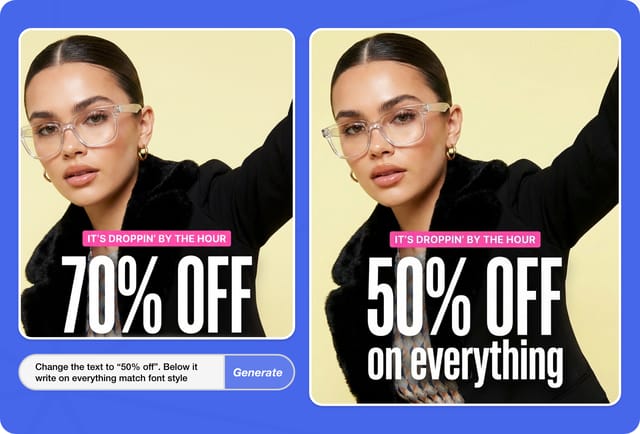
How to Edit Text in a Photo?
Four steps from upload to a full-resolution export — the AI matches the original font, size and layout on every edit.
- 1
Upload
Drop your image (JPG, PNG, WebP).
- 2
Select
Highlight the text you want to change.
- 3
Edit
Type the replacement, AI matches the font.
- 4
Download
Full-resolution output, same format.
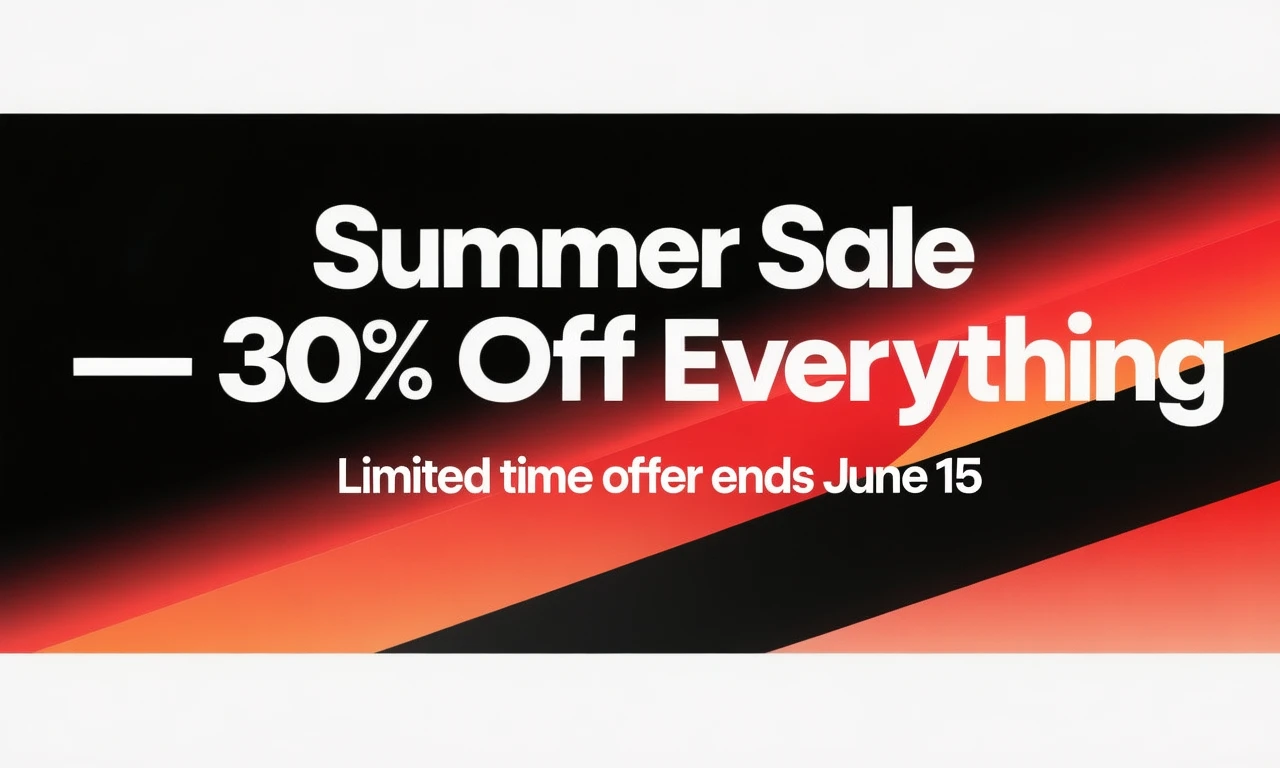
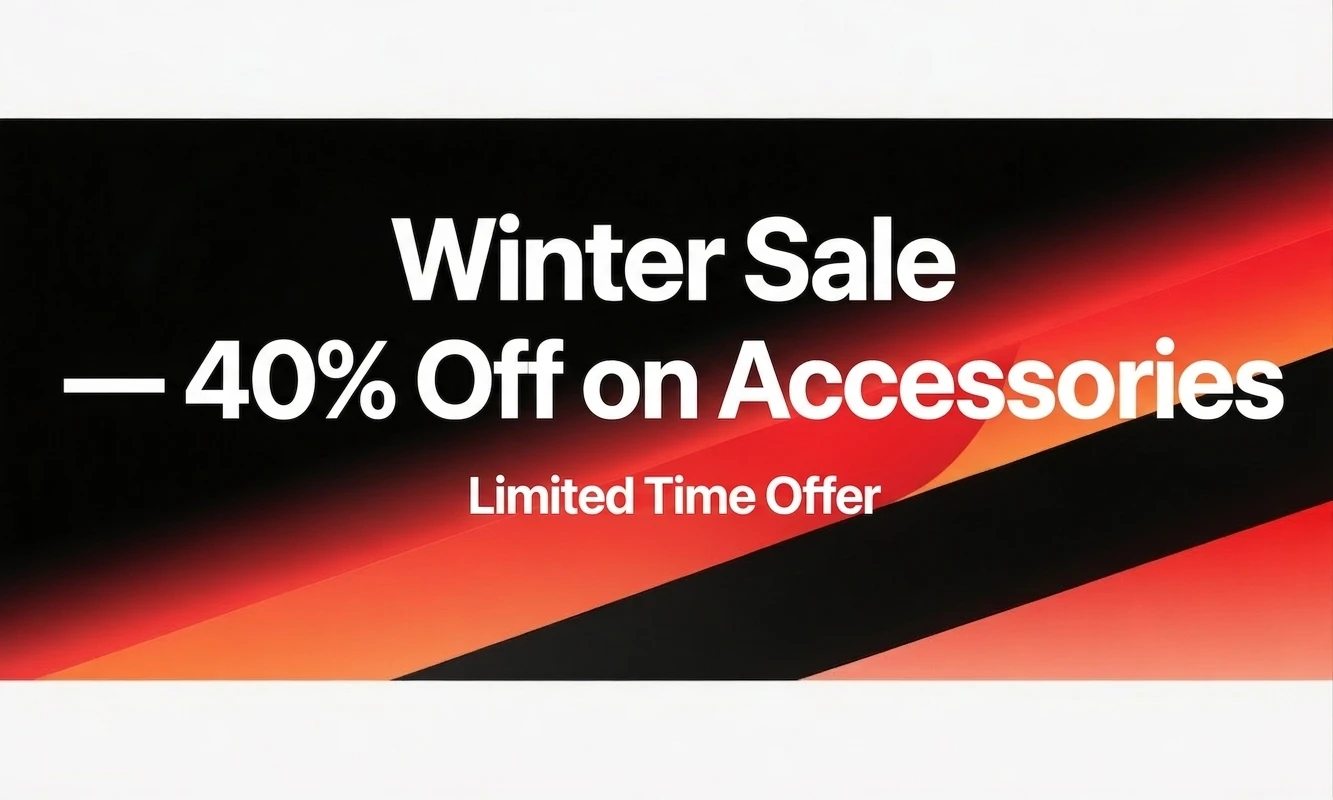
Everything You Can Do with AI Text Editing
Four core operations that cover the full range of text manipulation tasks, from quick fixes to full content replacement.
Change & Replace Text
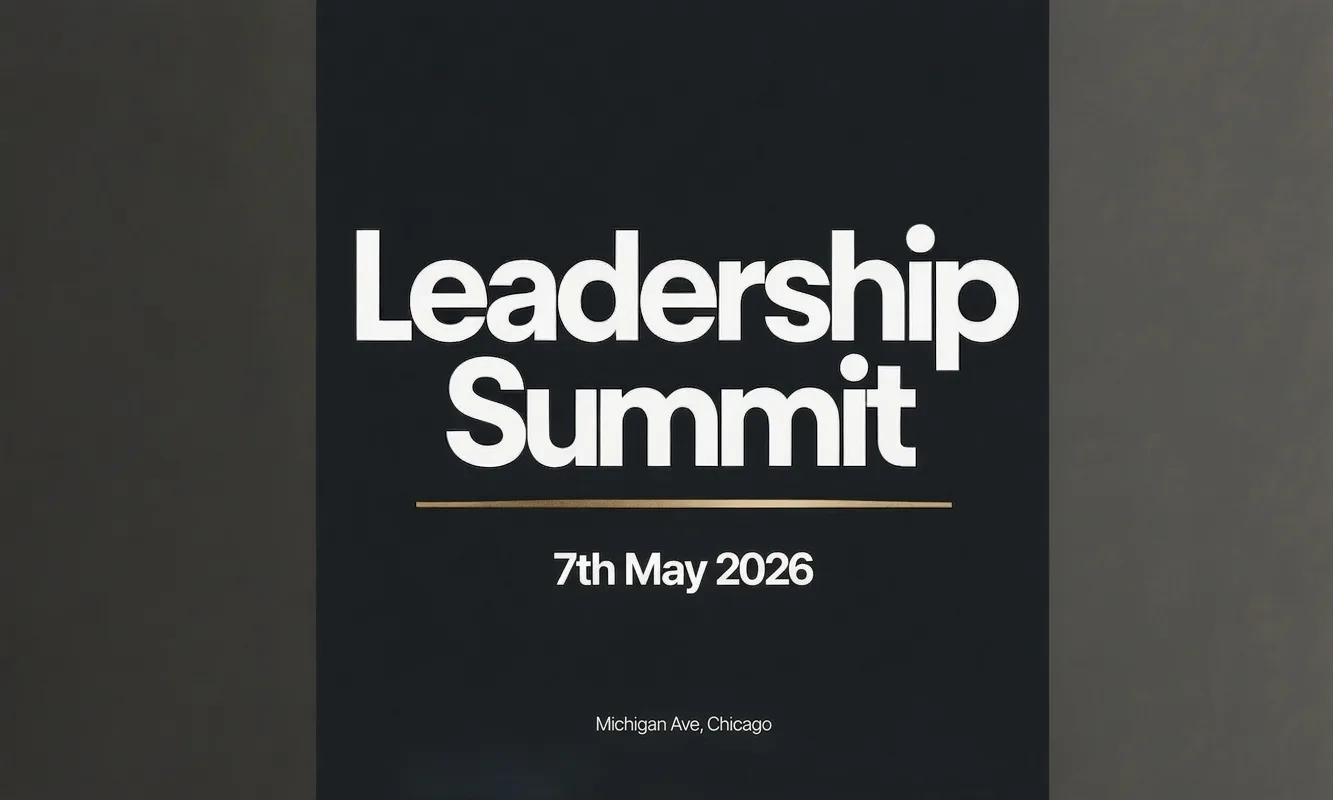
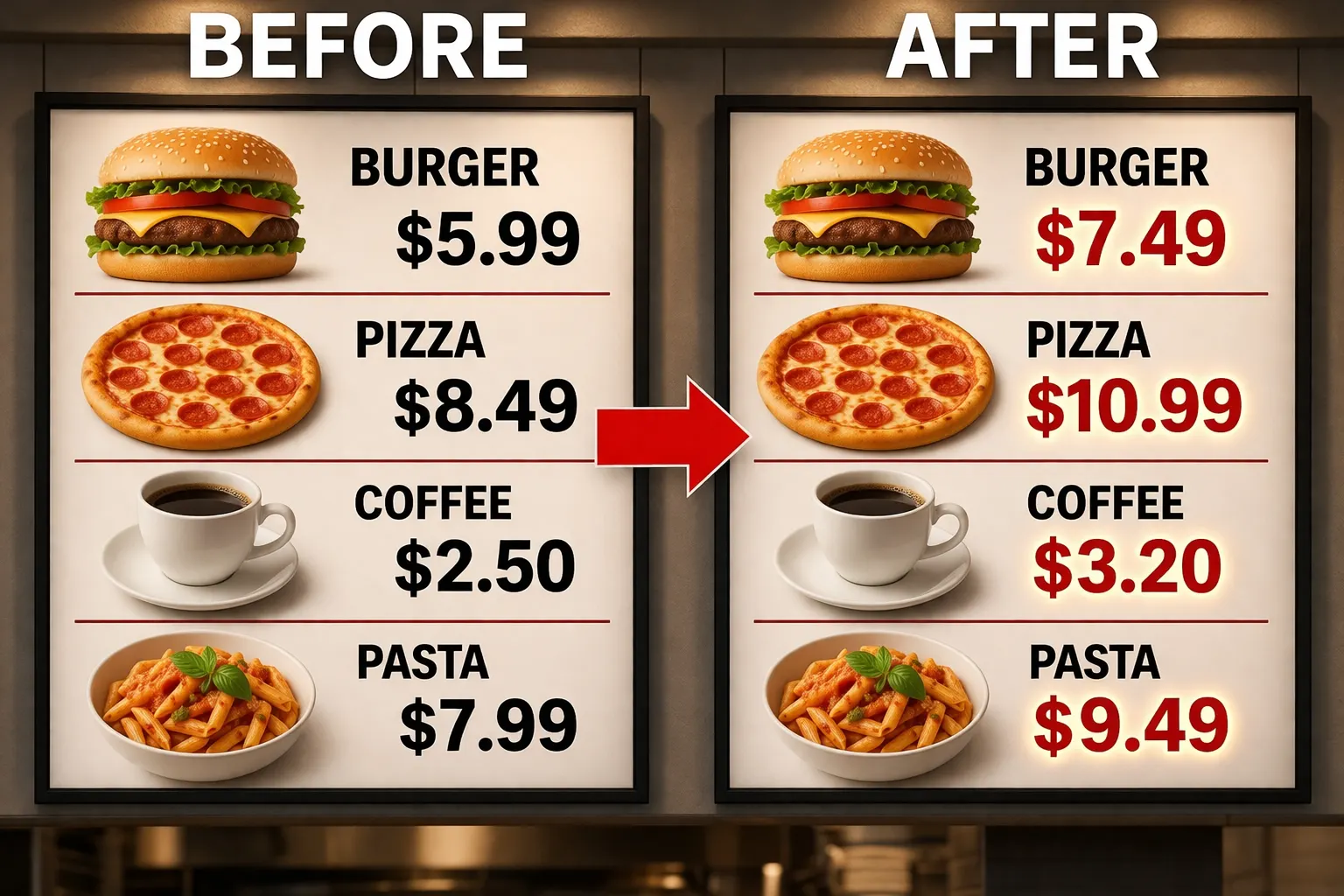
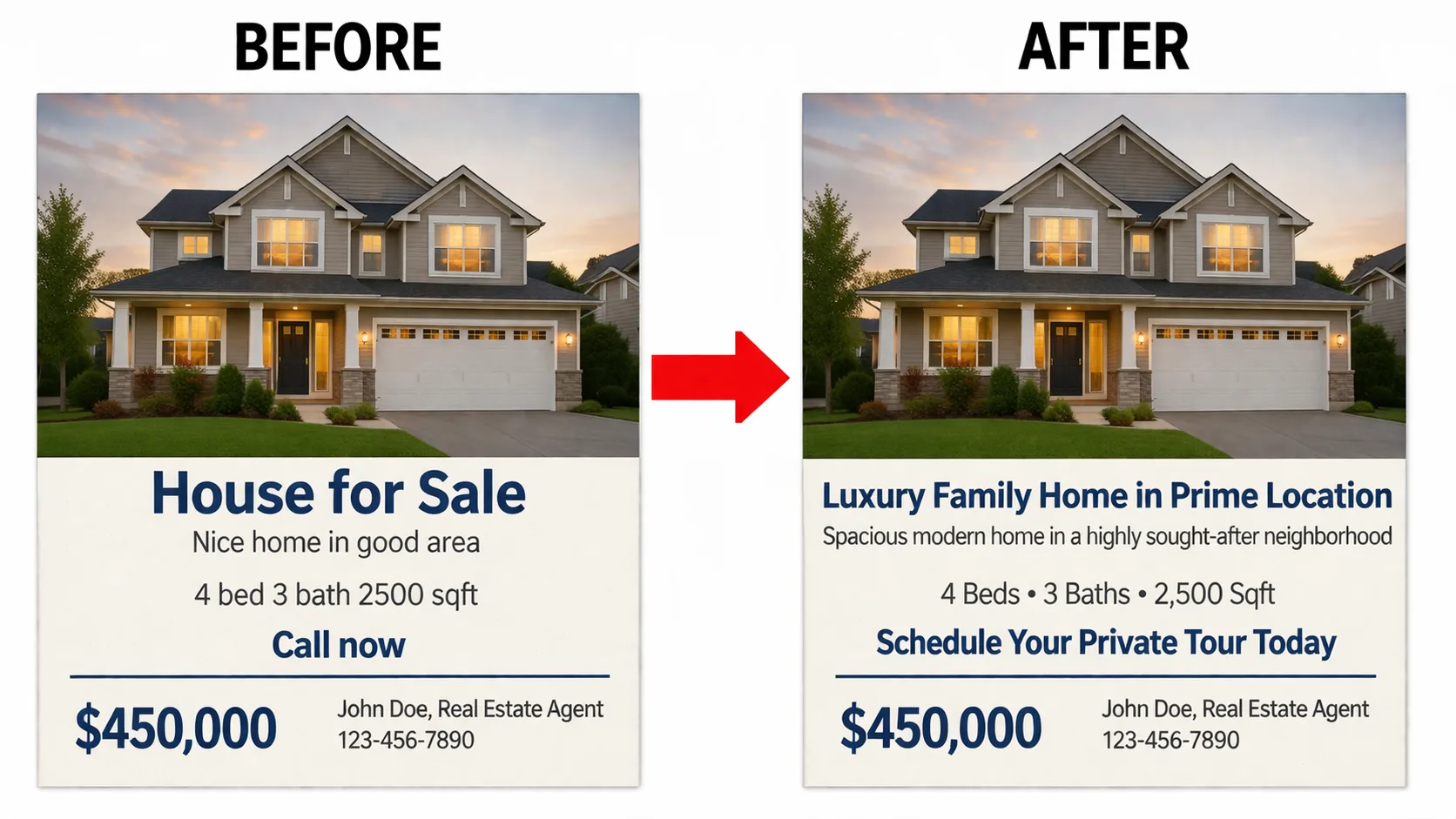
Swap out any word, phrase, headline, number, or paragraph in your image with new content. The AI matches the original font family, weight, size, color, and letter spacing so the replacement blends naturally into the existing design. Use this to update prices on promotional materials, revise headlines on banner ads, change names on certificates, or alter call-to-action copy across marketing assets without reopening the original design file.
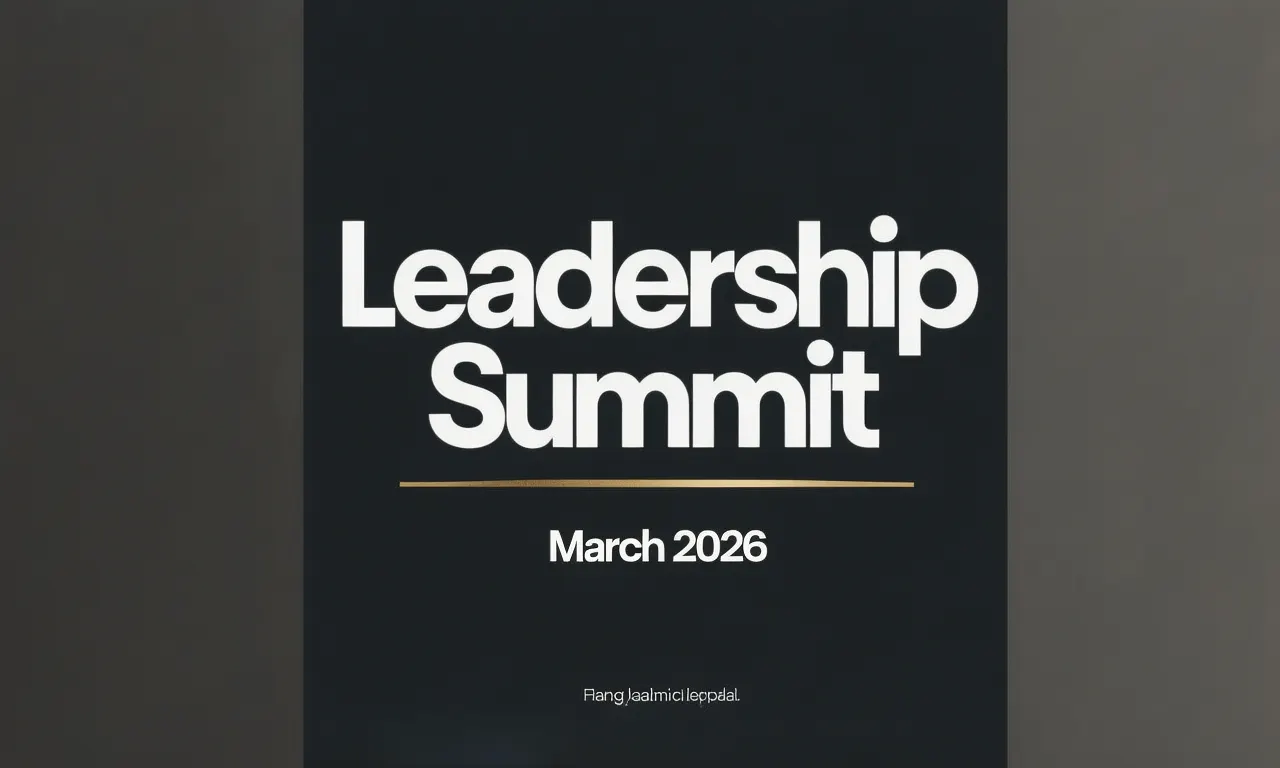
Fix Typos
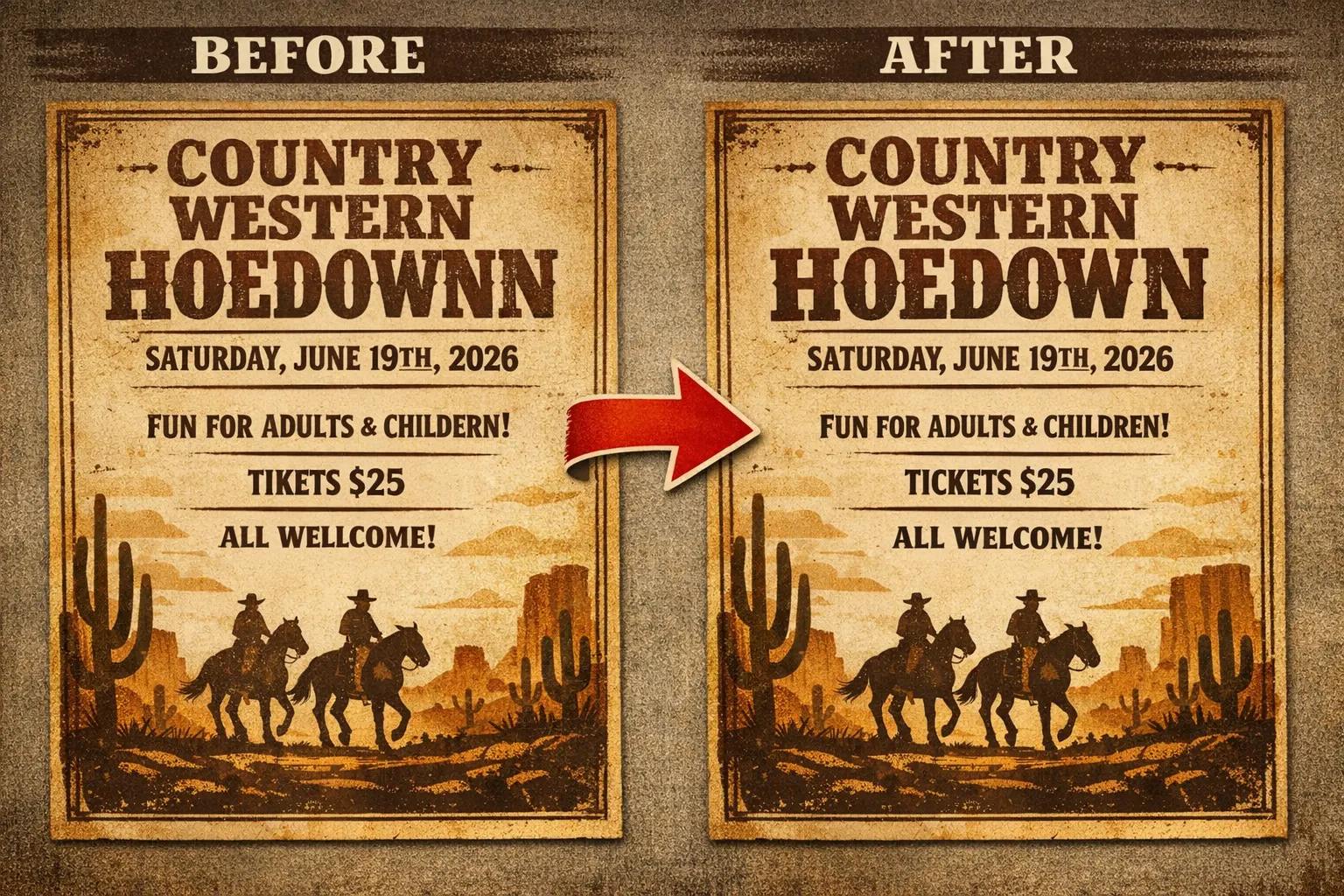
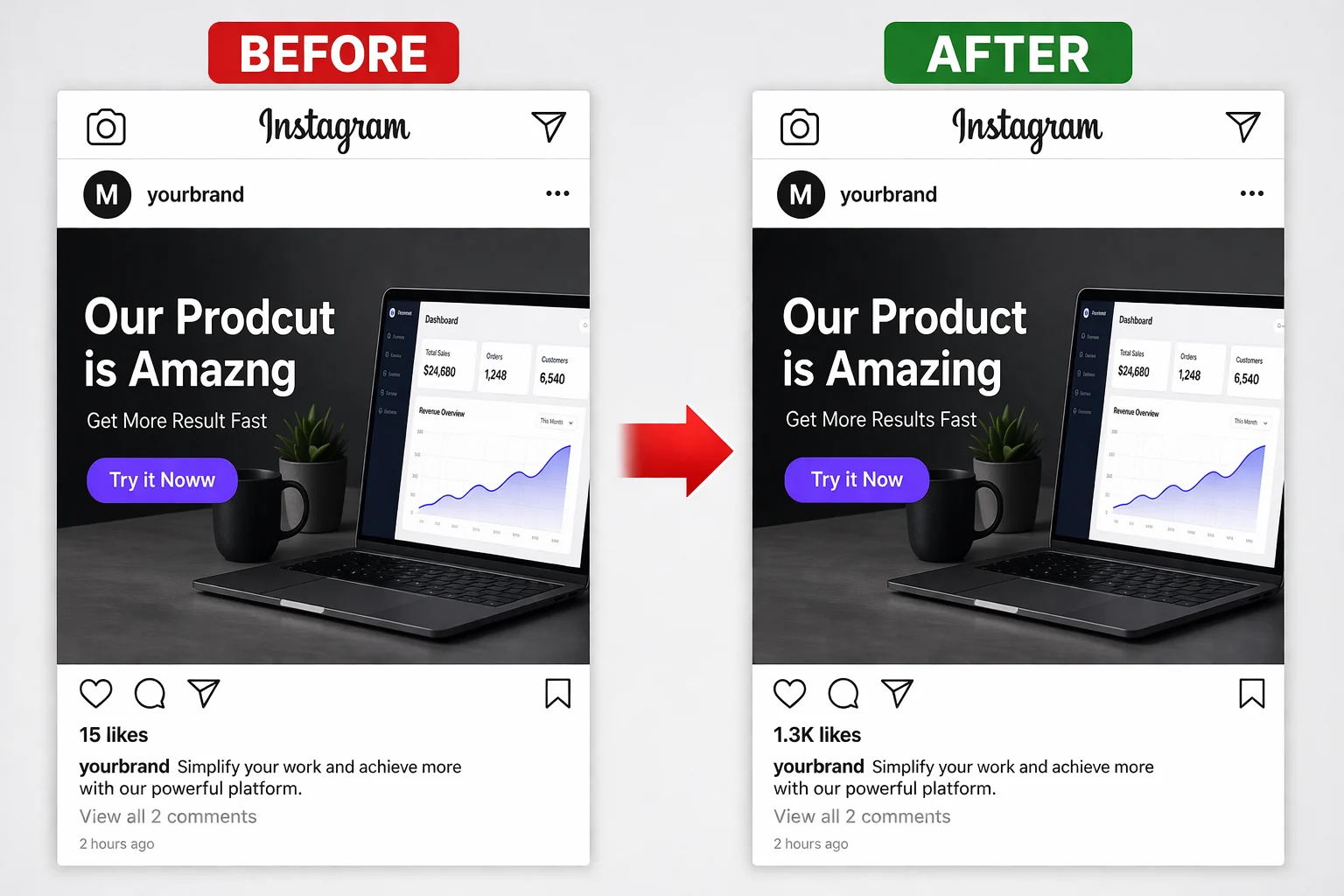
Caught a spelling mistake after exporting the final image? Upload it, select the misspelled word, type the correction, and the AI preserves everything else in the image. Layout, font, colors, and surrounding elements remain untouched so the fix is invisible. No need to track down source files.
Match the Original Font
The AI samples the original font, weight, colour and letter-spacing, then renders your new text to match — no font hunting, no manual kerning. The edited text drops back into the design as if it had always been there.
How the AI Pipeline Actually Works
A transparent look at what happens between your click and the final rendered image. No black boxes.

detect_text - OCR scans the selected region, reads the characters, and extracts visual properties: stroke width, x-height, ascender/descender proportions, serif presence, and weight.
match_font - The extracted font fingerprint is compared against a database of thousands of typefaces. Common fonts like Arial, Helvetica, and Roboto match exactly. Uncommon fonts receive the closest available alternative with adjusted rendering parameters.
remove_original - A precise mask is generated around the old text pixels. The text is erased at the pixel level while preserving the boundaries of the surrounding image content.
reconstruct_bg - Context-aware inpainting analyzes surrounding colors, gradients, textures, and patterns to fill the masked area. Solid and gradient backgrounds reconstruct near-perfectly. Complex photographic backgrounds are approximated.
render_new - The replacement text is rendered using the matched font properties: family, weight, size, color, and letter spacing. The text is positioned to match the original alignment and baseline.
blend - Edge blending ensures no visible seams at the boundaries of the edited region. Color and luminance transitions are smoothed to match the surrounding image.
Image Types That Deliver the Best Results
Pixazo handles a broad range of image types. These are the categories where font matching and background reconstruction perform strongest.
Screenshots
App captures, browser windows, desktop screens. System fonts are detected and matched with high accuracy.
Memes
Classic and modern formats with bold captions. Font style, weight, stroke, and positioning are preserved.
Ads & Banners
Digital creatives, web banners, and promotional graphics with headlines, prices, and CTA text.
E-Commerce
Product images with price tags, labels, size info, and promotional overlays needing frequent updates.
UI Mockups
Interface designs and wireframes with placeholder text. Swap dummy content for real copy instantly.
Social Graphics
Instagram posts, Facebook ads, LinkedIn banners, and Twitter/X cards with text overlays.
Where AI Text Editing Saves Hours of Manual Work
Detailed situations from actual workflows. Each scenario explains the problem, the traditional fix, and how Pixazo shortcuts the process.
Editing Text in WhatsApp and App Screenshots
Product teams, marketers, and content creators frequently need polished app screenshots for presentations, case studies, and app store listings. Rather than staging fake conversations or manually recreating UI screens, you upload an actual screenshot and change specific text elements: usernames, message content, notification text, or status bar details.
The AI detects system fonts like San Francisco (iOS) and Roboto (Android) and renders replacements that look native to the operating system. The result is faster and more realistic than compositing text in Photoshop or Figma, especially when you need to produce dozens of variations for A/B testing or localization.
Updating Prices and Offers in Ad Creatives
Retail and e-commerce teams run promotions with changing prices, discount percentages, and offer deadlines. When a price changes or a sale is extended, the usual workflow involves opening the original design file, making the edit, and re-exporting. If the source file is missing, on someone else's machine, or built in software you do not have, that workflow breaks entirely.
With Pixazo, you upload the exported ad image, select the price or offer text, type the updated value, and download the corrected version. The entire process takes under a minute. For teams running weekly promotions across multiple channels, this eliminates the design bottleneck that delays campaign launches.
Fixing Typos Caught After Export
A misspelled word on a banner that has already been sent to print or published online is a common and frustrating problem. Tracking down the original Photoshop or Illustrator file, making the correction, and re-exporting can take 30 minutes or more, assuming you can even find the source file.
Pixazo lets you fix the typo directly in the exported image. Upload the JPG or PNG, select the misspelled word, type the correction, and the AI handles font matching and background reconstruction automatically. The fix is ready to download in seconds, not minutes.
Changing Meme Captions While Preserving Style
Memes rely on specific fonts and layouts that are part of their visual identity. Impact for classic memes, bold white text with black outlines for modern formats, and various display fonts for niche templates. Editing a meme caption in a standard image editor often results in a font mismatch that looks obviously tampered with.
Pixazo detects the meme font style and renders the new caption to match the original weight, color, stroke, and positioning. The result looks like the meme was created with that caption from the start, which matters for brand accounts and content creators who need polished visual humor.
Updating Text on Product Mockups and Packaging
Design mockups and packaging comps almost always need last-minute text changes: a revised product name, an updated ingredient line, a new size or SKU, or corrected legal copy. Instead of reopening the source file and re-exporting, you edit the text directly on the rendered image and the AI keeps the original font, colour and alignment intact.
That keeps proofs moving when the design file is with someone else or no longer available. If a mockup instead needs text or a placeholder watermark taken out completely rather than changed, our AI text remover handles full removal and background reconstruction.
Rolling Out Text Variants for Campaigns and A/B Tests
A single ad creative often ships as a dozen variants — different headlines, offers, prices or CTAs — for A/B testing and channel-specific versions. Rather than rebuilding each one in a design tool, you start from the approved layout and swap only the text, with the font, weight and spacing matched automatically so every variant stays on-brand.
This turns an afternoon of manual exports into a few minutes of edits. When a variant needs the text in another language rather than reworded, our AI image text translator replaces on-image copy with its translation while preserving the same layout.
Upload an image and start editing
Real Text Edits by Pixazo Users
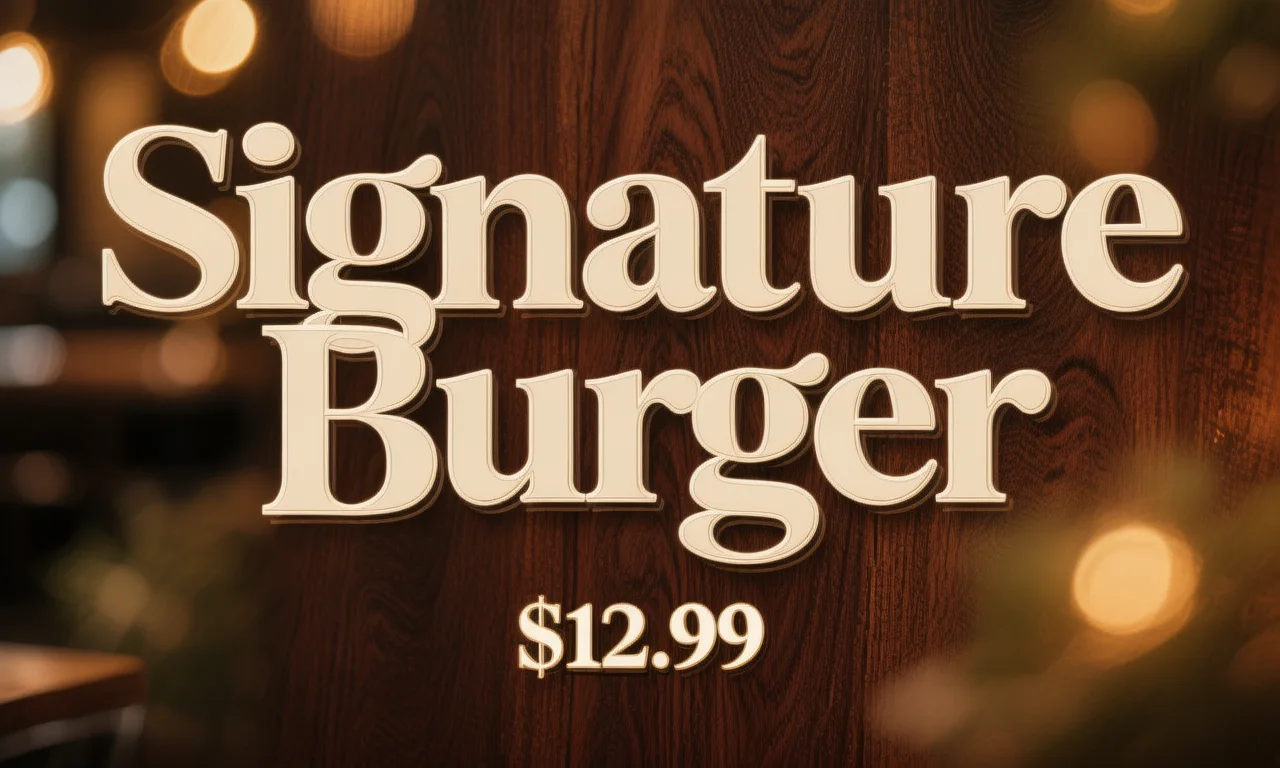
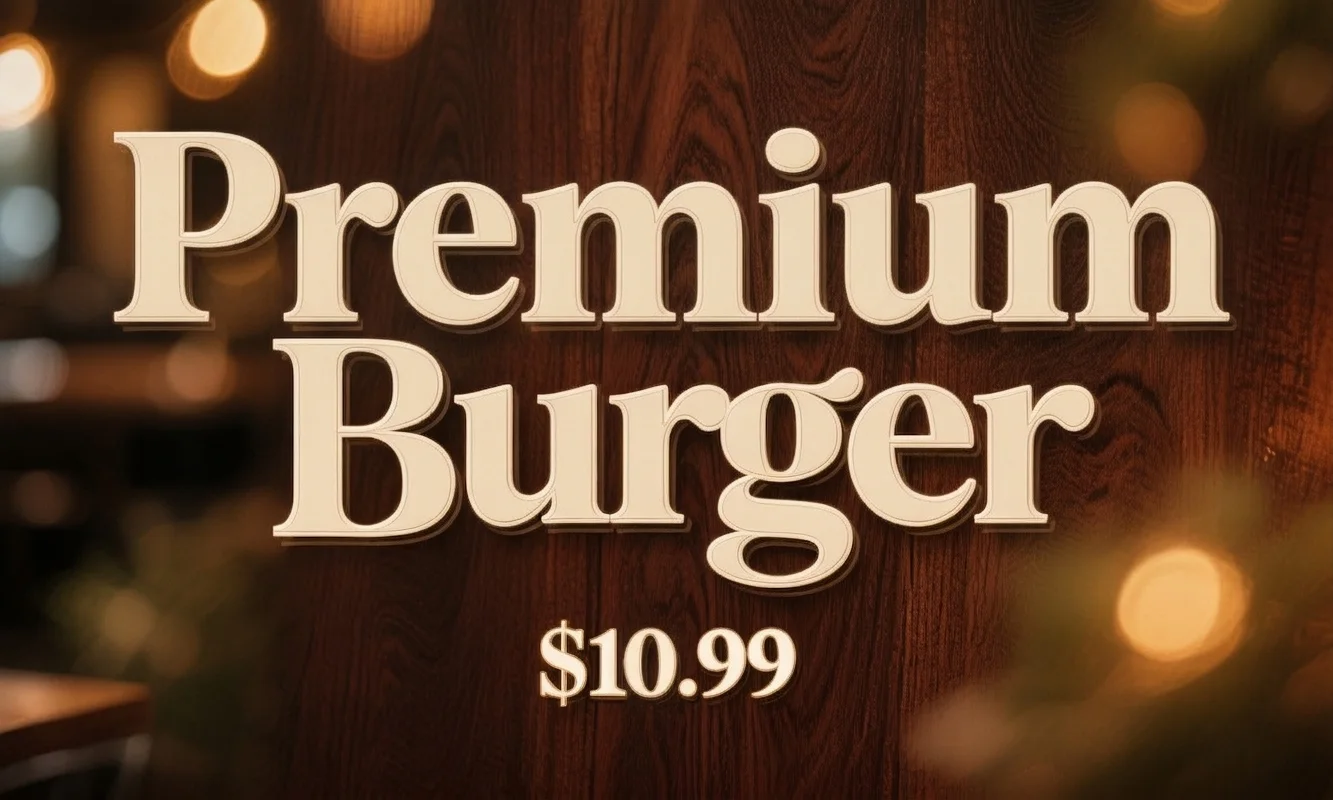
These are actual text editing results shared by users. Each shows what was changed, why, and the prompt used.
AI-Powered vs Manual Text Editing
Two approaches to the same problem. One requires professional tools, source files, and design skills. The other does not.
Manual Editing
- Requires Photoshop, Illustrator, or Figma
- Must locate the original source file (PSD, AI, FIG)
- Need to identify and install the correct font manually
- Background must be rebuilt by hand using clone/heal tools
- Requires design skills for proper layer management
- Typical turnaround: 15-45 minutes per edit
Pixazo AI
- Runs entirely in the browser, no software to install
- Works directly on exported images (JPG, PNG, WebP)
- AI detects and matches the font automatically
- Background is reconstructed with context-aware inpainting
- No design skills needed, select and type
- Typical turnaround: under 60 seconds per edit
Fix or replace text in seconds
Where AI Text Editing Has Boundaries
Pixazo's AI text editing handles the vast majority of text replacement tasks with high accuracy, but no AI tool works perfectly in every scenario. Understanding where the technology has limitations helps you set realistic expectations and choose the right approach for each project.
The quality of background reconstruction also depends heavily on what was behind the text. For solid colors, gradients, and simple patterns, the inpainting engine produces near-perfect results.
Resolution matters more than you might expect. The AI analyzes the visual properties of individual letterforms to determine the font, which means each character needs enough pixel data to be recognizable.
Text orientation is another factor that affects accuracy. The AI works best with horizontal or near-horizontal text, which covers the vast majority of real-world editing tasks.
Finally, there is a category of text that the AI cannot replicate by nature.

