The Best Video Editing Software in 2026: Free, Paid, and AI-Powered Options


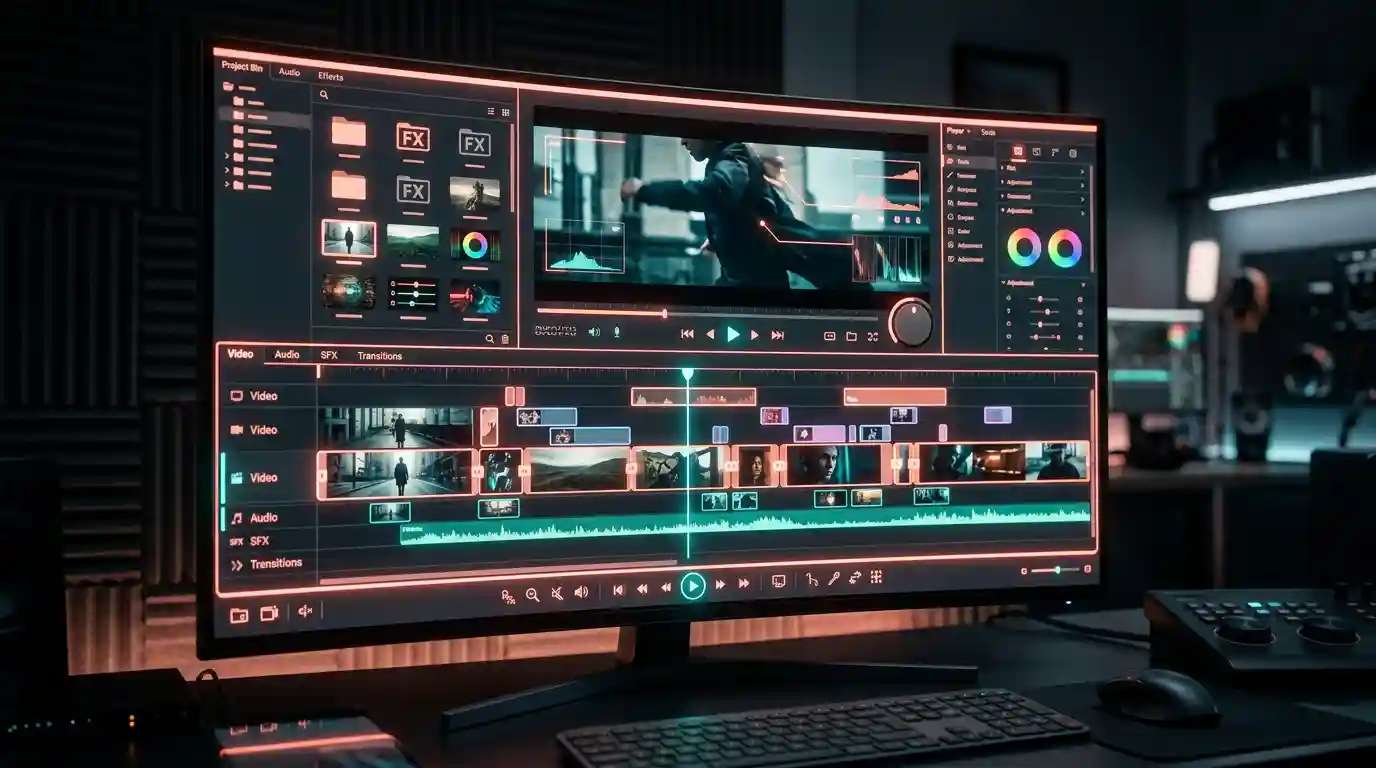
Choosing the right best video editing software is one of the most consequential decisions a content creator, marketer, or filmmaker makes in 2026. The landscape has evolved dramatically, free tools now deliver capabilities that cost thousands of dollars a decade ago, and AI-powered platforms let you generate polished video content without ever touching a traditional timeline. This guide covers eight verified, real-world tools across every tier: free picks for beginners, professional-grade suites for advanced editors, and AI-driven platforms for creators who want to work faster than ever. You can try this yourself with AI Video Generator.
What Is Video Editing Software?
Video editing software is any application that lets you import raw footage and assemble it into a finished video. Core functions include trimming and arranging clips on a timeline, adding transitions and effects, mixing audio tracks, inserting titles and lower thirds, and exporting the final file in formats suitable for streaming, broadcast, or social media.
In 2026, the best video editors go much further than the basics. AI-assisted features, automatic captions, smart background removal, generative video effects, and one-click color grading, have become standard across both free and paid tiers. The result is a market where the gap between beginner tools and professional software has narrowed significantly, and where AI-native platforms are creating an entirely new category of their own.
Best Video Editing Software in 2026: Our Top Picks
The eight tools below represent the strongest options across free, freemium, and paid tiers. Each has been evaluated on ease of use, feature depth, platform support, and real-world value for money.
1. DaVinci Resolve
What it does: DaVinci Resolve is a full-featured, professional-grade video editing and color grading suite developed by Blackmagic Design. It is used on Hollywood productions and is available as a completely unrestricted free download, no watermark, no time limit, no project cap.
Key features:
- Hollywood-standard color grading with a node-based workflow
- Fairlight audio post-production module built into the same interface
- Fusion visual effects and motion graphics compositing included at no cost
- Collaborative multi-user editing via shared project databases
- AI-powered DaVinci Neural Engine for noise reduction, object tracking, and speed warp
Best for: Intermediate to advanced editors who want professional results without a monthly subscription.
Pricing: Free (DaVinci Resolve); $295 one-time (DaVinci Resolve Studio, which adds GPU-accelerated effects and advanced noise reduction).
2. CapCut
What it does: CapCut is a free, cross-platform video editor developed by ByteDance. It launched as a mobile-first app and has expanded into a fully capable desktop and browser-based editor. It is one of the most widely used free video editing tools in the world, particularly among short-form social creators.
Key features:
- Automatic caption and subtitle generation in multiple languages
- AI background removal and smart cutout tools
- Large built-in library of templates, stickers, and royalty-free music tracks
- Available on iOS, Android, Windows, Mac, and browser
- One-tap export presets optimized for TikTok, Reels, and YouTube Shorts
Best for: Beginners and social media creators who want the best free video editor for beginners with minimal setup time.
Pricing: Free with optional CapCut Pro subscription (approximately $7.99/month) for premium assets and advanced AI features.
3. Adobe Premiere Pro
What it does: Adobe Premiere Pro is the industry-standard professional video editing software used by broadcasters, filmmakers, and high-output YouTube channels. It integrates tightly with the rest of the Adobe Creative Cloud ecosystem, including After Effects, Audition, and Photoshop.
Key features:
- Multi-sequence, multi-camera editing on a professional, fully customizable timeline
- Adobe Sensei AI features: auto-reframe, speech-to-text captions, and scene edit detection
- Deep integration with After Effects for motion graphics and visual effects workflows
- Collaborative editing via Adobe Productions for team-based projects
- Broad format support: RAW camera codecs, HDR, 360-degree VR, and high-frame-rate footage
Best for: Professional editors, agency teams, and serious YouTube creators who need maximum format compatibility and an industry-recognized toolset.
Pricing: Approximately $54.99/month for the single app; included in Creative Cloud All Apps at approximately $59.99/month.
4. iMovie
What it does: iMovie is Apple’s free video editor, available on Mac, iPhone, and iPad. It is designed from the ground up for simplicity, making it the most natural entry point for anyone on an Apple device who has never edited video before.
Key features:
- Drag-and-drop timeline with magnetic, non-destructive editing
- Built-in movie trailer templates with animated title sequences and scores
- 4K video support with basic color correction and stabilization tools
- Seamless project handoff between iPhone, iPad, and Mac via iCloud
- Completely free on all Apple devices, no subscription, no upsell
Best for: Apple users who want the best free video editor for home videos, school projects, and basic social media clips.
Pricing: Free (Mac, iPhone, iPad).
5. ViewPress
What it does: ViewPress is an AI-agent-driven video creation platform that handles the entire short-form video pipeline from a single chat prompt. Rather than acting as a traditional editing timeline, it works like a production system: the agent picks a format, writes the script, generates each scene using the best-fit model (Sora, Veo, Kling, Seedance, Nano Banana, ElevenLabs, and others), adds voiceover and captions, and can publish directly to TikTok, Instagram, and YouTube. It’s built for creators who want to produce viral shorts, faceless channels, AI influencer content, or UGC-style ads without manually operating multiple tools.
Key features:
- AI-powered end-to-end video creation
- Automatic script writing
- AI voice generation
- Smart scene generation
- Auto captions
- Edit videos using simple chat prompts
- Optimized for TikTok, Instagram Reels, and YouTube Shorts
- Supports faceless content and UGC-style videos
Best for: ViewPress is best for content creators, marketers, agencies, and businesses that want to create AI-powered videos, TikTok clips, Instagram Reels, and YouTube Shorts quickly without advanced editing skills.
Pricing: Plans start at $49/month (Hobby), with a Growth plan at $49–$99/month (~71 videos/month) and an Ultra plan at $249/month (~428 videos/month) for higher-volume creators. Booster credit packs are available on top of any plan.6. Filmora
What it does: Filmora by Wondershare is a consumer-friendly video editor that strikes a balance between accessibility and feature depth. It is the most popular step-up option for creators who have outgrown iMovie or CapCut but are not yet ready for the complexity of Premiere Pro.
Key features:
- Intuitive drag-and-drop timeline with a guided, gentle learning curve
- AI tools including smart cutout, AI audio denoiser, motion tracking, and AI copywriting assistance
- Extensive built-in library of effects, transitions, lower thirds, and royalty-free music
- Available on Windows, Mac, iOS, and Android
- Screen recording and webcam overlay capture built directly into the editor
Best for: Intermediate creators, educators, and small business owners who want polished results without professional-level complexity.
Pricing: Free tier available (exports with watermark); paid plans from approximately $49.99/year; perpetual license also available.
7. Pixazo AI Video Generator
What it does: Pixazo is an AI-powered creative platform that lets you generate, edit, and enhance videos directly from text prompts or image inputs, no timeline editing experience required. It is purpose-built for creators who need to produce social-ready content, promotional clips, or AI-generated video sequences rapidly and at scale.
Key features:
- Text-to-video and image-to-video generation powered by state-of-the-art AI models
- Built-in background removal and AI upscaling inside a single browser-based workflow
- Access to a broad suite of AI creative tools including art generation, avatar creation, and image enhancement
- No software installation required, works entirely in the browser on any operating system
- Continuously updated model library including the latest generative video engines
Best for: Content creators, social media managers, and marketers who need fast, AI-assisted video output without a steep learning curve.
Pricing: Freemium, free credits available to start; paid plans for higher output volume and access to advanced models.
Try Pixazo AI Video Generator free →
8. Final Cut Pro
What it does: Final Cut Pro is Apple’s professional video editing software, positioned as a more powerful alternative to iMovie while remaining more accessible than Premiere Pro. Its magnetic timeline approach eliminates the sync errors that frustrate editors working in traditional track-based interfaces.
Key features:
- Magnetic timeline that prevents accidental sync gaps during clip rearrangement
- Optimized for Apple Silicon, substantially faster rendering than competing software on M-series Macs
- 360-degree video editing with built-in VR headset viewing support
- Native ProRes RAW support for high-end camera workflows
- One-time purchase with no recurring subscription fee
Best for: Mac-based professional editors who want a one-time purchase alternative to Premiere Pro with outstanding rendering performance.
Pricing: $299.99 one-time purchase; 90-day free trial available.
9. Kdenlive
What it does: Kdenlive is a free, open-source video editing tool built on FFmpeg and the MLT multimedia framework. It offers a surprisingly capable multi-track editing environment that competes with entry-level paid tools, with no watermarks, no usage limits, and no subscription fees of any kind.
Key features:
- Multi-track timeline with keyframe animation and compositing support
- Extensive format support via the FFmpeg codec library
- Configurable keyboard shortcuts and fully customizable workspace layouts
- Built-in title editor and a functional effects and transitions library
- Available on Linux, Windows, and macOS
Suggested Read: Key Challenges and Goals in Converting Textual Descriptions into Video Content
Best for: Budget-conscious creators and Linux users who need a capable free video editing tool with zero restrictions.
Pricing: 100% free and open source.
Best Free Video Editing Software for Beginners
If you are just starting out or working with a tight budget, you do not need to spend money to produce great-looking videos. The following picks represent the strongest video editing tools free of charge in 2026:
- DaVinci Resolve (Free): The most powerful free option on the market. The free tier is genuinely unrestricted for the vast majority of professional use cases, including 4K editing, color grading, and multi-track audio mixing.
- CapCut: The top pick for beginners on mobile and desktop. Its template library, auto-caption feature, and social media export presets make it one of the fastest ways to go from raw clips to a finished video.
- iMovie: If you are on an Apple device, iMovie is the simplest and most polished entry point available, and it is completely free with every Mac, iPhone, and iPad.
- ViewPress: If you want to create AI-powered short-form videos from a single prompt, ViewPress streamlines scripting, scene generation, voiceovers, captions, and publishing into one automated workflow.
- Kdenlive: The best free option for Linux users and anyone who prefers open-source software. No watermarks, no subscription, and no usage caps on any platform.
- Pixazo AI Video Generator: For creators who want to skip timeline editing entirely, Pixazo’s free credits let you generate and enhance video content using AI with zero editing experience required. Start here →
Professional Video Editing Software for Advanced Creators
For editors working on high-stakes projects, broadcast content, branded commercials, feature films, or high-volume content channels, these professional video editing software options deliver the depth, rendering speed, and format support that serious work demands:
- Adobe Premiere Pro: The most widely deployed professional editor in the industry. If you are working within a team or regularly handing off projects to other post-production professionals, Premiere Pro is the safest choice for compatibility and collaborative workflows.
- Final Cut Pro: The fastest option on Apple Silicon hardware. If you are a Mac-based solo editor who values raw rendering performance and wants to avoid ongoing subscription costs, Final Cut Pro delivers excellent value at a one-time price.
- DaVinci Resolve Studio: The best-value professional upgrade in 2026. The $295 one-time fee unlocks GPU-accelerated noise reduction, advanced HDR grading tools, and the full Fusion VFX compositing toolkit, capabilities that would cost significantly more in competing software subscriptions.
Suggested Read: Best Lora APIs in 2026
For teams that also need to generate visual assets rapidly, pairing a professional timeline editor with Pixazo’s full AI tools suite covers both editing and AI content generation in a single streamlined workflow.
Video Editing Software Comparison Table
The table below gives a quick side-by-side overview of all eight tools so you can identify the right option based on your skill level, preferred platform, and budget.
| Tool | Best For | Platform | Free Tier | Paid Pricing | AI Features |
|---|---|---|---|---|---|
| DaVinci Resolve | Professional editing & color grading | Win, Mac, Linux | Yes, full-featured, no watermark | $295 one-time (Studio) | Neural Engine: noise reduction, tracking |
| Pixazo | AI video generation & rapid content creation | Browser (all OS) | Yes, free credits, no install | Paid plans available | Yes, text-to-video, image-to-video, upscaling |
| CapCut | Beginners & social media creators | Win, Mac, iOS, Android, Browser | Yes, watermark-free exports | ~$7.99/month Pro | Yes, auto captions, background removal |
| Adobe Premiere Pro | Professional & broadcast editors | Win, Mac | No (7-day trial only) | ~$54.99/month | Yes, Sensei AI, auto reframe, scene detection |
| iMovie | Apple beginners | Mac, iOS only | Yes, completely free | Free | Limited |
| ViewPress | AI-powered short-form video creation | Web-based platform | Yes, AI agent workflow | Starts at $49/month | High |
| Filmora | Intermediate creators & educators | Win, Mac, iOS, Android | Yes (watermarked exports) | From ~$49.99/year | Yes, smart cutout, AI audio denoiser |
| Final Cut Pro | Mac-based professional editors | Mac only | 90-day trial | $299.99 one-time | Limited |
| Kdenlive | Budget-conscious & Linux users | Win, Mac, Linux | Yes, fully free, open source | Free | No |
How to Choose the Best Video Editor for Your Needs
With eight strong options on the table, the right choice comes down to a handful of practical questions. Work through these before committing to a tool.
What is your current skill level?
First-time editors should start with iMovie (Apple), CapCut (all platforms), or Pixazo (browser-based AI generation). These tools minimize setup friction and get you to a finished video quickly. Once you have a feel for pacing, cuts, and storytelling, graduating to Filmora or DaVinci Resolve is a natural next step.
Suggested Read: Best Free Image, Video and Audio Generation APIs for 2026 – Ranked and Compared
What is your budget?
The best free video editor options in 2026 are genuinely powerful, DaVinci Resolve’s free tier handles the vast majority of professional workflows without restriction. If you do budget for software, a one-time purchase like Final Cut Pro ($299.99) or DaVinci Resolve Studio ($295) offers far better long-term value than a perpetual Adobe Premiere Pro subscription at approximately $55/month.
What platform are you on?
Mac users have the broadest selection, including the Apple-exclusive iMovie and Final Cut Pro. Windows users have access to the full Premiere Pro, DaVinci Resolve, Filmora, and CapCut ecosystem. Linux users should prioritize Kdenlive or DaVinci Resolve, both of which offer official Linux builds. If you want zero-install flexibility on any operating system, browser-based tools like Pixazo and CapCut’s web editor require nothing beyond a modern browser.
What type of content are you producing?
Short-form social content (TikTok, Reels, Shorts): use CapCut or Pixazo for speed and platform-specific presets.
Long-form YouTube videos: use Filmora or DaVinci Resolve for timeline precision and audio control.
Branded commercial or broadcast work: use Adobe Premiere Pro or Final Cut Pro for maximum format support.
AI-generated video from text or images: use the Pixazo AI Video Generator for the fastest possible output with no footage required.
Suggested Read: AI Voice Cloning Ethics: Consent, Regulation, and the Future of Synthetic Speech (2026)
Supercharge Your Video Content with AI
Traditional video editing software requires you to have footage before you can start editing. AI-powered platforms change that equation entirely. With tools like Pixazo, you can generate video content from a text prompt, animate still images into motion, remove backgrounds automatically, and enhance the resolution of low-quality clips, all without building a single timeline sequence.
This approach is especially valuable for:
- Marketers who need rapid content iteration across multiple campaigns without a dedicated video production team.
- Small business owners who want professional-looking promotional videos on a limited budget.
- Content creators who want to scale their output without spending proportionally more hours in post-production.
The most effective creators in 2026 are using both approaches: AI tools to generate and enhance assets, and a traditional timeline editor to refine the final cut. To explore what AI can do for your video workflow, start with the Pixazo AI Video Generator, free credits are available to start, cancel anytime.
Frequently Asked Questions
What is the best free video editing software in 2026?
DaVinci Resolve is the most powerful free video editing software available in 2026. Its free tier includes professional-grade color grading, multi-track audio editing via the Fairlight module, and Fusion visual effects compositing, all without any watermark or project limit. For beginners who want the fastest possible setup, CapCut and iMovie are the most approachable free alternatives.
What is the best video editor for beginners?
CapCut is widely regarded as the best video editor for beginners in 2026, thanks to its template library, auto-caption generation, and intuitive mobile and desktop interfaces. iMovie is equally strong for Apple users. For beginners who want to skip traditional editing entirely, Pixazo’s AI-driven workflow lets you produce polished video content from a simple text description, no footage, no timeline, no technical knowledge required.
Suggested Read: Best Animation Generation APIs in 2026
Are there free video editing tools that export without a watermark?
Yes, several strong free video editing tools export without any watermark. DaVinci Resolve and Kdenlive are the two most capable options: both are completely free, impose no watermarks, and place no limits on clip length or project size. CapCut’s free tier also exports without a watermark for the majority of project types, making it one of the best free video editors for social media use.
What professional video editing software do YouTubers use?
The most widely used professional video editing software among established YouTubers is Adobe Premiere Pro, Final Cut Pro (Mac users), and DaVinci Resolve. Adobe Premiere Pro dominates team-based workflows due to its Creative Cloud integration and industry compatibility. Final Cut Pro is preferred by solo Mac editors who value rendering speed on Apple Silicon. DaVinci Resolve is the top choice for creators who need professional color grading without paying a monthly subscription.
How does AI video editing software differ from traditional editors?
Traditional video editing software, such as Premiere Pro or DaVinci Resolve, requires you to import your own footage and manually assemble it on a timeline. AI video editing tools like Pixazo can generate video content from text prompts or still images, automate repetitive tasks like background removal and caption generation, and apply complex visual effects in a single click. For most creators, the ideal workflow in 2026 combines both: AI tools to generate and enhance source assets, paired with a traditional timeline editor to refine pacing and final output quality.
Suggested Read: Best Image Restoration APIs in 2026
Deepak Joshi
Author · Pixazo
Deepak writes about generative AI models, APIs, and the workflows teams use to ship them. Reviewed by Abhinav Girdhar.