SeeDance 2.0 Prompts Collection — Create Next-Level AI Videos



What is SeeDance 2.0?
SeeDance 2.0 is built for one core purpose: generating visually stable, product-accurate, conversion-focused videos from structured prompts. Instead of producing random motion, it emphasizes physical realism, consistent subject geometry, and smooth camera logic. This makes it especially useful for short-form commerce content where material texture, lighting, and motion credibility directly affect buying decisions.
Unlike general video generation systems, SeeDance 2.0 performs best when prompts clearly describe subject behavior, camera movement, environmental interaction, and scene flow. When these elements are thoughtfully structured, the resulting clips feel intentional, polished, and production-ready rather than experimental.
Because of its strong multimodal understanding, SeeDance 2.0 works well for product showcases, try-on videos, UGC-style ads, script-driven promotions, and controlled editing adjustments. It responds particularly well to prompts that break scenes into segments and define action timing clearly.
Why Structured SeeDance 2.0 Prompts Matter?
Effective SeeDance 2.0 prompts are not vague descriptions. They guide:
- What the subject is doing
- How the camera behaves
- How lighting interacts with materials
- How motion unfolds over time
- What must remain consistent
When these constraints are clear, the model delivers smoother transitions, more believable physical interactions, and better preservation of product details such as labels, scale, and surface texture.
Instead of overloading instructions, the most reliable SeeDance 2.0 prompts balance clarity with precision. Strong prompts often define movement rhythm, environmental mood, and visual hierarchy while keeping the intent focused.
- Image-to-Video – Product Demo
- Image-to-Video – TikTok Lifestyle
- Image-to-Video – Beauty Trial
- Image-to-Video – Hair Product UGC
- Image-to-Video – Skincare Commercial
- Video Replication
- Text-to-Video – Creative/Surreal
- Text-to-Video – Simple Action
- Text-to-Video - Beauty Template
- Multi-Modal - Stop Motion Style
- Video Editing - Subject Replacement
- Video Editing - Environment
- Audio-Video Generation
- Audio-Video Generation
- Multi-Reference Image-to-Video
- First-and-Last Frame Video Generation
- Text-to-video
- Image-to-video (based on the first frame)With audio
- Image-to-video (based on the first and last frames)With audio
- Multiple consecutive videos
- Image cropping logic
Shot 1: Power Hook (0s - 3s) - Medium shot. Woman sitting on bed edge, hands exaggeratedly holding all 5 bodysuits (stacked together), almost covering half her body. Eyes wide, shocked expression. Dialogue: "I cannot believe I got ALL FIVE of these body suits for just fifteen dollars."

Shot 2: Color Overview (3s - 6s) - Top-down or close-up. 5 bodysuits (black, red, brown, khaki, etc.) neatly fanned out on bed or table. A hand quickly sweeps across the clothes. Dialogue: "Black, red, brown, khaki... the colors are actually gorgeous."

Shot 3: Material Rebound (6s - 8s) - Extreme close-up. Both hands forcefully stretch one piece of fabric, then release, fabric quickly rebounds. Dialogue: "And the stretch? Super high quality."

Shot 4: Highlight Moment (8s - 13s) - Medium full shot. Woman wearing the black one, paired with jeans. She shows front, then turns to show side, hand pinching waistline, showing flat abdomen. Dialogue: "Put on the black one and... wow. It literally snatched me up instantly. Look at this curve!"

Shot 5: Closing CTA (13s - 15s) - Close-up. Woman leans close to camera, thumbs up. Dialogue: "Five for fifteen? Don't miss this deal."
| Reference | Output |
|---|---|
 |
Generate a fast-cutting TikTok-style video. 28-year-old white female holding phone, selfie perspective, wearing reference image clothing.

Shot 1: Model confidently says "And the fit? Chef's kiss" while turning to show fitted tailoring and overall OOTD effect.

Shot 2: Quick cut to clothing close-up. Model pulls waist fabric showing elasticity. Close-ups waistband and drawstring design. Model puts hand in pants pocket, shrugs. Says: "The waistband is so forgiving, and POCKETS! Also, stretch for days."

Shot 3: Quick cut to loungewear set on sofa. Her cat comfortably lying on pants, rubbing fabric with cheeks. She strokes fabric. Voiceover: "No, seriously. Look how soft this is. Even Mittens approves."

Shot 4: Cut back to model wearing full outfit, doing light yoga stretching movements. Says: "I could literally live in this. Yoga, running errands, lounging..."

Shot 5: Model stops, picks up phone, walks towards door waving goodbye. Says: "Anyway, I'm off for a walk. Go grab it before the Black Friday sale ends! Bye!"

Subtitle: Black Friday Sale On Now! 🏃
| Reference | Output |
|---|---|
 |
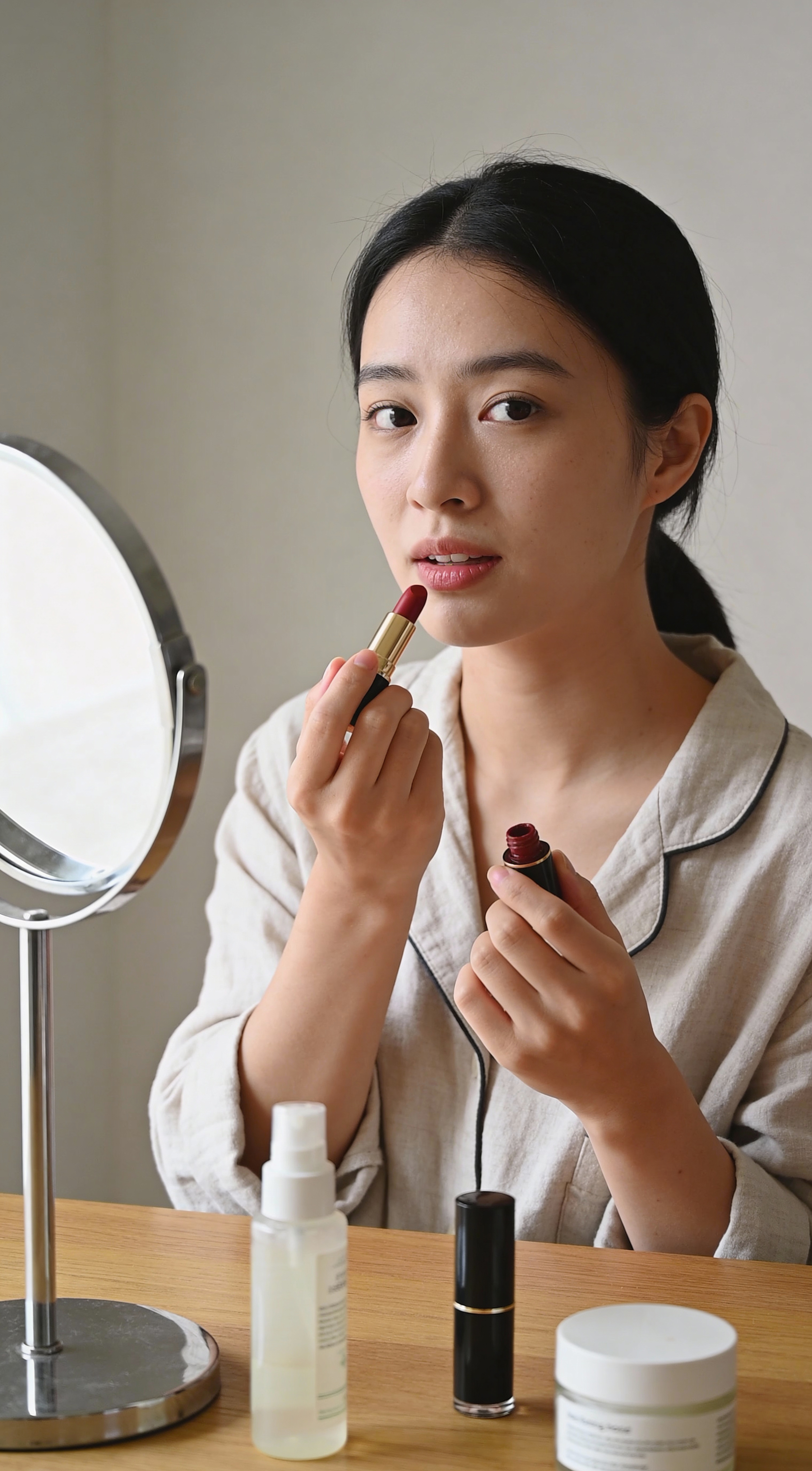
Generate a realistic and natural lipstick trial video. After application, the model gently presses lips together and slightly adjusts angle, making lip color changes clearly visible in natural light, finally switching camera, left-right split screen comparison of before and after makeup effects.
| Reference | Output |
|---|---|
 |
Visual Style: High-quality UGC-style social media advertisement. Bright, natural lighting, sharp focus, realistic textures. Energetic, relatable, professional.

Character: Female creator with medium-to-long hair, in clean modern bathroom or bright bedroom. Speaks directly to camera with expressive body language.

Hair Transformation: Hair transitions from "flat and oily" (beginning) to "voluminous and textured" (end).

Product: KENRA Platinum Dry Texture Spray can. Must strictly match reference image in appearance, color (metallic/silver), and label details.

Scene Breakdown (13-15s):
- The Hook (00-03s): Creator holds KENRA can close to camera lens for clear product shot, then pulls back to her face, smiling.
- The Problem (03-05s): Camera zooms in, she shows her roots, visibly parting hair to reveal flat, oily, "day-three" hair.
- The Application (05-08s): Shakes can vigorously, holds 6 inches from head, sprays short bursts into roots. Uses fingers to massage product in.
- The Transformation (08-11s): As she massages, hair visibly puffs up. She fluffs hair showing instant lift and matte texture. Hair looks airy, not stiff.
- The Payoff (11-13s): Strikes final confident pose, holding KENRA can next to voluminous, styled hair.

Script: "My friend asked how I get this lift—KENRA Dry Texture Spray. Day three hair—flat, oily roots. Shake, spray six inches from roots, short bursts, then massage. See that texture and lift? No stiffness. Volume, lift, ultra-lightweight, all-day hold. KENRA Platinum."
| Reference | Output |
|---|---|
 |
Generate a realistic commercial advertisement video with warm studio lighting and shallow depth of field. Medium close-up: woman with black hair tied back, wearing pearl earrings and white silk top, standing against soft blurred indoor background. As camera slowly pushes towards her face, she smiles and displays a skincare stick next to her face, expression vivid and natural.

Product: Dr. Melaxin Cemenrete Calcium Volume Multi Balm

Product Texture & Finish:
- Invisible Glide: Balm glides onto skin with zero drag. Appears completely transparent and lightweight.
- No Residue: Absolutely NO white cast, NO greasiness, NO thick buildup. Texture invisible, merging instantly with skin.
- The "Glass Skin" Effect: Only visible trace is healthy, dewy sheen that catches light naturally (a "glass-skin" highlight), making under-eye area look hydrated and plump, not made-up.

Character needs precise lip-sync saying: "Struggling with under-eye hollows and fine lines? This Calcium Volume Multi Balm uses patented Rebornic with Vitamin D to restore firmness. Melting oil-balm absorbs cleanly. Click-stick design targets eyes and smile lines. Clinically proven, gentle for sensitive skin."
| Reference | Output |
|---|---|

|

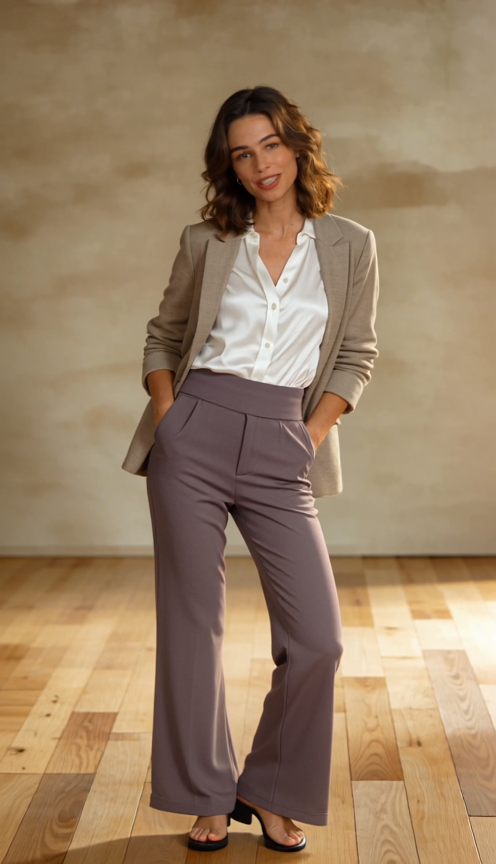
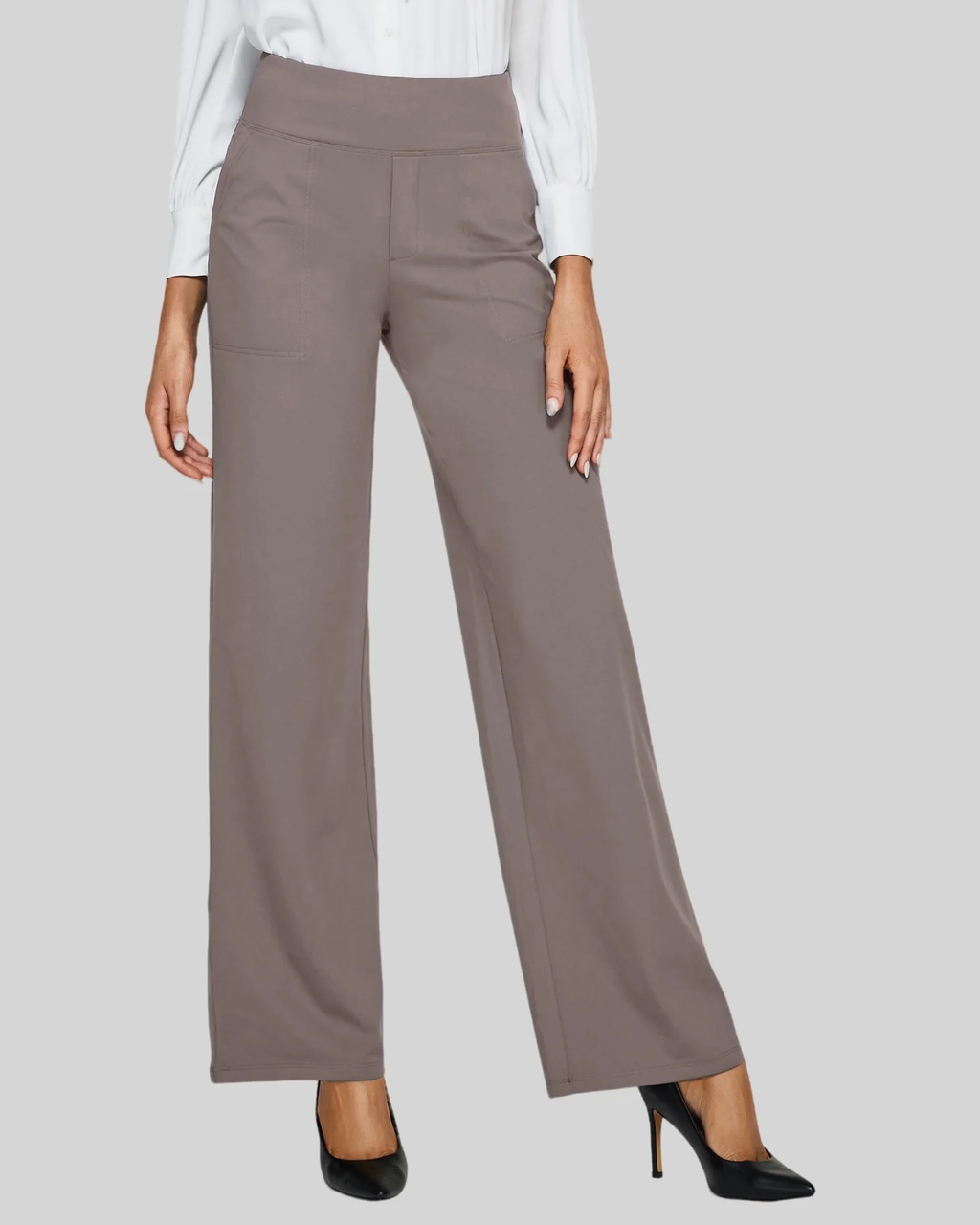
Please reference @video1's video style to generate a pants product e-commerce video, model appearance reference @image1, pants product reference @image2
| Reference | Output |
|---|---|
|
The man shockingly pulls the lollipop from his mouth. The city descends into chaos—fast food-shaped "meteorites"—hamburgers, pizzas, fries, donuts, and other fast food items rain down from the sky.

People run, hide, and scatter in the streets. The man rushes onto a rooftop, looking down at the city and witnessing the full spectacle of this fast food apocalypse. Just then, a gigantic hamburger, far beyond its surreal size, flies towards the city.

In an instant, the man leaps into the air like a superhero, tearing through the sky, crashing head-on into the giant hamburger, piercing it through the air and shattering it into countless fragments. The scene is filled with dynamic movement, chaotic energy, a solid sense of physics, and a surreal atmosphere of disaster.
| Output |
|---|
A superhero's feet is on fire, he soars into the sky, and flies all the way off Earth./pre>
| Output |
|---|
Generate a TikTok-suitable beauty product short video, fast-paced, high-quality visuals, stunning effects, emphasizing "before/after comparison" and "strong conversion."

Video duration: 15 seconds
Aspect ratio: 9:16 vertical
Style: High-quality commercial + TikTok viral rhythm (fast cuts, close-ups, texture close-ups)

Character: 20-28 year old female, clean premium makeup look, delicate realistic skin but in good condition

Product: [Brand/Name] ([Category: e.g., foundation]), shade [shade number], core selling points [Point1] [Point2] [Point3]

Scene: Bright natural light vanity + luxury bathroom mirror + outdoor daylight one-second switch (shows "looks good in different lighting")

Camera language: Macro texture close-up, application on face, half-face comparison, finished makeup pullback, head-turn killer

Rhythm: One frame transition every 1-2 seconds, strong hook first 3 seconds

Shot breakdown:
1) 0-2s Hook: Extreme close-up skin flaws/dullness (not exaggerated), text overlay: "[Pain point one sentence: e.g., dullness/caking/makeup fading?]"
2) 2-5s Texture close-up: Squeeze out product, show cream-like/velvet-like texture, natural sheen, subtitle: "[Selling point 1: e.g., lightweight but concealing]"
3) 5-8s Application on face: Use beauty blender/brush to apply, camera follows, subtitle: "[Selling point 2: e.g., smooth not patchy]"
4) 8-11s Half-face comparison: Left face used, right face unused, clear comparison (more even skin tone, hidden pores, cleaner sheen), subtitle: "Half face wins directly"
5) 11-13s Multi-light verification: Indoor→by window→outdoor, makeup stable, details clear, subtitle: "Premium in different lights"
6) 13-15s Ending strong CTA: Product close-up + character finished makeup smile/head turn, subtitle: "Want [effect keyword: clean premium/vibe] choose it | Order now"

Output requirements: Realistic visuals, realistic skin texture, no plastic feel. Overall impression premium, clean, want to buy.
| Output |
|---|
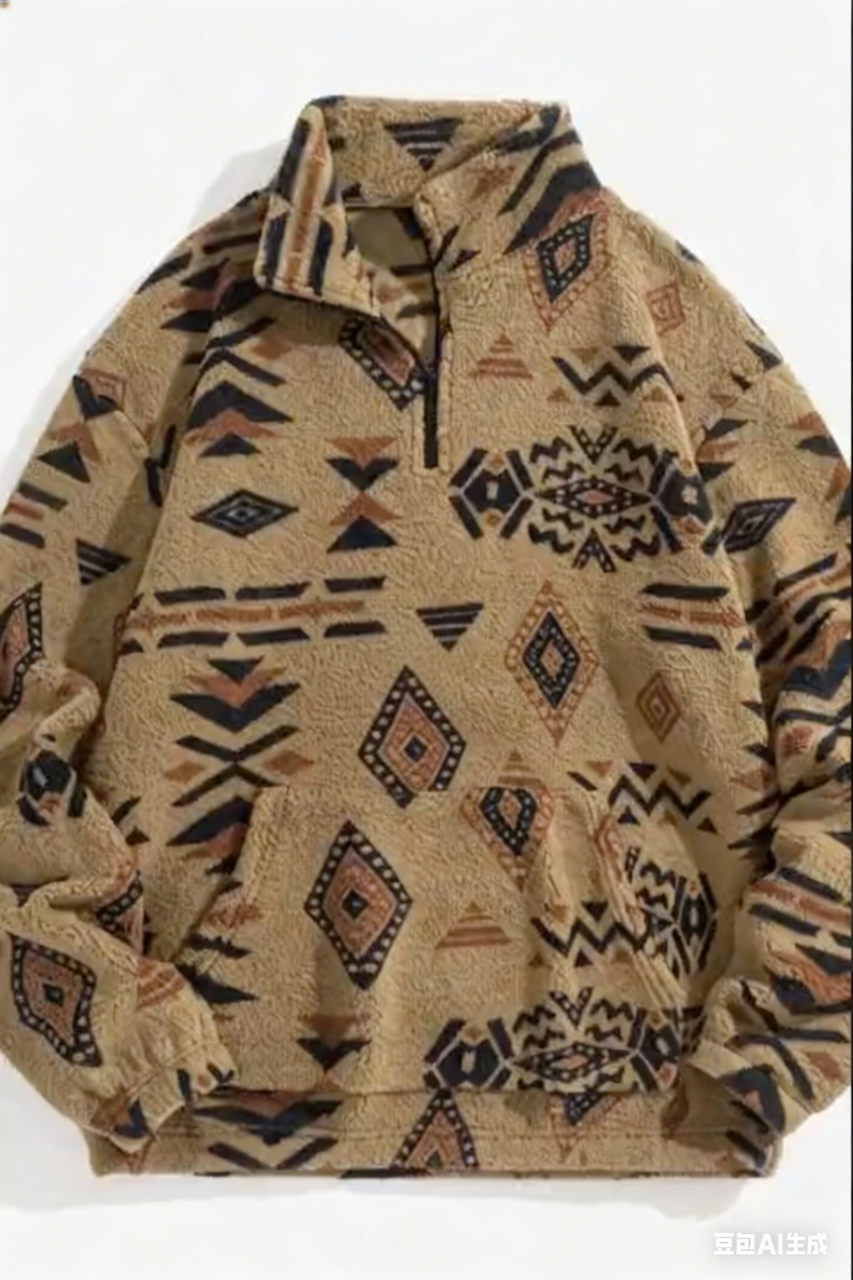
Product reference from @Image1, audio references child's voice timbre from @Video1

0-3 seconds opening: Fixed position close-up, solid color background. Plush sprites in stop-motion animation walking in neat formation, suddenly a real-shot lambswool ethnic print zip hoodie "slides" into frame like a fish, sprites attracted by silky texture, curiously jump on hoodie. Screen displays "Unique Ethnic Patterns!", cheerful electronic music plays, voiceover says "Cultural twist meets cozy winter style!", sound effects paired with silky "whoosh" sound.

3-7 seconds fabric and print display: Close-up shot, sprites use small fans to lightly brush hoodie, plush fabric ripples, highlighting soft texture; camera quickly switches, showing 3 different print hoodie close-ups, corresponding print sprite makes cheering, jumping stop-motion actions. Screen presents "Plush Material - Soft & Warm", voiceover introduces "Plush fabric keeps you cozy all cold days!", sound effects include fabric fluttering sounds, and "bang" sound with each print switch.

7-11 seconds function and fit: Camera pulls to medium shot, sprites pull hoodie zipper, then take out small props from hoodie pocket, directly presenting zipper and pocket functions; scene cuts to faceless model wearing hoodie, model raises hands to stretch body, showing hoodie's loose fit. Screen displays "Functional Pocket + Loose Fit", voiceover says "Zip closure, handy pocket & free movement!", sound effects include zipper sliding sound and "boing" elastic sound.

11-13 seconds promotional info: All sprites line up, playfully pointing to screen center, background switches to solid color. Screen displays "BLACK FRIDAY SALE!", voiceover prompts "Grab this unique piece at unbeatable price!", sound effect is sprites making cute cheering sounds, paired with loud promotional alert sound.

13-15 seconds ending call: Screen center is neatly stacked hoodie real image, website link marked beside, all sprites peek out from screen edges waving. Screen displays "Shop Now! [www.yourbrand.com]", voiceover says "Add cultural charm to your winter wardrobe!", music ends with bright, complete notes.
Suggested Read: Best AI Video Generation Models in 2026: In-Depth Comparison for Creators & Businesses
| Reference | Output |
|---|---|
|
Replace the dancing woman in video @Video1 with the penguin from reference image @Image1, generate a video where a penguin is dancing throughout
| Reference | Output |
|---|---|
|
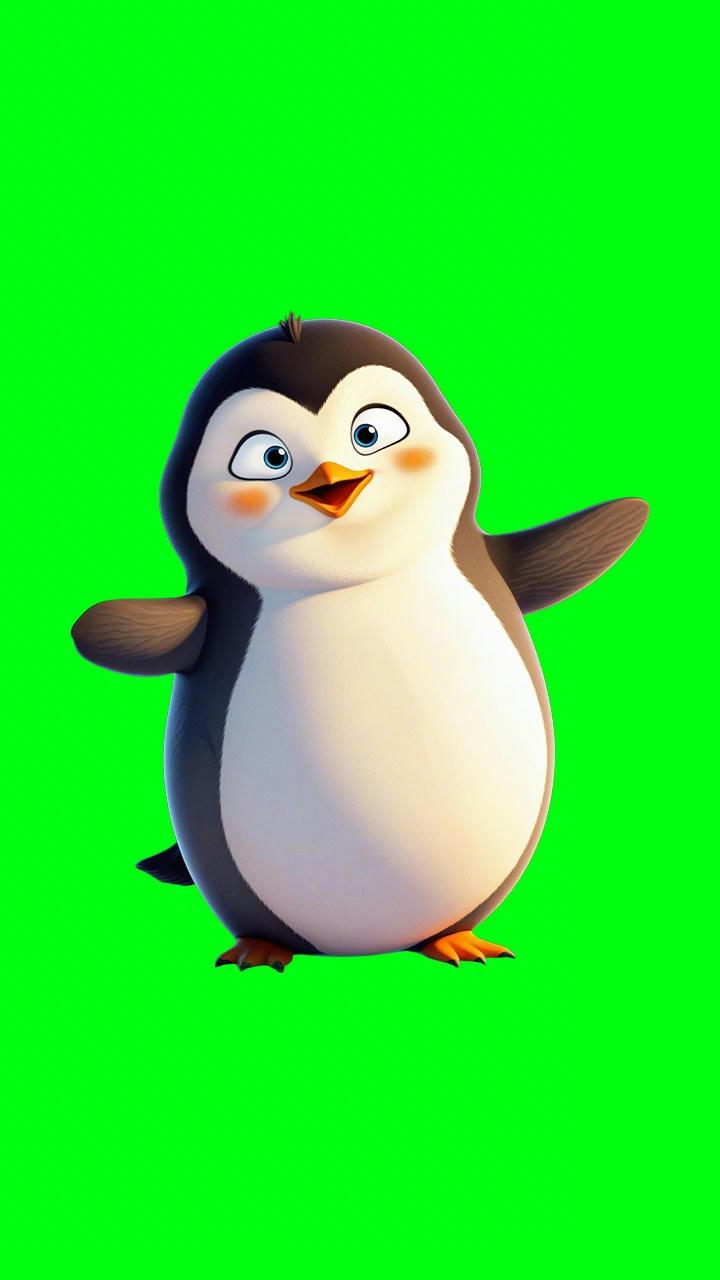
Change the background to a lighter room.
| Reference | Output |
|---|---|
Suggested Read: Introducing GPT-Image 1.5 API on Pixazo for High-Precision Image Generation and Editing
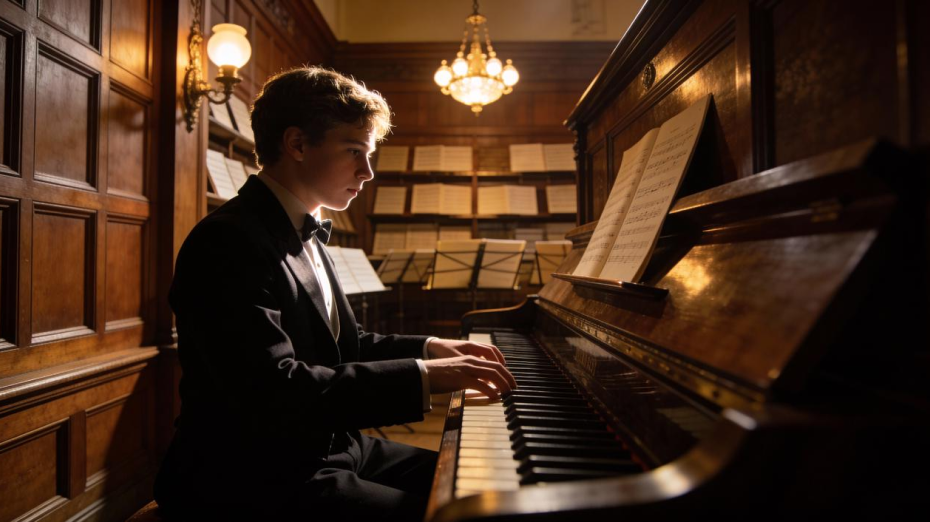
A young man sits at a piano, playing calmly and confidently. His posture is relaxed and natural, with both hands resting clearly on the keys. As he plays, his fingers move smoothly across the keyboard in a steady rhythm. He slightly sways with the music, occasionally lowering his gaze toward the keys. His expression is focused and peaceful. The camera holds a stable medium shot, keeping his upper body, hands, and the piano keys clearly visible. Soft ambient lighting creates a warm, intimate atmosphere. Gentle piano music plays in sync with his movements, conveying a calm and emotional mood.
| Reference | Output |
|---|---|
 |
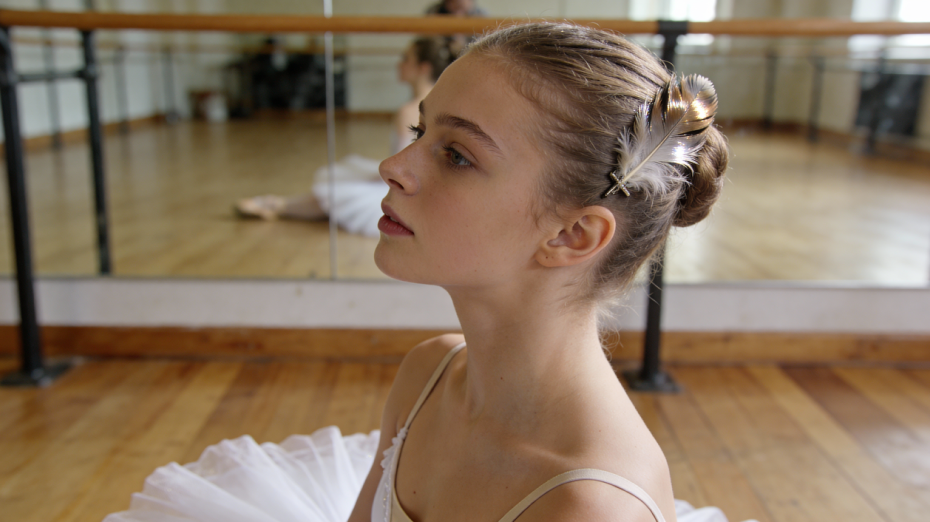
A female opera performer sings on stage in a clear soprano voice. She begins singing calmly and maintains a steady pace. Her gaze slowly shifts in sequence: first looking into the distance, then lowering to the floor, and finally lifting to look directly into the camera. She sings the full lyric clearly and completely with a gentle, warm smile: “Hold on, let go, give trust, lend heart.” The line must be sung from beginning to end without interruption. The video must not cut or end before the final word is fully delivered. After finishing the last word, she holds her gaze and expression briefly before the scene ends.
| Reference | Output |
|---|---|
 |
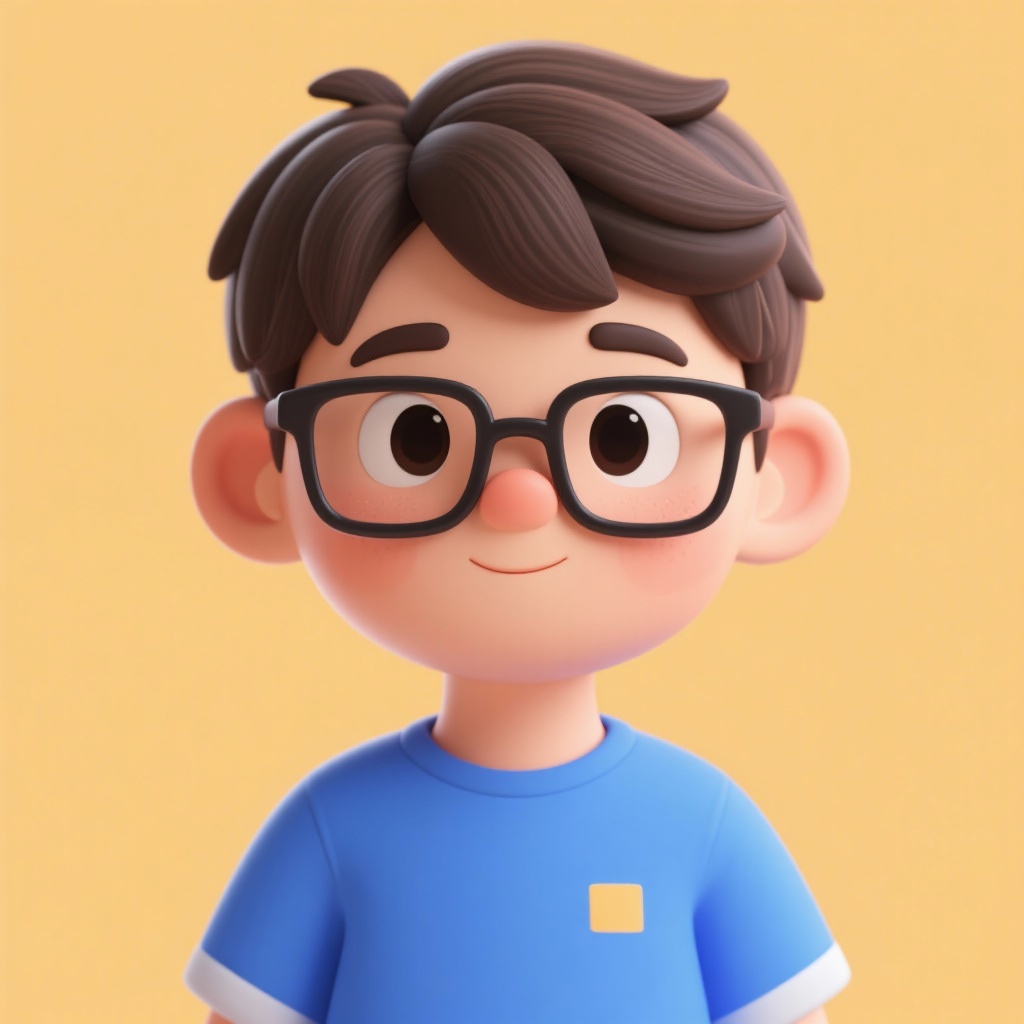
A boy wearing glasses and a blue T-shirt from [Image 1] and a corgi dog from [Image 2], sitting on the lawn from [Image 3], in 3D cartoon style
| Reference | Output |
|---|---|
|


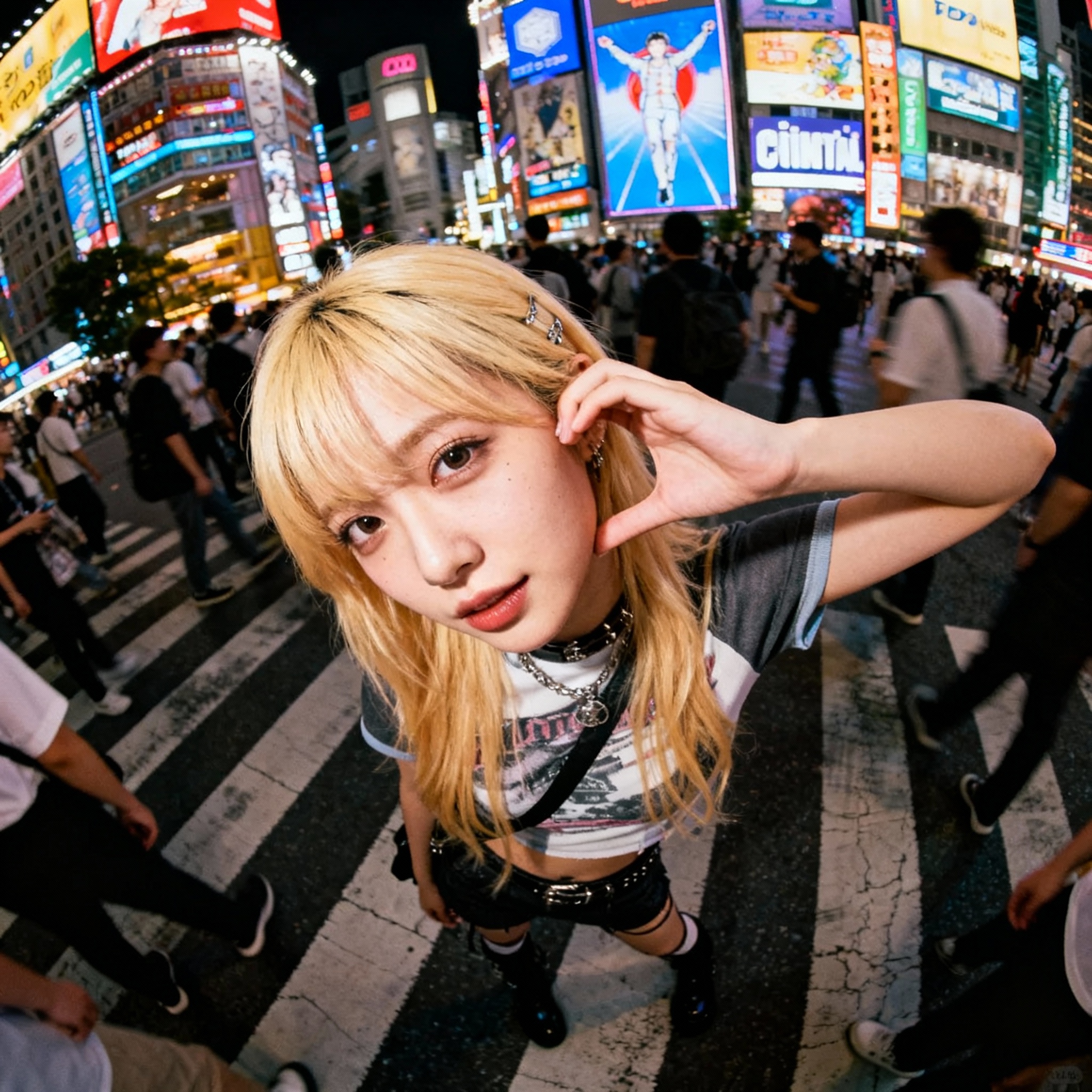
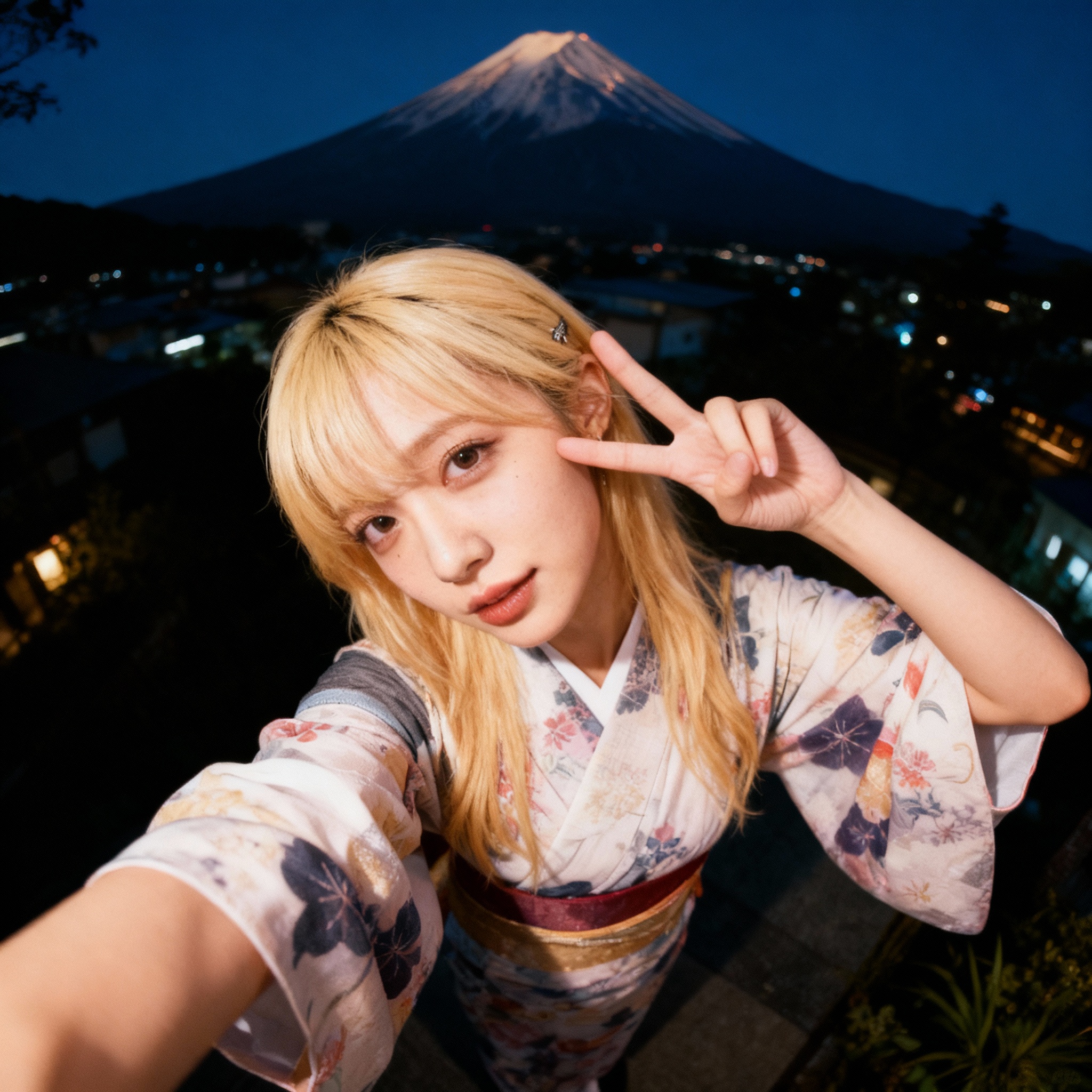
Create a 360-degree orbiting camera shot based on this photo
| Reference | Output |
|---|---|
|
Suggested Read: The Complete Guide to Text-to-Video Generation: From Basics to Future Predictions
Photorealistic style: Under a clear blue sky, a vast expanse of white daisy fields stretches out. The camera gradually zooms in and finally fixates on a close - up of a single daisy, with several glistening dewdrops resting on its petals.
| Output |
|---|
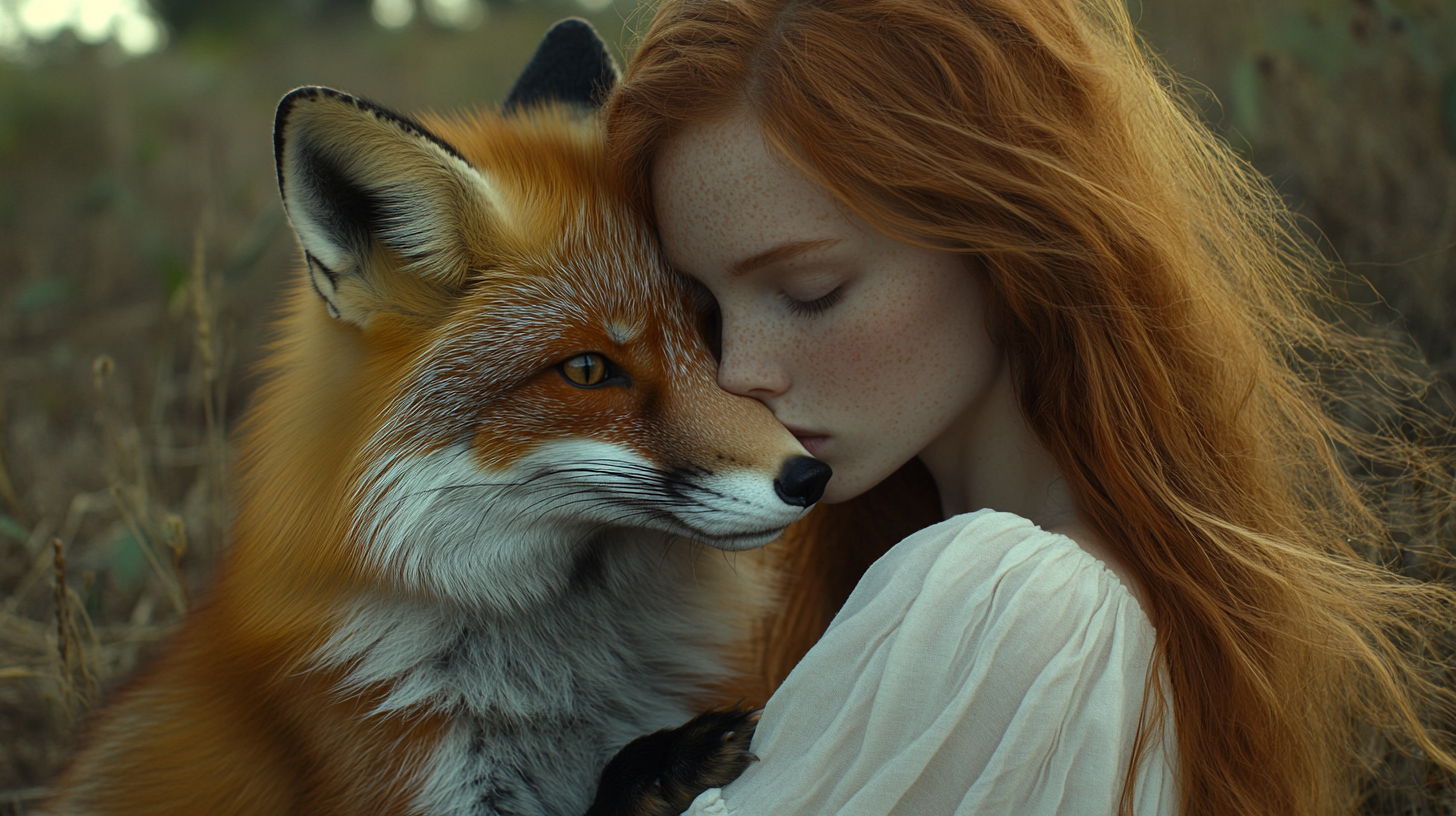
A girl holding a fox. She opens her eyes, looks gently at the camera. The fox hugs affectionately. The camera slowly pulls out, and the hair is blown by the wind.
| Reference | Output |
|---|---|
 |
Create a 360-degree orbiting camera shot based on this photo.
| Reference | Output |
|---|---|
|
A girl holding a fox, the girl opens her eyes, looks gently at the camera, the fox hugs affectionately, the camera slowly pulls out, the girl's hair is blown by the wind
| Output |
|---|
A girl and a fox running on the grass, sunny weather, the girl's smile is brilliant, the fox jumps happily
| Output |
|---|
Suggested Read: Introducing VEED Fabric 1.0 API on Pixazo for Image-to-Video Lip-Synced AI Video Creation
A girl and a fox resting under a tree, the girl gently strokes the fox's fur, the fox lies meekly on the girl's lap
| Output |
|---|
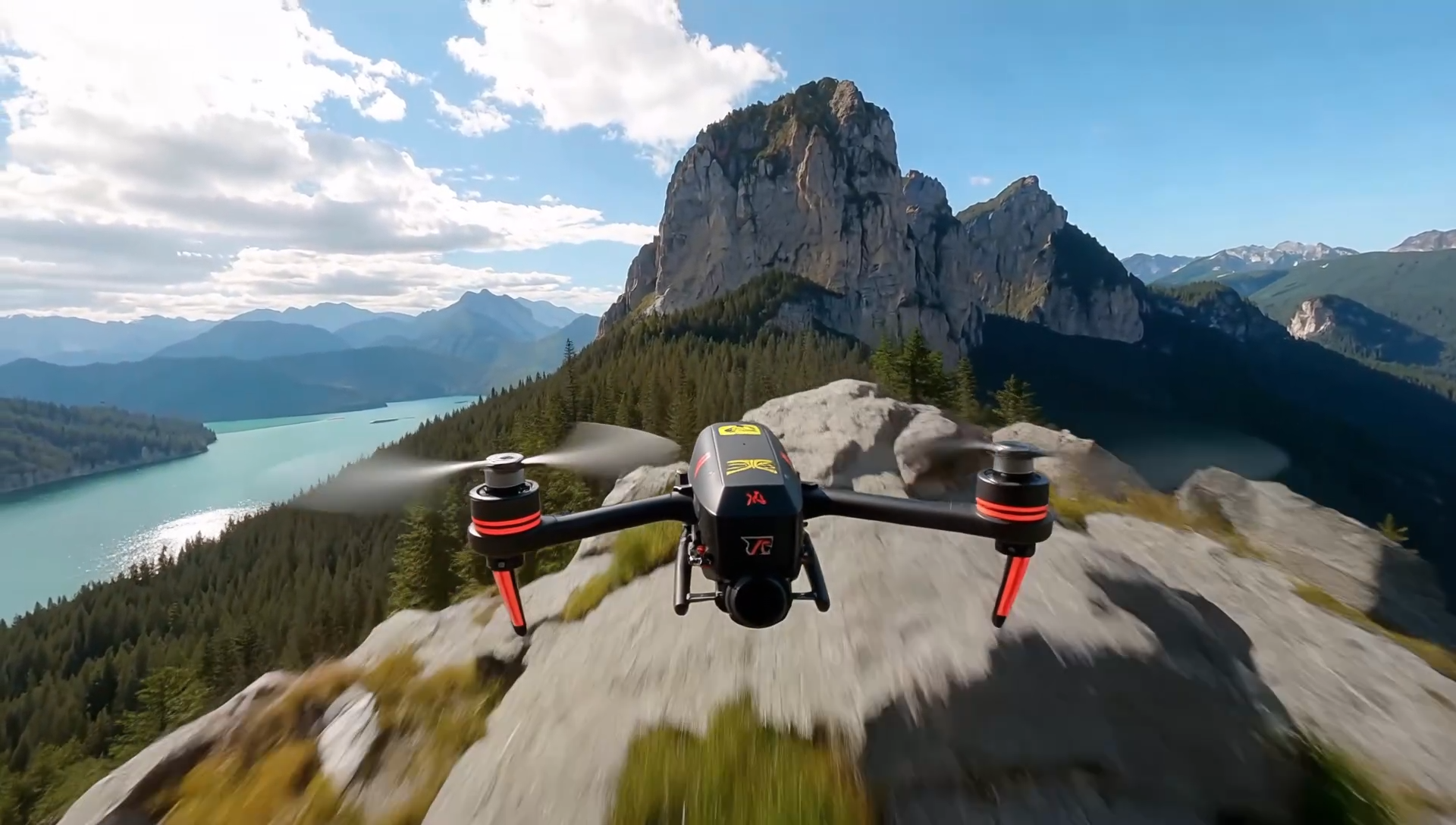
Input first-frame image - https://images.pixazo.ai/blog/Image-cropping.png
| Reference | Output (21:9) |
|---|---|
 |
| Reference | Output (16:9) |
|---|---|
|
| Reference | Output (4:3) |
|---|---|
|
| Reference | Output (1:1) |
|---|---|
|
Suggested Read: Introducing Grok Imagine API on Pixazo for Multimodal Image Generation and Animation
| Reference | Output (3:4) |
|---|---|
|
| Reference | Output (9:16) |
|---|---|
|
How Do SeeDance 2.0 Prompts Improve Video Quality?
SeeDance 2.0 prompts work best when they define motion clearly and keep visual constraints stable. Instead of leaving movement to chance, structured direction guides camera rhythm, lighting continuity, and subject interaction. This reduces inconsistencies and helps preserve realism.
Studying multiple prompt variations reveals how subtle adjustments — such as defining wind interaction, specifying camera glide, or limiting transitions — significantly improve output stability. Over time, refining this structure leads to more predictable, high-quality results.
Conclusion
SeeDance 2.0 prompts demonstrate how thoughtful structure transforms AI-generated clips into believable, commerce-ready visuals. By focusing on subject consistency, physical realism, and smooth transitions, creators can produce videos that feel intentional and professional.
These examples are designed as flexible templates. Adjust the environment, timing, or movement while preserving clarity, and you’ll unlock stronger, more stable outputs across different product categories.
Suggested Read: Introducing Seedance 1.5 API on Pixazo for Cinematic AI Video Generation
Frequently Asked Questions
1. How detailed should SeeDance 2.0 prompts be?
Clear and focused prompts work best. Two to four well-structured sentences usually provide enough direction without overwhelming the system.
2. Can I reuse SeeDance 2.0 prompts across different products?
Yes. Treat them as modular templates. Swap subjects, environments, or actions while maintaining structure.
3. Do shorter prompts work with SeeDance 2.0?
They can, but structured prompts with defined motion and lighting generally produce more stable results.
4. Are camera instructions necessary in SeeDance 2.0 prompts?
When motion matters, yes. Specifying glide, rotation, push-in, or tracking improves visual coherence.
5. What makes SeeDance 2.0 prompts different from generic video prompts?
They emphasize product consistency, physical interaction, and smooth scene logic rather than abstract cinematic language alone.
Disclaimer: This blog post is created for informational and educational purposes only. All prompts, references, and example outputs related to SeeDance 2.0 are derived from publicly available documentation and materials provided by BytePlus. We do not claim ownership of any proprietary content, trademarks, or brand assets mentioned. All rights belong to their respective owners. This content is not affiliated with, endorsed by, or officially connected to BytePlus or SeeDance.
Suggested Read: 30+ Prompts to Create Amazing Videos using AI
Deepak Joshi
Author · Pixazo
Deepak writes about generative AI models, APIs, and the workflows teams use to ship them. Reviewed by Abhinav Girdhar.