AI Album Cover Maker : Create Free Album Covers in Minutes
Create Custom Album Covers Quickly with Pixazo Best AI Album Cover Maker. Try for Free!
Get Started
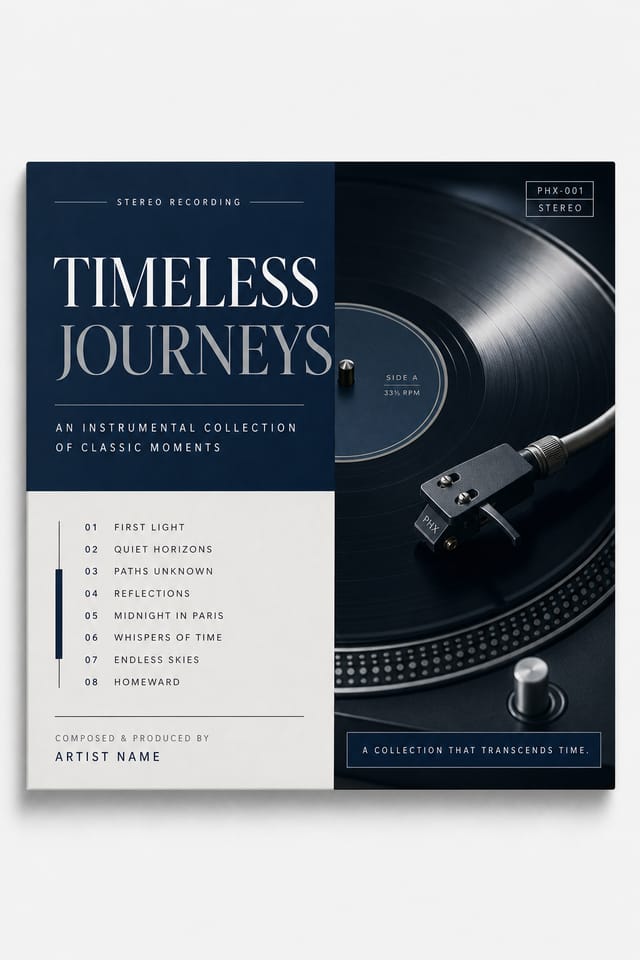
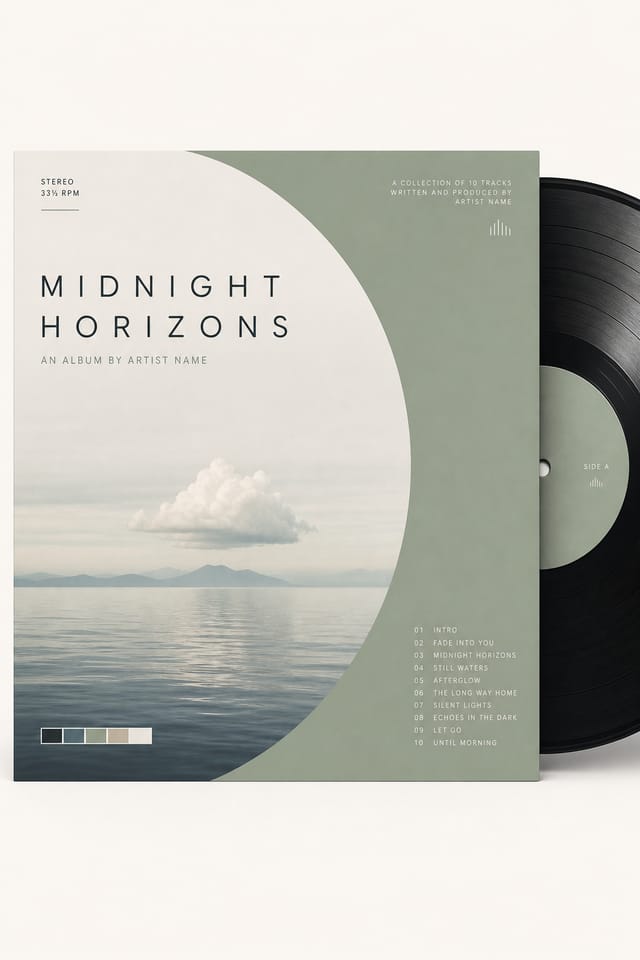
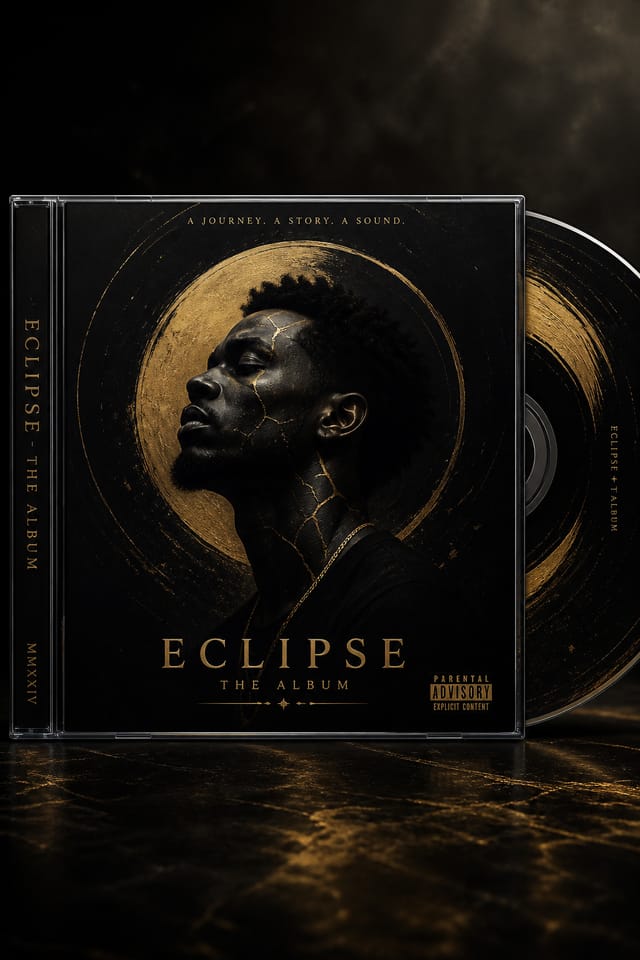
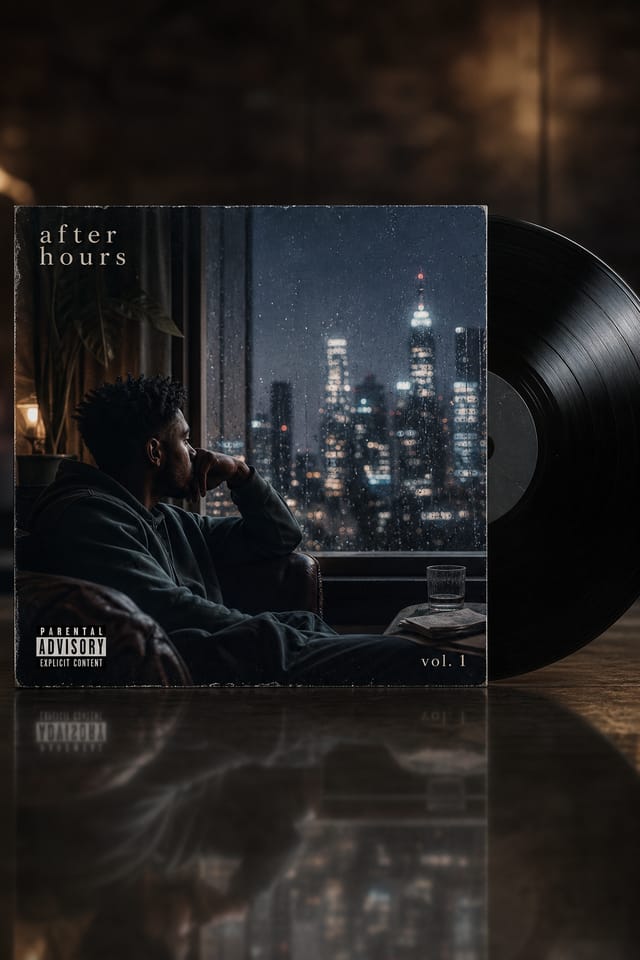
Showcasing Album-Covers: Community Showcase
Real creators sharing their album cover designs made with Pixazo AI.

Handmade-feel album-cover with brush stroke textures, imperfect edges, warm color palette, artisanal craft aesthetic
Full-bleed background album-cover, image or texture extends to edges, foreground elements float above, headline anchored to center
Contemporary album-cover style album-cover, grid-based structure, disciplined spacing, restrained decoration, readable at viewing distanceWho Creates Album-Covers: Who Benefits Most
Twitter/X Headers and Post Graphics
Create album-covers sized for Twitter headers (1500x500) and in-feed graphics. Designs optimized for fast consumption in timeline scrolling.
TikTok and Reels Cover Frames
Generate album-covers for short-form video cover images. Vertical designs that represent video content and attract clicks.
LinkedIn Professional Banners
Generate album-covers for LinkedIn profile headers and company page banners. Professional designs that reinforce personal or corporate branding.
Pinterest Pins and Idea Pins
Create album-covers in tall vertical formats optimized for Pinterest discovery. Designs that perform well in search and recommendation.
YouTube Thumbnails and Channel Art
Design album-covers for video thumbnails and channel banners. Bold, legible designs that stand out in recommendation feeds.
Delivering Your Album-Cover: Format Guide
Print-ready format for album-cover files that preserves fonts, colors, and layout across different devices and print services.
WEBP
Modern web format offering smaller file sizes than PNG or JPG for album-cover images without significant quality loss.
PNG
Lossless image format ideal for album-cover designs with transparency, sharp text, and web display at predictable file sizes.
TIFF
High-fidelity format for album-cover files destined for professional printing, supporting CMYK color and lossless compression.
SVG
Scalable format for album-cover designs that need to render crisply at any resolution, commonly used for web and responsive layouts.
Album-Cover Style Movements: Styles Gaining Traction
Muted Earth Tones
Natural color palettes with warm neutrals and desaturated greens are replacing the bright neon trends of previous years in album-cover work.
Asymmetric Composition
Breaking grid symmetry in album-cover layouts creates visual tension and a modern, editorial feel that stands out.
Minimalist Layouts
Stripped-back album-cover designs with generous white space and limited elements are gaining favor for their clarity and elegance.
Gradient Overlays
Smooth color transitions are being used as primary design elements in album-cover work, adding depth without the complexity of photographic backgrounds.
Data-Driven Visuals
Incorporating charts, statistics, and structured data directly into album-cover layouts helps communicate complex messages at a glance.
Album-Cover Design Workflow: The Full Process
Refine Polish the design
Apply targeted edits to your selected album-cover. Adjust typography, spacing, and color until every element meets your quality standard.
Research Gather references
Collect examples of effective album-cover designs, note what works, and identify patterns relevant to your project goals.
Generate Create initial designs
Use AI to produce multiple album-cover variations based on your brief. Start broad and narrow down from the strongest options.
Brief Define requirements
Establish the key message, dimensions, color preferences, and target audience for your album-cover before any design work begins.
Approve Final sign-off
Get stakeholder approval on the finished album-cover. Verify all text is accurate and the design meets brand and technical requirements.
Behind Album-Cover Design: A Closer Look
Typography Matching
Typefaces are selected to match album-cover aesthetic expectations. The AI pairs fonts that reinforce your album-cover's visual identity.
Style-Accurate Generation
The AI interprets album-cover design conventions and applies them to your album-cover, producing output that looks correctly styled rather than generically templated.
Resolution Control
Specify output dimensions for your album-cover. Get files sized for web display, social media, or large-format printing.
Subcategory Awareness
The AI distinguishes between design subcategories. A album-cover request produces album-cover-appropriate output, not a generic design with album-cover text added.
Print-Ready Output
Generated album-covers are sized and structured for professional printing. Download high-resolution files ready for production.
Instant Iterations
Generate multiple album-cover variations from a single prompt. Compare options and refine until the design matches your vision.
Album-Cover Style Options: Across Contexts
Editorial Album-Cover
Text-dominant album-cover layout inspired by print publication design. Typographic variety creates visual rhythm.
Minimalist Album-Cover
Stripped-back album-cover approach. Fewer elements, more negative space, typography carries more visual weight.
High-Contrast Album-Cover
Bold album-cover visual treatment with strong tonal contrast. Elements read clearly at any viewing distance.
Contemporary Album-Cover
Current album-cover design sensibility with updated proportions, modern typefaces, and contemporary color relationships.
Album-Cover Design Steps: In Minutes
Document the Vision
Start with a text description of your album-cover concept. Specify the visual style, colors, layout direction, and key text. Detailed prompts produce more accurate album-cover designs than general ones.
Peruse the AI Generation
Pixazo generates your album-cover in seconds. Review the design and adjust your prompt to refine specific elements: change the color palette, shift the layout weight, or add visual elements you want included.
Iterate on the Result
Adjust your prompt to modify specific elements of the album-cover. Change the color palette, shift typography weight, or reposition the compositional focus. Each iteration gets you closer to the final design.
Capture the Final Design
Export your album-cover in the format you need. PNG for web and social, PDF for print production, JPG for email and lightweight sharing. The file is yours to use commercially without restrictions.
Watch: Creating Album Cover Album Cover designs step by step
Copy-Paste Album-Cover Prompt Inspiration
Copy any prompt below and paste it into Pixazo to generate your design instantly.
Series-compatible album-cover design, visual language that extends to multiple formats, consistent design system across variantsAlbum-Cover with strong visual hierarchy, largest element reads clearly, supporting elements organized by importance, clean background treatmentAlbum-Cover aesthetic album-cover, palette drawn from album-cover design tradition, layout proportions consistent with album-cover conventions, purposeful use of each elementGeometric album-cover, structured grid system, angular composition, colors in blocks rather than gradients, modern clean finishRefined album-cover, sophisticated color relationships, intentional whitespace, typefaces appropriate to album-cover style, balanced compositionHonest Notes on Album-Covers: Needs Human Help
Known limitations and trade-offs of AI-generated album cover design. Understanding what the AI handles well and where it falls short helps you structure your album-cover design workflow effectively.
Creating Album-Covers: The Essentials
Pixazo generates original designs rather than copying existing work. The AI creates album-covers from learned design principles, not by stitching together fragments of existing designs. Generated output does not reproduce copyrighted material or identifiable artistic styles of living creators.
The AI recognizes album-cover design as a distinct visual category with its own conventions. Specifying album-cover style in your prompt triggers appropriate design decisions around color, typography, and composition rather than defaulting to generic poster layout.
Pixazo generates high-resolution files suitable for both print and digital use. Specify your intended output format in your prompt. Print album-covers benefit from high-DPI settings, while web and social media use works well with standard resolution output.
The AI generates designs at the specified dimensions. For professional print production, add 'with bleed area' to your prompt to extend background elements beyond the trim line. Crop marks and registration marks should be added in your print preparation software.

