Introducing Flux 3 API on Pixazo API: Photoreal AI Video with Sound, Up to 20 Seconds


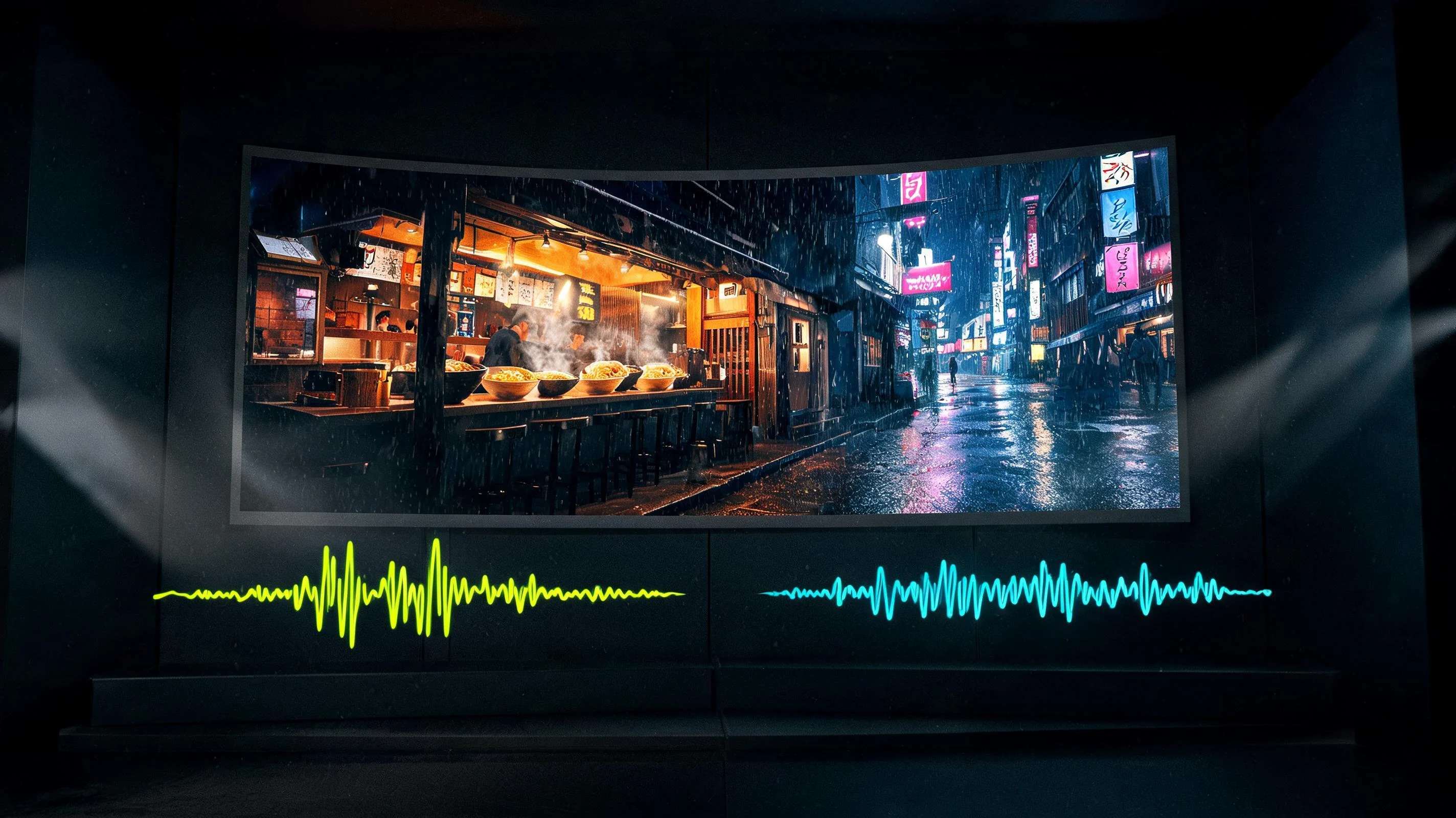
Black Forest Labs built its name on FLUX, the image model that set a new bar for detail and prompt accuracy. Now the lab has crossed into motion, and the Flux 3 API is available on Pixazo API. Flux 3 is a video model: it turns a text prompt into a finished clip with sound, up to 20 seconds long, at HD or FHD. The same eye for photoreal detail that made FLUX images stand out now runs frame to frame.
Two details make Flux 3 unusual from the first request. Audio is generated in the same pass as the picture, so a scene arrives already watchable rather than silent. And pricing is set by resolution, not length, which means a 20 second clip costs exactly the same as a 5 second one. This post shows Flux 3 clips generated on Pixazo API, explains what the model does, and walks through calling it, what it costs, and where to start.
TC 00:00
See Flux 3 in motion
Every clip below was generated on Pixazo API from a text prompt alone, and every one includes sound produced with the video, so turn your volume on. These are the kind of photoreal, sound-complete scenes Flux 3 returns from a single call.
TRACKS
What does Flux 3 bring?
Flux 3 is the first video model in the Flux family, and it carries the traits that made the images popular into a new medium. Four things stand out.
The pricing point is worth sitting with, because it quietly changes how you work. Most video APIs meter by the second, which trains you to keep clips short and to think twice before regenerating. Flux 3 charges by resolution instead, so the meter stops mattering once you have chosen HD or FHD. A five second test and a twenty second final cost the same, which means the cheap thing to do and the ambitious thing to do are suddenly the same price. That is a rare alignment in generative video.
The audio decision matters just as much. When sound is generated in the same pass as the picture, it belongs to the scene: the rain you see is the rain you hear, and a door closes on the frame where it looks shut. Layering a track on afterward never quite lands that way. You keep the option to strip the audio and score a clip yourself, but the default output is already a finished moment rather than a silent plate waiting for post.
LINEAGE
Suggested Read: Flux Schnell API Pricing: Complete Cost Breakdown & The Cheapest Way to Generate Images at Scale
From FLUX images to FLUX video
To understand why Flux 3 matters, it helps to remember where Black Forest Labs started. The lab’s FLUX image models earned their reputation on two things: fine grained detail and unusually literal prompt following. Where other models drifted, FLUX rendered the material, the light and the composition you actually asked for. That reliability is why FLUX became a default choice for production image work, and why the earlier Flux versions have been on Pixazo API for image generation all along.
Flux 3 carries that same discipline into motion. The challenge in video is that every strength of a still, the texture, the lighting, the accuracy, now has to hold across dozens of frames without smearing or flickering. A model that is merely pretty for one frame falls apart in a clip. What the samples above show is that the FLUX look survives the jump: the surfaces stay believable, the light stays coherent, and the camera moves the way the prompt describes. For teams that already trust FLUX for images, that continuity means the video output behaves the way they expect.
It also means one API key and one mental model cover both media. The Flux image models and Flux 3 video sit on the same page, behind the same authentication, so a pipeline that already generates FLUX stills can add motion without adopting a second vendor or a second set of conventions.
MODES
Three ways to generate
Flux 3 on Pixazo API exposes three modes, so it covers creating a clip from scratch and reworking footage you already have:
- Text to video. Describe the scene, the camera and the mood in plain language, add a short note about the sound you want, and get a finished clip with synced audio back.
- Keyframes to video. Supply frames you want the clip to hit and let Flux 3 generate the motion between them, so you keep control over how a shot begins and ends.
- Video to video. Feed in an existing clip and transform its style or content while preserving the underlying motion, useful for restyling and iteration.
Suggested Read: Best Image To Video APIs in 2026
Each mode has its own endpoint and request parameters, all documented on the Flux model page next to the earlier Flux image models if your pipeline already uses them.
The three modes cover the two halves of real production. Text to video is the blank page, ideal when you know the scene but have no footage yet. Keyframes to video and video to video are the revision tools: the first lets you pin exact moments a shot must pass through so the motion serves your composition rather than the model’s guess, and the second lets you take a clip you already have, whether shot or generated, and push it toward a new look while its movement stays intact. Together they mean Flux 3 is useful both at the start of a project and deep into iteration.
RENDER
How does the API work?
Flux 3 uses the same asynchronous pattern as the rest of Pixazo API. Video renders take minutes rather than seconds, so the flow is built so you never hold a connection open while a scene generates.
A submit call looks like this:
And the immediate response hands you the job to track:
When the job completes, the payload carries the media URL for your MP4. If you already call any Flux model on Pixazo API, the authentication and the polling contract are identical, so adding video is a matter of pointing at the new endpoint.
EXPORT
What does it cost?
This is a genuinely different cost model for video. Most APIs charge per second, which quietly pushes you toward shorter clips. Flux 3 removes that pressure: once you have paid for a resolution, you may as well use the full 20 seconds, which changes how you plan a shot. Prototype at HD, then re render the keeper at FHD, and you only ever pay for finished output.
PROMPT
Suggested Read: Best Text To Video APIs in 2026
Prompting Flux 3
Because Flux 3 generates sound and motion together, the prompt does more work than it would for a still image. A few habits help:
- Describe the sound. End the prompt with a short audio note, the ambience, the effects, the mood. The ramen clip above says rain patter and quiet kitchen sounds, and the model composes to it.
- Give the camera a job. Name the move you want, a slow push in, a tracking shot, a locked frame. Concrete camera language produces controlled motion.
- Lean on FLUX detail. The model is strong on texture and light, so specify materials, time of day and lighting to get the photoreal look it is known for.
- Pick resolution for the job. HD for drafts and social, FHD for the final. Since length is free, set the duration to whatever the scene needs.
BUILD
What can you build?
- Ads and social spots. Photoreal product and lifestyle scenes with sound, from a single prompt, iterated as fast as you can write.
- B-roll and establishing shots. Cinematic filler that used to need a stock license or a shoot, generated to fit the exact mood of a cut.
- Music and mood pieces. Scenes with generated ambience, at full 20 second length, without paying more for the extra seconds.
- Restyle and iteration. The video to video mode reworks footage you already have while keeping its motion.
- Previs and pitch reels. Look and tone tests that communicate an idea in minutes.
Suggested Read: Best Consistent Character Video Generator Tools in 2026
GO
Start building with Flux 3
The fastest way in is the Flux model page on Pixazo API: grab an API key, check the Flux 3 request parameters and the live pricing, and send your first request. The same page documents every Flux image model too, behind the same authentication, so one key covers the whole family.
Read the Flux 3 API documentation and get an API key
FAQ
Frequently asked questions
What is the Flux 3 API?
It is Black Forest Labs’ Flux 3 video model, available as a hosted API on Pixazo API. It generates finished video clips with synced sound from a text prompt, from keyframes, or from an existing video, up to 20 seconds at HD or FHD.
Suggested Read: Introducing FLUX.1 Kontext API, GFPGAN API & CodeFormer API on Pixazo API
Is Flux 3 an image or a video model?
Flux 3 is a video model. It is the first video model in the Flux family, which was previously known for its image generation. The earlier Flux image models remain available on the same page.
Does Flux 3 generate audio?
Yes. Sound is generated in the same pass as the picture at 24fps, so clips arrive with ambience, effects and music already in place. You can disable the audio if you would rather add your own.
How long can a Flux 3 clip be?
Up to 20 seconds per request, at HD or FHD resolution. Because pricing is by resolution rather than duration, a 20 second clip costs the same as a 5 second one.
Suggested Read: Best Open Source AI Video Generation Models in 2026
How much does the Flux 3 API cost?
Billing is per generation, set by the resolution you request, and duration does not change the price. The live rate is listed on the Flux model page, and new accounts start with free credit.
Do I need to host the model myself?
No. Pixazo API hosts Flux 3 behind a REST endpoint. You send a request with your API key, poll or receive a webhook, and download the finished MP4.
Suggested Read: Google Veo 3.1 Prompts Collection — Create Cinematic AI Videos
Deepak Joshi
Author · Pixazo
Deepak writes about generative AI models, APIs, and the workflows teams use to ship them. Reviewed by Abhinav Girdhar.