Best Consistent Character Video Generator Tools in 2026


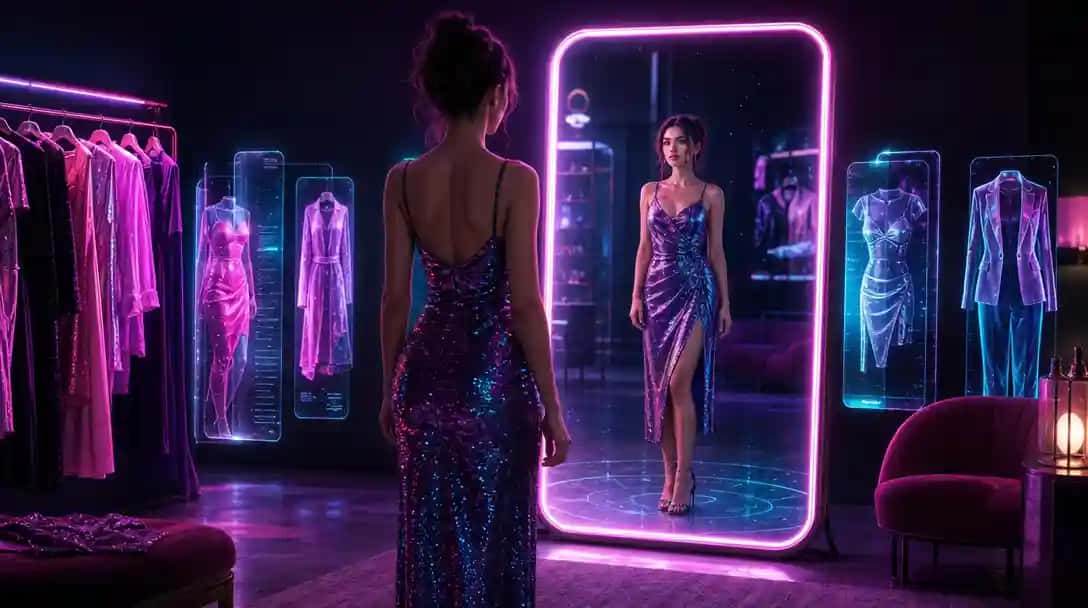
The consistent character video generator is one of AI video’s most demanded capabilities — and one of its hardest engineering problems. Every time a standard AI video tool generates a clip, it recreates characters from scratch. The result is drift: the same “red-haired woman in a blue coat” looks subtly different in every clip, making multi-scene storytelling feel disjointed. In 2026, a new class of platforms has solved this with reference-image pipelines, IP-Adapter conditioning, and seed-locking techniques. This guide explains exactly how AI consistent character technology works and ranks the best tools available right now.
What Is a Consistent Character Video Generator?
A consistent character video generator is an AI video platform capable of recreating the same character — same face structure, body proportions, hair, and clothing — across multiple separately generated clips without manual redrawing or frame-by-frame corrections.
Standard text-to-video models have a core weakness: they draw characters from scratch on every generation run. This means even slight prompt variations produce noticeably different characters. A consistent character video generator eliminates this drift by anchoring generation to a fixed visual identity reference.
There are three main technical approaches in use today:
- Reference image conditioning (IP-Adapter approach): The user uploads a portrait or character sheet. The model extracts identity embeddings from it and injects them into the video generation pipeline via an adapter mechanism — the same core principle as IP-Adapter in image diffusion — so every generated frame reflects the reference character’s face and style.
- Character seed locking: Some platforms let you save a generated character as a reusable seed or template. Future generations using that seed begin from the same latent space starting point, producing visually consistent output across sessions.
- ControlNet and pose transfer: Character body structure and pose are extracted from a reference image or clip, then applied to new generations, preserving proportions while allowing new motions and scenes.
The most capable platforms combine all three methods. The result: one source image can anchor dozens of video clips into a cohesive visual identity — a foundational requirement for branded series, AI character animation, and social media storytelling.
How Character Consistency Works Technically in AI Video
Understanding the underlying mechanics helps you choose the right tool and get better results. Here is what happens inside a modern consistent character video generator at each stage of generation.
Stage 1: Identity Extraction
When you upload a reference image, the model runs it through an image encoder — typically a variant of CLIP or a dedicated face recognition network — to extract an identity embedding. This is a high-dimensional vector capturing the character’s visual traits: facial geometry, skin tone, hair texture, clothing color palette, and overall style.
Stage 2: Cross-Attention Injection
The identity embedding is injected into the video diffusion model’s cross-attention layers via an adapter module. Cross-attention is the mechanism that tells the denoising process what to draw. By injecting the character embedding here alongside the text prompt, the model produces frames that match both the reference character’s appearance and the text description of the scene and motion.
Stage 3: Temporal Consistency
Video adds a third dimension that image generation does not face: time. Even if every individual frame matches the reference character, the character can visually “flicker” or shift between frames if temporal coherence is not enforced. Modern video models use temporal attention layers and frame-to-frame consistency losses to stabilize character appearance across the full clip duration, preventing the micro-variations that make characters feel unstable on screen.
The best platforms give you a “reference strength” slider: higher values lock the character tightly to the source image; lower values allow more creative deviation while still maintaining the general identity. Learning to calibrate this is a key part of working with character consistency AI video tools professionally.
Best Consistent Character Video Generator Tools in 2026
Below are the top platforms for AI character animation and character consistency in video, ranked by consistency quality, workflow usability, and practical results. To get started with character-driven video on Pixazo, visit the Pixazo AI video generator.
1. Kling AI
Kling AI, developed by Kuaishou, features one of the most capable character reference systems on the market. Its dedicated Character Reference mode accepts a single portrait and anchors character identity across all generated clips. The system handles varied prompts — different backgrounds, outfits, and camera angles — while keeping face structure and general appearance stable. Kling AI also supports multi-character scenes with separate reference images per subject, making it a strong choice for anyone producing a series with a recurring cast.
Key features: Character Reference mode, multi-character support, up to 1080p output, 5–10 second clip generation
Best for: Creators who need reliable face consistency across a large volume of clips
Pricing: Free tier available; Pro plans start at around $8/month
2. Hailuo AI (MiniMax)
Hailuo AI, built on MiniMax’s video foundation model, features a robust Subject Reference system purpose-built for character consistency. Upload a reference image and the model preserves the character’s face, hair, and clothing across new environments and motions. Hailuo is widely cited in the creator community for photorealistic character rendering quality and smooth motion, making it a strong option for cinematic-style productions where same character across AI videos is a hard requirement.
Key features: Subject Reference mode, photorealistic rendering, smooth motion quality
Best for: Photorealistic character animation and cinematic-style content
Pricing: Free credits on sign-up; paid subscription plans available
3. RunwayML Gen-3 Alpha
RunwayML’s Gen-3 Alpha supports reference image input that guides character appearance throughout generation. Runway is a professional-grade platform used by filmmakers and video editors at agencies and studios. Its character consistency is most effective when combined with precise text prompts that reinforce the character’s defining features. Runway’s workflow integrations make it the best option for teams embedding AI character animation into traditional video post-production pipelines.
Key features: Reference image guidance, high visual quality, professional export options, timeline integration
Best for: Professional video creators integrating AI into editorial and post-production workflows
Pricing: Free tier with limited credits; Standard plan from approximately $15/month; Pro from approximately $35/month
4. Pika Labs
Pika has become a go-to platform for short-form character video content. Its character reference feature accepts a portrait upload and generates clips where face and general appearance remain consistent across different scenes and motions. Pika is especially strong for stylized and animated character looks, making it popular with content creators working in illustrated or semi-realistic art styles. The web interface is clean and fast, and the Discord community is active for technique sharing.
Key features: Character portrait reference, stylized rendering options, short-form focus, active community
Best for: Short-form and stylized character videos for social media
Pricing: Free tier available; paid plans from approximately $8/month
5. GoEnhance
GoEnhance combines character reference generation with 4K video upscaling, addressing a common pipeline problem: AI-generated character videos often need enhancement before they match broadcast or premium content quality. GoEnhance’s AI models include options tuned specifically for character-driven scenes, and its style presets help maintain visual consistency across projects that mix generated and enhanced clips.
Key features: Character reference generation, 4K upscaling, style presets for consistency, character-specific AI models
Best for: Creators who need both character consistency and high-resolution finished output
Pricing: Credit-based system; free trial credits available on sign-up
6. Pixazo AI Video Generator
Pixazo’s AI video generator is built for brand-consistent character content without a steep learning curve. The platform supports reference image input to guide character appearance across generations, and its no-code interface makes it accessible to marketers, content creators, and small business owners who need repeatable results fast. Upload your character reference, describe the scene, generate — no prompt engineering expertise required. Pixazo is particularly well suited for social media campaigns that need the same character across multiple video assets.
Key features: Reference image input, brand-friendly workflow, no-code interface, integrated with Pixazo’s broader AI design suite
Best for: Brand storytelling and social media content with repeatable characters
Pricing: Free tier available; premium plans unlock higher resolution and longer clips
7. Pollo AI
Pollo AI is a mobile-first platform offering over 40 video effects alongside character-consistent text-to-video generation. Reference image uploads guide character appearance across clips, and the interface is designed for fast, approachable production. Pollo is well suited for social media content creators who work primarily on mobile and need quick turnaround on AI character animation content without desktop-level complexity.
Key features: Reference image upload, 40+ video effects, mobile-compatible interface, text-to-video
Best for: Mobile-first creators and high-volume social media content production
Pricing: Free tier available; subscription plans for higher usage volumes
8. Hedra
Hedra takes a distinct approach: it specializes in creating talking character videos from a single portrait image. Upload a photo, provide a voice track or script, and Hedra produces a video where lip sync, facial expressions, and head movement remain consistent with the source character throughout the clip. Hedra’s Character-1 model is particularly strong for spokesperson and avatar-style content — explainer videos, presentations, and branded character narration.
Key features: Portrait-to-talking-avatar, lip sync accuracy, expression consistency, audio-driven animation
Best for: Talking avatar videos, brand spokesperson content, and educational narration
Pricing: Free plan available; paid plans from approximately $29/month
Comparison Table: AI Consistent Character Video Generators
| Tool | Consistency Method | Key Strength | Best For | Pricing Tier |
|---|---|---|---|---|
| Kling AI | Character Reference (portrait upload) | Face + body consistency, multi-character | High-volume clip series | Free + from ~$8/mo |
| Pixazo AI | Reference image input | No-code, brand-friendly workflow | Brand and social media content | Free + premium plans |
| Hailuo AI | Subject Reference mode | Photorealistic character rendering | Cinematic productions | Free credits + subscription |
| RunwayML Gen-3 | Reference image guidance | Professional editorial integration | Filmmakers and agencies | From ~$15/mo |
| Pika Labs | Character portrait reference | Stylized and animated renders | Short-form social video | Free + from ~$8/mo |
| GoEnhance | Character reference + upscaling | 4K output quality | High-resolution content | Credit-based, free trial |
| Pollo AI | Reference image upload | Mobile-first, 40+ effects | Mobile creators | Free + subscription |
| Hedra | Portrait-to-talking-avatar | Lip sync + expression accuracy | Spokesperson and avatar content | Free + from ~$29/mo |
Suggested Read: Best AI Video Generation Models in 2026: In-Depth Comparison for Creators & Businesses
How to Maintain Character Consistency Across AI Videos: A Practical Workflow
Even the best consistent character video generator requires a deliberate workflow to deliver reliable results across a full project. Here is the approach I use and recommend based on hands-on testing across these platforms.
Step 1: Create a Master Character Reference Image
Before generating any video, establish a single, clean portrait or full-body image of your character against a plain background, with clear front-facing lighting and a neutral expression. This is your visual source of truth. Generate it using the Pixazo AI image generator for a fully AI-native workflow, or photograph a real person if you need a realistic human character. The cleaner this reference, the more reliably AI video platforms will reproduce it across clips.
Step 2: Write Character-Anchoring Prompts
Always describe your character’s defining visual features in every prompt, even when the platform accepts a reference image. Reinforce hair color, clothing style, and key physical traits in text. This doubles down on character identity and significantly reduces generation drift. Instead of “a woman walking through a park,” write “a red-haired woman in a navy peacoat walking through a sun-lit city park, professional lighting” — specificity is your consistency multiplier.
Suggested Read: Introducing LTX 2.5 API on Pixazo API: Two Tiers for AI Video with Sound
Step 3: Lock Style Settings and Seed Values
Most platforms let you save style presets or note seed numbers. After your first successful generation that nails the character, record the seed value and style settings. Reusing the same model version, style preset, and seed dramatically increases visual consistency across an entire clip series.
Step 4: Generate Short Clips and Stitch in Post
AI video tools perform best on 5–10 second clip durations. Rather than attempting one long continuous video, generate multiple short character clips and assemble them in a video editor. This workflow gives you the ability to regenerate any drifted clip without scrapping the entire project, and makes quality control much more manageable.
Step 5: Post-Process to Unify Quality
Minor visual inconsistencies between clips generated in different sessions are normal. Running all clips through an upscaling or enhancement pass — tools like GoEnhance are designed for this — unifies resolution, grain, and color grading across the final cut, making the character feel more stable even across clips with slight variation.
Suggested Read: Introducing Flux 3 API on Pixazo API: Photoreal AI Video with Sound, Up to 20 Seconds
Use Cases for AI Consistent Character Video in 2026
Character consistency AI video is no longer just a technical curiosity. It is a production capability driving real-world creative and commercial use cases across industries.
- Brand mascot and spokesperson content: Create a recurring AI brand character that appears in every product video, ad, and social campaign with the same look — eliminating talent costs and scheduling conflicts.
- Animated series production: Independent creators can produce multi-episode narrative shorts with a consistent cast of characters at a fraction of traditional animation costs.
- AI influencer and avatar channels: Build a recognizable virtual personality whose consistent visual identity becomes the core of a social media brand.
- E-learning and training content: A consistent AI instructor character improves viewer recognition and trust across a video course library or corporate training series.
- Game concept and cinematic trailers: Game studios use character consistency AI video to produce pre-rendered concept trailers featuring main characters before the game build is complete.
- Product demonstration videos: Use a consistent AI character to present products across a full ad campaign, maintaining a reliable “face of the brand” across SKUs and seasons.
Explore the full suite of AI video and image tools to support your character-driven content at Pixazo’s AI tools directory.
Suggested Read: Introducing Seedance 2.5 API on Pixazo API: 30-Second Video with Native Sound
Frequently Asked Questions About Consistent Character Video Generators
What does character consistency mean in AI video generation?
Character consistency in AI video refers to the ability to generate multiple video clips where the same character — same face, body proportions, hair, clothing, and overall visual style — appears identically across all clips. Without deliberate consistency mechanisms, AI video models regenerate characters from scratch on every run, producing noticeable appearance differences between clips. A consistent character video generator uses reference images, identity embeddings, or seed-locking to anchor character appearance across sessions and prompts.
How do AI video tools use reference images for character consistency?
Most modern platforms accept a portrait or full-body reference image as input. The model runs this image through an identity encoder — closely related to the IP-Adapter technique used in image diffusion — to extract a feature embedding representing the character’s visual identity. This embedding is injected into the video generation pipeline’s cross-attention layers, guiding every frame to match the reference character while still following the text prompt for scene, motion, and environment.
Suggested Read: Introducing Wan 3.0 API on Pixazo API: Cinematic AI Video with Sound, Up to 30 Seconds
Which consistent character video generator is best for beginners?
Pixazo AI and Pollo AI are both designed with beginner-friendly interfaces that make character consistency accessible without deep technical knowledge. Both accept reference image uploads and produce character-consistent video through straightforward prompting. Start with Pixazo’s AI video generator for a clean, no-code workflow from reference image upload to finished video clip — no prompt engineering background required.
Can I maintain the same character across AI videos without a reference image?
It is technically possible but unreliable. Some platforms allow you to save a generation seed and reuse it to produce visually similar characters across sessions. However, seed-based approaches are significantly less stable than reference image conditioning, especially across different scene types and motions. For any serious production — branded content, series work, or professional campaigns — creating a dedicated character reference image before starting is strongly recommended and considered best practice.
What is the IP-Adapter technique and why does it matter for AI character animation?
IP-Adapter, short for Image Prompt Adapter, is a conditioning technique developed for image diffusion models that allows a reference image to guide visual output without overriding the text prompt. The reference image is encoded into a feature vector, which is then injected into the model’s cross-attention mechanism alongside the text embedding. The result follows the text prompt for scene and action while adopting the visual identity from the reference image. Many AI video platforms apply equivalent adapter-based conditioning to achieve character consistency across video frames and multi-clip projects. It is one of the core technical foundations behind the consistent character video generator category as it exists in 2026.
Suggested Read: 150 Free AI Character Sheets: A Full Gallery for Your Stories, Videos & Games
Deepak Joshi
Author · Pixazo
Deepak writes about generative AI models, APIs, and the workflows teams use to ship them. Reviewed by Abhinav Girdhar.