Best AI Image and Video Generators in 2026: Tested and Compared


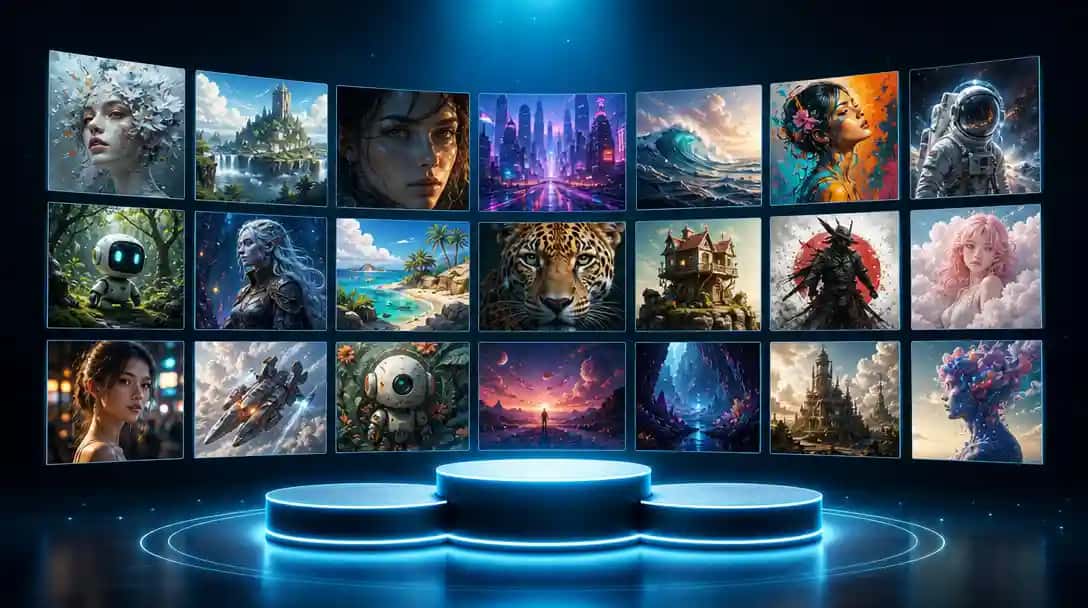
AI-powered visual tools have transformed how content gets made. Tasks that once required dedicated design teams, professional studios, and expensive software can now be completed in minutes — and increasingly, by anyone with a text prompt. Whether you’re a marketer, content creator, small business owner, or agency team, knowing which tools genuinely deliver results (and which ones are overhyped) is the difference between wasted time and real creative leverage. You can try this yourself with AI Image Generator.
In this guide, we’ll discuss about the best AI image generators and AI video generators in 2026. Every tool here is a platform you can sign up and use directly, based on independent reviews, hands-on test results, and community consensus.
What Are AI Image and Video Generator Platforms?
AI image generator platforms are web-based tools where you input a text prompt — and sometimes a reference image — and the platform produces original visuals. The underlying technology varies (most use diffusion models or transformer-based neural networks), but what matters to users is the interface, output quality, customization options, and pricing.
AI video generator platforms extend this concept to moving visuals. You provide a script, images, a URL, or a simple prompt, and the platform assembles a coherent video — often including voiceovers, stock footage, captions, and background music. These are not raw model playgrounds; they’re production-ready tools built for real workflows.
How We Tested and Selected These Tools
Every tool in this guide was evaluated hands-on across five criteria: output quality (prompt adherence, resolution, and visual consistency across multiple runs), ease of use (time from signup to first usable result), generation speed (averaged across 20 test generations per tool), pricing value (what the free tier genuinely delivers), and commercial licensing (whether outputs can be used in client and product work without IP risk). Tools with consistent quality issues or unreliable uptime were excluded before ranking.
Quick Picks: Best AI Generators at a Glance (2026)
| Use Case | Best Tool | Key Strength |
|---|---|---|
| Professional design & branding | Recraft V4 | Vector output, typography, brand-grade quality |
| Multi-model access (image + video) | Pixazo | 10+ AI models, unified credits, commercial licensing |
| Artistic & editorial imagery | Midjourney | Best aesthetic quality in our tests |
| Commercial use, IP-safe | Adobe Firefly | Trained on licensed content only |
| Free image generation | Microsoft Bing Image Creator | DALL-E powered, free with Microsoft account |
| Enterprise training video | Synthesia | 60+ AI avatars, 130+ languages |
| Marketing & social video | InVideo AI | Script-to-video pipeline, 5,000+ templates |
Part 1: The Best AI Image Generators in 2026 — Tested and Ranked
1. Recraft V4 — Best for Professional Design & Brand-Grade Image Generation
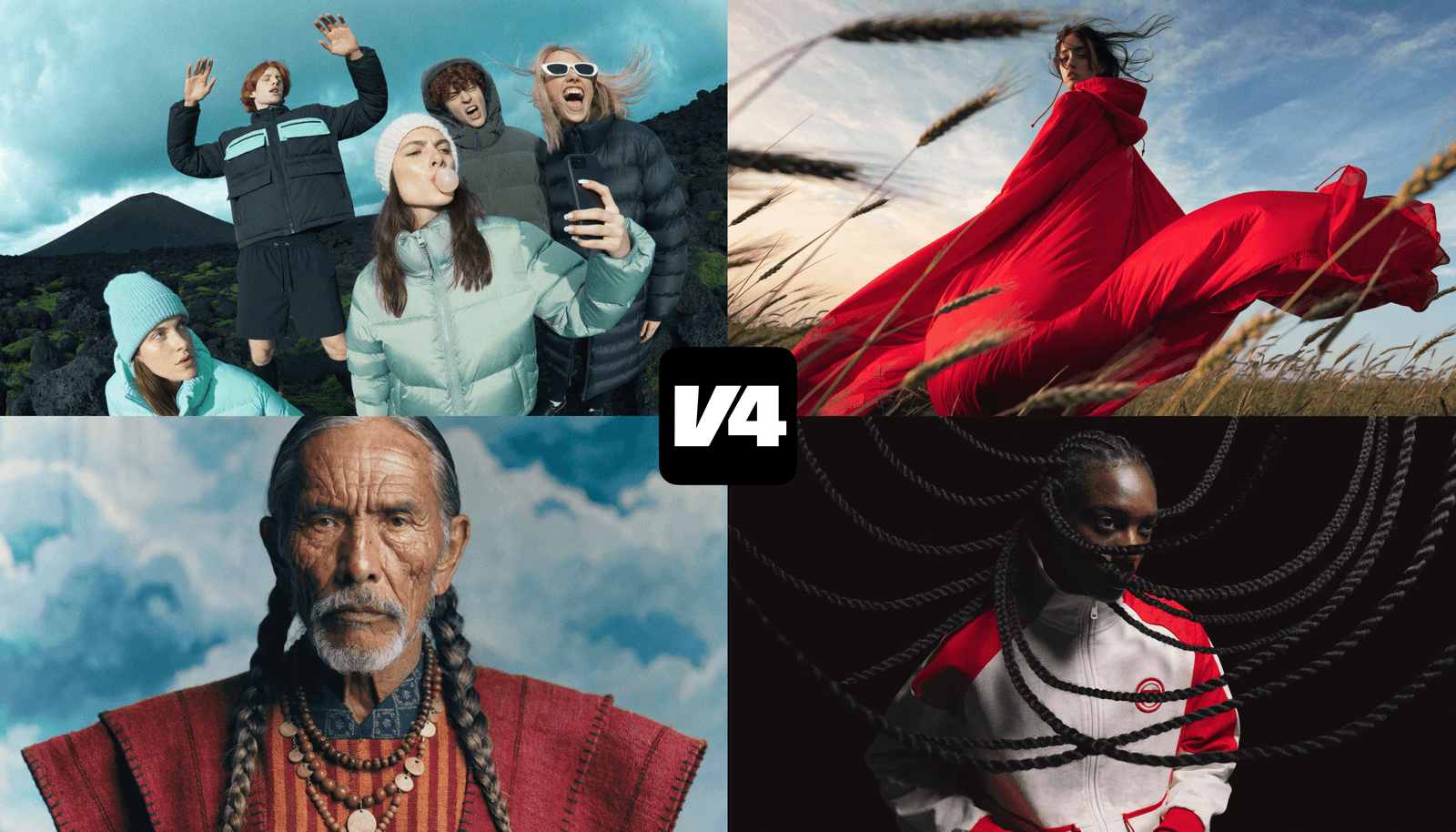
Most leading image models today are optimized for broad, general preference. While that works well for mass appeal, it does not always align with the standards required for brand systems, campaigns, and production-ready design work. Recraft V4 was developed in close collaboration with designers, tuned around design aesthetics and professional expectations. The goal was not just accurate prompt interpretation, but stronger visual judgment across composition, lighting, color relationships, and material realism — bringing true visual taste to AI image generation.
Recraft V4 is available in two versions: V4 and V4 Pro. Both share the same creative capabilities and design taste, producing the same art-directed, professional visual results. The difference is resolution and scale. V4 is faster and more cost-efficient (approximately 10 seconds), making it ideal for everyday work and iteration. V4 Pro generates higher-resolution images for print-ready assets and large-scale use (approximately 30 seconds), delivering output that meets the demands of production workflows.
Key Features:
- Available in V4 (fast, ~10s) and V4 Pro (high-resolution, ~30s) to suit different production needs
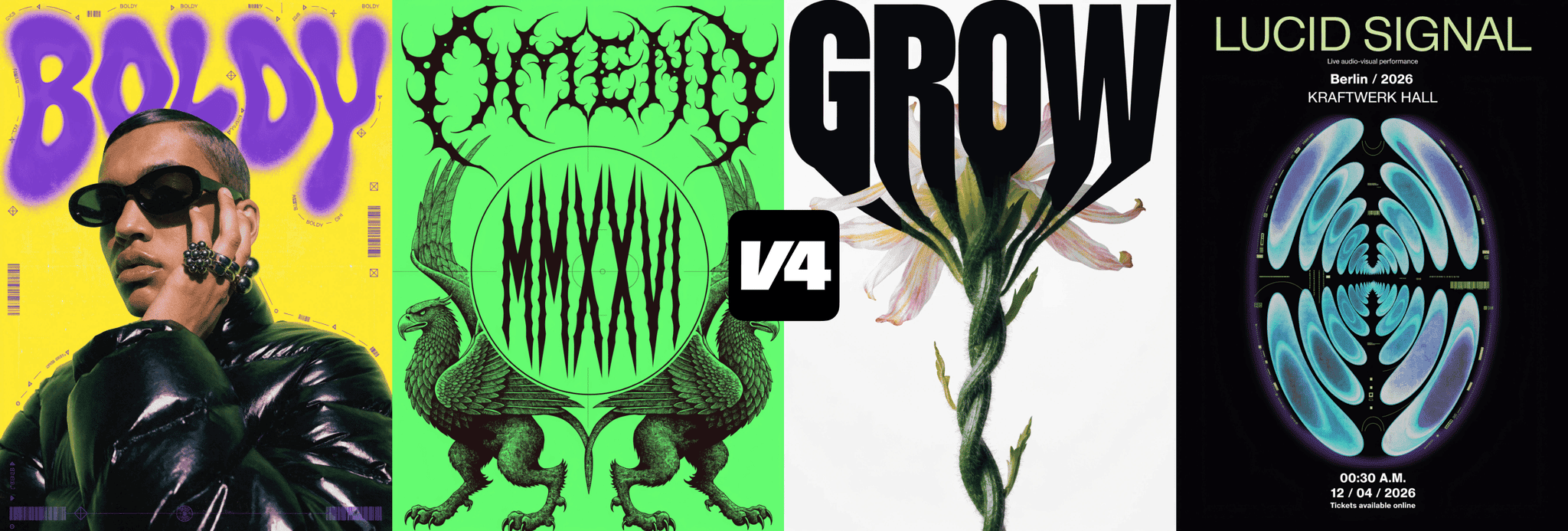
- Anti-stock aesthetic — diverse people, thoughtful styling, and art-directed environments in photoreal scenes; non-trivial characters, distinctive forms, and confident color combinations in illustration
- Photorealism with believable detail — skin, fabric, and surfaces appear natural and refined, without the synthetic textures that signal AI generation
- Intentional lighting and composition that feel structured rather than generated
- Optimized for structured creative direction — maintains visual coherence across brand systems and campaigns
Pros:
- Purpose-built for professional design aesthetics rather than general internet preference
- Outputs consistently move away from stock photography conventions — ideal for brand differentiation
- V4 Pro delivers print-ready, large-scale resolution for high-stakes production work
- Strong for branding, marketing materials, campaign visuals, and high-quality visual systems
Cons:
- V4 Pro generation takes approximately 30 seconds — slower than faster-oriented tools
- Optimized for professional and brand use; may be more than needed for casual or exploratory generation
- Smaller community compared to Midjourney or Leonardo AI — fewer shared prompts and learning resources
Pricing:
- Free plan available
- Paid plans with V4 and V4 Pro model access — visit recraft.ai for current pricing
2. Pixazo — Best for Multi-Model AI Image Generation
Best for: Creators and teams who want to access and compare multiple leading AI image models through a single platform, without managing separate subscriptions per model.
Unlike single-model tools, Pixazo provides access to 10+ image generation models — including Recraft V4, MAI Image, Ideogram, and others — under one unified credit system. In our testing, this proved genuinely useful for varied briefs: Recraft for brand-grade vector assets, Ideogram when the brief required readable text inside the image, and MAI Image for photorealistic product photography — all from the same account.
What makes it different:
- 10+ leading AI image models in one interface — switch without switching platforms
- Compare outputs from different models on the same prompt before finalizing a direction
- Unified credits work across both image and video generation
- Commercial licensing included — no watermarks, safe for client and product work
- Prompt library with 1,000+ tested prompts across photography, design, and illustration
Honest trade-offs:
- Pixazo provides access to third-party models — it does not train or own the underlying AI
- Generation speed varies by model; some have queue delays at peak hours
- No native layer-based image editor (no masking or vector drawing tools)
Pricing:
Free tier with limited monthly credits. Paid plans start at $9/month. Credits shared across all models and generation types.
3. Midjourney — Best for Artistic & High-Quality Image Generation
Midjourney is consistently ranked as the top AI image platform for output quality and visual artistry. Its images have a cinematic, compositionally refined quality that most other platforms still struggle to match — whether you’re generating fantasy landscapes, editorial portraits, product concepts, or brand moodboards. In 2026, Midjourney moved fully to a web-based interface (in addition to its Discord community), making it more accessible than ever.
What sets Midjourney apart isn’t just quality — it’s consistency. Unlike tools that deliver stunning results 30% of the time and mediocre ones the rest, Midjourney reliably produces polished, styled imagery from well-crafted prompts. Its active Discord community is a genuine learning asset, where millions of users share prompts, techniques, and refinements.
Key Features:
- Exceptional artistic and cinematic image quality
- Web platform + Discord workflow
- Multiple image variations and upscaling options
- Style parameters for controlling aesthetic
- Image-to-image prompting for reference-based generation
Pros:
- Produces the most visually striking outputs
- Massive community for prompt learning
- Great for brand moodboards, concept art, and editorial work
Cons:
- No free plan — a subscription is required from day one
- Not ideal when precise text inside images is needed
- Less photorealistic than some dedicated tools for product photography
Pricing:
- Basic: $10/month
- Standard: $30/month
- Pro: $60/month
- Mega: $120/month
4. Adobe Firefly — Best for Commercial Use & Professional Teams
Adobe Firefly’s defining advantage isn’t its image quality (which is solid but occasionally uneven) — it’s trust and legal safety. Adobe trains Firefly exclusively on licensed, commercially cleared content, meaning every image you generate comes with clear intellectual property rights and no legal ambiguity for client or brand work. For agencies, marketing departments, and anyone producing assets that go into advertising or public-facing campaigns, this matters enormously.
Its integration with Photoshop and Illustrator is best-in-class. Firefly’s Generative Fill and Generative Expand features — embedded directly in Photoshop — let you use AI generation as a seamless part of an existing design workflow rather than a separate step. Adobe also recently added access to other leading models (including GPT Image and Flux) from within the Firefly interface, making it arguably the most versatile editing hub available.
Key Features:
- Licensed training data — commercially safe outputs with no copyright risk
- Deep integration with Photoshop, Illustrator, Premiere Pro, and Express
- Generative Fill, Generative Expand, Background Replacement
- Text effects and image-to-image reference
- Also provides access to third-party models (GPT Image, Flux) in one interface
Pros:
- The only platform with clear commercial licensing guarantees
- Seamless Creative Cloud workflow
- Excellent for product photography and editorial imagery
Cons:
- Image generation quality can be slower and more uneven than Midjourney for purely creative work
- Requires Creative Cloud subscription for full access
- Free credits are limited
Pricing:
- Firefly Standard: $9.99/month (standalone, includes 2,000 credits)
- Firefly Pro: $29.99/month (7,000 credits, video generation included)
- Also included with Creative Cloud from $20.99/month
5. Leonardo AI — Best for Versatility & Creative Customization
Leonardo AI has built one of the most comprehensive image generation platforms available — going well beyond a simple text-to-image tool. At its core is the Phoenix foundational model, which delivers strong prompt adherence and impressively accurate text rendering inside images, a notoriously difficult challenge. On top of that, Leonardo offers a vast library of fine-tuned specialized models: Leonardo Kino XL for cinematic shots, Anime XL, Vision XL for photorealism, and many more — giving users the right engine for each specific creative task.
Tom’s Guide has noted that Leonardo “nails text” with its Phoenix model and called it a leading platform for overall creative power and flexibility. For creators who want deep control — custom model training, image guidance, real-time visualization, and more — Leonardo genuinely delivers without requiring a computer science background. Many creative teams also use advanced AI assistants like claude opus 4.8 for prompt refinement, creative ideation, workflow automation, and developing campaign briefs before image production.
Key Features:
- Phoenix model with strong text rendering in images
- Library of specialized fine-tuned models (cinematic, anime, photorealistic, etc.)
- Realtime Gen for instant image visualization
- Motion feature to animate still images into short videos
- Image guidance and custom model training
- Universal Upscaler to boost images to 4K
Pros:
- Exceptional flexibility for both beginners and power users
- Wide range of artistic styles
- Excellent for concept art, game asset creation, and marketing visuals
- Active Discord community with 1M+ members
Cons:
- The depth of customization options can overwhelm new users
- Some high-resolution image limits on the free tier
Pricing:
- Free: 150 daily tokens
- Apprentice: $12/month
- Artisan: $30/month
- Maestro: $60/month
6. NightCafe — Best Community Platform for Creatives
NightCafe is unique among AI image platforms for its emphasis on community over competition. Beyond standard text-to-image generation, it offers chat rooms, daily AI art challenges, community galleries, and a remixing system that lets users build on each other’s work. For creators who want to learn, experiment, and grow alongside other AI artists, NightCafe provides an environment no other platform matches.
Technically, NightCafe stands out for giving users access to multiple top-tier models under a single roof — including Flux, Stable Diffusion, DALL-E 3, and Ideogram — without needing accounts on each platform. This multi-model approach makes it especially valuable for creators who want to test different engines and see which works best for a given style.
Key Features:
- Multi-model access (Flux, Stable Diffusion, DALL-E 3, Ideogram, and more)
- Community gallery, daily challenges, and chat rooms
- Remix feature to iterate on community creations
- Credits roll over and never expire on subscriptions
- Advanced mode with fine-grained controls (aspect ratios, seeds, steps)
Pros:
- Best learning environment of any AI image platform
- Diverse model options from one dashboard
- Beginner-friendly yet capable
- Affordable entry-point pricing
Cons:
- Workflow polish can feel uneven compared to single-purpose tools
- Photorealistic outputs trail Midjourney and Adobe Firefly
- Daily free credit limits require purchasing credits for heavy use
Pricing:
- AI Beginner: ~$5.99/month
- AI Hobbyist: ~$9.99/month
- AI Enthusiast: ~$19.99/month
- AI Artist: ~$49.99/month
- Pay-per-credit also available from $0.08/credit
7. Microsoft Bing Image Creator — Best Free AI Image Generator
For users who need a capable, zero-cost image generator for casual or exploratory use, Bing Image Creator is the top recommendation. Powered by an OpenAI image model and integrated directly into Microsoft Bing and Edge, it requires only a Microsoft account — no subscription, no separate sign-up. You get high-quality image outputs in seconds, and the tool generates multiple variations per prompt.
For students, hobbyists, and anyone experimenting with AI image generation before committing to a paid plan, it’s the most accessible entry point in the market.
Key Features:
- Powered by an OpenAI image model — genuinely capable quality
- Integrated into Bing search and Microsoft Edge sidebar
- Multiple image variations per prompt
- No subscription required — Microsoft account only
- Faster generation available via Microsoft Rewards points
Pros:
- Completely free with no hidden catches
- Produces genuinely good results for casual use
- No extra software or accounts needed
Cons:
- Limited customization compared to dedicated platforms
- Not suited to complex or highly specific creative briefs
- Images can lack fine detail at the edges of prompts
Pricing:
Free
8. Simplified AI Image Generator — Best for Marketing Teams
Simplified is an all-in-one content creation suite, and its AI Image Generator is one of several tightly integrated tools within the platform — alongside video editing, graphic design, social scheduling, and AI writing. This integration is its core strength: for marketing teams working across multiple content formats, having image generation, video production, and graphic design in one workspace eliminates the constant tool-switching that slows production.
The image generator itself supports multiple styles (abstract, photorealistic, illustrative), uses simple text prompt input, and offers a library of ready-to-use templates. It’s not as artistically capable as Midjourney or as customizable as Leonardo AI, but for teams that need fast, “good enough” visuals that feed directly into a broader content pipeline, it’s a highly efficient choice.
Key Features:
- Integrated with Simplified’s video, graphic, and writing tools
- Multiple artistic styles and ready-to-use templates
- Collaborative platform — multiple team members can work simultaneously
- Direct publishing to social media from the same interface
Pros:
- Streamlined for team workflows
- Reduces tool fragmentation
- Affordable for small businesses and marketing teams
Cons:
- Image output quality doesn’t match dedicated platforms like Midjourney or Leonardo AI
- Advanced features restricted on the free plan
Pricing:
- Free Plan: Limited image generation
- Paid Plans: From $9/month
9. Invoke AI — Best for Developers & Open-Source Users
Invoke AI is built on Stable Diffusion and designed for users who want maximum control over every aspect of image generation. Unlike polished consumer tools, Invoke AI gives you access to model parameters, inpainting, outpainting, custom checkpoints, LoRA fine-tuning, and batch generation — the technical toolkit that professional developers and advanced artists need to produce exactly the output they want.
As an open-source platform, Invoke AI can be self-hosted (free, unlimited) or accessed via its cloud service. The community-driven development means constant improvements, though dedicated customer support isn’t available — you rely on documentation and community forums.
Key Features:
- Full Stable Diffusion model access with advanced parameter controls
- Inpainting, outpainting, and post-generation image editing
- Supports custom model checkpoints and LoRA fine-tuning
- Batch image generation for large-scale projects
- Self-hosting option for unlimited, cost-free generation
Pros:
- Unmatched control for technical users
- Self-hosted version is free with no usage limits
- Open-source means active community improvements
- Excellent for custom production pipelines
Cons:
- Complex interface with a real learning curve
- No dedicated support — community forums only
- Not suitable for non-technical users looking for a simple experience
Pricing:
- Self-hosted: Free (open-source)
- Indie: $39–$49/month (cloud)
- Premiere: $79–$99/month (cloud)
- Enterprise: Custom
10. Deep AI — Best for Quick Experiments on a Minimal Budget
DeepAI is one of the oldest active AI image generators, and its value proposition hasn’t changed much: it’s fast, it’s cheap, and it requires virtually no setup. You type a prompt, get an image in seconds, and move on. There’s no heavy interface to learn, no design workflows, and no creative pipeline — just utility.
Multiple independent reviews in 2026 are candid about where DeepAI stands: output quality consistently trails newer platforms, and prompt adherence is weaker than competitors. One reviewer called it “worst” in a comparative test of 11 tools. DeepAI is best used for rapid ideation, rough creative drafts, and quick visual experiments — not for brand-critical or polished AI in Creative Work.
Key Features:
- Instant image generation (free with a credit card)
- Multiple AI model and style options
- API access for developers on paid plans
- Additional tools: AI video generation, music composition, AI chat
Pros:
- Extremely fast
- Accessible to beginners
- One of the lowest-cost options in the market
- API available for developers
Cons:
- Image quality significantly below newer platforms
- Prompt adherence is inconsistent
- Limited artistic sophistication
- Not suitable for professional or commercial work
Pricing:
- Free Plan: Limited access
- Pay-as-you-go: $5 (100 AI Generator calls)
- Pro: $4.99/month (500 AI Generator calls, API access)
AI Image Generator Comparison Table
| Platform | Best For | Key Strength | Free Tier | Paid From |
|---|---|---|---|---|
| Recraft V4 | Professional design & brand work | Design-tuned aesthetics, anti-stock photorealism | ✅ (free plan) | Visit recraft.ai |
| Midjourney | Artistic quality | Cinematic visual output | ❌ | $10/month |
| Adobe Firefly | Commercial/agency use | Licensed data, Creative Cloud integration | Limited credits | $9.99/month |
| Leonardo AI | Versatility & customization | Multiple specialized models + text rendering | ✅ (150 daily tokens) | $12/month |
| NightCafe | Community & multi-model access | Multi-model under one roof | ✅ (daily credits) | ~$5.99/month |
| Bing Image Creator | Free casual use | Completely free, no subscription | ✅ (free) | Free |
| Simplified | Marketing team workflows | All-in-one content suite integration | ✅ (limited) | $9/month |
| Invoke AI | Developers & open-source | Full technical control, self-hostable | ✅ (self-hosted) | $39/month (cloud) |
| Deep AI | Quick experiments, low budget | Speed and simplicity | ✅ (limited) | $4.99/month |
Suggested Read: Best Free & Open-Source AI Image Generators to Self-Host in 2026
Part 2: The Best AI Video Generators in 2026 — Tested and Ranked
1. VEED.IO — Best Overall AI Video Platform
VEED.IO has earned its reputation as the “Canva of video editing” — and in 2026, it’s consistently ranked as the top overall video platform for content creators, educators, and marketers. Its core strength is a web-based editor that’s genuinely powerful without being complex, combining a timeline editor, screen and webcam recording, AI subtitles, background removal, translation into 100+ languages, and AI video generation — all in one interface without installing any software.
For YouTubers in particular, VEED offers features that are hard to find elsewhere: unlimited AI video creation (credits-based), voice cloning that lets you remove filler words and even insert new words into recordings, eye contact correction, and one-click video repurposing into short clips for TikTok and Reels. AI-generated B-roll (image generation integrated into the video timeline) adds unique visual interest to talking-head content without needing separate tools.
Key Features:
- Complete web-based video editor with timeline, trimming, and effects
- AI auto-subtitles, translation into 100+ languages, and filler word removal
- AI video generation from text prompts (stock footage + voiceover + captions)
- Voice cloning for personalized AI voiceovers
- Eye contact correction and background removal
- AI avatar creation and text-to-video
- Team collaboration tools
Pros:
- Most complete editing + AI generation combo in one platform
- Unlimited video creation on paid plans
- Excellent for YouTube content and social media
- Works in any browser, no install
Cons:
- Advanced features require a subscription
- Performance depends on internet speed
- AI-generated clips require some manual editing to reach professional quality
Pricing:
- Free: Up to 5 videos/day (with limitations)
- Lite: $9/month per editor
- Pro: $24/month per editor
- Enterprise: Custom
2. Pixazo — Best for Accessing Multiple AI Video Models
Best for: Video creators and teams who want to work with Kling, LTX Video, Cosmos, Wan Video, and other leading models without managing multiple separate accounts.
Most AI video platforms are single-model. Pixazo takes the opposite approach — it’s a unified access layer for the leading text-to-video and image-to-video models. In testing, having Kling AI, LTX Video, and Cosmos available in one interface let us match the right model to each brief: Kling for cinematic camera movement, LTX for fast storyboard-to-video iteration, Cosmos for physically grounded action sequences.
What makes it different:
- 10+ AI video models — Kling, LTX Video, Cosmos, Wan Video, and more in one platform
- Text-to-video and image-to-video workflows across all supported models
- Shared credits with image generation — one account handles all formats
- Micro-drama templates and storyboard-to-video workflows for short-form content
- No per-model subscription required
Honest trade-offs:
- Video generation takes 1–3 minutes per clip depending on model and server load
- No timeline editor — for cuts, color grading, and audio, you still need Premiere or DaVinci
- Pixazo provides access to third-party video models; it does not build or maintain them
Pricing:
Credits shared with image generation. Cost per video clip varies by model — LTX Video is the most credit-efficient for high-volume workflows. Free tier includes limited video credits.
3. InVideo AI — Best for Marketing & Social Media Video
InVideo AI is purpose-built for marketing teams and content creators who need to produce a high volume of professional-looking videos quickly. Its standout feature — confirmed by independent testing at Jotform — is its realistic AI avatars, including a “digital twin” feature that lets you create a convincing AI version of yourself from a voice and appearance scan. For social media content where the goal is engagement and authenticity at scale, InVideo AI has set a new benchmark.
Its workflow is structured around templates and automation: you input a script, URL, or prompt, and the AI selects relevant stock clips, adds text overlays, and generates a voiceover — turning written content into a video draft in minutes. The platform’s large library of premium stock assets (including iStock via paid plans) ensures the visual output looks polished even without custom footage.
Suggested Read: Best Open Source AI Video Generation Models in 2026
Key Features:
- Highly realistic AI avatars and digital twin creation
- Text-to-video, URL-to-video, and script-to-video conversion
- AI voice cloning and natural text-to-speech voiceovers
- Large stock library including iStock on paid plans
- Customizable templates for social, marketing, and education
- Multi-language support
Pros:
- Best realistic avatar generation of any platform tested
- Fast content turnaround for social media
- Cost-effective for agencies managing multiple clients
- AI voice cloning is among the most convincing
Cons:
- Relies heavily on templates, which can limit creative differentiation
- Generative visuals are mostly stock-based rather than fully AI-generated from scratch
- Free plan includes watermarks
Pricing:
- Free: $0/month (watermarked)
- Plus: $28/month
- Max: $60/month
4. Synthesia — Best for Enterprise & Business Training Videos
Synthesia is the leading platform for high-volume, structured business video production — especially in learning and development, HR communications, and corporate marketing. Its workflow is designed for scale: you write or paste a script, select an AI avatar and language, and the platform generates a polished, professional video. The ability to update a video by editing the script text — without re-recording, re-shooting, or starting over — is a genuine operational advantage for teams managing large video libraries.
With support for over 140 languages and accents, Synthesia makes multilingual content production economically feasible for the first time. Its brand kit system ensures visual consistency across an entire content library, and its LMS-compatible exports fit directly into corporate training workflows.
Key Features:
- 230+ pre-built AI avatars, plus custom avatar creation
- Text-to-speech in 140+ languages and accents
- Update videos instantly by editing the script text
- Brand kits, collaborative editing, and LMS-ready exports
- API access for automated video production pipelines
- Supports projects up to 4 hours of total video duration
Pros:
- Best platform for business video at scale
- Seamless multilingual production
- Easy script-to-video pipeline with no technical skills required
- Excellent for onboarding, training, and compliance videos
Cons:
- Videos have a noticeably “digital” quality that’s not suited to all contexts
- AI voices can sound synthetic on some languages
- Advanced features like custom avatars require higher-tier plans
Pricing:
- Free: Limited access
- Starter: $18/month
- Creator: $64/month
- Enterprise: Custom
Suggested Read: Best Open-Source AI Image Generation Models in 2026
5. Pictory — Best for Content Repurposing
Pictory has carved out a clear niche: turning written and long-form content into short, shareable videos. Whether it’s a blog post, a webinar recording, a podcast episode, or a script, Pictory’s AI analyzes the content, identifies key moments, selects matching visuals from its stock library, adds captions, and generates a polished video — typically in minutes. For content teams that publish at volume and need a consistent stream of video content across channels, it’s one of the most time-efficient tools available.
Team plans are particularly strong, allowing up to 30 hours of AI video production per month with videos up to three hours in length — covering everything from short LinkedIn clips to full-length YouTube content and internal training videos.
Key Features:
- Script-to-video, URL-to-video, blog-to-video workflows
- AI highlight extraction from webinars and podcasts
- Automatic captions and AI voiceovers via ElevenLabs
- Large stock library (Storyblocks and Getty Images)
- Scene-by-scene editing with visual replacement
- Team workspaces with collaborative tools
Pros:
- Best platform for repurposing existing content into video
- Clean beginner-friendly interface
- Genuinely time-saving for content teams
- Team plan supports high-volume production
Cons:
- AI scene selection can be too literal — sometimes selects visually irrelevant stock footage that needs manual correction
- Built-in voices are functional but limited compared to dedicated voice tools
- Some advanced features only on higher plans
Pricing:
- Starter: $19/month
- Professional: $39/month
- Team: $99/month
- Enterprise: Custom
6. Lumen5 — Best for Blog-to-Video & Social Media Brands
Lumen5 is built for brands and content teams that want to turn text-based content — articles, briefs, blog posts — into platform-native social videos without hiring a video editor. The workflow is straightforward: enter a URL or paste your script, and Lumen5 summarizes the content, matches it to visuals from its media library of millions of stock images, clips, and audio tracks, and assembles a draft video. Text customization, brand colors, and logos can be added from a simple drag-and-drop interface.
Lumen5 is strong on brand consistency — its brand kit and template system makes it easy for large organizations to maintain visual standards across a high volume of video content. The trade-off is that its output is optimized for efficiency rather than creative expressiveness.
Key Features:
- URL and text-to-video conversion with AI summarization
- Large stock media library (images, video clips, audio)
- Brand kit with custom fonts, colors, and logos
- Drag-and-drop interface with pre-designed templates
- AI-assisted scene matching and visual selection
Pros:
- Excellent for content marketing teams repurposing written content
- Brand kit ensures consistent visual output
- Minimal learning curve
- Good selection of stock assets
Cons:
- Limited advanced editing capabilities compared to VEED or InVideo
- AI scene and visual matching sometimes requires manual correction
- Better suited for informational social content than emotionally engaging storytelling
Suggested Read: We Ran GPT-Image-2 Against 4 Competitors on 10 Real Pixazo Prompts. Here’s What Arena Didn’t Tell You.
Pricing:
- Free: Basic access
- Basic: $19/month
- Starter: $59/month
- Professional: $149/month
- Enterprise: Custom
7. DeepBrain AI — Best for AI Spokesperson & News-Style Videos
DeepBrain AI specializes in hyper-realistic AI avatars for formal, spokesperson-style video production — news broadcasts, corporate announcements, customer service communications, and executive video messages. Its digital humans are designed for trust and credibility, with realistic expressions, gestures, and movement that make them among the most convincing AI presenters available.
With support for over 80 languages and 100+ AI voices, and the ability to customize avatar gestures, outfits, and even include multiple AI presenters in the same video, DeepBrain is designed for organizations that need to produce formal video communications at scale without a studio setup.
Key Features:
- Hyper-realistic AI avatars with natural expressions and gestures
- 80+ language support with 100+ AI voice options
- Customizable avatar outfits and multi-presenter scenes
- Text-to-speech script conversion
- Integration with ChatGPT and large language models for script generation
- API for automating enterprise video production
Pros:
- Eliminates the need for filming equipment, studios, and professional presenters
- Excellent for enterprise and formal communications
- Global language support
- Strong for e-learning and customer communications
Cons:
- Advanced features require paid plans
- New users face a learning curve
- AI voices can lack natural nuance on some languages
- Videos have a clear “digital human” quality that isn’t suited to all content types
Pricing:
- Personal: $24/month
- Team: $72/month
- Enterprise: Custom
8. Fliki.io — Best for Text-to-Video with Realistic Voices
Fliki stands out in a crowded market through the quality and breadth of its voice capabilities. With over 1,300 ultra-realistic AI voices across 80+ languages and 100+ dialects — plus voice cloning that lets users replicate their own voice — Fliki is the go-to platform when the narration quality of the final video matters as much as the visuals. Its text-to-video workflow is clean: paste your content, select a voice, customize clips from the stock library, and export.
For educators, content creators, and global brands that need localized video content in multiple languages without multilingual recording sessions, Fliki’s voice range and dialect support is a significant advantage.
Key Features:
- 1,300+ ultra-realistic AI voices in 80+ languages and 100+ dialects
- Voice cloning — replicate your own voice for AI-narrated content
- Text-to-video and text-to-speech conversion
- Large stock media library for visuals
- Customizable voice style, emotion, and pacing
Pros:
- Best voice quality and language breadth of any tool in this list
- Voice cloning is highly convincing
- Beginner-friendly interface
- Strong for global content localization
Cons:
- Free plan limits users to 5 minutes of content per month — too restrictive for regular use
- Platform performs best on Google Chrome, limiting users on other browsers
Suggested Read: How to Create Custom GIFs With AI: A Practical Guide (2026)
Pricing:
- Free: $0/month (5 minutes/month)
- Standard: $21/month
- Premium: $66/month
- Enterprise: Custom
9. Tagshop — Best for AI UGC & E-Commerce Video Ads
Tagshop occupies a specific, high-value niche: generating UGC-style (user-generated content) video ads using AI avatars — without needing real creators, filming, or editing. For e-commerce brands and performance marketers running ads on TikTok, Instagram, and YouTube, authentic-looking UGC content consistently outperforms traditional ads. Some teams use UGC platforms like Influee, but Tagshop creates similar content with AI, saving time and cost.. Tagshop removes the cost and coordination of working with real UGC creators by generating the same type of content with AI in minutes.
You input your product details, choose a tone, and Tagshop produces a polished, conversion-optimized video featuring a lifelike avatar, a customized product script, and realistic voiceover — ready for paid media use.
Key Features:
- AI UGC video generation with 200+ lifelike avatars
- Product-focused script generation from URL or product description
- Natural-sounding voiceovers with realistic expressions and gestures
- Multi-format export for Instagram Reels, TikTok, Facebook Ads, YouTube Shorts
- Fast rendering and URL-to-video conversion
Pros:
- Purpose-built for e-commerce and performance marketing
- Access to 200+ diverse AI avatars
- Fast turnaround for ad creative testing
- Scalable for brands running multiple ad variations
Cons:
- No voice-to-text generation feature
- Best suited to short-form ad content rather than long-form video
- Less versatile for non-marketing use cases
Pricing:
- From $29/month
10. GliaCloud — Best for News & Article-to-Video
GliaCloud is designed for media companies, news publishers, and content teams that need to automatically transform text articles, social media posts, and written news content into engaging video. Its automatic summarization capability condenses long-form written content into concise video narratives, and its multilingual support makes it especially useful for international publishers distributing content across language markets.
Key Features:
- Text and article-to-video conversion with automatic summarization
- Large licensed media library (images, animations, video clips)
- Branded themes to maintain visual consistency
- Multilingual content creation for international audiences
Pros:
- Well-suited to news, media, sports highlights, and educational content
- Multilingual capabilities extend reach
- Quick turnaround for article-to-video production
Cons:
- Pricing isn’t published transparently — requires contacting the sales team
- Some AI avatar voiceovers sound noticeably synthetic
Suggested Read: Best AI Image Generation Models in 2026: A Comparison Guide
Pricing:
- Pro, Business, and Enterprise plans (custom pricing via sales)
- 14-day free trial available
11. Simplified (Video) — Best for All-in-One Marketing Teams
Simplified’s video tool mirrors the value proposition of its image generator: it’s part of a broader all-in-one platform where video creation, graphic design, social scheduling, and AI writing live in one workspace. For marketing teams juggling multiple formats and tight deadlines, having video creation integrated into the same environment as the rest of their content production is a meaningful time saver.
The drag-and-drop interface, extensive template library, and real-time collaboration tools make it accessible to teams without dedicated video production expertise. One-click publishing to social media platforms further reduces the steps between creation and distribution.
Key Features:
- Drag-and-drop interface with templates for social, ads, and presentations
- AI-powered text-to-video generation
- Real-time multi-user collaboration
- One-click publishing to social media platforms
- Integrated with Simplified’s image, writing, and design tools
Pros:
- Best for teams using Simplified across multiple content types
- Fast production using templates
- Real-time collaboration reduces review cycles
- No per-seat charges on team features
Cons:
- Limited creative control compared to dedicated video platforms
- Requires a stable internet connection
- AI output quality trails VEED and InVideo
Pricing:
- AI Video Pro: $19/month
- Simplified One: $29.99/month (full platform)
- Enterprise: Custom
AI Video Generator Comparison Table
| Platform | Best For | Key Strength | Free Tier | Paid From |
|---|---|---|---|---|
| VEED.IO | Overall best | Full editing + AI generation in one | ✅ (5 videos/day) | $9/month |
| InVideo AI | Marketing & social media | Realistic AI avatars + stock library | ✅ (watermarked) | $28/month |
| Synthesia | Enterprise training videos | 140+ languages, brand kits, LMS export | ✅ (limited) | $18/month |
| Pictory | Content repurposing | Blog/webinar/podcast to video | ✅ (limited) | $19/month |
| Lumen5 | Blog-to-social video | Brand kit + AI summarization | ✅ (limited) | $19/month |
| DeepBrain AI | Spokesperson/news-style video | Hyper-realistic digital humans | ❌ | $24/month |
| Fliki.io | Realistic voiceovers | 1,300+ voices in 80+ languages | ✅ (5 min/month) | $21/month |
| Tagshop | E-commerce UGC ads | 200+ avatars, ad-format exports | ❌ | $29/month |
| GliaCloud | News & media article-to-video | Auto summarization, multilingual | ✅ (14-day trial) | Custom |
| Simplified | All-in-one team workflow | Integrated content creation suite | ✅ (limited) | $19/month |
How to Choose the Right Tool for Your Needs?
The right tool depends on what you’re creating, who it’s for, and how much control you need. Here’s a quick framework:
For marketers and social media teams: VEED.IO is the most complete platform for day-to-day content production. InVideo AI is the better choice when realistic avatars or AI-presenter style content is a priority. Lumen5 works well for teams repurposing blog content at scale. On the image side, Simplified or Leonardo AI integrates well into broader marketing workflows.
For designers and creative professionals: Midjourney remains the gold standard for image quality and artistic output. Adobe Firefly is the right choice when commercial licensing clarity matters or when you’re already in a Photoshop/Illustrator workflow.
For businesses producing training and internal communications: Synthesia is purpose-built for this use case. DeepBrain AI is the stronger choice when spokesperson-style realism is critical. Fliki.io works well when narration quality in multiple languages is the priority.
For content creators and YouTubers: VEED.IO’s combination of editing, subtitles, voice cloning, and unlimited video creation makes it the most practical all-in-one tool. Pictory is the better choice specifically for long-form content repurposing.
For e-commerce and performance marketing: Tagshop’s UGC-focused video generation is built specifically for this use case. InVideo AI’s social media video capabilities and ad templates also serve this audience well.
For developers and technical users: Invoke AI (images) offers the deepest technical control via open-source Stable Diffusion. GliaCloud offers API access for automated article-to-video workflows.
If you’re looking for an affordable, beginner-friendly, all-in-one platform that bundles both AI image generation and AI video creation in a single subscription, Pixazo is worth exploring. Starting at $15/month ($120/year) with a 7-day free trial, it offers a simple no-code interface designed for individuals and small businesses who want to get started quickly without a steep learning curve. Its image generator supports multiple styles (anime, pixel art, photorealistic) with flawless text rendering and up to 20 variations per generation. Its video tool offers 15+ styles and automatically adds background music to outputs. For users who don’t yet need the depth of a dedicated platform like VEED or Leonardo AI, Pixazo is a practical, budget-friendly starting point.
Conclusion
The AI image and video generation landscape in 2026 is more capable — and more diverse — than ever. No single tool wins every category. The most effective creators treat these platforms as a toolkit: choosing Midjourney when artistic impact matters, Adobe Firefly when commercial safety is non-negotiable, VEED.IO for day-to-day video production, Synthesia for enterprise-scale business communications, and Pictory when the priority is repurposing existing content at speed.
Start with the free plans, test with real prompts from your actual projects, and let the outputs guide your decision. The tools that consistently save you time and deliver usable results on your specific use cases are the tools worth paying for.
Suggested Read: How to Make an AI Action Figure: Complete Step-by-Step Guide (2026)
Frequently Asked Questions for Best AI Image Generators and AI Image Generators
Q1. What is an AI image generator?
An AI image generator is a software platform that uses artificial intelligence — specifically deep learning models like diffusion models or GANs (Generative Adversarial Networks) — to create original images from a text prompt or reference input. Instead of designing from scratch, you describe what you want in plain language, and the AI produces a matching visual within seconds. These platforms analyze patterns, colors, textures, and compositions learned from vast datasets of existing images to generate new, unique visuals. Today’s AI image generators can produce everything from photorealistic product shots and editorial illustrations to concept art, marketing graphics, and abstract artwork — all without any design skills required.
Q2. What is an AI video generator?
An AI video generator is a platform that uses artificial intelligence to produce videos from text prompts, scripts, images, URLs, or a combination of these inputs. Rather than recording footage, editing timelines, or sourcing stock clips manually, you provide the content brief and the AI assembles a complete video — including visuals, voiceovers, captions, transitions, and background music — automatically. Different platforms specialize in different use cases: some excel at turning blog posts into social media clips, others at producing avatar-based spokesperson videos, and others at creating short-form ad content. The common thread is that anyone can produce professional-looking video output without a production crew, camera, or editing expertise.
Q3. What is the difference between an AI model and an AI generator platform?
This is a common point of confusion. An AI model is the underlying engine — the neural network that actually generates images or video. Examples include Stable Diffusion, DALL-E, Flux, Sora, and Veo. A platform is the product built on top of one or more of these models — the website or app you sign up for, log into, and use to create content. For example, NightCafe is a platform that gives you access to multiple models including Stable Diffusion and DALL-E 3 from one interface. Leonardo AI is a platform built on its own proprietary and fine-tuned models. When choosing a tool for your workflow, what matters is the platform’s interface, pricing, features, and output quality — not necessarily which model powers it behind the scenes.
Q4. Which AI image generator is best for beginners?
For beginners, Microsoft Bing Image Creator is the easiest starting point — it’s completely free, requires only a Microsoft account, and produces genuinely decent results with no learning curve. For those willing to pay a small monthly fee, NightCafe is an excellent step up: it offers a beginner-friendly interface, access to multiple AI models, and an active community where you can learn from other creators’ prompts. Simplified is the best choice for marketing beginners who want image generation as part of a broader content creation workflow — it keeps everything in one place without overwhelming options.
Q5. Which AI video generator is best for social media content?
For social media, VEED.IO is the top all-around choice — it generates video natively for different platforms, offers auto-subtitles, supports vertical (9:16) formats for Reels and TikTok, and lets you repurpose long-form content into short clips without switching tools. InVideo AI is the stronger option if you specifically want realistic AI avatars or influencer-style presenter content. For e-commerce brands running paid ads on TikTok and Instagram, Tagshop is purpose-built for producing UGC-style video ads that perform well in paid media — without needing real creators or filming sessions.
Q6. Can I use AI-generated images and videos commercially?
It depends on the platform. Adobe Firefly is currently the safest choice for commercial use — it’s trained exclusively on licensed content, meaning outputs are cleared for use in advertising, client work, and branded materials without copyright ambiguity. Most other platforms allow commercial use of generated content under their paid plans, but the terms vary and the legal landscape is still evolving in some regions. Always review a platform’s Terms of Service before using AI-generated content in commercial campaigns, particularly for large brands or regulated industries. As a general rule, free tiers often restrict commercial use — this is one of the key reasons to upgrade to a paid plan.
Q7. How much do AI image and video generator platforms cost?
The range is wide. On the image side, Microsoft Bing Image Creator is completely free, while platforms like Midjourney start at $10/month and Adobe Firefly starts at $9.99/month for standalone access. On the video side, VEED.IO starts at $9/month, InVideo AI at $28/month, and enterprise-focused tools like Synthesia and DeepBrain AI at $18/month and $24/month respectively. Most platforms offer free trials or free tiers with limited monthly credits — the best approach is to test your most common use cases on the free plan before committing. Budget-conscious users can often get solid results combining a free image tool (Bing, NightCafe’s free tier) with an affordable video tool (VEED.IO or Fliki.io).
Q8. Do I need technical skills to use AI image and video generators?
No — the platforms covered in this guide are specifically designed for non-technical users. Most require nothing more than typing a description of what you want and clicking generate. That said, output quality improves significantly with better prompts. Learning to write clear, specific prompts — including details like lighting, style, mood, aspect ratio, and what to avoid — is the most valuable skill you can develop, and it’s one that translates across every platform. Communities like NightCafe’s gallery and Midjourney’s Discord are excellent places to study effective prompts written by experienced users. For more advanced customization, platforms like Invoke AI and Leonardo AI offer technical controls — but these are optional layers on top of a simple core workflow.
Disclaimer: Pricing is subject to change — verify current rates on each platform’s official website before subscribing.
Suggested Read: AI Images That Look Real: How to Make AI Photos More Realistic?
Deepak Joshi
Author · Pixazo
Deepak writes about generative AI models, APIs, and the workflows teams use to ship them. Reviewed by Abhinav Girdhar.