Best AI Art Generators in 2026: Top Tools Ranked and Reviewed


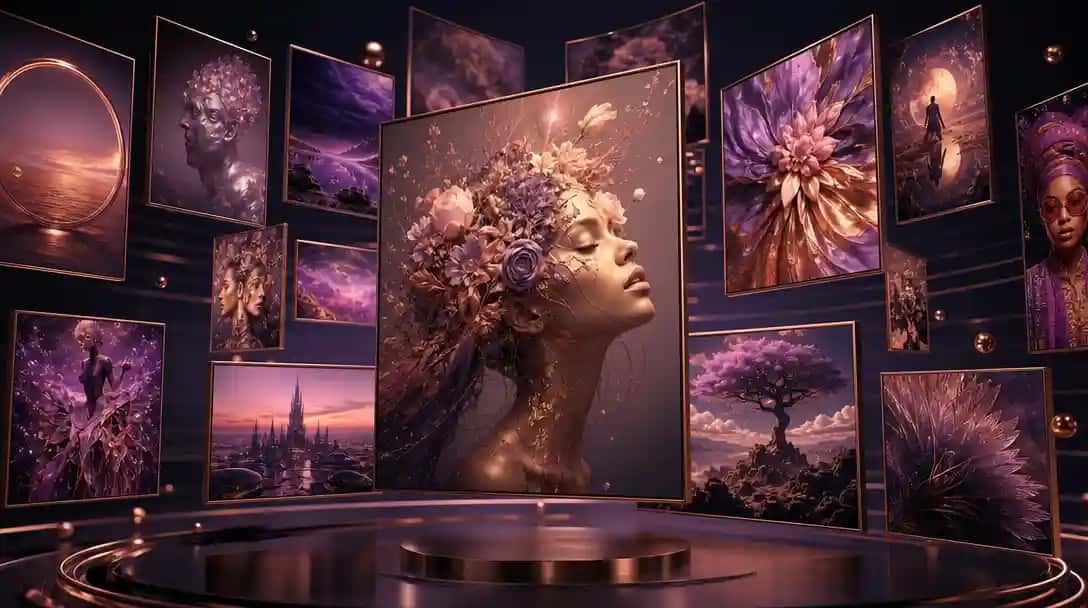
The best AI art generators have fundamentally changed how designers, marketers, and everyday creatives produce visual content. Whether you need a concept illustration, a social media graphic, or a full-scale digital painting, today’s AI art tools can generate stunning results in seconds — no artistic training required. I’ve personally tested and ranked the top AI art generator platforms available in 2026, breaking down their features, pricing, pros, and cons so you can pick the right one for your workflow.
Key features:
- Multiple AI generation models available in one platform
- Daily free credit allocation for casual users
- Active community gallery with challenges and collaborative features
- Bulk creation and high-resolution download options on paid plans
Pros: Generous free tier; multiple AI models to experiment with; strong community dimension; beginner-friendly
Cons: Free tier limits output resolution; results can be inconsistent across different models; interface feels dated
Best for: Hobbyists, beginners, and community-oriented creators who want to experiment without a large upfront financial commitment
Pricing: Free tier with daily credits; paid plans from $5.99/month
5. Runway
What it does: Runway is primarily known as a leading AI video platform, but its image generation capabilities make it a compelling AI art maker for creators who work across both static images and motion content. Its Gen-3 model produces high-quality outputs.
Key features:
- Text-to-image and image-to-image generation via Gen-3
- Seamless pipeline from still image to video animation
- Background removal, inpainting, and motion brush tools
- Professional editing suite built for video and mixed-media workflows
Pros: Excellent for creators working across both images and video in one platform; professional-grade toolset
Cons: Primarily a video tool — image generation is not its strongest feature; higher pricing than image-only competitors
Best for: Video content creators, filmmakers, and social media producers who need a unified image and video creation workflow
Pricing: Standard plan from $15/month; Pro at $35/month
6. Pixazo AI Art Generator
What it does: Pixazo’s AI Art Generator is a browser-based AI artwork creator that pairs ease of use with professional-grade outputs across multiple artistic styles. It integrates seamlessly with Pixazo’s broader design suite — making it the most versatile all-in-one option for most users.
Key features:
- Text-to-image generation across multiple artistic styles including anime, photorealistic, watercolor, oil painting, and 3D render
- One-click style presets that guide the AI without requiring prompt engineering knowledge
- Built-in background remover, image enhancer, and editing tools
- Runs entirely in-browser — no software installation or GPU required
- Integrated with Pixazo’s full suite of design and creative AI tools
Pros: Beginner-friendly with no learning curve; versatile style options; all-in-one platform; affordable pricing with a usable free tier
Cons: Fewer advanced parameter controls than Midjourney or DreamStudio for power users who want granular control
Best for: Marketers, content creators, small business owners, and beginners who want fast, quality results without technical complexity
Pricing: Free tier available; Premium plans from $8/month
Want to create AI art right now? Try the Pixazo AI Art Generator free — no account required to generate your first image.
7. Fotor AI Art Generator
What it does: Fotor is an established browser-based photo editor that has added solid AI image generation capabilities. Its clean, accessible interface makes it a practical choice for marketers and social media managers who need generation and editing in one tool.
Key features:
- Text-to-image generation with multiple style options
- AI photo enhancement, portrait retouching, and background tools
- Template library optimized for social media and marketing formats
- One-click background removal integrated into the same workspace
Pros: Very easy-to-use interface; combines AI generation with practical photo editing; good for creating marketing-ready assets quickly
Cons: Generation quality lags behind Midjourney, DALL-E, and Pixazo; free tier is fairly restricted
Best for: Social media managers and marketers who want a one-stop solution for image creation and editing without switching between apps
Pricing: Free tier available; Pro plan from $8.99/month
8. DreamStudio (Stable Diffusion)
What it does: DreamStudio is Stability AI’s official interface for Stable Diffusion. It offers deep parameter control over the generation process and is the preferred platform for technically minded users who want maximum customization.
Key features:
- Full access to the latest Stable Diffusion models (SDXL and beyond)
- Advanced generation controls: CFG scale, diffusion steps, seed, and sampler selection
- Image-to-image, inpainting, and outpainting capabilities
- Credit-based pricing — only pay for what you actually generate
Pros: Maximum control over generation parameters; credit-based pricing suits light users; open model ecosystem with broad community model support
Cons: Very steep learning curve; requires prompt engineering knowledge to get consistently good results; interface is utilitarian, not polished
Best for: Developers, AI researchers, and power users who want full control and programmatic access to Stable Diffusion models
Pricing: Credit-based; approximately $10 for 1,000 credits (enough for thousands of images at default settings)
9. Craiyon
What it does: Formerly known as DALL-E mini, Craiyon is a free-to-use AI image generator with a simple, accessible interface. It generates nine image variations per prompt and is ideal for quick ideation or low-stakes experimentation.
Key features:
- Completely free at the basic tier — no sign-up required
- Generates 9 image variations simultaneously per prompt
- Simple single-field prompt interface with Art, Drawing, and Photo style options
- No credits, no limits on basic generation
Pros: Truly free with no account; great for rapid ideation and concept exploration; zero barrier to entry
Cons: Significantly lower output quality than premium tools; slower generation times; ads present on the free tier
Best for: Casual users, students, and anyone who wants to explore AI art generation with no financial commitment
Pricing: Free with ads; Pro plan at $12/month to remove ads and accelerate generation speed
Best AI Art Generators Comparison Table
Use this comparison table to quickly evaluate which best AI art generator matches your specific needs, budget, and skill level.
| Tool | Best For | Free Tier | Starting Price | Output Quality | Ease of Use |
|---|---|---|---|---|---|
| Midjourney | Professional artists | No | $10/month | Excellent | Moderate |
| Pixazo | All-in-one creators | Yes | $8/month | Very Good | Very Easy |
| Adobe Firefly | Adobe CC users | Limited | $54.99/month (CC) | Excellent | Easy |
| DALL-E 3 | ChatGPT users | No | $20/month (Plus) | Excellent | Very Easy |
| NightCafe Studio | Hobbyists | Yes | $5.99/month | Good | Easy |
| Runway | Video creators | Limited | $15/month | Very Good | Moderate |
| Fotor | Social media managers | Yes | $8.99/month | Good | Very Easy |
| DreamStudio | Developers and power users | No | Pay-per-credit (~$10) | Very Good | Difficult |
| Craiyon | Casual users and students | Yes | Free / $12/month | Basic | Very Easy |
Suggested Read: 60 Wallpaper Ideas for Phone and Desktop
How to Choose the Right Free AI Art Generator for Your Needs
With so many platforms competing for your attention, choosing the right free AI art generator comes down to matching the tool to your actual use case:
- Beginners and hobbyists: Start with Pixazo or Craiyon. Both offer meaningful free access with minimal setup and no technical knowledge required.
- Marketing and social media content: Pixazo and Fotor are the strongest choices — both pair image generation with editing tools purpose-built for content workflows.
- Professional design work: If you’re already in the Adobe ecosystem, Firefly is the natural extension. For standalone professional output quality, Midjourney remains the benchmark.
- Video content creators: Runway’s tight image-to-video pipeline makes it the obvious choice if you’re animating stills or need a unified motion and image workflow.
- Developers and researchers: DreamStudio and the DALL-E 3 API offer the programmatic access and parameter control that technical users need.
- Budget-conscious exploration: NightCafe Studio’s daily free credits and Craiyon’s fully free basic tier let you experiment extensively at zero cost.
Suggested Read: Typography Design 101: Guidelines and Terms
How to Create AI Artwork with Pixazo in Under 2 Minutes
If you’re new to AI image generators online, Pixazo offers one of the fastest paths from idea to finished image. Here’s how to generate your first piece of AI art:
- Step 1 — Open the generator: Visit the Pixazo AI Art Generator in your browser — no download or account required to try it for free.
- Step 2 — Write your prompt: Describe the image you want in plain language. Be specific about the subject, style, lighting, and mood. For example: “A futuristic city skyline at dusk, cyberpunk style, neon lights reflecting on wet streets, photorealistic.”
- Step 3 — Choose a style preset: Select from options including Photorealistic, Anime, Watercolor, Oil Painting, or 3D Render to steer the AI’s artistic direction without needing complex parameter syntax.
- Step 4 — Generate and iterate: Click generate, review your results, and adjust your prompt or style preset to refine the output. Most generations complete in under 15 seconds.
- Step 5 — Download or continue editing: Once you’re satisfied, download your image or continue refining it using Pixazo’s built-in editing tools. You can also explore the full range of Pixazo AI tools to enhance, resize, or repurpose your artwork.
For anime and manga-style outputs specifically, the Pixazo Anime Art Generator is purpose-built for that aesthetic and consistently delivers higher-quality results than a generic generator with an “anime” style tag.
Suggested Read: Asymmetrical Balance in Art (Examples and Usage)
Who Should Use an AI Art Maker?
The practical applications for an AI art maker have expanded dramatically over the past two years. Here are the professionals and use cases benefiting most from these platforms today:
- Content creators and bloggers who need custom featured images and visual content without a design budget
- Social media managers who need a constant stream of fresh, on-brand visual assets across multiple channels
- E-commerce businesses generating product mockups, lifestyle imagery, and ad creatives at scale
- Game developers and narrative storytellers creating character concept art, environment paintings, and world-building illustrations
- Educators and students producing visual aids, presentation graphics, and educational diagrams
- Marketing agencies rapidly prototyping visual campaign concepts for client approvals before investing in full production
- Indie developers and app makers generating UI mockups, icons, and splash screen artwork
No matter your background or budget, the best AI art generation tools available in 2026 are accessible enough for a complete beginner and powerful enough to produce professional-grade results. The question is not whether to use them — it’s which one fits your workflow.
Suggested Read: Postmodernism and Its Effect on Graphic Design
Frequently Asked Questions About AI Art Generators
What is the best free AI art generator available right now?
For most users, Pixazo’s AI Art Generator offers the strongest free tier — no account required to start generating, with multiple style presets and browser-based access that works on any device. Craiyon and NightCafe Studio are also solid free options for experimentation, though both produce lower-quality outputs than premium-tier tools like Pixazo or Midjourney.
Suggested Read: 11 Best AI Character Generators in 2026: Top Tools for Creating Stunning Digital Avatars
Can I use AI-generated images commercially?
It depends on the platform. Pixazo and Adobe Firefly are designed with commercial use in mind. Midjourney permits commercial use on paid plans. DALL-E 3 outputs via the API are commercially usable under OpenAI’s terms. Always verify the specific terms of service for any platform before selling, licensing, or publishing AI-generated images in a commercial context.
What is the best AI image generator online for beginners?
Pixazo is the most beginner-friendly AI image generator online because its style preset system guides the AI toward polished results without requiring any knowledge of prompt engineering or generation parameters. Craiyon is also extremely accessible as a fully browser-based, no-login free option — though Pixazo consistently produces higher-quality outputs.
Suggested Read: Video Speed Editor: Seamlessly Adjust and Control Playback Speed
How does an AI artwork creator actually work?
Most modern AI artwork creators are built on diffusion models — a type of neural network that learns to generate images by progressively removing noise from a random starting point, guided by a text prompt. The model is trained on billions of image-text pairs and learns to associate visual patterns with descriptive language. When you enter a prompt, the model uses that text to condition the denoising process and produce an image that matches your description.
Are AI art generators replacing human artists?
AI art generators are tools — not replacements. They excel at rapid ideation, generating reference material, producing assets at scale, and making visual creation accessible to non-artists. Professional human artists bring creative direction, cultural nuance, emotional intent, and originality that AI models cannot replicate. Most working designers and illustrators now use AI generators as part of their creative process rather than as a substitute for it.
Suggested Read: Top 9 Free AI Pay Stub generators – 2026
Deepak Joshi
Author · Pixazo
Deepak writes about generative AI models, APIs, and the workflows teams use to ship them. Reviewed by Abhinav Girdhar.