Ultimate Guide to Next-Gen Face Swap: How It Works & Top Use Cases


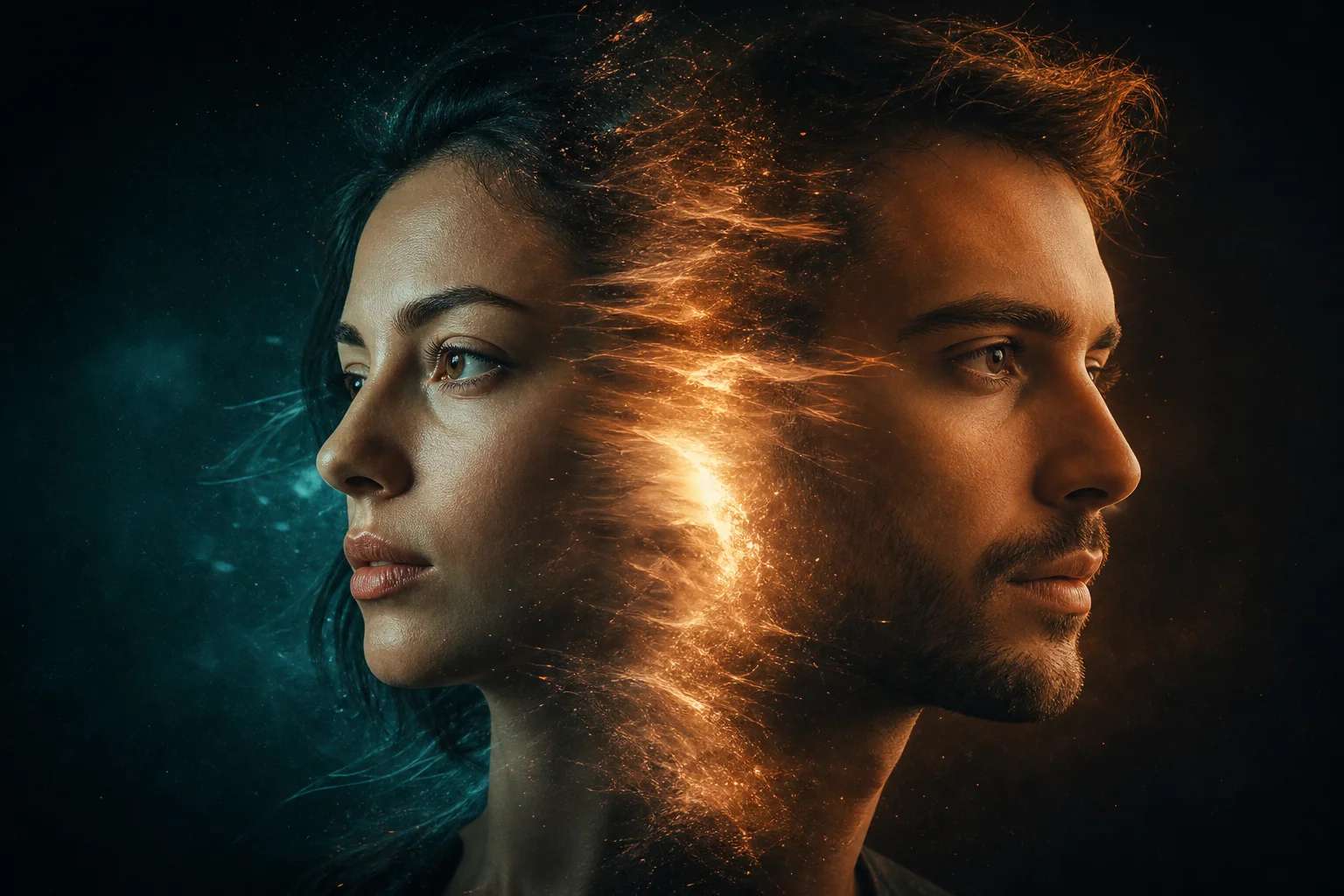
How do you Get Started with an AI Face Swap Tool for Beginners?
Learning how to perform digital face swaps has become much easier thanks to the rise of the modern AI face swap tool. These tools are built to guide users step by step, even if they have never edited an image before. They typically involve selecting your source photo, uploading the target image, and letting automated systems process the swap for you. Most platforms now offer a simple upload interface, drag-and-drop features, and automatic alignment, making the entire workflow approachable for newcomers.
When starting out, it is important to pick an AI face swap tool that prioritizes quality and safety. Choose one that clearly explains how your photos are handled, ensures proper consent mechanisms when swapping faces, and has transparent usage policies. As a beginner, taking time to learn basic file formats, image clarity requirements, and lighting conditions will help you achieve better results. Once you become comfortable with these fundamentals, the process becomes smooth enough to create face swaps in minutes.
How to Swap Faces Using the AI?
When working with the top face swap apps, you should select two images that meet the recommended quality standards. The facial angles, lighting, and expression should be as natural as possible to help the software align both faces more accurately. Here is a step by step guide on how to swap face on photos with AI:
Step 1: Go to Pixazo’s AI Face Swap Tool
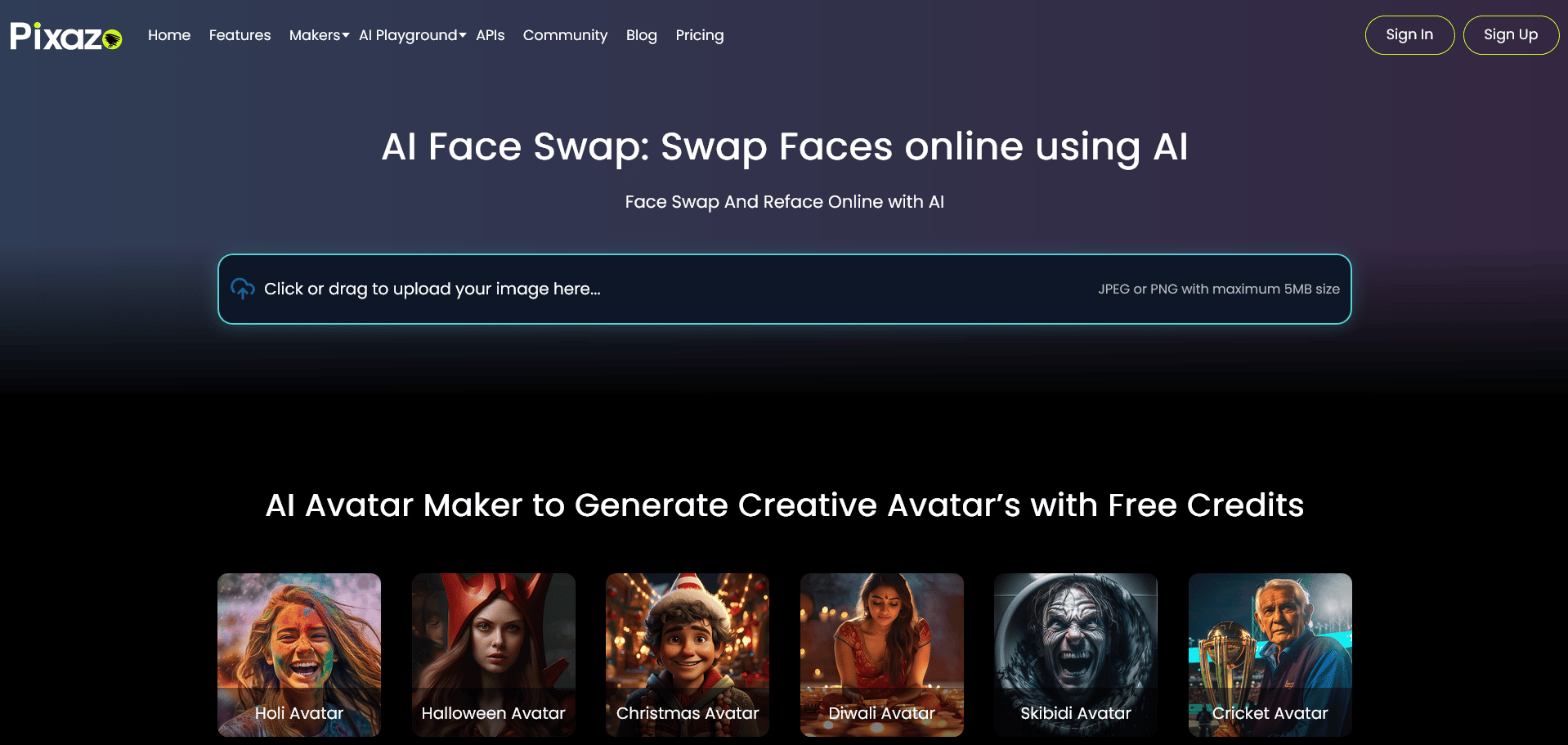
Visit Pixazo’s AI face swap tool and upload the image you want face-swapped.
Step 2: Upload the Second Image
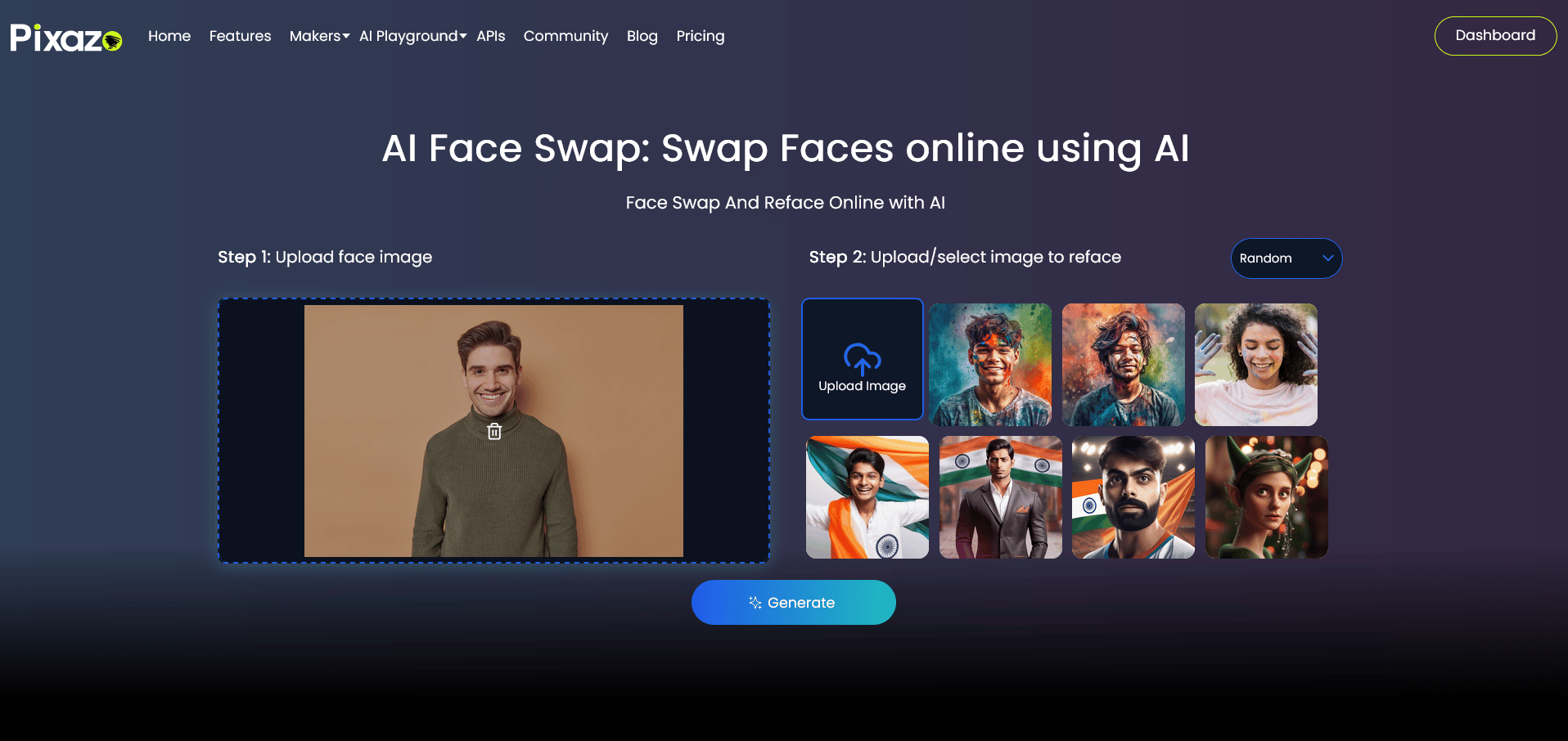
Once the first image is uploaded, click on upload for the second image.
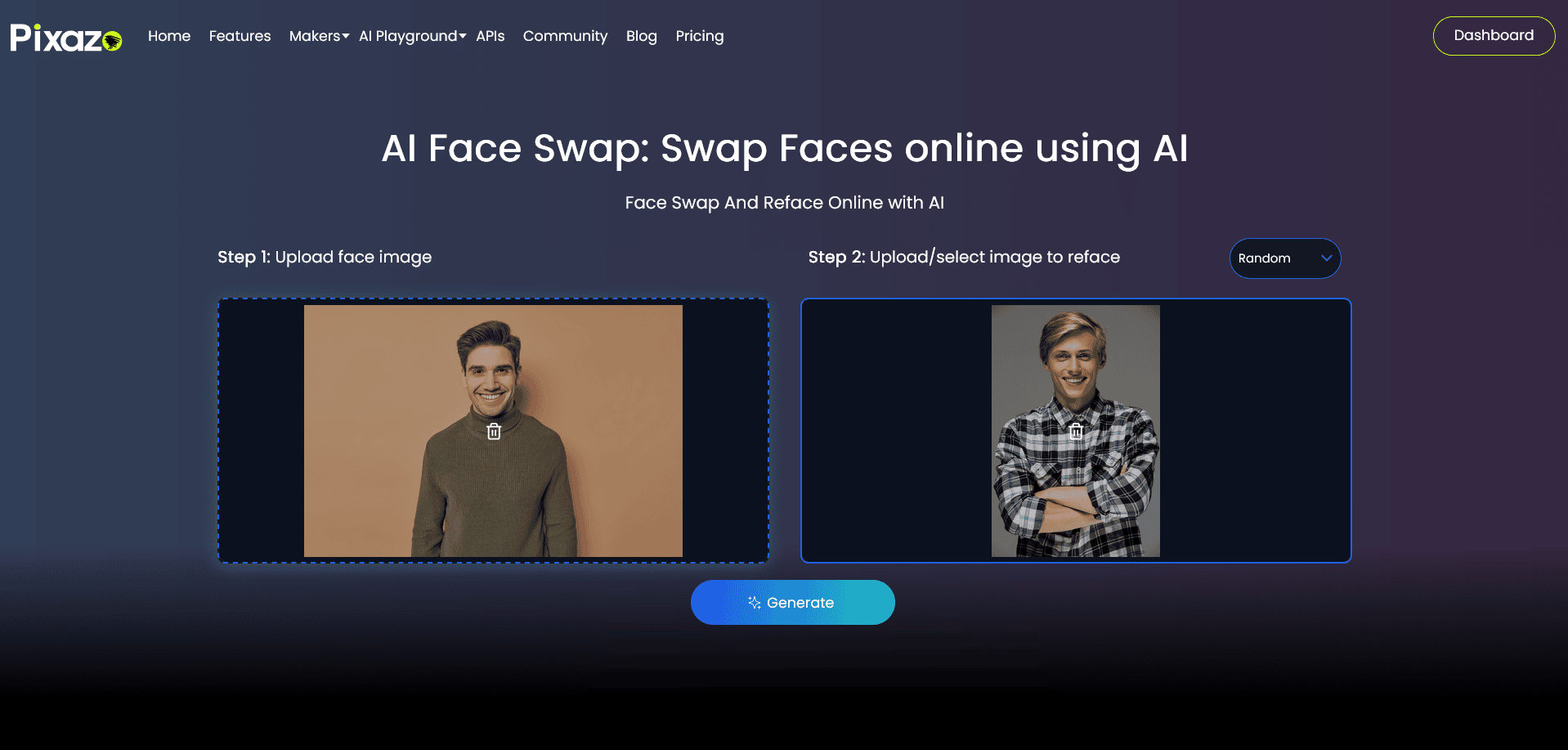
Once the second image is uploaded, click on Generate.
Step 3: Log In or Sign-Up for Pixazo

After you’ve clicked on Generate, you will need to log in into Pixazo. If you don’t have a Pixazo account, you can sign up with a 7 day free trial.
Step 4: Image Generated
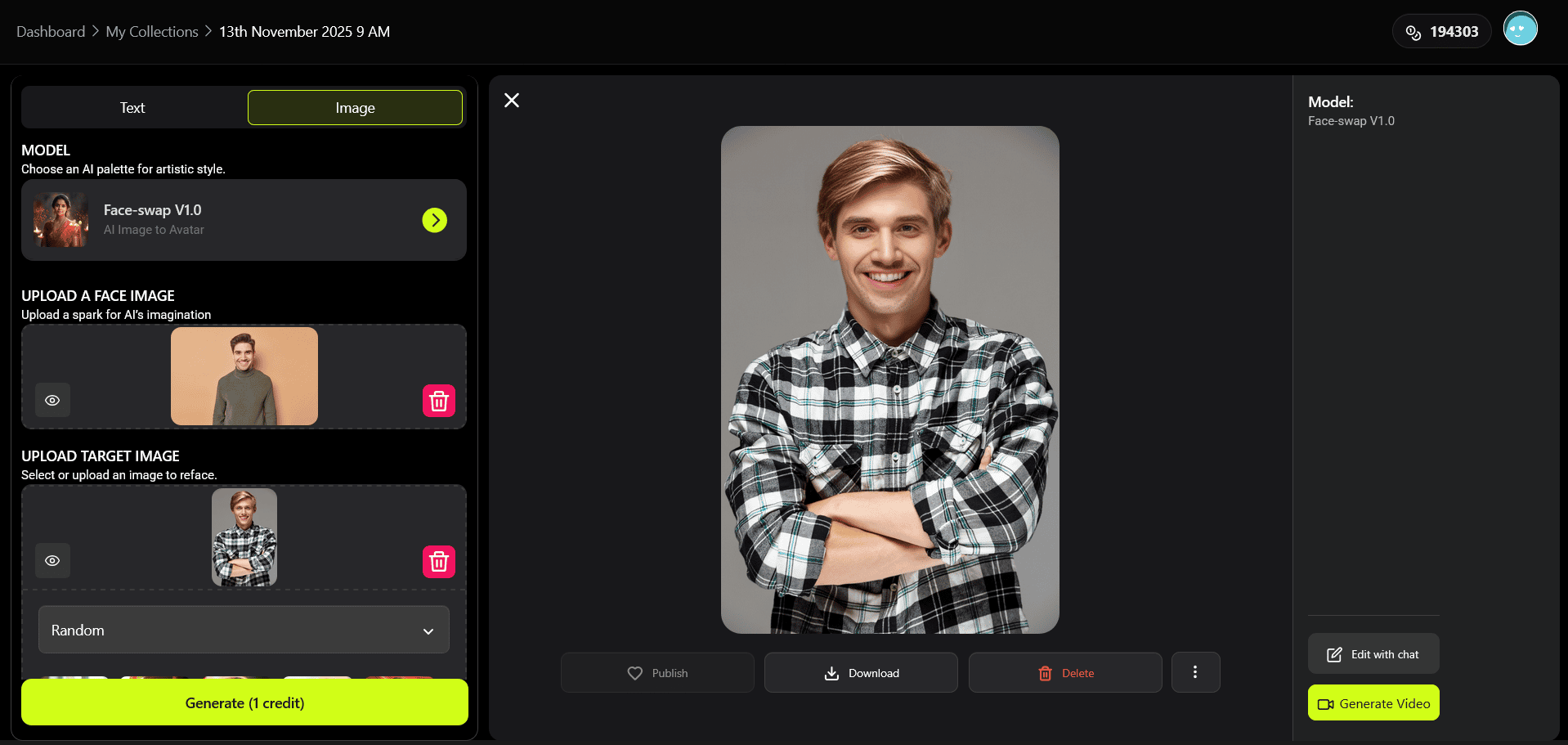
Once you’ve logged in, you will see that Pixazo is processing the images. The platform generates the face swapped image in just a few seconds. If you’re not satisfied with the result, you can generate the image again. Once generated, you can download it or share it on various platforms.
How can you Achieve Accurate Results Using the AI Face Swap Tools?
To get reliable outputs using the best AI face swap generators, start by focusing on image quality. High-resolution photos with clear visibility of facial features tend to deliver significantly better swaps. Avoid overly shadowed, blurry, or heavily filtered photos, as these can confuse alignment models. The more precise your input, the more natural the generated swap will appear.
Another important factor is selecting photos with matching angles and similar expressions. Many AI systems analyze the symmetry, posture, and direction of the face before conducting the swap. When the source and target images align well, the generator produces accurate facial mapping and seamless transitions. Practicing with a variety of images helps you understand what types of photos create the most convincing results.
Real-World Use Cases for AI Face Swap Tools
Here are some powerful, practical scenarios where AI face swap tools (like the one offered by Pixazo) are being used — from creative studios to everyday users.
1. Fashion & Beauty Visualisation
Stylists, beauty consultants and brands can let clients see how a look will fit them — without a physical makeover. Upload the client’s portrait then swap their face onto model shots with various hairstyles, makeup styles or accessories. The result: instant, personalised previews that help clients decide faster and confidently.
- Saves costs on multiple photoshoots.
- Offers more personalised consultations and higher satisfaction.
- Allows brands to test looks with real-face previews before production.
2. Consistent Character Looks for Storytelling
Filmmakers, animators, digital storytellers often need one character’s face to remain consistent across multiple scenes, styles or backgrounds. With face swap tools, you can upload a reference face and apply it uniformly across different scenes — stylised renderings, animations, even product visuals — ensuring visual continuity and identity consistency.
3. Photo Restoration & Archival Work
Old, damaged, or distorted photos frequently lose facial detail. Using a clearer reference image of the person, an AI face-swap tool can reconstruct or replace the face in the damaged image while matching the original’s lighting, texture and tone. This is especially useful for family history, museum archives or heritage projects.
4. Personalized Social Media & Influencer Content
Creators and influencers use face swapping for edgy, share-worthy content — for example, swapping their face into popular movie scenes, or swapping faces with collaborators/followers to drive engagement. The novelty factor helps posts stand out and attract interaction.
5. Cosplay, Character Design & Role-Play
Cosplayers, game designers and digital artists can use face swap to preview how a particular character will look with their face, or to experiment with gender swaps, alternate identities, or stylised variations. This accelerates creative workflows and allows visual experimentation before final execution.
6. Professional Headshots & Digital Avatars
For professionals needing consistent, high-quality headshots or avatars (for LinkedIn, corporate profiles, gaming communities, VR/AR), face swapping together with head-shot enhancement tools lets you produce polished results: consistent lighting, clean backgrounds, and your face placed on optimal poses/frames.
How to Enhance Swapped Images Using AI?
Once you complete the initial face swap, you can improve the final image using the best AI headshot generator apps. These platforms include tools to refine skin tones, sharpen details, and adjust lighting so your swap looks polished. Many generators also provide portrait-specific enhancements tailored to professional-style photos. Combining both face swap and headshot enhancement tools helps you maintain visual consistency in the output.
Some apps also incorporate background smoothing, color grading, and detail-enhancement features. These adjustments make your completed image look more natural and professional, especially when used for profile pictures, creative projects, or social media posts. By fine-tuning small elements such as shadows and highlights, your swapped results appear more cohesive and aesthetically pleasing.
Suggested Read: How to Remove TikTok Filter: A Step-by-Step Guide
What Techniques Help Create Fun or Creative Outcomes with the Gender Face Swaps?
Many users experiment with gender-based transformations to add a creative twist to their face swap projects, and the best gender swap apps make this process remarkably accessible. These tools reinterpret facial features with precision, adjusting elements like structure, hairstyle, and expression to generate an entirely new version of the subject. When paired with face swapping, these gender variations open up unique opportunities to craft stylized characters, alternate identities, or playful reinterpretations of familiar faces.
To elevate the creativity further, you can combine these transformations with thematic lighting, atmospheric backgrounds, or expressive character styling. These enhancements are especially useful for storytellers, digital artists, and content creators who want to build imaginative visuals or experiment with new character concepts. Whether you’re crafting fictional avatars or enhancing personal projects, integrating gender swap elements with face swaps provides a fun and limitless canvas for expression.
Suggested Read: How to Make an AI Action Figure: Complete Step-by-Step Guide (2026)
How do you polish your final results using top face filter apps?
After generating your main swap, applying enhancements through top face filter apps can significantly refine your image. These apps come with a variety of filters designed to balance tones, correct minor inconsistencies, and improve visual appeal. They can even mask small imperfections caused during the swap, such as boundary mismatches or color differences. This level of refinement helps the final result look cohesive and professional.
Most filter apps also provide tools like brightness adjustments, portrait smoothing, and creative overlays. These features let you add personality to your completed image, whether you want a stylized aesthetic or a more natural finish. Final touch-ups are an essential part of the process because they ensure your swapped photo looks clean and polished for sharing online or using in digital projects. A bit of extra refinement goes a long way in making your creation stand out.
Suggested Read: How to Create a Product Label: A Step-by-Step Guide
Conclusion
AI face swap tools have made what once required complex editing skills accessible to beginners. By choosing a privacy-conscious platform (like Pixazo), preparing high-quality input photos, and following the step-by-step process, you can create convincing face swaps quickly. For best results, match photo angles and lighting, use the platform’s alignment and preview features, and finish with enhancement and filter tools to refine the final image. Always prioritize consent and ethical use — responsible editing protects both creators and subjects and leads to more positive, creative outcomes.
Suggested Read: How to Create Roblox 3D Models with Pixazo: A Step-by-Step Guide
Frequently Asked Questions
Q: Is face swapping legal and ethical?
A: Face swapping is legal in many contexts but it becomes unethical or unlawful if you use someone’s image without consent or to deceive. Always obtain permission from the people whose faces you use and follow platform terms of service.
Q: What image types and sizes work best?
A: Use high-resolution JPEG or PNG images with clear facial features. Aim for similar angles and lighting across both images. Avoid heavy filters, blur, or extreme shadows.
Q: Can I revert a face swap or undo changes?
A: Some platforms keep previous versions in history or allow you to re-generate with different options. If you only downloaded a final image, you cannot magically revert the pixels — keep original files for safety.
Q: How long does a typical face swap take?
A: Most modern tools generate results in seconds to a few minutes depending on queue and processing complexity. You may need more time for manual retouching and enhancement.
Q: How do I make swaps look more realistic?
A: Use high-quality source images, match angles and lighting, and apply careful color correction and edge blending in enhancement step. Small adjustments to shadows and highlights often make the biggest difference.
Suggested Read: Beautify Photo Online: A Guide to Enhancing Your Digital Images
Deepak Joshi
Author · Pixazo
Deepak writes about generative AI models, APIs, and the workflows teams use to ship them. Reviewed by Abhinav Girdhar.