10 Best AI Hairstyle Changers for Testing Hairstyles on My Face


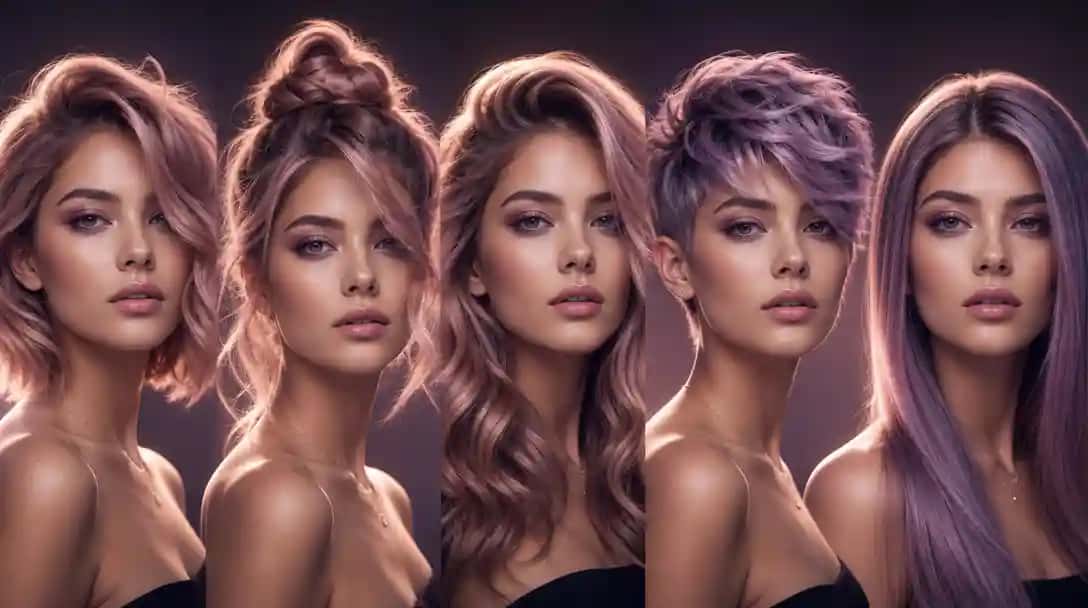
Have you ever wanted to try out a new hairstyle without the worry of a bad haircut? Thanks to the latest innovations in artificial intelligence, you now have access to powerful, user-friendly apps that let you experiment with countless hairstyles virtually. No more expensive salon visits or crossing your fingers about how a cut might look—AI hairstyle changer tools give you the freedom to explore your style risk-free. In this blog post, we’ll take an in-depth look at these handy tools and provide a detailed comparison that will help you decide which one best fits your needs. AI Image Generator lets you try this in your browser.
Here is a guide on how an AI hairstyle changer is transforming the way people explore new looks you can read about.
Whether you want to find an app to test hairstyles or wish to test hairstyles on my face free online, you’re in the right place. We’ll even cover how to test haircuts on my face and share tips for getting the most realistic, useful results from each app. Read on to discover how these innovative services are transforming the way we approach personal style!
How AI Hairstyle Changers Work
AI hairstyle changers utilize advanced computer algorithms, augmented reality (AR), and facial recognition software to overlay different hairstyles onto your photo. Here’s a simplified breakdown:
- Photo Upload: You begin by uploading a clear, well-lit front-view image. The better the quality of your photo, the more accurate the AI will be in mapping your facial features.
- Facial Recognition: The software identifies key elements of your face, such as the hairline, eyes, nose, and jawline, to ensure that the digital hairstyle fits correctly.
- Virtual Try-On: Once your facial details are mapped, the app overlays the chosen hairstyles onto your image. Advanced AR features may adjust the hairstyle in real time, offering a realistic experience. You can also try the combination of AI Clothes Changer and Hairstyle Changer to decide your overall look for any occasion.
- Customization: Some tools also allow you to modify the hairstyle by adjusting factors such as color, length, and texture, ensuring you see a version that closely matches what you have in mind. You can also explore fabulive for tape-in hair extensions.
Why Use AI Hairstyle Changers?
The allure of AI hairstyle changers lies in their ability to reduce risk and improve decision-making when it comes to trying out new looks. Here are some of the top reasons why you might consider using them:
1. Cost-Effective Experimentation
Many AI hairstyle apps or online tools offer basic features for free, meaning you can test hairstyles on your face without spending money. This is especially beneficial if you’re experimenting with multiple styles or aren’t sure which new look will suit you best.
2. Zero Risk of a Bad Haircut
Changing your hairstyle can be a significant decision. With AI tools, you can see a virtual representation of your potential new look, helping you avoid the regret that often comes from a bad haircut. You get to test haircuts on my face before committing to any permanent changes.
3. Personalized and Accurate Results
By relying on facial recognition and sophisticated algorithms, these apps provide personalized hairstyle recommendations based on your unique features. Whether you’re looking to test hairstyles on my face free online or using paid features for even more customization, the result is a style that’s tailored just for you.
4. Convenience at Your Fingertips
Gone are the days of flipping through magazines or browsing online galleries. With these apps, you have a virtual salon right on your phone or computer, letting you experiment with new looks anytime, anywhere.
Key Features to Consider While Using Virtual Hair Salon Tools
When looking for the perfect AI design tools, like hairstyle try-ons, keep these essential features in mind:
- User Interface and Experience:
A clean, intuitive interface ensures a smooth process from photo upload to final visualization. Look for apps that guide you step-by-step. - Realism and Accuracy:
The more realistic the hairstyle overlay, the better. High-resolution images and advanced AR technology contribute to a more accurate try-on session. Also, you can generate the best, flawless, and high-quality images using our AI Image Generator tool. - Customization Options:
The ability to adjust hair color, length, and texture can make your experience much more personalized and helpful. - Cost and Accessibility:
Many apps offer free services for basic trials, but some might have premium features worth considering if you need more advanced options. - Customer Feedback and Reviews:
User reviews can help you understand the pros and cons of each tool, ensuring you choose the one that best fits your requirements.
Best AI Hairstyle Try-On Online Tools
Let’s dive deeper into what each tool offers, along with extra information about their unique features, ease of use, and the type of user who will benefit most from each option.
| App Name | Description | Pros | Cons | Pricing |
|---|---|---|---|---|
| Change Hairstyle AI | Offers a modern range of styles with decent customization and reliable facial mapping for realistic try-ons. | – Advanced face detection – Wide variety of hairstyles – Hair color and style adjustments | – Some features locked behind a paid upgrade | One-time payment of $9 for 30 unique AI hairstyles and 120 HD photos |
| AIEASE | Advanced app offering realistic hair overlays with deep customization options and detailed facial mapping. | – Sophisticated facial mapping – Multiple style filters – High-quality texture simulation | – Interface may be complex for beginners | Free to use with optional premium features |
| OpenArt | Combines art-inspired styles with AR technology for creative hairstyle simulations that push the boundaries. | – Artistic filters – Unique style selections – Community sharing, allowing feedback and trend spotting | – Results may lean more toward artistic interpretations rather than realistic depictions | Free with optional premium features |
| YouCam Online Editor | A comprehensive editing tool that offers a full suite of beauty enhancements, including hairstyle try-ons. | – Real-time AR effects – Extensive photo editing tools – Makeup and hairstyle options in one platform | – Can be overwhelming due to a wide array of features | Free with in-app purchases |
| insMind | Focuses on modern, trendy hairstyles with a minimalistic design for quick virtual trials without extra clutter. | – Trend-based hairstyle options – Fast processing – Clean, simple user interface | – Limited editing features compared to comprehensive tools | Free with optional premium features |
| Pixazo AI Hairstyle Changer | User-friendly tool with a straightforward interface ideal for quick hairstyle simulations. | – Fast photo upload – Basic customization – Instant preview of styles | – Limited customization options for advanced styling | 7-day free trial with 20 credits; Bronze plan at $84/year includes 100 credits/month |
| My Edit | A versatile photo editing app that incorporates hairstyle trials as part of its broader editing toolkit. | – Combines robust photo retouching with hairstyle simulation – User-friendly tools with varied editing options | – Not entirely dedicated to hairstyles; fewer style options compared to specialized apps | Free with optional premium features |
| Fotor | Well-known editing platform that has integrated virtual hairstyle try-ons along with multiple other creative tools. | – Wide range of photo editing tools – Filters, effects, and virtual hairstyle options – Intuitive drag-and-drop interface | – Virtual hairstyle options are less extensive than those in niche apps | Free with optional premium features |
| LightX | A simple yet powerful photo editor that now includes AI-driven hairstyle change capabilities with AR features. | – Intuitive design – Easy adjustment of hairstyle parameters – Integrated AR for immediate previews | – Fewer hairstyle options compared to some dedicated applications | Free with optional premium features |
| iFoto AI | An emerging tool that emphasizes highly realistic hair simulation along with personalized styling suggestions. | – Realistic hair overlay technology – AI-powered customization based on facial features – Personalized style recommendations | – Still expanding its library; not as many styles available as more established brands | Free plan available; premium subscriptions start from $12.99/month |
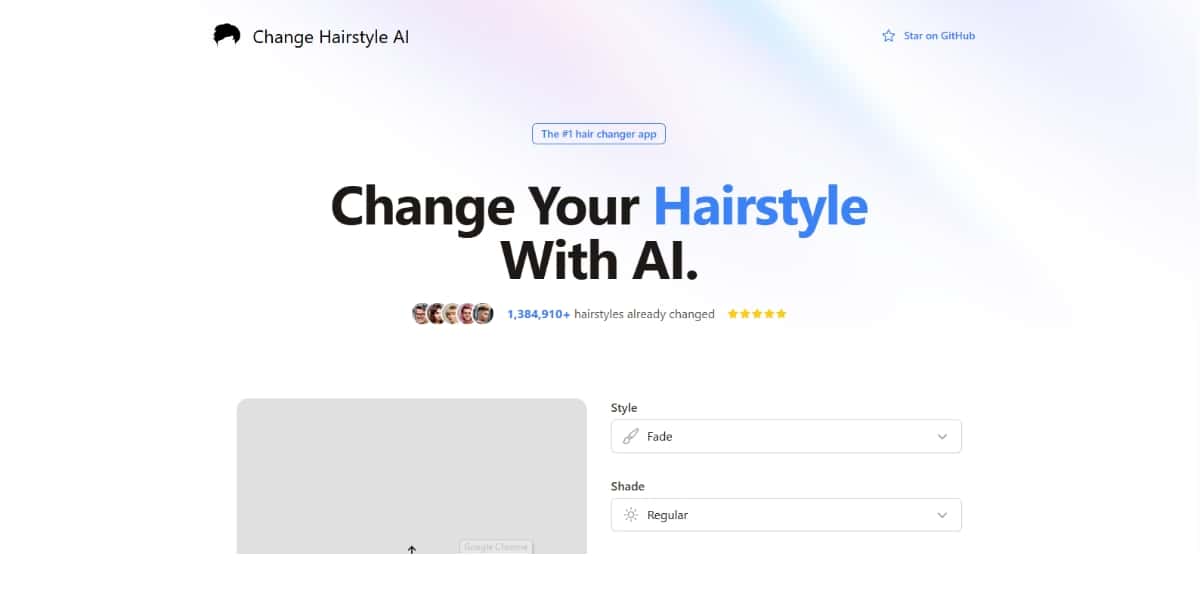
1. Change Hairstyle AI
Overview:
Change Hairstyle AI offers a modern collection of hairstyles and is known for its accuracy. It’s perfect for individuals who want to see a variety of contemporary cuts and color changes.
Key Features:
- Advanced Face Detection: Ensures that the hairstyle aligns well with your facial features.
- Wide Array of Hairstyles: Features both classic and trendy cuts.
- Color and Style Adjustments: Allows you to experiment with different hair colors and textures.
Pros and Cons:
- Pros:
- Large selection of hairstyles
- Accurate mapping of your face for realistic overlays
- Offers a good free version for basic trials
- Cons:
- Some premium features require a subscription
- The processing time can be slightly longer for high-resolution images
Best For:
Budget-conscious users who want to test haircuts on my face and appreciate a wide range of style options without spending too much.
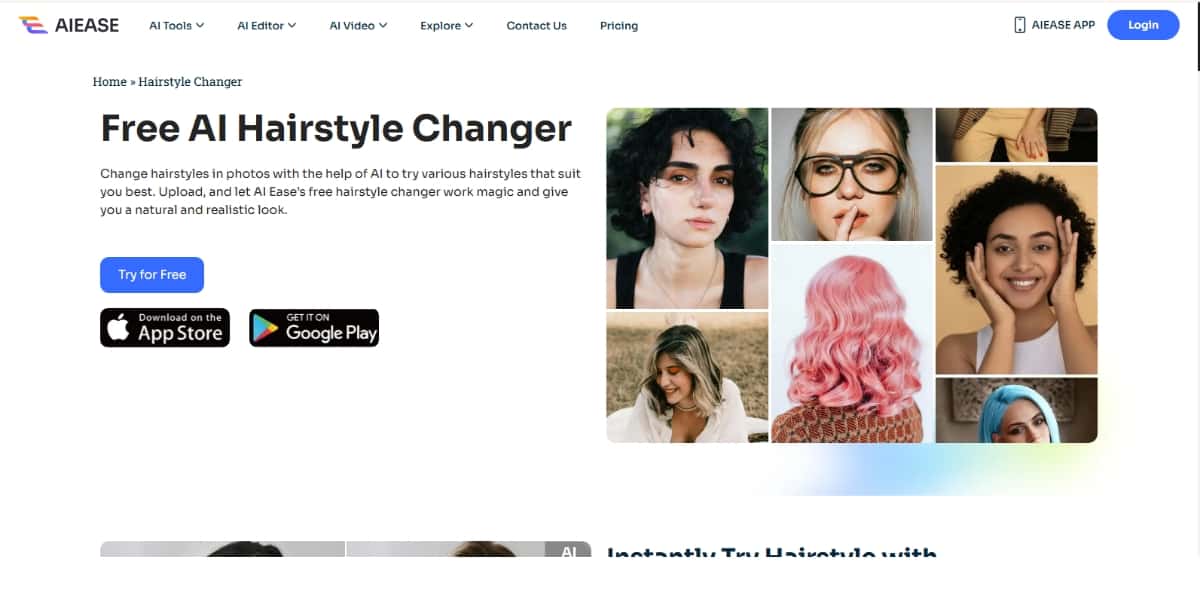
2. AIEASE
Overview:
AIEASE is a more advanced option when realism and customization are priorities. This tool employs sophisticated facial mapping technology that produces highly realistic hairstyle overlays.
Key Features:
- Detailed Facial Mapping: Captures even the smallest facial features for precise hair overlay.
- Multiple Style Filters: Offers various filters for different types of hairstyles and looks.
- Texture Simulation: Provides realistic textures that mimic natural hair appearance.
Pros and Cons:
- Pros:
- Extremely realistic outcomes
- Excellent customization options
- Ideal for users who want detailed virtual makeovers
- Cons:
- The interface might be a bit complex for beginners
- Requires some time to learn all the features and settings
Best For:
Users who are interested in experimenting with realistic virtual styling and need a tool that can deliver detailed, tailor-made results. Perfect for those serious about testing hairstyles on my face free with high accuracy.
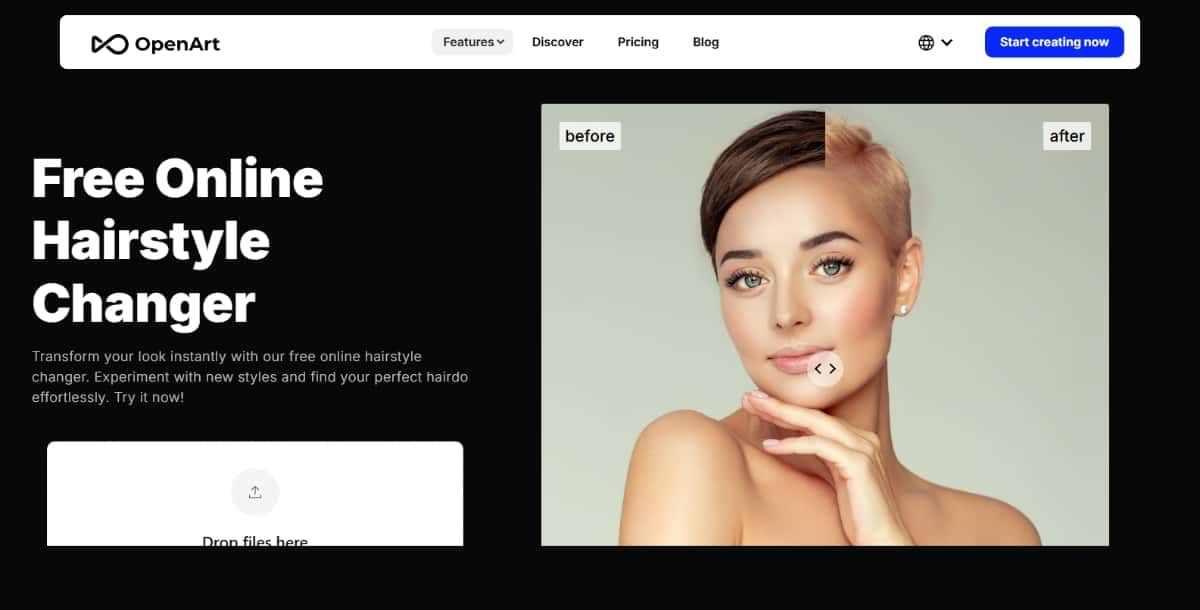
3. OpenArt
Overview:
OpenArt takes a creative twist on virtual hairstyling by combining art-inspired filters with AR technology. It’s a bit different from traditional haircut simulation tools.
Key Features:
- Artistic Filters: Offers unique, art-inspired hairstyles that give a creative spin on traditional looks.
- Community Feedback: Allows users to share their looks and receive feedback.
- Trend Spotting: Helps identify emerging style trends and innovative cuts.
Pros and Cons:
- Pros:
- Highly creative and fun
- Unique and unexpected style options
- Great for users who want to push boundaries with their looks
- Cons:
- May produce results that lean toward artistic interpretations rather than strictly realistic ones
- Some users may find the creative focus less practical for everyday styling decisions
Best For:
Creative users and trendsetters who enjoy trying out artistic and avant-garde hairstyles. Ideal for those who want to explore the creative side of testing hairstyles on my face free online.
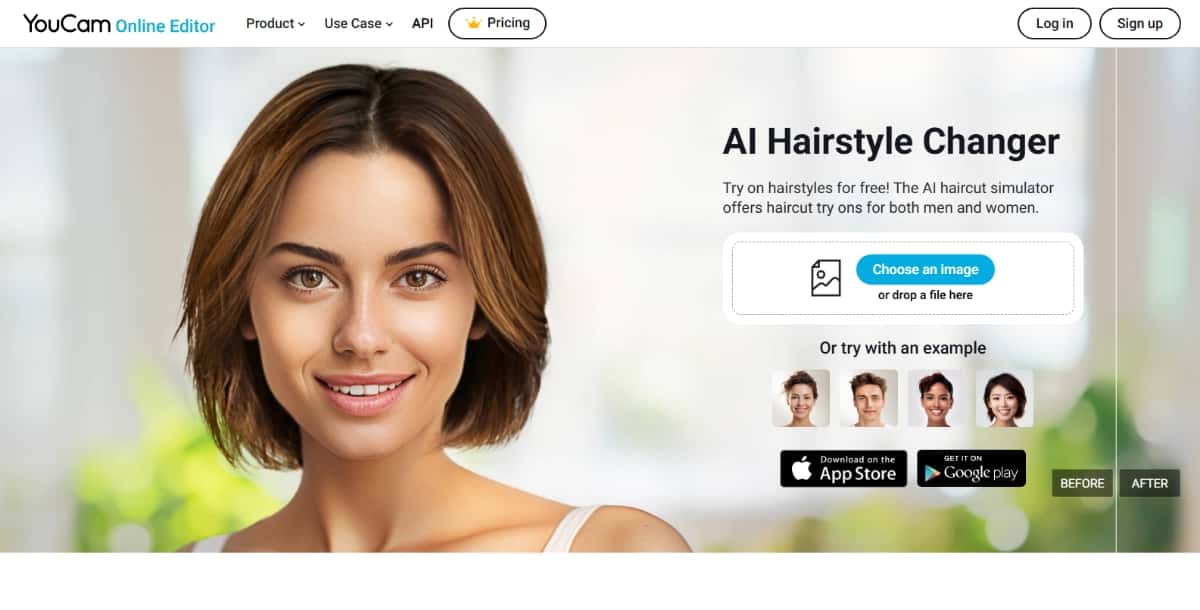
4. YouCam Online Editor
Overview:
YouCam Online Editor is a robust, all-in-one beauty editing platform. Besides offering excellent photo editing capabilities, it also supports a virtual hairstyle try-on feature that integrates smoothly with other beauty adjustments.
Key Features:
- Real-Time AR Effects: Provides immediate, dynamic previews as you change your look.
- Comprehensive Editing Tools: Includes makeup, retouching, and skin smoothing options alongside hairstyle simulation.
- User-Friendly Interface: Despite its robust features, it remains accessible to both beginners and experienced users.
Suggested Read: Best AI Virtual Try-On Rooms in 2026
Pros and Cons:
- Pros:
- Multifunctional—combines photo editing with virtual styling
- Highly interactive interface with many features
- Extensive toolset for overall beauty enhancement
- Cons:
- The variety of features can be overwhelming for some users
- Requires a bit more time to master due to its complexity
Best For:
Users who want a complete beauty editing solution that not only lets you test hairstyles on my face free online but also enhances your photos and style overall.
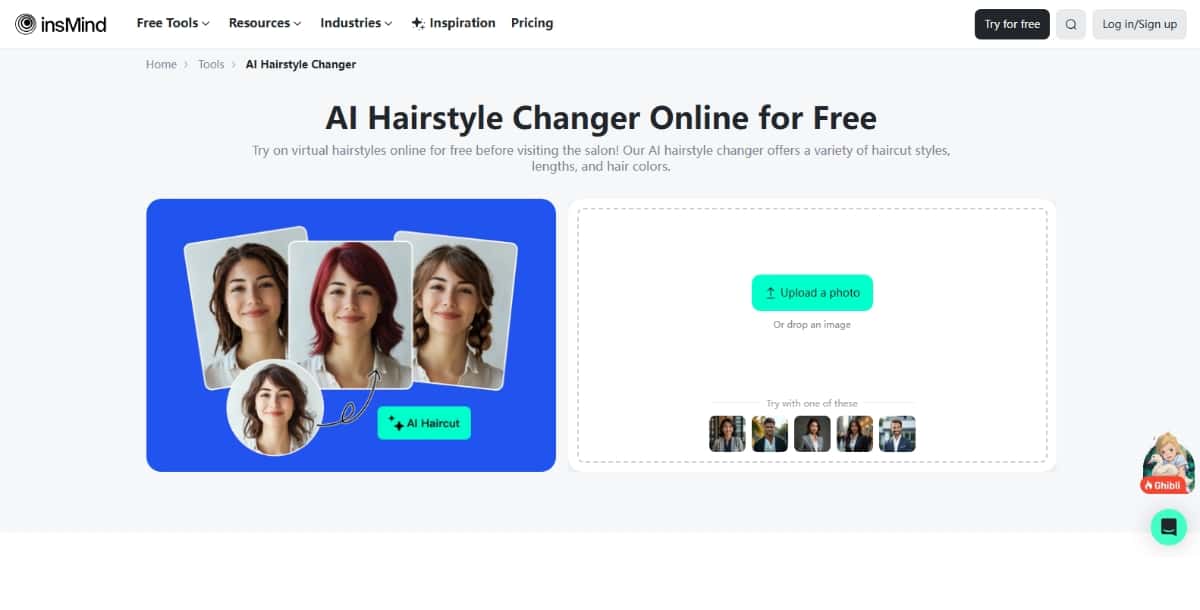
5. insMind
Overview:
insMind is designed for quick, effortless virtual try-ons. With a minimalistic interface and modern style choices, it’s perfect for users who enjoy rapid experimentation with trending looks.
Key Features:
- Trend-Based Options: Focuses on popular and trendy hairstyle choices.
- Fast Processing: Quick results without extensive delays.
- Clean Interface: Simple layout that makes the app extremely easy to navigate.
Pros and Cons:
- Pros:
- Very fast and efficient
- Well-suited for modern, trendy styles
- Ideal for quick tests and inspiration
- Cons:
- Lacks in-depth customization options
- May not offer as many advanced editing features as more comprehensive tools
Best For:
Fashion-forward users who want to quickly test hairstyles on my face free online and see modern, trendy looks without any fuss.
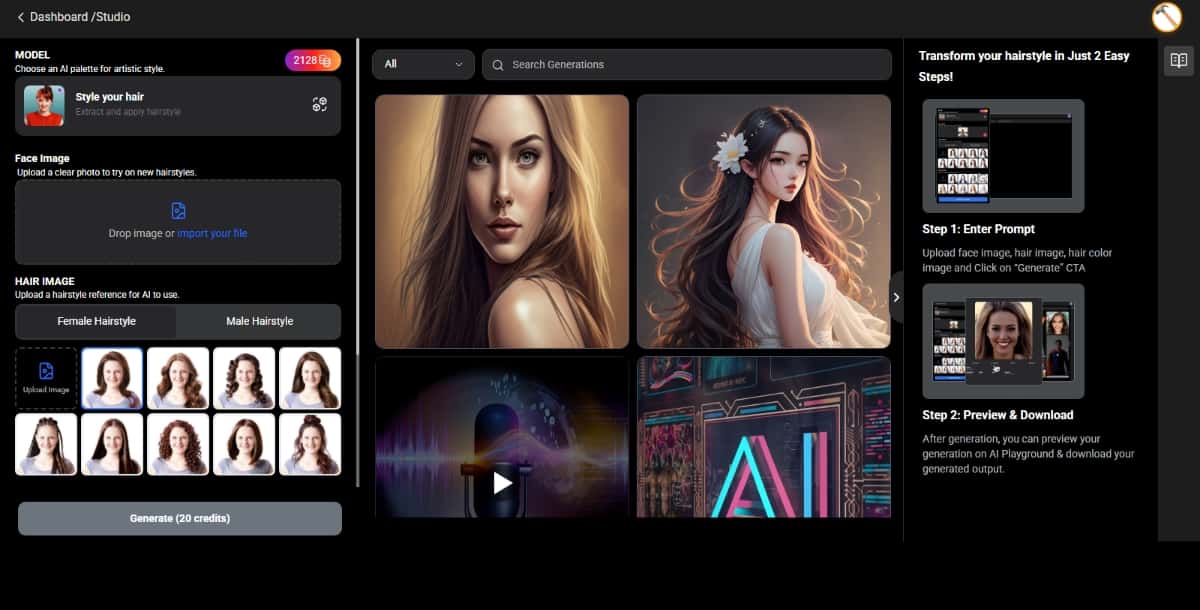
6. Pixazo AI Hairstyle Changer
Overview:
Pixazo’s AI Hairstyle Changer is designed for users who want to quickly see how a new hairstyle might look without any fuss. It features a streamlined interface that is perfect for beginners.
Key Features:
- Fast Photo Upload: Allows you to get started quickly with minimal steps.
- Basic Customization: While it might not have every advanced feature, it offers enough tools to change hair color and style.
- Instant Style Preview: Provides an immediate look at various hairstyles on your image.
- Seamless API Integration: You can use Virtual Try On API and seamlessly enjoy the integration feature of the tool.
Pros and Cons:
- Pros:
- Very user-friendly and AI-powered tool.
- Great for testing ideas without a steep learning curve
- Completely free in its basic version
- Cons:
- Limited customization options for more advanced editing
- Limited Credits during Free Trial
Suggested Read: Best Virtual Try On APIs in 2026
Best For:
Casual users looking to test hairstyles on my face free online without dealing with complex tools. It’s ideal for those who want a fast, simple solution to experiment with different looks.
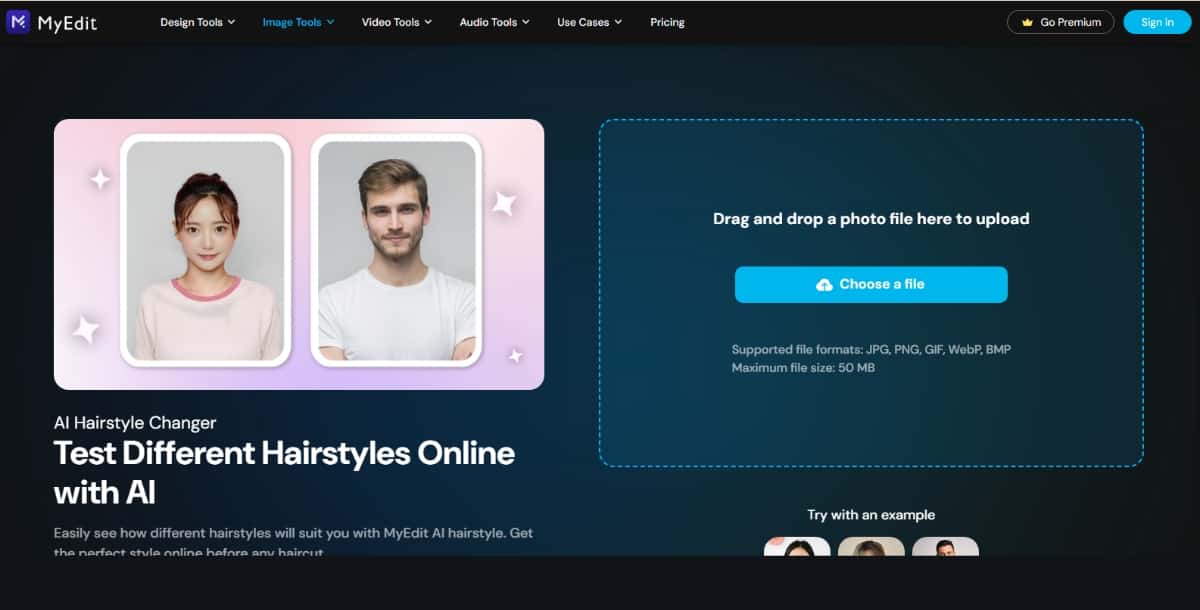
7. My Edit
Overview:
My Edit is a versatile photo editing tool that integrates general photo retouching with a specialized section for hairstyle trials. It offers a balanced approach for users who want to both enhance their images and experiment with new haircuts.
Key Features:
- Dual-Purpose Editing: Combines photo retouching and hairstyle simulation in one platform.
- User-Friendly: A straightforward interface that makes it easy to toggle between editing and styling modes.
- Basic Yet Effective Hairstyle Options: Although not as extensive as some dedicated hairstyle apps, it offers enough variety to make informed decisions.
Pros and Cons:
- Pros:
- Great for overall photo enhancements
- Seamless integration of multiple editing tools
- Suitable for users who want to experiment with looks and improve photo quality simultaneously
- Cons:
- Not focused solely on hairstyles, so options may be fewer compared to apps dedicated to hair styling
- Lacks some advanced hairstyle features found in specialized tools
Best For:
Users seeking a multi-purpose editing tool that includes the ability to test hairstyles on my face free online while also improving overall photo quality.
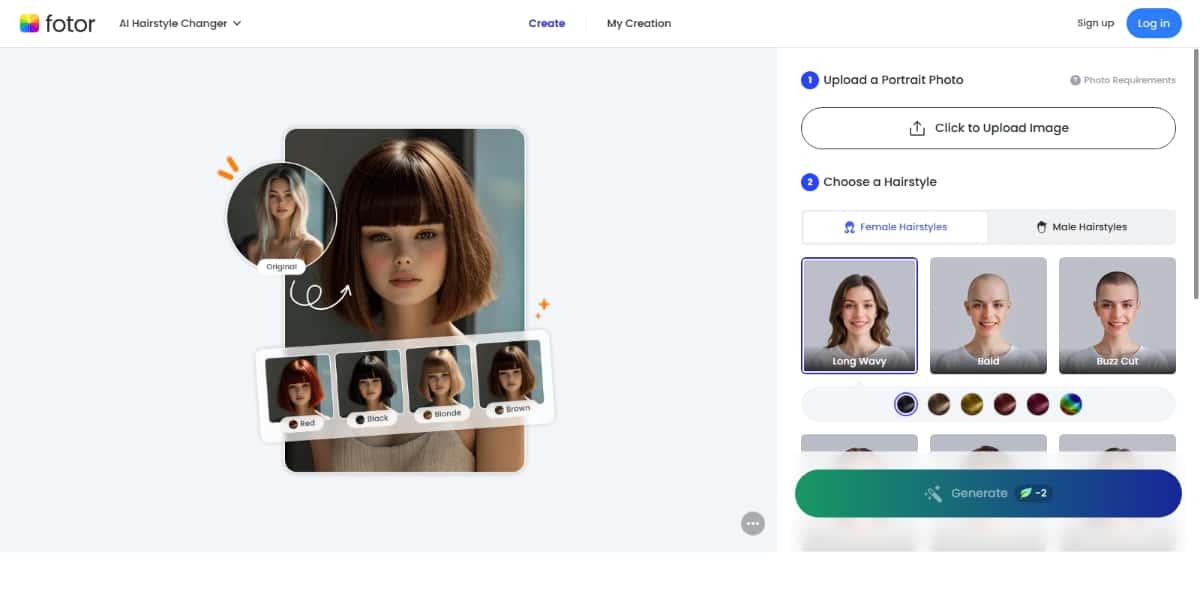
8. Fotor
Overview:
Fotor is a well-established editing platform that has expanded its feature set to include virtual hairstyle try-ons. It offers a broad range of creative tools alongside its haircut simulation features.
Key Features:
- Comprehensive Editing Suite: In addition to hairstyle try-ons, you get filters, effects, and overall photo editing capabilities.
- Drag-and-Drop Functionality: Makes it extremely simple to navigate and use.
- Regular Updates: The app continues to evolve, adding new features and styles over time.
Pros and Cons:
- Pros:
- Excellent all-around tool for photo editing and styling
- Reliable and consistently updated
- A good option if you want an all-in-one solution
- Cons:
- Virtual hairstyle options might not be as extensive or specialized as in some dedicated apps
- The focus is split between multiple editing functions, which might dilute the emphasis on hairstyling
Best For:
Users looking for a one-stop solution that offers robust photo editing along with the ability to test hairstyles on my face free online. It’s ideal for those who appreciate versatility.
Suggested Read: Best AI Baby Face Generator Tools: Top Picks for 2026
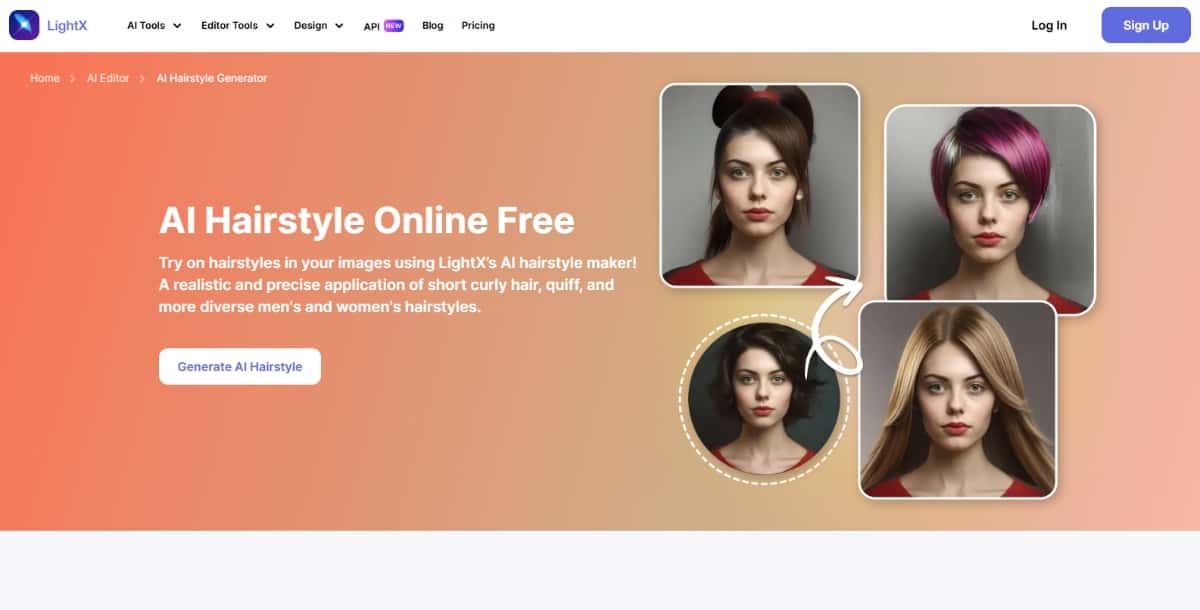
9. LightX
Overview:
LightX is praised for its simplicity and speed. This straightforward photo editor now includes AI-powered hairstyle change capabilities that offer quick, satisfactory results for users new to virtual styling.
Key Features:
- Intuitive Design: A very clean, accessible layout that makes switching between features a breeze.
- Fast AR Integration: Enables nearly instant previews of new hairstyles.
- Essential Editing Tools: Includes the basics such as cropping, color adjustments, and brightness settings along with its styling options.
Pros and Cons:
- Pros:
- Extremely beginner-friendly
- Fast and efficient for quick results
- Ideal for rapid experimentation without over-complication
- Cons:
- Limited hairstyle variety compared to more advanced specialized apps
- Might not satisfy users looking for in-depth customization
Best For:
Beginners and casual users who want a straightforward solution to test hairstyles on my face free quickly. Perfect for those who need simplicity and speed without extra frills.
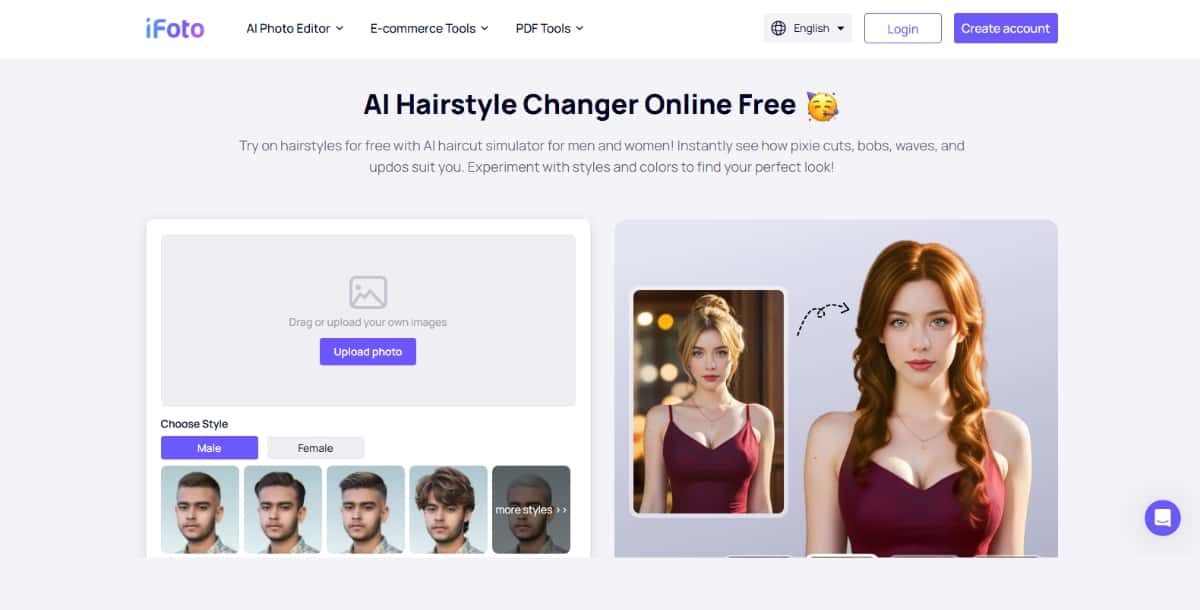
10. iFoto AI
Overview:
iFoto AI is an emerging tool that emphasizes realistic hair simulation and personalized style recommendations. It’s tailored for users who want a highly detailed and accurate preview of their potential new look.
Key Features:
- Realistic Hair Overlays: Leverages AI to produce lifelike hair simulations that match your facial features closely.
Personalized Recommendations: Provides suggestions that are tailored to your unique facial characteristics. - High Customizability: Offers multiple adjustment options for color, length, and texture to ensure the preview is as accurate as possible.
Pros and Cons:
- Pros:
- Highly focused on realism and detail
- Provides customized hairstyle suggestions
- Ideal for users serious about getting a genuine preview
- Cons:
- Still growing its library of hairstyle options
- May have fewer overall styles compared to more established apps
Best For:
Users who are looking for detailed, realistic adjustments and personalized recommendations when they test haircuts on my face. It’s best for those who value accuracy and personalization.
Tips for the Best Virtual Hairstyle Try-On Experience
Even though these tools are designed to be simple and user-friendly, here are some tips to ensure you get the best results when you’re exploring your new look:
1. Use a High-Quality Photo
- Good Lighting:
Take a photo in natural light or a well-lit area. This helps ensure that your facial features are clearly visible and accurately interpreted by the app. - Clear Background:
A plain background without distractions allows the AI to focus on your face without any interference. - Frontal View:
Ensure your photo is taken directly from the front. Avoid side angles that might confuse the facial recognition software.
Suggested Read: 33 Best Social Media Icon Sets You Must Explore
2. Experiment Boldly but Thoughtfully
- Try Many Styles:
Virtual try-ons are risk-free, so explore a variety of looks—both subtle changes and dramatic makeovers. This will help you determine what suits you best when it comes to testing hairstyles on my face free online. - Mix and Match:
Use the customization features to adjust colors and textures. This way, you can see different variations of a hairstyle and find the perfect match.
3. Utilize Multiple Tools
- Cross-Check Results:
Since each app uses slightly different technology, using a couple of them can help you get a clearer overall picture. If one app shows a promising look, try a second app to see if the results are consistent. - Compare Features:
Use the detailed table above as a guide to switch between tools based on the type of styling you need—whether it’s a quick test, a realistic simulation, or creative experimentation.
4. Seek External Opinions
- Show Your Results:
Once you’ve tried out several hairstyles, share your favorites with friends or family. Their feedback can be invaluable in helping you decide on a final look. - Consult Professionals:
If you’re planning a major hair change, consider discussing your virtual try-ons with a stylist. They can offer additional insights that combine traditional expertise with the benefits of digital simulation.
Future Trends in Virtual Hairstyling
Technology in the beauty industry is evolving rapidly. Here are some trends we can expect to see in the near future when it comes to virtual hairstyle try-ons:
Enhanced Realism
As artificial intelligence and augmented reality continue to advance, future apps may offer even more realistic simulations. Enhanced lighting effects, dynamic hair movement, and 3D modeling are likely to become standard features. This means your next experience of testing hairstyles on my face might closely resemble an in-person styling session.
Greater Customization
We can anticipate deeper customization options, enabling you to modify every detail of your hairstyle—from subtle tweaks in wave formation to adjustments in hair volume. This evolution will make the process of testing haircuts on my face even more personalized and precise.
Integration with Social Media
Imagine a future where you can instantly share your virtual makeovers on social media, gain feedback, and even book a salon appointment directly from the app. Enhanced integration with social platforms could add a community-driven aspect to virtual styling, making it even more interactive.
Virtual Consultations
Some tools are already exploring the possibility of linking virtual hairstyle try-ons with real-world consultations. In the future, you might be able to get instant online advice from professional stylists based on your virtual transformations, bridging the gap between digital and in-person styling.
Final Thoughts
Remember, the key to making the most out of virtual hairstyle try-ons is to use good-quality photos, experiment with various styles, and even combine insights from multiple apps. Use these digital tools as a stepping stone to discovering a look that truly matches your personality and enhances your confidence. And if you’re still unsure, seeking advice from friends, family, or even professional stylists can add another layer of confidence in your final decision.
Suggested Read: Introducing FASHN Virtual Try-On V1.6 API on Pixazo for High-Resolution Virtual Try-On
Frequently Asked Questions
What is an AI hairstyle changer?
An AI hairstyle changer lets you preview different haircuts, colors, and styles on a photo of your own face before committing in real life. It uses AI to map new hair onto your image.
Can I try hairstyles on my own face photo?
Yes, you upload a clear front-facing photo and the tool overlays various styles so you can compare looks. Good lighting and a neutral pose give the most realistic results.
Are AI hairstyle changers free?
Many offer free trials or a set number of styles, with premium hairstyles and higher quality behind a paid plan. Free versions are handy for quick experimentation.
Are the hairstyle previews realistic?
Results have improved a lot, though very complex styles or unusual angles can still look imperfect. They are best used as a guide before a salon visit.
Which AI hairstyle changer should I choose?
Pick one based on the variety of styles, how natural the blending looks, and whether it handles your hair type and photo angle well. Trying a couple of free previews helps you compare.
Deepak Joshi
Author · Pixazo
Deepak writes about generative AI models, APIs, and the workflows teams use to ship them. Reviewed by Abhinav Girdhar.