Best AI Illustration Tools in 2026


What Are AI Illustration Maker Tools?
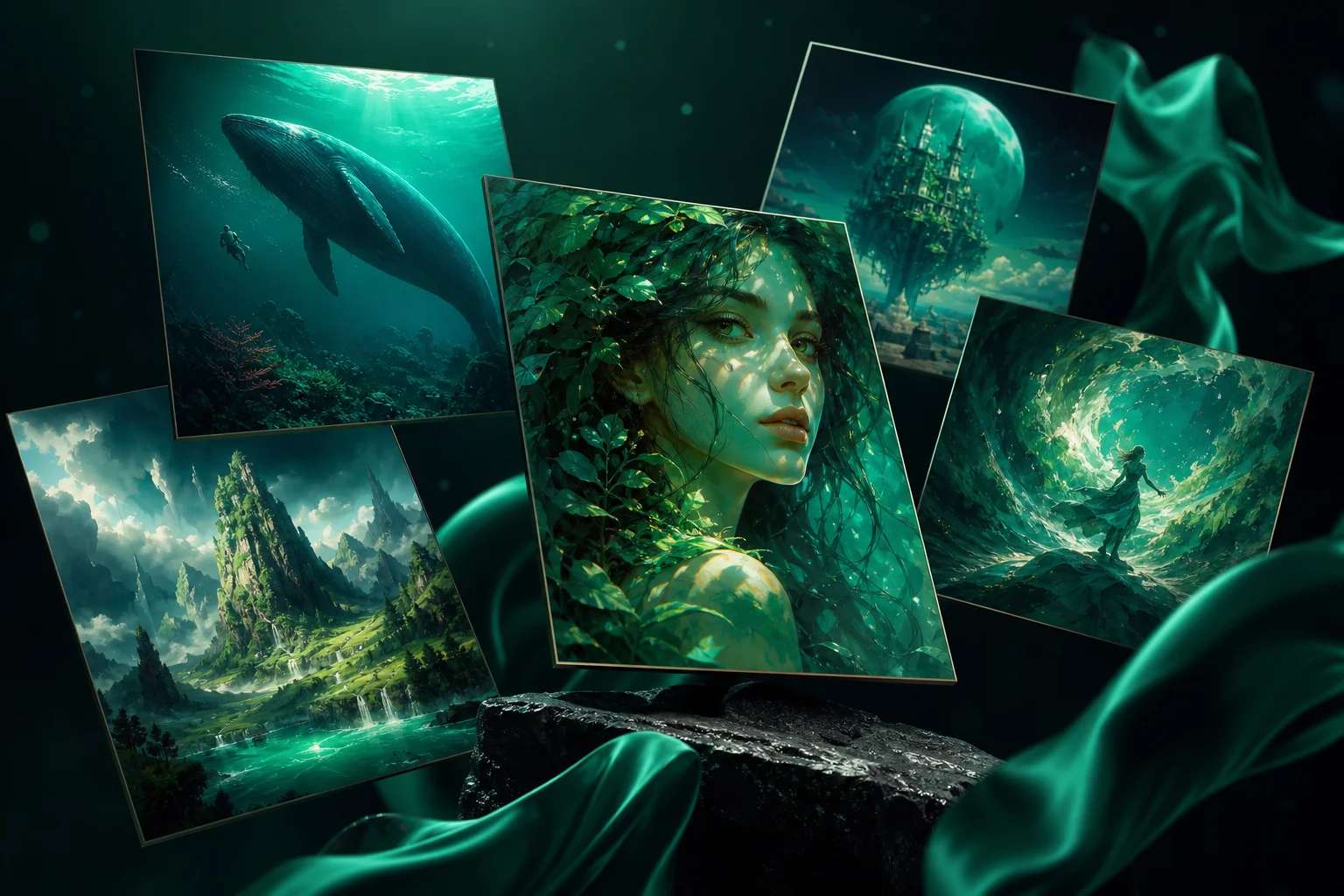
AI illustration maker tools are creative platforms powered by artificial intelligence
that transform text prompts, ideas, or references into professional-quality illustrations.
Instead of starting from scratch or relying on complex design software, these tools
enable anyone—designers, marketers, educators, or entrepreneurs—to generate
polished artwork in minutes. From minimal icons and branded graphics to
fantasy-inspired concept art, AI handles the heavy lifting while you focus on creativity.
Want to try it? Head to AI Art Generator.
With features like style presets, text-to-image generation, customization options,
and smart editing, AI illustration makers simplify what once took hours of manual effort.
Many platforms also include background generation, typography guidance, and prompt refinements
to help even beginners produce illustrations that look consistent and professional.
This makes them a game-changer for scaling content creation in today’s fast-moving digital world.
One of the most versatile options is the
Pixazo AI Illustration Maker,
which lets you generate and customize illustrations for marketing, education, or creative projects.
You can also explore a broader suite of
AI design tools
to build logos, social media graphics, and presentations that align seamlessly with your
illustration projects.
How AI Illustration Maker Tools Are Helpful for Creatives and Professionals?
AI illustration maker tools revolutionize the creative process by helping professionals,
educators, and entrepreneurs transform abstract ideas into striking visuals—instantly.
Instead of spending hours sketching or navigating complex design software, users can
generate polished illustrations in minutes. This makes them especially valuable for
marketing campaigns, educational content, branding assets, and social media visuals,
where speed and quality are critical.
One of the biggest advantages is accessibility and personalization.
AI-powered illustration tools often come with pre-built templates, intelligent design
recommendations, and thematic options to suit any project. For beginners, they also
simplify core concepts such as the
elements of design,
ensuring that every output follows aesthetic and functional design principles. At the
same time, professionals can experiment with creative approaches like anti design to break conventions
and craft bold, attention-grabbing visuals. This balance of structure and freedom allows
AI illustration makers to serve both novices and experts equally well.
AI illustration tools also expand creativity through integration with other AI-driven features.
Many platforms allow users to combine illustration generation with typography assistance,
background creation, or smart color palette suggestions. This holistic approach ensures
that every piece of visual content is not only beautiful but also strategically aligned
with brand storytelling. For designers, marketers, and business owners, these tools are
more than time-savers—they are creativity multipliers that open new doors for innovation
and efficiency.
How We Select the Best AI Design Generator Platforms at Pixazo
At Pixazo, we carefully evaluate AI design generator platforms to help users skip the overwhelming trial-and-error process. Our experts, with extensive experience in AI-powered design tools, assess each platform based on creativity, ease of use, customization options, and overall performance. We put these tools to the test by creating designs across different categories to ensure they deliver high-quality results effortlessly. Every recommendation is based on thorough research and real-world testing, with no paid placements or outside influence. Want to know how we pick the best AI design platforms? Explore our detailed evaluation process.
Disclaimer – Portions of this article were drafted with AI and reviewed by Jayesh Chaubey
Which Are the Best AI Illustration Maker Tools in 2026?
The best AI illustration makers in 2026 are Pixazo, Midjourney, Adobe Firefly,
Leonardo AI, Stable Diffusion, DALL·E, ChatGPT, Craiyon, Ideogram, and NightCafe.
These platforms enable designers, marketers, educators, and entrepreneurs to generate
unique, high-quality illustrations from simple prompts. Whether you’re creating digital
art, brand assets, or marketing visuals, these tools ensure your illustrations look
professional, creative, and ready for use across different media.
-
Pixazo
: Best overall AI illustration maker for fast, customizable, and brand-focused artwork. -
Midjourney
: Best for artistic, highly detailed, and experimental illustrations. -
Adobe Firefly
: Best for professional-grade, high-resolution illustrations with Adobe ecosystem support. -
Leonardo AI
: Best for gaming, fantasy, and concept art illustrations. -
Stable Diffusion
: Best for open-source, customizable, and experimental illustrations. -
DALL·E
: Best for creative, surreal, and storytelling-driven illustrations. -
ChatGPT
: Best for conversational, text-to-image illustration generation. -
Craiyon
: Best for free, quick, and accessible AI-generated illustrations. -
Ideogram
: Best for illustrations with integrated text and typography. -
NightCafe
: Best for community-driven, style-rich AI illustrations.
1. Midjourney
Midjourney is one of the most talked-about AI illustration tools in 2026, renowned for its
ability to generate artistic, surreal, and highly detailed visuals from text prompts.
It excels at pushing creative boundaries, making it the go-to tool for designers, digital
artists, and storytellers who want illustrations with a distinct, expressive style. Unlike
many other platforms, Midjourney thrives in producing experimental, abstract, and cinematic
imagery that resonates deeply with creative professionals.
The platform is community-driven and creativity-focused.
Midjourney operates primarily through Discord, where users collaborate, share prompts, and
explore unique artistic outputs together. This setup not only fosters a vibrant community but
also allows artists to learn from one another while experimenting with styles, lighting, and
themes. For projects that demand bold visuals and out-of-the-box creativity, Midjourney remains
one of the most inspiring illustration makers available.
Key Features
- Artistic Precision: Generates high-quality, painterly, and surreal illustrations.
- Community Interaction: Built around Discord, offering real-time collaboration and learning.
- Style Variety: Supports diverse illustration styles, from hyperrealistic to abstract.
- Fast Iteration: Users can refine prompts and receive multiple variations quickly.
Pros
- Produces stunning, professional-grade artwork with strong artistic identity.
- Large, active community for inspiration and support.
- Ideal for artists, marketers, and content creators looking for originality.
Cons
- Requires Discord access, which may not suit everyone.
- Less suited for corporate or business-focused illustrations compared to branded tools.
How to Use
- Join the Midjourney Discord server.
- Enter a prompt describing your desired illustration in the relevant channel.
- Wait for AI-generated outputs and select your preferred variation.
- Refine the result by upscaling or requesting additional variations.
- Download and use the illustration in your project.
2. Adobe Firefly
Adobe Firefly is Adobe’s cutting-edge AI illustration tool, designed to integrate seamlessly
with the Creative Cloud ecosystem.
It empowers professionals to generate stunning illustrations, vector graphics, and
brand-specific artwork that are ready for commercial use. Firefly stands out for its
professional-grade quality and integration with tools like Photoshop and Illustrator, making
it a top choice for designers who want efficiency without sacrificing control.
The platform emphasizes commercial safety and brand alignment.
Unlike many AI generators, Adobe Firefly is trained on Adobe Stock and openly licensed content,
ensuring outputs are safe for professional use. Its AI capabilities extend beyond simple
illustration generation—users can also edit images, recolor artwork, apply effects, and
seamlessly integrate results into their existing Adobe workflows.
Key Features
- Commercial Use Ready: Generates illustrations safe for business and client projects.
- Creative Cloud Integration: Works with Photoshop, Illustrator, and other Adobe tools.
- Vector and Raster Output: Create both detailed illustrations and scalable vector graphics.
- AI Styling: Add textures, patterns, and color variations with simple prompts.
Pros
- Professional-grade quality suited for commercial work.
- Seamless integration with Adobe’s design ecosystem.
- Reliable outputs thanks to training on licensed content.
Cons
- Requires an Adobe subscription to unlock full features.
- Best suited for professionals rather than casual users.
How to Use
- Open Adobe Firefly via the Creative Cloud suite or browser access.
- Enter a prompt describing your desired illustration style or subject.
- Choose between raster or vector output depending on your project needs.
- Refine, recolor, or edit the illustration directly in Firefly or export to Photoshop/Illustrator.
- Save and use the final artwork for your brand or client project.
3. Leonardo AI
Leonardo AI is a rising star in the AI illustration space, particularly popular among
game designers, fantasy artists, and concept creators.
Known for producing vivid, imaginative, and highly detailed visuals, Leonardo AI is
especially effective for crafting fantasy landscapes, characters, and immersive scenes.
It balances creative freedom with user-friendly features that appeal to both hobbyists
and professionals.
The platform combines versatility with specialization.
While it supports general illustration generation, its standout use case is gaming and
entertainment artwork. With its ability to generate 3D-inspired visuals, detailed
environments, and stylized character art, Leonardo AI provides creators with an edge in
industries where unique aesthetics and storytelling visuals matter most.
Key Features
- Fantasy & Concept Art: Specializes in imaginative, game-ready illustrations.
- Custom Training: Users can train models on specific styles or character references.
- High-Resolution Output: Generates artwork suitable for print, digital, and 3D pipelines.
- User-Friendly Controls: Offers a simple interface for refining and customizing outputs.
Pros
- Excellent for gaming, fantasy, and conceptual illustrations.
- Supports custom model training for unique outputs.
- High-resolution visuals ideal for both digital and print projects.
Cons
- More specialized in fantasy/gaming art—less versatile for corporate or minimalist projects.
- Full features may require premium plans.
How to Use
- Sign up and access Leonardo AI via the web platform.
- Enter a descriptive prompt for your illustration (e.g., fantasy landscape, character concept).
- Choose preferred styles, lighting, or detailing options.
- Refine outputs using customization tools or train your own model for specific results.
- Download the artwork in high resolution for use in games, marketing, or print.
4. Stable Diffusion
Stable Diffusion is one of the most versatile and widely adopted AI illustration makers,
known for its open-source foundation and customizability.
It allows artists, developers, and businesses to generate highly detailed illustrations while
offering freedom to fine-tune models, integrate third-party plugins, and build customized workflows.
Unlike closed systems, Stable Diffusion empowers users to experiment without restrictions.
The platform stands out for flexibility and control.
Users can run it locally or access it via cloud-based services, depending on technical preference.
Its wide ecosystem of community models and extensions allows creators to specialize in styles such
as anime, photorealism, or abstract art. For professionals who need illustrations aligned with
very specific brand or creative needs, Stable Diffusion provides unmatched adaptability.
Key Features
- Open Source: Free to use and modify, with strong community support.
- Custom Models: Train or download models tailored to specific artistic styles.
- High Control: Fine-tune prompts with negative prompts, CFG scales, and seeds.
- Integration Ready: Works with third-party plugins, APIs, and creative tools.
Pros
- Highly flexible for both casual and professional use.
- Community-driven ecosystem with frequent updates and resources.
- Supports both simple prompts and advanced configurations.
Cons
- Requires technical knowledge for local installations and advanced use.
- Results depend heavily on prompt quality and chosen model.
How to Use
- Install Stable Diffusion locally or access it through a hosted service.
- Enter a detailed prompt describing your desired illustration style or subject.
- Adjust parameters like steps, CFG scale, and resolution for more control.
- Generate illustrations and refine outputs with negative prompts or model variations.
- Download and use the final illustration in your creative project.
5. DALL·E
DALL·E, developed by OpenAI, is one of the most user-friendly AI illustration tools,
famous for generating imaginative, surreal, and creative visuals from natural language prompts.
It stands out for its ability to combine unrelated concepts into coherent illustrations, making
it ideal for storytelling, marketing, and educational use. In 2026, DALL·E continues to evolve
with improved detail, realism, and editing features.
The platform balances creativity and accessibility.
With features like inpainting (editing parts of an image) and outpainting (expanding beyond the
original frame), users can tweak illustrations beyond the first generation. This makes DALL·E a
great tool for creators who need quick, unique visuals but still want creative control. It’s
particularly useful for projects where imagination and visual storytelling take center stage.
Key Features
- Prompt-to-Image: Generates illustrations directly from natural text descriptions.
- Inpainting & Outpainting: Edit or expand images for refined creative control.
- Surreal Compositions: Combine concepts into imaginative, unconventional visuals.
- Seamless Integration: Works with ChatGPT for conversational image generation.
Pros
- Easy-to-use and beginner-friendly.
- Great for storytelling and creative experimentation.
- Editing features extend usability beyond initial outputs.
Cons
- Less customizable compared to open-source platforms like Stable Diffusion.
- Resolution may be limited depending on subscription tier.
How to Use
- Log into DALL·E via OpenAI’s platform or within ChatGPT.
- Enter a descriptive text prompt for your desired illustration.
- Generate outputs and select your preferred variation.
- Use inpainting or outpainting to edit and expand images.
- Download the final illustration for personal or professional use.
6. Pixazo
Pixazo’s AI Illustration Maker is a powerful yet beginner-friendly tool for generating
unique, professional-quality illustrations in seconds.
Whether you’re creating artwork for blogs, educational materials, marketing campaigns, or social
media, the platform transforms your ideas into polished visuals without requiring advanced design
expertise. This makes it an ideal choice for individuals, businesses, and educators alike.
The platform prioritizes accessibility, speed, and versatility.
By simply entering a prompt, you can generate illustrations that reflect your exact vision—be it
minimalistic icons, detailed concept art, or brand-ready graphics. Beyond illustration,
Pixazo integrates seamlessly
with other AI tools for logos, posters, and social graphics, ensuring your visuals are consistent
across different formats. Its adaptability makes it one of the top c hoices in 2026 for both
beginners and professionals.
Key Features
- AI-Powered Precision: Generates high-quality illustrations aligned with your prompt or creative brief.
- Prompt-Based Generation: Input descriptions to instantly produce unique and relevant visuals.
- Customization Options: Refine generated illustrations with AI editing tools, filters, and design adjustments.
- No Design Skills Needed: Accessible for anyone, from small business owners to students and creative professionals.
Suggested Read: Best AI Creative Tools in 2026: Doodles, Collages, Scrapbooks & More
Pros
- Easy-to-use with fast, AI-assisted generation.
- Versatile outputs—suitable for personal, professional, and educational projects.
- Integrates with other creative tools for a complete design workflow.
Cons
- Customization options may feel limited compared to advanced design suites.
- Requires login for saving, downloading, and exporting illustrations.
How to Use
- Visit the Pixazo AI Illustration Maker.
- Enter a prompt describing the type of illustration you need (e.g., minimal, detailed, fantasy, or business-oriented).
- Sign up or log in to refine and edit your generated artwork.
- Preview the result and apply custom edits with the AI editor if required.
- Download your illustration for immediate use in digital or print projects.
7. ChatGPT
ChatGPT, best known as a conversational AI, now doubles as an illustration generator
when integrated with image creation capabilities like DALL·E.
In 2026, it allows users to generate illustrations conversationally, making the creative
process more intuitive and accessible. Instead of typing rigid prompts, users can describe
their ideas naturally, and ChatGPT refines them into effective illustration commands.
The platform is designed for guided creativity.
ChatGPT doesn’t just generate images—it helps users brainstorm, refine prompts, and
adjust visuals step by step. This makes it particularly useful for beginners who may not
know how to structure effective prompts, as well as for professionals who want a more
collaborative creative process. Its conversational flow bridges the gap between human
imagination and AI execution.
Key Features
- Conversational Prompting: Generate illustrations by describing ideas naturally.
- Integration with DALL·E: Leverages OpenAI’s image generation models for outputs.
- Interactive Refinement: Adjust illustrations step by step with AI guidance.
- Multi-Use: Combine illustration generation with text-based creative workflows.
Pros
- Extremely user-friendly with natural language interaction.
- Great for brainstorming and refining creative concepts.
- Bridges text and visuals seamlessly in one platform.
Cons
- Dependent on integrations for full image-generation capabilities.
- May lack the advanced customization offered by specialist illustration tools.
How to Use
- Open ChatGPT with image generation enabled.
- Describe your illustration idea in natural language.
- Review generated illustrations and refine with follow-up prompts.
- Request edits such as style changes, color adjustments, or new variations.
- Save and use the final illustration for your project.
Suggested Read: 11 Best AI Character Generators in 2026: Top Tools for Creating Stunning Digital Avatars
8. Craiyon
Craiyon (formerly DALL·E mini) is a lightweight, web-based AI illustration maker known for its accessibility and playful experimentation.
It’s designed for quick ideation and low-friction image generation, making it a handy tool for students, social media creators, and marketers who need fast concept art or rough comps without a steep learning curve.
Speed and simplicity are the core strengths.
You enter a short prompt, and Craiyon generates multiple variations you can download or iterate on. While it’s not built for ultra-high-resolution production assets, its rapid results are great for brainstorming, moodboarding, and testing visual directions before committing to a more advanced pipeline.
Key Features
- Instant Results: Generate multiple illustration variations from a short prompt.
- Zero Setup: Works in the browser—no installs, no complex parameters.
- Prompt Playfulness: Encourages experimentation with quirky or whimsical prompts.
- Simple Downloads: Save outputs quickly for mockups or social posts.
Pros
- Completely beginner-friendly—ideal for fast ideation.
- Multiple variations per prompt for quick comparison.
- No technical configuration required.
Cons
- Lower fidelity than pro-grade tools; limited controls.
- Less suitable for print or brand-critical deliverables.
How to Use
- Open Craiyon in your browser.
- Type a concise prompt describing the illustration you want.
- Generate and review the grid of results.
- Regenerate or tweak your prompt for new variations.
- Download the preferred image for mockups, posts, or concept boards.
9. Ideogram
Ideogram specializes in AI-generated illustrations that handle typography and text exceptionally well.
It’s popular for branding mockups, posters, stickers, and social graphics where letterforms, slogans, or display type must be legible inside the image—something many generators struggle with.
Text-in-image accuracy is the standout.
Beyond readable lettering, Ideogram offers style presets and prompt controls that make it easy to dial in a look—from bold vector-like posters to painterly editorial art. It’s a strong fit for marketers, merch designers, and creators who need share-ready visuals with on-image copy that actually reads well.
Key Features
- Text Fidelity: Generates illustrations with clean, readable embedded text.
- Style Presets: Quick access to poster, logo-like, or illustrative aesthetics.
- Prompt Controls: Fine-tune layout, composition, and emphasis on lettering.
- Fast Variations: Iterate quickly to test alternate copy or styles.
Pros
- Excellent for posters, social posts, stickers, and T-shirt concepts.
- Reliable letterforms compared with many text-to-image tools.
- Balanced presets for vector-like and illustrative outputs.
Cons
- Less flexible for niche, highly technical art styles.
- Advanced brand control may still require manual editing in a design suite.
Suggested Read: 10 Best AI Flyer Generator Tools in 2026
How to Use
- Sign in to Ideogram on the web.
- Choose a style preset (e.g., poster, logo-like, illustration).
- Enter your prompt, including any text you want in the image.
- Generate, then iterate with alternate copy or styling.
- Download the final illustration for campaigns, merch, or social content.
10. NightCafe
NightCafe is a community-driven AI art platform that supports multiple generation engines and styles, making it a flexible illustration hub for creators at all levels.
Its credit-based system, daily challenges, and social features foster an active community where you can discover prompts, learn techniques, and showcase finished pieces.
Versatility and community are the draw.
NightCafe lets you switch among different models and styles—handy for trying painterly looks, anime-inspired art, or graphic poster aesthetics. Built-in upscaling and variation tools streamline refinement, so you can move from concept to share-ready illustration without leaving the browser.
Key Features
- Multi-Model Support: Choose from several generation engines for varied styles.
- Community Hub: Daily challenges, galleries, and feedback loops.
- Upscaling & Variations: Improve quality and iterate directly in-app.
- Project-Friendly: Organize creations and export for web or print use.
Pros
- Beginner-friendly with rich community resources.
- Multiple styles and engines in one place.
- Built-in quality boosts and iteration tools.
Cons
- Credit system may limit heavy daily use on free tiers.
- Model switching can be overwhelming for first-time users.
How to Use
- Create a NightCafe account.
- Select a generation method/model and enter your prompt.
- Generate illustrations and use variation or style options to refine.
- Upscale final results if needed.
- Export and share, or post to the community gallery for feedback.
How Do the Best AI Illustration Makers Compare in 2026?
Each AI illustration maker offers unique strengths—some focus on accessibility and speed,
while others are built for professional-grade output, artistic experimentation, or
community-driven creativity.
The best platform depends on your goals, whether you want quick social graphics,
high-resolution concept art, or branded illustrations. For an even deeper creative edge,
explore an AI image generator
to add custom backgrounds, icons, or textures to your projects.
| Tool | Best for | Key Features |
|---|---|---|
| Pixazo | Best overall for fast, customizable illustrations | Prompt-based generation, editable templates, AI-powered editing, cross-platform access |
| Midjourney | Artistic and experimental illustrations | Discord community, cinematic styles, fast iterations, surreal and detailed visuals |
| Adobe Firefly | Professional-grade and brand-safe artwork | Creative Cloud integration, licensed training data, vector/raster support, advanced styling |
| Leonardo AI | Fantasy and gaming concept art | Custom model training, high-resolution outputs, detailed character and environment art |
| Stable Diffusion | Open-source, customizable illustration workflows | Local or cloud use, community models, parameter controls, plugin integration |
| DALL·E | Surreal and storytelling-driven illustrations | Prompt-to-image, inpainting/outpainting, imaginative compositions, seamless ChatGPT link |
| ChatGPT | Conversational, guided illustration generation | Natural language prompts, interactive refinement, DALL·E integration, text+visual synergy |
| Craiyon | Free, quick, and beginner-friendly illustrations | Web-based access, multiple variations, playful prompts, instant downloads |
| Ideogram | Illustrations with readable text | Accurate text rendering, style presets, poster/merch design, quick copy variations |
| NightCafe | Community-driven illustration styles | Multi-model support, daily challenges, upscaling, gallery sharing |
Suggested Read: Best AI Art Generators in 2026: Top Tools Ranked and Reviewed
Why AI Illustrations Matter for Personal, Career & Business Growth
AI illustrations are more than digital artworks—they accelerate creativity, support branding, and bring complex ideas to life.
In 2026’s fast-moving creative and business environments, AI illustration makers empower individuals, designers, and organizations to produce visuals that inspire, communicate, and sell—all in record time.
- Turn Ideas into Visuals:
Transform written concepts, sketches, or abstract ideas into polished illustrations. Whether you’re designing marketing assets, educational graphics, or personal projects, tools like an
AI art generator
make it effortless to convert creativity into usable visuals. - Save Time & Boost Output:
Instead of starting from a blank canvas, AI generates draft illustrations in seconds—allowing creators to focus on refinement and storytelling. This dramatically speeds up workflows for freelancers, agencies, and in-house teams. - Build a Consistent Brand Identity:
Keep your campaigns, social media posts, and product visuals aligned with consistent styles, colors, and themes. AI illustrations provide scalable brand-ready assets for startups and global brands alike. - Expand Creative Horizons:
AI doesn’t just replicate styles—it enables new ones. From surreal artwork to futuristic designs, or even
avatar design and character illustration,
these tools open doors for storytelling, gaming, and identity-building projects that once required large design teams. - Scale What Works:
Once you find a visual style that resonates, AI lets you reproduce it across multiple projects—ensuring speed, consistency, and creative continuity across campaigns.
Which AI Illustration Maker Tool Should You Choose?
The best AI illustration maker for you depends on whether you’re creating for personal projects, professional design work, or highly artistic explorations.
If you want the fastest and most beginner-friendly option, Pixazo’s AI Illustration Maker is an excellent choice.
It transforms simple prompts into polished illustrations within minutes, giving you flexible templates and editing tools without requiring advanced design skills.
Platforms like Adobe Firefly and Stable Diffusion are perfect for professional-grade projects,
with Firefly excelling in licensed, brand-safe outputs and Stable Diffusion offering open-source flexibility and customization for power users.
Meanwhile, Midjourney and Leonardo AI shine for artists and creatives,
producing cinematic, fantasy, and concept art illustrations that push stylistic boundaries.
For accessibility, Craiyon offers a free, easy-to-use experience,
while Ideogram stands out for illustrations that include accurate, readable text.
NightCafe adds a community-driven element with multi-style generation and daily creative challenges.
Ultimately, the right AI illustration maker is the one that aligns with your goals,
whether that’s scaling content quickly, exploring bold new artistic directions, or producing professional illustrations for business and branding. By choosing the right platform, you’ll create visuals that inspire, engage, and deliver results.
Frequently Asked Questions (FAQs)
What is an AI illustration maker?
An AI illustration maker is a tool that uses artificial intelligence to generate custom illustrations from simple text prompts or inputs.
These platforms can instantly produce unique visuals—ranging from icons and posters to detailed concept art—without requiring advanced design skills.
Who should use AI illustration makers?
AI illustration tools are helpful for designers, marketers, educators, content creators, and businesses of all sizes.
Whether you need artwork for branding, storytelling, presentations, or social media, these tools simplify the creative process and save valuable time.
Do I need design experience to create illustrations with AI?
No, most AI illustration makers are designed for both beginners and professionals.
With prompt-based generation, smart templates, and built-in editing tools, anyone can create polished illustrations quickly—even without a design background.
Can I customize AI-generated illustrations?
Yes, most platforms allow customization of AI-generated artwork.
You can adjust styles, colors, and layouts, add or remove elements, and even use AI editors to refine results until they match your vision or brand identity.
How do AI illustration makers benefit businesses?
AI illustration tools help businesses scale their creative output while maintaining consistency and quality.
They make it easier to produce marketing graphics, product visuals, and branded content efficiently, ensuring faster turnaround times and cost savings compared to traditional design workflows.
Suggested Read: 11 Best AI Slideshow Maker Tools in 2026
Deepak Joshi
Author · Pixazo
Deepak writes about generative AI models, APIs, and the workflows teams use to ship them. Reviewed by Abhinav Girdhar.