Table of Contents
- What Are AI Flyer Generator Tools?
- How Do AI Flyer Generator Tools Work?
- What Is the Feature Comparison of the Best AI Flyer Generator Tools?
- What Is the Best AI Flyer Generator for Creators and Businesses?
- Pixazo
- Adobe Express
- Piktochart
- Design.com
- Venngage
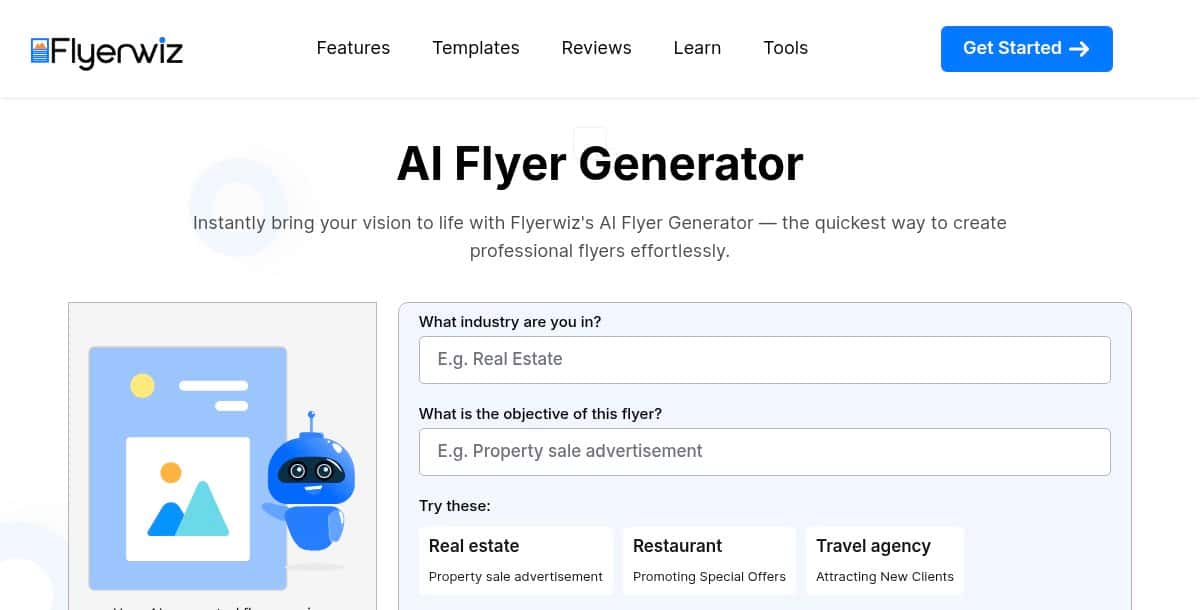
- Flyerwiz
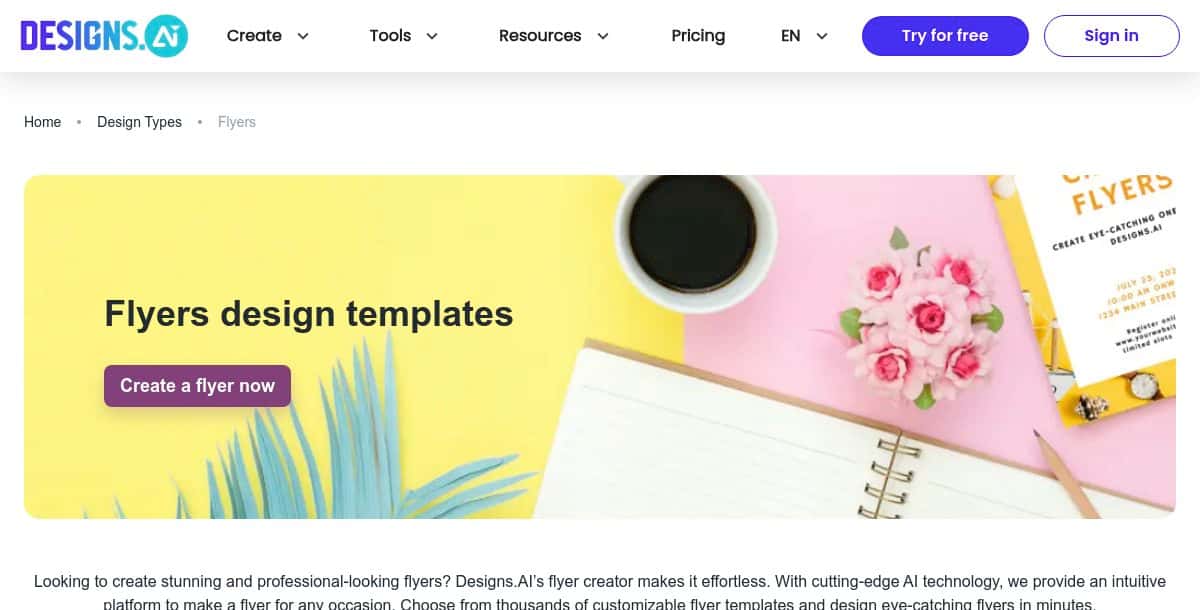
- Designs.ai
- Visme
- PosterMyWall
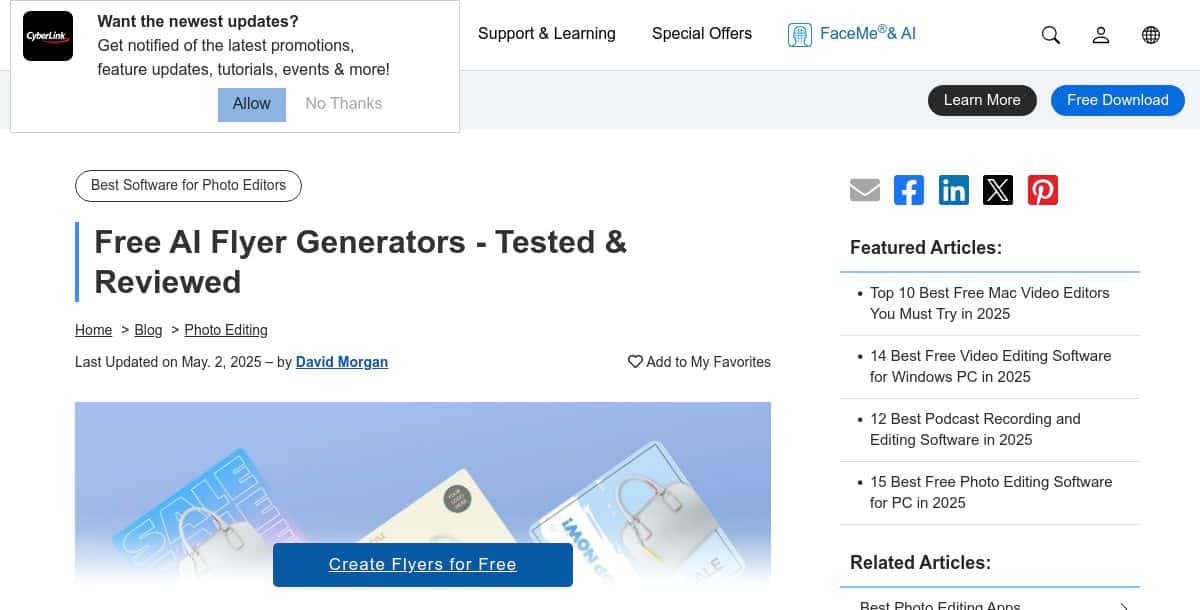
- CyberLink
- What Other Creative Tools Are Advancing Alongside AI Flyer Generators?
- Which AI Flyer Generator Delivers the Best Results for Your Needs?
- Frequently Asked Questions
What Are AI Flyer Generator Tools?
AI flyer generator tools use artificial intelligence to help you create eye-catching flyers quickly and with minimal design effort. These platforms leverage natural language processing, smart layout engines, and extensive template libraries to deliver high-quality, customized flyer designs based on user prompts or branding inputs.
Perfect for event promotions, marketing campaigns, social media announcements, and retail specials, these tools offer intuitive drag-and-drop editors, real-time collaboration, and high-resolution downloads. Whether you need striking flyer templates for a product launch or vibrant custom flyer designs for community events, AI-powered generators streamline the entire flyer-making process.
With an online flyer maker like the AI Flyer Generator by Pixazo, users can produce professional flyers in just a few clicks. These solutions represent the best AI flyer generator tools for creating print-ready and digital-friendly outputs - saving you time while ensuring brand consistency across all your promotional materials.
How Do AI Flyer Generator Tools Work?
AI flyer generator tools function by interpreting user inputs - such as event details, brand colors, and layout preferences - and translating them into structured, professional flyer designs. These tools use prompt parsing modules to extract key visual and content elements, which are then mapped onto customizable templates using a rendering engine. The result is an eye-catching, well-balanced layout with smart placement of graphics, text, and call-to-action elements. Many platforms allow further refinement through image libraries, negative prompting, and export options including PDF, PNG, and JPG formats.
Advanced tools like AI flyer maker by Pixazo also support brand-kit embedding, multi-page flyers, and real-time collaboration. Some platforms leverage GAN-based style transfer or vector synthesis, letting users incorporate custom visuals generated by an AI image generator. This combination of AI innovation and manual control allows users to produce striking flyer designs with minimal effort.
How We Select the Best AI Design Generator Platforms at Pixazo
At Pixazo, we carefully evaluate AI design generator platforms to help users skip the overwhelming trial-and-error process. Our experts, with extensive experience in AI-powered design tools, assess each platform based on creativity, ease of use, customization options, and overall performance. We put these tools to the test by creating designs across different categories to ensure they deliver high-quality results effortlessly. Every recommendation is based on thorough research and real-world testing, with no paid placements or outside influence. Want to know how we pick the best AI design platforms? Explore our detailed evaluation process.
Disclaimer - Portions of this article were drafted with AI and reviewed by Jayesh Chaubey
What Is the Feature Comparison of the Best AI Flyer Generator Tools?
The best ai flyer generator tools stand out through their template libraries, smart editing features, export options, and pricing models. Some prioritize speed and affordability, while others focus on advanced AI-driven customization, brand-kit support, and cross-format resizing. Many platforms also include AI image generation and layout optimization to streamline the flyer creation process.
Platforms like Pixazo AI Flyer Maker provide an integrated AI image generator for unique visuals—perfect for enhancing your flyer layouts. If you need inspiration before you start, check out our best flyer design ideas.
The table below highlights the top 10 AI flyer generators of 2026 to help freelancers, business owners, and marketers find the best flyer maker for their needs.
| Tool | Features | Pros | Cons | Best For |
|---|---|---|---|---|
| Pixazo | Prompt-driven templates, brand-kit integration, drag-and-drop editor | Huge template library, fast AI generation, high-res exports | Limited free-tier exports, subscription needed for premium assets | Freelancers & small businesses needing rapid, on-brand flyers |
| Adobe Express | Firefly AI visuals, Creative Cloud sync, auto-resize for social | Seamless CC workflow, premium stock images, collaboration links | Paywall on some features, steeper learning curve | Teams in the Adobe ecosystem requiring advanced customization |
| Piktochart | Infographic-driven layouts, chart embeds, brand-kit application | Excellent for data visualization, generous free tier | Limited creative templates, no vector export on free plan | Educators & nonprofits needing data-focused flyers |
| Design.com | Keyword-searchable templates, vector & raster exports, expert support | High-quality designs, scalable outputs, professional assistance | No free AI tier, subscription required for downloads | Businesses & designers seeking polished, gallery-quality flyers |
| Venngage | Central Brand Kit, AI draft generation, team collaboration | Ensures consistency, real-time co-editing, manual fine-tuning | Brand Kit in higher plans, initial learning curve | Marketing teams & agencies needing collaborative workflows |
| Flyerwiz | Mobile-optimized AI editor, instant previews, social sharing | On-the-go flyer creation, no desktop required | Smaller template library, limited advanced controls | Event organizers & entrepreneurs needing quick mobile design |
| Designs.ai | Auto-resize for multiple formats, AI template suggestions | Versatile outputs, integrated stock library, unified suite | Subscription required for full template access | Agencies & small teams wanting a one-stop AI design platform |
| Visme | Brand Wizard, AI draft generation, drag-and-drop editor | Uniform branding, interactive embeds, print & digital support | Editor lag on complex projects, advanced features paid | Educators & marketing teams producing multi-format flyers |
| PosterMyWall | Extensive free templates, AI background removal, social presets | No sign-up for basics, easy to learn, wide design variety | Watermark on free downloads, limited vector support | Small businesses & individuals needing free, quick flyers |
| CyberLink | Industry-specific templates, AI scene detection, auto palette extraction | Smart image suggestions, tailored designs, PhotoDirector integration | Desktop installation required, paid license for full features | Creative professionals & photographers requiring advanced AI tools |
What Is the Best AI Flyer Generator for Creators and Businesses?
The best ai flyer generator tools offer intuitive workflows, brand consistency, and high-resolution exports, allowing anyone to make a flyer with ease—no design skills required. Platforms like Pixazo AI Flyer Maker and Adobe Express let you create a flyer from text prompts or templates, delivering professional-grade results quickly .
They’re ideal for event promotions, marketing campaigns, educational outreach, and social media announcements. For practical guidance on crafting effective layouts and copy, see how to design a flyer for business.
- Pixazo – Prompt-driven ai flyer maker with a vast library of customizable templates.
- Adobe Express – AI-powered flyer generator integrated with Firefly AI for safe, brand-aligned designs.
- Piktochart – Fast, free ai flyer generator with brand-consistent templates and infographic-driven layouts.
- Design.com – Thousands of unique AI-crafted flyer designs customizable via keywords and business details.
- Venngage – AI-powered flyer creation with centralized Brand Kit and collaborative editing.
- Flyerwiz – Mobile-friendly ai flyer maker app offering instant, on-the-go flyer design.
- Designs.ai – AI-driven flyer creator with thousands of templates and auto-resizing for all formats.
- Visme – AI-assisted first-draft generation with title, subtitle, and layout suggestions.
- PosterMyWall – Extensive free template library with AI image support for custom visuals.
- CyberLink – Part of CyberLink’s suite offering industry-specific AI flyer templates and image selection tools.
1. Pixazo

Pixazo AI Flyer Maker is often cited as the best ai flyer generator for its prompt-driven workflow and massive template library. Whether you want to make a flyer for a sale or create a flyer for an event, the intuitive AI flyer designer generates on-brand layouts in seconds. Exports in PDF, PNG, and JPG ensure high-resolution results for print and social sharing.
Key Features:
- Prompt-based AI flyer design
- Library of editable templates
- Real-time brand-kit integration
- High-resolution downloads
- Drag-and-drop customization
Pros:
- No design skills required
- Fast concept generation
- Versatile for digital and print
Cons:
- Free tier limits exports
- Advanced elements require subscription
Best For:
Freelancers, small businesses, and marketers who want rapid turnaround without hiring a designer.
How It Works:
- Open the Pixazo AI Flyer Maker
- Type a prompt (e.g., “Concert flyer with neon accents”), explaining your ideas about the flyer. Ensure the prompt is not complex and confusing.
- Sign up or Log in to Pixazo Account
- Preview the output on AI Playground and customize using AI Editor
- Export in your preferred format for web or print.
2. Adobe Express

Adobe Express harnesses Firefly AI to position it among the top AI flyer generator platforms. Users can create a flyer from scratch or apply branded templates synced with Creative Cloud. The tool’s smart layout engine suggests typography and image placements for maximum impact.
Key Features:
- Firefly-powered image generation
- Creative Cloud asset integration
- Auto-resize for social channels
- Premium stock imagery
- Collaboration via shared links
Pros:
- Seamless Creative Cloud workflow
- Extensive template gallery
- High-quality AI-generated assets
Cons:
- Some features behind paywall
- Learning curve for novices
Best For:
Designers and marketing teams already in the Adobe ecosystem.
How It Works:
- Choose a flyer template or start blank.
- Use text prompts to generate custom visuals.
- Fine-tune layout with drag-and-drop.
- Share or export directly in high resolution.
3. Piktochart

Piktochart excels as a best flyer generator for infographic-style flyers. The AI-assisted editor automatically aligns charts, icons, and text blocks, making it simple to make a flyer that communicates data visually. Check out our best flyer design ideas for inspiration on layouts and color schemes.
Key Features:
- Infographic-driven templates
- One-click brand-kit application
- AI layout suggestions
- Interactive map and chart embeds
- Export as PNG, PDF, or HTML
Pros:
- Ideal for data-heavy flyers
- Generous free tier
- Easy chart integration
Cons:
- Limited creative templates
- No vector export on free plan
Best For:
Educators, analysts, and nonprofits needing visually compelling, data-driven flyers.
How It Works:
- Select an infographic flyer template.
- Input data and text; AI arranges elements.
- Customize colors and fonts to match your brand.
- Download or embed online.
4. Design.com

Design.com offers one of the top AI flyer generator experiences with thousands of keyword-searchable flyer templates. Its AI engine adapts each template based on your business details, and its editor supports fine-grained control over typography and imagery. For high-contrast, minimalist layouts, explore our guide on the best black and white design.
Key Features:
- Designer-crafted AI templates
- Keyword-based template search
- Vector and raster exports
- Custom font uploads
- 24/7 expert support
Pros:
- High-quality, trend-driven designs
- Scalable vector outputs
- Professional support
Cons:
- No free-tier AI features
- Subscription required for exports
Best For:
Businesses and individuals seeking professional-grade flyers with maximum design control.
How It Works:
- Search or browse AI flyer templates.
- Enter business keywords and customize colors.
- Download in SVG, PDF, or PNG.
5. Venngage

Venngage’s AI flyer maker combines a robust Brand Kit with AI-powered draft generation. It’s one of the best ai flyer generator tools for teams, offering real-time collaboration and template locking to maintain consistency across campaigns.
Key Features:
- Centralized Brand Kit
- AI draft generation from prompts
- Drag-and-drop editor
- Team commenting and review
- Exports: PNG, PDF, PPT
Pros:
- Ensures brand consistency
- Ideal for remote teams
- Combines AI speed with manual editing
Cons:
- Brand Kit in higher-tier plans
- Initial learning curve
Best For:
Marketing teams, agencies, and organizations needing collaborative, on-brand flyers.
How It Works:
- Upload logos and define your Brand Kit.
- Select a flyer template or generate via AI prompt.
- Apply Brand Kit and invite teammates to review.
- Export final designs.
6. Flyerwiz

Flyerwiz stands out as a mobile-first AI flyer maker app, letting you create a flyer on the go with simple text prompts. The streamlined interface and instant previews make it ideal for last-minute promotions.
Key Features:
- Mobile-optimized AI editor
- Instant preview and export
- Template categories by event type
- Basic image filtering and cropping
- Share via social or email
Pros:
- Fast, on-the-go flyer creation
- No desktop required
- User-friendly mobile UI
Cons:
- Limited advanced customization
- Smaller template library
Best For:
Entrepreneurs and event organizers needing a quick, mobile-first solution.
How It Works:
- Open the Flyerwiz app and select “Create a flyer.”
- Enter your event details as a prompt.
- Choose and tweak the AI-generated design.
- Export or share directly from mobile.
7. Designs.ai

Designs.ai is an all-in-one AI design suite whose flyer maker uses smart resizing and template suggestions to speed up your workflow. It’s recognized as a top AI flyer generator for auto-resizing output to multiple formats with zero extra effort.
Key Features:
- Auto-resize for social and print
- AI-driven template recommendations
- Built-in stock image library
- Custom font and color options
- Download in JPG, PNG, PDF
Pros:
- Versatile format support
- Intelligent template matching
- No separate design tools needed
Cons:
- Subscription needed for full library
- Limited on-device editing
Best For:
Agencies and small teams looking for a unified AI design platform.
How It Works:
- Enter your flyer text and select output formats.
- AI suggests matching templates and layouts.
- Customize visuals and export.
8. Visme

Visme leverages its Brand Wizard to position among the best ai flyer generator options. By defining fonts, colors, and logos once, you can generate consistent flyers, infographics, and presentations. The AI-assisted draft feature helps you make a flyer with title suggestions and layout previews in seconds.
Key Features:
- Brand Wizard for asset management
- AI draft generation
- Drag-and-drop editor
- Chart and widget embeds
- Export as PDF or shareable link
Pros:
- Uniform branding across content
- Strong collaboration tools
- Supports interactive elements
Cons:
- Some lag on complex projects
- Advanced features require paid plan
Best For:
Marketing teams and educators crafting both print and digital flyers.
How It Works:
- Import your brand assets into Brand Wizard.
- Use AI to generate a flyer draft.
- Customize with drag-and-drop tools.
- Export or share online.
9. PosterMyWall

PosterMyWall combines a vast free template library with AI image support to help you create a flyer in minutes. Its browser-based editor includes one-click background removal and smart text placement.
Key Features:
- Extensive free templates
- AI image background removal
- Simple text and graphic positioning
- Social media sizing presets
- Export as PNG or PDF
Pros:
- No sign-up for basic use
- Wide variety of designs
- Easy to learn
Cons:
- Watermark on free downloads
- Limited vector support
Best For:
Small businesses and individuals needing a quick, free flyer solution.
How It Works:
- Browse and select a flyer template.
- Use AI to remove or replace backgrounds.
- Add your text and images.
- Download or share directly.
10. CyberLink

CyberLink’s AI Flyer Creator is part of their Creative Suite, offering industry-specific flyer templates enhanced by AI-selected imagery. It ranks among the best ai flyer generator tools for its smart scene detection and automatic color matching.
Key Features:
- AI scene detection for image selection
- Template library by industry
- Auto color palette extraction
- Vector and raster export
- Built-in photo filters
Pros:
- Smart image suggestions
- Industry-tailored templates
- Integrated with PhotoDirector
Cons:
- Requires desktop installation
- Paid license needed for full features
Best For:
Creative professionals and photographers seeking AI-enhanced flyer templates.
How It Works:
- Launch the AI Flyer Creator module.
- Select your industry and preferred style.
- Let AI suggest images and layouts.
- Fine-tune and export your flyer.
What Other Creative Tools Are Advancing Alongside AI Flyer Generators?
Several AI-powered flyer maker variants are evolving to serve specific use cases, helping you craft targeted promotional materials with ease. These specialized tools offer tailored templates and AI-driven suggestions to match the theme and audience of your event or campaign.
- AI technology flyer maker: Provides specialized templates and AI-driven suggestions for tech events, product launches, and industry conferences.
- AI school & college fest flyer maker: Offers festive designs and thematic layouts tailored for educational events, campus festivals, and student activities.
- AI photography flyer maker: Delivers visually striking templates optimized for photo exhibitions, portrait showcases, and portfolio promotions.
- AI travel & tourism flyer maker: Features travel-themed designs and destination-inspired graphics to promote tours, vacation packages, and travel events.
- AI advertising flyer maker: Includes marketing-focused templates for sales promotions, product launches, and advertising campaigns.
Which AI Flyer Generator Delivers the Best Results for Your Needs?
Choosing the right AI flyer generator hinges on your project priorities—whether that’s speed, creative control, teamwork, budget, mobility, or industry focus.
- Speed & Simplicity: Pixazo gets you from prompt to polished flyer in seconds—perfect when deadlines loom.
- Design Flexibility: Adobe Express and Designs.ai let you tweak AI-generated imagery, fonts, and layouts for bespoke results.
- Collaboration & Consistency: Venngage and Visme offer brand-kit management and real-time co-editing so teams stay aligned.
- Cost-Effective Creation: PosterMyWall and Piktochart provide robust free tiers, enabling you to make a flyer without spending a dime.
- On-the-Go Design: Flyerwiz’s mobile-first interface lets you create and share flyers directly from your phone or tablet.
- Industry-Tailored Templates: CyberLink’s smart scene detection and themed libraries support sector-specific promotions.
By matching these strengths to your campaign goals—whether that means the fastest turnaround, deepest customization, seamless teamwork, budget friendliness, mobile convenience, or niche templates—you can select the AI flyer maker that will deliver standout, audience-ready designs every time.
Frequently Asked Questions
1. What is the best AI flyer generator for beginners?
Pixazo AI Flyer Maker is the best choice for beginners. It offers prompt-driven workflows, an intuitive drag-and-drop editor, and a large library of pre-designed templates that require no prior design experience.
2. Are there free options to make a flyer with AI?
Yes, PosterMyWall and Piktochart offer robust free tiers. You can create a flyer with AI-assisted layouts and export basic designs without a subscription, though you may encounter watermarks or export limits on free plans.
3. Which platform offers the most customization for advanced users?
Adobe Express and Designs.ai provide the deepest customization options. They allow you to fine-tune AI-generated imagery, custom fonts, color palettes, and auto-resize across multiple formats for complete design control.
4. Can multiple team members collaborate on the same flyer design?
Yes, Venngage and Visme support real-time collaboration. These platforms include brand-kit management, commenting, and element-locking features so teams can co-edit and maintain consistency across all materials.
5. How do I ensure my AI-made flyer is print-ready?
Choose tools that export high-resolution PDFs or vector formats. The best flyer maker tools, such as Pixazo and Design.com, provide print-ready downloads (PDF, SVG, EPS) to ensure crisp output on paper.
Related Articles
- What are the Best AI Headshot Generator Apps in 2026?
- 11 Best AI Voice Cloning Tools in 2026
- How to Get More Views on TikTok Videos Using AI
- 10 Best AI Flowchart Maker Tools in 2026
- How to Design Wallpaper On Your Own?
- 10 Best AI Illustration Maker Tools in 2026
- 10 Best AI Album Cover Maker Tools in 2026
- 10 Best AI App Icon Maker Tools in 2026
- How to Convert Photo to Pencil Sketch: Step-by-Step Guide in 2026
- 10 Best AI Video Collage Maker Tools in 2026
- 10 Best AI Profile Picture Generator Tools in 2026
- How to Make a Storyboard
- 10 Best AI Business Card Maker Tools in 2026
- Top 10 AI Story Generator Tools in 2026
- 10 Best AI Gift Tag Maker Tools in 2026