How to Convert Photo to Pencil Sketch: Step-by-Step Guide in 2026


What is a Photo to Pencil Sketch and Why is it So Popular?
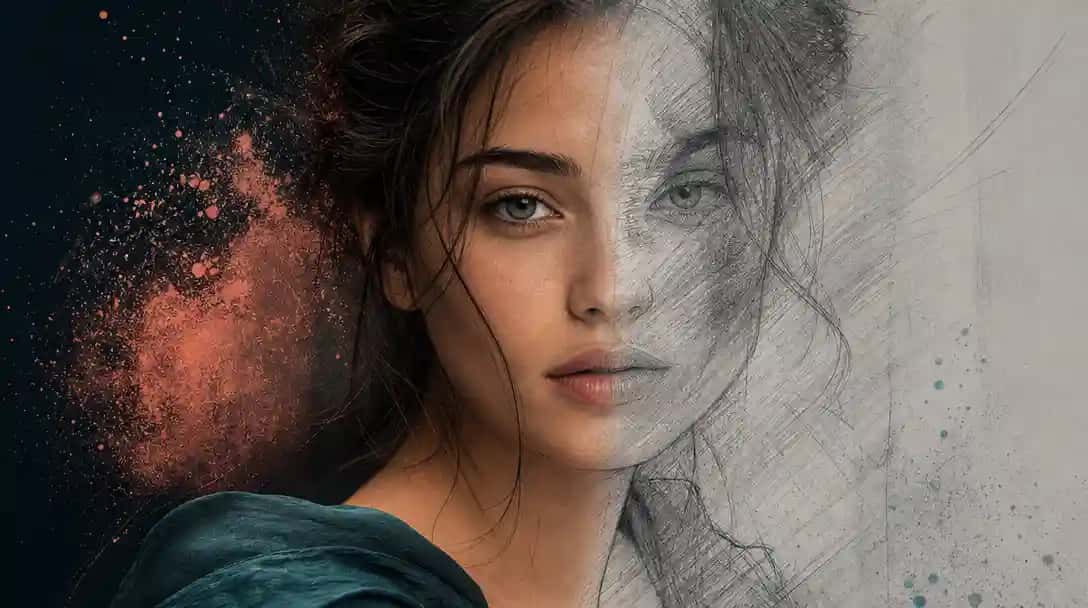
A photo to pencil sketch is a digitally transformed version of an image that replicates the look of a hand-drawn pencil sketch. You can try this yourself with AI Convert Photo To Pencil Sketch With Ai.
This style converts photographs into grayscale or line-based illustrations, emphasizing contours and shading similar to traditional pencil art. With the rise of AI design tools, the process to convert photo to pencil sketch has become widely accessible and easy to use across devices.
Its popularity stems from the timeless, artistic quality it brings to everyday photos. Whether for social sharing, personalized gifts, or creative projects, this transformation is now part of digital expression trends. In fact, pairing sketch-based visuals with other simple formats like doodles is also becoming common. You can learn more about those techniques in this guide on how to draw a doodle.
How Does a Photo to Pencil Sketch Converter Work?
A photo to pencil sketch converter works by using AI algorithms to detect edges, contours, and shading patterns in an image, then recreate them as pencil-like strokes.
These tools analyze the photo’s structure and texture to simulate sketch effects in real time. The result mimics traditional pencil drawing techniques without needing any manual input. Most modern converters use AI-driven models that identify light and shadow to produce a detailed, natural-looking sketch.
Online platforms often combine this functionality with other AI editing features. For instance, if you’re working with an old or low-quality image, tools like an HD photo converter or AI photo restoration can enhance image clarity before applying the pencil sketch effect. This helps preserve important details and ensures the final sketch is sharp and well-defined.
Why Should You Convert Photo to Pencil Sketch?
Converting a photo to pencil sketch adds artistic value, visual uniqueness, and emotional depth to otherwise ordinary images.
This transformation offers a minimalist aesthetic that works well across various formats, from digital profiles to printed keepsakes. It’s especially popular for creating personalized gifts, artistic social media content, or unique branding visuals. The sketch style often evokes a hand-crafted feel, making it more engaging than standard color photographs.
Many users enjoy experimenting with other creative formats as well. While sketch conversion offers a classic touch, some also explore stylizations like anime with an AI anime generator or add depth using a 2D to 3D image converter. Each approach serves different artistic needs, but sketching remains a timeless favorite for its simplicity and emotional resonance.
How to Convert Photo to Pencil Sketch Using Pixazo?
To convert your photo to pencil sketch using Pixazo, follow these clearly defined steps designed for simplicity and accuracy.
Pixazo offers a powerful and beginner-friendly tool to create pencil sketches from any image. The tool works directly in your browser, using AI to deliver fast and realistic results without requiring any design expertise.
Step 1: Access Pixazo Photo to Pencil Sketch Converter
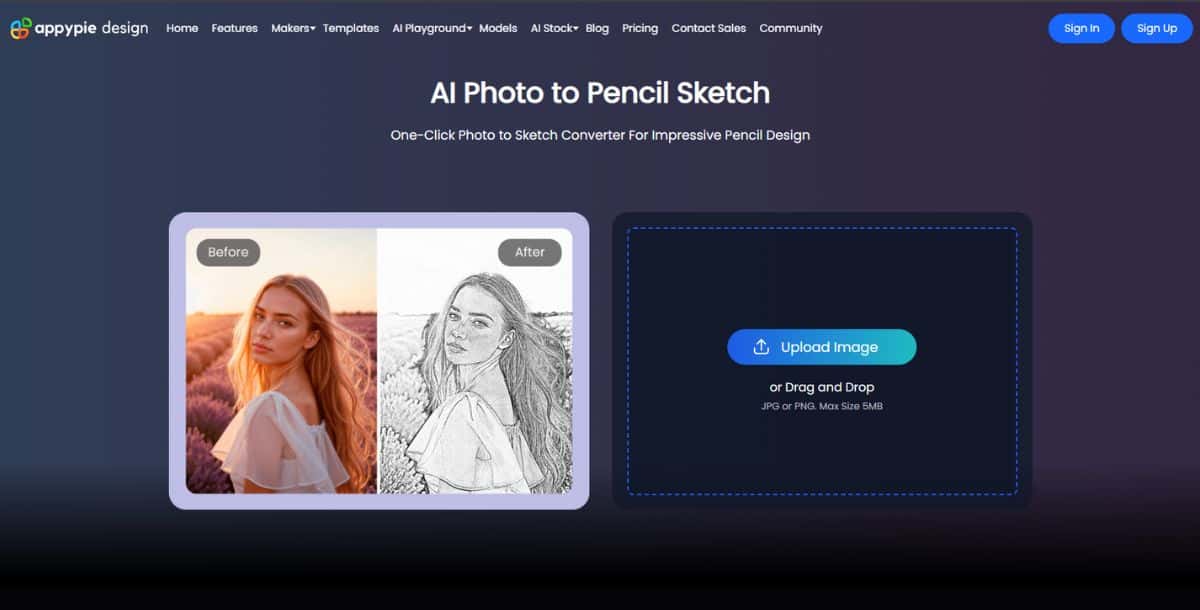
Visit the official pencil sketch tool on Pixazo. This tool is specifically designed to convert photo to pencil sketch instantly using AI-based filters that simulate the texture and lines of hand-drawn artwork.
Step 2: Upload Your Image
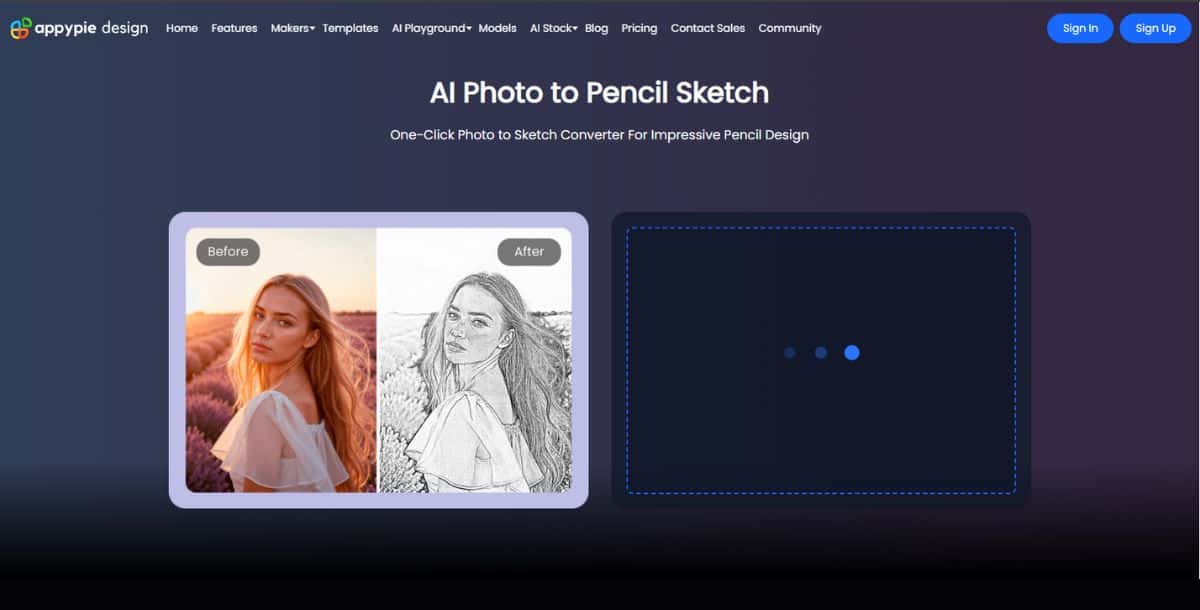
Choose the photo you want to transform. You can upload any image, whether it’s a portrait, a landscape, or a detailed object. Make sure the photo has clear lighting and resolution for the best sketch output.
Step 3: Sign Up or Log In to Pixazo

To use the full features of the Pixazo, sign up for a free account or log in if you’re already a registered user. This gives you access to sketch customization, previews, and downloads.
Step 4: Land on AI Playground and Select Pencil Sketch Command
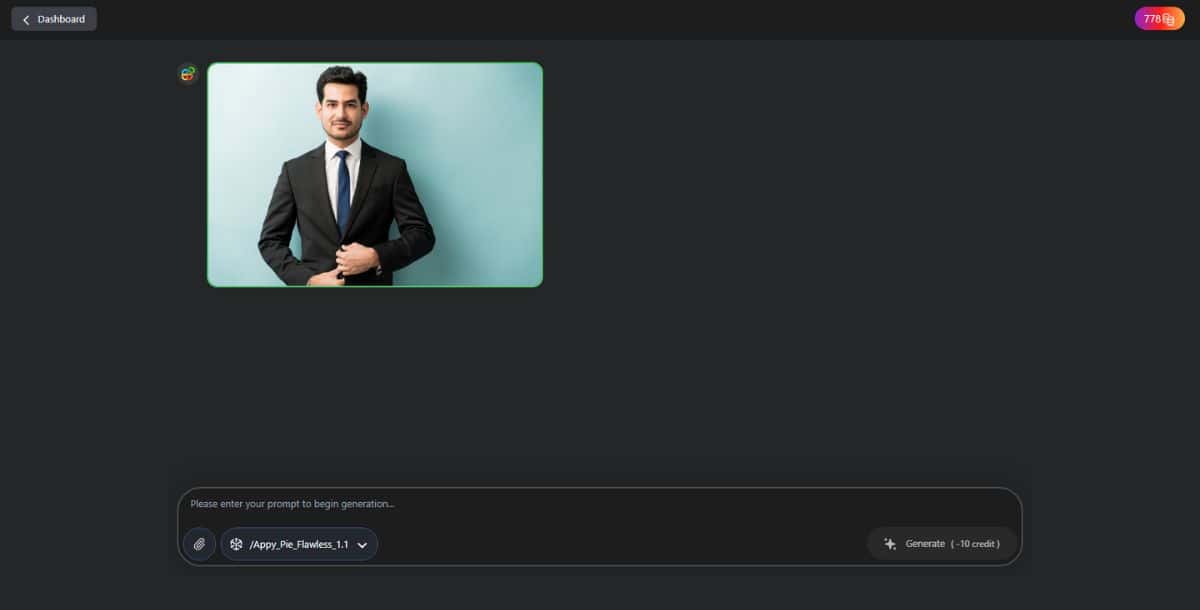
After logging in, you’ll enter the AI Playground, a workspace where different AI-powered design tools are hosted. From the available options, select the Pencil Sketch command, which activates the conversion process tailored for sketch styling.
Step 5: Click Generate and Preview Your Sketch
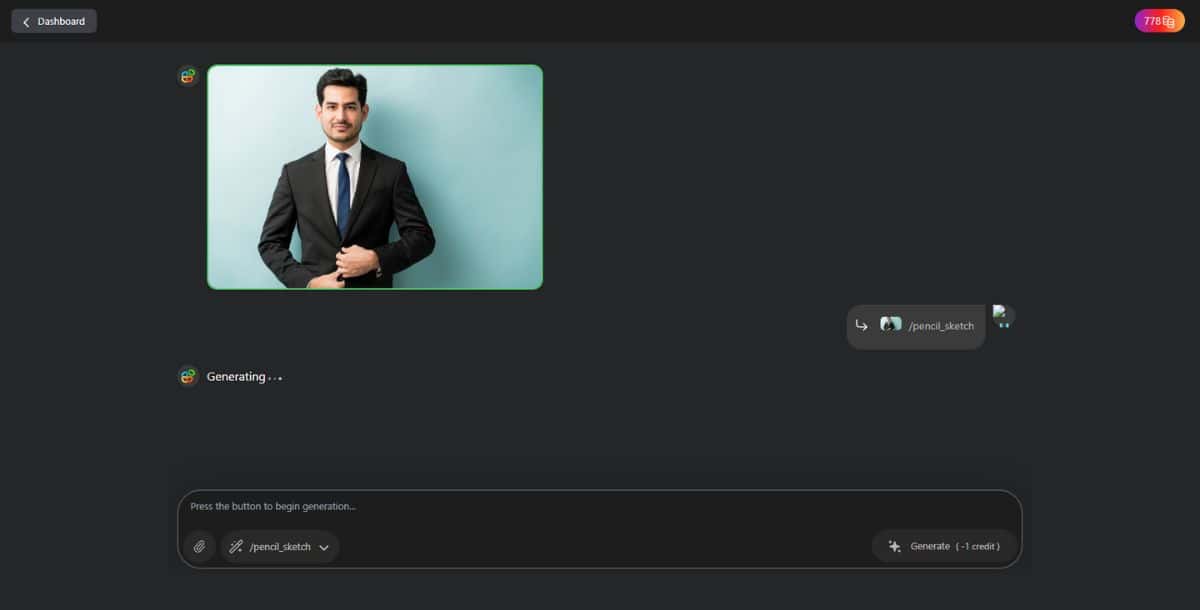
Click the “Generate” button to begin. The AI will analyze your photo and render a pencil sketch version within seconds. You can use built-in Ai powered commands for a more refined result. If your photo has damaged or missing areas, the AI image inpainting feature can help repair it before sketch conversion.
Step 6: Download and Share
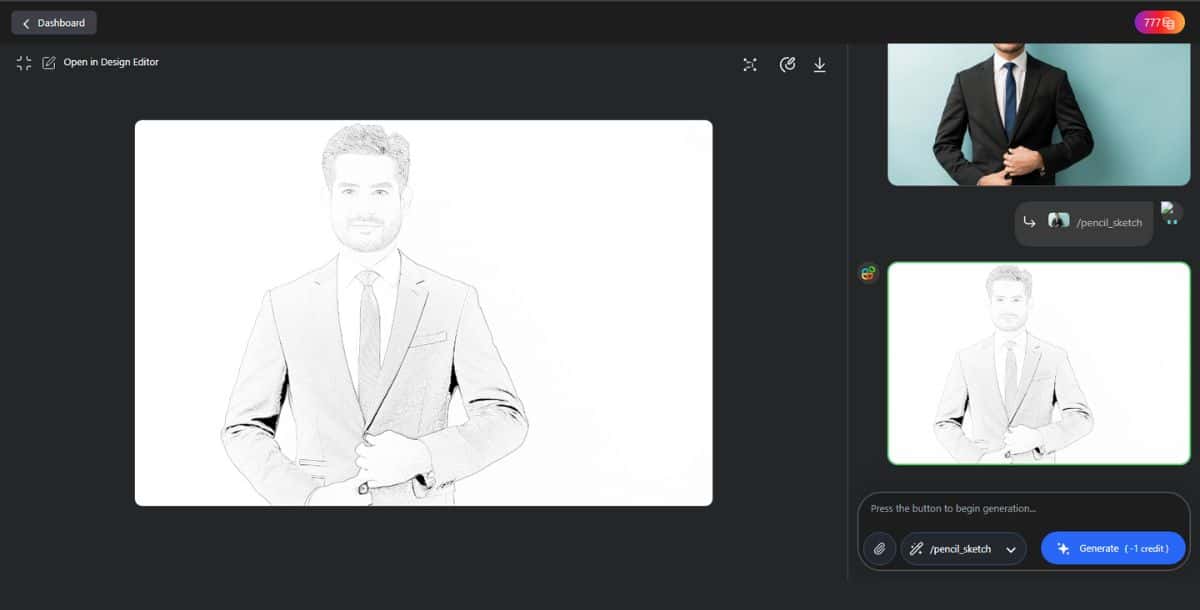
Once your sketch looks good, download it in high quality. You can also use it in creative projects, print formats, or pair it with other visual styles. For example, users working on game art or retro graphics often combine sketch art with techniques like pixel art design to create stylized outcomes across multiple formats.
What Makes Pixazo the Best Tool to Turn Photo to Pencil Sketch?
Pixazo stands out as the best tool to turn photo to pencil sketch because of its AI precision, ease of use, and customization flexibility.
The platform uses intelligent edge detection and tonal mapping to replicate realistic pencil strokes from any image. Users don’t need prior design experience, as the interface is intuitive and designed for quick results across devices. Sketches can be personalized by adjusting contrast, stroke strength, and detailing, ensuring creative control even in automated outputs.
Compared to tools that only offer fixed filters, Pixazo’s AI Playground enables more versatility by combining artistic features with other design tools. For instance, creators working on logos or branding may find it useful to incorporate sketch-style elements into layered graphics. Some even transition from sketch-based artwork to advanced visual formats, such as 3D logo design, without switching platforms.
How to Get the Best Results When You Convert Photo to Sketch?
To get the best results when you convert photo to sketch, start with a high-resolution image that has good lighting and clear contrast between the subject and background.
AI sketch converters work by detecting edges and details, so images that are well-lit, sharp, and not overly cluttered will produce cleaner, more accurate sketches. Avoid images with busy backgrounds or heavy shadows, as these can reduce the clarity of the pencil effect.
If your photo has imperfections like missing sections or distracting elements, fixing them before conversion can significantly improve the final result. One effective method is using image correction techniques like image inpainting, which fills in gaps and restores incomplete areas of a picture. This ensures that the sketch output maintains structure and continuity.
Lastly, take advantage of customization features within the sketch tool. Adjust contrast, refine line sharpness, and preview variations to find the version that best fits your intended style, whether it’s for print, social media, or creative portfolios.
Suggested Read: How to Make a Vision Board: A Step-by-Step Guide
Conclusion: How Can You Start Creating Pencil Sketches from Photos Today?
You can start creating pencil sketches from photos today by uploading your image to Pixazo’s AI-powered sketch converter and generating your design in seconds.
The process is simple, fast, and accessible from anywhere, whether you’re working from a mobile phone in Mumbai, a desktop in New York, or a tablet in Berlin. There’s no need for advanced design tools or artistic training. With just a few clicks, anyone can turn a photo into a pencil sketch and create personalized visuals that stand out.
From social media content to gift ideas and branding assets, the pencil sketch format adds a timeless, creative touch. As you explore other design tools like AI Image Generator or AI Art Generator, possibilities across styles like 3D, pixel, or painting, Pixazo offers a flexible platform that grows with your creative needs.
Get started now and see how easy it is to convert your photo into a pencil sketch with professional-looking results, no sketchpad required.
Suggested Read: How to Design a Book Cover in 8 Simple Steps
Frequently Asked Questions (FAQs)
Which type of photos work best for pencil sketch conversion?
High-resolution images with good lighting and clear subject-background separation produce the best sketch results. Photos with minimal noise and strong contrast help AI sketch converters define edges accurately, especially when used for portraits or landscapes.
Suggested Read: How to Design a Flyer for Your Business (Step-by-Step Guide)
Can I enhance or edit a photo before converting it to a sketch?
Yes, editing your photo before sketch conversion can significantly improve the output. If your image has damage, missing sections, or visual distractions, you can use techniques like image inpainting to restore or clean up the image before applying the pencil effect.
Is it possible to adjust the final sketch after it’s generated?
Most AI sketch tools, including Pixazo’s, allow post-generation customization. You can refine shading, contrast, and line thickness to match your artistic preferences or output requirements.
Suggested Read: How to Remove TikTok Filter: A Step-by-Step Guide
Can I use the sketch output for commercial or print purposes?
Yes, if you’re using high-resolution images and exporting at full quality, the sketches can be used for commercial prints or digital branding. Many users apply sketches in merchandise, custom illustrations, and localized promotional materials across regions like India, the US, and Europe.
Suggested Read: Ultimate Guide to Next-Gen Face Swap: How It Works & Top Use Cases
Do I need any design experience to use the sketch converter?
No design skills are needed. The interface is built for all users, whether you’re a beginner or a digital creator, making it accessible from both desktop and mobile devices without complex steps.
Suggested Read: The Ultimate Guide to Social Media Image Sizes [2026 Edition]
Deepak Joshi
Author · Pixazo
Deepak writes about generative AI models, APIs, and the workflows teams use to ship them. Reviewed by Abhinav Girdhar.