How to Create Viral AI Cat Videos with Pixazo?


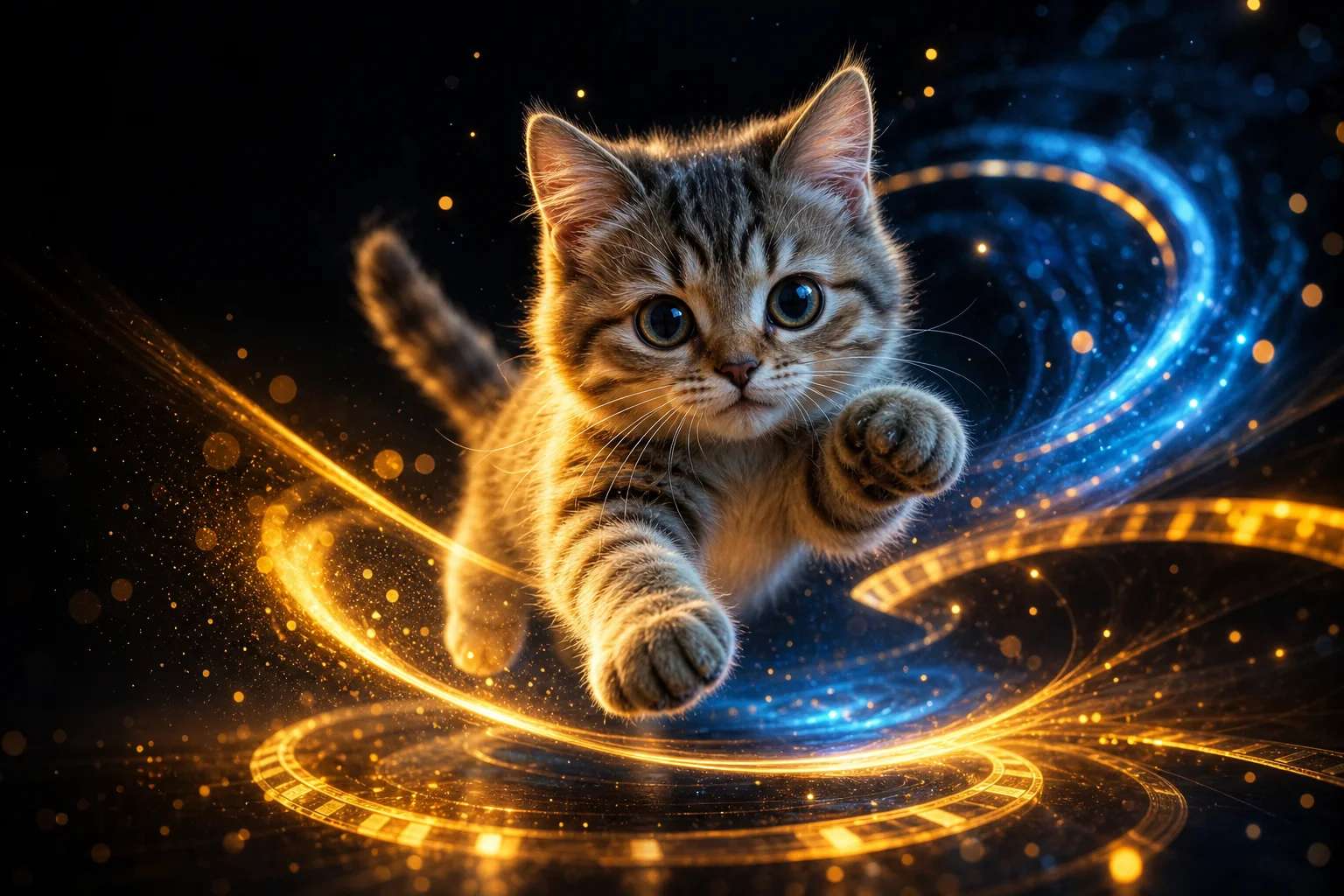
What Makes AI Cat Videos So Fun and Shareable?
AI cat videos are fun and shareable because they blend the universal appeal of cats with the surprise and creativity of AI-generated twists. This combo gives viewers the comfort of something familiar—cute felines—plus the thrill of the unexpected: talking cats, surreal settings, or perfectly timed antics that feel fresh every time. Want to try it? Head to AI Image Generator.
They travel fast across platforms because short, visual humor is easy to snack on and easy to pass along. In a scroll-first world, bite-sized edits, jump cuts, and quick gags grab attention in the first three seconds, making viewers more likely to tap “share” without overthinking.
They invite emotional reactions—delight, awe, and laughter—that prime people to engage. When a clip sparks a grin or a “no way!” moment, it taps into social reflexes: commenting, tagging friends, and reposting to spread the joy (and the joke). With tools like AI cat video generator, creators can instantly generate these moments by transforming simple prompts into quirky feline animations, while its suite of AI design tools adds polish and playful extras that make each video even more shareable.
AI cat image generator tools help you craft on-brand thumbnails, scene plates, and props from simple prompts—perfect for elevating your feline clips without a full photo shoot.
They feel “fresh” because AI enables endless variation without complex production. Style transfers, motion effects, and text-to-animation keep ideas evolving—holiday specials, parody trailers, or genre mashups—so there’s always a new angle. This constant novelty maintains curiosity, encourages follows, and makes AI cat videos a reliable engine for engagement and shares.
How Do You Get Started with Pixazo in Just a Few Steps?
Step 1: Visit Pixazo.ai’s AI Cat Image Generator
Head over to the official Pixazo’s AI Cat Image Generator, upload a reference image and write a prompt to create a cat image. Then click on “Generate”.
Prompt Example: “Using an image of a cute kitten, create an animated image where the kitten is the main focus. Start with a closer zoom on the kitten so it fills most of the screen, making it the clear central character. Show the kitten walking slowly through a poor cat town marketplace during daytime. The background should still depict the run-down stalls, dusty streets, and other cats in the market, but they should appear softer and slightly blurred so the main kitten stays sharp and prominent. Keep the camera following the kitten’s movement closely, with smooth tracking and a gentle zoom, making sure the kitten always remains in the center of the frame. The lighting should be warm daytime sun, giving a natural and immersive feel.”
Step 2: Sign-Up or Log In to Pixazo
Log in or sign-up for an account if you don’t already have one. Pixazo offers free credits if you sign-up for an account.
Step 3: Generate Images to Your Liking
An image will be generated. Here is a perfect example:
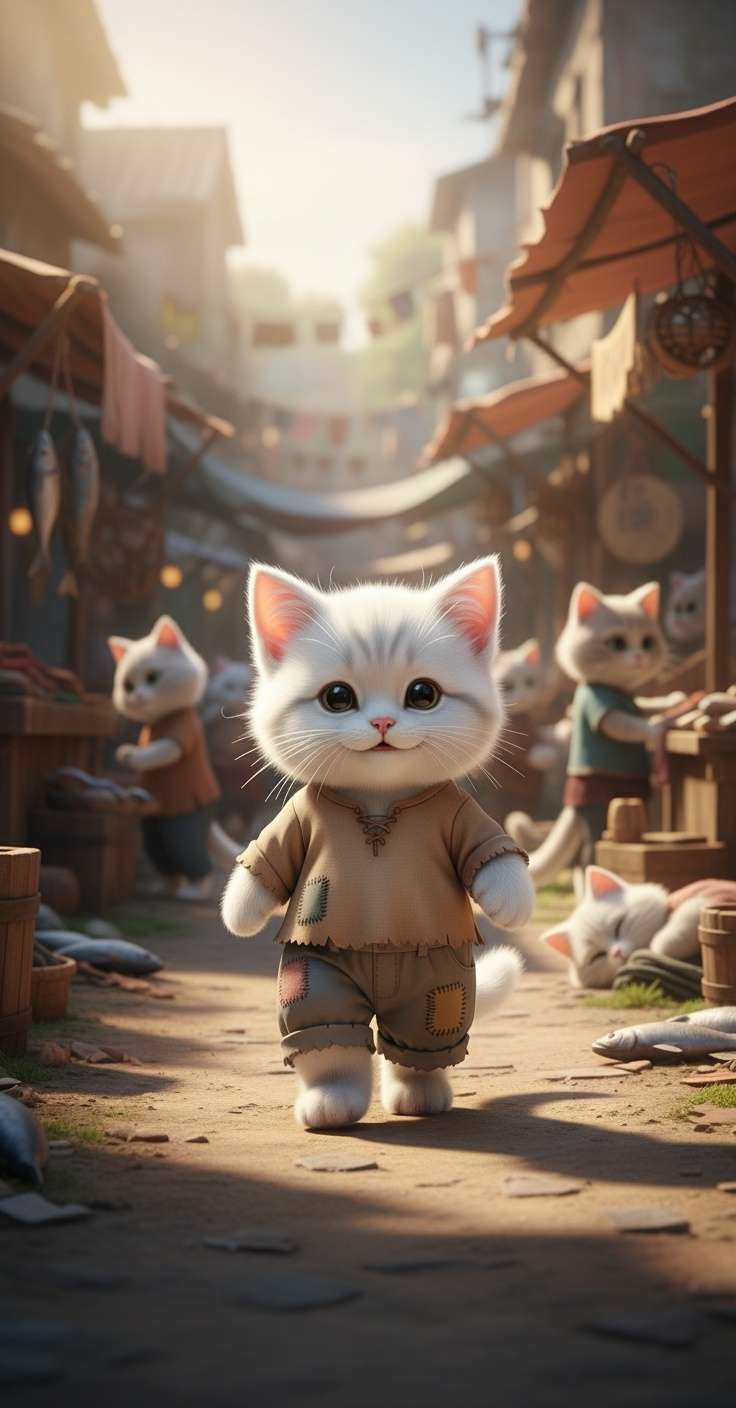
Use different and specific prompts to generate images to your liking. Here is an example prompt and the image generated with it.
Prompt: “Using the given image of the anthropomorphic male cat, create a realistic animation showing him working a very poor and exhausting job. The cat should be seen cleaning dirty gutters and sweeping roads in a run-down marketplace of a poor cat town during daylight. His clothes should look worn-out and ragged, and his movements should feel heavy, tired, and full of struggle. The environment should include broken stalls, dusty streets, and other cats in the background, highlighting poverty and hardship. The daylight should be harsh, emphasizing the difficulty of the work and the tough atmosphere of survival.”
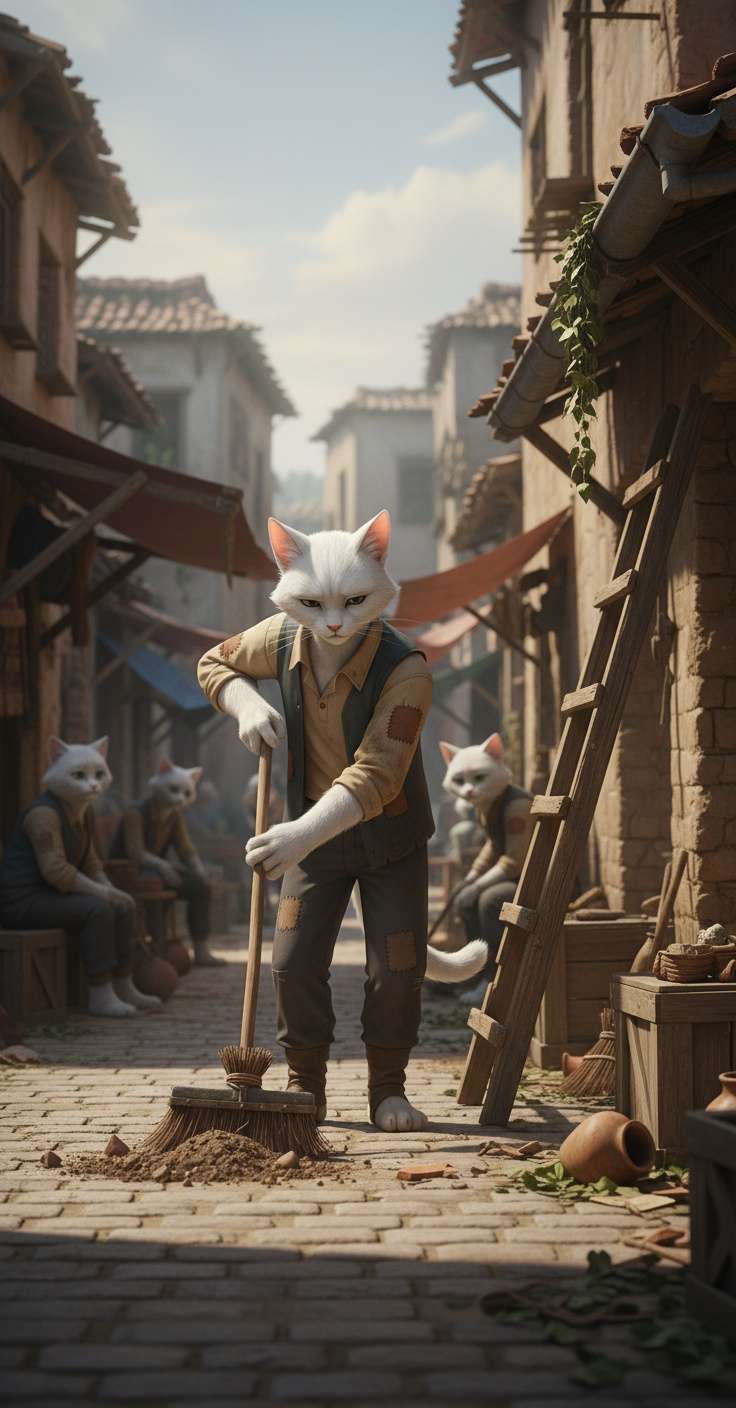
Step 4: Convert the Images to Videos
Once the image is generated, open the menu on top right-hand corner and select “Convert to video”. Here are 2 examples of generated videos:
This way you can generate multiple short length videos.
Step 5: Combine Generated Short-Length Videos for a Long One
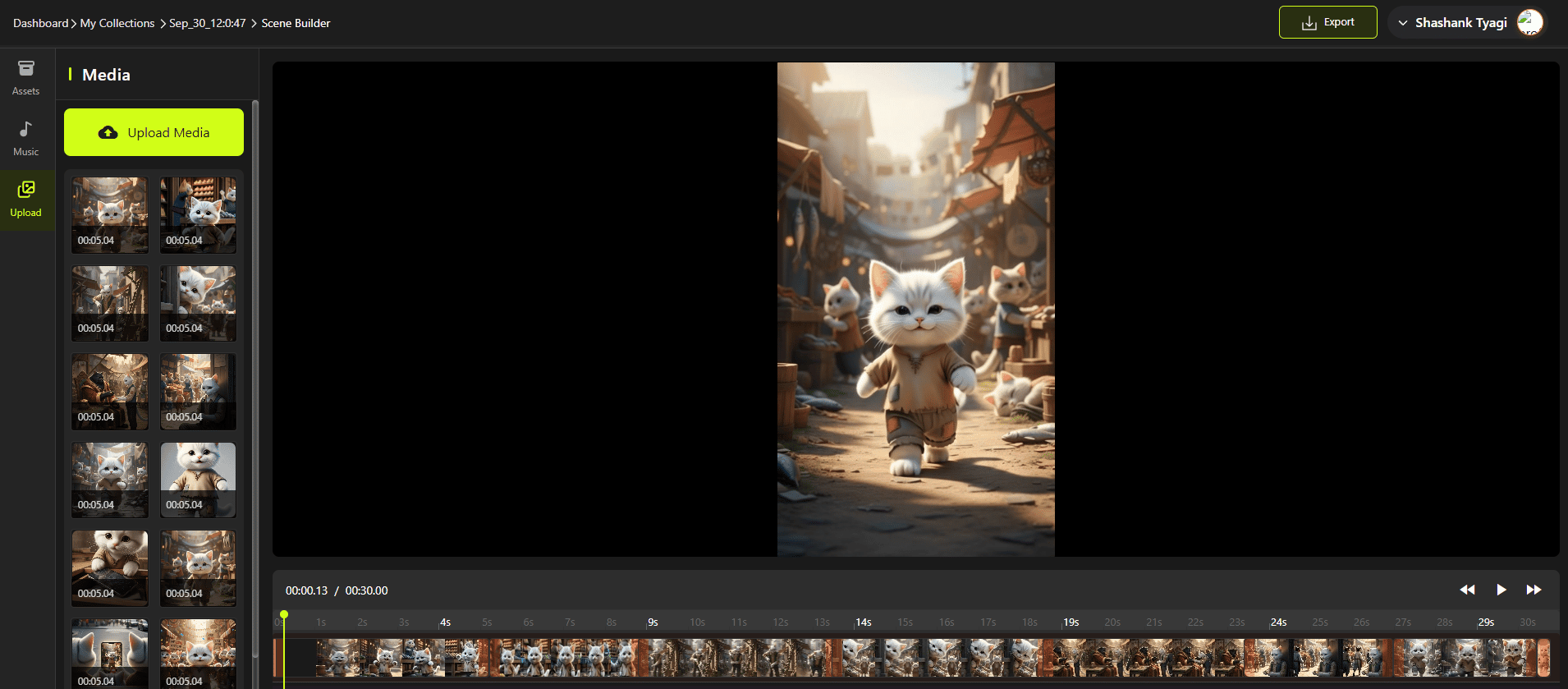
Go to Scene Builder, select your project, then drag videos from the left hand bar and place them on the bar at the bottom. Drag them in the order you want the video to be in and you can trim any of the videos, if you don’t certain parts in the videos. Once you’ve combined all the videos you want, click on play to preview your full-length video.
Step 6: Export and Share Your Creation
Once your video is ready, export it in high quality. Your AI cat clip is instantly shareable on TikTok, Instagram Reels, YouTube Shorts, or anywhere else your audience loves quick, entertaining content.
Output Generated
Here is a complete guide on how to create animated videos using AI.
What Tips Can Make Your AI Cat Videos More Engaging and Viral?
Use catchy, specific prompts that spark curiosity and humor. Instead of simply asking for “a cat playing,” add fun details like “a fluffy orange cat skateboarding through New York at sunset.” The more visual and surprising your idea, the more likely your video is to stand out in a crowded feed. Inspiration can also come from viral trends—like Pixazo’s “Hug Your Younger Self” AI challenge—which show how playful, imaginative prompts often turn into highly shareable content.
Keep your videos short, snappy, and loop-friendly. Platforms like TikTok, Reels, and Shorts reward content that’s quick to watch and easy to replay. Aim for clips under 15 seconds with a clear punchline or moment of cuteness right at the start.
Add captions, sound effects, and trending music to boost engagement. Many viewers scroll with sound off, so captions make sure your punchlines still land. Layering in meows, comic sound effects, or popular tracks can instantly make your video more shareable and aligned with current trends.
Play into internet culture, memes, and challenges. AI cat videos do best when they ride the wave of what’s already viral—like parodying a famous movie scene or jumping on a trending hashtag. This makes your video instantly recognizable and gives it a higher chance of being included in meme compilations or reposts.
Encourage interaction and participation from your audience. End your video with a playful call-to-action like “What should the cat do next?” or challenge viewers to create their own AI cat remix. Engagement signals such as comments, duets, and stitches will help push your video to wider audiences.
Why Choose Pixazo for Creating AI Cat Videos?
You should choose Pixazo because it turns your text prompts into ready-to-post cat videos in seconds with an AI video toolkit built for speed and simplicity. The platform’s text-to-video and animation generators let you go from an idea (“grumpy tabby DJ at midnight”) to a short, share-worthy clip without cameras, actors, or editing timelines. Clear calls to “Try for Free” and an intuitive flow make it easy to experiment until your clip hits the right blend of cute and comedic.
Pixazo is a strong choice because it offers a dedicated AI Cat Video Generator alongside a broader video editor for polishing your final cut. You can generate cat-centric concepts quickly, then trim, caption, and refine inside the same workspace—ideal for TikTok, Reels, YouTube Shorts, and more. That one-stop workflow saves you from hopping between tools just to add text overlays, adjust pacing, or export the right aspect ratio.
Pixazo stands out because it bundles complementary creative tools—like image generation, avatars, effects, and background removal—that amplify your cat video ideas. Build a mini world for your feline star with AI-made props, stickers, and scene assets, or turn a still photo of a cat into motion with image-to-video. These extras help you produce themed series (holidays, parodies, challenges) and keep content fresh without a big production setup.
Prefer to craft visuals first? Use the AI image generator to create cat-themed thumbnails, backgrounds, and props. Generate stills from text prompts, then bring them into your edit—perfect for title cards, stickers, and scene plates that make your short-form videos pop.
Pixazo is a reliable pick because the platform emphasizes enterprise-grade compliance and scale, backed by a large existing user base. With claims of GDPR and SOC compliance and millions of users on the underlying design platform, you get a tool that’s designed for heavy social posting as well as brand use. Features like the AI video generator make it easy to create consistent, professional-quality content that fits seamlessly into collaborative workflows—whether you’re working with sponsors or scaling a growing channel.
Pixazo is future-ready because it’s actively adding and refining AI video features as part of a recent rebrand and expansion. Frequent updates, new model options, and fresh tutorials on their blog mean you’re tapping into a toolset that keeps pace with the latest text-to-video breakthroughs—so your next cat clip can ride new trends, not chase them.
Suggested Read: How an AI-First YouTube Channel (Bandar Apna Dost) Built a $4.25 Million Media Business?
How Can You Share and Grow Your Audience with Pixazo Creations?
You can grow your audience with Pixazo creations by posting your AI cat videos on the platforms where short, fun clips thrive. TikTok, Instagram Reels, and YouTube Shorts are the best places to reach millions of viewers quickly. These platforms favor playful, high-engagement videos that loop well and grab attention in seconds.
Cross-post your videos to maximize visibility across different channels. A single Pixazo-generated clip can be resized and repurposed for Instagram Stories, Facebook, Twitter (X), or even Pinterest. This ensures your content works harder for you and reaches different types of audiences.
Use trending hashtags and engaging captions to make your content more discoverable. Pair your AI cat videos with popular tags like #AICat, #CatTok, or trend-specific ones to join ongoing conversations. Adding witty or relatable captions gives people another reason to interact and share.
Collaborate with other creators or communities to expand your reach. Partnering on duet challenges, remixing another video, or sharing within cat lover groups can bring fresh audiences to your profile. Collaboration also boosts authenticity and strengthens your content’s appeal.
Track performance and refine your approach using analytics. Monitor which Pixazo videos get the most likes, shares, or comments, then double down on those styles or themes. Data-driven tweaks ensure you’re consistently growing your following while keeping content fun and relevant.
Suggested Read: Best YouTube Intro Ideas for Every Creator: Kick Off Your Videos with Impact
Frequently Aksed Questions
What makes AI cat videos different from regular cat videos?
AI cat videos stand out by blending natural feline charm with creative AI twists. Surreal settings, talking cats, and meme-ready edits keep clips feeling fresh and highly shareable.
Suggested Read: How to Create Roblox 3D Models with Pixazo: A Step-by-Step Guide
Do I need video editing experience to use Pixazo?
No—Pixazo is built for beginners and pros alike. Text-to-video generation plus an integrated editor let you create, trim, caption, and export without cameras, actors, or complex timelines.
Suggested Read: Beer Poster Trend on TikTok: A Complete Guide
How can I make my AI cat videos more viral?
Keep clips short, snappy, and front-load the punchline or cutest moment. Add captions for silent scrollers, use trending sounds, and tap into memes; end with a prompt like “What should the cat do next?” to spark comments and shares.
Suggested Read: How to Create AI Short Drama Series?
On which platforms do Pixazo cat videos perform best?
TikTok, Instagram Reels, and YouTube Shorts deliver the best results for quick, playful content. Cross-post to Stories, Facebook, X (Twitter), and Pinterest to reach new audiences and maximize visibility.
Suggested Read: Introducing Kling Video 2.6 API — Available Exclusively Through Pixazo
Is Pixazo only for cat videos, or can I create other content too?
Pixazo supports far more than cat clips thanks to its broader AI design toolkit. Use avatars, effects, background removal, and image-to-video to produce parodies, challenges, branded content, and themed series.
Suggested Read: 150 Free AI Character Sheets: A Full Gallery for Your Stories, Videos & Games
Frequently Asked Questions
How do I create viral AI cat videos?
Start with a fun, clear concept, generate a cat image or clip with an AI video tool, then add trendy music, captions, and quick cuts. Short, funny, and relatable moments tend to perform best on social feeds.
Do I need video editing skills to make AI cat videos?
No, AI video generators handle the hard part by turning prompts or images into animated clips. Basic trimming and adding a caption or sound is usually all you need, and many tools include those features.
Are AI cat videos free to make?
Many tools offer free tiers or credits to start, though longer or higher-quality clips may require a paid plan. Pixazo offers AI video generation you can use to create cat clips, with free options to experiment first.
What makes an AI cat video go viral?
Viral clips usually combine a relatable or surprising idea, trending audio, a strong first second that hooks viewers, and the right hashtags. Posting consistently and matching each platform’s format also boosts reach.
Can I use AI cat videos for my brand or channel?
Yes, AI cat videos can grow engagement and personality for a channel, but check the tool’s commercial usage terms first. Keep the content original and on-brand so it connects with your audience.
Deepak Joshi
Author · Pixazo
Deepak writes about generative AI models, APIs, and the workflows teams use to ship them. Reviewed by Abhinav Girdhar.