Introducing the Google Virtual Try-On API on Pixazo API: Dress Any Person in Any Garment


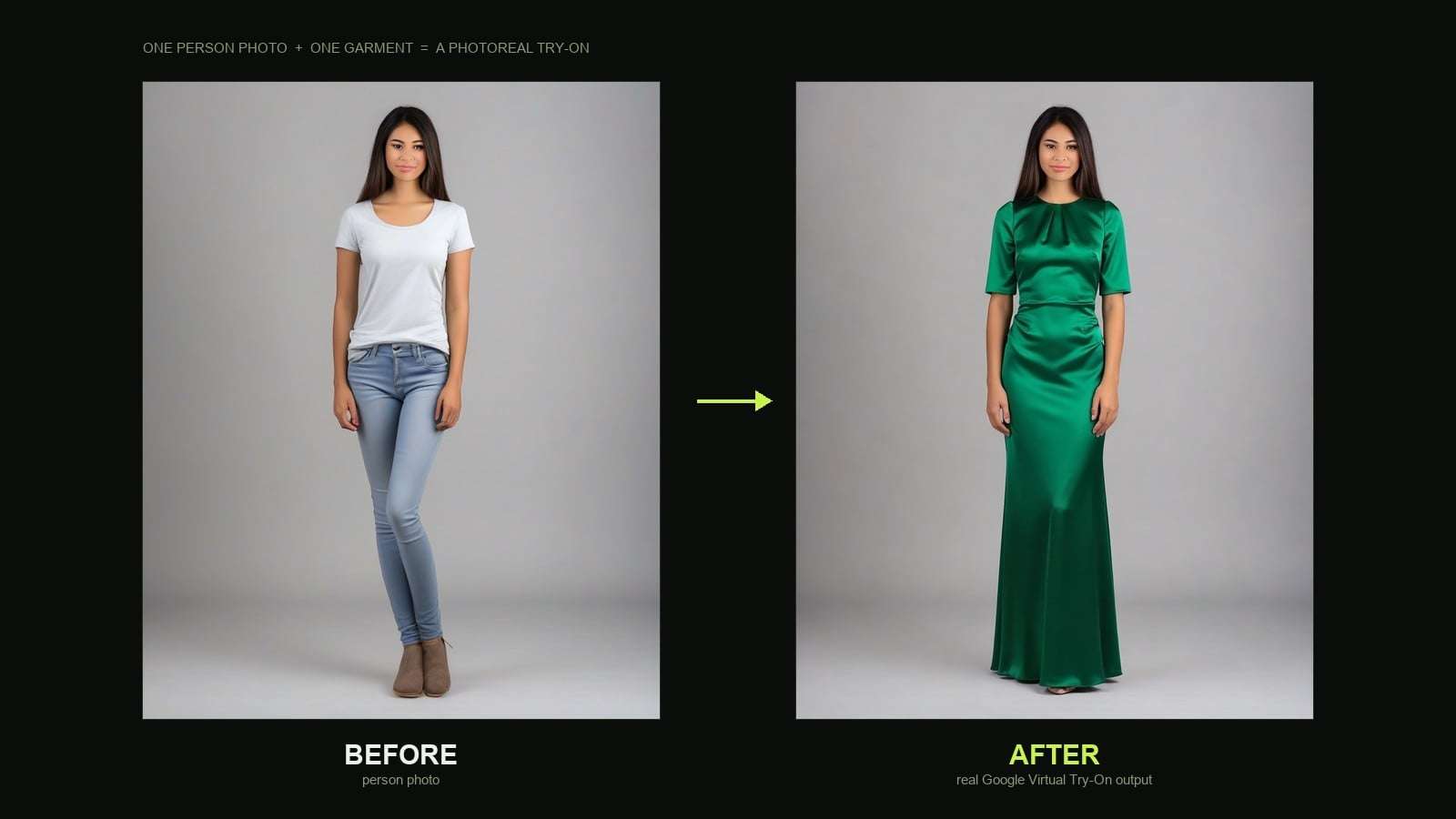
It is Google’s virtual-try-on-001 model, served on Vertex AI and made available through the Pixazo layer with one simple endpoint and a pay-per-image price. Pixazo does not own the model; it handles the auth, queueing, and hosting so you can call it like any other API.
Open the Google Virtual Try-On API →
What does the Google Virtual Try-On API do?
The premise is narrow on purpose. You are not describing a scene in a prompt; you are handing the model two real photos and asking it to combine them faithfully. It reads the garment’s texture, buttons, seams, and silhouette from the product shot, then re-drapes that same garment onto the person in your first photo, matching their pose, body, and lighting.
Because it is diffusion based, the output is a fresh photorealistic render rather than a cut-and-paste overlay. The collar folds where a collar should fold, the fabric bunches at the elbow, and the shadow under the hem lands where the studio light would put it. The person’s face, hands, lower half, and background stay as they were. Here is the exact request we ran to prove it, unedited:
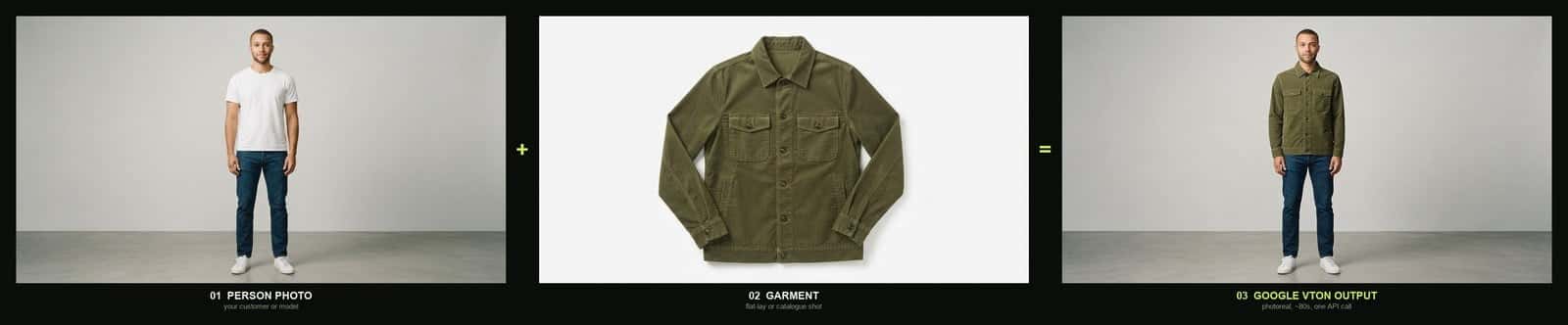
“You are not writing a prompt. You are handing the model two photos and getting the outfit back on the person.”
What do you send it?
A single POST with a small JSON body. Two image URLs are required; the third field is optional. Think of it as a care label for the request.
A practical note from testing: the garment shot matters more than the person shot. A clean flat-lay on a plain background gives the model an unambiguous read of the item. Busy on-body photos, heavy shadows, or a garment worn by someone else all make the job harder.
What comes back?
The response hands you an array of JPEG URLs in output.media_url. Ask for one image and you get a single output.jpg; ask for more and you get numbered files such as output_0.jpg and output_1.jpg. One useful detail: the output resolution matches the person image you supplied, so upload a high-resolution person photo if you want a high-resolution try-on.
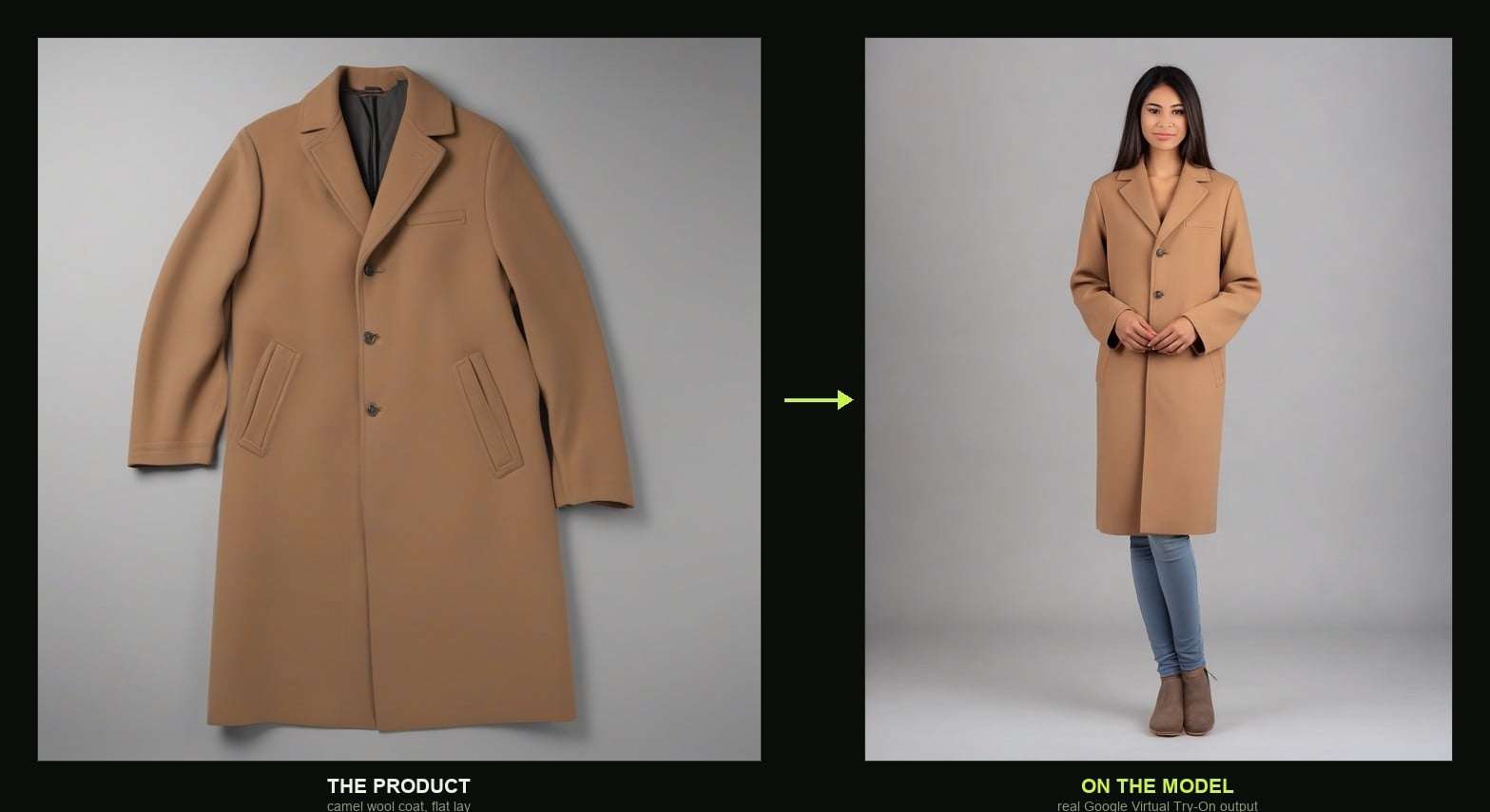
Run your first try-on →
How does a request actually flow?
The endpoint is asynchronous. You submit the job, get a request_id back immediately, and then either poll a status URL or let a webhook notify you when the image is ready.
Submitting the job looks like this:
You get a 202 straight away, with the id you will poll on. This is the real response from our test run:
Then poll the status endpoint until it reports COMPLETED, and the finished job carries the image URL:
Statuses move QUEUED to PROCESSING to COMPLETED, with FAILED or ERROR if something goes wrong. Prefer not to poll? Send an X-Webhook-URL header and the result is posted to your endpoint instead.
What does it cost?
Pricing is refreshingly simple. You pay per image the model returns, with no subscription gate on the call itself.
On latency, the model page quotes around 15 to 20 seconds for one or two images. Across the last 30 days of real traffic it averaged 86 seconds end to end at a 95th percentile of 98 seconds, on a 100 percent success rate. Our own calls landed near 80 seconds each, so plan your UX around a short wait, not an instant response, and lean on the webhook for anything user-facing.
Where does it earn its keep?
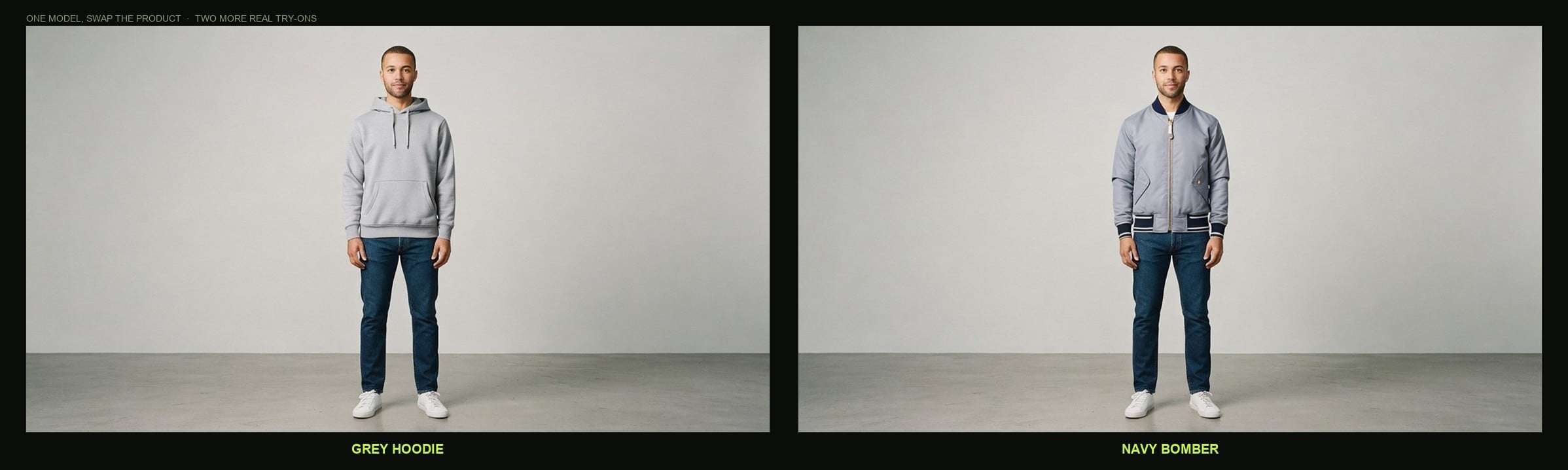
The obvious home is the product page, where a shopper drops in a selfie and sees the jacket on themselves before checkout. But the sharper play is on the supply side: one house model, photographed once, wearing your entire catalogue. We ran the same person through a hoodie and a bomber to show it.
Suggested Read: Best Virtual Try On APIs in 2026
Catalogue and marketing at scale. Generate on-body imagery for hundreds of SKUs from flat-lay shots and a handful of model photos, instead of booking a shoot for every item.
Marketplaces and resale. Sellers upload a garment photo; the platform shows it on a consistent set of house models so listings look uniform.
Personal styling and social. Style apps and creators can build a try-this-on feature without a photographer, tied to a wishlist or a checkout link.
Put your catalogue on a model →
What will it not do?
This is a focused tool, and knowing the edges saves you a support ticket later. It dresses a person in one garment per call from a still photo; it is not a full outfit stylist and not a video try-on. Results track the quality of your inputs closely, so a blurry person photo or a garment shot worn by someone else will show. The output resolution is capped by the person image, so low-resolution selfies produce low-resolution try-ons. And because it is a photoreal render, tiny brand details or exact print placement on a busy graphic can drift; check output on your hero SKUs before you trust it blindly.
Suggested Read: How to Make a Product Video with AI: A Complete Guide in 2026
How does it compare to the other try-on models on Pixazo?
Google’s model is not the only virtual try-on engine in the catalogue, and they are genuinely different tools. If you are choosing between them, test the same person and garment through each and compare drape and fidelity on your own products rather than trusting a spec sheet.
| Model | Provider | Known for |
|---|---|---|
| Google Virtual Try-On | virtual-try-on-001 on Vertex AI, $0.063 per image | |
| FASHN Virtual Try-On | FASHN | high-resolution fashion detail |
| Kling Virtual Try-On | Kuaishou | part of the Kling creative stack |
| FLUX Pro Virtual Try-On | Black Forest Labs | a FLUX image-model variant |
You can browse the full lineup on the AI Virtual Try-On APIs hub, read the Google provider page for what else Google ships through Pixazo, or open the Google Virtual Try-On model page for the live spec and Try Now console.
Getting started
Open the Google Virtual Try-On model page, hit Try Now, and the console loads with your subscription key already in place. Drop the two image URLs into the request body, send, and poll the shared result endpoint. Once the shape feels familiar, the same call drops straight into your backend behind a webhook.
Open the Google Virtual Try-On API →
Suggested Read: How Virtual Try-On Technology is Revolutionizing the Fashion E-Commerce Industry?
The takeaway
The Google Virtual Try-On API turns two photographs into a photorealistic try-on for about six cents, with one endpoint and a predictable async flow. It will not build outfits or shoot video, but for the single job it targets, putting a real garment on a real person, it is fast, cheap, and genuinely convincing. If returns and flat product pages are your problem, it is worth a real test with your own catalogue.
Try the Google Virtual Try-On API →
Frequently Asked Questions
What does the Google Virtual Try-On API take as input?
Two image URLs. A photo of the person (JPEG or PNG, up to 7 MB) and a photo of the garment (JPEG or PNG, up to 7 MB, ideally a flat-lay or catalogue shot on a plain background). An optional num_images field, 1 to 4, controls how many variations you get back.
Suggested Read: Best AI Avatar Generators in 2026: 8 Top Picks Reviewed
How much does it cost?
$0.063 per try-on image returned. There is no separate subscription on the call; you pay per generated image.
Which model is behind it?
Google’s virtual-try-on-001, served on Vertex AI and exposed through the Pixazo API layer. Pixazo handles authentication, queueing, and hosting rather than owning the model.
How long does a try-on take?
The model page cites roughly 15 to 20 seconds for one or two images. Real 30-day traffic averaged about 86 seconds end to end; our own tests came back near 80 seconds each. Use the webhook or poll the status endpoint rather than blocking a user on it.
Suggested Read: Best AI Anime Generator Tools to Try in 2026
Can it put a full outfit on someone?
No. It dresses a person in one garment per call from a still image. For a full look you would run multiple calls or compose the results yourself, and it is not a video try-on.
What resolution is the output?
The output matches the resolution of the person image you send, so upload a high-resolution person photo for a high-resolution result.
Suggested Read: How to Make an AI Action Figure: Complete Step-by-Step Guide (2026)
Deepak Joshi
Author · Pixazo
Deepak writes about generative AI models, APIs, and the workflows teams use to ship them. Reviewed by Abhinav Girdhar.