Best AI Avatar Generators in 2026: 8 Top Picks Reviewed


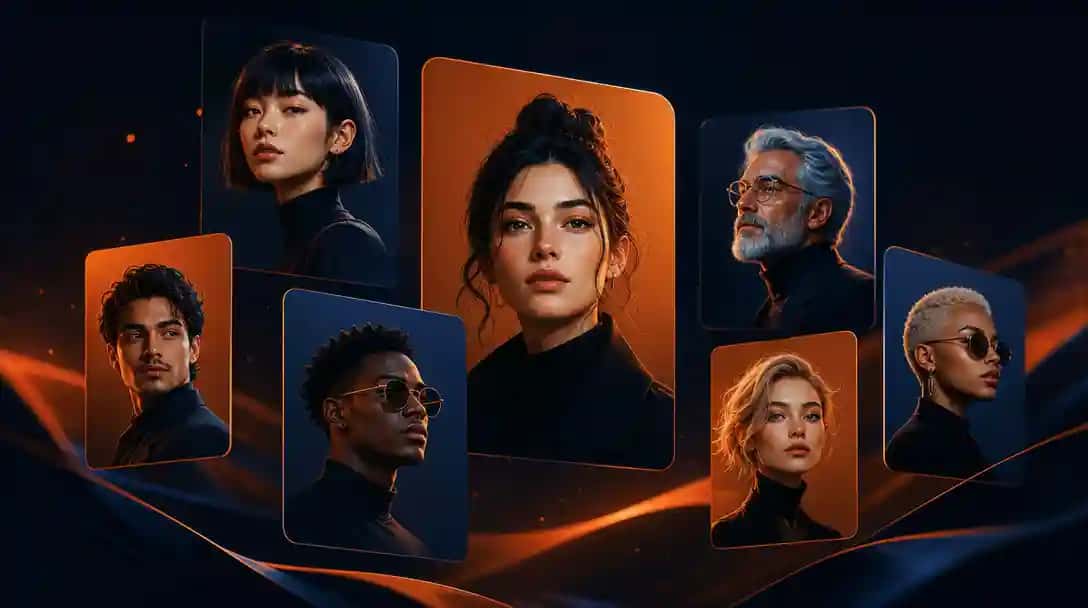
Finding the best AI avatar generators in 2026 is trickier than it sounds. The market has exploded with tools that promise photorealistic headshots, animated personas, and full 3D characters, but most fail to deliver across different use cases. Whether you need a gaming avatar for your next session, a polished AI headshot for LinkedIn, or a fun AI profile picture for social media, the right tool depends on what you actually want to create. After testing dozens of platforms, I have narrowed the list down to eight tools that genuinely stand out for quality, flexibility, and ease of use. AI Avatar Generator lets you try this in your browser.
What Makes a Great AI Avatar Generator?
Before diving into the list, it helps to understand what separates an average avatar tool from a genuinely useful one. Over the past few months I have tested platforms ranging from free browser-based apps to enterprise-grade AI systems, and a few criteria consistently separate the best from the rest.
- Output quality: Does the avatar actually look good at full resolution, or does it fall apart on a retina display?
- Customisation depth: Can you control facial features, clothing, lighting, and background, or are you locked into preset styles?
- Use-case fit: A gaming avatar tool and a professional headshot generator have very different requirements. The best tools are honest about what they are designed for.
- Free tier generosity: Many AI avatar creator free options exist, but the quality ceiling on free plans varies enormously.
- Commercial rights: If you are using your avatar for a brand, you need to confirm the licence allows commercial use.
With those filters in mind, here are the eight tools I recommend in 2026.
8 Best AI Avatar Generators in 2026
1. Ready Player Me
What it does: Ready Player Me lets you build a full-body 3D avatar from a single selfie. The avatar can then be exported and used across hundreds of compatible games, virtual worlds, and metaverse platforms without recreating your character each time.
Key features:
- Full-body 3D avatar generation from one photo
- Compatible with 10,000+ apps and games via their SDK
- Extensive wardrobe, hairstyle, and accessory customisation
- Web-based, no download required
- Avatar API for developers
Best for: Gamers and metaverse users who want a single consistent identity across multiple platforms.
Pricing: Free for personal use. Developer API pricing available on request.
2. D-ID
What it does: D-ID is best known for its talking photo technology, you upload a still image and D-ID animates it so the face speaks audio you provide. This makes it one of the few AI avatar tools that bridges static profile pictures and animated video personas.
Key features:
- Animate any portrait photo with realistic lip-sync
- Text-to-speech integration so you only need text, not a recording
- Pre-built AI presenter library
- API access for developers
- Supports multiple languages
Best for: Marketers, educators, and content creators who need animated talking avatars for video without filming themselves.
Pricing: Free trial (20 credits). Paid plans start at approximately $5.90 per month.
3. Synthesia
What it does: Synthesia is a professional AI video platform built around photorealistic AI presenters. You pick a digital human (or upload your own likeness), type a script, and Synthesia generates a polished talking-head video. It is primarily enterprise-focused and widely used for corporate training content.
Key features:
- 160+ photorealistic AI avatars to choose from
- Custom avatar creation from a short video recording of yourself
- 120+ languages supported
- Branded video templates
- Screen recording integration
Best for: Enterprise teams creating training videos, explainer content, and internal communications at scale.
Pricing: Personal plan from $22 per month. Enterprise pricing on request.
4. HourOne
What it does: HourOne focuses on AI-generated video presenters, think news-anchor style human avatars that can deliver scripted content on camera. Like Synthesia, it targets professional video production, but its avatar library skews toward diverse, realistic on-screen personalities.
Key features:
- Large library of diverse AI presenter characters
- Script-to-video workflow
- Multilingual support
- Template library for different industries
- Custom avatar development available
Best for: Media companies, e-learning platforms, and marketing teams needing frequent video output without on-camera talent.
Pricing: Plans start at approximately $25 per month. Enterprise packages available.
5. Avaturn
What it does: Avaturn specialises in hyper-realistic 3D avatars generated from a single selfie. Unlike cartoon-style tools, Avaturn preserves your actual facial features and produces export-ready GLB files that work in game engines, virtual production, and AR applications.
Key features:
- Photorealistic 3D avatar from one selfie
- GLB/FBX export for Unity, Unreal Engine, and web AR
- Full-body rigging included
- Clothing and expression customisation
- Developer SDK
Best for: Game developers, AR/VR creators, and anyone who needs a production-ready 3D version of themselves.
Pricing: Free for personal use (with watermark). Commercial licences start at $29 per month.
6. Bitmoji
What it does: Bitmoji (owned by Snapchat) is the most widely used cartoon avatar creator in the world, with over 500 million users. You build a stylised character that looks like you and then use it across Snapchat, Slack, Gmail, and dozens of other integrations.
Key features:
- Highly detailed cartoon self-portrait creation
- Thousands of pose and expression stickers
- Deep integration with Snapchat and Google products
- 3D Bitmoji mode for Snapchat augmented reality
- Regular seasonal outfit updates
Best for: Casual social media users who want a fun, recognisable avatar for messaging and Snapchat Stories.
Pricing: Completely free.
7. Pixazo AI Avatar Generator
What it does: Pixazo’s AI avatar generator creates stylised profile pictures and character portraits using advanced text-to-image models. You can describe your avatar in plain language, style, mood, outfit, background, and the generator handles the rest. It is particularly strong for social media profile pictures and creative character art where you want something unique rather than a straightforward photo likeness.
Key features:
- Text prompt-driven avatar creation, describe exactly what you want
- Multiple art styles including photorealistic, anime, fantasy, and painterly
- Background control and lighting adjustments
- High-resolution output suitable for print and large-format use
- Integrated with Pixazo’s broader AI image generation suite
- No design experience required
Best for: Social media avatars, creative character portraits, and anyone who wants artistic control without needing Photoshop skills.
Pricing: Free tier available with daily credits. Paid plans unlock higher resolution outputs and priority generation.
8. Replika
What it does: Replika takes a different approach, it is an AI companion app that includes a fully customisable 3D avatar for your AI friend. You design the look of your Replika and then interact with it through chat and augmented reality. The avatar generation here is tied to the companion experience rather than being a standalone creation tool.
Key features:
- Fully customisable 3D human avatar for your AI companion
- AR mode to place your avatar in the real world
- Clothing, accessories, and personality customisation
- Voice interaction
Best for: Users who want an interactive AI persona rather than a static profile picture or export file.
Pricing: Free with limited features. Replika Pro at approximately $19.99 per month.
Comparison Table: Best AI Avatar Generators at a Glance
| Tool | Best For | Avatar Style | Key Differentiator | Free Tier | Paid From |
|---|---|---|---|---|---|
| Ready Player Me | Gaming / Metaverse | 3D cartoon-realistic | Cross-platform avatar SDK | Yes | Developer API pricing |
| Pixazo | Social media / Creative art | Multiple (photo, anime, fantasy) | Text-prompt driven, multi-style | Yes (daily credits) | Paid plans available |
| D-ID | Talking avatar videos | Photorealistic animated | Animates any still photo | Yes (20 credits) | ~$5.90/month |
| Synthesia | Enterprise video | Photorealistic video presenter | 160+ pre-built AI presenters | No | $22/month |
| HourOne | Professional video content | Photorealistic video presenter | Diverse presenter library | No | ~$25/month |
| Avaturn | Game dev / AR/VR | Photorealistic 3D | Production-ready GLB export | Yes (watermarked) | $29/month |
| Bitmoji | Casual social / Messaging | Cartoon | 500M users, Snapchat native | Yes (fully free) | Free |
| Replika | AI companion / AR | 3D human | Interactive AI persona | Yes | $19.99/month |
Gaming Avatar vs Professional Headshot vs Social Media: Which Tool Is Right for You?
The single biggest mistake people make when searching for the best AI avatar generators is treating all these tools as interchangeable. They are not. Here is a quick breakdown by use case to help you choose correctly.
Suggested Read: Top 9 Free AI Pay Stub generators – 2026
Gaming Avatars
If you are creating an avatar primarily for gaming or virtual worlds, the technical requirements are very different from a profile picture. You need a rigged 3D model that can be imported into a game engine, support animations, and ideally work across multiple platforms without recreating it each time. Ready Player Me and Avaturn are the standout choices here. Ready Player Me wins on platform compatibility and ease of use; Avaturn wins on photorealism and export flexibility for professional game development work.
AI Headshot Generator for Professional Use
LinkedIn profiles, press kit headshots, speaker bios, and corporate directories call for an AI headshot generator that produces clean, photorealistic outputs. If you want a video presenter version of yourself for corporate communications, Synthesia and HourOne are the most polished options. For a single professional profile image, Pixazo’s avatar generator gives you photorealistic style options alongside creative alternatives, useful if you want something that stands out from a generic headshot.
Suggested Read: How to Make an 8-Bit Sprite Sheet GIF From Your Photo?
Social Media Profile Pictures
Social media avatars prioritise personality and recognisability over strict photorealism. You want something that is distinctly yours and works at small sizes (50px profile thumbnails). Bitmoji dominates the casual end of this category with its deep Snapchat integration. For something more creative and unique, particularly if you want an AI profile picture that does not look like everyone else’s, Pixazo is the strongest option because you can describe exactly the style and aesthetic you want rather than picking from preset templates.
How to Create an AI Avatar in 3 Steps Using Pixazo
Creating a custom avatar with an AI avatar creator free tool does not need to be complicated. Here is how to go from zero to a finished avatar using Pixazo in under five minutes.
- Go to the Pixazo avatar generator. Head to pixazo.ai/playground/avatar-generator and open the generation panel. You do not need an account to start on the free tier.
- Describe your avatar. Use the text prompt box to describe what you want. Be specific: include art style (e.g. “photorealistic”, “anime”, “oil painting”), gender, hair colour, outfit, and mood. The more detail you give, the closer the output will be to your vision. Example prompt: “Professional woman in her 30s, dark hair, soft studio lighting, navy blazer, neutral background, photorealistic”.
- Generate, refine, and download. Hit generate and review the results. If the first output is close but not perfect, adjust the prompt and regenerate. Once you are happy, download your avatar at full resolution. For social media, the standard output size works perfectly. For print, select the high-resolution option available on paid plans.
If you want to take your avatar further, adding animated backgrounds or creating video content featuring your AI persona, explore Pixazo’s full AI tools directory for complementary generators.
Suggested Read: How to Lip-Sync a Video to Any Audio with AI: A Step-by-Step Tutorial
Tips for Getting the Best Results from an AI Profile Picture Generator
After generating hundreds of AI avatars across different platforms, these are the practical tips that consistently make the difference between a mediocre result and something genuinely usable.
- Be specific about style, not just subject. “A person” produces generic results. “A person in the style of a 1970s film poster, warm tones, grainy texture” produces something memorable.
- Specify lighting explicitly. “Soft natural window light” versus “dramatic studio lighting” will produce dramatically different results even with the same subject description.
- Test multiple aspect ratios. Profile pictures are square, but LinkedIn background images, Twitter headers, and YouTube thumbnails all have different dimensions. Generate for the specific format you need.
- Use a background remover if needed. If the generated background does not suit your intended use, Pixazo’s background remover can strip it cleanly so you can place your avatar on any backdrop.
- Keep a consistent prompt library. If you are creating multiple avatars for a brand or team, save your core prompt so every avatar has a consistent style and lighting treatment.
Frequently Asked Questions About AI Avatar Generators
Suggested Read: 10 Ways to Make Money with AI Using Pixazo
What is the best free AI avatar creator in 2026?
For completely free use, Bitmoji has the widest platform support and zero cost, but produces cartoon-style avatars only. For creative, high-quality AI profile pictures at no cost, Pixazo’s free tier generates multiple styles including photorealistic outputs using daily free credits. Ready Player Me is also free for personal use and covers the gaming and metaverse use case.
Can I use an AI profile picture generator for LinkedIn?
Yes, and it works well provided you choose a photorealistic output style. LinkedIn’s algorithm and human viewers both respond better to portraits that look like genuine headshots rather than obvious cartoons. An AI profile picture generator like Pixazo allows you to produce a professional-looking headshot even if you do not have access to a photographer. Make sure the image you use fits LinkedIn’s recommended dimensions (400×400 pixels minimum) and features a clean background, you can remove the background using Pixazo’s background remover tool if needed.
How do I create an avatar with AI from a photo of myself?
Several tools on this list support photo-based avatar creation. Ready Player Me and Avaturn both take a selfie and build a 3D avatar that reflects your facial features. D-ID can animate any portrait photo. For a stylised interpretation rather than a strict likeness, Pixazo lets you upload a reference image alongside a text prompt to guide the style. To create an avatar with AI that genuinely looks like you, Avaturn currently produces the most accurate photorealistic 3D result from a single photo.
Suggested Read: Introducing the Google Virtual Try-On API on Pixazo API: Dress Any Person in Any Garment
What is the best AI headshot generator for professional use?
For professional headshots specifically, the key requirement is photorealism. If you need static profile images, Pixazo’s avatar generator with a photorealistic style prompt produces clean headshot-quality portraits. If you need video content featuring a digital version of yourself, Synthesia offers custom avatar creation from a short video recording, producing a full AI presenter that can deliver any scripted content in your likeness. For most professionals needing an updated profile picture quickly, Pixazo offers the best balance of quality, speed, and cost on the free tier.
Are AI-generated avatars free to use commercially?
It depends entirely on the tool and plan. Bitmoji avatars are personal use only and cannot be used commercially. Ready Player Me avatars are free for personal use; commercial use requires a developer agreement. Pixazo paid plans include commercial use rights for generated avatars. Avaturn requires a commercial licence ($29/month) for any business or brand use. Always check the terms of service before using an AI-generated avatar in paid advertising, product branding, or client work, the licensing varies significantly between platforms.
Suggested Read: Introducing the Muse Image API and MiniMax H3 Max API on Pixazo API: Photoreal Images and Video with Sound
Deepak Joshi
Author · Pixazo
Deepak writes about generative AI models, APIs, and the workflows teams use to ship them. Reviewed by Abhinav Girdhar.