Google Gemini Nano Banana AI Saree Trend: Create Stunning Looks with Pixazo


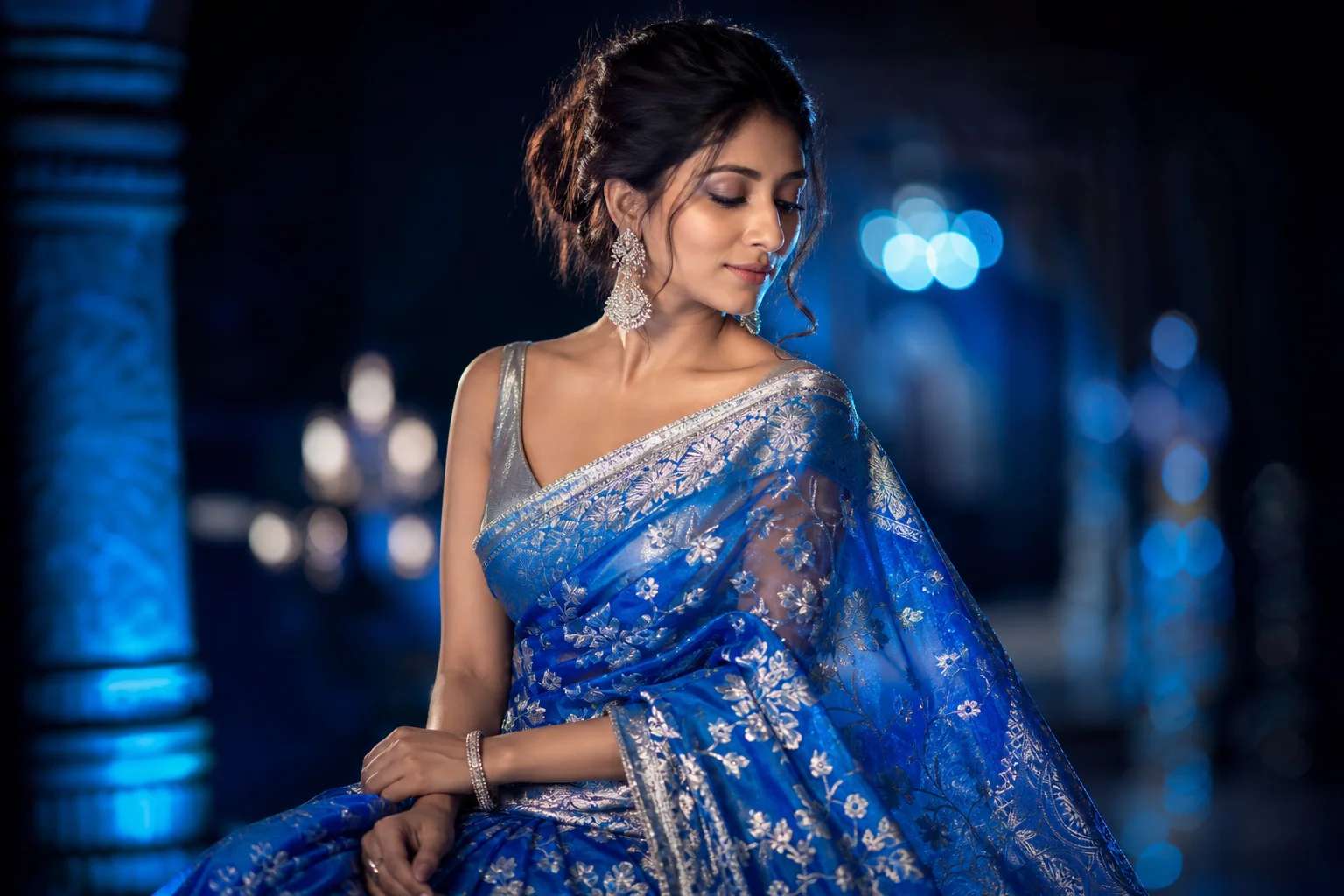
What Is the Google Gemini Nano Banana AI Saree Trend?
Google Gemini Nano Banana AI Saree Trend brings together the elegance of traditional sarees with the bold creativity of AI-driven design and have ensured fashion and technology keep on inspiring each other. By combining cultural heritage with modern technology, it creates a style statement that is catching attention across social platforms.
The saree has always been timeless. It represents grace, tradition, and identity. Yet, with AI adding new layers of creativity, sarees are being reimagined with unique patterns, playful motifs, and futuristic designs. The term “Nano Banana” reflects the quirky and viral nature of the trend. It is not just about fashion; it is about starting conversations and standing out in the digital crowd.
This trend is popular because it allows anyone to participate. You do not need to be a fashion designer or an AI expert. With the right platform, you can create saree-inspired designs that are fun, personalized, and instantly shareable. That is where Pixazo becomes essential.
How to Create Your Own Saree Trend Designs to Get Viral on Instagram?
Follow the simple 5 steps given below to get started with Google Gemini Nano Banana AI Saree Trend by creating your own version with an easy approach when you use Pixazo. Here is a clear step-by-step guide to get started.
Step 1: Open the Vintage Photo Generator on Pixazo
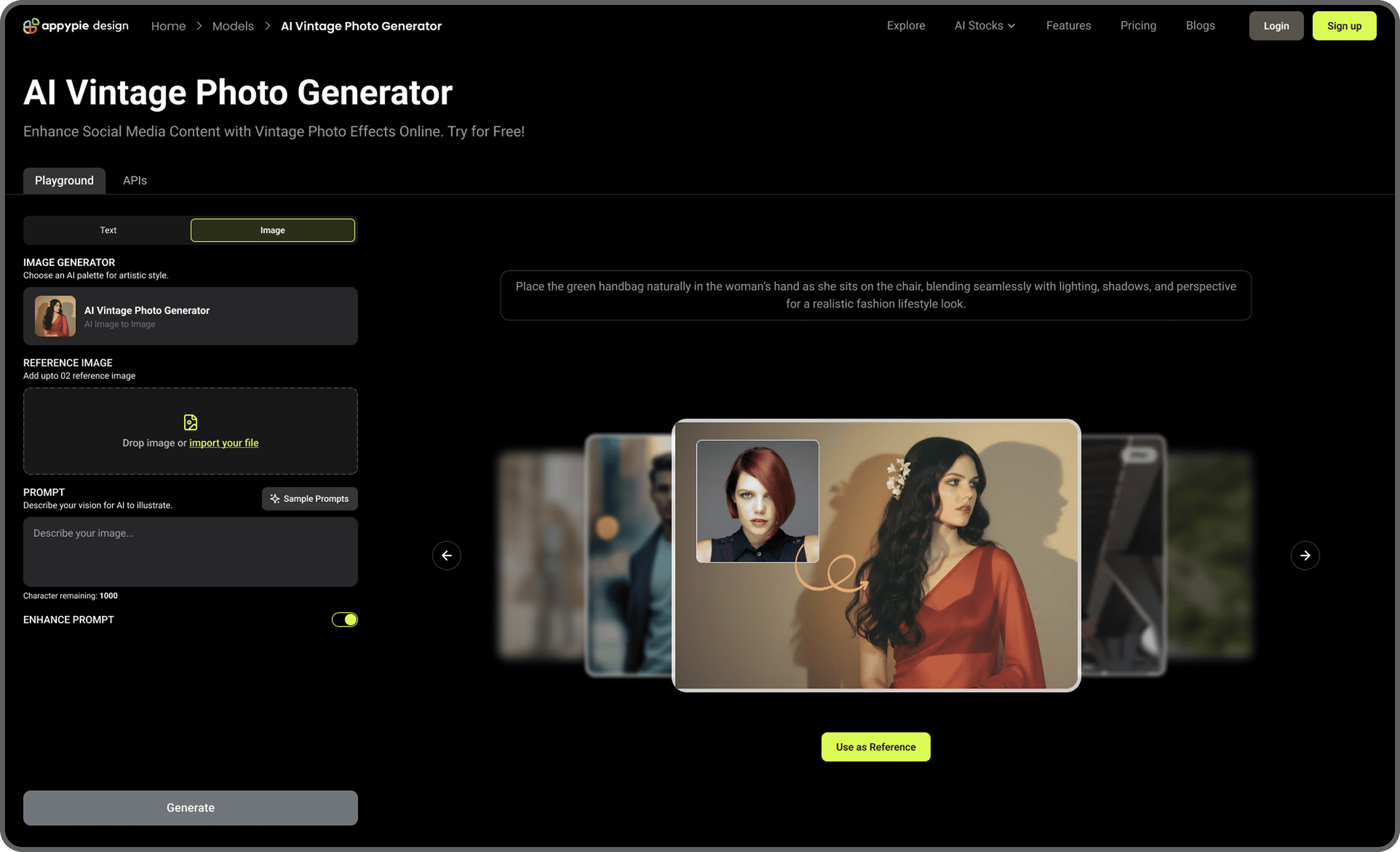
Head over to the AI Vintage Photo Generator tool on Pixazo. This feature lets you turn modern images into classic, retro-style edits with grain, faded tones, and a timeless vintage feel.
Step 2: Upload Images and Define the Vintage Look
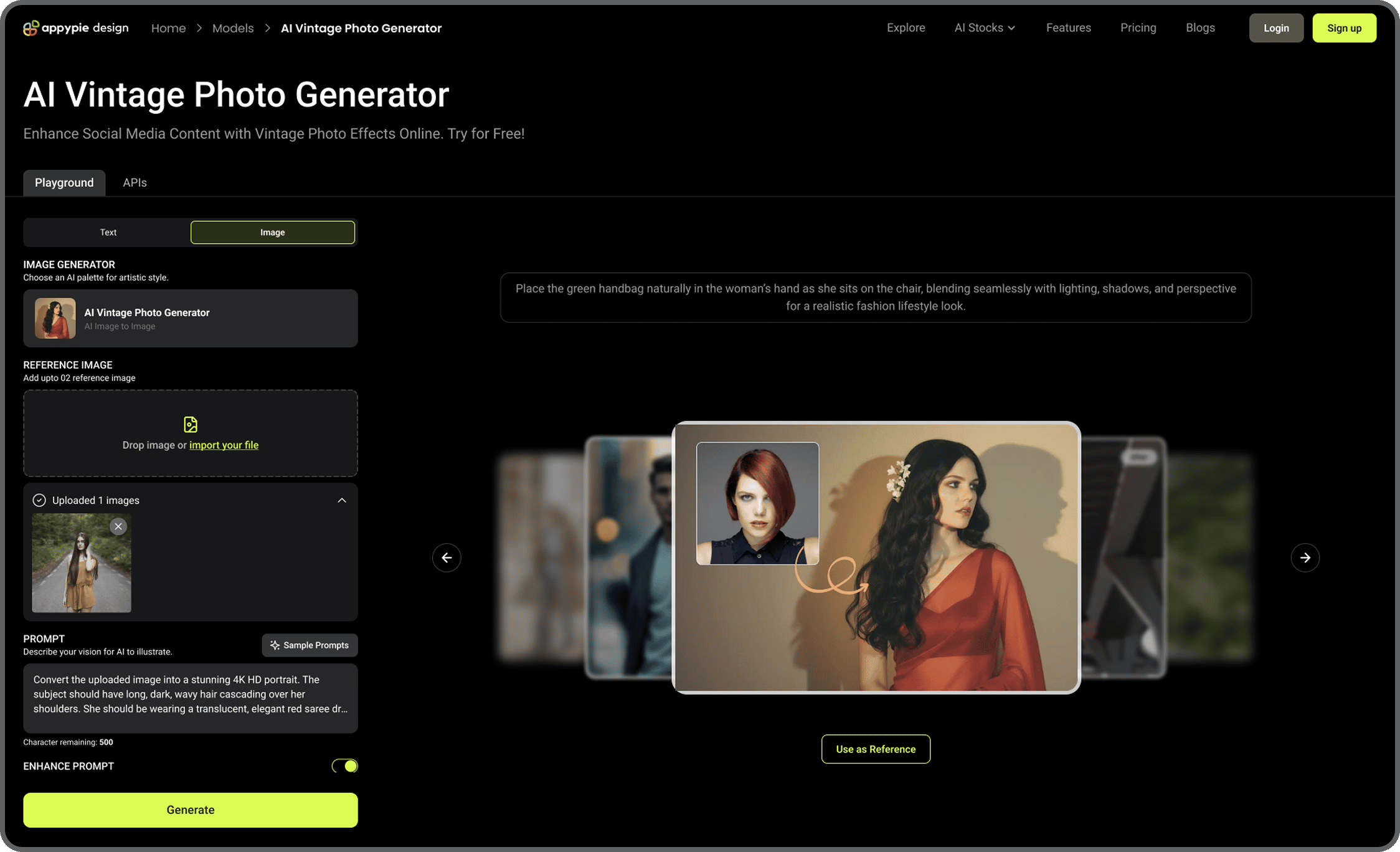
Select and upload up to 10 photos you want to transform. In the description box, explain the type of vintage style you want — for example, sepia filters, Polaroid frames, retro color schemes, or grainy textures. The clearer your description, the more accurately the AI will recreate your desired effect.
Step 3: Create or Log Into Your Pixazo Account

Sign up for a free account, or log in if you already have one. This allows you to save your projects, revisit them for adjustments, and securely store your edited vintage photos.
Step 4: Review the AI-Generated Previews
The tool will generate previews of your photos with the vintage effects applied. Take a close look at each one. If it’s not quite the vibe you want, adjust your description (e.g., “make it look like a 1970s snapshot” or “add soft light leaks for a retro touch”) and try again.
Step 5: Save and Share Your Vintage Photos
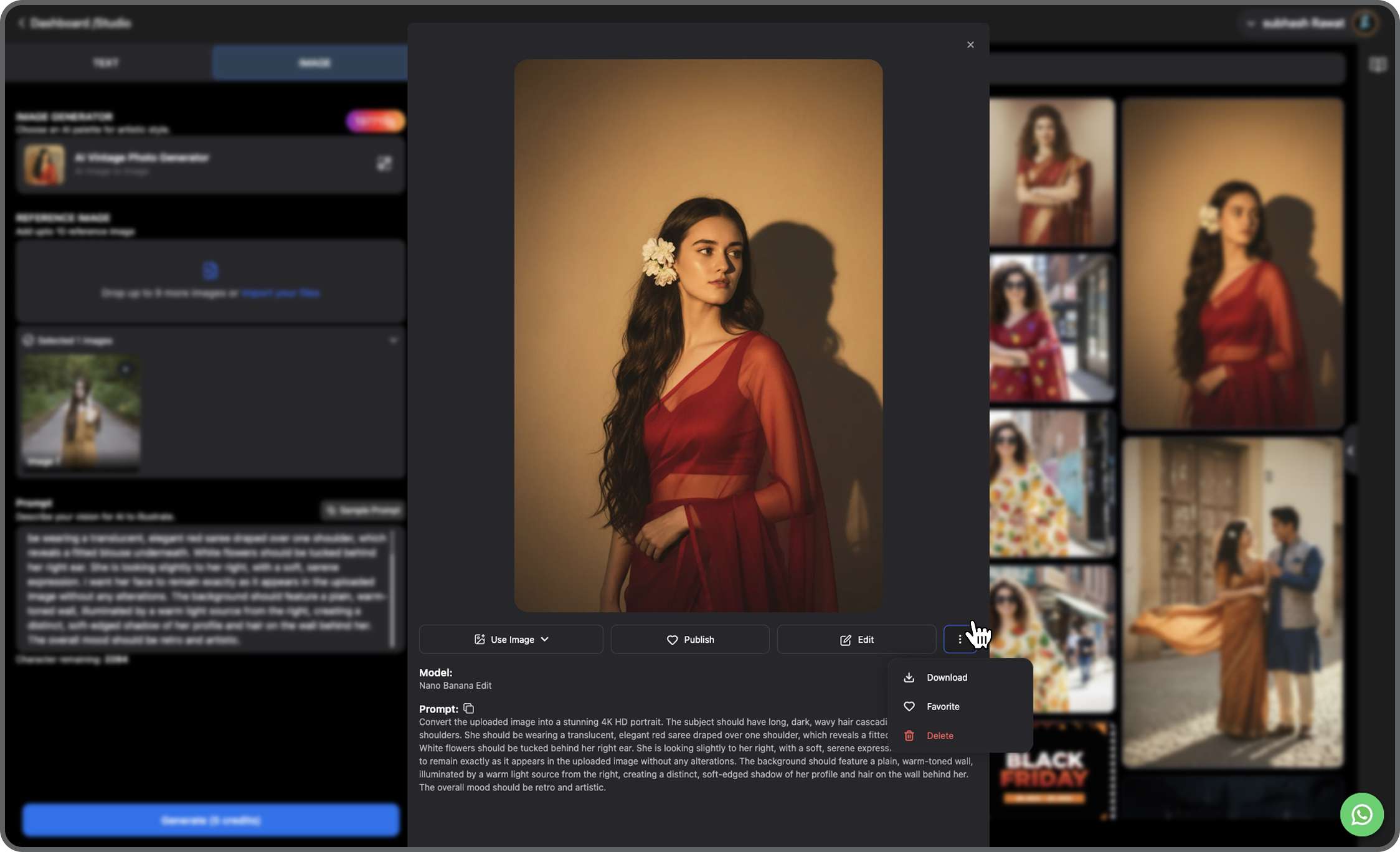
When you’re happy with the results, download the high-resolution versions. You can share them directly on platforms like Instagram, TikTok, or Pinterest to capture the nostalgic trend, or use them for personal projects, content creation, or your creative portfolio.
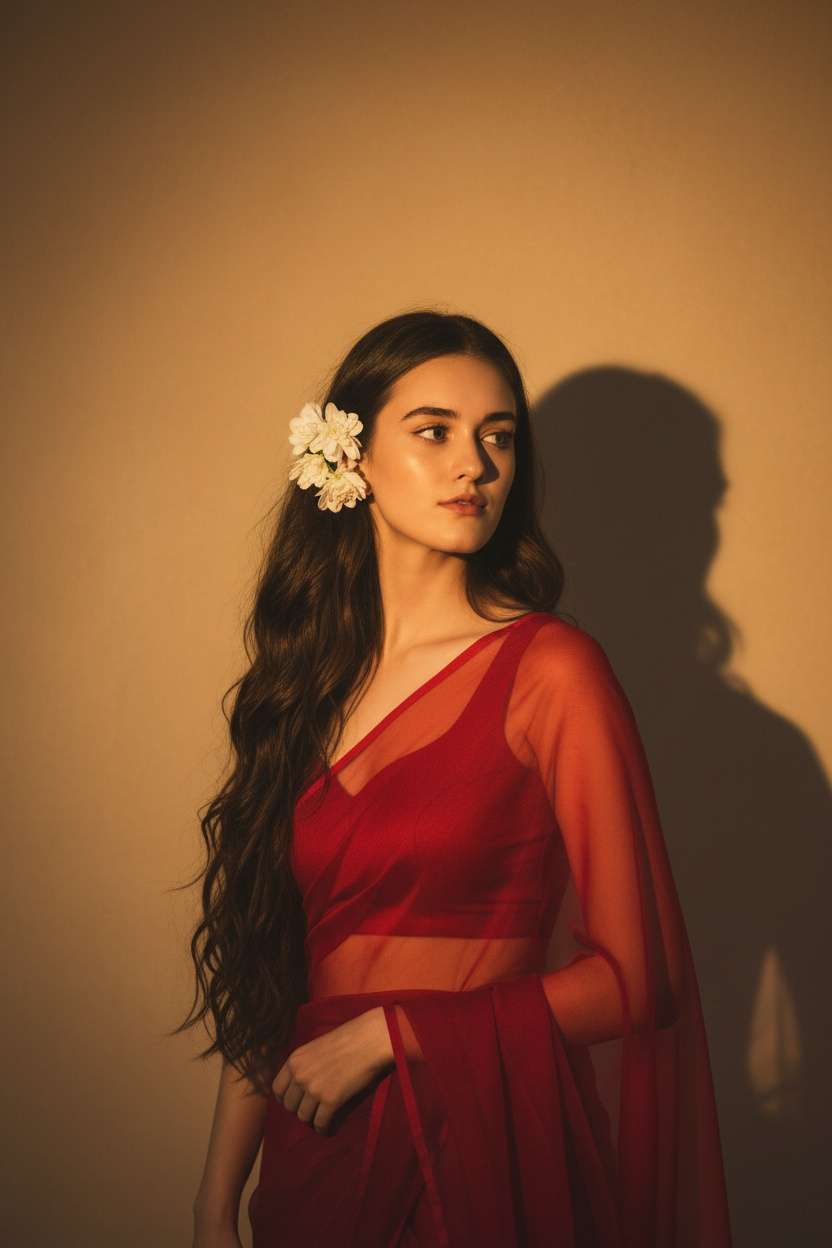
Output
Prompt:Convert the uploaded image into a stunning 4K HD portrait. The subject should have long, dark, wavy hair cascading over her shoulders. She should be wearing a translucent, elegant red saree draped over one shoulder, which reveals a fitted blouse underneath. White flowers should be tucked behind her right ear. She is looking slightly to her right, with a soft, serene expression. I want her face to remain exactly as it appears in the uploaded image without any alterations. The background should feature a plain, warm-toned wall, illuminated by a warm light source from the right, creating a distinct, soft-edged shadow of her profile and hair on the wall behind her. The overall mood should be retro and artistic.
Why Pixazo Is the Best Way to Join the Trend?
Pixazo is the best way to join the Google Gemini Nano Banana AI Saree Trend because it makes AI-powered fashion design simple, fast, and accessible to everyone. You do not need to be a fashion designer or a tech expert. With just a few clicks, you can create saree-inspired visuals that look unique, modern, and ready to go viral.
The platform is built for ease of use. From the moment you sign in, the interface guides you through every step, ensuring that even beginners can start designing in minutes. There is no steep learning curve or complex software to install. Everything runs smoothly in your browser, which means you can create wherever you are.
What makes Pixazo stand out is its AI-powered creativity. Instead of relying on repetitive templates or copying what is already trending, you can generate fresh saree-inspired patterns and layouts instantly. The AI understands prompts and transforms them into original outputs, giving your designs a personal touch that feels both authentic and innovative.
Customization is another reason why this platform is the go-to choice for anyone following the trend. A viral look becomes even more powerful when it carries your unique twist. Pixazo allows you to fine-tune colors, experiment with textures, and play with motifs until your creation truly reflects your personality.
Sharing is just as important as creating. A design only becomes part of a trend when it reaches people, and Pixazo makes this effortless. With quick export options, you can share your saree-inspired looks directly on Instagram, TikTok, and Pinterest without any technical barriers. The faster you publish, the sooner you can ride the viral wave.
Perhaps the most compelling reason is accessibility. Unlike many creative tools that require expensive subscriptions or advanced knowledge, Pixazo is affordable and user-friendly. It removes cost and complexity from the process, making it possible for anyone to join the trend without hesitation.
When you combine the speed of AI, the freedom of customization, and the simplicity of sharing, Pixazo becomes more than just a creative platform. It becomes your ticket to stepping into a global style movement and ensuring that you do not just follow the Google Gemini Nano Banana AI Saree Trend but lead it.
What are Some of the Best Prompts to Generate and Lead the AI Saree Trend on Instagram?
“Create a 1970s-inspired saree photoshoot with a grainy film filter, featuring a pastel silk saree with hand-embroidered floral motifs, styled with oversized retro sunglasses, teased hair, and soft sepia-toned cinematic lighting.”
“Design a vintage saree portrait that looks like it was taken on faded Polaroid film, featuring muted silk fabric, handwoven borders, and distressed textures for an authentic old photo feel.”
“Transform this person into a 90s-style fashion editorial shot, wearing a cotton saree with quirky prints, styled with chunky jewelry, matte makeup, and photographed with a slightly grainy VHS camcorder effect.”
“Generate a classic bridal saree portrait from the 1960s, with a rich red silk saree, golden zari embroidery, pearl jewelry, and warm sepia tones that mimic traditional studio photography of the era.”
“Edit this saree photo into a dreamy vintage chiffon look, with faded pastel shades, soft light leaks, and a nostalgic film grain filter that recreates an old magazine fashion spread.”
“Create a retro festival saree look with bold colors, layered drapes, and chunky accessories, captured with a dusty film texture and slight color fading to resemble carnival photos from the 80s.”
“Turn this image into a 70s Bollywood glamour scene with a sparkling sequin saree, dramatic eyeliner, glossy waves, and photographed under warm golden spotlights with grainy vintage film tones.”
“Design a Pinterest-style retro saree aesthetic with minimalistic patterns, soft lavender tones, Polaroid-style borders, and a faded film filter for an old photo album vibe.”
“Convert this person into a vintage editorial model, styled in a silk saree with sharp pleats, photographed in monochrome with a grainy newspaper-like texture to mimic 1950s fashion photography.”
“Create a surreal artistic saree look with watercolor-style prints on silk, captured in a retro hand-tinted photo effect, faded edges, and a nostalgic postcard-style background.”
Suggested Read: Nano Banana 2 Lite API: Google's Fastest Nano Banana Model, Now Live on Pixazo
Why Should You Join the Google Gemini Nano Banana AI Saree Trend Now?
Trends are powerful because they capture attention, but they are also temporary. Waiting too long means missing out on the excitement and visibility. Joining now ensures that you position yourself as an early adopter rather than a late follower.
The Nano Banana model itself is driving much of this buzz. If you want to understand why it is at the center of so many viral designs, take a look at this deep dive into Nano Banana as an image generative AI. It explains how the model pushes boundaries in digital fashion and makes concepts like the AI saree trend possible.
Here are reasons why timing is everything:
Maximum Visibility
The trend is hot right now. Early adopters are gaining followers, engagement, and recognition. If you act now, you ride the wave when it is at its peak.
Personal Branding
Being part of a viral trend shows that you are creative, innovative, and quick to adapt. This builds your personal brand and makes your content more discoverable.
Community and Connection
By participating, you connect with others who are exploring the same trend. This creates opportunities for collaboration, networking, and increased exposure.
Easy Entry Point
Unlike many fashion or tech movements that require expertise, this trend is accessible to everyone. All you need is Pixazo and a willingness to try. For practical tips on how to turn simple photos into AI-powered visuals, check out this guide to creating Nano Banana AI figures from photos. It will help you maximize your results when experimenting with the trend.
Fear of Missing Out
Viral trends have a short lifespan. Missing the window means missing the attention and recognition that come with it. The best time to act is today.
Are you ready to create stunning looks and join the Google Gemini Nano Banana AI Saree Trend? Open Pixazo today and start designing your way into the spotlight.
Creating these images is easier than it seems. In fact, the Hug Your Younger Self AI trend walkthrough shows step-by-step how anyone can upload photos, write prompts, and instantly generate moving visuals that feel professional and deeply personal.
Suggested Read: Nano Banana Pro & Nano Banana 2 API Pricing: Complete Breakdown & The Cheapest Way to Access Both on Pixazo
Frequently Asked Questions
1. What is the Google Gemini Nano Banana AI Saree Trend?
It is a viral fashion trend that combines traditional saree aesthetics with AI-powered creativity. Using AI tools, creators are generating saree-inspired designs that look fresh, quirky, and highly shareable on social media.
Suggested Read: Best AI Virtual Try-On Rooms in 2026
2. How can I join the AI Saree Trend?
You can join the trend by using AI design platforms like Pixazo. The process is simple: generate saree visuals with AI, customize them to your preference, and share your creations on platforms such as Instagram or TikTok.
Suggested Read: Introducing Gemini Omni API on Pixazo API for Next-Gen AI Video Generation
3. Do I need design skills to create AI Saree looks?
No, you do not need any prior design experience. Pixazo is beginner-friendly and comes with AI models and templates that make it easy to create stylish saree-inspired visuals in just a few minutes.
Suggested Read: 10 Best AI Clothes Changer Tools in 2026
4. Why is it important to join the trend now?
Trends are temporary and move fast on social media. Joining now allows you to position yourself as an early adopter, gain visibility, and grow your online presence while the trend is still hot.
Suggested Read: Introducing Nano Banana 2 API on Pixazo
5. What makes this trend unique compared to others?
Unlike many other fashion trends, this one blends culture with technology. It takes the timeless elegance of sarees and reimagines them through AI, making it both innovative and accessible for anyone to participate in.
Suggested Read: Hug Your Younger Self AI Trend: What It Is and How to Create Your Own Image
Deepak Joshi
Author · Pixazo
Deepak writes about generative AI models, APIs, and the workflows teams use to ship them. Reviewed by Abhinav Girdhar.