Nano Banana AI (Gemini 2.5 Flash): Photo-to-AI Figures, Trends, Tools, and Best Practices


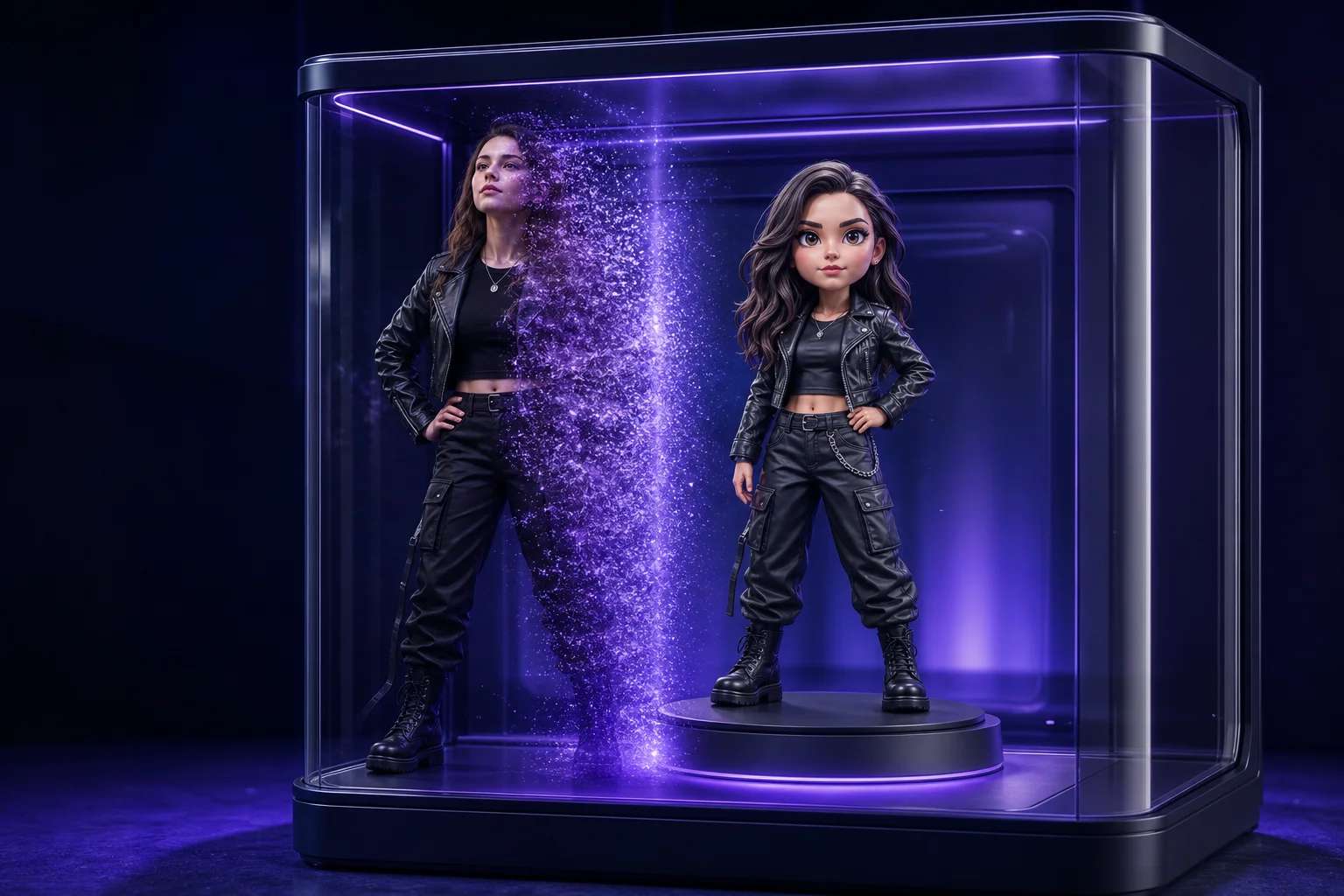
What Is Nano Banana AI (Gemini 2.5 Flash) and Why Does It Matter?
Nano Banana AI (powered by Gemini 2.5 Flash) is an advanced creative platform that transforms photos into figurine-ready designs using cutting-edge AI. Unlike standard AI design tools that focus only on flat visuals, Nano Banana acts as an intelligent AI Action Figure Generator, enabling creators to produce collectible-quality figurines with minimal effort. You can try this yourself with AI Avatar Generator.
It matters because it lowers the barrier between imagination and production—allowing creators, brands, and product teams to rapidly prototype characters, test fan engagement, and even launch merchandise experiences without relying on complex 3D modeling. By combining speed, accessibility, and creativity, Nano Banana AI is redefining how digital ideas evolve into physical and digital figurines.
Few examples capture AI’s impact on fashion as vividly as the
Google Gemini Nano Banana AI saree trend,
which demonstrates how generative design tools can remix tradition into something strikingly modern.
How Can Creators Turn Photos into Figurines with Nano Banana AI?
Creators can turn photos into figurines with Nano Banana AI by uploading an image, applying custom prompts, and letting the system generate a collectible-quality 3D-inspired design. Unlike traditional workflows that require manual modeling, Nano Banana streamlines the process, making it possible for anyone to transform a selfie, fan art, or product image into an AI-generated action figure concept in minutes.
The process is simple: you start with a photo, add descriptive prompts to create images using AI, and adjust the figurine’s style, pose, or accessories through Nano Banana’s interface. Gemini 2.5 Flash processes the inputs at high speed, producing figurines that capture personality, detail, and creativity. For creators, this means less time learning complex 3D software and more time focusing on storytelling, branding, and fan engagement.
How to Create an AI Figure Using Pixazo?
Follow these simple steps to turn your photos and ideas into AI figures using Pixazo’s AI Action Figure Generator:
Step 1: Visit the AI Action Figure Generator on Pixazo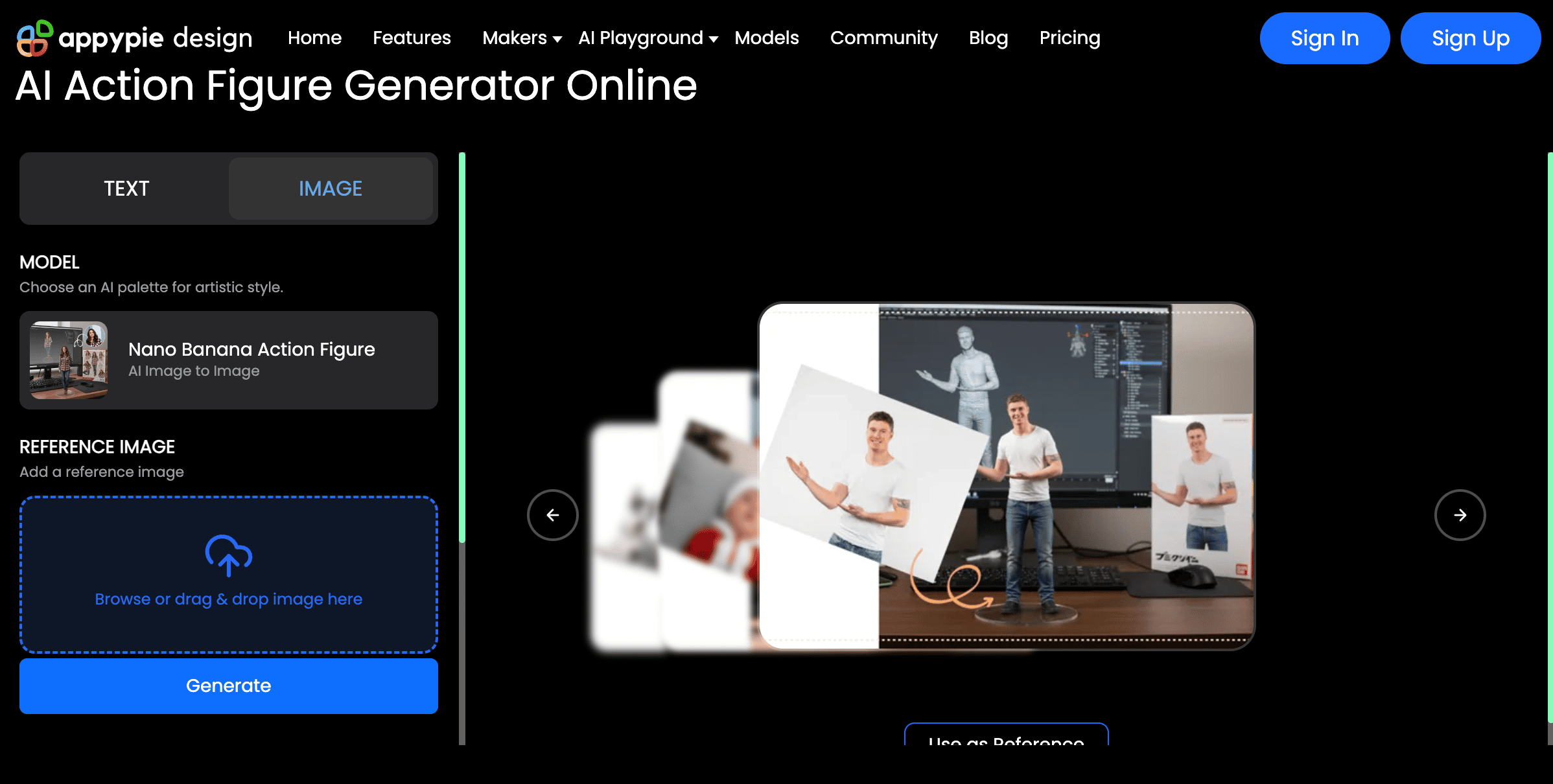
Go to the Pixazo platform and open the AI Action Figure Generator. This is the starting point where you’ll begin your figurine creation process.
Step 2: Upload Your Image and Write a Prompt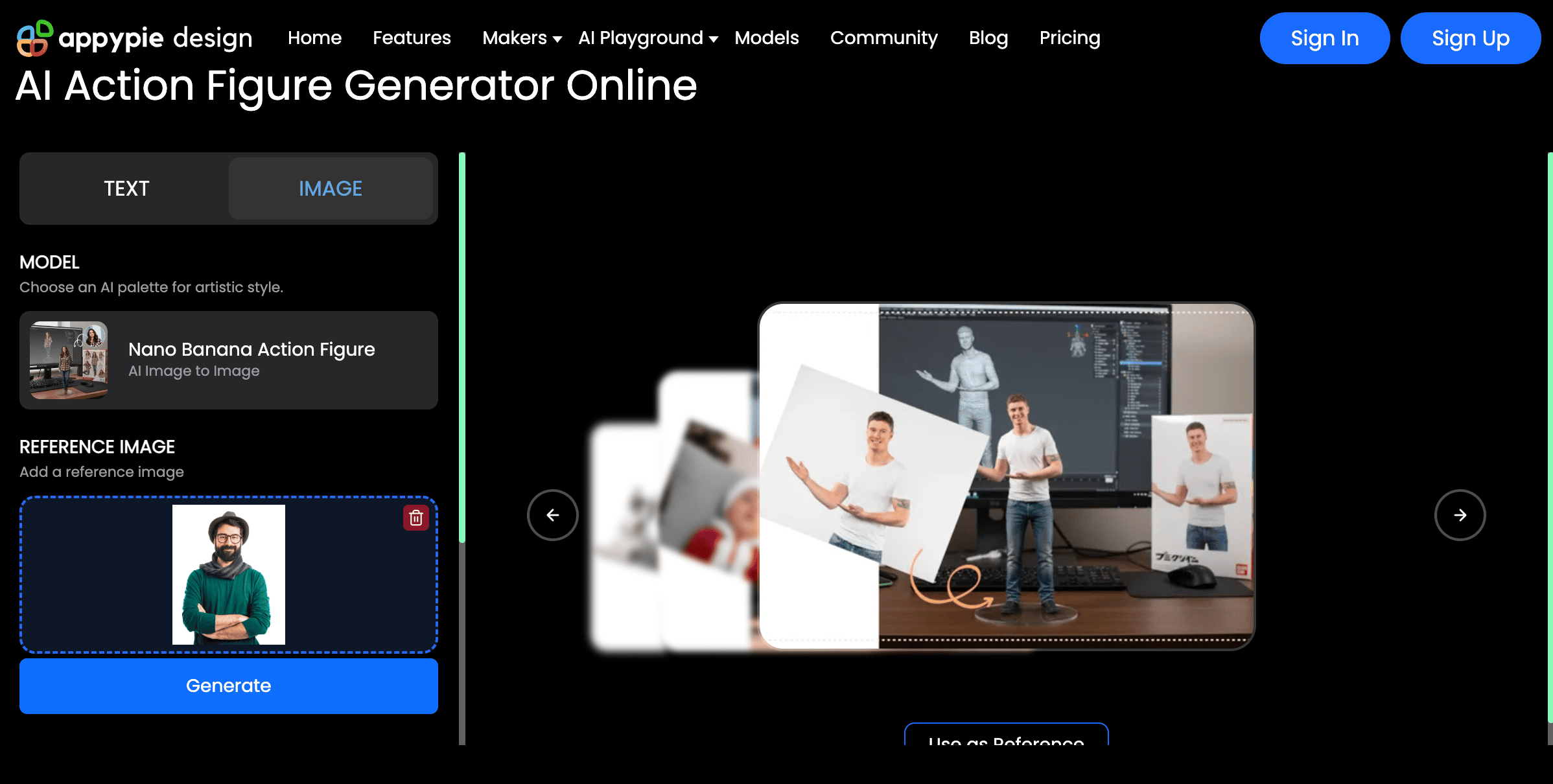
Upload a clear image of your subject—this could be yourself, a character sketch, or a reference. Then, enter a descriptive prompt explaining how you want your AI figure to look (style, outfit, pose, accessories). The more specific your prompt, the better the results.
Step 3: Log In or Sign Up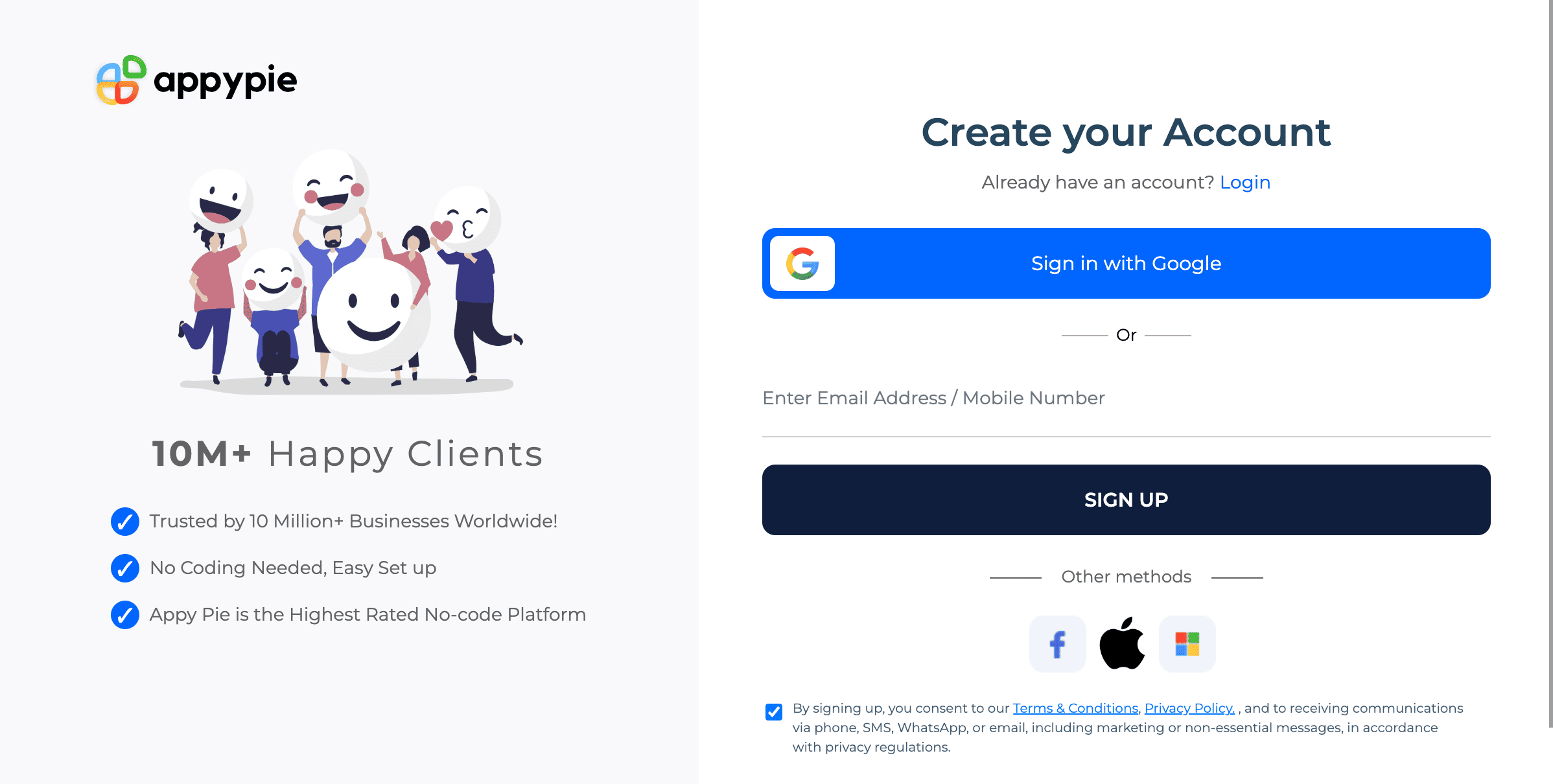 To proceed with generation and save your design, log in to your existing Pixazo account. If you don’t have one, sign up—it only takes a minute.
Step 4: Preview the Output in the AI Playground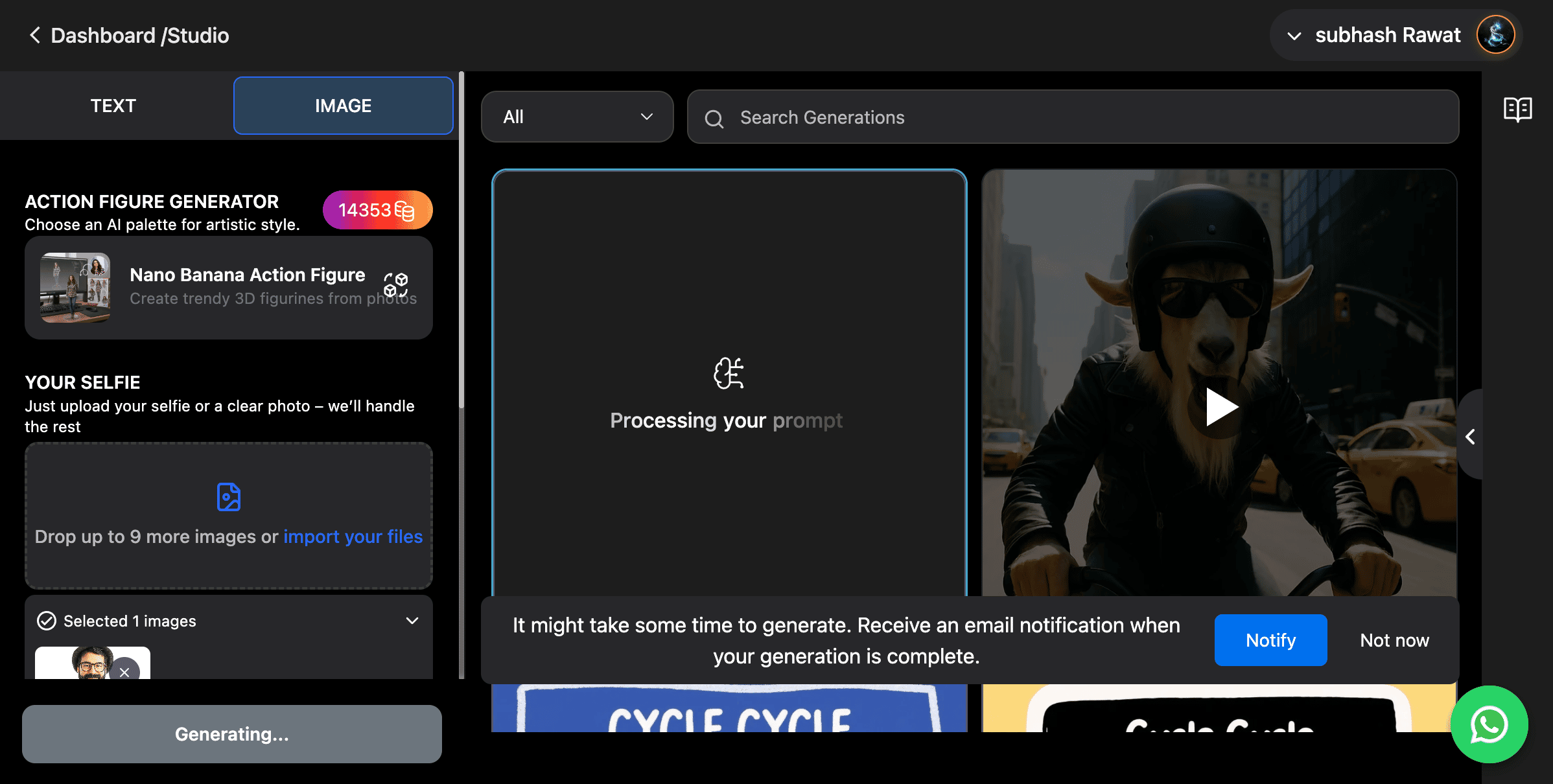 Once generated, review your figure in the AI Playground. This preview lets you check details and make adjustments by refining your prompt if necessary.
Step 5: Download and Share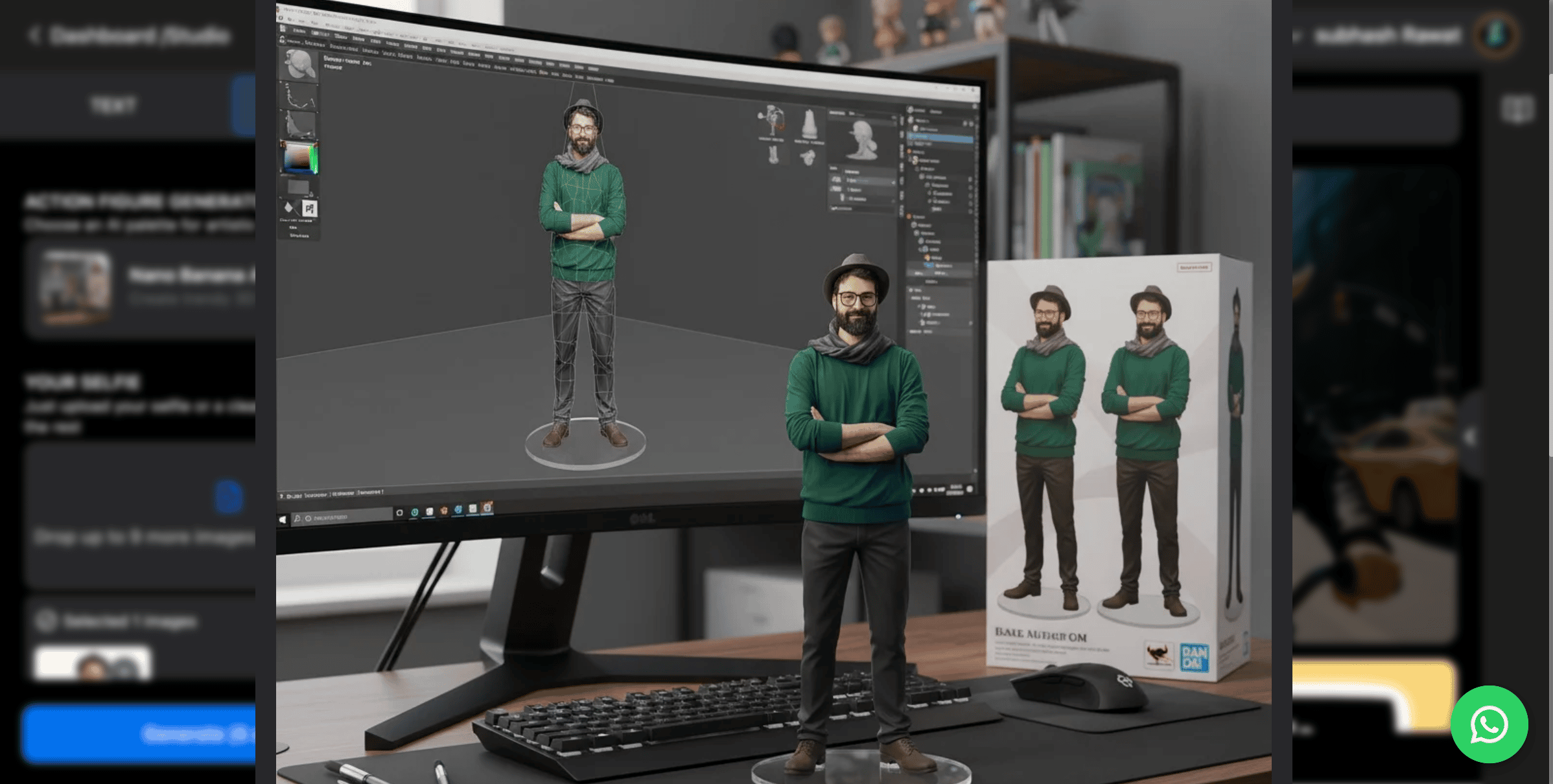 When satisfied, download your AI figure directly from the platform. You can also share it with your community, use it in projects, or explore further figurine design workflows.
Generated Action Figure Output
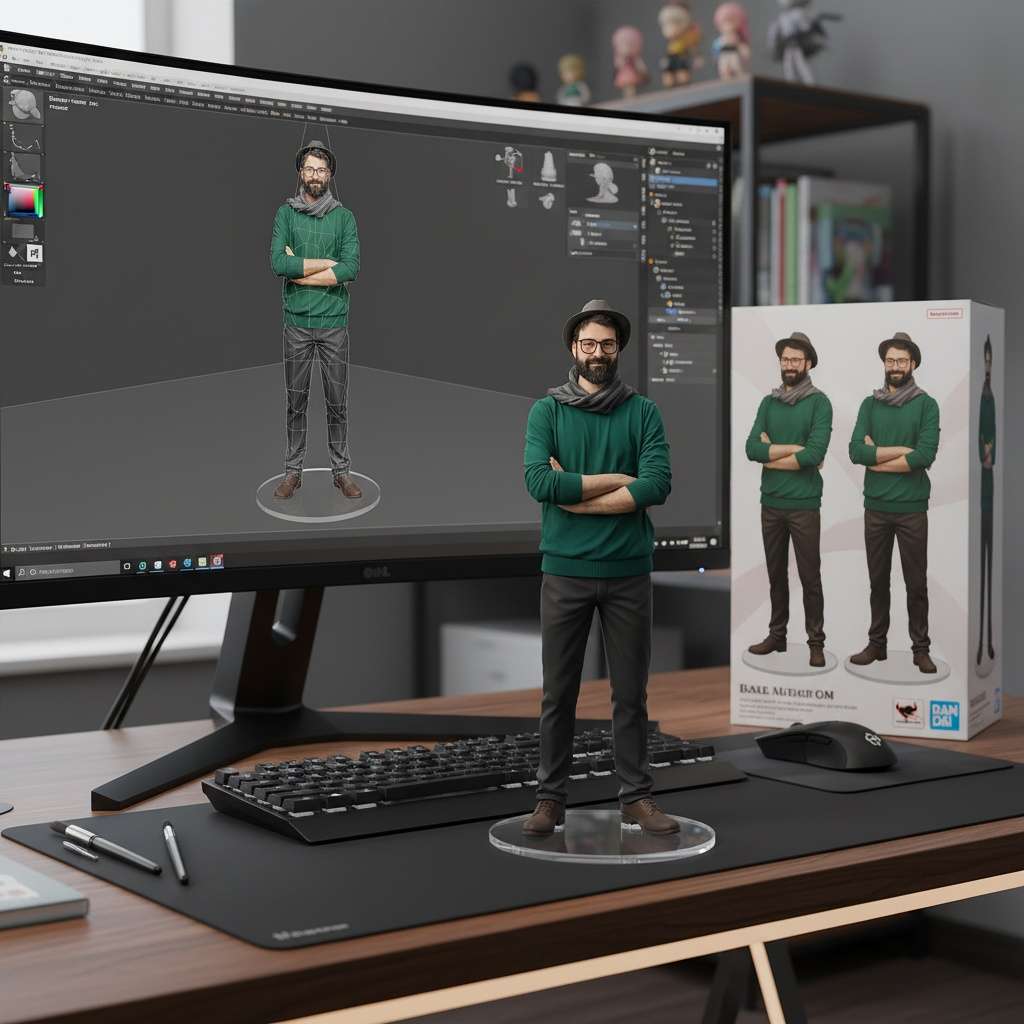
Prompt Used: Create a commercialized figurine of the character in the image, designed in a realistic style and placed on a modern computer desk. The figurine stands on a round transparent acrylic base with no text. On the computer screen behind it, show the ZBrush modeling process of this same figurine. Next to the screen, place a premium BANDAI-style toy packaging box featuring flat two-dimensional illustrations of the original artwork.
What Are the Latest Trends in Photo-to-Figurine AI and Prompt-Based Design?
The latest trends in photo-to-figurine AI and prompt-based design include the rise of text to 3D workflows, rapid prototyping, and the integration of AI generated 3D models in games and collectibles.
Here are the most important shifts to watch:
- Text to 3D asset creation – Moving beyond 2D visuals, creators can now turn written prompts or photos into figurine-ready 3D assets, streamlining production.
- AI-powered customization – Figurines can be tailored to match individual preferences, from outfits and poses to accessories, making collectibles more personal.
- AI generated 3D models in games – Studios are experimenting with models created by AI that can live both inside games and as physical action figures, bridging digital and physical experiences.
- Fan-to-figurine pipelines – Communities can submit photos or avatars and instantly receive figurine versions, opening new possibilities for fan engagement and merchandising.
- Faster prototyping for product teams – Instead of weeks of modeling, brands can test figurine concepts in hours, reducing cost and creative risk.
Which Tools and No-Code Workflows Work Best for Figurine Creation?
The best tools and no-code workflows for figurine creation combine AI-powered generators, 3D design platforms, and simple pipelines that let creators move from photo or text prompts to figurine-ready models without complex coding.
Here are some standout options and workflows:
- AI Figurine Generators – Emerging tools built on models like Gemini 2.5 Flash that act as AI action figure creators, letting users transform photos or text descriptions into figurine-ready assets.
- Text-to-3D Platforms – Tools that specialize in turning prompts into 3D objects, ideal for creators who want figurine concepts without traditional modeling skills.
- No-Code Design Tools – Platforms (when paired with plugins) can help refine figurine concepts visually before moving them into 3D workflows.
- 3D Asset Marketplaces – Integrating AI outputs with platforms like Sketchfab or TurboSquid allows creators to customize, sell, or adapt figurines quickly.
- Workflow Automations – No-code tools can automate steps (e.g., connecting a photo upload to an AI figurine generator, then pushing the result to a printing service).
How Do You Run a Successful Prompt-Based Figurine Project (Inputs, Prompts, QA, and Rights)?
You run a successful prompt-based figurine project by setting clear outcomes, prepping high-quality inputs, using structured prompts, enforcing rigorous QA, and securing rights before production.
- Define the outcome & guardrails
Write an objective (“photo → stylized collectible”) and acceptance criteria (likeness, pose, accessories, turnaround time). Decide platform outputs (digital preview, 3D-ready mockup, or print) and set a style guide. - Prepare inputs the smart way
Use well-lit, uncluttered photos; capture multiple angles and a neutral pose. Choose portrait vs landscape intentionally: portrait for character-centric framing and facial detail, landscape for dynamic poses or props that need context. If you lack consistent references, generate a stable base look with an AI Avatar Generator, then feed that avatar into Nano Banana to maintain continuity across variants. - Structure your prompts (repeatable template)
Create a prompt schema: - Subject & identity: name, age, key features.
- Style & materials: “chibi vinyl,” “realistic resin,” “cel-shaded.”
- Pose & accessories: stance, hands, signature items.
- Camera & lighting: hero angle, rim light.
- Constraints: safe-for-work, brand colors, “no text on clothing.”
- Negative prompts: remove clutter, avoid extra limbs/logos.
Keep a short list of style tokens for consistency and a long-form prompt for hero shots. - Generate in controlled batches
Produce small batches per prompt version, lock seeds where possible, and label outputs with prompt ID + seed + timestamp. Iterate: fix framing/crop issues, refine pose specificity, and adjust material cues. - QA like a product team
- Likeness & silhouette: recognizable from 2–3 meters; check profile view.
- Continuity: outfits, colors, and props consistent across variants.
- Physical plausibility: thick enough elements for print; no floating parts.
- Defect sweep: fingers, faces, logo artifacts, unwanted text.
- Accessibility check: readable details, alt text for previews.
Document pass/fail with screenshots and reasons. - Prepare outputs for downstream use
Export clean, high-res concept images for approvals; if moving to 3D, include orthographic views and callouts (materials, gloss, joint hints). Use consistent filenames and embed metadata (prompt, rights, version). - Lock rights & compliance early
- Consent & likeness: model release if using real people; parental consent for minors.
- IP hygiene: avoid third-party logos/characters unless licensed.
- Tool terms: ensure your AI Avatar Generator and Nano Banana outputs are commercially usable under their licenses.
- Disclosures: mark AI-assisted content as needed; follow regional guidelines.
- Data handling: store source photos securely; define retention and deletion windows.
- Pilot, measure, scale
Run a small beta (10–50 figurines), gather feedback on likeness and appeal, measure conversion, then templatize prompts and automate steps (upload → generate → QA checklist → approval) to scale without quality drift.
Suggested Read: 1980s AI Photo Trend: How to Turn Your Photos Into Retro ’80s Portraits
What Are the Best Practices, Risks, and Next Steps for Teams Launching Figurine AI Experiences?
The best practices for launching figurine AI experiences focus on building reliable workflows, addressing risks early, and planning clear next steps for scaling and sustainability.
Suggested Read: Qwen Image Layered API — Now Live on Pixazo API & Playground
Best Practices
- Start with a pilot: Test a small batch of figurines before scaling to catch design and workflow issues.
- Use consistent prompts: Standardize figurine prompts to ensure style, proportions, and brand alignment remain stable.
- Document the pipeline: Keep a clear record of inputs, prompts, QA results, and approvals to support repeatability.
- Balance automation with human QA: AI can speed generation, but human review ensures figurines meet brand and fan expectations.
- Integrate fan feedback: Treat figurine drops as community-driven, refining outputs based on engagement.
Risks
- IP and likeness rights: Using real faces, logos, or third-party characters without permissions can cause legal issues.
- Over-automation pitfalls: Fully automated outputs risk errors like distorted poses or broken proportions that harm brand trust.
- Scalability vs. quality: Scaling too fast without QA introduces inconsistency and lowers fan confidence.
- Tool dependency: Relying on a single AI design tool can create bottlenecks if the platform changes its terms or fails.
Suggested Read: Introducing Gemini Omni API on Pixazo API for Next-Gen AI Video Generation
Next Steps
- Build a modular stack: Combine AI design tools, figurine generators, and QA processes so the workflow is resilient.
- Expand formats: Move from figurine previews into game assets, digital collectibles, or cross-platform avatars.
- Establish governance: Define who approves likeness rights, how outputs are archived, and how risks are reviewed.
- Plan monetization: Test fan-driven figurine drops, partnerships with toy brands, or integration with AI action figure marketplaces.
- Future-proof with interoperability: Ensure figurines can evolve into formats like AI generated 3D models in games or VR/AR collectibles.
Where Is Figurine AI Headed Next for Creators and Teams?
Figurine AI is moving toward a future where anyone can transform photos, prompts, and ideas into collectible-ready designs in minutes. With tools like Nano Banana AI (Gemini 2.5 Flash) and platforms such as Pixazo’s AI Action Figure Generator, creators no longer need complex modeling skills to bring characters to life.
The next wave will be shaped by AI design tools that merge text-to-3D, gaming integrations, and no-code workflows, giving teams faster prototyping, stronger fan engagement, and scalable product opportunities. For creators and product teams, the key is clear: experiment early, build ethical pipelines, and stay ahead of trends shaping figurine AI experiences.
Also, the Hug Your Younger Self AI challenge has captured global attention because it blends nostalgia with cutting-edge technology. As explained in our in-depth guide on the Hug Your Younger Self AI trend, the movement isn’t just about visuals—it’s about reconnecting with your past self in a powerful, creative way.
Suggested Read: Nano Banana 2 Lite API: Google's Fastest Nano Banana Model, Now Live on Pixazo
Frequently Asked Questions
1. Is Gemini 2.5 Flash good for creative AI projects?
Yes, Gemini 2.5 Flash is widely considered a strong model for creative workflows.It delivers high speed and quality outputs, making it useful for tasks like figurine generation, text-to-3D pipelines, and other design challenges. Its balance of speed and efficiency makes it a reliable choice for creators and teams.
Suggested Read: Introducing Nano Banana 2 API on Pixazo
2. Is Google Gemini 2.5 Flash free to use?
No, Gemini 2.5 Flash is not entirely free. Google provides limited free access through certain products and trials, but extended or professional usage typically requires a subscription or pay-as-you-go plan. This setup allows casual users to explore the model while giving businesses a way to scale based on usage needs.
3. Is Nano Banana AI (Gemini 2.5 Flash) available to the public right now?
Yes, Gemini 2.5 is available and already integrated into multiple apps and platforms. Creators can access it through Google’s AI ecosystem as well as third-party design tools that embed Gemini 2.5 Flash. This broad availability makes it easier for creators and teams to experiment with figurine AI and related design workflows today.
Suggested Read: Best AI Image and Video Generators in 2026: Tested and Compared
4. Is Gemini 2.5 Flash a real “thinking” model like humans?
No, Gemini 2.5 Flash is not a human-like thinking model. It is an advanced AI system trained to process language, images, and prompts at high speed, but it does not possess consciousness or independent thought. Instead, it generates outputs based on patterns and data predictions, making it a powerful yet non-sentient creative tool.
5. How can I use Gemini 2.5 Flash to create AI action figures?
You can use Gemini 2.5 Flash for figurine design through AI platforms that integrate its technology. For example, by using an AI Action Figure Generator, you can upload a photo, write a descriptive prompt, and preview a figurine-ready design. This process eliminates the need for advanced 3D modeling skills, making collectible design more accessible to everyday creators.
Suggested Read: Google Gemini Nano Banana AI Saree Trend: Create Stunning Looks with Pixazo
Deepak Joshi
Author · Pixazo
Deepak writes about generative AI models, APIs, and the workflows teams use to ship them. Reviewed by Abhinav Girdhar.