10 Best AI Clothes Changer Tools in 2026


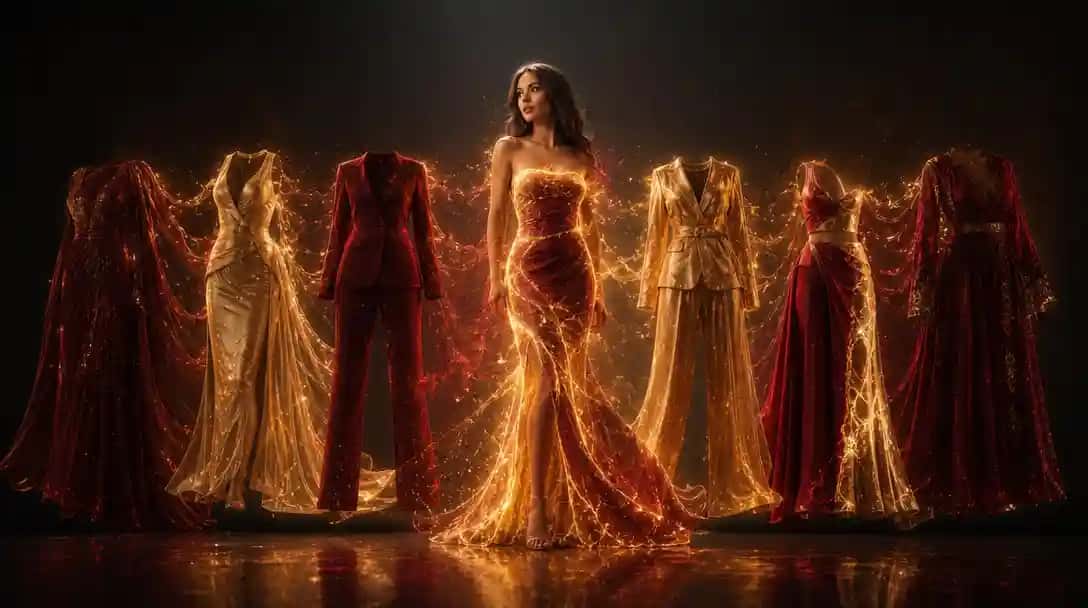
Choosing the right AI clothes changer tool depends on whether you need a dedicated virtual try-on system, a generative inpainting approach, or an open-source pipeline you can fine-tune. This comparison covers the seven most capable options available in 2026, with honest assessments of output quality, accuracy, speed, and commercial viability. You can do this in Pixazo.
| Tool | Best For | Access | Commercial Use |
|---|---|---|---|
| Fashn.ai | Fashion e-commerce virtual try-on | API + web app | Yes (paid plans) |
| Adobe Firefly Generative Fill | Enterprise, IP-safe outfit replacement | Creative Cloud | Full indemnification |
| Pixazo AI Inpainting | API-based clothes editing in workflows | Pixazo API | Yes |
| Zmo.ai | Quick single-image outfit swaps | Web app | Yes (paid) |
| Krea.ai | Creative fashion concepts and ideation | Web app + API | Yes |
| Kling AI | Video-based virtual try-on | API + web | Yes |
| Stable Diffusion + ControlNet | Custom pipelines, open-source control | Open weights | License dependent |
1. Fashn.ai
Fashn.ai is built specifically for fashion virtual try-on and is the strongest dedicated option in this comparison for e-commerce use cases. Unlike general-purpose inpainting tools, Fashn.ai understands garment structure: it preserves fabric texture, draping, and fit characteristics when placing a clothing item onto a model. The core use case is catalog photography — uploading a flat-lay garment image and a model photo, then generating a realistic composite that shows the garment being worn.
The output quality for upper-body garments (shirts, jackets, tops) is consistently strong. Lower-body and full-body outfit swaps are more variable depending on the pose and original image. Fashn.ai’s API is straightforward to integrate, with endpoints for try-on, outfit generation, and model swapping. For fashion brands shooting large product catalogs, the economics are significantly better than traditional photography for secondary shots.
Key Specifications
| Specialization | Fashion virtual try-on, catalog photography |
| Input | Garment image + model/person image |
| Output Resolution | Up to 1024×1024 standard |
| API Access | REST API with garment and model endpoints |
Strengths
- Best garment-structure preservation of any tool in this comparison
- Designed specifically for e-commerce and fashion workflows
- Handles complex fabrics including patterns, textures, and prints accurately
- Batch processing via API makes it viable for large catalogs
Limitations
- Full-body and lower-body try-on is less reliable than upper-body
- Not suitable for non-fashion use cases (general image editing)
- Requires high-quality input images for best results
2. Adobe Firefly Generative Fill
Adobe Firefly Generative Fill is the most commercially safe option on this list. Unlike every other tool here, Firefly was trained exclusively on Adobe Stock and licensed content, which means it carries full IP indemnification for enterprise use. For brands in regulated industries — luxury goods, pharmaceuticals, legal services — where any ambiguity around AI-generated imagery creates liability, Firefly eliminates that risk.
The clothes-changing workflow in Photoshop using Generative Fill is precise: you mask the clothing area, describe the replacement outfit in a text prompt, and Firefly generates multiple options. The accuracy of prompt-to-output mapping is strong for straightforward descriptions (color changes, style swaps, pattern replacements). Complex outfit reconstructions from scratch require more iteration, but the results integrate cleanly into existing Photoshop workflows without format conversion overhead.
Key Specifications
| Training Data | Adobe Stock and licensed content only — IP indemnified |
| Integration | Native Photoshop, Illustrator, Premiere Pro |
| Access | Adobe Creative Cloud subscription |
| Commercial Safety | Full enterprise indemnification for commercial use |
Strengths
- Only tool with full commercial IP indemnification — essential for regulated industries
- Native Adobe Creative Cloud integration — no export/import friction
- Consistent, predictable results suitable for corporate and enterprise use
- Strong masking tools in Photoshop give precise control over clothing areas
Limitations
- Output quality ceiling is below dedicated fashion tools like Fashn.ai
- Requires Adobe Creative Cloud subscription — not available as standalone
- Slower iteration than API-first tools for high-volume workflows
3. Pixazo AI Inpainting
Pixazo’s AI inpainting capability provides a practical middle ground between dedicated fashion try-on tools and general image editing platforms. The inpainting model accepts a source image, a mask over the clothing region, and a text prompt describing the replacement outfit. The output quality depends on the precision of the mask and the specificity of the prompt — well-masked images with detailed prompts consistently produce usable results.
The main advantage for developers and teams is API access. The Pixazo image generation API supports inpainting as a core capability, which means clothes-changing functionality can be built into product workflows without managing GPU infrastructure. The API accepts standard image formats, returns results within a few seconds, and supports batch requests for volume processing. For teams that need clothes editing as one of several AI image capabilities — not a standalone fashion platform — this is a cost-effective approach.
Key Specifications
| Input | Source image + mask + text prompt |
| API Access | Pixazo API — unified endpoint for inpainting and generation |
| Use Case | Workflow integration, batch processing, developer-first |
| Inference Speed | 2–5 seconds per image via API |
Strengths
- API-first design makes it easy to integrate into existing product workflows
- No GPU provisioning required — managed infrastructure
- Handles a broad range of clothing types, not limited to fashion catalog formats
- Supports both image inpainting and full outfit generation from text
Limitations
- Garment-structure preservation is less specialized than Fashn.ai for fashion e-commerce
- Results are most consistent when masks are precise — rough masks produce variable outputs
- Not the best choice for complex pattern matching on highly detailed garments
4. Zmo.ai
Zmo.ai offers a dedicated AI clothes changer feature that is accessible to non-technical users through a web interface. The workflow is simple: upload a photo, select the clothing region, choose a new outfit style or upload a reference garment, and generate the result. This low-friction approach makes it appropriate for individual creators, social media content, and quick ideation rather than production-volume workflows.
Output consistency is adequate for casual use. Results for tops and jackets on clearly-lit studio photos are reasonable. The tool handles simple color and style changes reliably. Complex outfit reconstructions — especially ones involving intricate pattern matching or maintaining model identity across multiple outputs — require several regenerations to get a usable result. For teams that need high-volume output or precise garment accuracy, Zmo.ai’s web-only format creates bottlenecks.
Key Specifications
| Access | Web app (no public API) |
| Workflow | Upload image → select region → choose style → generate |
| Best For | Individual creators, quick single-image edits |
| Commercial Use | Yes on paid plans |
Strengths
- Simple web interface — no technical knowledge required
- Fast for single-image edits with standard studio photos
- Supports both outfit style selection and reference image upload
Limitations
- No public API — not suitable for automated or high-volume workflows
- Pattern and texture matching on complex garments is inconsistent
- Output resolution is lower than API-first tools
5. Krea.ai
Krea.ai positions itself as a real-time AI creative canvas, and its clothes-editing capabilities come through that lens: it is strongest for ideation, concept exploration, and creative fashion directions rather than production-ready garment replacement. The real-time generation feature allows designers to see outfit changes update live as they adjust masks and prompts, which makes it valuable in creative exploration workflows where speed of iteration matters more than final output precision.
For fashion designers and stylists exploring concepts, Krea’s ability to rapidly visualize different outfit directions on a reference model is genuinely useful. For e-commerce teams that need accurate garment representation, the output fidelity is insufficient. The tool handles stylistic changes (turning a casual top into formalwear, changing color palettes, exploring different aesthetics) better than precise garment replication.
Key Specifications
| Specialization | Real-time creative exploration and concept visualization |
| Access | Web app + API |
| Iteration Speed | Real-time generation — changes appear as you edit |
| Best For | Fashion designers, stylists, creative direction |
Strengths
- Real-time generation makes creative iteration extremely fast
- Strong for conceptual fashion visualization and mood boards
- Handles stylistic direction changes more naturally than photorealistic substitution
Limitations
- Not suitable for production-quality garment representation
- Output precision is too variable for e-commerce catalog use
- Real-time mode trades quality for speed
6. Kling AI
Kling AI brings a unique dimension to this comparison: it supports virtual try-on in both static images and short video clips. For fashion brands that need to show how a garment moves — how a dress flows when walking, how a jacket sits in motion — Kling’s video try-on capability is the only option on this list that addresses that use case. The static image try-on quality is competitive with mid-tier dedicated tools.
The video try-on feature generates 3–5 second clips showing a model wearing a specified garment. Output consistency varies: static poses with simple garments produce reliable results, while complex movements with detailed patterns are more unpredictable. For brands exploring video content for product pages or social media, it is worth testing Kling for the video dimension alone, even if static image tools produce more accurate results for catalog photography.
Suggested Read: 10 Best AI Photo Restoration Tools in 2026
Key Specifications
| Unique Feature | Video-based virtual try-on (3–5 second clips) |
| Access | API + web app |
| Output Formats | Static images and short video clips |
| Commercial Use | Yes on paid plans |
Strengths
- Only tool on this list that supports video virtual try-on
- Useful for brands that need to show garment motion on product pages
- Static try-on quality is adequate for mid-tier content needs
Limitations
- Video try-on consistency degrades with complex patterns and fast motion
- Static image quality does not match dedicated fashion tools like Fashn.ai
- Video generation adds processing time compared to static-only tools
Suggested Read: 10 Best AI Video Collage Maker Tools in 2026
7. Stable Diffusion + ControlNet
For teams with ML engineering resources, Stable Diffusion with ControlNet provides the most customizable clothes-changing pipeline. The open weights and extensive fine-tuning ecosystem mean you can train models specifically on your brand’s garments, your photography style, and your model diversity requirements. No other option on this list offers that level of control over the output. The trade-off is infrastructure and engineering overhead: you need GPU resources, deployment pipelines, and the capability to integrate ComfyUI or AUTOMATIC1111 workflows.
The specific ControlNet configurations relevant for clothes changing are pose-based (OpenPose) for maintaining model position, and inpainting-based for region-specific garment replacement. Combining these with Dreambooth or LoRA fine-tuning on specific garment types produces results that can exceed API-based tools for narrow, well-defined use cases. For teams building a proprietary fashion AI product where differentiation matters, this is the path to outputs that no SaaS tool can match.
Key Specifications
| Architecture | Stable Diffusion + ControlNet (OpenPose / Inpainting) |
| License | Stability AI Community License (commercial requires agreement) |
| Min VRAM (local) | 8GB for medium variant; 16GB+ for large |
| Ecosystem | ComfyUI, AUTOMATIC1111, Diffusers, 10,000+ LoRAs |
Suggested Read: Introducing FASHN Virtual Try-On V1.6 API on Pixazo for High-Resolution Virtual Try-On
Strengths
- Most customizable option — fine-tune on your own garments and photography style
- Largest LoRA ecosystem with fashion-specific models available
- Can be self-hosted for data privacy compliance
- Full control over inference pipeline with no content policy constraints for approved use cases
Limitations
- Requires ML engineering to set up and maintain — not plug-and-play
- Base model output quality requires fine-tuning to match dedicated tools
- Commercial license requires a separate agreement with Stability AI
Which AI Clothes Changer Should You Use?
The right tool depends on your use case: production e-commerce, creative ideation, developer integration, enterprise compliance, or open-source customization.
| Your Goal | Best Tool | Why |
|---|---|---|
| Fashion e-commerce virtual try-on at scale | Fashn.ai | Best garment-structure accuracy for catalog photography |
| Enterprise use with IP indemnification required | Adobe Firefly | Only fully commercially safe option in the comparison |
| API integration for developer workflows | Pixazo AI Inpainting | Clean REST API, no infrastructure management |
| Quick single-image outfit swaps, no coding | Zmo.ai | Simplest web interface for non-technical users |
| Fashion concept ideation and creative direction | Krea.ai | Real-time generation makes iteration fastest |
| Video virtual try-on for product pages | Kling AI | Only tool that supports garment try-on in motion |
| Custom fine-tuned model on your own garments | Stable Diffusion + ControlNet | Only option with fully open fine-tuning pipeline |
Suggested Read: Best AI Illustration Tools in 2026
Integrate AI Clothes Changing Into Your Product
FLUX.2 Ultra, Nano Banana 2, and Ideogram v4 are all available through the Pixazo image generation API. For developers building fashion applications, the inpainting endpoint provides clothes-changing capability without managing GPU infrastructure. A single API key gives access to multiple underlying models — switch between photorealistic inpainting and stylized output by changing a model parameter.
Frequently Asked Questions About AI Clothes Changer Tools
What is the best AI tool for changing clothes in photos?
Fashn.ai is the strongest option for fashion e-commerce and virtual try-on, particularly for upper-body garments where it accurately preserves fabric texture and draping. For general-purpose inpainting where clothes-changing is one of several requirements, Pixazo’s AI inpainting API provides a practical workflow-integrated alternative. Adobe Firefly is the best choice when commercial IP safety is a priority.
Can AI clothes changers be used commercially?
Most tools on this list permit commercial use on paid plans. Adobe Firefly is the only tool with full IP indemnification, making it the safest choice for regulated industries. Fashn.ai, Zmo.ai, Krea.ai, and Kling AI all allow commercial use via their paid subscription tiers. Stable Diffusion requires a commercial license agreement with Stability AI when used for commercial purposes. Always verify current license terms before production deployment.
How accurate are AI virtual try-on tools?
Accuracy varies significantly by tool and use case. Dedicated fashion tools like Fashn.ai produce reliable results for upper-body garments on studio photos. General inpainting tools handle simple style and color changes well but struggle with complex pattern matching. All tools produce more consistent outputs when source images are well-lit, the subject is clearly separated from the background, and the clothing area is precisely masked. Lower-body and full-outfit replacements are harder for all tools than upper-body garment substitution.
Which AI clothes changer has the best API?
Fashn.ai and the Pixazo API are the strongest options for developer integration. Fashn.ai provides specialized garment and model endpoints designed specifically for fashion workflows. The Pixazo API provides a unified interface for inpainting alongside other image generation capabilities — useful for products that need clothes-changing as one feature among several. Krea.ai also offers API access, primarily suited for creative and ideation use cases.
Can I change clothes in a video using AI?
Kling AI is the only tool on this list that supports virtual try-on in short video clips (3–5 seconds). It can generate a model wearing a specified garment in motion, which is useful for product page content that shows how a garment moves. Output consistency varies with complex patterns and faster movements. For all other tools on this list, the capability is limited to static images only.
Suggested Read: 10 Best AI Image Inpainting/Replacer Tools to Edit Photos Like a Pro in 2026
Deepak Joshi
Author · Pixazo
Deepak writes about generative AI models, APIs, and the workflows teams use to ship them. Reviewed by Abhinav Girdhar.