Club Logo : Create Free Club Logos in Minutes with AI
Create Custom Club Logos Quickly with Pixazo Best AI Club Logo Maker. Try for Free!
Get Started
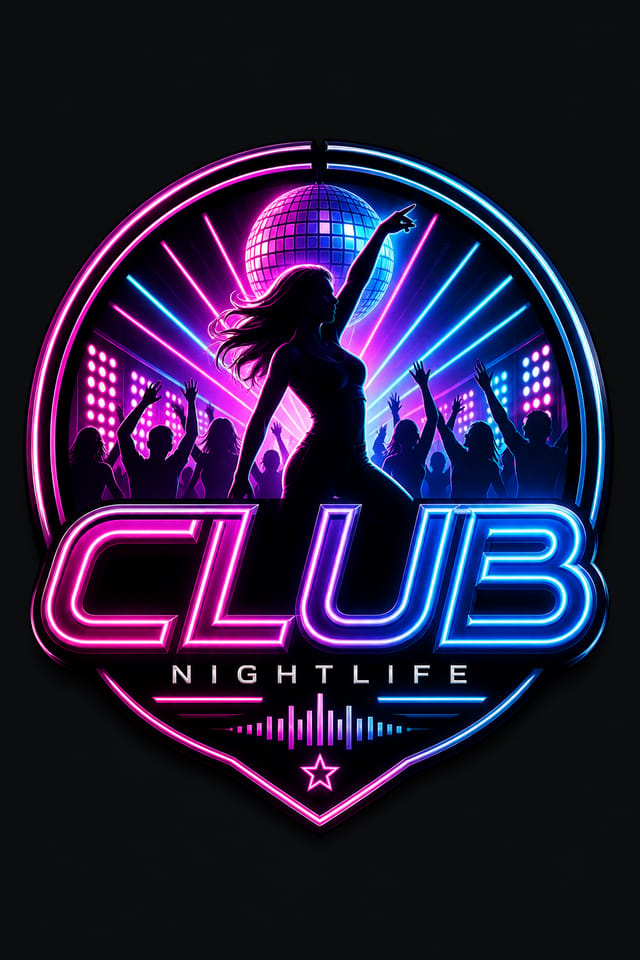
Club Logo AI: Feature Overview
Context-Aware Design
Describe your club logo's purpose and audience. The AI adjusts visual weight, complexity, and clarity based on the intended use context.
Style-Accurate Generation
The AI interprets club design conventions and applies them to your logo, producing output that looks correctly styled rather than generically templated.
Commercial Use Rights
Designs generated with Pixazo are yours to use commercially. No additional licensing required for club logo projects.
Compositional Structure
Layout and hierarchy decisions reflect club design patterns. The proportions and arrangement match how club designs are conventionally structured.
Resolution Control
Specify output dimensions for your club logo. Get files sized for web display, social media, or large-format printing.
Instant Iterations
Generate multiple club logo variations from a single prompt. Compare options and refine until the design matches your vision.
Your Club Logo Workflow: The Creation Flow
Draft the Concept
Describe what you want your club logo to look like. Include the mood, color palette, typography preference, and content hierarchy. Pixazo reads all of this and uses it to generate an appropriate design.
Consider the Outcome
Pixazo generates your club logo in seconds. Review the design and adjust your prompt to refine specific elements: change the color palette, shift the layout weight, or add visual elements you want included.
Optimize the Layout
Adjust your prompt to modify specific elements of the club logo. Change the color palette, shift typography weight, or reposition the compositional focus. Each iteration gets you closer to the final design.
Commit the Output
Download your completed club logo in the format that fits your use case. High-resolution files for print, web-optimized versions for digital, or PDF for production-ready delivery.
Watch: Creating Club Logo designs step by step
Club Logo Maker: Common Questions Answered
Specific prompts produce better results than vague ones. Include the visual style you want, any color preferences, the most important text to display, and the intended use. For club design specifically, noting whether you want a contemporary or classic interpretation of club style helps the AI make the right design decisions.
Common sizes include 1080x1080 for Instagram feed, 1080x1920 for stories and reels, 1200x628 for Facebook links, 1500x500 for Twitter headers, and 1080x1350 for Pinterest. Specify the platform in your prompt and Pixazo optimizes club layout for that format.
Each generation uses your unique prompt text to produce a distinct club logo design. Even similar prompts produce noticeably different outputs due to the AI's generative process. No two users receive identical designs.
You can specify any aspect ratio in your prompt. Common options include 1:1 for social posts, 4:5 for Instagram, 9:16 for stories, 16:9 for presentations, and standard print sizes like A4 or letter. The AI adapts club composition to fit your chosen ratio.
Where Club Logo Design Is Heading: Trend Report
Bold Typography
Oversized type and expressive fonts are dominating club logo design, turning headlines into visual centerpieces rather than just text.
Organic Shapes
Flowing, irregular forms are replacing sharp geometric shapes in club logo backgrounds and decorative elements for a softer visual feel.
Gradient Overlays
Smooth color transitions are being used as primary design elements in club logo work, adding depth without the complexity of photographic backgrounds.
Motion-Ready Design
Static club logo designs are being created with animation in mind, using layered elements that translate smoothly to motion graphics.
Asymmetric Composition
Breaking grid symmetry in club logo layouts creates visual tension and a modern, editorial feel that stands out.
Everything in Club Logo AI: Features Unpacked
Resolution Control
Export club logos at resolutions from web-optimized to print-quality 4K
Format Flexibility
Download your club logo as PNG, JPG, or PDF depending on your use case
Batch Generation
Create multiple club logo variations from a single prompt efficiently
Putting Club Logos to Work: Where They Fit
Podcast and Media Branding
Generate club logos for podcast covers, episode artwork, and media channel identity. Consistent visual branding across audio and video platforms.
Event Promotion
Create club event logos that establish the right visual mood before the event. Club design signals quality and sets expectations.
Professional Projects
Create club logos for client work, commercial campaigns, and professional applications where quality and style accuracy matter.
Music and Audio Production
Produce club logos for album covers, playlist artwork, and music event promotion. Visual identity that matches the sound.
Travel and Tourism Promotion
Design club logos for destinations, tour packages, and hospitality brands. Aspirational visuals that inspire booking decisions.
Your Club Logo Tool: Quick Overview
Club Logo Starter Prompts Worth Trying
Copy any prompt below and paste it into Pixazo to generate your design instantly.
Clean club logo design, geometric structure, disciplined typography, color accent used selectively for emphasis, printer-optimized resolutionGeometric club logo, structured grid system, angular composition, colors in blocks rather than gradients, modern clean finishHigh-impact club logo, immediate visual read at thumbnail size, clear headline dominance, supporting information structured logicallyClub logo design, clean layout, strong typography hierarchy, appropriate color palette for club aesthetic, high contrast between headline and backgroundMonochromatic club logo, single-hue palette with value variation for contrast, typographic hierarchy creates visual interest without color complexityPortrait-orientation club logo, vertical composition, headline at natural reading entry point, supporting information flows downward logicallyYour Club Logo Process: From Start to Delivery
Review Evaluate and refine
Compare generated club logo options against your brief. Mark what works and note specific changes needed for the next iteration.
Research Gather references
Collect examples of effective club logo designs, note what works, and identify patterns relevant to your project goals.
Generate Create initial designs
Use AI to produce multiple club logo variations based on your brief. Start broad and narrow down from the strongest options.
Approve Final sign-off
Get stakeholder approval on the finished club logo. Verify all text is accurate and the design meets brand and technical requirements.
Brief Define requirements
Establish the key message, dimensions, color preferences, and target audience for your club logo before any design work begins.
Community Club Logo: Designs Worth Seeing
Real creators sharing their club designs made with Pixazo AI.

Vibrant club logo targeting Gen Z audience, neon accent colors, asymmetric layout, bold experimental typography, maximum visual energy
Eco-friendly themed club logo, natural green and kraft tones, organic shapes, sustainability messaging, handcrafted aesthetic
Professional club logo, minimalist layout, selective use of color for emphasis, clear visual hierarchy from top to bottomThe Fine Print on Club Logos: What It Cannot Do
Known limitations and trade-offs of AI-generated club design. Transparency matters when using AI for club logo design. The points below describe where you may need to supplement AI output with manual work.

