Retirement Poster : Create Free Retirement Posters in Minutes with AI
Create Custom Retirement Posters Quickly with Pixazo Best AI Retirement Poster Maker. Try for Free!
Get Started


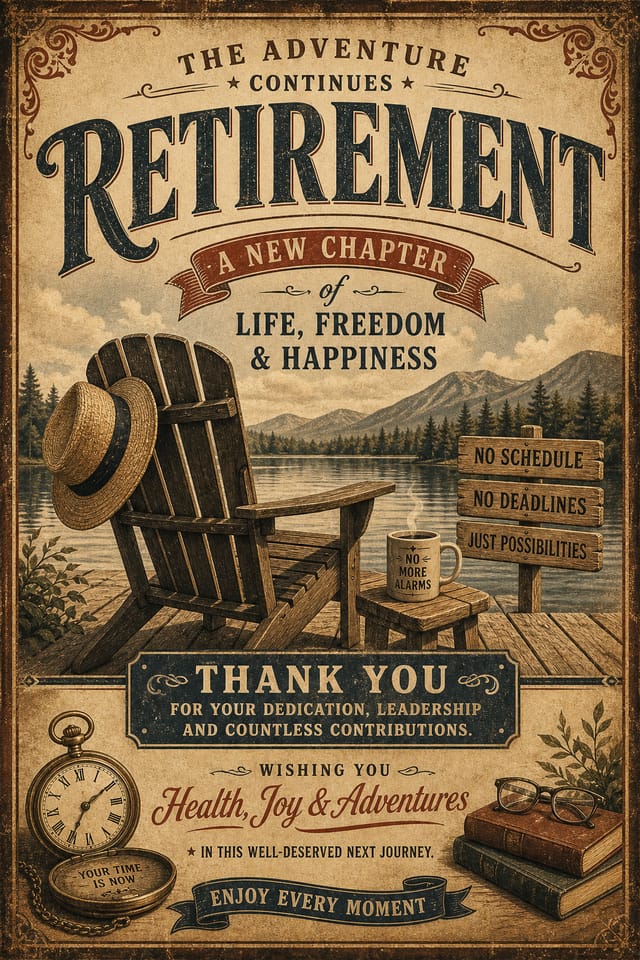
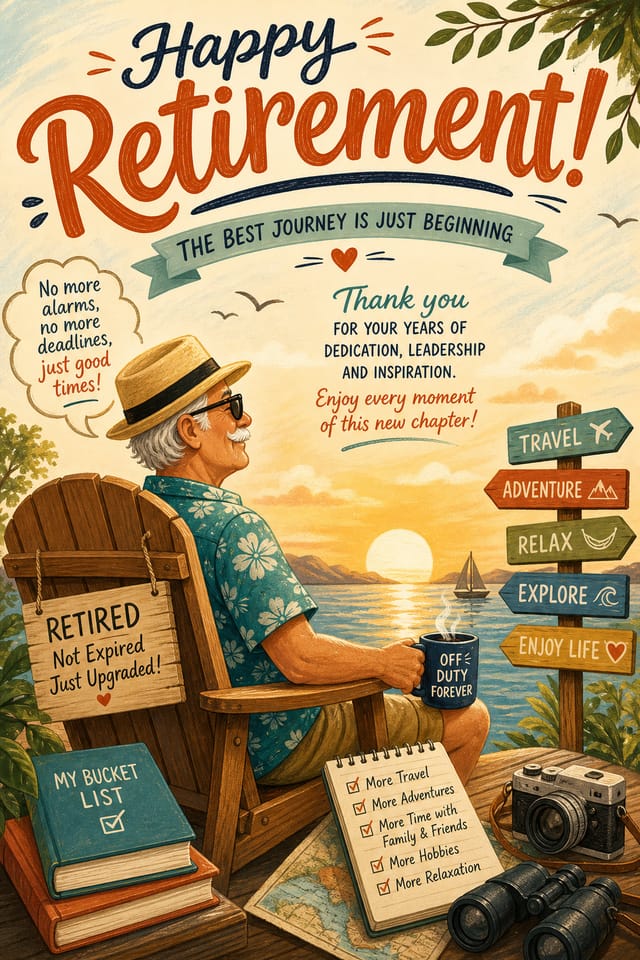
Retirement Poster Export Guide: Output Formats Compared
PNG
Lossless image format ideal for retirement poster designs with transparency, sharp text, and web display at predictable file sizes.
WEBP
Modern web format offering smaller file sizes than PNG or JPG for retirement poster images without significant quality loss.
TIFF
High-fidelity format for retirement poster files destined for professional printing, supporting CMYK color and lossless compression.
JPG
Compressed image format suited for retirement poster designs with photographic elements where smaller file size matters more than pixel-perfect edges.
From Prompt to Retirement Poster: In Minutes
Declare the Design Direction
Start with a text description of your retirement poster concept. Specify the visual style, colors, layout direction, and key text. Detailed prompts produce more accurate retirement poster designs than general ones.
Examine What Appears
Pixazo generates your retirement poster in seconds. Review the design and adjust your prompt to refine specific elements: change the color palette, shift the layout weight, or add visual elements you want included.
Hone the Details
Refine the retirement poster by updating your description with precise changes. Add constraints you didn't include initially or remove elements that aren't working. The AI responds to specific direction.
Package Your Design
Export your retirement poster in the format you need. PNG for web and social, PDF for print production, JPG for email and lightweight sharing. The file is yours to use commercially without restrictions.
Retirement Poster Specifications
Watch: Creating Retirement Poster designs step by step
The Logic of Retirement Poster Design: Visual Processing Explained
How Pixazo Reads Retirement Style Cues
Effective retirement poster design depends on understanding what makes retirement work visually.
Color relationships, typographic choices, and spatial arrangement all carry different weight depending on the design style.
Pixazo's AI has been trained to recognize these distinctions.
The practical result is that a retirement poster prompt produces designs that fit retirement conventions rather than generic poster layouts.
Smart Retirement Poster AI: A Closer Look
Typography Matching
Typefaces are selected to match retirement aesthetic expectations. The AI pairs fonts that reinforce your retirement poster's visual identity.
Resolution Control
Specify output dimensions for your retirement poster. Get files sized for web display, social media, or large-format printing.
Layered Style Application
Combine retirement style with other design parameters in a single prompt. The AI interprets complex requests and applies multiple style constraints simultaneously.
Commercial Use Rights
Designs generated with Pixazo are yours to use commercially. No additional licensing required for retirement poster projects.
The Retirement Poster Pipeline: Workflow Breakdown
Research
Collect examples of effective retirement poster designs, note what works, and identify patterns relevant to your project goals.
Refine
Apply targeted edits to your selected retirement poster. Adjust typography, spacing, and color until every element meets your quality standard.
Review
Compare generated retirement poster options against your brief. Mark what works and note specific changes needed for the next iteration.
Export
Export your retirement poster in the required formats and resolutions. Organize deliverables for handoff to the production or publishing team.
Approve
Get stakeholder approval on the finished retirement poster. Verify all text is accurate and the design meets brand and technical requirements.
Retirement Poster Applications: Who Benefits Most
Thank-You and Appreciation Notes
Generate retirement posters expressing gratitude to hosts, teachers, mentors, and colleagues. Designs that feel genuine and considered.
Wedding and Engagement Invitations
Design retirement posters for save-the-dates, formal invitations, and RSVP cards. Elegant designs that set the tone for the celebration.
Graduation Announcements
Create retirement posters celebrating academic achievements. Designs that honor the graduate's accomplishment with appropriate formality and pride.
Retirement and Farewell Messages
Create retirement posters marking career milestones and departures. Respectful designs that celebrate contributions and wish well.
Retirement Poster Aesthetics: Visual Approaches
High-Contrast Retirement
Bold retirement visual treatment with strong tonal contrast. Elements read clearly at any viewing distance.
Textured Retirement
Retirement design with added surface depth. Background treatments add visual interest without disrupting legibility.
Contemporary Retirement
Current retirement design sensibility with updated proportions, modern typefaces, and contemporary color relationships.
Atmospheric Retirement
Retirement poster design where mood takes priority. Color and composition work together to create a specific feeling.
Editorial Retirement
Text-dominant retirement poster layout inspired by print publication design. Typographic variety creates visual rhythm.
Community Retirement Poster: Gallery Highlights
Real creators sharing their retirement designs made with Pixazo AI.

Retirement poster design, clean typographic hierarchy, palette appropriate to retirement aesthetic, high contrast headline, balanced composition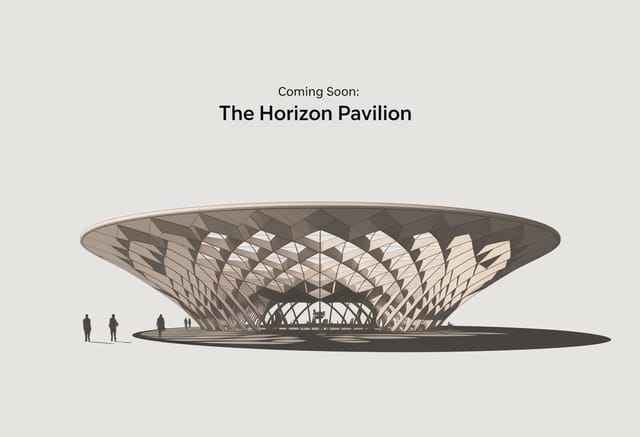
Geometric retirement poster design, angular composition, color in blocks, structured grid, no decorative flourishes
A3 landscape retirement poster for conference booth, informational layout with three columns, clear section headers, QR code placement zoneReady-to-Use Retirement Poster Prompts to Try
Copy any prompt below and paste it into Pixazo to generate your design instantly.
Portrait-orientation retirement poster, vertical composition, headline at natural reading entry point, supporting information flows downward logicallyRetirement poster for digital display, optimized proportions for screen viewing, colors calibrated for RGB output, legible at typical viewing distanceProfessional retirement poster, minimalist retirement approach, negative space used intentionally, readable at multiple viewing distances, print-ready compositionFull-bleed retirement poster, background treatment extends to edges, foreground elements positioned for compositional balance, strong central hierarchyLarge-format retirement poster design, elements sized for visibility at print scale, no fine detail that would be lost in productionRetirement poster design, clean layout, strong typography hierarchy, appropriate color palette for retirement aesthetic, high contrast between headline and backgroundAI Retirement Poster Generation: Straight Answers
Longer, more detailed prompts generally produce more accurate results for retirement poster design. Include all the relevant information: style direction, color preferences, content to display, intended use, and any specific design elements you want. There is no strict character limit.
Professional retirement poster design comes down to the right color relationships, appropriate typographic hierarchy, and compositional balance that fits retirement aesthetic conventions. Generic designs miss these details because they apply neutral defaults rather than style-specific decisions. Pixazo applies retirement design knowledge when you specify the style.
Yes. Set up separate brand kits for each client or brand, then switch between them when generating retirement posters. Each brand kit stores its own colors, fonts, and logo so the AI applies the correct identity to every retirement poster without manual reconfiguration.
Pixazo supports PNG, JPEG, and PDF export for retirement posters. PNG preserves transparency if your design uses it. JPEG works well for web and social media. PDF is the preferred format for print production of retirement posters.
Designs created with Pixazo are available for commercial use. You can use your retirement posters for client projects, product sales, advertising, and other commercial applications without additional licensing fees.
Being Realistic About Retirement Posters: Needs Human Help
Known limitations and trade-offs of AI-generated retirement design. Transparency matters when using AI for retirement poster design. The points below describe where you may need to supplement AI output with manual work.

