School Poster : Create Free School Posters in Minutes with AI
Create Custom School Posters Quickly with Pixazo Best AI School Poster Maker. Try for Free!
Get Started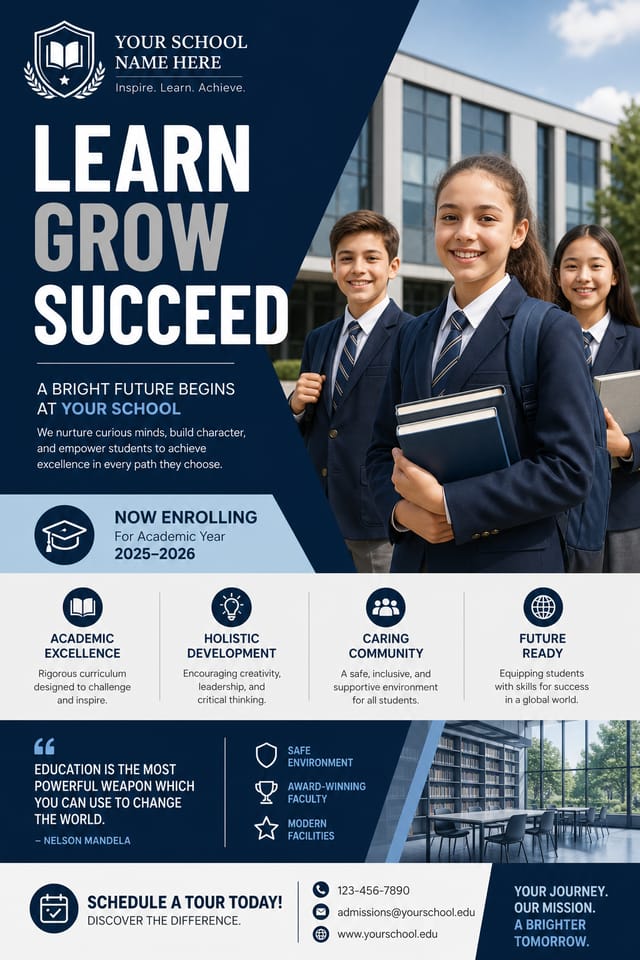




What Separates Good School Design: What Good Design Involves
School Poster Aesthetics: What the AI Understands
The gap between a professional school poster and a mediocre one usually comes down to design decisions made early in the process: palette selection, type hierarchy, and compositional structure.
These choices determine whether the final output reads as school or just looks generic.
Pixazo's AI makes these foundational decisions based on your prompt.
Specify a school poster and the system selects design parameters that match school visual expectations, giving you a solid starting point rather than a blank-slate template.
Precision School Poster Tools: Feature Overview
Print-Ready Output
Generated school posters are sized and structured for professional printing. Download high-resolution files ready for production.
Layered Style Application
Combine school style with other design parameters in a single prompt. The AI interprets complex requests and applies multiple style constraints simultaneously.
Color Temperature Control
Specify warm, cool, or neutral color direction for your school poster. The AI builds the full palette around your temperature preference.
Prompt Refinement
Adjust your description to refine any aspect of the school poster design. The AI responds to specific direction about colors, layout, or content.
Typography Matching
Typefaces are selected to match school aesthetic expectations. The AI pairs fonts that reinforce your school poster's visual identity.
Consistency Across Variants
Generate multiple school posters for a project and maintain visual consistency across the set. Specify your core design parameters and vary secondary elements.
Real School Posters: Spotlights and Showcases
Real creators sharing their school designs made with Pixazo AI.

Moody school poster with deep shadows and dramatic lighting feel, dark palette, cinematic atmosphere, headline in condensed uppercase
School poster in 18x24 inch print format, museum-quality composition, generous margins, elegant serif headline, muted earth tones
Monochromatic school poster, single hue in multiple values, typographic hierarchy creates depth without color complexityPutting School Posters to Work: Use Case Roundup
Student Recruitment Materials
Generate school posters for program open days, scholarship announcements, and enrollment campaigns. Designs that appeal to prospective students.
Grant and Funding Presentations
Create school posters to support funding applications and donor presentations. Visual summaries that make research impact tangible.
Thesis and Dissertation Defense
Design school posters for viva presentations and thesis defenses. Clear visual aids that support oral examination of research.
Conference Presentations
Create school posters for academic conferences, symposia, and research showcases. Designs that present complex findings in a scannable visual format.
Workshop and Seminar Notices
Generate school posters announcing guest lectures, skill workshops, and study groups. Practical materials for academic community notice boards.
The Path to Your School Poster: Behind the Scenes
Begin with Your Vision
Start with a text description of your school poster concept. Specify the visual style, colors, layout direction, and key text. Detailed prompts produce more accurate school poster designs than general ones.
Evaluate the Result
Pixazo generates your school poster in seconds. Review the design and adjust your prompt to refine specific elements: change the color palette, shift the layout weight, or add visual elements you want included.
Download the Result
Download your completed school poster in the format that fits your use case. High-resolution files for print, web-optimized versions for digital, or PDF for production-ready delivery.
Watch: Creating School Poster designs step by step
How School Style Varies: Finding Your Look
Editorial School
Text-dominant school poster layout inspired by print publication design. Typographic variety creates visual rhythm.
Contemporary School
Current school design sensibility with updated proportions, modern typefaces, and contemporary color relationships.
Textured School
School design with added surface depth. Background treatments add visual interest without disrupting legibility.
Atmospheric School
School poster design where mood takes priority. Color and composition work together to create a specific feeling.
School Poster Starter Prompt Examples
Copy any prompt below and paste it into Pixazo to generate your design instantly.
Geometric school poster, structured grid system, angular composition, colors in blocks rather than gradients, modern clean finishClean school poster design, geometric structure, disciplined typography, color accent used selectively for emphasis, printer-optimized resolutionSchool poster with strong visual hierarchy, largest element reads clearly, supporting elements organized by importance, clean background treatmentHigh-impact school poster, immediate visual read at thumbnail size, clear headline dominance, supporting information structured logicallyEditorial-style school poster, text-dominant design, typographic treatment carries visual weight, layout proportions inspired by print publication designSchool Poster Output Options: File Types and Uses
JPG
Compressed image format suited for school poster designs with photographic elements where smaller file size matters more than pixel-perfect edges.
WEBP
Modern web format offering smaller file sizes than PNG or JPG for school poster images without significant quality loss.
TIFF
High-fidelity format for school poster files destined for professional printing, supporting CMYK color and lossless compression.
Print-ready format for school poster files that preserves fonts, colors, and layout across different devices and print services.
PNG
Lossless image format ideal for school poster designs with transparency, sharp text, and web display at predictable file sizes.
School Poster Design Workflow: The Full Process
Research Gather references
Collect examples of effective school poster designs, note what works, and identify patterns relevant to your project goals.
Brief Define requirements
Establish the key message, dimensions, color preferences, and target audience for your school poster before any design work begins.
Generate Create initial designs
Use AI to produce multiple school poster variations based on your brief. Start broad and narrow down from the strongest options.
Approve Final sign-off
Get stakeholder approval on the finished school poster. Verify all text is accurate and the design meets brand and technical requirements.
Working with School Poster AI: What It Cannot Do
Known limitations and trade-offs of AI-generated school design. Being specific about what AI poster generation can and cannot do helps you plan your workflow and set accurate expectations.
School Poster Essentials: The Essentials
The AI renders text as specified in your prompt, so double-check spelling and punctuation before generating. If text renders incorrectly in a school poster, adjust your prompt and regenerate. The AI follows your exact text input.
Common sizes include 1080x1080 for Instagram feed, 1080x1920 for stories and reels, 1200x628 for Facebook links, 1500x500 for Twitter headers, and 1080x1350 for Pinterest. Specify the platform in your prompt and Pixazo optimizes school layout for that format.
Pixazo generates high-resolution files suitable for both print and digital use. Specify your intended output format in your prompt. Print school posters benefit from high-DPI settings, while web and social media use works well with standard resolution output.
Pixazo generates original designs rather than copying existing work. The AI creates school posters from learned design principles, not by stitching together fragments of existing designs. Generated output does not reproduce copyrighted material or identifiable artistic styles of living creators.
Pixazo supports PNG, JPEG, and PDF export for school posters. PNG preserves transparency if your design uses it. JPEG works well for web and social media. PDF is the preferred format for print production of school posters.

