Seedance 2.5
Long, coherent camera moves
Best for long, coherent camera moves in your AI-generated video — smooth tracking shots that stay steady for the whole clip, where lighter text-to-video models start to wobble.
Try it in the playground✦ Powered by Seedance 2.5, Veo 3.1 & Runway Gen-4.5
Pixazo's AI video generator turns a text prompt or a photo into a short MP4 in seconds — free, with no watermark. Pick Seedance 2.5, Gemini Omni, Veo 3.1 Fast or Runway Gen-4.5, generate a clip, and re-roll until it's right. Commercial use is included on paid plans.
| Model | Best for | Choose it when |
|---|---|---|
| Seedance 2.5 | Long, coherent camera moves | You want smooth tracking shots that stay steady for the whole clip |
| Gemini Omni | Product-grade push-ins | You’re filming a product and want a clean, controlled zoom |
| Veo 3.1 Fast | Realistic physics — cloth, water, hair, smoke | Movement must look natural rather than smeared |
| Runway Gen-4.5 | Image-to-video | You already have a still and want to animate it |
No single AI video model is best at every shot, so Pixazo's AI video generator puts several leading text-to-video models behind one prompt box. A rain-slick street needs different motion handling than a slow product push-in — choose the text-to-video AI that fits each shot, and keep the same prompt.
Each card below opens that video model directly in the playground. With an AI video generator, choosing the right model is as important as the prompt — it is a creative decision, not a hidden setting.
Long, coherent camera moves
Best for long, coherent camera moves in your AI-generated video — smooth tracking shots that stay steady for the whole clip, where lighter text-to-video models start to wobble.
Try it in the playgroundProduct-grade push-ins
Best for product-grade push-ins. This text-to-video model keeps the subject sharp and undistorted — ideal for tabletop, packaging and any AI video where the product must not deform.
No playground route yet
Cloth, water, physics
Best for realistic physics in AI video — fabric, hair, water and smoke that move naturally rather than smearing. Short clips by design.
Try it in the playgroundAnimating a still you already have
The image-to-video model. Upload a still and it animates that exact composition, so the motion reads as directed rather than generated — the route for turning your own images into AI video.
Open Runway Gen-4.5Pixazo's AI video generator turns text into video in four simple steps — and three of them are just typing. The whole text-to-video workflow happens in the box at the top of this page.
Describe what you want — the subject, the camera movement and the lighting. “Handheld shot following a cyclist through wet streets at dusk” works far better than “a video about freedom.”
Optionally, upload a JPG, PNG or WEBP image and the AI video generator starts from your picture instead of from scratch, inheriting its composition, colours and framing.
Open a specific text-to-video model from the cards above, or press Generate to use Pixazo's default AI video model — the quickest way to get a first take.
Sign in, check the credit cost on the Generate button, render your clip, then download the MP4 watermark-free. Change one variable per attempt to see exactly what improved your AI-generated video.
Yes — the most reliable way to control an AI video generator is to start from an image. A text-to-video prompt has to invent the composition, the lens and the colour before it can move anything; a start frame settles all three, so the image-to-video model only has to solve the motion.
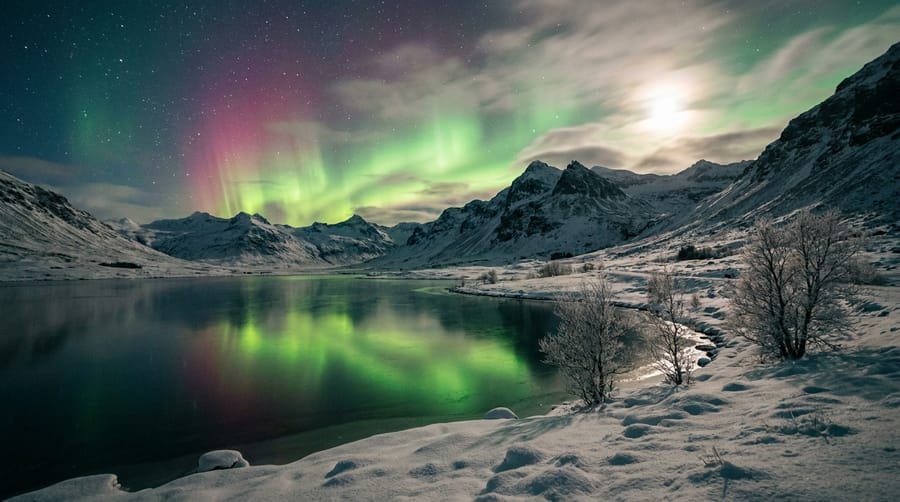
Below: on the left, an image made with Pixazo. On the right, the video Runway Gen-4.5 made from it — same scene, now with the northern lights moving.
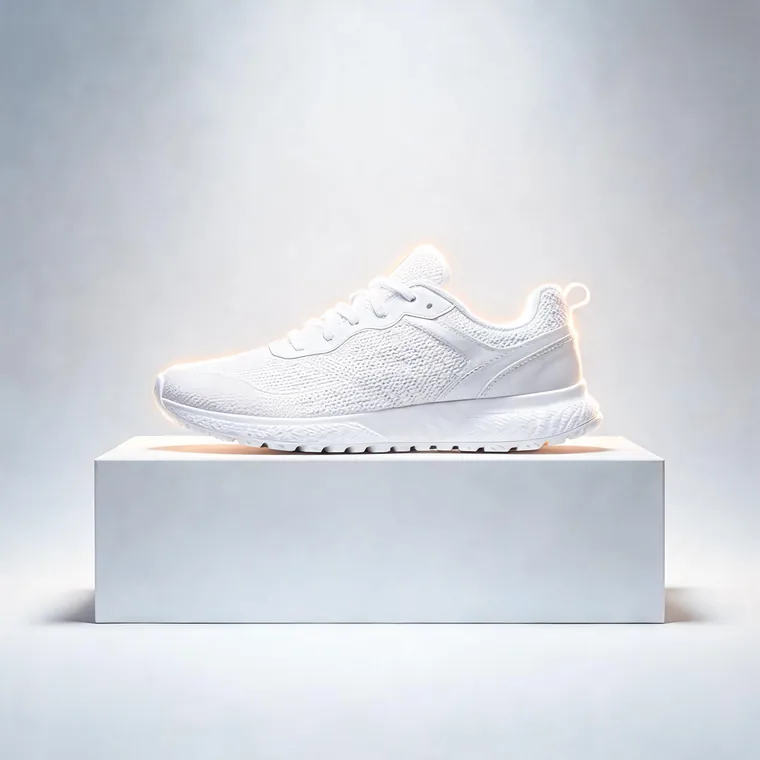
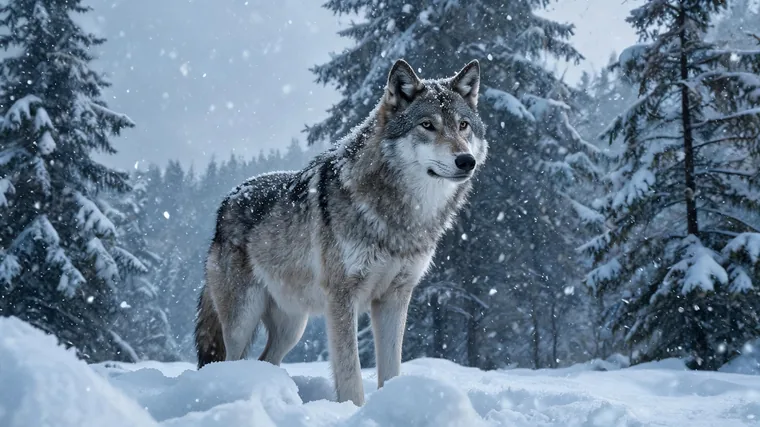
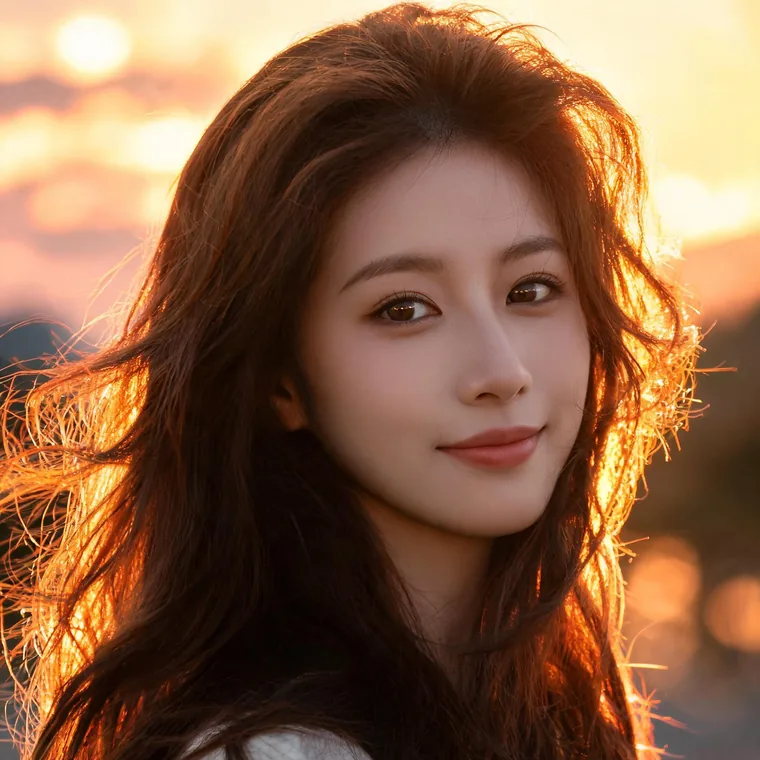
Three more start frames and the AI-generated video each one produced. Any still can go into the start-frame slot at the top, where an image-to-video run stops guessing at composition and starts inheriting it.
Free credits to start · no watermark · credit cost shown before you generate
A widescreen AI video rarely survives a crop to phone — heads get clipped and a move that looked elegant at 16:9 reads as drift at 9:16. Set the vertical 9:16 ratio in the AI video generator before you render, not as a crop afterwards.
The clip beside this is an 8-second vertical ad generated end to end on Pixazo. It also shows a limit of every current AI video maker: the end card renders the product name as garbled letters. Treat AI-generated frames as footage and add real type in a video editor.
Eight seconds, 720×1280. Note the garbled end card.
Free credits to start · no watermark · credit cost shown before you generate
Two shots in four seconds: corridor, then a macro insert.
Style in an AI video generator is a prompt problem, not a setting. This two-shot sci-fi clip — a neon corridor cut to a macro insert — came from naming the lighting and the cut in the text-to-video prompt, not the genre.
The food clip below sits at the other end of the range and is the shot most people actually need: a clean six-second product video. This is where an AI video maker earns its keep — a real kitchen, stylist and camera operator would cost far more than a month of credits.
Six seconds, 1280×720. Chopsticks, broth, steam, no audio track.
Free credits to start · no watermark · credit cost shown before you generate
An AI video generator is a shot generator, not a production house, and every text-to-video AI fails in patterns worth knowing before you spend credits learning them.
AI video clips run a few seconds each, not minutes. A finished piece is several AI-generated clips cut together, and continuity between them is your job.
Logos, labels and end cards usually come out as garbled text. Add real text in an editor afterwards.
You can’t request a specific actor, brand asset or lens and expect it to obey. Vague prompts give vague results.
Sometimes a shot comes out wrong — like the upside-down clip on the right. The only fix is to generate again, so leave room for a few tries.
Every video costs credits. New accounts get 100 free, and the top models cost more per clip than the trial covers in one go.
No trimming, captions or audio mixing here. This tool creates clips; you finish them in a video editor.
A failed take, kept as evidence. Five seconds, inverted in the pixels.
Every clip on this page was made with Pixazo — including that one. Showing only the good ones wouldn’t be honest.
Free credits to start · no watermark on the download
Yes. Pixazo's AI video generator is free to start: new accounts get 100 credits, enough for your first few text-to-video clips on the cheaper models. Each AI video run uses credits, and the cost for your chosen model appears on the Generate button before you commit.
Text alone is enough on the text-driven models. Adding a start image is optional and switches the run from text-to-video to image-to-video, which is the more predictable of the two. Runway Gen-4.5 is the model built for animating an image you already have.
A few seconds each. The AI-generated videos on this page run four to ten seconds, and each model exposes its own duration options. For longer pieces, generate several clips in the AI video maker and cut them together.
Every AI video downloads as a watermark-free MP4. Commercial use is cleared on paid plans, so check your plan before shipping a clip from an AI video generator in client work.
Start on a cheaper, faster text-to-video model to see whether the shot works, then re-render the keeper on a higher-quality one. Choose the AI video model by the shot you need — the four cards above are sorted by what each does best.
Usually because the text-to-video prompt asked for two things at once. Name one camera move, keep one subject doing one thing, and change one variable between attempts. If the framing or orientation is broken, re-generate rather than fixing it downstream.
The AI video generator at the top of this page is the quickest way to start — or go straight to the playground. Either way, your text-to-video run begins with one sentence and 100 free credits.
Prefer to stay here? Scroll back up and type your prompt in the box.
Written by

Deepak Joshi is a Content Marketing specialist having a combined experience of 10+ years working in the digital world. He is one of the active contributors to Pixazo Blog and has keen interest creating and marketing content related to AI tools, No-Code technology, Design Industry, Social Influencers, and other trending topics. A health and sport enthusiast, Deepak loves to indulge in all kinds of sports & games.
Ready to generate? Free credits to start · no watermark · cost shown before you generate.
Generate a free video →