AI
ROTOSCOPING
Mask, isolate or cut out any subject from a video with AI roto — no hand-drawn splines, no frame-by-frame tracing. Pull back a clean cut-out or an alpha matte.
What is AI rotoscoping?
Rotoscoping is isolating a subject from its background, frame by frame — the matte that lets you replace a backdrop, drop in an effect or cut a person out clean.
AI roto does it automatically. It’s auto rotoscoping that masks the subject in every frame of your video roto, so you skip the hand-drawn splines and the frame-by-frame tracing. Upload a clip, let the AI trace the edge, and pull back a cut-out or an alpha matte in the Pixazo editor. It’s the same idea as AI video background removal — here the focus is the matte and the mask itself. Every clip shown is illustrative, generated with Pixazo.
Rotoscope a video in three frames
No splines, no keyframes, no tracing — the whole roll runs in the browser.
Upload your clip
Drop in the video with the subject you want to isolate — a person, a product, a car, an animal. Any ordinary background works.
AI masks the subject
The model traces the subject’s edge and masks it in every frame automatically — the AI-roto alternative to drawing splines by hand.
Export the cut-out
Pull back the subject cut out on transparency, or the alpha matte on its own, ready to composite onto a new background or effect.
One clip, every kind of mask
The same roto pass drives every deliverable — read it like a layer stack.
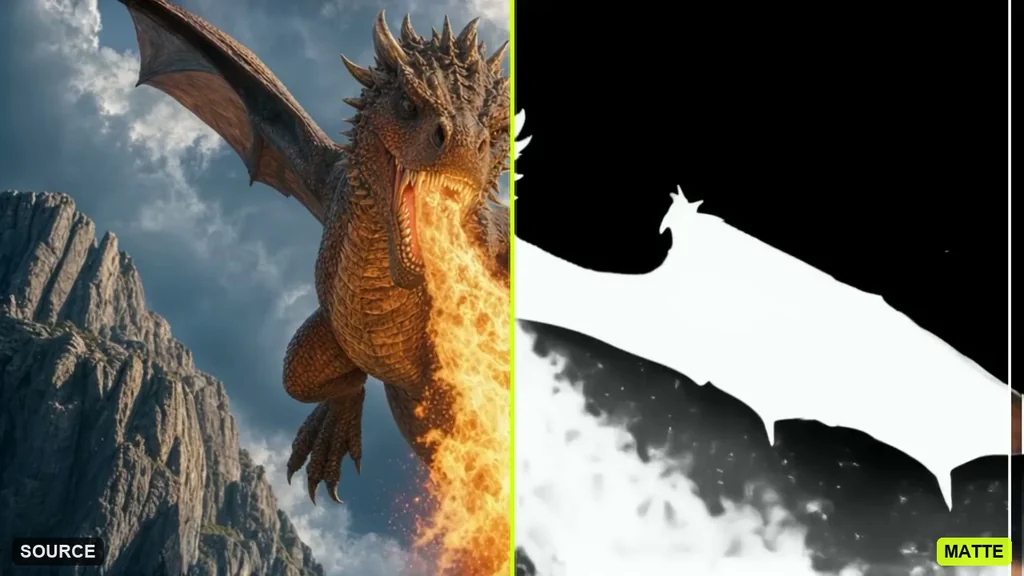
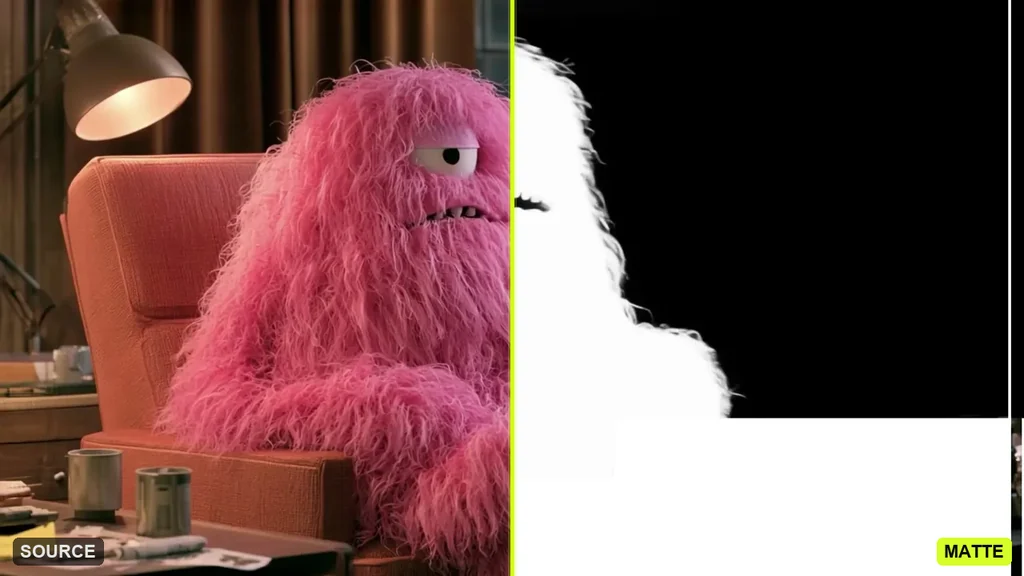
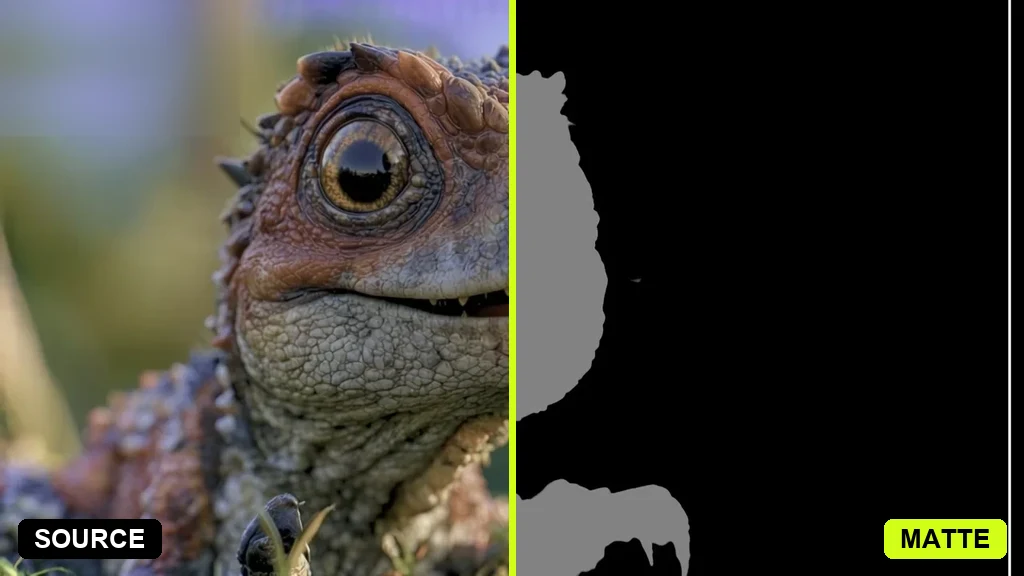
Subject in, matte out
Each of these was a full scene; AI roto isolated the subject and pulled the alpha matte off the background. All illustrative, generated with Pixazo.
Manual roto is billed by the frame
Traditional rotoscoping is slow, manual spline work — the reason studios and rotoscoping services price it per frame. AI roto does the first pass for you.
Manual rotoscoping
PER FRAMEAI roto on Pixazo
WHOLE CLIPWhat goes in and out
Capabilities only — no invented benchmark numbers.
- A video clip with the subject you want to mask, isolate or cut out
- People, products, vehicles, animals
- An ordinary background — no green screen
- The subject cut out on transparency
- The alpha matte on its own, for compositing
- A clean plate, or a swapped backdrop
Get the cleanest matte
A few habits that help the edge hold — and the honest limits.
Contrast helps the edge. A subject that stands out from the background masks cleaner than one that blends into it.
Steady, well-lit footage wins. Even light and a stable shot give the AI a clearer edge to trace than a dark, noisy clip.
Fine hair and fast motion are hardest. Flyaway strands and motion blur can shimmer on tricky frames — check those before export.
It’s an AI first pass. For a broadcast-finished matte, studios still refine by hand — AI roto gets you most of the way, fast.
AI rotoscoping questions
What is AI rotoscoping?+
How do I rotoscope a video?+
Can I mask an object or isolate a subject?+
Is AI roto as good as a rotoscoping company?+
What footage works best?+
Is AI rotoscoping free?+
Cut out any subject
Mask, isolate or rotoscope a video with AI roto — no splines, free to start in the Pixazo editor.
Rotoscope a video →
Deepak Joshi is a Content Marketing specialist with 10+ years of combined experience in the digital world, and one of the active contributors to the Pixazo Blog.