Website Banner : Create Free Website Banners in Minutes with AI
Create Custom Website Banners Quickly with Pixazo Best AI Website Banner Maker. Try for Free!
Get Started
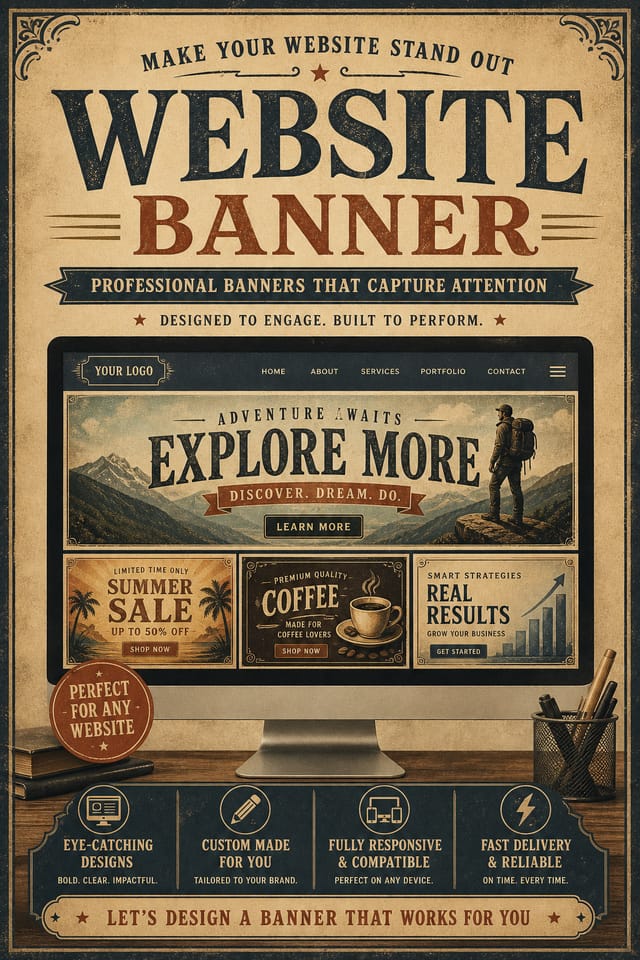
The Logic of Website Banner Design: Design Intelligence at Work
How AI Translates Website Style to Final Output
Not all banner design styles work the same way.
Website design has specific characteristics that distinguish it from other approaches: particular color affinities, compositional tendencies, and typographic conventions that trained designers recognize immediately.
Pixazo applies this style knowledge automatically.
When you request a website banner, the AI pulls from a visual vocabulary appropriate to website design, producing output that reads correctly to anyone familiar with the style.
Your Website Banner Workflow: A Quick Guide
Express Your Design Idea
Write a prompt describing your website banner. Include style preferences, color direction, the most important text to display, and any specific visual elements you want. The more specific your description, the more targeted the output.
Score the First Draft
Pixazo generates your website banner in seconds. Review the design and adjust your prompt to refine specific elements: change the color palette, shift the layout weight, or add visual elements you want included.
Harvest the Result
Download your completed website banner in the format that fits your use case. High-resolution files for print, web-optimized versions for digital, or PDF for production-ready delivery.
Website Banner Specifications
Watch: Creating Website Banner designs step by step
The Website Banner Pipeline: From Start to Delivery
Generate
Use AI to produce multiple website banner variations based on your brief. Start broad and narrow down from the strongest options.
Refine
Apply targeted edits to your selected website banner. Adjust typography, spacing, and color until every element meets your quality standard.
Export
Export your website banner in the required formats and resolutions. Organize deliverables for handoff to the production or publishing team.
Review
Compare generated website banner options against your brief. Mark what works and note specific changes needed for the next iteration.
The Website Banner Toolkit: Professional Features
Color Temperature Control
Specify warm, cool, or neutral color direction for your website banner. The AI builds the full palette around your temperature preference.
Compositional Structure
Layout and hierarchy decisions reflect website design patterns. The proportions and arrangement match how website designs are conventionally structured.
Context-Aware Design
Describe your website banner's purpose and audience. The AI adjusts visual weight, complexity, and clarity based on the intended use context.
Layered Style Application
Combine website style with other design parameters in a single prompt. The AI interprets complex requests and applies multiple style constraints simultaneously.
Exporting Your Website Banner: Output Formats Compared
JPG
Compressed image format suited for website banner designs with photographic elements where smaller file size matters more than pixel-perfect edges.
Print-ready format for website banner files that preserves fonts, colors, and layout across different devices and print services.
PNG
Lossless image format ideal for website banner designs with transparency, sharp text, and web display at predictable file sizes.
WEBP
Modern web format offering smaller file sizes than PNG or JPG for website banner images without significant quality loss.
SVG
Scalable format for website banner designs that need to render crisply at any resolution, commonly used for web and responsive layouts.
Real Website Banners: Gallery Highlights
Real creators sharing their website designs made with Pixazo AI.
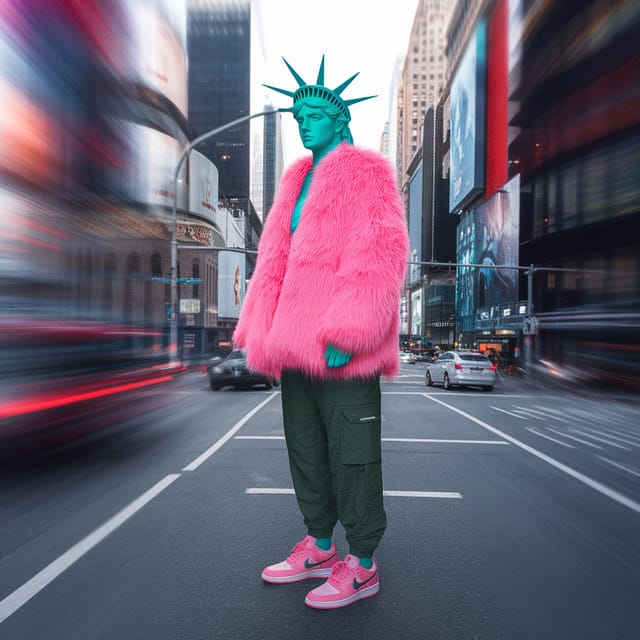
Square website banner at 1080x1080 for LinkedIn post, professional tone, balanced text-to-visual ratio, brand-safe composition
Portrait website banner for social sharing, vertical 4:5 ratio, headline in upper third, supporting content below centerline
Warm palette website banner, ochre and brown tones, serif typography, traditional website design reference, tactile feelingThe Reach of Website Banners: Everyday and Professional
Event Promotion
Create website event banners that establish the right visual mood before the event. Website design signals quality and sets expectations.
Healthcare and Wellness
Design website banners for clinics, wellness centers, and health campaigns. Trustworthy visuals that communicate care and professionalism.
Small Business Marketing
Produce website marketing banners without a design agency budget. Get professional results from a text description.
Retail and Hospitality
Produce website in-store and venue banners that communicate quality through design. Website aesthetics signal attention to customer experience.
Styling Your Website Banner: Compared
Contemporary Website
Current website design sensibility with updated proportions, modern typefaces, and contemporary color relationships.
Minimalist Website
Stripped-back website approach. Fewer elements, more negative space, typography carries more visual weight.
Geometric Website
Structured website composition using grid systems and angular forms. Order and precision define the visual approach.
Editorial Website
Text-dominant website banner layout inspired by print publication design. Typographic variety creates visual rhythm.
Your Website Banner Tool: Key Specifications
Writing Website Banner Prompt Techniques
Copy any prompt below and paste it into Pixazo to generate your design instantly.
Professional website banner, minimalist website approach, negative space used intentionally, readable at multiple viewing distances, print-ready compositionWebsite aesthetic banner, palette drawn from website design tradition, layout proportions consistent with website conventions, purposeful use of each elementClean website banner design, geometric structure, disciplined typography, color accent used selectively for emphasis, printer-optimized resolutionWebsite style banner, bold headline placement, supporting text at appropriate scale, color palette consistent with website design conventionsMonochromatic website banner, single-hue palette with value variation for contrast, typographic hierarchy creates visual interest without color complexitySmart Website Banner Decisions: Dos and Don'ts
Use a consistent visual hierarchy
Structure your website banner so the viewer's eye follows a clear path from headline to supporting details to call-to-action.
Use grids and alignment
Structured layouts in your website banner create a sense of order and professionalism that unstructured designs cannot match.
Maintain brand alignment
Keep your website banner design consistent with existing brand colors, fonts, and visual language for a cohesive identity.
Test with real content
Never finalize a website banner with placeholder text. Real copy often has different lengths and line breaks that affect the design.
Ignore accessibility
Low-contrast text and tiny font sizes in your website banner exclude a significant portion of your potential audience.
Forget the call to action
A website banner without a clear next step for the viewer is a missed opportunity. Always include direction on what to do next.
Use too many fonts
More than two or three typefaces in a single website banner creates visual noise and makes the design feel disjointed.
New to Website Banners? Plain Answers
Generate your initial website banner, review the output, then modify your prompt to adjust specific elements. Each regeneration produces a fresh design incorporating your changes. Most users reach their final website banner design within two to four iterations.
Canva uses fixed templates you customize manually. Pixazo generates original website banner designs from your description, so every output is unique. For website work specifically, the AI applies style-specific design decisions rather than offering generic drag-and-drop templates.
Pixazo generates single-page website banner designs per prompt. For multi-page projects, generate each page individually using consistent prompt language to maintain visual continuity across your website document set.
Adjust your prompt to change any element of the design. If a generated website banner is close but not quite right, describe what you want changed and regenerate. The AI responds to specific direction about individual elements like color, layout, or typographic weight.
Being Realistic About Website Banners: Honest Expectations
Known limitations and trade-offs of AI-generated website design. Being specific about what AI banner generation can and cannot do helps you plan your workflow and set accurate expectations.

