6 Best Photo Collage Maker Apps in 2026 (Android, iOS & Web)


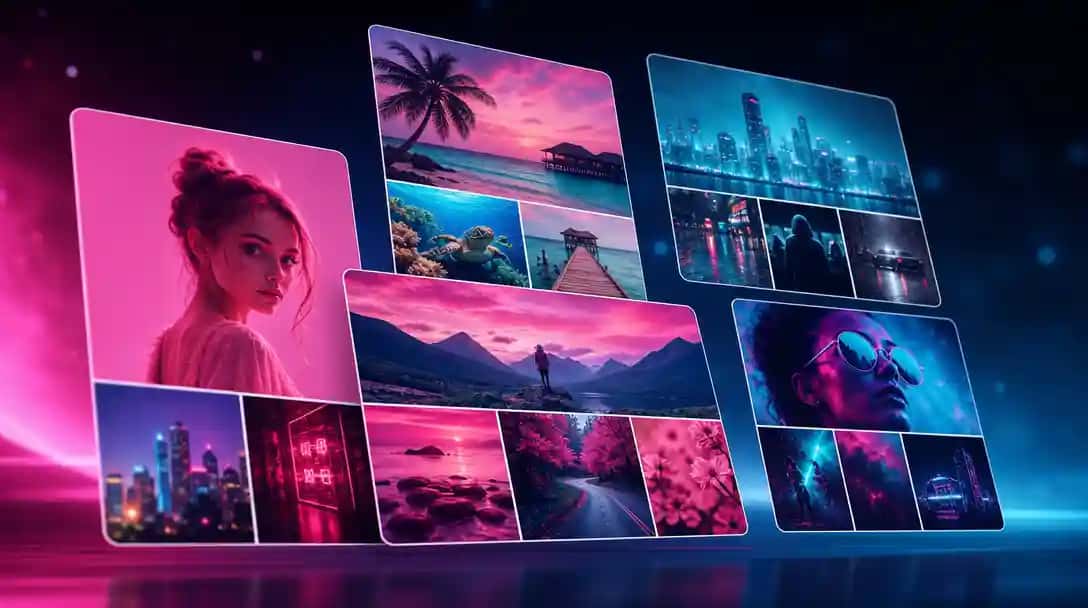
Do you know what is a collage? A collage is a collection of images, videos, or graphics placed together to express ideas or preserve memories. With AI tools, making stunning collages has never been easier. AI Photo Collage Maker lets you try this in your browser.
Photo collages have become very popular these days. Whether it is a birthday, vacation, wedding, or just a fun day out with friends, people love putting their memories together in a single frame. Collages are also widely used on social media to tell a story or show multiple pictures at once.
Creating a good-looking photo collage does not have to be difficult. With the right app, anyone can make a collage that looks neat, professional, and creative. These apps come with ready-to-use templates, editing tools, and design options that make the process easy, even for beginners.
Most collage makers are available as mobile apps, which are great for quick editing on the go. But if you do not want to install an app or are working from a computer, there is also a web-based and AI Photo Collage Maker becoming popular. We will talk about one such tool at the end of this blog.
How We Select the Best Photo Collage Maker Apps at Pixazo
At Pixazo, we carefully evaluate AI design generator platforms to help users skip the overwhelming trial-and-error process. Our experts, with extensive experience in AI-powered design tools, assess each platform based on creativity, ease of use, customization options, and overall performance. We put these tools to the test by creating designs across different categories to ensure they deliver high-quality results effortlessly. Every recommendation is based on thorough research and real-world testing, with no paid placements or outside influence. Want to know how we pick the best AI design platforms? Explore our detailed evaluation process.
Suggested Read: How to Restore Old Photos With AI (Free, No Photoshop)
Best Photo Collage Makers You Can Choose From
1. Collage Maker | Photo Editor
Collage Maker | Photo Editor is a user-friendly mobile application designed for creating photo collages and performing basic photo edits. It offers a variety of templates, stickers, backgrounds, and text options to enhance your photos. The app allows you to select multiple images from your gallery and arrange them into a collage using pre-designed layouts. You can customize your collage by adding stickers, changing backgrounds, and inserting text to make your creation unique.
Best For:
This app is ideal for casual users who want to create quick and visually appealing photo collages without delving into complex editing tools. Its straightforward interface makes it accessible for users of all ages and technical backgrounds.
Pros:
- The app features a simple and intuitive interface, making it easy to navigate and use.
- Offers a wide range of templates and layouts to choose from.
- Allows users to add stickers, text, and backgrounds to personalize their collages.
- Many features are available for free, with minimal ads that can be removed by watching a short video.
Cons:
- The app lacks advanced photo editing tools found in more professional applications.
- Some features and content may require in-app purchases.
- Occasional performance issues such as slow loading times or crashes have been reported.
2. PicCollage
PicCollage is a user-friendly app that allows you to create photo collages, greeting cards, and social media posts with ease. It offers a variety of templates and editing tools suitable for both beginners and creative enthusiasts.
Key Features:
- Choose from a wide range of layouts and grids to arrange your photos neatly.
- Allows you to place photos, stickers, and text anywhere on the canvas, giving you complete creative freedom.
- Add personal touches by drawing directly onto your collages using your finger. You can select different colors and brush sizes to enhance your designs.
- Access a vast library of stickers and backgrounds to decorate your collages for various occasions.
- Customize your collages with different fonts, colors, and text styles to convey your message effectively.
Best For:
Creative individuals who enjoy personalizing their photo collages with drawings, stickers, and custom layouts. It’s ideal for making unique scrapbooks, greeting cards, and social media content.
Pros:
- Intuitive and easy-to-use interface.
- Extensive collection of templates and decorative elements.
- Freestyle mode offers flexibility in design.
- Doodle tool adds a personal touch to collages.
Cons:
- Some features and content require in-app purchases.
- Free version includes ads and watermarks on creations.
- Performance issues reported by some users on certain devices, such as slow loading times and occasional crashes.
3. PhotoGrid
PhotoGrid is a versatile photo editing application that offers a range of creative tools for users. It allows you to create photo and video collages, memes, slideshows, posters, and more. The app includes features such as an augmented reality camera, live stickers, and various filters to enhance your photos and videos. Additionally, PhotoGrid provides options for basic photo editing, including cropping, rotating, and adding text or borders.
Best For:
PhotoGrid is particularly suitable for social media content creators who want to produce engaging and creative visuals. Its diverse set of tools and user-friendly interface make it an excellent choice for those looking to enhance their online presence with customized content.
Pros:
- Offers features like meme creation, video collages, slideshows, and posters.
- Includes live stickers and effects for real-time photo enhancements.
- Easy to navigate, making it accessible for users of all skill levels.
- Allows for detailed adjustments, such as rounding image edges, adding text, and applying filters.
Cons:
- Saves images with a small “PHOTOGRID” watermark unless upgraded.
- Contains ads that may interrupt the editing experience.
- The Android version may require manual installation, as it is not always available through the official store.
4. InCollage – Collage Maker
InCollage is a mobile application designed for creating stylish photo collages with ease. It offers a variety of layouts, filters, and beauty effects to enhance your photos. The app allows you to combine up to 20 photos into a single collage, providing over 500 templates and 10,000 layouts to choose from. Users can customize their collages with backgrounds, stickers, fonts, and doodles. Additionally, InCollage includes photo editing tools such as cropping, filters, text addition, and an AI-powered background remover. It also features an AI photo enhancer to improve image quality. The app supports various aspect ratios suitable for social media platforms and enables high-resolution photo saving.
Best For:
InCollage is ideal for photo-focused users who want to create aesthetic collages with minimal effort. Its extensive range of templates and editing tools makes it suitable for those looking to enhance their photos for social media sharing or personal keepsakes.
Pros:
- Offers over 500 templates and 10,000 layouts for diverse collage designs.
- Includes cropping, filters, text addition, stickers, and AI-powered background removal.
- Improves image quality by enhancing details and reducing noise.
- Supports various aspect ratios for platforms like Instagram and Facebook.
- Allows users to save their creations in high quality.
Suggested Read: Top 10 Wallpaper Maker Tools in 2026
Cons:
- The free version contains ads that may interrupt the editing experience.
- Some features and content require a subscription or one-time purchase.
- The multitude of features may be overwhelming for first-time users.
5. Collage Maker – LiveCollage
Collage Maker – LiveCollage is a comprehensive photo and video editing application that offers a wide array of tools for creating personalized collages. With over 20,000 layouts, effects, stickers, and tools, users can craft unique designs to showcase their memories. The app includes features such as AI-powered tools for background removal and image enhancement, a carousel collage option for seamless Instagram layouts, and a video editor with capabilities like trimming, cropping, and adding music. Additionally, users can create animated collages and slideshows with ease.
Best For:
This app is ideal for users seeking both collage creation and photo editing functionalities in one platform. Its versatility makes it suitable for crafting content for social media, personal albums, or professional presentations.
Pros:
- Offers over 20,000 stylish and free layouts in various shapes, sizes, and styles.
- Includes AI features like background removal, image enhancement, and object removal.
- Provides tools for video trimming, cropping, adding music, and creating slideshows.
- Allows users to create animated collages with a single tap.
- Designed to be intuitive, catering to both beginners and experienced users.
Suggested Read: Best AI Background Generator Tools in 2026
Cons:
- Some features and content may require in-app purchases.
- Occasional performance issues such as slow loading times or crashes have been reported.
Suggested Read: 11 Best Poster Makers to Explore
Also Explore: How to Make a Video Collage Using AI-Enhanced Editing
6. PicsArt
Picsart is a well-known photo editing app that also includes a strong photo collage maker. Its collage feature allows users to create layouts using grids, freestyle options, and themed templates. You can drag and drop your images, adjust spacing, change background colors, and add stickers or text to give a personal touch. For those who want more freedom, the freestyle mode lets you place photos anywhere on the canvas and design from scratch.
Best For:
Picsart is best suited for advanced users and content creators who want more than just basic collage layouts. It gives you creative control to experiment with design elements, effects, and filters while building your collage.
Pros:
- Includes both grid-style and freestyle collage options.
- Comes with themed collage templates for holidays, events, and seasons.
- Allows customization with stickers, text, and filters.
- Easy to share collages directly to social media.
Suggested Read: Top 10 Best AI Background Removers in 2026: A Detailed Guide
Cons:
- Many collage templates and design assets are locked behind a paid subscription.
- The app may feel overwhelming for users who just want simple collage creation.
- Some users experience lag or slow performance on lower-end devices.
Suggested Read: Top 11 AI Blur Background Tools For 2026
| App Name | Best For | Key Features | Platform | Free Version |
|---|---|---|---|---|
| Collage Maker | Photo Editor | Casual users who want quick results | Templates, stickers, backgrounds, text | Android | Yes |
| PicCollage | Creative users and beginners | Freestyle collages, seasonal templates, stickers | iOS, Android | Yes |
| PhotoGrid | Social media content creators | Meme maker, video collages, AR camera, filters | iOS, Android | Yes |
| InCollage – Collage Maker | Users who want stylish, trendy collages | Grids, filters, backgrounds, text | Android | Yes |
| Collage Maker – LiveCollage | Users who want collage and editing tools | Poster-style layouts, photo & video editing, animated collages | iOS, Android | Yes |
| Picsart | Advanced users and content creators | Freestyle collage, AI tools, filters, design suite | iOS, Android, Web | Yes (with limits) |
Suggested Read: What is a Collage? Meaning, Types and Uses Explained
Bonus: Want a Web-Based Collage Maker? Try Pixazo’s AI Photo Collage Tool
Not everyone likes downloading apps just to make a quick collage. Some people prefer using a tool right from their browser, especially if they are working on a laptop or switching between devices. If that sounds like you, Pixazo’s AI Photo Collage Maker might be the perfect fit. Also, you can customize pre-designed Photo Collage Templates to start personalizing the collage template that you liked the most.
Pixazo’s collage maker is a smart, AI-powered tool that helps you create beautiful photo collages quickly and easily. You do not need any design skills or editing experience to get started. All you need to do is write your prompt and upload the pictures.
Here is what makes it stand out:
- AI-powered precision.
- Drag-and-drop simplicity lets you add your photos and arrange them with ease.
- Smart layout suggestions and multiple AI design tools to help you design faster without thinking too much about placement.
- No download required — everything works directly in your browser.
- Works on any device, whether you are on a desktop, tablet, or phone.
Suggested Read: 35 Creative Photo Collage Ideas: Unleash Your Creativity
Conclusion
There is no one-size-fits-all when it comes to choosing the best photo collage maker app. The right tool depends on what you need — whether it is creativity, speed, or advanced features.
If you enjoy editing on the go and want full control over your designs, the mobile apps listed above offer a variety of options to suit your style and skill level. From simple drag-and-drop layouts to advanced editing tools, there is something for everyone.
If you want to create impressive video collages without technical skills, the best ai video collage maker tools can help you do it in minutes.
But if you are someone who prefers quick results without downloading anything, then a web-based option like Pixazo’s AI Photo Collage Maker is a smart choice. It gives you the flexibility to work from any device, with the help of AI to speed up the design process.
Suggested Read: How We Choose the Top Apps and Tools at Pixazo?
Frequently Asked Questions
What is a photo collage maker app?
A photo collage maker app combines several photos into a single layout using grids, templates, and backgrounds. It is a quick way to tell a visual story or share multiple moments at once.
Are photo collage maker apps free?
Many are free with basic layouts and optional watermarks, while premium templates and high-resolution exports often require a paid upgrade. Free tiers cover most casual needs.
Which photo collage app is best for Android and iOS?
The best pick depends on the templates, ease of use, and export quality you want, and several top apps work on both Android and iOS. Web-based options let you edit without installing anything.
Can I make a collage on the web without an app?
Yes, several collage makers run in a browser so you can create layouts on a laptop without downloading software. This is handy for larger or print projects.
Do I need editing skills to make a photo collage?
No, collage makers use drag-and-drop templates so anyone can arrange photos quickly, and Pixazo also offers image tools for creative layouts. You just pick a grid and drop in your pictures.
Deepak Joshi
Author · Pixazo
Deepak writes about generative AI models, APIs, and the workflows teams use to ship them. Reviewed by Abhinav Girdhar.