Christening Card : Create Free Christening Cards in Minutes with AI
Create Custom Christening Cards Quickly with Pixazo Best AI Christening Card Maker. Try for Free!
Get Started

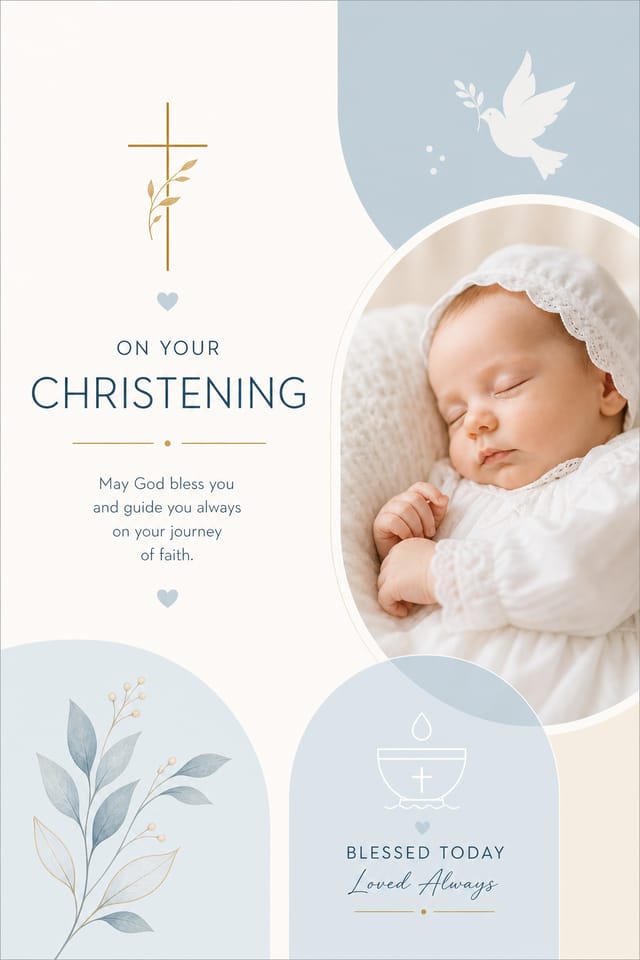


The Christening Card Toolkit: Capabilities Explained
Export Flexibility
Download your christening card in formats suited for your use case. Web-optimized versions for digital display, high-DPI files for print.
No Design Software Required
Create professional christening cards without Photoshop, Illustrator, or other design applications. The AI handles all technical production.
Layered Style Application
Combine christening style with other design parameters in a single prompt. The AI interprets complex requests and applies multiple style constraints simultaneously.
Fast Generation
Complete christening card designs generate in seconds. No rendering queues, no waiting for batch processing.
Commercial Use Rights
Designs generated with Pixazo are yours to use commercially. No additional licensing required for christening card projects.
Resolution Control
Specify output dimensions for your christening card. Get files sized for web display, social media, or large-format printing.
Christening Card Design Steps: Step by Step
Watch: Creating Christening Card designs step by step
Christening Card Maker: What People Ask
Pixazo generates high-resolution files suitable for both print and digital use. Specify your intended output format in your prompt. Print christening cards benefit from high-DPI settings, while web and social media use works well with standard resolution output.
Generate your initial christening card, review the output, then modify your prompt to adjust specific elements. Each regeneration produces a fresh design incorporating your changes. Most users reach their final christening card design within two to four iterations.
You can specify any aspect ratio in your prompt. Common options include 1:1 for social posts, 4:5 for Instagram, 9:16 for stories, 16:9 for presentations, and standard print sizes like A4 or letter. The AI adapts christening composition to fit your chosen ratio.
Pixazo generates christening cards in RGB color space. For professional offset printing that requires CMYK, convert the downloaded file using Adobe Photoshop, Illustrator, or a free tool like GIMP. The AI selects colors that translate well to print when you mention print use in your prompt.
Christening Card Platform Comparison: Tools Compared
PicMonkey
Photo editor and design tool with brand kit management
Pixazo
AI-powered christening card generator with prompt-based design and professional output quality
VistaCreate
Visual content platform with templates and a built-in asset library
Fotor
Photo editing platform with design templates and batch processing
Adobe Express
Streamlined creative tool backed by Adobe's design ecosystem
Mastering Christening Card Creation: Lessons from the Field
Prioritize Hierarchy
Every christening card needs a clear reading order. Make sure the most important information is the largest and most prominent element in the layout.
Get Feedback Early
Share your christening card draft with someone outside the project. Fresh eyes catch issues you have become blind to after hours of refinement.
Test at Actual Size
Always preview your christening card at the dimensions it will be displayed. Design details that look fine at 100% can disappear or crowd at real-world scale.
Keep Typography Simple
Use no more than two typefaces per christening card. One for headlines, one for body text. Consistency in typography signals professionalism.
Christening Card Tools in Detail: The Full Breakdown
AI Generation
Convert text prompts into polished christening card designs with contextual understanding
Style Transfer
Apply different visual styles to your christening card while maintaining layout integrity
Color Palettes
AI-suggested color combinations that work for christening card design conventions
Who Creates Christening Cards: Everyday and Professional
Non-Profit Campaigns
Create compelling christening campaign cards without allocating budget to design production. Focus resources on mission-critical activities.
Social Media Content
Design christening cards sized for social platforms. Get content that looks intentional and well-crafted, not thrown together.
E-Commerce Product Promotion
Design christening cards for online store banners, product launches, and seasonal sales. Conversion-focused visuals for digital retail.
Political and Advocacy Campaigns
Create christening campaign cards for candidates, ballot measures, and social causes. Persuasive designs that mobilize and inform.
What Christening Card AI Offers: Numbers That Matter
Sample Christening Card Prompt Techniques
Copy any prompt below and paste it into Pixazo to generate your design instantly.
Monochromatic christening card, single-hue palette with value variation for contrast, typographic hierarchy creates visual interest without color complexitySeries-compatible christening card design, visual language that extends to multiple formats, consistent design system across variantsHigh-impact christening card, immediate visual read at thumbnail size, clear headline dominance, supporting information structured logicallyRefined christening card, sophisticated color relationships, intentional whitespace, typefaces appropriate to christening style, balanced compositionChristening card design, clean layout, strong typography hierarchy, appropriate color palette for christening aesthetic, high contrast between headline and backgroundChristening aesthetic card, palette drawn from christening design tradition, layout proportions consistent with christening conventions, purposeful use of each elementChristening Card Output Options: Export Options Explained
Print-ready format for christening card files that preserves fonts, colors, and layout across different devices and print services.
WEBP
Modern web format offering smaller file sizes than PNG or JPG for christening card images without significant quality loss.
JPG
Compressed image format suited for christening card designs with photographic elements where smaller file size matters more than pixel-perfect edges.
SVG
Scalable format for christening card designs that need to render crisply at any resolution, commonly used for web and responsive layouts.
Christening Card Community: What People Are Making
Real creators sharing their christening designs made with Pixazo AI.

Refined christening aesthetic card, sophisticated color relationships, intentional negative space, type selection matching christening conventions
Handmade-feel christening card with brush stroke textures, imperfect edges, warm color palette, artisanal craft aesthetic
Professional christening card, minimalist layout, selective use of color for emphasis, clear visual hierarchy from top to bottomThe Reality of Christening Card AI: Capabilities and Caveats
Known limitations and trade-offs of AI-generated christening design. Being specific about what AI card generation can and cannot do helps you plan your workflow and set accurate expectations.

