Save The Date Card : Create Free Save The Date Cards in Minutes with AI
Create Custom Save The Date Cards Quickly with Pixazo Best AI Save The Date Card Maker. Try for Free!
Get Started
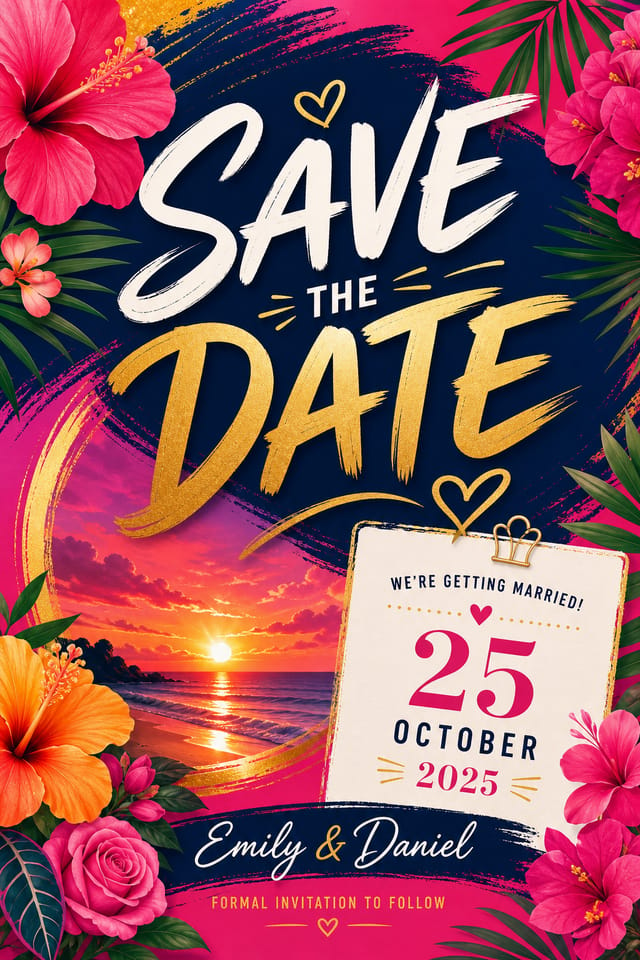
Real Save-The-Date Cards: A Design Gallery
Real creators sharing their save the date designs made with Pixazo AI.
Save-The-Date card designed for dark mode display, OLED-optimized black background, vibrant accent colors, high contrast text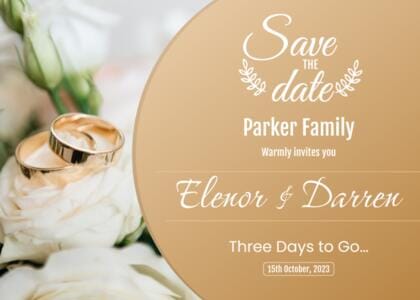
Eco-friendly themed save-the-date card, natural green and kraft tones, organic shapes, sustainability messaging, handcrafted aesthetic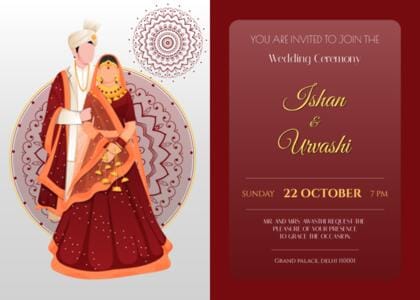
Save-The-Date card at 1080x1920 pixels for Instagram stories, bold sans-serif headline centered, gradient background in save-the-date tones, call-to-action at bottomBehind Save-The-Date Card Design: Key Capabilities
Consistency Across Variants
Generate multiple save-the-date cards for a project and maintain visual consistency across the set. Specify your core design parameters and vary secondary elements.
Style-Accurate Generation
The AI interprets save-the-date design conventions and applies them to your card, producing output that looks correctly styled rather than generically templated.
Fast Generation
Complete save-the-date card designs generate in seconds. No rendering queues, no waiting for batch processing.
Context-Aware Design
Describe your save-the-date card's purpose and audience. The AI adjusts visual weight, complexity, and clarity based on the intended use context.
Save-The-Date Card Maker Comparison: An Honest Look
Adobe Express
Streamlined creative tool backed by Adobe's design ecosystem
Snappa
Quick graphic creator focused on social media and marketing visuals
Pixazo
AI-powered save-the-date card generator with prompt-based design and professional output quality
Canva
Drag-and-drop editor with a large template library and collaboration features
Fotor
Photo editing platform with design templates and batch processing
Creating Your Save-The-Date Card: From Start to Finish
Watch: Creating Save The Date Card designs step by step
Save-The-Date Cards Across Fields: Who Uses Them
Digital Invitations and E-Cards
Create save-the-date cards sized for WhatsApp, email, and social media sharing. Digital-first designs that reach guests across platforms.
Photo Booth Backdrops
Design save-the-date cards for photo stations at the celebration. Large-scale prints that create memorable photo opportunities.
Reception Table and Menu Displays
Generate save-the-date cards for table numbers, menu boards, and buffet labels. Coordinated designs that maintain visual consistency throughout the venue.
Save-the-Date Announcements
Create save-the-date cards that share the wedding date with guests months in advance. Designs that set the visual tone for the entire celebration.
Design Principles for Save-The-Date Cards: Best Practices
Compositional Balance
Visual weight in save-the-date card design should be intentional. Asymmetric balance often creates more interest than centered symmetry, but both can work when executed with purpose.
Edge Treatment
How elements meet the edge of a save-the-date card matters. Full-bleed images feel immersive. Generous margins feel premium. The edge is a design decision, not an afterthought.
Contrast as Communication
Contrast in save-the-date card design serves a purpose beyond aesthetics. High contrast draws the eye; low contrast recedes. Use this intentionally to guide the viewer's attention where it matters.
Emerging Save-The-Date Card Patterns: Current Directions
Asymmetric Composition
Breaking grid symmetry in save-the-date card layouts creates visual tension and a modern, editorial feel that stands out.
Muted Earth Tones
Natural color palettes with warm neutrals and desaturated greens are replacing the bright neon trends of previous years in save-the-date card work.
Gradient Overlays
Smooth color transitions are being used as primary design elements in save-the-date card work, adding depth without the complexity of photographic backgrounds.
Bold Typography
Oversized type and expressive fonts are dominating save-the-date card design, turning headlines into visual centerpieces rather than just text.
Tested Save-The-Date Card Prompt Starters
Copy any prompt below and paste it into Pixazo to generate your design instantly.
Series-compatible save-the-date card design, visual language that extends to multiple formats, consistent design system across variantsPortrait-orientation save-the-date card, vertical composition, headline at natural reading entry point, supporting information flows downward logicallyProfessional save-the-date card, minimalist save-the-date approach, negative space used intentionally, readable at multiple viewing distances, print-ready compositionLarge-format save-the-date card design, elements sized for visibility at print scale, no fine detail that would be lost in productionSave-The-Date aesthetic card, palette drawn from save-the-date design tradition, layout proportions consistent with save-the-date conventions, purposeful use of each elementGetting Started with Save-The-Date Cards: Plain Answers
Each generation uses your unique prompt text to produce a distinct save-the-date card design. Even similar prompts produce noticeably different outputs due to the AI's generative process. No two users receive identical designs.
Pixazo generates original designs rather than copying existing work. The AI creates save-the-date cards from learned design principles, not by stitching together fragments of existing designs. Generated output does not reproduce copyrighted material or identifiable artistic styles of living creators.
Yes. Set up separate brand kits for each client or brand, then switch between them when generating save-the-date cards. Each brand kit stores its own colors, fonts, and logo so the AI applies the correct identity to every save-the-date card without manual reconfiguration.
Describe your core design parameters in each prompt and vary only the specific elements that should change across the series. Maintaining consistent color palette, typographic approach, and compositional structure across save-the-date card variations creates a coherent series.
Pixazo generates high-resolution files suitable for both print and digital use. Specify your intended output format in your prompt. Print save-the-date cards benefit from high-DPI settings, while web and social media use works well with standard resolution output.
Honest Notes on Save-The-Date Cards: What to Expect
Known limitations and trade-offs of AI-generated save the date design. Every AI design tool has boundaries. Knowing these limits before you start helps you get the most out of save-the-date card generation.

