PNG to HEIC converter
A PNG to HEIC converter is really a question about room on a full device. PNG keeps every pixel and asks for the room to prove it. HEIC is what Apple built to fit a camera roll on a phone that is already close to full. This page explains what a PNG to HEIC converter would change, where the room comes from, and where Pixazo's converter honestly stops: it reads HEIC, and writing HEIC is not something we can stand behind.
Where our shelf stops: HEIC goes in, not out
This comes first because everything else depends on it. Pixazo's P Agent converts an image between HEIC, JPG, PNG, WebP and AVIF. In every use we can point to, HEIC is the format going in — the fix for an iPhone photo a website refuses.
HEIC as the format coming out is a different job, and we cannot confirm Pixazo does it today.
The honest position
Writing a HEIC file means running an HEVC encoder, and HEVC is patent-encumbered. Most server-side image pipelines can read HEIC comfortably and cannot write it at all — that is the normal shape of the problem, not a Pixazo quirk. So we will not tell you to click a button here and collect a .heic file, and the call to action on this page does not promise one.
What is on the shelf
Conversion between HEIC, JPG, PNG, WebP and AVIF in the P Agent, with HEIC proven as a source. Plus AI image generation, if the picture does not exist yet.
What is not on the shelf
A confirmed HEIC output. No date, no roadmap promise, no quiet implication. If you need a genuine .heic file, the honest route is your Apple device, which encodes HEIC natively.
Everything below is written on that basis. See what the Studio handles.
What a PNG to HEIC converter actually moves off the shelf
People rarely want HEIC for its own sake; they want the room back. It helps to know which part of the file is paying for that room, because you can usually get the space another way.
-
Lossless becomes lossy
The main tradePNG stores your image losslessly — every pixel comes back exactly as saved. HEVC-compressed stills inside a HEIC container discard detail your eye is unlikely to miss in order to take up far less room. That single change is where most of the saving comes from, and it cannot be undone later.
-
Transparency loses its slot
Check before you movePNG's alpha channel is why logos, UI exports and cut-outs live there. If your PNG leans on transparency, a format built for camera stills is the wrong shelf for it.
-
Extra shelves open up
HEIC onlyHEIC can carry things a flat still cannot: depth maps, Live Photo frames, wide colour, higher bit depth. A PNG from a design tool has none of that to hand over, so you would get the compression and none of the extras.
-
Reach gets narrower
The hidden costOutside Apple devices and modern browsers, plenty of software, print workflows and upload forms simply refuse HEIC, while PNG is accepted almost everywhere. Trading one for the other buys room and spends compatibility.
PNG and HEIC, measured by the room each one asks for
No benchmark numbers here on purpose: the honest comparison is about behaviour, not a percentage that shifts with every image. Read the last row first if you are in a hurry.
| What you are storing | PNG | HEIC |
|---|---|---|
| Compression | Lossless. Every pixel survives the save. | Lossy HEVC stills, which is why the same shot is markedly smaller than JPG at similar quality. |
| Room on the shelf | Generous. Photographic PNGs are large by design. | Frugal. This is the format's whole reason for existing. |
| Transparency | Yes — alpha channel supported. | Built around camera stills, not cut-outs. |
| Extra contents | Flat image only. | Can hold depth maps, Live Photo frames, wide colour, high bit depth. |
| Animation | None. | Not what the container is for in the iPhone camera roll sense. |
| Where it opens | Effectively everywhere — every browser, editor and upload form. | Apple devices and modern browsers; a great deal of other software, print and upload flows refuse it. |
| Best home | Flat graphics, screenshots, UI exports, logos, anything that must stay exact. | Photographs living on an iPhone that is running out of room. |
Need the reverse direction, or a format that opens anywhere? Open the P Agent.
Clearing real room without a PNG to HEIC converter we cannot promise
Four passes over your own shelf, aimed at the same result that sent you looking for HEIC — less room used — reached with formats we can stand behind.
Find out what is filling the shelf
Sort your folder by file size and look at the top. It is almost always photographic PNGs, exported once and never revisited — not the hundreds of small screenshots.
Decide which PNGs have to stay exact
Anything with transparency, any logo, any screenshot with fine text and any master you will edit again keeps its PNG slot. The rest is a photograph pretending to be a graphic.
Convert the rest in the P Agent
Open the Studio and move those photographic PNGs into JPG, WebP or AVIF. You get the compact file you were chasing, and it opens where HEIC would be turned away.
Move the originals off the device
Keep the untouched PNGs somewhere that is not your phone or laptop shelf. The compact copies are then the ones you carry, and the exact ones survive for a reprint or re-edit.
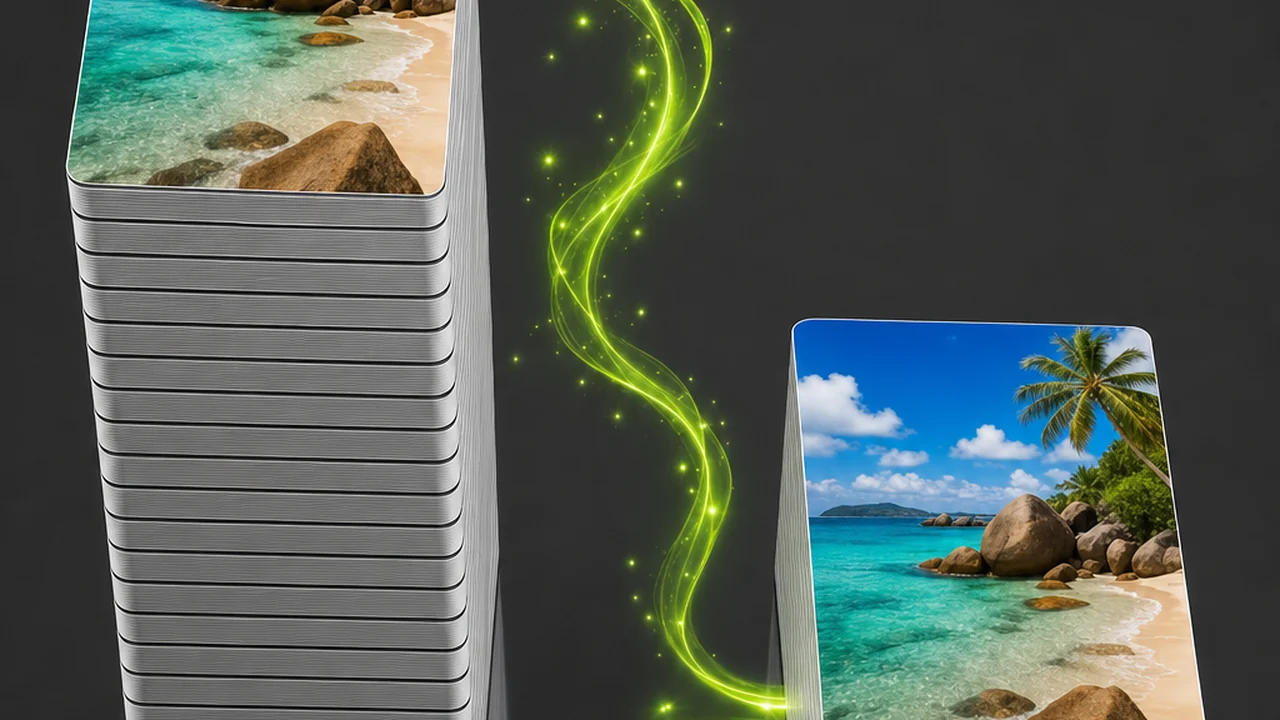
Who runs out of room and starts asking about HEIC?
Four situations that send people looking for this conversion. In three of them the real need turns out to be something other than a HEIC file.
- The full iPhoneScreenshots and exported PNGs have eaten the storage, and HEIC is the format the phone itself uses, so it looks like the answer. The room actually comes from repacking the largest files.
- The matching camera rollSomeone wants imported PNGs to sit alongside native iPhone photos as HEIC. Only the Apple device that encodes HEIC natively can give you that.
- The designer with heavy exportsA folder of photographic PNGs far larger than it needs to be. WebP or AVIF in the Studio fixes the size and keeps the files openable.
- The person handed a .heicThe most common case, running the other way: a HEIC a website or old editor rejects. Exactly the PNG to HEIC converter the Studio is proven on.
What this shelf will not hold for you
Stated plainly, so you can stop here if one of these is a hard requirement. A known limit is worth more than a claim that falls apart at the first upload.
- It will not hand you a .heic file. HEIC output is not a capability we can confirm, so we do not offer it and we do not hint at it. Nothing on this page implies otherwise, and there is no date attached.
- It will not put detail back. If a PNG has already been through a lossy pass upstream, no conversion recovers what that pass removed.
- It will not preserve transparency into a photo format. Alpha is a PNG strength. If your image depends on it, keep it in PNG.
- It will not invent depth maps or Live Photo frames. Those extras exist in HEIC files because a camera captured them. A converted graphic has nothing to put in those fields.
- It will not make HEIC universally accepted. Even a perfectly written HEIC gets refused by many print workflows, older editors and upload forms. That is the format's situation, not a conversion problem.
- It will not guess your quality threshold. Judge the result on screen at full size before you delete a master.
Want the conversion we are confident about instead? Open the P Agent.
Habits that keep a picture shelf tidy
Practices that stop the storage problem coming back a month later, whichever format you store in.
- Match format to contentPhotographs belong in a compressed photo format. Flat graphics, screenshots and logos belong in PNG. Most bloated folders are simply one of those two rules being broken at scale.
- Keep one masterConvert copies, never your only version. A lossless PNG you still hold is a second chance; a converted file that replaced it is not.
- Check the destination firstBefore choosing any format, confirm what the receiving system accepts. An upload form that rejects your file has cost you more time than the storage ever saved.
- Do the sweep once a seasonSort by size, repack the top of the list, archive the masters. A short regular pass beats an emergency clear-out on a full device.
PNG to HEIC converter questions, answered straight
The questions that come up most often here, answered against what Pixazo actually does rather than what would be convenient to say.
Can Pixazo convert my PNG into a HEIC file?
Not something we can confirm today. The P Agent converts between HEIC, JPG, PNG, WebP and AVIF, with HEIC appearing as a source format. HEIC output is not a capability we are willing to claim.
Why is writing HEIC harder than reading it?
A HEIC file wraps HEVC-compressed stills, and HEVC is patent-encumbered. Most server-side pipelines can decode HEIC but not encode it — different jobs, different licensing.
What should I do if I really need a genuine .heic?
Use an Apple device, which encodes HEIC natively as part of how its camera stores photos. That is the honest route, and it is the one we would point a colleague to.
Which conversion does Pixazo handle confidently?
Conversion between HEIC, JPG, PNG, WebP and AVIF in the P Agent, with HEIC proven as the format going in — the classic iPhone-photo-a-website-refuses fix.
Will converting a PNG shrink it as much as HEIC would?
Moving a photographic PNG into a compressed photo format reclaims most of the room, because the saving comes from dropping lossless storage rather than from the HEIC container. We will not put a percentage on it.
Does a converted PNG keep its transparency?
Only in formats that support alpha. PNG, WebP and AVIF can carry transparency; if alpha matters, leave the file as PNG.
Can I get depth maps or Live Photo frames by converting to HEIC?
No. Those extras are captured by a camera and stored alongside the still. A PNG exported from a design tool has none of them, so no conversion can create them.
Should I delete my PNG masters after converting?
Keep them, just not on the device that is short of room. Once a lossy copy has replaced a lossless original, the detail is gone for good.
About the author
By Deepak Joshi
Content Marketing specialist · Pixazo · Reviewed & updated July 2026
Deepak Joshi is a Content Marketing specialist having a combined experience of 10+ years working in the digital world. He is one of the active contributors to Pixazo Blog and has keen interest creating and marketing content related to AI tools, No-Code technology, Design Industry, Social Influencers, and other trending topics. A health and sport enthusiast, Deepak loves to indulge in all kinds of sports & games.
Get the room back with a conversion we can stand behind
HEIC output stays off our list until it is something we can honestly claim. The storage problem behind it is solvable now: bring your heaviest PNGs into the P Agent, move them into JPG, WebP or AVIF, and archive the masters off the device. The Studio also takes HEIC the other way, as a source.

