Sales Flyer : Create Free Sales Flyers in Minutes with AI
Create Custom Sales Flyers Quickly with Pixazo Best AI Sales Flyer Maker. Try for Free!
Get Started



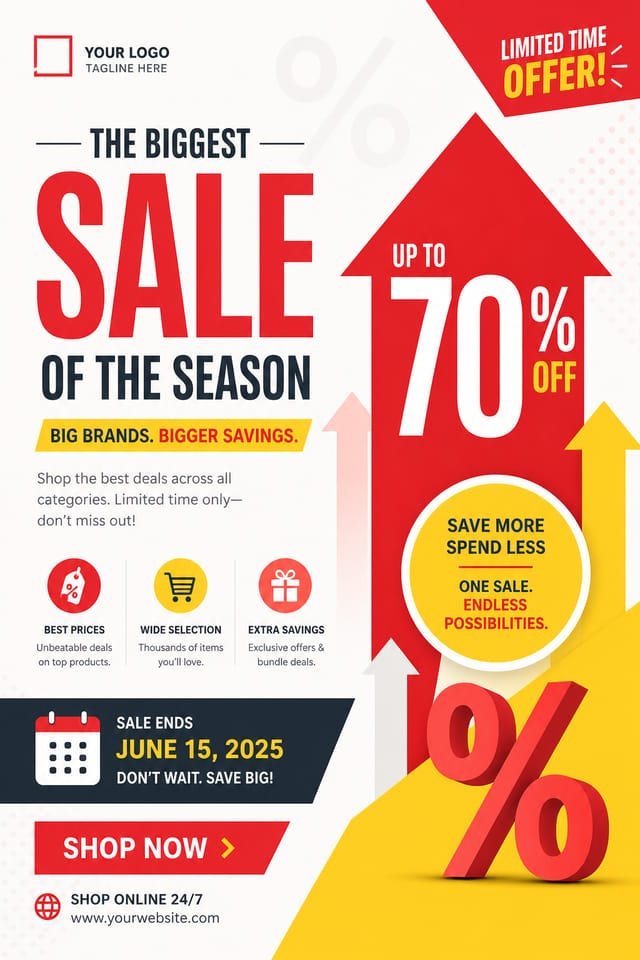
AI-Driven Sales Flyer: Create Like a Pro
From idea to finished sales flyer in under a minute. Pixazo understands sales design conventions and applies them automatically.
Create Your Sales Flyer FreeThe Evolution of Sales Flyer Design: Design Movements
Asymmetric Composition
Breaking grid symmetry in sales flyer layouts creates visual tension and a modern, editorial feel that stands out.
Motion-Ready Design
Static sales flyer designs are being created with animation in mind, using layered elements that translate smoothly to motion graphics.
Dark Mode Aesthetics
Dark backgrounds with high-contrast accents are increasingly common in sales flyer design, reducing visual fatigue and adding sophistication.
Gradient Overlays
Smooth color transitions are being used as primary design elements in sales flyer work, adding depth without the complexity of photographic backgrounds.
Precision Sales Flyer Tools: Professional Features
Commercial Use Rights
Designs generated with Pixazo are yours to use commercially. No additional licensing required for sales flyer projects.
Consistency Across Variants
Generate multiple sales flyers for a project and maintain visual consistency across the set. Specify your core design parameters and vary secondary elements.
Print-Ready Output
Generated sales flyers are sized and structured for professional printing. Download high-resolution files ready for production.
Layered Style Application
Combine sales style with other design parameters in a single prompt. The AI interprets complex requests and applies multiple style constraints simultaneously.
The Path to Your Sales Flyer: Step by Step
Convey Your Needs
Write a prompt describing your sales flyer. Include style preferences, color direction, the most important text to display, and any specific visual elements you want. The more specific your description, the more targeted the output.
Test the Initial Output
The AI produces a sales flyer based on your description. If the first result isn't exactly right, adjust the prompt to address what needs changing. Most designs reach the target within a few iterations.
Seal the Design
Export your sales flyer in the format you need. PNG for web and social, PDF for print production, JPG for email and lightweight sharing. The file is yours to use commercially without restrictions.
Watch: Creating Sales Flyer designs step by step
Sales Flyer Essentials: Frequently Asked
Yes. Set up separate brand kits for each client or brand, then switch between them when generating sales flyers. Each brand kit stores its own colors, fonts, and logo so the AI applies the correct identity to every sales flyer without manual reconfiguration.
Pixazo generates original designs rather than copying existing work. The AI creates sales flyers from learned design principles, not by stitching together fragments of existing designs. Generated output does not reproduce copyrighted material or identifiable artistic styles of living creators.
Professional sales flyer design comes down to the right color relationships, appropriate typographic hierarchy, and compositional balance that fits sales aesthetic conventions. Generic designs miss these details because they apply neutral defaults rather than style-specific decisions. Pixazo applies sales design knowledge when you specify the style.
You control every major design parameter through your prompt: color palette, typography style, layout structure, visual weight distribution, background treatment, and content hierarchy. The more specific your sales flyer prompt, the more precisely the AI follows your creative direction.
Canva uses fixed templates you customize manually. Pixazo generates original sales flyer designs from your description, so every output is unique. For sales work specifically, the AI applies style-specific design decisions rather than offering generic drag-and-drop templates.
Detailed Sales Flyer Features: Features Unpacked
AI Generation
Convert text prompts into polished sales flyer designs with contextual understanding
Style Transfer
Apply different visual styles to your sales flyer while maintaining layout integrity
Color Palettes
AI-suggested color combinations that work for sales flyer design conventions
Sales Flyer Applications: Across Industries
Restaurant and Food Service
Generate sales flyers for menus, seasonal promotions, and restaurant branding. Designs that reflect cuisine style and dining atmosphere.
Content Creation Workflow
Incorporate sales flyer generation into a content production workflow. Fast output enables higher publishing frequency.
Community Organizations
Create sales announcement flyers for community groups, non-profits, and local organizations without requiring design expertise.
Travel and Tourism Promotion
Design sales flyers for destinations, tour packages, and hospitality brands. Aspirational visuals that inspire booking decisions.
AI Sales Flyer Tool: Performance Metrics
Format Options for Sales Flyers: Choosing the Right Format
JPG
Compressed image format suited for sales flyer designs with photographic elements where smaller file size matters more than pixel-perfect edges.
PNG
Lossless image format ideal for sales flyer designs with transparency, sharp text, and web display at predictable file sizes.
TIFF
High-fidelity format for sales flyer files destined for professional printing, supporting CMYK color and lossless compression.
SVG
Scalable format for sales flyer designs that need to render crisply at any resolution, commonly used for web and responsive layouts.
WEBP
Modern web format offering smaller file sizes than PNG or JPG for sales flyer images without significant quality loss.
Effective Sales Flyer Prompts Worth Trying
Copy any prompt below and paste it into Pixazo to generate your design instantly.
Sales flyer design, clean layout, strong typography hierarchy, appropriate color palette for sales aesthetic, high contrast between headline and backgroundPortrait-orientation sales flyer, vertical composition, headline at natural reading entry point, supporting information flows downward logicallyRefined sales flyer, sophisticated color relationships, intentional whitespace, typefaces appropriate to sales style, balanced compositionSales style flyer, bold headline placement, supporting text at appropriate scale, color palette consistent with sales design conventionsLarge-format sales flyer design, elements sized for visibility at print scale, no fine detail that would be lost in productionMonochromatic sales flyer, single-hue palette with value variation for contrast, typographic hierarchy creates visual interest without color complexityInside the Sales Community: Designs Worth Seeing
Real creators sharing their sales designs made with Pixazo AI.



The Reality of Sales Flyer AI: Areas for Improvement
Known limitations and trade-offs of AI-generated sales design. Every AI design tool has boundaries. Knowing these limits before you start helps you get the most out of sales flyer generation.

