Engagement Invitation : Create Free Engagement Invitations in Minutes with AI
Create Custom Engagement Invitations Quickly with Pixazo Best AI Engagement Invitation Maker. Try for Free!
Get Started


Engagement Design Community: Work in the Wild
Real creators sharing their engagement designs made with Pixazo AI.

Warm palette engagement invitation, ochre and brown tones, serif typography, traditional engagement design reference, tactile feeling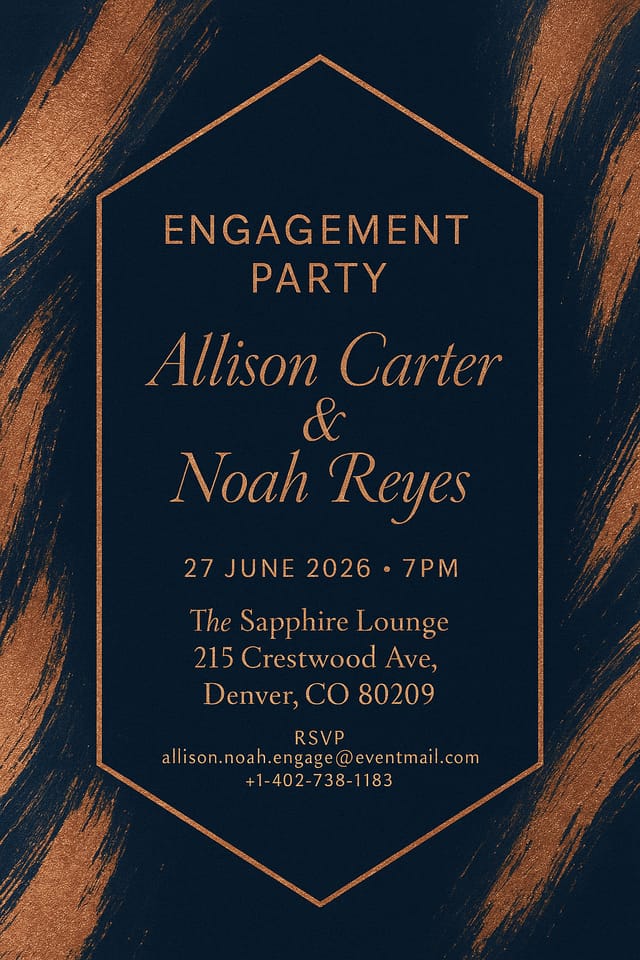
Eco-friendly themed engagement invitation, natural green and kraft tones, organic shapes, sustainability messaging, handcrafted aesthetic
Engagement invitation with retro 1970s color palette, warm oranges and browns, groovy display type, textured paper background feelThe Reach of Engagement Invitations: Where They Fit
Photo Booth Backdrops
Design engagement invitations for photo stations at the celebration. Large-scale prints that create memorable photo opportunities.
Welcome Signs and Venue Signage
Design engagement invitations for ceremony and reception venue entrances, seating areas, and photo spots. Large-format prints that guide and welcome guests.
Digital Invitations and E-Cards
Create engagement invitations sized for WhatsApp, email, and social media sharing. Digital-first designs that reach guests across platforms.
Reception Table and Menu Displays
Generate engagement invitations for table numbers, menu boards, and buffet labels. Coordinated designs that maintain visual consistency throughout the venue.
Ceremony Program Covers
Generate engagement invitations for order-of-service booklets and ceremony programs. Designs that complement the invitation suite.
From Brief to Engagement Invitation: How It All Connects
Brief Define requirements
Establish the key message, dimensions, color preferences, and target audience for your engagement invitation before any design work begins.
Approve Final sign-off
Get stakeholder approval on the finished engagement invitation. Verify all text is accurate and the design meets brand and technical requirements.
Refine Polish the design
Apply targeted edits to your selected engagement invitation. Adjust typography, spacing, and color until every element meets your quality standard.
Research Gather references
Collect examples of effective engagement invitation designs, note what works, and identify patterns relevant to your project goals.
Behind Engagement Invitation Design: Key Capabilities
No Design Software Required
Create professional engagement invitations without Photoshop, Illustrator, or other design applications. The AI handles all technical production.
Color Palette Intelligence
Colors are chosen with engagement style awareness. The AI builds palettes that fit engagement design conventions rather than selecting arbitrarily.
Layered Style Application
Combine engagement style with other design parameters in a single prompt. The AI interprets complex requests and applies multiple style constraints simultaneously.
Background Variation
Generate engagement invitations with different background treatments. Solid, gradient, textured, or pattern backgrounds all available for engagement style.
Consistency Across Variants
Generate multiple engagement invitations for a project and maintain visual consistency across the set. Specify your core design parameters and vary secondary elements.
The Range of Engagement Styles: Options and Variations
Classic Engagement
Traditional engagement design principles applied to modern invitation format. Clean composition, conventional hierarchy, time-tested visual decisions.
Geometric Engagement
Structured engagement composition using grid systems and angular forms. Order and precision define the visual approach.
Textured Engagement
Engagement design with added surface depth. Background treatments add visual interest without disrupting legibility.
Atmospheric Engagement
Engagement invitation design where mood takes priority. Color and composition work together to create a specific feeling.
Contemporary Engagement
Current engagement design sensibility with updated proportions, modern typefaces, and contemporary color relationships.
Avoiding Engagement Invitation Mistakes: Dos and Don'ts
Use a consistent visual hierarchy
Structure your engagement invitation so the viewer's eye follows a clear path from headline to supporting details to call-to-action.
Test with real content
Never finalize a engagement invitation with placeholder text. Real copy often has different lengths and line breaks that affect the design.
Use grids and alignment
Structured layouts in your engagement invitation create a sense of order and professionalism that unstructured designs cannot match.
Forget the call to action
A engagement invitation without a clear next step for the viewer is a missed opportunity. Always include direction on what to do next.
Rely solely on AI output
AI-generated engagement invitation designs are a starting point. Human review catches issues with context, tone, and accuracy that AI can miss.
Overcrowd the layout
Filling every pixel of your engagement invitation with content makes it harder to read and reduces the impact of every individual element.
Skip proofreading
Typos and grammatical errors on a engagement invitation undermine credibility instantly. Always have someone else review the final text.
The Path to Your Engagement Invitation: Behind the Scenes
Articulate Your Vision
Start with a text description of your engagement invitation concept. Specify the visual style, colors, layout direction, and key text. Detailed prompts produce more accurate engagement invitation designs than general ones.
Watch: Creating Engagement Invitation designs step by step
Sample Engagement Invitation Prompt Ideas
Copy any prompt below and paste it into Pixazo to generate your design instantly.
Engagement invitation design, clean layout, strong typography hierarchy, appropriate color palette for engagement aesthetic, high contrast between headline and backgroundGeometric engagement invitation, structured grid system, angular composition, colors in blocks rather than gradients, modern clean finishProfessional engagement invitation, minimalist engagement approach, negative space used intentionally, readable at multiple viewing distances, print-ready compositionEngagement style invitation, bold headline placement, supporting text at appropriate scale, color palette consistent with engagement design conventionsHigh-impact engagement invitation, immediate visual read at thumbnail size, clear headline dominance, supporting information structured logicallyEngagement Invitation Constraints: Trade-Offs to Know
Known limitations and trade-offs of AI-generated engagement design. Understanding what the AI handles well and where it falls short helps you structure your engagement invitation design workflow effectively.
Before You Start: Common Questions Answered
Yes. Set up separate brand kits for each client or brand, then switch between them when generating engagement invitations. Each brand kit stores its own colors, fonts, and logo so the AI applies the correct identity to every engagement invitation without manual reconfiguration.
Common sizes include 1080x1080 for Instagram feed, 1080x1920 for stories and reels, 1200x628 for Facebook links, 1500x500 for Twitter headers, and 1080x1350 for Pinterest. Specify the platform in your prompt and Pixazo optimizes engagement layout for that format.
Designs generated through Pixazo are yours to use as you see fit. You retain full usage rights for commercial and personal applications. The platform does not claim ownership over your generated engagement invitation output.
Adjust your prompt to change any element of the design. If a generated engagement invitation is close but not quite right, describe what you want changed and regenerate. The AI responds to specific direction about individual elements like color, layout, or typographic weight.

