Phone Mockup : Create Free Phone Mockups in Minutes with AI
Create Custom Phone Mockups Quickly with Pixazo Best AI Phone Mockup Maker. Try for Free!
Get Started
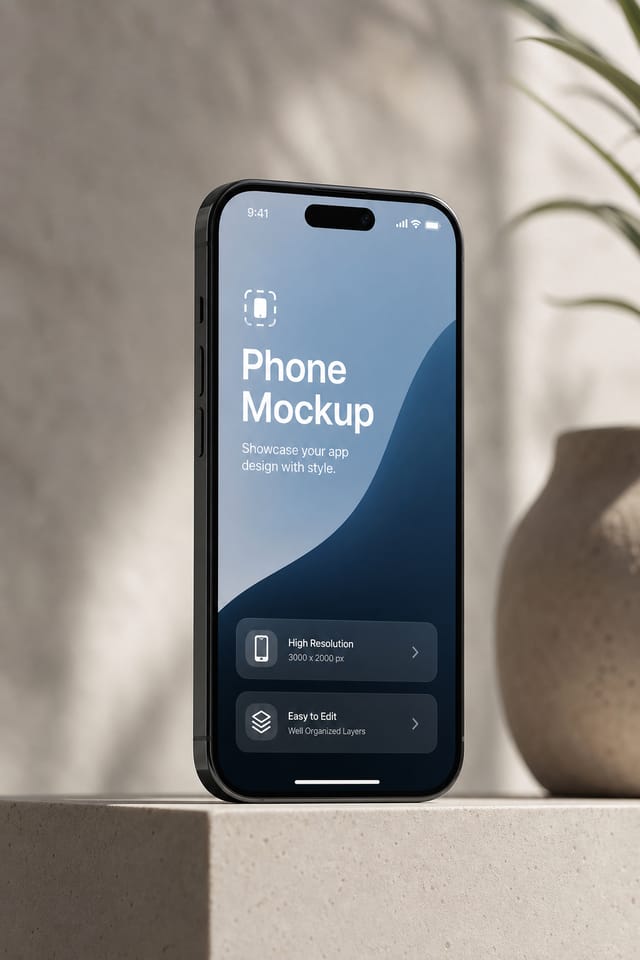
The Phone Mockup Toolkit: Under the Hood
Text Placement Options
Describe where you want text elements positioned in your phone mockup. The AI follows compositional direction about headline placement and body copy layout.
Fast Generation
Complete phone mockup designs generate in seconds. No rendering queues, no waiting for batch processing.
No Design Software Required
Create professional phone mockups without Photoshop, Illustrator, or other design applications. The AI handles all technical production.
Typography Matching
Typefaces are selected to match phone aesthetic expectations. The AI pairs fonts that reinforce your phone mockup's visual identity.
Phone Mockup AI Deep Dive: In Detail
AI Generation
Convert text prompts into polished phone mockup designs with contextual understanding
Style Transfer
Apply different visual styles to your phone mockup while maintaining layout integrity
Color Palettes
AI-suggested color combinations that work for phone mockup design conventions
Creative Uses of Phone Mockups: Contexts and Scenarios
Subscription and SaaS Marketing
Generate phone mockups for software launches, feature announcements, and onboarding campaigns. Clean, modern designs for digital-first audiences.
Professional Projects
Create phone mockups for client work, commercial campaigns, and professional applications where quality and style accuracy matter.
Social Media Content
Design phone mockups sized for social platforms. Get content that looks intentional and well-crafted, not thrown together.
Event Promotion
Create phone event mockups that establish the right visual mood before the event. Phone design signals quality and sets expectations.
Phone Mockup Prompts: Prompt Formulas
Copy any prompt below and paste it into Pixazo to generate your design instantly.
Two-color phone mockup design, high contrast between primary and secondary color, clean separation between graphic and text zonesProfessional phone mockup, minimalist phone approach, negative space used intentionally, readable at multiple viewing distances, print-ready compositionRefined phone mockup, sophisticated color relationships, intentional whitespace, typefaces appropriate to phone style, balanced compositionPhone aesthetic mockup, palette drawn from phone design tradition, layout proportions consistent with phone conventions, purposeful use of each elementPhone mockup for digital display, optimized proportions for screen viewing, colors calibrated for RGB output, legible at typical viewing distancePhone Mockup Design Insights: Practical Guidance
Limit Your Color Palette
Stick to 2-3 primary colors in your phone mockup design. Too many colors compete for attention and weaken the visual hierarchy.
Iterate with Variations
Generate 3-5 versions of your phone mockup before committing. Comparing variations side by side often reveals the strongest direction.
Prioritize Hierarchy
Every phone mockup needs a clear reading order. Make sure the most important information is the largest and most prominent element in the layout.
Consider the Context
Think about where your phone mockup will appear. A design optimized for social media needs different proportions and density than one for a physical bulletin board.
Making Phone Mockups: Behind the Scenes
State Your Requirements
Write a prompt describing your phone mockup. Include style preferences, color direction, the most important text to display, and any specific visual elements you want. The more specific your description, the more targeted the output.
Probe the Output
The AI produces a phone mockup based on your description. If the first result isn't exactly right, adjust the prompt to address what needs changing. Most designs reach the target within a few iterations.
Claim Your Output
Export your phone mockup in the format you need. PNG for web and social, PDF for print production, JPG for email and lightweight sharing. The file is yours to use commercially without restrictions.
Watch: Creating Phone Mockup designs step by step
Visual Styles for Phone Mockups: Style Breakdown
Atmospheric Phone
Phone mockup design where mood takes priority. Color and composition work together to create a specific feeling.
High-Contrast Phone
Bold phone visual treatment with strong tonal contrast. Elements read clearly at any viewing distance.
Geometric Phone
Structured phone composition using grid systems and angular forms. Order and precision define the visual approach.
Contemporary Phone
Current phone design sensibility with updated proportions, modern typefaces, and contemporary color relationships.
Minimalist Phone
Stripped-back phone approach. Fewer elements, more negative space, typography carries more visual weight.
Evaluating Phone Mockup Makers: An Honest Look
| Tool | Description |
|---|---|
| Piktochart | Infographic and presentation maker for data-driven visuals |
| VistaCreate | Visual content platform with templates and a built-in asset library |
| Pixazo | AI-powered phone mockup generator with prompt-based design and professional output quality |
| Adobe Express | Streamlined creative tool backed by Adobe's design ecosystem |
| Snappa | Quick graphic creator focused on social media and marketing visuals |
What Phone Mockup AI: Current Boundaries
Known limitations and trade-offs of AI-generated phone design. Transparency matters when using AI for phone mockup design. The points below describe where you may need to supplement AI output with manual work.
How Phone Mockup Projects Flow: The Full Process
Brief
Establish the key message, dimensions, color preferences, and target audience for your phone mockup before any design work begins.
Generate
Use AI to produce multiple phone mockup variations based on your brief. Start broad and narrow down from the strongest options.
Refine
Apply targeted edits to your selected phone mockup. Adjust typography, spacing, and color until every element meets your quality standard.
Approve
Get stakeholder approval on the finished phone mockup. Verify all text is accurate and the design meets brand and technical requirements.
Phone Creator Showcase Gallery
Real creators sharing their phone designs made with Pixazo AI.
Playful phone mockup for a family audience, rounded typography, bright saturated colors, approachable and energetic tone
Bold phone mockup with strong central headline, supporting information at secondary scale, background treatment consistent with phone design
High-contrast phone mockup, dark background with light text, accent color used for single key element, modern compositionUnderstanding Phone Mockups: What You Should Know
Pixazo works in any modern mobile browser. The interface adapts to phone and tablet screens so you can generate phone mockups from anywhere. A dedicated mobile app is in development for an even smoother on-device experience.
Brand kits let you save your logo, fonts, and color palette so every phone mockup you generate stays on brand. Once configured, the AI applies your brand parameters automatically alongside phone style conventions.
You can specify any aspect ratio in your prompt. Common options include 1:1 for social posts, 4:5 for Instagram, 9:16 for stories, 16:9 for presentations, and standard print sizes like A4 or letter. The AI adapts phone composition to fit your chosen ratio.
Pixazo supports PNG, JPEG, and PDF export for phone mockups. PNG preserves transparency if your design uses it. JPEG works well for web and social media. PDF is the preferred format for print production of phone mockups.
Longer, more detailed prompts generally produce more accurate results for phone mockup design. Include all the relevant information: style direction, color preferences, content to display, intended use, and any specific design elements you want. There is no strict character limit.

