Runs in the browser, free to start
No install, no licence server and no local render setup. Open a tab, sign in and convert. Starting is free, and heavier ongoing use follows whichever Pixazo plan you are on.
Delivery memo · Video converters
Turn a web-friendly MP4 into an MXF, the container broadcasters, post facilities and archives ask for by name. It runs in your browser inside Pixazo's P Agent, there is nothing to install, it is free to start, and there is no watermark on what comes out.
The short answer
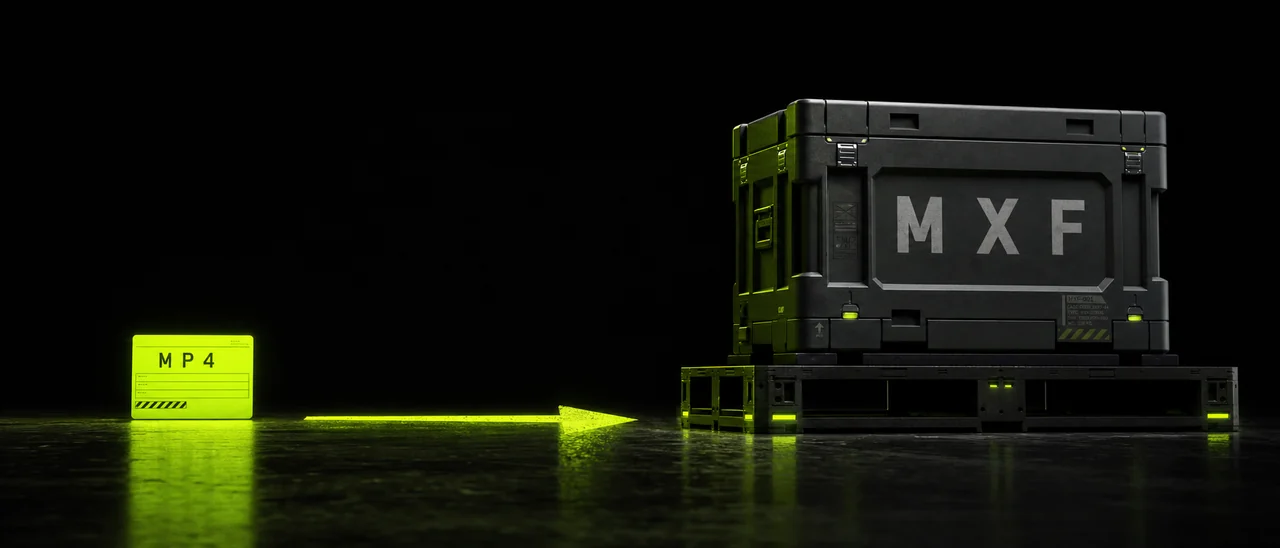
Most people arrive here because someone else specified the format. Here is what that request actually means before you convert anything.
MXF stands for Material Exchange Format. It is a professional container, which means it is a wrapper that carries picture, sound and metadata together in one file rather than a way of compressing your footage. Broadcast and post production settled on it because everything a facility needs to know about a piece of media can travel inside the file itself, instead of being written on a note beside it.
Because their pipeline was built around it. Delivery specifications from broadcasters, post houses and archives routinely name MXF, and the systems on the other end — Avid edit suites, station playout servers, preservation workflows — expect to receive it. When a client says an MP4 is not acceptable, they are almost never commenting on how your video looks. They are saying the wrapper does not fit the machine that has to ingest it.
MP4. It is the universal delivery container for phones, browsers and social platforms, and it stays the right answer for anything a normal viewer will watch. Treat the MXF as a hand-off copy made for one specific recipient, and keep your MP4 as the file you actually share, review and upload.
Read this before you convert
It is a converter, not an editor. It rewraps your video into MXF and carries the audio across — it does not trim, cut, reorder or grade anything, so make every edit you need in a video editor first and convert once you are happy with the cut. It also cannot add detail the source MP4 never had. A soft or heavily compressed MP4 arrives in MXF exactly as soft as it left; the container changes, the picture does not.
Expect the MXF to be substantially larger than the MP4 it came from, often by a lot, because MXF is built for facility workflows rather than for small file sizes — plan storage and upload time accordingly, and remember that a long file simply takes longer to process. And because MXF is professional-only, phones, browsers and social platforms will not play it. Keep the MXF for facility delivery, and keep an MP4 for everything else you do with the same video.
Four rungs, start to finish
Nothing to download, no account juggling and no command line. The whole job happens in a browser tab.
Step one
Launch Pixazo's P Agent in your browser and pick the MP4 to MXF conversion. There is no installer, no plug-in and no render node to configure, so a laptop on a hotel connection is as capable here as a workstation.
Step two
Drag the file in or browse for it. Use the final approved cut rather than a rough version, because the converter will faithfully wrap whatever you give it — including a mistake you meant to fix.
Step three
Start the conversion and let it run. Your picture and your audio move across into the MXF container together. Longer files take longer, so a full-length programme is worth starting before you go and do something else.
Step four
Save the finished file and send it on to whoever asked for it. There is no watermark burned into the frame, so what you hand over is the video itself. Keep your original MP4 as well — you will want it the moment anyone asks to watch the thing on a phone.
Who is on the other end
If one of these four described the last email you received, you are in the right place.
A station or network sends a delivery specification, and MXF is the container it names. Sending an MP4 instead usually means the file bounces back before anyone has watched a frame of it.
Finishing houses and Avid-based edit suites are built around MXF media. Handing them a file in the wrapper their systems expect saves an ingest step and an awkward conversation.
Preservation workflows favour MXF because picture, sound and metadata stay bound together in one object, which is what a catalogue needs decades after the person who made the file has moved on.
Corporate and agency teams feeding a playout server, a broadcast partner or a client's post pipeline often inherit an MXF requirement they did not write and cannot negotiate.
In the studio
A small, deliberately unexciting tool. That is the point of a delivery step.
No install, no licence server and no local render setup. Open a tab, sign in and convert. Starting is free, and heavier ongoing use follows whichever Pixazo plan you are on.
Audio from your MP4 comes across into the MXF with the video, so the deliverable is complete rather than a silent picture file waiting on a second upload. Nothing is stamped over the frame on the way out.
Two containers, two jobs
Neither one is better. They were designed for different rooms, and the mistake is sending either into the wrong room.
| MP4 | MXF | |
|---|---|---|
| Purpose | Universal delivery to viewers | Professional exchange between facilities |
| Home turf | Phones, browsers, social platforms, client review links | Broadcast playout, post production suites, long-term archives |
| Who asks for it | Almost everyone, almost always, without saying so | Broadcasters, post houses and archives, in writing, in a delivery spec |
| Carries metadata with the media | Limited — it was built to be watched, not catalogued | Yes — video, audio and metadata travel as one object |
| Where it fails | Gets rejected by pipelines whose spec names MXF | Will not play on a phone, in a browser or on social, and takes far more storage |
Before and after
The conversion changes the container your video travels in, not the footage inside it. What was approved in the MP4 is what lands in the MXF — the same framing, the same grade, the same audio.
Which is also the honest limit: if something was soft or noisy in the source, it stays soft or noisy here. MXF buys you compatibility with a professional pipeline, and nothing more than that.
Opposite direction
Plenty of people end up doing both. An MXF lands in your inbox from a facility, and suddenly you need something a producer can watch on a phone or a social team can upload without a fight. That is the reverse job, and it has its own tool: the MXF to MP4 converter unwraps a professional file into the container the rest of the world actually plays.
A useful habit is to keep both copies of any project that touches a broadcast pipeline. The MXF is the one you deliver against a spec. The MP4 is the one you send to everyone else, every time.
Frequently asked
Yes, you can start free. It runs in Pixazo's P Agent, and higher usage follows your Pixazo plan.
Because a broadcaster, post facility or archive asked for a facility-ready deliverable. MXF is the container their delivery specs name, and their edit suites and playout servers expect it.
MXF is a professional container used in broadcast and post production — station playout, Avid round-trips, delivery specifications and long-term archives. It carries video, audio and metadata together.
No. Moving an MP4 into MXF cannot add detail that isn't in the MP4. MXF is about pipeline compatibility, not about making footage look better.
Usually yes, and often by a lot. MXF is built for facility workflows rather than for small file sizes, so plan for the extra storage.
No. Phones, browsers and social platforms don't play MXF. Keep the MXF for delivery and keep an MP4 for everyday viewing.
Yes. Audio from your MP4 comes across into the MXF.
No. This is a converter only; trimming and editing are separate steps in a video editor.
Upload your MP4, convert it to MXF and send the deliverable on. Free to start, nothing to install, no watermark.
Convert MP4 to MXFBuilding it into an app or automating in bulk? Use the MP4 to MXF API.

