1980s AI Photo Trend: How to Turn Your Photos Into Retro ’80s Portraits


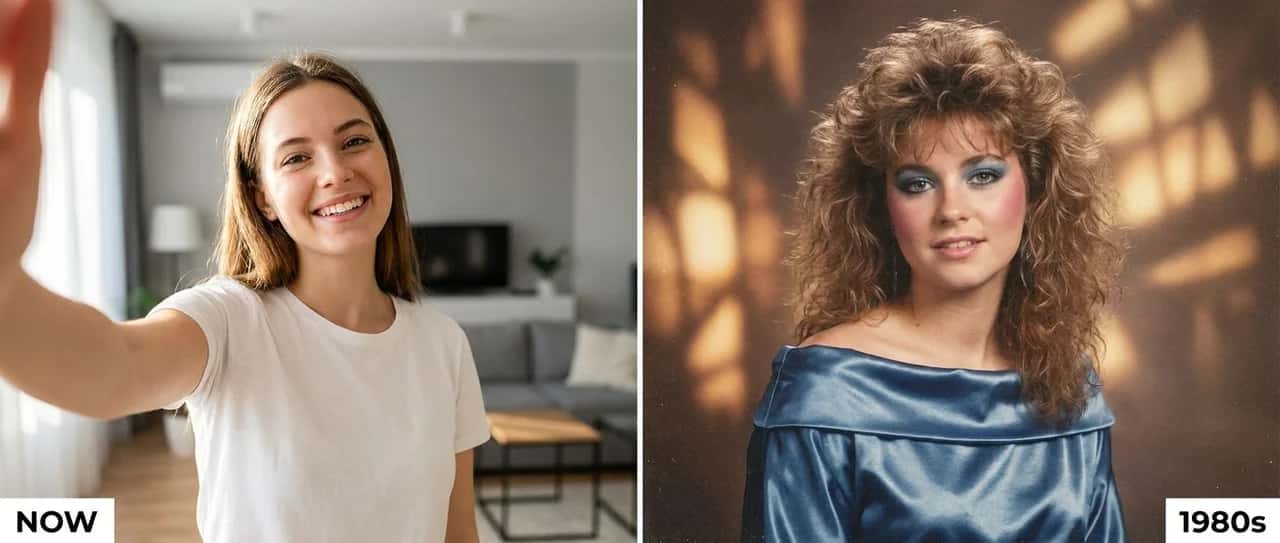
Scroll through Instagram or TikTok this week and you keep meeting the same face from a different decade. The 1980s AI photo trend has taken over feeds worldwide, people upload a normal selfie and get back a portrait that looks like it was genuinely shot in 1985, with big permed hair, bold makeup or a moustache, warm studio light and real film grain. It started in India with Bollywood-style portraits, but it has since gone global, from American mall-studio glamour to European New Wave looks. This guide breaks down exactly what the trend is, why it exploded, and how to make your own for free with the AI Vintage Photo Generator.
What is the 1980s AI photo trend?
The 1980s AI photo trend turns a modern photo into a portrait that looks genuinely shot in the 1980s. Instead of dropping a vintage filter on a recent picture, you hand your photo to an AI image tool and ask it to rebuild the entire scene in the style of the decade, the hairstyle, the clothes, the jewellery, the backdrop, the lighting and the grain of old film. Your face stays recognisable; everything around it travels back forty years.
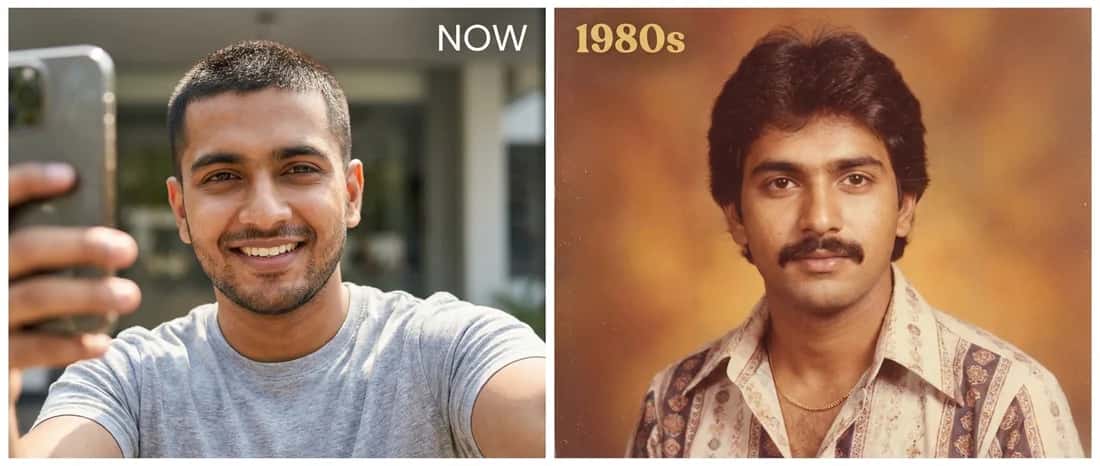
The question everyone is answering is simple: “What would I have looked like if this photo had been taken in the 1980s?” The picture at the top of this page shows the whole idea in one frame, the same person NOW as a plain phone selfie, and reimagined in full 1980s studio glamour. That side-by-side jump is exactly what makes the trend so shareable.
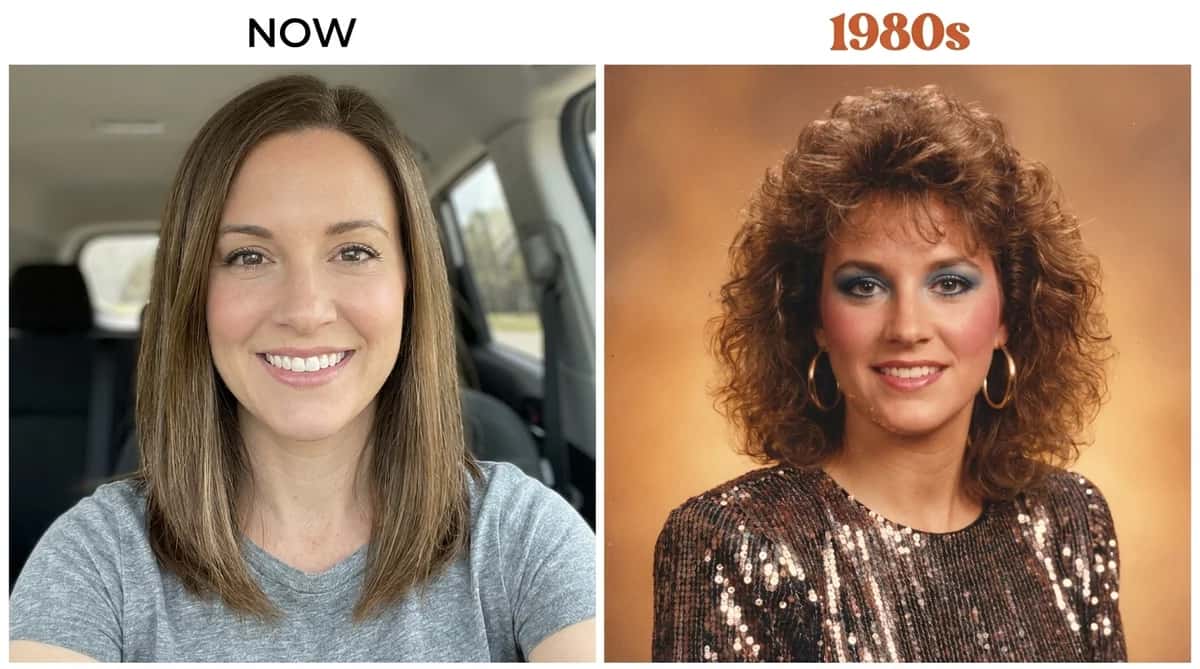
Why did the 1980s trend go viral?
Every few months an AI look breaks containment, the Ghibli cartoons, the 3D figurines, the saree portraits. The 1980s trend is the latest, and it spread faster than most for three reasons:
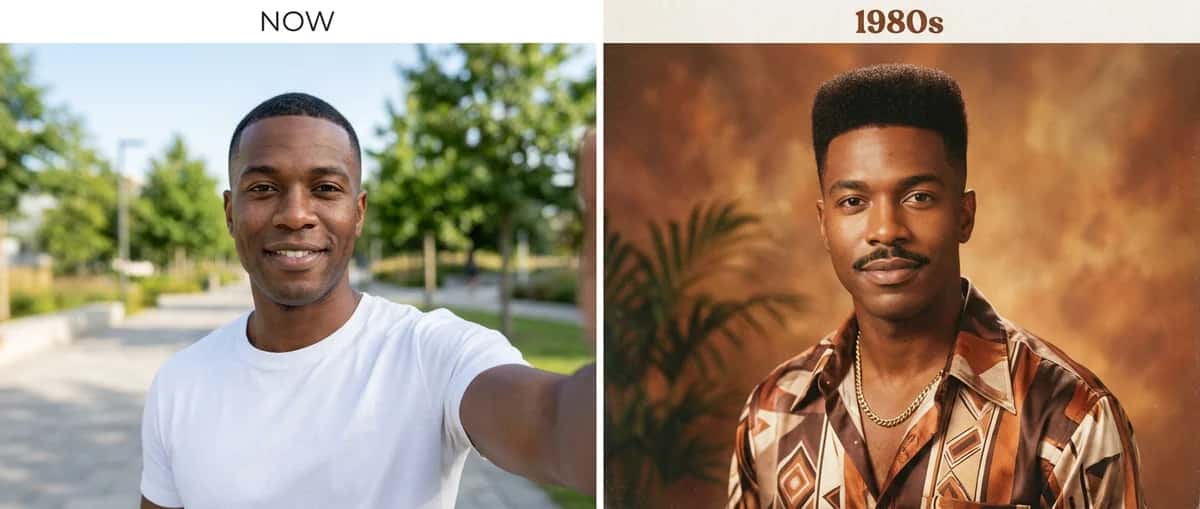
Why is it more than a vintage filter?
A filter only recolours the pixels you already have. This trend rebuilds the whole picture, the AI restyles your outfit, hair, makeup and surroundings while keeping your face recognisable. That is why no two results look the same, and why the effect works just as well on a New York selfie as a Mumbai one. Depending on the prompt, the same person can come out as a Bollywood cover star, a Hollywood glamour shot, or a face from a dusty family album.
1980s styles from around the world
Because the AI restyles everything, you can pick the flavour of 1980s you want. These are the looks people are chasing most, from India and beyond:
Hollywood glamour
American mall studio
British New Wave
Old family album
Magazine cover
Wedding photo
The trend was born in India, and the Bollywood look is still the most requested, here it is as a before-and-after, for a woman and a man:
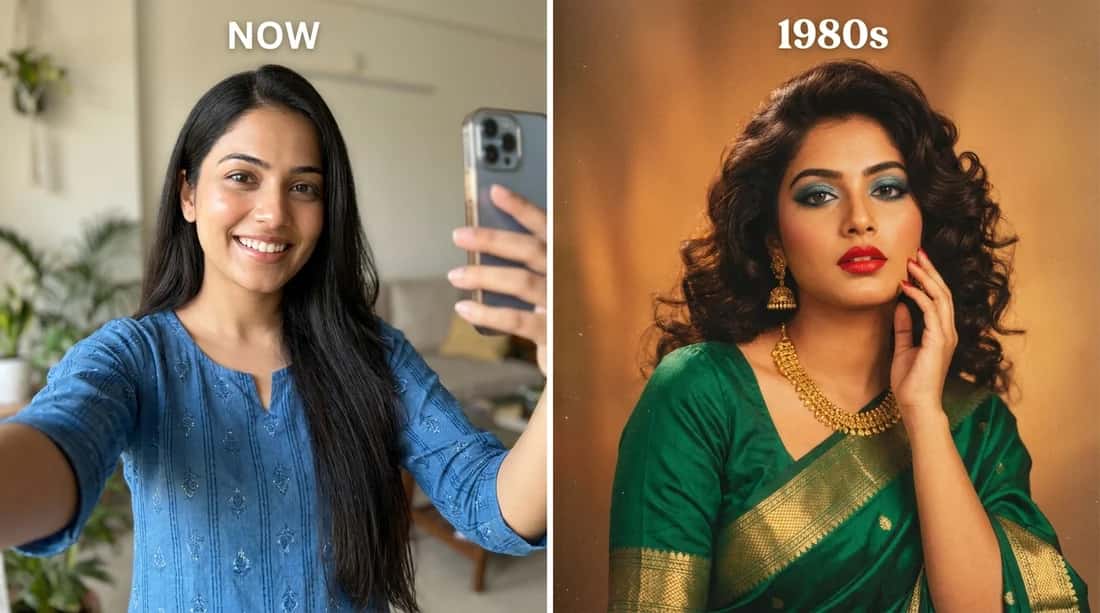
Every before-and-after on this page was made with the AI Vintage Photo Generator, one photo in, an 1980s portrait out.
How to make a 1980s photo on Pixazo?
You do not need ChatGPT or any paid app to join in. The AI Vintage Photo Generator recreates the same look from your own photo, and the first tries are free. Here is the whole flow, in five steps:
Suggested Read: How to Make an 8-Bit Sprite Sheet GIF From Your Photo?
The best 1980s photo prompts
Once you are inside the agent, paste any prompt below with your uploaded photo to steer the look. Each one keeps your face recognisable and only restyles everything around it. Tap a block to select it.
▸ CLASSIC BOLLYWOOD PORTRAIT
Transform this photo into an authentic 1980s Bollywood studio portrait. Keep my facial features and identity recognisable. Give me period-appropriate 1980s Indian clothing, hairstyle and accessories, with warm studio lighting, soft focus, subtle film grain and slightly faded colours. Make it look like a real photograph taken in India in the 1980s, not a modern photo with a vintage filter. Do not change my facial structure. Keep the result photorealistic and avoid sepia tones or artificial ageing.
▸ HOLLYWOOD GLAMOUR PORTRAIT
Turn this photo into a glamorous 1980s Hollywood studio portrait. Keep my face and facial features unchanged. Give me period-accurate 1980s hair, makeup and clothing, with dramatic studio lighting, soft focus, subtle film grain and the look of an analogue camera. Keep it photorealistic.
▸ AMERICAN MALL-STUDIO PORTRAIT
Recreate this photo as a classic 1980s American mall-studio portrait. Keep my face and identity recognisable. Give me big voluminous permed or feathered hair, period makeup, a bright patterned top with shoulder pads, and the signature soft blue-grey studio backdrop with a laser or gradient effect. Use warm lighting, soft focus and visible film grain so it looks like a genuine 1980s school or mall photo, not a modern edit.
Suggested Read: How to Make an AI Action Figure: Complete Step-by-Step Guide (2026)
▸ BRITISH NEW WAVE / POP LOOK
Restyle this photo as a 1980s British New Wave pop portrait. Keep my facial identity unchanged. Give me a bold new-romantic hairstyle, dramatic makeup, a colourful synth-pop outfit and moody coloured studio lighting with a slightly grainy analogue film finish. Make it look like a real early-1980s music magazine photo.
▸ OLD FAMILY ALBUM
Recreate this photo as if it were taken for a family photo album in the mid-1980s. Keep the person’s face and expression natural. Add period-appropriate clothes, hairstyle and background, with a simple indoor setting, analogue camera texture, slight grain, soft lighting and realistic film colours. Avoid a modern digital look.
Suggested Read: Nano Banana AI (Gemini 2.5 Flash): Photo-to-AI Figures, Trends, Tools, and Best Practices
▸ 1980s BOLLYWOOD HEROINE
Turn this photo into a glamorous 1980s Bollywood heroine portrait. Keep my face recognisable and natural. Style the hair with a voluminous 1980s look, add a colourful saree and statement jewellery, and place me in a classic Indian studio setting. Use warm lighting, soft focus, analogue film grain and the look of an old Bollywood publicity photograph.
▸ 1980s HERO / LEADING MAN
Recreate this photo as a 1980s leading-man studio portrait. Keep my facial identity unchanged. Give me an authentic period hairstyle, a moustache if appropriate, a wide-collar or tucked shirt, high-waisted trousers and a classic studio backdrop. Use analogue film grain, warm lighting and slightly faded colours. Make it look like a genuine 1980s photograph.
▸ 1980s MAGAZINE COVER
Turn this photo into a magazine portrait from the 1980s. Keep my face recognisable and realistic. Use period-appropriate hair, clothing, jewellery and makeup, with a simple studio background, dramatic but natural lighting, soft focus and subtle film grain. Make it look like a genuine 1980s magazine cover shoot, not a modern edit.
Suggested Read: AI Aging Filter: Predicting What You’ll Look Like in the Future
Tips for the most realistic results
- Start with a sharp, well-lit photo. A clear front-facing face gives the AI the most to work with, so your likeness survives the makeover.
- Always add “keep my face recognisable.” It stops the model from turning you into a different person.
- Name the decade’s details. Permed or feathered hair, shoulder pads, a saree or a moustache, warm tungsten light and “analogue film grain” are what sell the era.
- Pick a region. “American mall studio,” “Bollywood publicity photo” or “British New Wave” steer the AI toward a specific, believable 1980s world instead of a generic one.
- Ask for “not a modern photo with a vintage filter.” This nudges the AI to rebuild the scene instead of just recolouring it.
- Generate a few times. Small prompt tweaks, a different backdrop or outfit, quickly get you a version you love.
Mistakes to avoid
- Using a dark or blurry source photo. If the AI can barely see your face, it invents one, and the result stops looking like you.
- Over-stuffing the prompt. Ten competing instructions confuse the model. Name a style, an era and a couple of details, then let it work.
- Forgetting the film texture. Without “grain,” “soft focus” and “faded colours,” the picture can come out too clean and modern to read as 1980s.
- Expecting a perfect first try. The best results almost always come from the second or third generation, not the first.
Frequently Asked Questions
What is the 1980s photo trend on Instagram?
It is a viral AI trend where people turn a normal photo into a portrait that looks like it was taken in the 1980s, with period hair, clothing, jewellery, warm studio lighting and film grain, and share it using the Instagram “Add Yours” sticker.
Suggested Read: AI Images That Look Real: How to Make AI Photos More Realistic?
How do I make a 1980s photo of myself?
Upload a clear photo to the AI Vintage Photo Generator, choose an 1980s style or paste a prompt, and generate, naming the hair, clothes, background, lighting and film texture you want.
Is the 1980s trend only for Indian or Bollywood photos?
No. It began with Bollywood-style portraits in India but is now worldwide. The same tool and prompts produce American mall-studio glamour, Hollywood portraits, British New Wave looks and family-album snaps, just name the region and style you want.
Suggested Read: Best AI Image Upscaler Tools in 2026
Do I have to use ChatGPT for the 1980s trend?
No. The trend started on ChatGPT, but any capable image tool works. Pixazo produces the same retro look from the same prompts, and you can try it free with a credit card.
Will the 1980s AI photo still look like me?
Yes, as long as your prompt says to keep your face and features recognisable. The AI restyles your hair, clothing and surroundings while preserving your likeness.
Is the AI Vintage Photo Generator free?
You can create 1980s portraits for free to start. Upload a photo, choose a style and generate, it’s free with a credit card for your first tries.
Suggested Read: 10 Best AI Photo Restoration Tools in 2026
Deepak Joshi
Author · Pixazo
Deepak writes about generative AI models, APIs, and the workflows teams use to ship them. Reviewed by Abhinav Girdhar.