AI VFX in Filmmaking: The Complete 2026 Guide


What is AI VFX?
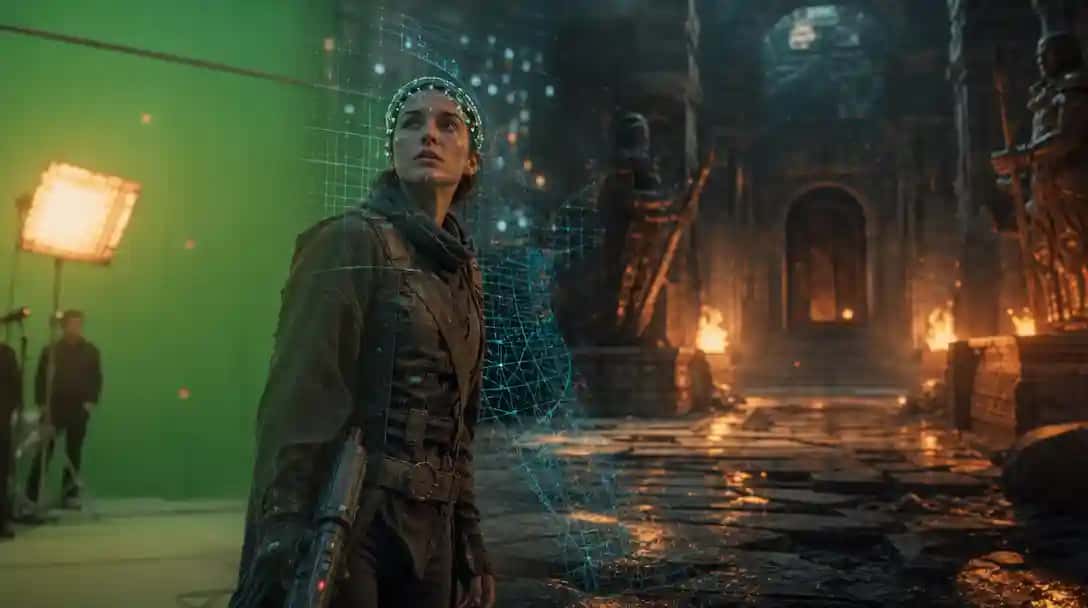
AI VFX is a category of post-production where AI models handle the heavy lifting of tasks that were previously manual: If you want to try it, use Pixazo.
- Generative — creating new imagery (environments, effects, characters) from a prompt, a reference image, or an existing plate.
- Editing — modifying existing footage (replacing a face, removing an object, changing a sky) while preserving the original motion, lighting and lens.
- Restoration — cleaning, upscaling and re-grading footage that already exists.
The key distinction from plain “AI video generation” is that AI VFX is usually anchored to real footage. You are not inventing a scene — you are transforming a plate your team already shot, which is exactly what production demands.
The old way vs. the AI way
Traditional VFX is labor-intensive: roto artists mask subjects frame by frame, compositors integrate elements, matchmove artists track the camera. It is precise and beautiful — and it is why a minute of finished VFX can cost $10,000–$50,000 and take weeks. AI VFX compresses that pipeline:
- 5–10× lower cost per finished shot
- 40–70% faster turnaround
- Hundreds of shots in parallel, not a queue
The trade is not quality vs. speed — it is where the human time goes. AI absorbs the repetitive labor; artists spend their hours on judgment, taste and the final 10% that makes a shot believable.
The core capabilities of AI VFX
Modern AI VFX is a full toolkit, not one trick. These are production-ready today:
| Capability | What it does |
|---|---|
| Compositing & chroma key | Green-screen keying, plate integration |
| Cleanup & removal | Rigs, wires, logos, crew, objects |
| Fire, smoke & explosions | Photoreal practical-style FX |
| Sky & environment replace | Skies, time-of-day, weather |
| Set extension & matte | Extend builds, digital matte paint |
| CG / 3D integration | Photoreal 3D characters & props |
| De-age, relight & beautify | Performer enhancement |
| Screen & POV inserts | Phone / monitor comps |
| Restoration & upscaling | Archive cleanup, 4K / 8K |
| Face replacement & swap | Identity swap, cinematic coherence |
| Character consistency | Identity locked across shots |
| Lip-sync & dubbing | ADR, localization, OmniHuman |
| Crowd & duplication | Multiply extras, fill the frame |
| Previs & concept> | Boards to moving shots, fast |
| Colour & look dev | Grade, day-for-night, film emulation |
There is no single “best” model
The biggest mistake in AI VFX is betting your pipeline on one model. Each engine has a personality and a sweet spot, so a platform that routes each shot to the best model for the job consistently beats a single-model workflow. Pixazo provides 200+ models across 25+ providers — featured for VFX:
- Seedance 2 (BytePlus) — video generation, in-place editing, shot correction
- Happy Horse (Alibaba) — reference-to-video, character work, lip-sync
- Veo 3.1 (Google) — text- and reference-to-video, native audio
- Gemini Omni (Google) — image- and reference-to-video, video editing
…alongside many more:
Four AI VFX workflows — with live examples
1. Character face swap with cinematic coherence
The job: a green-screen plate of two performers, where you replace a face while preserving the original motion, lighting and lens — no manual roto. The replacement is driven from reference stills, swapped per identity:
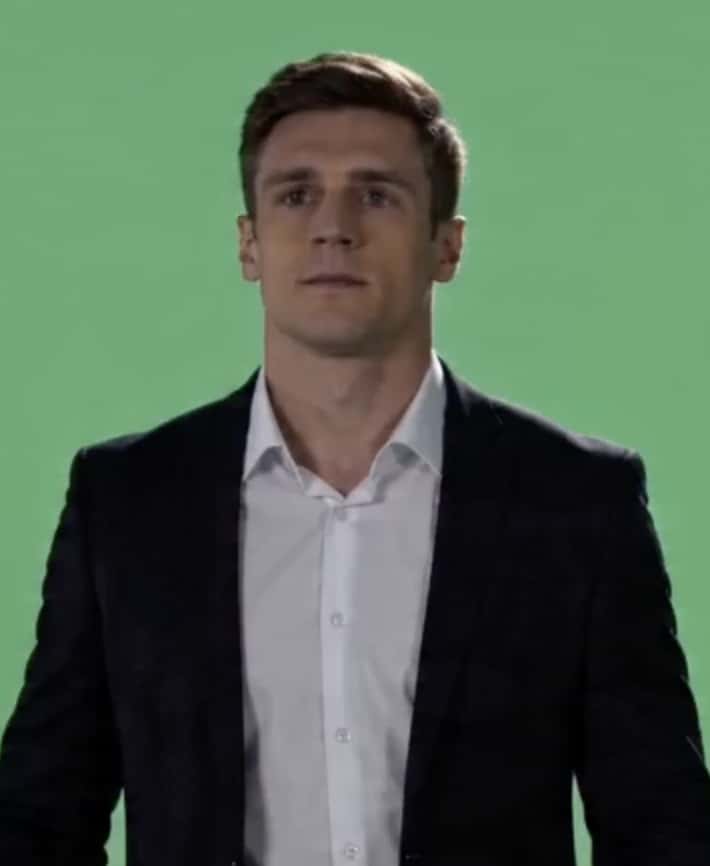 [Image 1] · man (both)
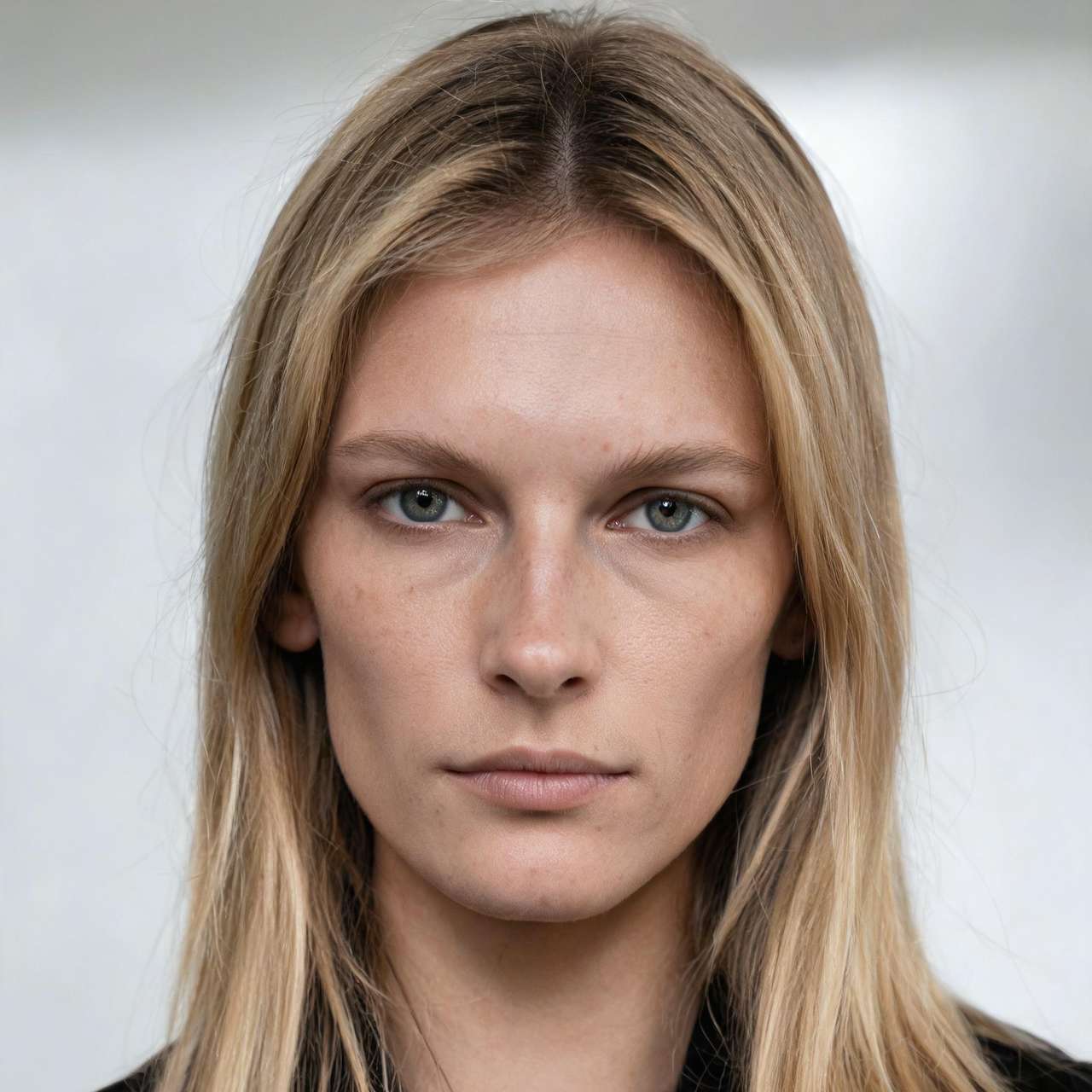 [Image 2] → Output A
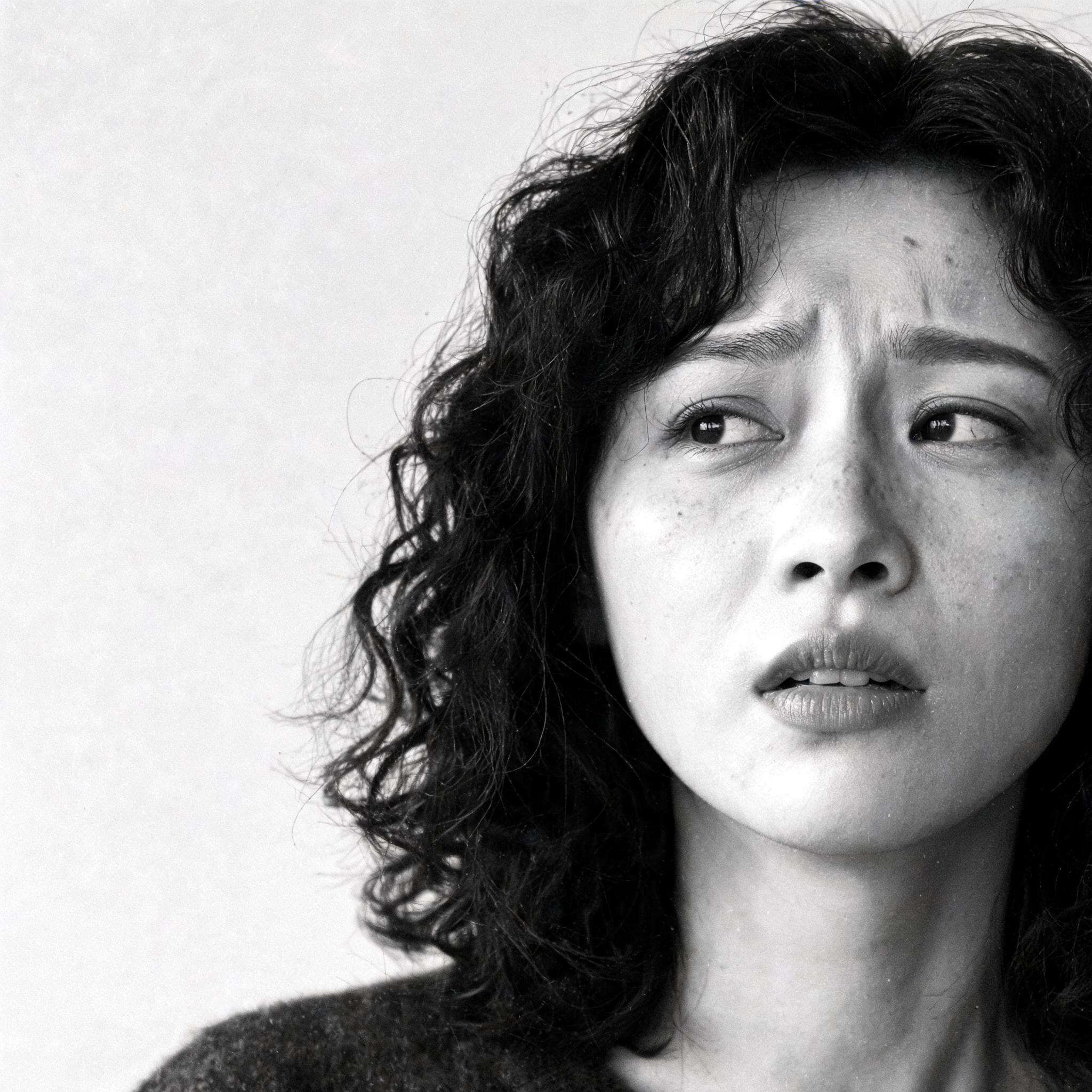 [Image 2] → Output B
STRICTLY EDIT [Video 1]. Replace the masked face with [Image 1] (man) and [Image 2] (woman). Keep performer motion from [Video 1]. Background: exotic photorealistic beach.
2. Generative previs — still to moving shot
Drop a still as the start frame, describe the action, and get a directable previz pass with a static camera and preserved background.
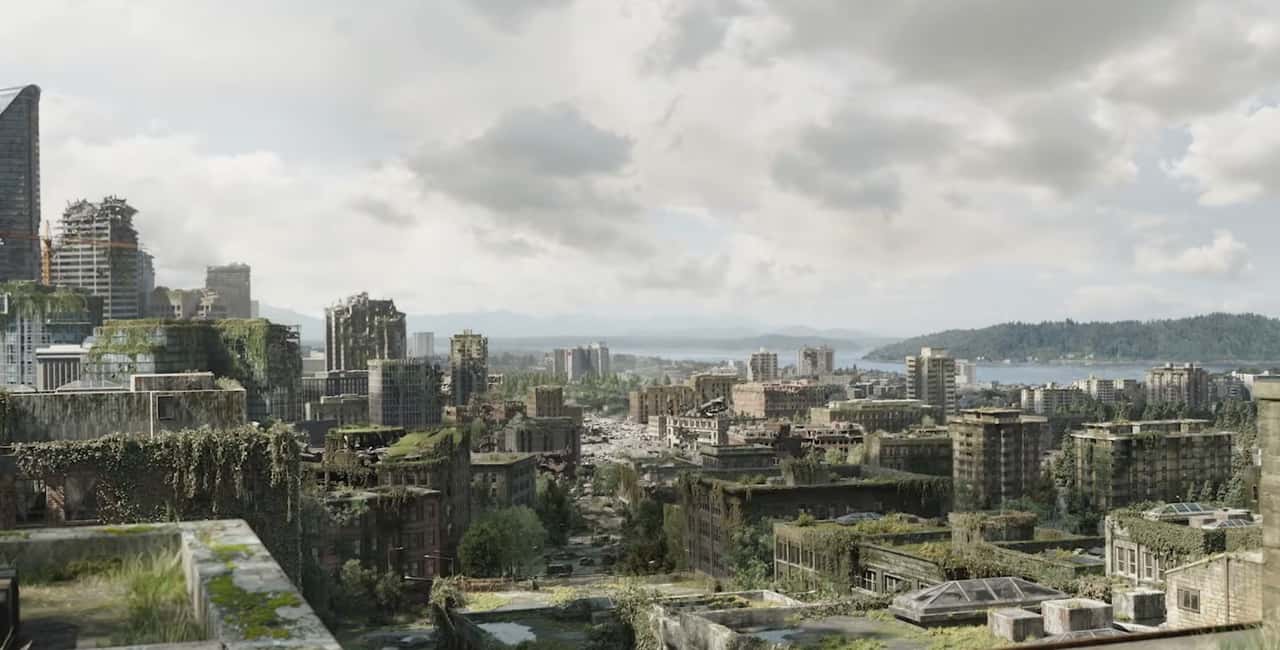
Add heavy smoke from distant buildings. Use the still as start frame, static camera, preserve fine background detail.
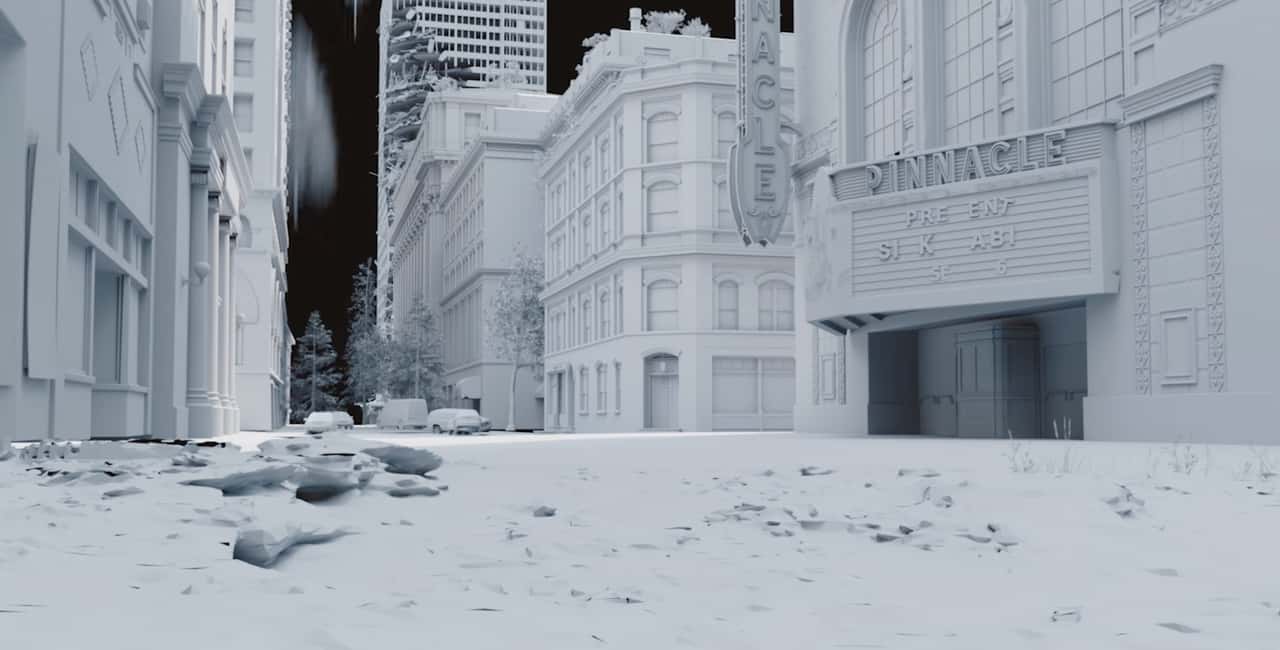
Add two post-apocalyptic men with rifles walking the street. Start from the still, static camera, previz style, static background.
3. Character consistency across a dialogue
The hardest part of AI character work is keeping the same person the same across a scene. Identity is built from reference stills and locked into a moving shot — preserving facial details, skin tone and wardrobe.

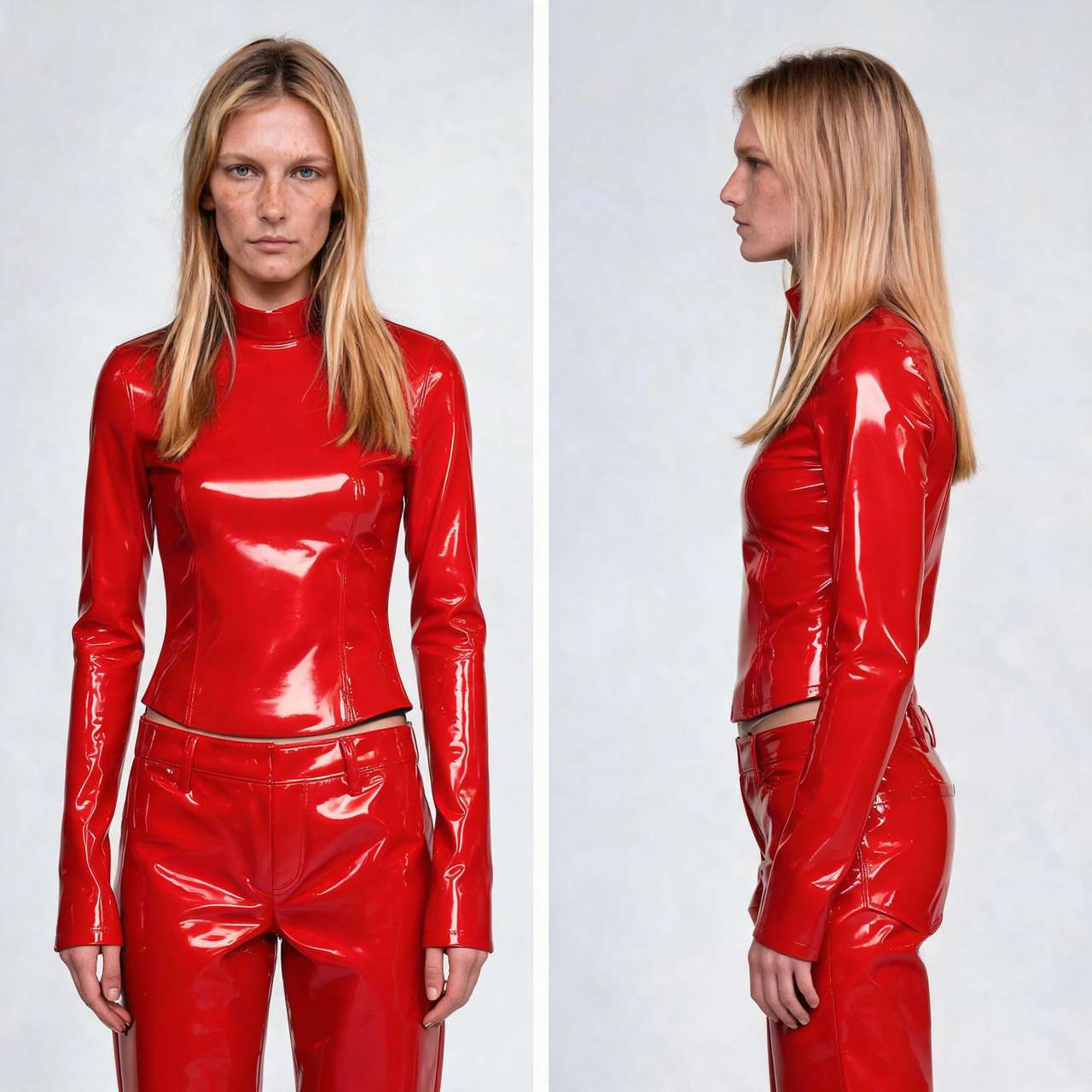
4. Subtle actor motion — performance, not choreography
The true test of generative video is not explosions; it is restraint — holding a body still while animating only the micro-movements that read as psychology. Each clip below is generated purely from the written direction beside it.
Close-up, woman in her late 40s at a kitchen table, early-morning grey light, both hands around a coffee mug. Still for two seconds — then her left thumb moves almost imperceptibly across the ceramic. Her jaw tightens a fraction. She exhales through her nose. Her eyes shift three degrees left, then return. Handheld, 35mm grain, shallow depth of field. Real-time, no cuts.
Medium close-up, man in his 50s in a hospital corridor. He has been holding it together — then it goes. Shoulders drop, face crumpling, mouth opening without sound. He grabs the wall, slides three inches, presses his forehead to it, his back heaving. Nine seconds, stillness to collapse. Locked-off, 50mm, no score.
Full-body, black-box theatre, single spotlight. Woman in her 30s, full theatrical register — no naturalism. She advances on the camera, stops dead, picks up a chair with one hand and sets it back with deliberate control. Voice, gesture and stillness at stage scale, for a 400-seat house.
Close-up, woman in her late 20s on a bathroom floor, still in her coat. She has been in an ugly, real fight. She examines a cut on her knuckle, flexes the hand, winces functionally, tips her head back and opens her eyes to a look that is not sad, not angry, not resolved.
Medium shot, woman in her 40s across a candlelit restaurant table. She is doing something intentional as if she isn't — picks up her glass without drinking, lets a pause sit three beats too long, leans forward two inches. She smiles once, the beginning of one she takes back. 85mm, candlelight only.
The hard problems: cinematic intelligence
What separates a usable AI VFX system from a toy is whether it understands the grammar of film:
- Light–subject coherence — a warm key camera-left and cool fill camera-right must stay consistent as a head turns.
- Material-property understanding — a wiper leaves a clear streak that reveals sharper lights; raindrops re-accumulate; reflections stay correct.
- The 180-degree rule — generated coverage must keep characters on the right side of frame so it cuts cleanly with the master.
A model that nails these is reasoning about the scene, not just generating pretty frames. That is the frontier AI VFX is crossing now.
Where AI VFX fits in the filmmaking pipeline
AI VFX is not a single post-production step — it touches every stage of making a film or series:
- Development & pitch — generate concept frames and previz to sell a story before a camera rolls.
- Pre-production & previs — turn boards and stills into moving shots to plan coverage, blocking and VFX-heavy sequences.
- Production / on-set — shoot simpler green-screen plates and build the world in post; capture less, create more.
- Post-production — cleanup, set extension, FX, de-aging, crowd duplication and look-dev at a fraction of traditional cost and time.
- Distribution & localization — restore catalog titles to 4K/8K and lip-sync dub for international release.
For independent filmmakers, that means studio-scale shots on an indie budget. For studios and broadcasters, it means more shots, faster, across a bigger slate — without growing the VFX bill at the same rate. AI VFX doesn’t change what filmmaking is; it changes what a given budget and schedule can reach.
AI VFX by industry
Film & episodic TV — cleanup and continuity at volume, set extensions, de-aging, crowd duplication, at broadcast turnaround and budget. Streaming & archive — restore and upscale catalog titles to 4K/8K. International distribution — AI lip-synced dubbing turns localization into a growth lever. Advertising & music — generative backgrounds, virtual sets and rapid previs. IP reinvention — anime and stylized conversions of live-action hits.
Suggested Read: How to Make a Product Video with AI: A Complete Guide in 2026
AI-assisted, human-finished
The most important phrase in modern VFX is human-finished. AI gets a shot 90% of the way there fast; a human artist closes the gap and signs off on every delivery. That is what makes the output broadcast-grade — and it is the honest answer to “will AI replace VFX artists?” It will not. It removes the repetitive labor so artists can focus on story, taste and believability.
How to get the best results
- Anchor to real footage — edit a plate you shot, don’t generate from nothing.
- Be specific in prompts — name the camera, lens, light direction, motion beats and constraints.
- Use reference images for identity — multi-angle stills lock a character far better than text.
- Pick the right model per shot — edits, photoreal generation and lip-sync each have a best-in-class engine.
- Plan for a human finish — budget the final QC pass.
The reel — finished shots
Every clip below is a live before/after: top is the AI VFX result, bottom is the original plate. Click any to play.
Disclaimer: these sample clips are curated from publicly shared posts across Instagram, YouTube Shorts, TikTok and other social platforms, to illustrate what current AI VFX can achieve. They are shown for educational and illustrative purposes only, are not necessarily produced by Pixazo, and all rights remain with their respective original creators.
Suggested Read: From Viral Shorts to Funded Features: The AI Filmmakers Hollywood Is Actually Greenlighting
Suggested Read: How to Create Consistent AI Characters in 2026: The Complete Guide
Suggested Read: How to Lip-Sync a Video to Any Audio with AI: A Step-by-Step Tutorial
Suggested Read: AI Generated Media 2026: The Definitive Year-End Review
Frequently asked questions
Is AI VFX good enough for broadcast work?
Yes, with a human-finishing step. The AI handles the bulk of the shot; an artist QCs and finalizes it to broadcast standard.
How much cheaper is AI VFX?
Typically 5–10× lower cost per finished shot and 40–70% faster than a fully manual pipeline, depending on complexity.
Does AI VFX replace VFX artists?
No. It removes repetitive labor so artists focus on judgment, story and final polish.
Can it preserve a specific actor’s identity across a scene?
Yes — identity is built from reference stills and locked across shots.
Which AI model is best for VFX?
There isn’t one. The best results come from routing each shot to the right engine — which is why a multi-model platform wins.
Put your next shot through the Pixazo stack
Send us a plate or a board, and we’ll return a finished, broadcast-grade shot — routed to the best of 200+ models, human-finished.
Suggested Read: Top 10 Best AI Background Removers in 2026: A Detailed Guide
Deepak Joshi
Author · Pixazo
Deepak writes about generative AI models, APIs, and the workflows teams use to ship them. Reviewed by Abhinav Girdhar.