THE TRI-FOLD STUDIO · PROMPT IN, PANELS OUTOPENED SPREAD · SCORE × FOLD × SCORE
AI Brochure Maker: Design Free Brochures in Minutes
Describe the brochure you need — a spa tri-fold, a real-estate bi-fold, a travel gate-fold — and the AI composes the panels, pairs the typography, and builds the palette in a single pass. This free brochure maker returns a finished, watermark-free file you can download and print wherever you like — no template to fill in.
FREE TO STARTWATERMARK-FREEBI / TRI / Z / GATE FOLDS
FITNESS STUDIOCHARCOAL + NEON BLUE · 3 EQUAL PANELS
FLOWER SHOPLAVENDER + PLUM
SPA & WELLNESSBEIGE + FOREST GREEN
CAFÉCREAM + COFFEE BROWN
JUICE BARMINT + ORANGE
PRESS SHEET · REAL OUTPUT, FLAT BEFORE FOLDING
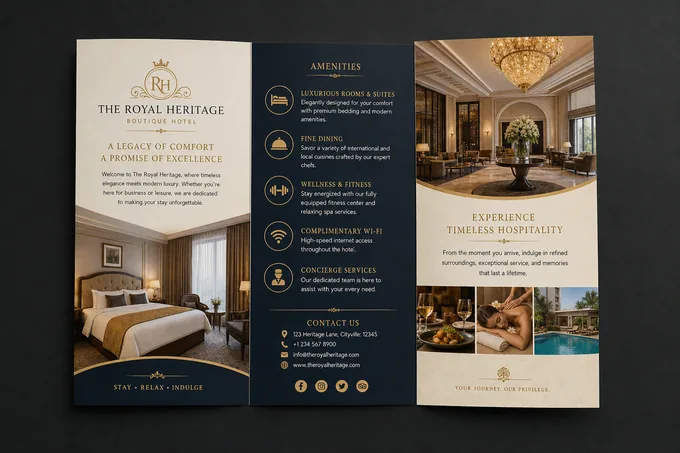
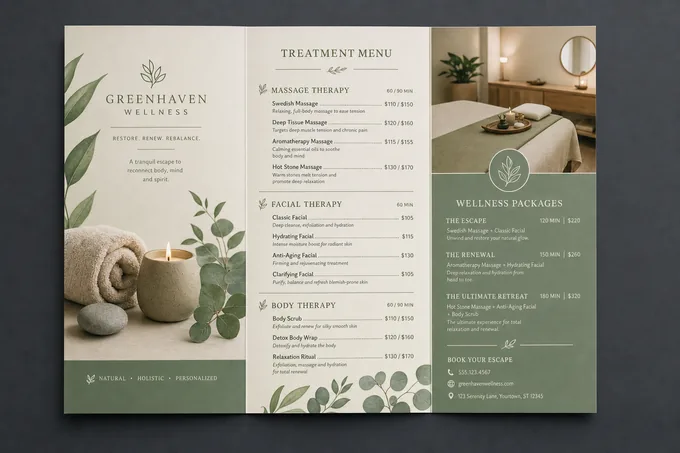
Tri-fold spreads straight from the AI brochure generator
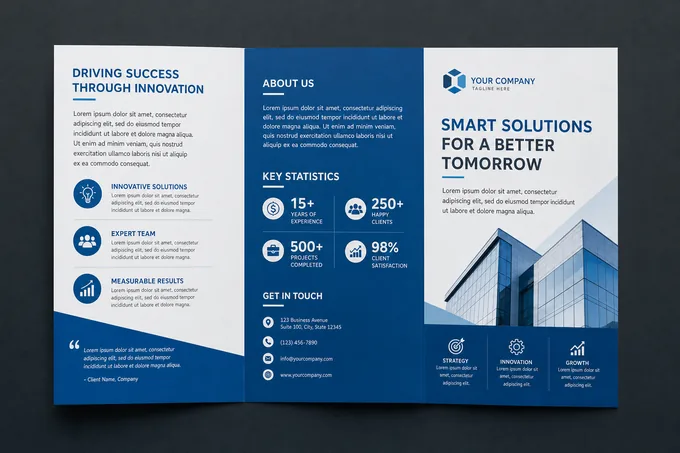
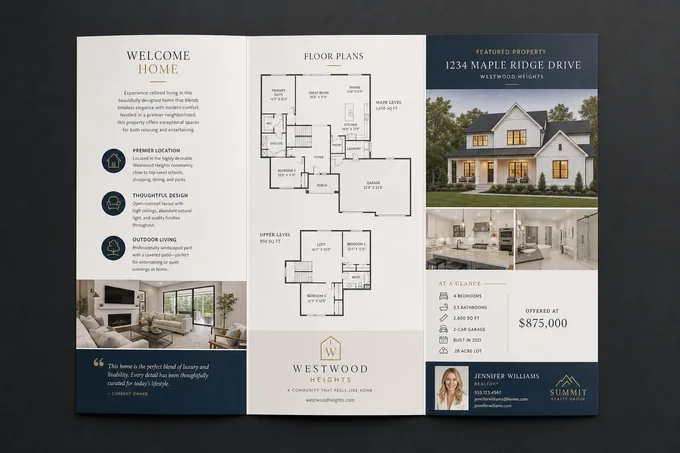
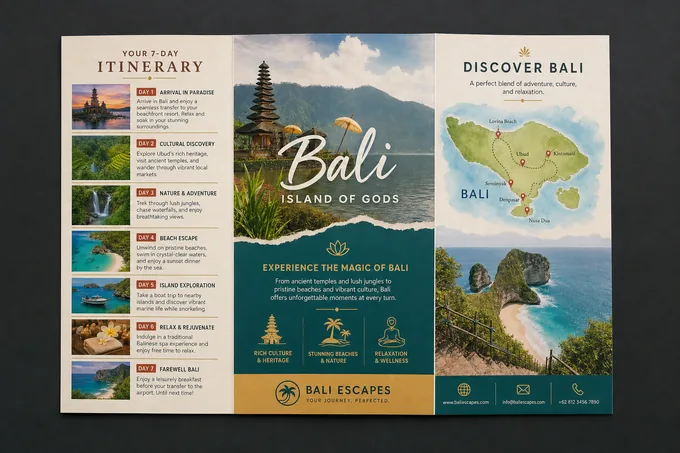
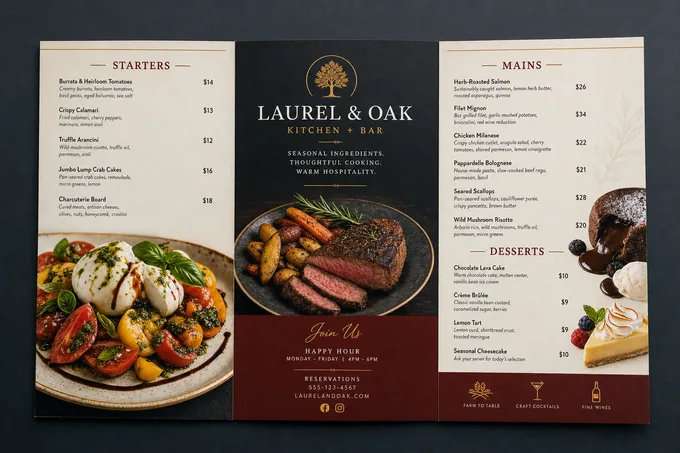
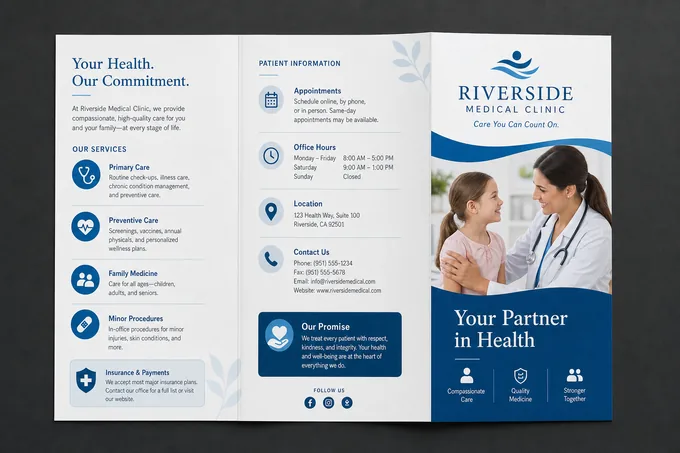
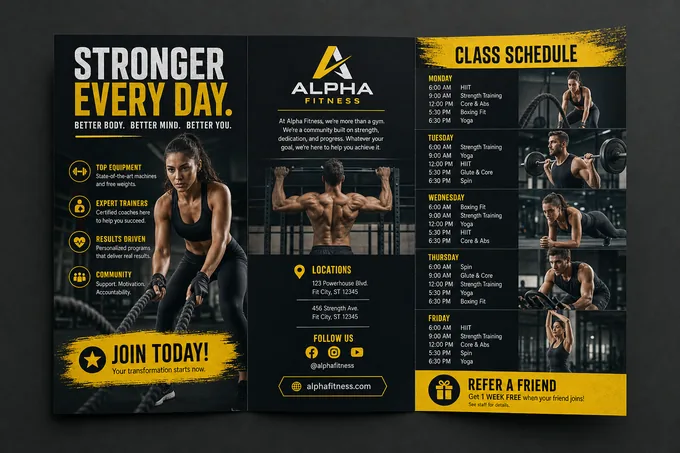
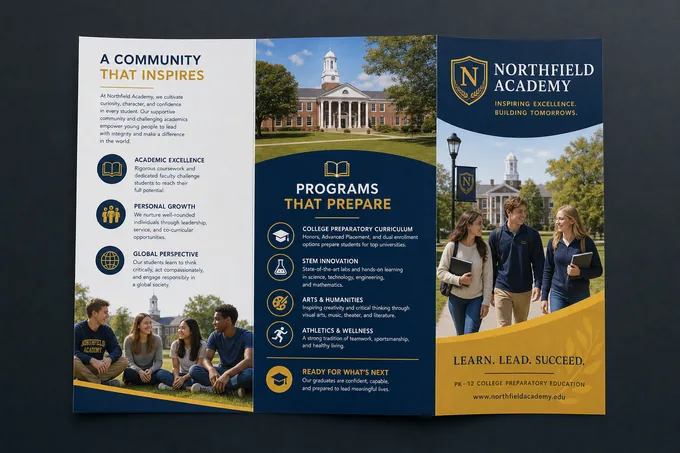
Each spread below came from a single prompt — three equal panels, edge-to-edge color, offer boxes, hours, and contact details placed where the fold map says they belong. The dashed lines mark where the scores would land.
Covers set the tone before a single fold opens. The same engine renders portrait covers across styles — describe the mood and the AI brochure generator matches typography and palette to it.
A brochure is not one picture — it’s a sequence of panels a reader unfolds in a fixed order. Pixazo’s brochure generator, built on the same engine as our AI image generator, treats your prompt like a design brief: it reads the audience, the fold, and the message, then lays out a finished brochure design in one pass instead of handing you a blank brochure template. Because it runs in your browser, this online brochure maker needs nothing installed to get from brief to finished file.
OUTSIDE SPREAD · READ LEFT TO RIGHTSCORE — FOLD — SCORE
PANEL 1
You write the brief
Plain language, no design vocabulary required: who the brochure is for, which fold you want, the headline, the offer, warm or cool colors, and what belongs on each panel.
PANEL 2
The AI composes it
It builds the background treatment, pairs typefaces that match brochure conventions, sets a palette around your color direction, and places headline and body copy with a clear hierarchy.
PANEL 3
You take the file
One-click download of a full-resolution, watermark-free digital file in RGB color. Share it as-is, or print it yourself at home, at a local shop, or through any online print service.
TRI-FOLD · SCORE TWICE
SPREAD 02 · FORMATS · PICK YOUR FOLD
Bi-fold, tri-fold, Z-fold, gate-fold — and when to use each
The fold decides how your story unfolds, literally. Name the format and panel count in your prompt and the AI brochure generator lays the flat spread out to match. If your message fits on a single unfolded sheet with no folds at all, a one-page flyer format will suit it better than a folded brochure.
Bi-fold 4 PANELS
One center fold, four generous panels. The book-like open of a bi-fold brochure gives you a big two-panel inside spread — ideal for menus, portfolios, and property sheets led by large imagery.
PROMPT: "bi-fold brochure, two equal panels per side"
Tri-fold 6 PANELS
Scored twice into six panels, the classic roll fold. It fits literature racks and standard envelopes, which is why the tri-fold brochure is the default for services, price lists, and hours.
PROMPT: "tri-fold brochure, three equal vertical panels"
Z-fold 6 PANELS
Accordion pleats that open in strict sequence — perfect when order matters: step-by-step instructions, timelines, itineraries, or a three-act campaign story.
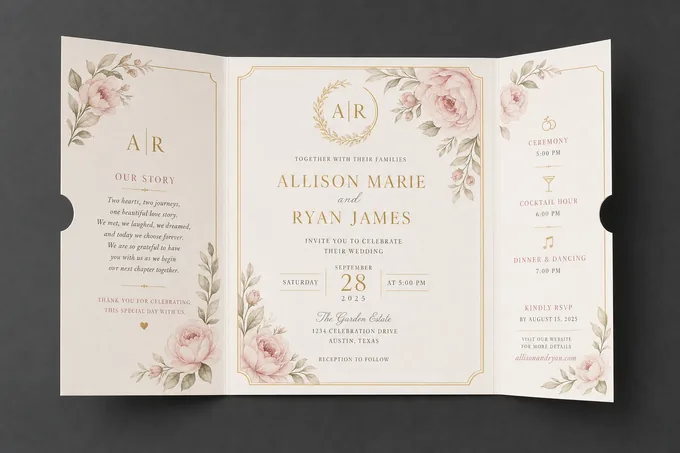
Two narrow flaps swing open like doors to a wide center reveal. Reserve it for the premium moment: product launches, lookbooks, wedding and gala programs.
PROMPT: "gate-fold brochure, wide center reveal panel"
SPREAD 03 · PANEL MAP · PLAN BEFORE YOU PROMPT
The six-panel map every tri-fold brochure follows
Good brochure design is decided before a single pixel is generated. A tri-fold has an outside spread and an inside spread, and each panel has a job. Tell the generator what goes where and it will respect the reading order.
OUTSIDE SPREAD · WHAT PRINTS ON THE BACK OF THE SHEETFLAP / BACK / COVER
INSIDE FLAP
The teaser
First panel revealed as the cover lifts. Put the offer or a one-line hook here — the "20% off first visit" box in the spa example below sits exactly on this panel.
BACK COVER
The contact panel
Address, phone, website, hours, map. It faces up when the brochure lies folded on a counter, so it must work alone — never bury the call to action anywhere else.
FRONT COVER
The promise
One image, one headline, one line of support. The cover’s only job is to get itself opened; save the details for the inside panels.
INSIDE SPREAD · WHAT THE READER SEES FULLY OPENSTORY / PROOF / ACTION
PANEL 4
The context
Open with the reader’s problem or occasion, not your history. One focused paragraph beats four generic ones.
PANEL 5
The proof
Services, menu, listings, schedule — the scannable center panel where photos and short labeled blocks do the persuading.
PANEL 6
The action
Close with a single next step: book, call, visit, scan. Repeat the offer from the flap so the story ends where it began.
Z-FOLD · ACCORDION
FOLD SEQUENCE · HOW IT WORKS
From prompt to printed tri-fold in four steps
STEP 01 · SCORE
Write the brief
Name the fold format, the industry, the headline, a warm, cool, or neutral color direction, and what each panel should say.
STEP 02 · PRESS
Generate the spread
The AI composes background, type pairing, palette, and text placement in one pass — a complete brochure design, not a template to fill in.
STEP 03 · REFOLD
Adjust and rerun
Edit the prompt to shift hierarchy, mood, or elements to include or drop. Most briefs land on target within a few passes.
STEP 04 · TRIM
Download and print
Take the full-resolution, watermark-free file. Print it yourself — and proofread every line before the paper leaves the tray.
Free starter credits. Your first tri-fold is a two-minute experiment, not a commitment.
Copy-paste brochure prompts that carry real detail
Vague prompts produce vague panels. The briefs below follow the same pattern as the examples further down this page: fold format first, then per-panel content, then style. Swap in your own names and offers — the same structure powers a polished business brochure or a travel Z-fold alike.
Real estate
TRI-FOLD
Tri-fold brochure, three equal vertical panels. Cover: dusk exterior photo of a modern family home, headline "YOUR NEXT ADDRESS." Inside: three listings with price, beds, and square footage in clean labeled blocks. Back: agent contact, office address, open-house hours. Style: navy and warm-white, confident serif headlines.
Medical & dental
BI-FOLD
Bi-fold brochure, two panels per side. Cover: calm, airy clinic interior, headline "GENTLE CARE, CLEAR ANSWERS." Inside spread: services list with short reassuring descriptions and a new-patient checklist. Back: insurance note, booking phone, address, hours. Style: cool palette, soft blues, generous white space, high readability.
Travel
Z-FOLD
Z-fold accordion brochure, sequential panels. Panel 1: coastal landscape, headline "SEVEN DAYS ON THE AMALFI COAST." Panels 2-3: day-by-day itinerary as a vertical timeline with small photos. Back panels: pricing tiers, departure dates, booking website. Style: warm Mediterranean palette, editorial typography, full-bleed photography.
Restaurant
TRI-FOLD
Tri-fold brochure, full-bleed, three equal panels. Left: cream background, headline "WOOD-FIRED SINCE DAY ONE." with a thick-outlined offer box "Free dessert with two mains." Middle: deep charcoal, "OPEN HOURS" with schedule and a centered circular dish photo. Right: signature menu highlights and website. Style: rustic trattoria branding.
GATE-FOLD · CENTER REVEAL
PRINT TICKET · RUN IT YOURSELF
The honest print spec: what you get and how to print it
Pixazo exports finished digital artwork; the printing is yours. Here is the straight version of the spec — no format promises the tool can’t keep.
JOB TICKET NO. 006-TRIPIXAZO PRESS DESK KEEP THIS STUB PROOF BEFORE RUN
OUTPUT
High-resolution raster file in RGB color. Perfect for digital sharing, email, and home or short-run digital printing.
OFFSET / CMYK
There is no native CMYK export. For offset jobs, convert the file in Photoshop, Illustrator, or free tools like GIMP — and mention print use in your prompt so the AI favors colors that translate well.
SHAPE
Prompt in the aspect you need: the tri-fold spreads above were generated as 16:9 landscapes with three equal panels; covers work best in portrait.
PAPER
When you print: 130–170gsm gloss text for handout tri-folds, 250gsm+ cover stock if it must stand in a rack. Ask your print shop to score before folding heavier stock.
FINISH
Matte lamination mutes bright palettes; gloss deepens photography. Full-bleed designs like the examples above need trimming, so leave the shop a few millimetres of bleed.
SPEC SHEET · WHAT’S UNDER THE FOLD
Inside the AI brochure studio
F-01 · BACKGROUND
Background variation
Solid, gradient, textured, or patterned backgrounds — specified in the prompt or chosen by the AI to suit the brief.
F-02 · TYPE
Typography matching
Typefaces are paired to brochure aesthetics and your visual identity, so headlines, subheads, and body copy read as one family.
F-03 · PALETTE
Color palette intelligence
Palettes are built to fit brochure conventions rather than picked at random — ask for warm, cool, or neutral and the full palette follows.
F-04 · LAYOUT
Text placement control
Direct the composition from the prompt: headline at the reading entry point, supporting copy flowing downward, offer boxes where the fold map wants them.
F-05 · STYLE
Layered style application
Stack constraints in one prompt — minimalist plus warm plus full-bleed — and the generator applies them simultaneously while keeping the layout intact.
F-06 · RESTYLE
Style transfer
Rerun the same brief as classic, contemporary, minimalist, or atmospheric brochure styles without losing the panel structure you planned.
PIXAZO BROCHURE STUDIO · SPECIFICATION SHEET
Specification
Detail
Output format
High-resolution raster image, downloaded with no watermark.
Color space
RGB. Offset printing needs a manual CMYK conversion on your side.
Fold formats (by prompt)
Bi-fold, tri-fold, Z-fold, and gate-fold — you name the fold and panel count.
Best aspect ratio
16:9 landscape for flat three-panel spreads; portrait for single covers.
Editing model
Prompt-based re-generation. There is no drag-and-drop canvas or blank brochure template.
Free tier
Free starter credits to try the tool.
Commercial use
Yes — brochures are yours to use for business marketing.
Text language
Prompt in English for the most reliable rendered brochure copy.
DISTRIBUTION LIST · WHO PICKS THESE UP
Who gets the most out of a brochure generator
Whether you need a quick business brochure or full brochure design online for a campaign, the same brief-first workflow fits every team below.
Real estate agents
Property sheets, open-house handouts, and farming leaflets refreshed per listing instead of per quarter.
Clinics & wellness studios
Service menus, new-patient packets, and spa or massage tri-folds that look calm and credible.
Restaurants & cafés
Takeaway menus, catering brochures, and counter-top rack cards with offers that change monthly.
Travel & hospitality
Itinerary Z-folds, hotel compendium leaflets, and tour brochures with full-bleed photography.
Schools & nonprofits
Program guides, admissions tri-folds, and donation appeals produced without a design budget.
Event & conference teams
Session programs, workshop booklets covers, and door-to-door campaign leaflets on a deadline.
FOLDING ROOM NOTES · PRO TIPS
Brochure design habits that survive the fold
+
Prompt with real content. Placeholder text lies about line breaks and lengths — use your actual headline, offer, and hours from the first generation.
+
One message per brochure. A tri-fold that sells everything sells nothing; pick the single idea the reader should remember at the recycling bin.
+
Design the eye path. Headline, supporting details, call to action — in that order, on every panel. Ask for "strong visual hierarchy" explicitly.
–
Don’t skip proofreading. AI-rendered text needs a human pass; a typo printed 500 times is 500 typos. Check every phone digit.
–
Don’t crowd the panels. Negative space is what makes a brochure feel professional; if a panel needs a smaller font to fit, it needs fewer words.
–
Don’t ship the first pass unedited. Human review catches tone, context, and accuracy issues the generator can’t know about.
MISPRINTS · KNOW BEFORE YOU FOLD
Honest limits of AI brochure generation
L-01
RGB only. Files export in RGB color space, not CMYK. Digital use and digital printing are fine; offset printing needs a manual conversion on your side.
L-02
Static output. No animated or motion versions — every export is a still design.
L-03
Brand colors are approximate. Exact hex reproduction isn’t guaranteed; verify brand-critical colors manually before a print run.
L-04
Not a fine-art illustrator. Complex custom illustration and hand-drawn artwork are outside its range — it designs brochures, it doesn’t paint originals.
L-05
Text needs proofing. Rendered copy can drift from your brief on long passages; keep panel text short and read every word before printing.
Q&A DESK · ASKED AT THE COUNTER
Your brochure questions, answered at the counter
Is the AI brochure maker free to use?+
You start with free credits to try it. Generation is credit-based after the starter allowance, and paid plans add higher-resolution output, priority generation, and additional export formats.
Can I use the brochures commercially?+
Yes — brochures you generate can be used for your business marketing: rack handouts, mailers, and digital PDFs alike. You remain responsible for the accuracy of your text and for any logos or third-party material you include in a prompt.
What formats and sizes does the AI brochure generator export?+
You download a high-resolution raster file in RGB color, with no watermark. Prompt for the shape you need: the tri-fold spreads on this page were generated as 16:9 landscapes with three equal panels, while covers work best in portrait orientation.
Can I print the brochures professionally? What about CMYK?+
Exports are RGB digital files, which print well at home and through digital print services. For offset printing that requires CMYK, convert the file in Photoshop, Illustrator, or a free tool like GIMP — and mention print use in your prompt so the AI chooses colors that translate well to paper.
How does the AI brochure maker work?+
You describe the brochure in plain language — fold format, industry, headline, color direction, and what each panel should contain. The AI composes the background, pairs typography, builds the palette, and places the text, then you iterate on the prompt until the design matches your brief.
Can I edit a brochure after it is generated?+
You refine by editing the prompt and regenerating rather than dragging elements around: change the headline, swap the color temperature, or list elements to add or remove. Most briefs land within a few passes — then proofread the final file before printing.
Does it support bi-fold, Z-fold, and gate-fold layouts too?+
Yes. State the fold and panel count in your prompt — for example "tri-fold brochure, three equal vertical panels" or "Z-fold accordion brochure". The tool generates the flat spread; you print, score, and fold it. Tri-fold briefs with equal panels are the most reliable starting point.
THE RACK · PRE-BRIEFED BROCHURE STUDIOS
Grab a brochure studio already folded for your industry
Each rack slot below opens a dedicated maker with prompts and examples tuned to that field — same engine, sharper brief.
Deepak tested this AI brochure tool end to end — generating the tri-fold spreads on this page from single prompts and checking fold structure, panel hierarchy, and export quality against real print-shop requirements. He documents Pixazo’s design tools with the same brief-first method he recommends above.
PANEL 6 · BACK COVER · THE CALL TO ACTION
Every brochure ends with a next step. Here’s yours.
Write one brief — fold, industry, headline, palette — and watch the studio return a finished spread you can download and print today. Free credits, no watermark.