
What Corporate Video Production Actually Involves (And Where AI Now Fits)



Corporate video production is the process of planning, filming and editing video for a business goal, whether that is selling, explaining, hiring, training or reporting. It is not a single filming session. It runs across pre-production, production and post-production, which is why cost and timeline vary so widely. For businesses commissioning real brand and product work, Pixazo for enterprise video and VFX handles the heavier end, while lighter AI-assisted pieces can be self-produced.
Talk to Pixazo About Your Video
This guide maps what corporate video production actually involves: the main video types, the full workflow, how to think about budget and timeline, where AI genuinely helps, and where a real shoot still wins.
What Is Corporate Video Production?
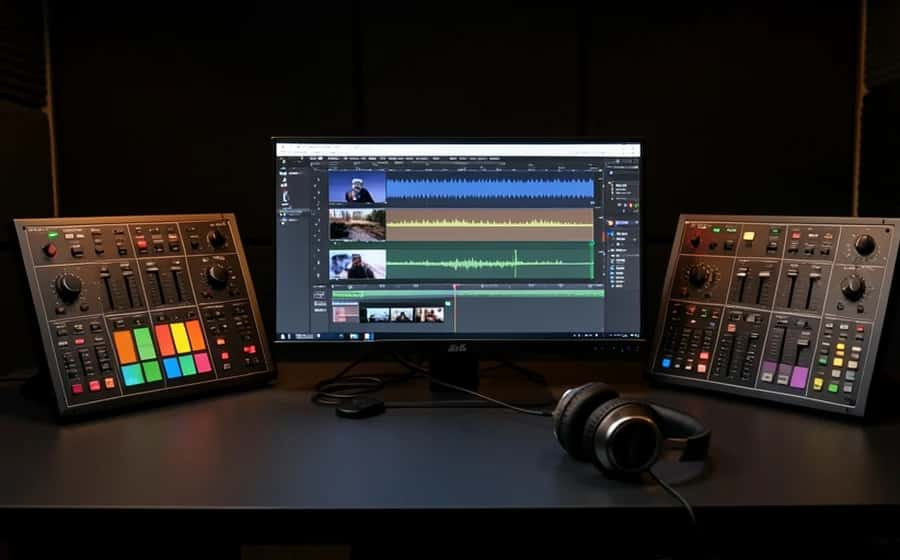
Corporate video is made for a business outcome rather than entertainment for its own sake. It is broader than a single ad and broader than social content, covering both internal audiences (onboarding, compliance, culture, leadership updates) and external ones (marketing, product demos, testimonials, brand storytelling). It is a process with defined phases, not one deliverable, and it usually involves a client stakeholder, a producer, a director, a camera operator, an editor and, increasingly, a motion or AI generalist.
The Main Types of Corporate Video, and When to Use Each

Suggested Read: AI VFX in Filmmaking: The Complete Guide
The Production Process, Phase by Phase
Most corporate videos that fail do not fail on the shoot day. They fail in pre-production, where the brief and script are either strong or missing.
Pre-production (where the video is really made)
- ▸Brief: Audience, single message, call to action, destination and success metric, agreed in writing.
- ▸Script: Locked before anything else moves.
- ▸Storyboard or shot list: The agreed sequence of shots.
- ▸Logistics: Schedule, locations, permits, talent, crew and a gear list. This phase is cheap to change and expensive to skip.
Production (the shoot)
- ▸Capture to the shot list: Plus deliberate b-roll and coverage you will thank yourself for in the edit.
- ▸Record clean audio: Bad audio reads as cheap faster than bad picture.
- ▸Shoot for the edit: Capture wide, medium and close options so the editor has choices.
Post-production (where it comes together)
- ▸Assembly and rough cut: The story in order, with timing roughly right.
- ▸Picture edit and revisions: Tightening, pacing and structure.
- ▸Motion graphics and VFX: Titles, lower thirds, animated explainers and clean-up.
- ▸Color, sound and mix: Grading for consistency, then sound design, music and voiceover.
- ▸Captions and versioning: Subtitles and a cut per destination.
Suggested Read: How to Make an AI Video Prompt
Scripting and Storyboarding Without Overcomplicating It
- ▸Script for the ear: People hear corporate video more than they study it, so write for listening.
- ▸A storyboard can be rough: Sketches or a shot list both work. The point is agreement on sequence before anyone films.
- ▸One message per video: A second message usually halves the impact of the first.
- ▸Lock the script before the shoot: Script changes on set are the most expensive changes you can make.
How to Think About a Corporate Video Budget
Published average cost figures swing enormously by country, scope and vendor, so treat any single number with suspicion. It is more useful to budget by what actually drives cost, and to remember that one well-planned shoot can feed many deliverables.
| Cost driver | What it covers | How to control it |
|---|---|---|
| People | Producer, crew, talent and editor time | Plan one shoot to produce a long cut plus short and social versions. |
| Time | Shoot days and edit and revision rounds | Lock the script and cap revision rounds up front. |
| Gear and locations | Camera, lighting, sound and venues | Use fewer locations, or generate backgrounds for illustrative shots. |
| Licensing | Music, stock and fonts | Choose cleared libraries and reuse a brand music bed. |
| Revisions | Rounds of client changes | Agree a fixed number of rounds before editing starts. |
The revision trap is real: unlimited changes quietly become the largest line item. Decide the number of rounds before post-production begins.
Suggested Read: How to Make a Product Video With AI
Where AI Video Tools Actually Help Now
The useful framing is simple. AI lowers the cost of the repeatable and the illustrative, while real shoots still carry the parts where trust and specificity matter. For the lighter pieces, you can self-produce with an AI Video Generator.
AI genuinely speeds up or lowers the cost of
- ▸Storyboarding and previs, turning a script into rough frames for faster sign-off
- ▸B-roll and background filler where a specific real location is not required
- ▸Voiceover drafts and scratch tracks for timing, and in some cases final narration
- ▸Subtitles and translation, which used to be a slow manual pass
- ▸Rough cuts and first assemblies, giving editors a faster starting point
- ▸Motion graphics and animated explainers, especially for internal and high-volume content
AI cannot reliably replace yet
- ▸A real customer on camera saying a real thing, because authenticity is the asset
- ▸Your actual product doing the actual task in a trustworthy demo
- ▸A real location, real people or a real event when real is the point
- ▸Senior creative judgment about what to say, what to cut and whether it lands
Suggested Read: How to Dub a Video Into Another Language With AI
Distribution: The Step Teams Forget to Plan
- ▸Decide the destination first: Website, LinkedIn, trade-show loop, sales deck or onboarding portal, because aspect ratio, length and captions follow from it.
- ▸Cut platform-specific versions: Rather than posting one master everywhere.
- ▸Add captions by default: A large share of business video is watched on mute.
- ▸Track the real outcome: Demo requests, applications or course completion, not just views.
Suggested Read: 10 Best AI Video Editors
A Realistic Timeline for a Corporate Video
- ▸Think in stages, not one number: Concept, pre-production, shoot, first cut, revisions and delivery.
- ▸Approvals drive the timeline: Review cycles, not editing, are usually the longest and least predictable stretch.
- ▸AI compresses the early loops: AI storyboards and rough cuts speed up the first review rounds specifically.
Conclusion
Corporate video is a managed process. AI changes the economics of parts of it, but the brief and the script still decide whether it works. Match the video type to the outcome, invest in pre-production, budget by cost driver, and mix AI assistance with real shoots where trust matters. For the heavy brand and product work, bring in a team, and for the lighter illustrative pieces, lean on AI.
Plan Your Corporate Video With Pixazo
FAQ
What is corporate video production?
It is the process of planning, filming and editing video for a business goal such as selling, explaining, training or hiring. It spans pre-production, production and post-production rather than being a single filming session.
How much does a corporate video cost?
It depends heavily on scope, country, crew size and revision count, so any single average figure is misleading. Budget by components such as people, time, gear, licensing and revisions, and plan one shoot to produce several deliverables.
How long does it take to produce a corporate video?
A straightforward piece can move from brief to delivery in a few weeks, but approval cycles, not editing, usually drive the timeline. Building in explicit review rounds up front keeps the schedule honest.
Can AI fully produce a corporate video now?
For some formats, such as internal explainers and simple animated pieces, AI can carry most of the work. For testimonials, real product demos and anything where authenticity is the point, a real shoot is still the stronger choice.
What is the difference between pre-production, production and post-production?
Pre-production is planning, production is the actual shoot, and post-production is editing, graphics, color, sound and captions. Most quality problems trace back to weak pre-production.
Do I need a script and storyboard for a short corporate video?
Yes for the script, and usually at least a shot list. Agreeing the message and sequence before filming is the cheapest way to avoid expensive changes later.
Why do my corporate videos get views but no results?
Usually because the video was made without a single message, a clear call to action or a destination plan, so viewers watch and leave. Define the business outcome before production and cut platform-specific versions for each channel.
Deepak Joshi
Author · Pixazo
Deepak writes about generative AI models, APIs, and the workflows teams use to ship them. Reviewed by Abhinav Girdhar.

