
5 Creative Black Friday Visuals You Can Create with AI

Table of Contents
- Why Should You Use AI for Black Friday Visuals?
- How Does AI Speed Up Creative Work for Black Friday?
- How to Plan Your Black Friday Visual Production?
- What are the Best Black Friday Visuals You can Create with AI?
- Black Friday Posters
- Black Friday Cards
- Black Friday Flyers
- Black Friday Display Ads
- Black Friday Coupons
- What are Good Prompting Practices when Using AI Design Tools?
- How to Measure the Success of Visual Formats on Black Friday?
- Why Does Design Matter for a Big Sale like Black Friday?
- What are the Key Takeaways?
- Frequently Asked Questions
Why Should You Use AI for Black Friday Visuals?
Using AI to create Black Friday visuals saves serious time and gives you quick concept iterations you can test on audiences. Below you'll see focused prompts and templates; these are designed so anyone can produce polished visuals, and they deliberately show how to combine AI images with simple layout rules. In particular, if you want to experiment with imagery options rapidly, try an AI black friday poster maker to generate multiple hero images then drop them into a poster layout that matches your brand.
How Does AI Speed Up Creative Work for Black Friday?
AI shortens both ideation and execution: instead of sketching dozens of thumbnails or waiting on a photoshoot, you can generate unique hero visuals, texture options, and stylized type mockups in minutes. That speed matters on Black Friday, when testing a headline, color scheme, or image variant can directly affect conversion.
It also lowers barriers to exploration — you can try bold directions that would have been expensive to produce traditionally (for instance, neon-lit product still lifes, dramatic cinematic retail scenes, or playful illustrated mascots) and quickly get multiple high-quality variations to A/B test.
How to Plan Your Black Friday Visual Production?
Start by defining three core pillars: your message (the single most important offer), your format choices (poster, card, flyer, ad, or coupon), and your destination channels (print, storefront display, paid ads, or email). Plan your time in two halves—use the first for concept generation and testing, and reserve the second for refining layouts, adjusting type hierarchy, and exporting final assets.
Use predefined templates for each format to avoid reinventing the wheel with every asset. Keep a shared folder for iterations, name files clearly (offer_v1, headline_v2), and track which versions resonate best. This system keeps your team aligned, reduces last-minute creative stress, and ensures all visuals feel cohesive across touchpoints.
What are the Best Black Friday Visuals You can Create with AI?
Here is a list of the best Black Friday visuals you can create with AI:
1. Black Friday Posters
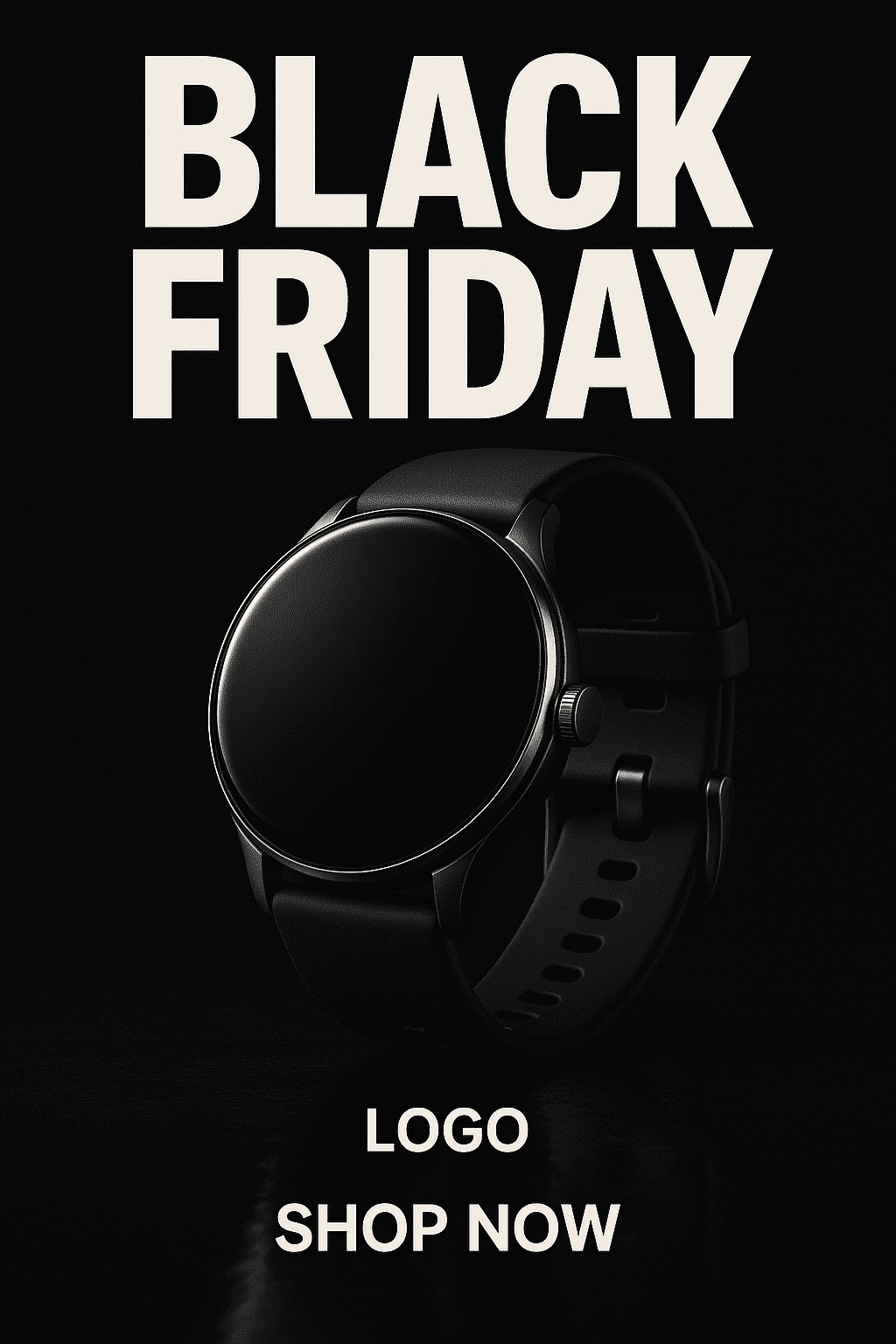
Posters are perfect for windows, in-store displays and community boards — they command attention when a single visual and headline must do the heavy lifting. Use an AI-generated hero image in a poster layout, pair it with a clear headline, and keep supporting copy minimal. Experiment with bold crops and dramatic lighting to make your product or sale feel momentous. If you need a quick image generator to create multiple hero variations, try an AI Black Friday Poster Maker to speed up concept testing.
Design checklist
- Single dominant image or illustration with strong focal point
- Headline no longer than 6–8 words; supporting copy under 20 words
- High contrast between headline and background; readable at distance
- Include logo, clear CTA (shop now / in-store only), and date range
- For print: export 300 DPI and include bleed if using a print vendor
Poster prompt example
"Bold, high-contrast Black Friday poster featuring a sleek smartwatch on a reflective black surface, dramatic rim lighting, large bold headline space, minimal chrome accents, room for brand logo and call to action, photorealistic, 3:4 poster layout"
Output:
2. Black Friday Cards
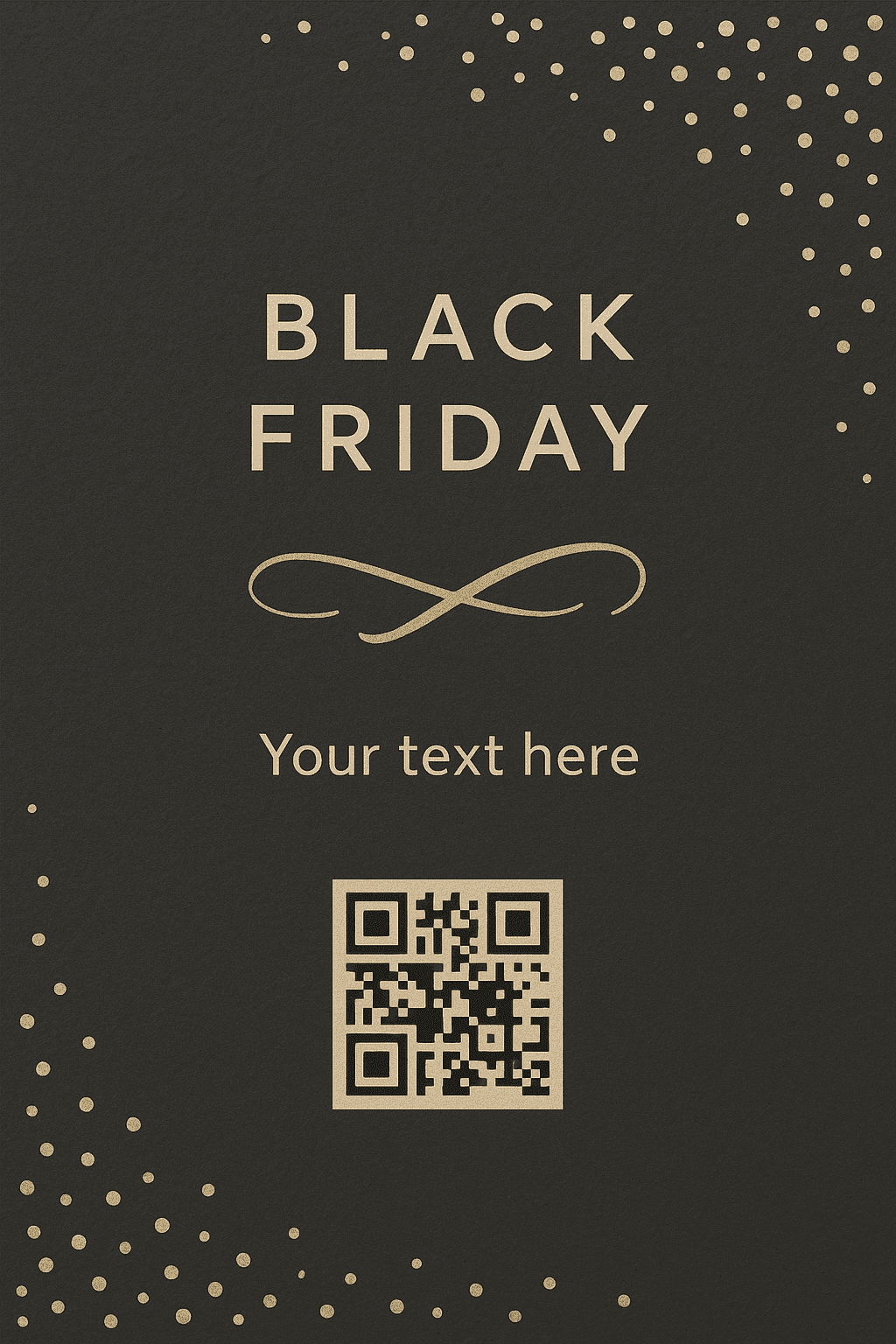
Cards — whether physical mailers, in-package inserts, or digital greeting cards — are intimate and convert particularly well for loyalty audiences. A card's strength is personalization: an image plus tailored copy can make recipients feel the offer was made for them. Use an AI Black Friday Card Maker to generate themed illustrations or background textures, then overlay customer-specific discounts or names in your layout tool.
Design checklist
- Keep the fold in mind — central imagery should avoid the crease
- Use warm or brand-aligned accents to create a premium feel
- Consider including a scannable QR code linked to a unique landing page
- Short, friendly headline with a personal touch (e.g., "Just for you")
Card prompt example
"Warm, minimal Black Friday greeting card background: soft charcoal paper texture, gold foil confetti accent, space for a short personalized headline and QR code, hand-lettered accent flourish, 5x7 foldable layout"
Output:
3. Black Friday Flyers
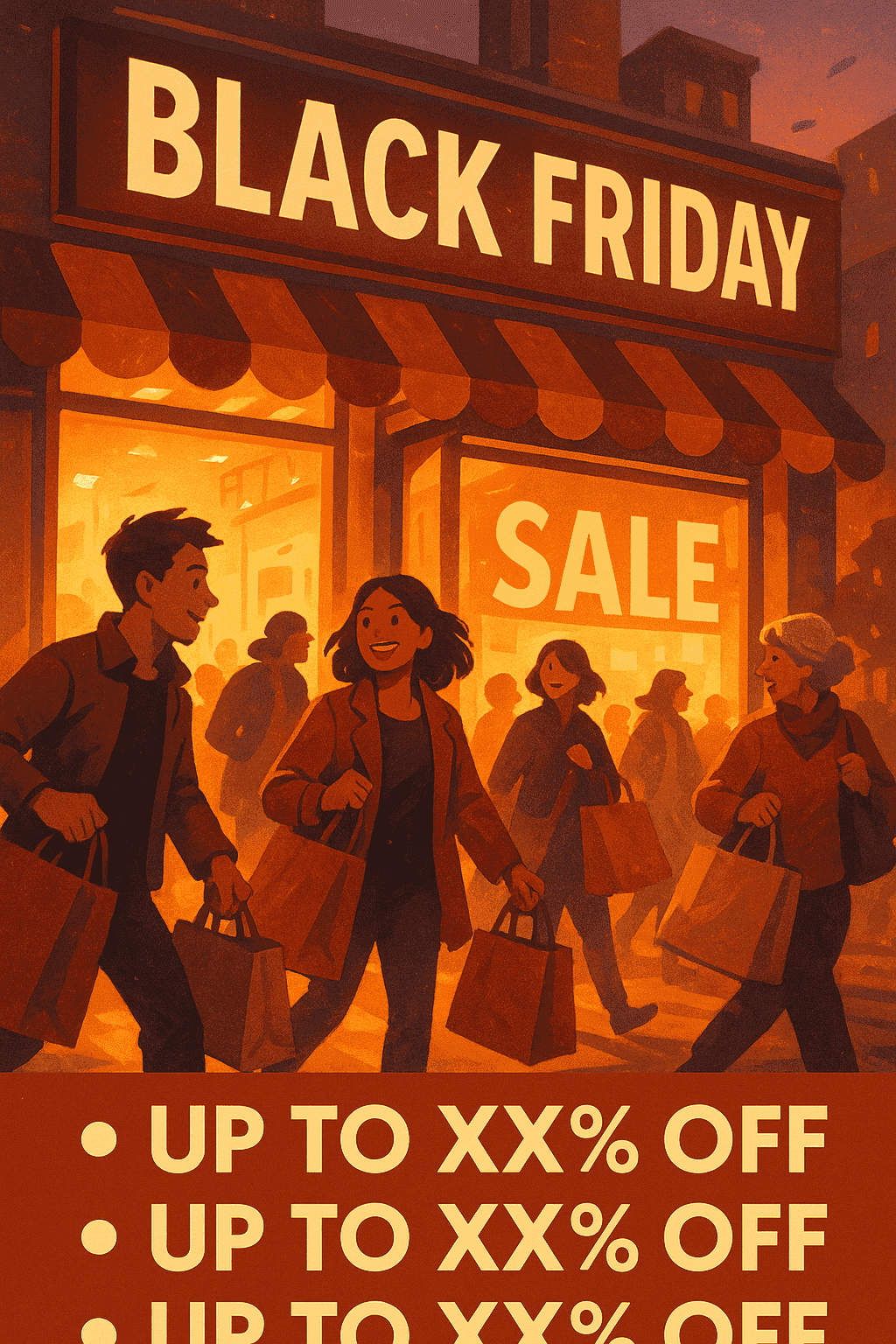
Flyers are fast, low-cost, and effective for local reach — hand them out, lean them on counters, or slip them into bags. The balance for a flyer is urgency plus clarity: readers must immediately understand the offer and the action. Generate a range of textures or bold illustrations with an AI Black Friday Flyer Maker and then pair them with a concise layout for maximum impact.
Design checklist
- Headline at the top, bold and legible from arm's length
- One hero image or graphic to anchor the design
- Bulleted list for key offers, followed by CTA and store details
- Include a small map or QR link for directions if relevant
Flyer prompt example
"Dynamic Black Friday flyer art: bustling storefront scene, shoppers with bags, warm twilight lighting, bold headline area, space for 3 bullet offers, energetic but not cluttered, portrait A5 layout"
Output:
4. Black Friday Display Ads
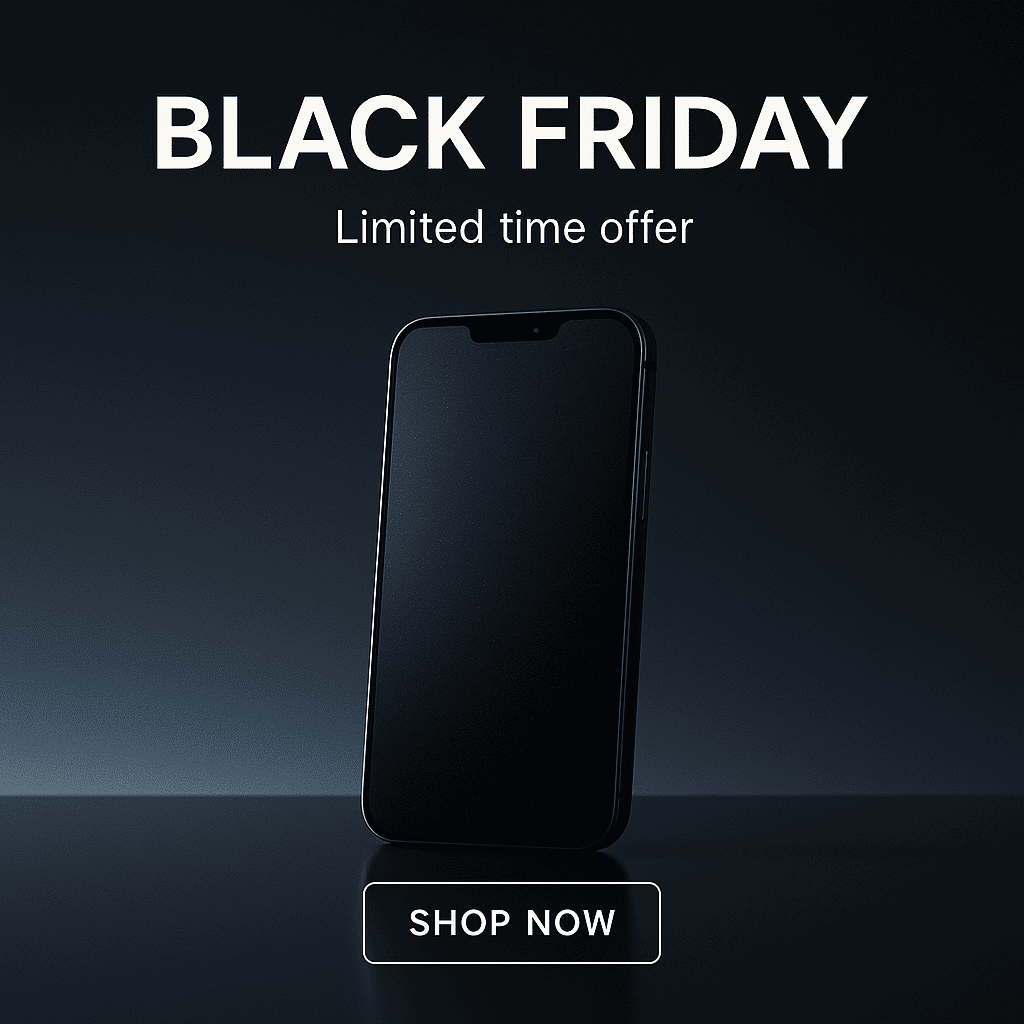
Display ads require variants for different aspect ratios and sizes. Here the game is testing: produce 5–10 visual variants and pair each with a short headline and a clear CTA. Use an AI Black Friday Display Ads Maker to create diverse hero visuals—photorealistic products, lifestyle shots, and playful illustrations—and then adapt each into the required ad sizes (300x250, 728x90, 1080x1080, 1200x628).
Design checklist
- Create at least three visual styles (product-focused, lifestyle, illustrated)
- Keep copy to one short line plus a strong CTA button
- Make sure the logo is visible at small sizes (use a compact mark)
- Export multiple sizes and confirm legibility at mobile scale
Ad prompt example
"Crisp, minimal Black Friday ad creative: smartphone on reflective surface, moody gradient backdrop, large negative space for headline and CTA, option for animated shimmer on device screen, square and banner variations"
Output:
5. Black Friday Coupons
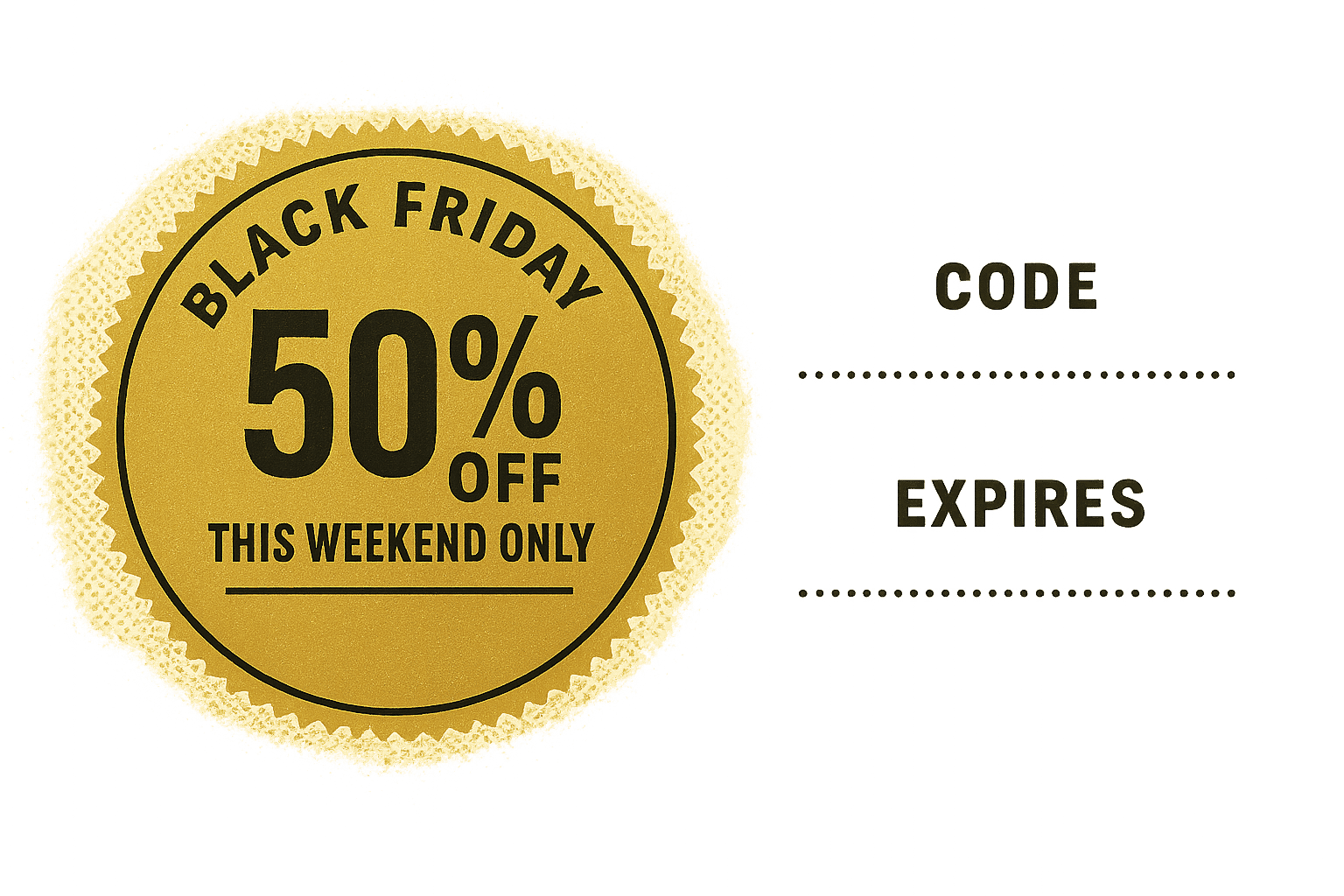
Coupons are conversion-friendly and measurable, especially when you use unique codes or QR links. A well-designed coupon should feel valuable: visual hierarchy, clear discount, and an expiry date. Design coupon backgrounds or decorative seals with an AI Black Friday Coupon Maker and pair them with clear redemption instructions.
Design checklist
- Large discount value or percentage as the primary focus
- Short redemption instructions and expiry date in a visible spot
- Design variation for email, printable coupon, and social share
- Use a short, memorable coupon code and consider a QR link for one-tap redemption
Coupon prompt example
"Bold Black Friday coupon badge: circular gold seal, large '50% OFF' center text, underline for 'This weekend only', subtle halftone background, room for short redemption code and expiry date, horizontal coupon layout"
Output:
What are Good Prompting Practices when Using AI Design Tools?
Effective prompts are specific about the subject, the lighting, the mood, the color palette, and the layout constraints you need for production. For instance, include the intended aspect ratio or "space for headline" in your prompt so the generated image leaves clean negative space for text overlays.
Also, iterate: start with a broader prompt and then refine based on outputs. Ask for variations (e.g., "five color variants" or "two lighting options") so you get a small set of distinct directions to choose from. Keep a shortlist of adjectives that match your brand voice (e.g., "premium," "playful," "minimal") and reuse those tags to keep variations coherent.
How to Measure the Success of Visual Formats on Black Friday?
Measure each format against its primary objective: posters and in-store displays drive awareness and footfall; coupons and cards drive redemption; display ads and social squares drive clicks and conversions. Use unique coupon codes, trackable landing pages, and tagged UTM links to attribute traffic and conversions back to specific creatives.
For offline materials, monitor redemptions and pair them with local uplift metrics (store visits, point-of-sale redemptions). For paid media, compare CTR, conversion rate, and cost-per-conversion across your ad variants and pause or reallocate spend away from poor performers quickly.
Why Does Design Matter for a Big Sale like Black Friday?
Even in a rush-sale environment, good design reduces friction by guiding the eye effortlessly from headline to offer. Clear visuals and readable copy help customers make decisions without hesitation, especially when they’re scanning quickly during high-pressure shopping moments. When the layout feels intentional, shoppers instinctively trust the message more.
A strong visual hierarchy is what makes this possible: the headline should stand out, the product or offer should be immediately recognizable, and supporting details should sit in predictable places. This structure helps customers identify value within seconds, which is critical during Black Friday when competition for attention is intense. Consistency across assets also reinforces professionalism and strengthens brand recall.
Design trends can be inspired by many sources — sometimes from seasonal celebrations, regional motifs, or broader cultural references like festivals of the world — but every stylistic choice should still serve clarity. Whether you're using bold contrast, minimal layouts, or textured backgrounds, the goal remains the same: ensure the customer can scan, understand, and act on the offer without interruption.
What are the Key Takeaways?
First, prioritize clarity above everything else: a single bold offer, a concise and legible headline, and one unmistakable call to action consistently outperform visuals that feel crowded or overdesigned. AI can help you generate clean hero images and quick concept variations so you can understand early which direction best supports your message. Once you pick a winning style, use templates to replicate that structure across posters, flyers, ads, or coupons to maintain cohesion.
Next, embrace early testing and rapid iteration. Produce several visual variants that differ in color, lighting, or composition, and run small, controlled tests across your channels. Even subtle differences — like headline placement or product angle — can significantly change performance. Use unique coupon codes, UTM tagging, or segmented audiences to measure which formats and visuals actually drive clicks, visits, or redemptions instead of relying on assumptions.
Finally, build a smooth production workflow so assets are exported in the right aspect ratios and file formats for print, email campaigns, social media, and paid display placements. Confirm resolution, color profiles, and safe areas before sending anything live. With a simple system for generating, testing, refining, and exporting, you avoid last-minute redesigns and ensure your Black Friday visuals look polished wherever they appear.
Frequently Asked Questions
1. How can AI speed up Black Friday visual creation?
AI helps you move from idea to finished visual far more quickly by generating multiple hero images, backgrounds, and styles in minutes. This rapid exploration saves time and lets you refine only the concepts that match your campaign goals.
2. Do AI-generated visuals work for both print and digital formats?
Yes, they do—provided you export them correctly. AI visuals can be used across posters, flyers, coupons, ads, and email creatives, as long as you double-check resolution, aspect ratio, and color settings to maintain quality everywhere.
3. What’s the best way to keep Black Friday designs consistent when using AI?
The most reliable method is to create a small brand prompt guide that outlines tone, color palette, and visual style. Pair these prompts with reusable templates so that your layouts, typography, and hierarchy remain consistent across every format.
4. Can AI visuals replace traditional photoshoots for product campaigns?
In many cases, AI can generate photorealistic product visuals that reduce or even remove the need for a photoshoot. However, luxury items or regulated product categories may still require real photography while using AI for supporting elements.
5. How do I know which Black Friday visual format performs best?
Use data to determine this—run A/B tests, track coupon redemptions, and measure engagement on ads and social posts. Over time, you’ll see whether posters, flyers, cards, display ads, or coupons drive the highest response from your audience.
Related Articles
- 50+ Creative Say No to Drugs Poster Ideas to Strengthen Drug Awareness Campaign
- Birthday Card Art: 7 DIY Ideas for your Next Design
- 55+ 4th of July Poster Ideas to Spark Patriotic Creativity
- 70+ International Yoga Day Poster Ideas in 2026
- 65+ Holiday Card Ideas to Inspire Your Greetings This Year
- 9 Creative Thanksgiving Visuals You Can Create with AI
Most Popular Posts
- Best AI Image and Video Generators in 2026
- Best AI 3D Model Generators in 2026
- Best AI Image Generation Models in 2026
- Best AI Video Generation Models in 2026
- Best Open Source Image Generation Models in 2026
- Best Open Source Video Generation Models in 2026
- Best Prompts to Create Amazing Videos using AI