Room Redesign Trend
Any room restyled into a brand-new interior — while keeping its exact layout and perspective.
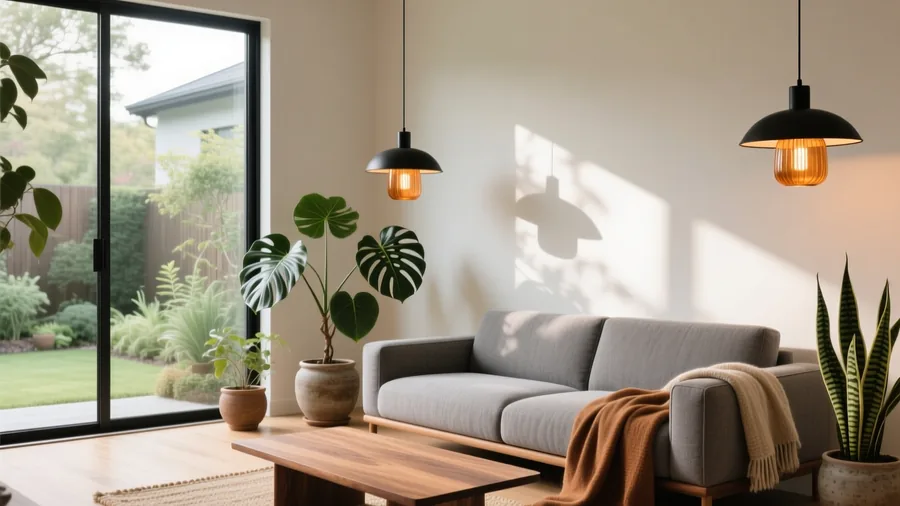 Made on Pixazo
The effect
What does an room redesign look like?
An room redesign takes your room and re-renders it in a new style — swapping furniture, colour, decor and light while keeping the room's shape. The example was generated on Pixazo.
How it works
How do you make it?
- 01
Add your room
Upload a clear photo of the room you want to restyle.
- 02
Generate the redesign
Pixazo re-renders the furniture, decor, palette and lighting while keeping the room's exact layout and perspective.
- 03
Download & plan
Save the redesign and use it as decorating inspiration.
Ideas
What can you use it for?
Home decorating ideas
See your own room in five styles before buying a single thing.
Real-estate staging
Furnish and style empty or dated listing photos (label them virtually staged).
Rental refresh
Visualise a refresh for a rental without touching the walls.
Renovation moodboards
Test palettes and layouts to brief a designer or contractor.
Before & after posts
Share a striking room glow-up for social or a portfolio.
Furniture & decor brands
Show products styled into real-looking rooms for campaigns.
At a glance
What does it support?
| Detail | What you get |
|---|---|
| Input | A photo of a room. |
| Output | A restyled interior image keeping the room's shape, with new furniture and light. |
| Styles | Modern, Japandi, boho, Scandinavian, industrial, mid-century and more. |
| Rooms | Living rooms, bedrooms, kitchens, offices, patios and empty spaces. |
| Price | Free to create while you build; new accounts start with 100 credits. |
The honest bit
What to know before you generate
- It's a visualization, not a plan. The redesign is for inspiration and staging — it isn't an architectural or construction drawing.
- Layout is kept, not measured. Pixazo preserves the room's look but doesn't produce exact dimensions or a floor plan.
- Label staged listings. If you use a redesign in a property listing, disclose that the image is virtually staged.
- Use rooms you may show. Only upload photos of spaces you have the right to use.
FAQ
Room redesign: frequently asked questions
How do I redesign a room with AI?
Upload a clear photo of the room and hit generate. Pixazo re-renders the furniture, decor, palette and lighting while keeping the room's shape and perspective. Download the redesign in seconds as decorating inspiration.
Is the room redesign free?
You can redesign rooms free while you build, and new accounts start with 100 credits. Higher-resolution downloads and premium models use credits.
Does it keep my room's actual layout?
It preserves the room's overall shape and perspective while restyling what's in it. It's a visualization, not a measured floor plan or an architectural drawing.
Can I use it for real-estate listings?
Yes, for virtual staging — but you must disclose that the image is virtually staged, per common real-estate advertising rules.
What rooms and styles are supported?
Living rooms, bedrooms, kitchens, offices, patios and empty spaces, in styles from modern and Scandinavian to boho, industrial and mid-century.
Can I try several styles on one room?
Yes — run the same room through multiple styles and palettes to compare before you decorate or buy.

Try room redesign now.
Upload your photo — free to start, no card required.

