Underwater Portrait Trend
A dreamy underwater portrait — floating hair, rippling light caustics and a serene, submerged mood.
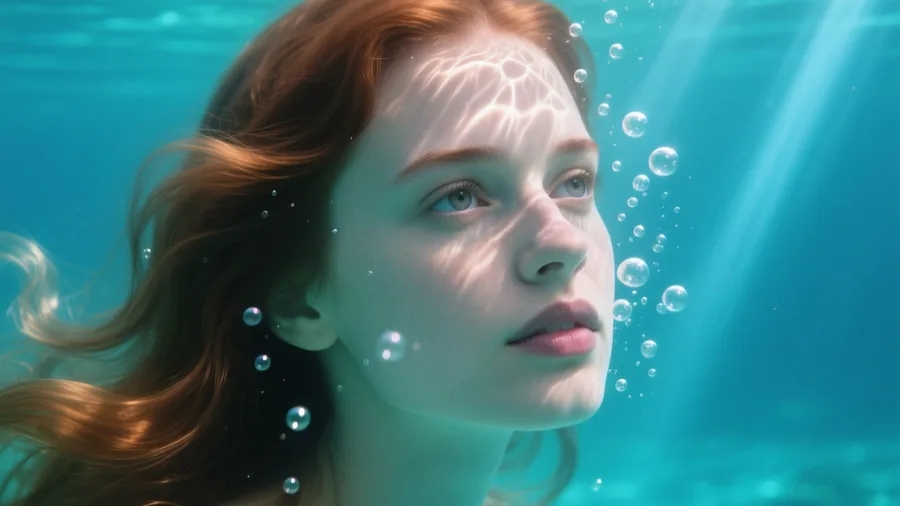 Made on Pixazo
The effect
What does an AI underwater portrait look like?
An AI underwater portrait re-renders your photo as if you were submerged — hair and fabric drifting, sunlight breaking into caustics across your face, bubbles rising. The example was generated on Pixazo.
How it works
How do you make it?
- 01
Add your photo
Upload a clear, front-facing selfie of yourself.
- 02
Generate
Hit generate and Pixazo submerges you — rippling light caustics, floating hair and drifting fabric — in seconds, keeping your face recognizable.
- 03
Download & share
Save your dreamy underwater portrait and post it anywhere.
Ideas
What can you use it for?
Ethereal profile pictures
A dreamy, scroll-stopping PFP that stands out from flat studio selfies.
Music & album art
Submerged, moody visuals that suit ambient, dream-pop and electronic covers.
Fashion & beauty
Editorial-style water portraits for lookbooks and beauty campaigns.
Fantasy & mermaid
Turn a portrait into a mermaid or water-spirit character.
Wedding & couples
A romantic underwater couple portrait without a pool or a diver.
Wall art
A calming, large-format print for a home or studio wall.
At a glance
What does it support?
| Detail | What you get |
|---|---|
| Input | A front-facing photo. |
| Output | A photoreal underwater portrait image with caustics, bubbles and drift. |
| Water styles | Clear blue, moody deep water, sunlit shallows, and mermaid/fantasy looks. |
| Subjects | You, a couple or kids — from a single clear photo. |
| Price | Free to create while you build; new accounts start with 100 credits. |
The honest bit
What to know before you generate
- Likeness needs a clear photo. A well-lit, front-facing, single-subject shot gives the best face match; low light and steep angles weaken it.
- It's a render, not a real dive. Pixazo stylizes your photo to look submerged — nobody gets wet, and it isn't a real underwater shoot.
- Water look varies by photo. Busy backgrounds and hats or glasses can confuse the caustics; a plain background works best.
- Use your own photos. Only upload photos you have the right to use; don't submerge someone without their consent.
FAQ
Underwater portrait: frequently asked questions
What is the underwater portrait trend?
The underwater portrait trend re-renders your photo as if you were submerged — with rippling light caustics, floating hair and drifting fabric. On Pixazo you upload a clear selfie and download a dreamy underwater image in seconds, with your face kept recognizable.
How do I make an underwater photo of myself?
Open the underwater portrait trend, upload a clear, front-facing photo of yourself, and hit generate. Pixazo submerges you with rippling light, floating hair and bubbles in seconds while keeping your face recognizable. Each run varies a little, so regenerate for a different take.
Is the underwater portrait trend free?
You can create underwater portraits free while you build, and new accounts start with 100 credits. Higher-resolution downloads and premium image models use credits.
Will it still look like me?
Yes, from a clear, well-lit, front-facing photo. Group shots, heavy angles and low light reduce the resemblance — a clean single-subject photo works best.
Can I make an underwater couple or pet portrait?
Yes. Any clear photo works — a couple, a child or a pet — and each subject stays recognizable under the water.
Can I use the image commercially?
Images from your own photos are yours to use, including for album art and campaigns. Don't depict a real person you don't have permission to use.

Try underwater portrait now.
Upload your photo — free to start, no card required.

