Qwen Image Layered API — Now Live on Pixazo API & Playground


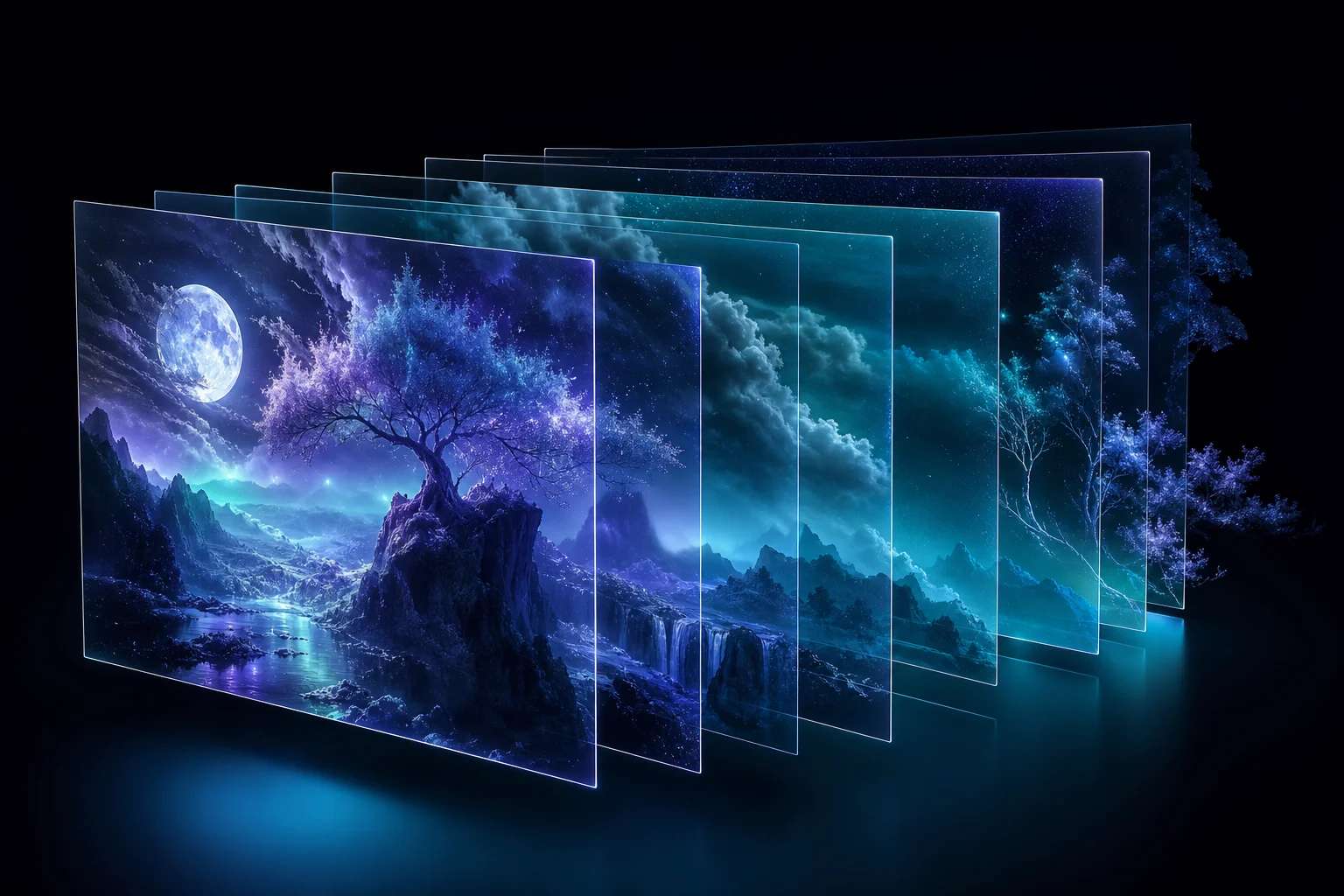
At Pixazo, we focus on transforming cutting-edge AI research into production-ready creative APIs that developers and creators can actually use. Qwen Image lets you try this in your browser.
Today, we’re excited to announce that Qwen Image Layered API is now live on Pixazo API and Playground, introducing true layer-based image editing through a simple, scalable API.
With this launch, images are no longer flat outputs. They become fully editable RGBA layers, similar to working with Photoshop files—accessible programmatically or instantly via the Playground.
What Is Qwen Image Layered?
Most AI image tools generate a single flattened image. Editing even one element—text, a logo, or a subject—often requires regenerating the entire image.
Qwen Image Layered changes that.
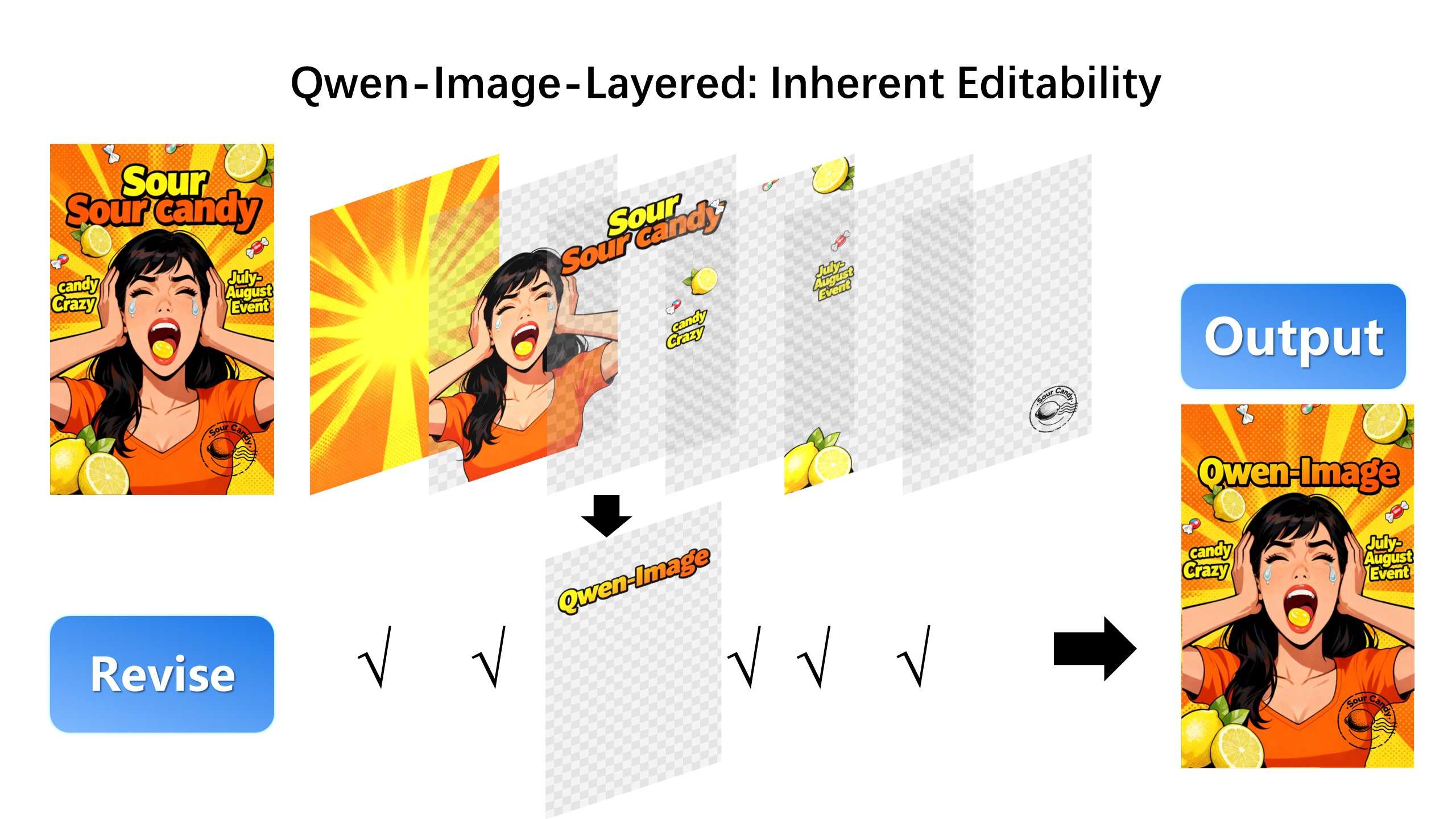
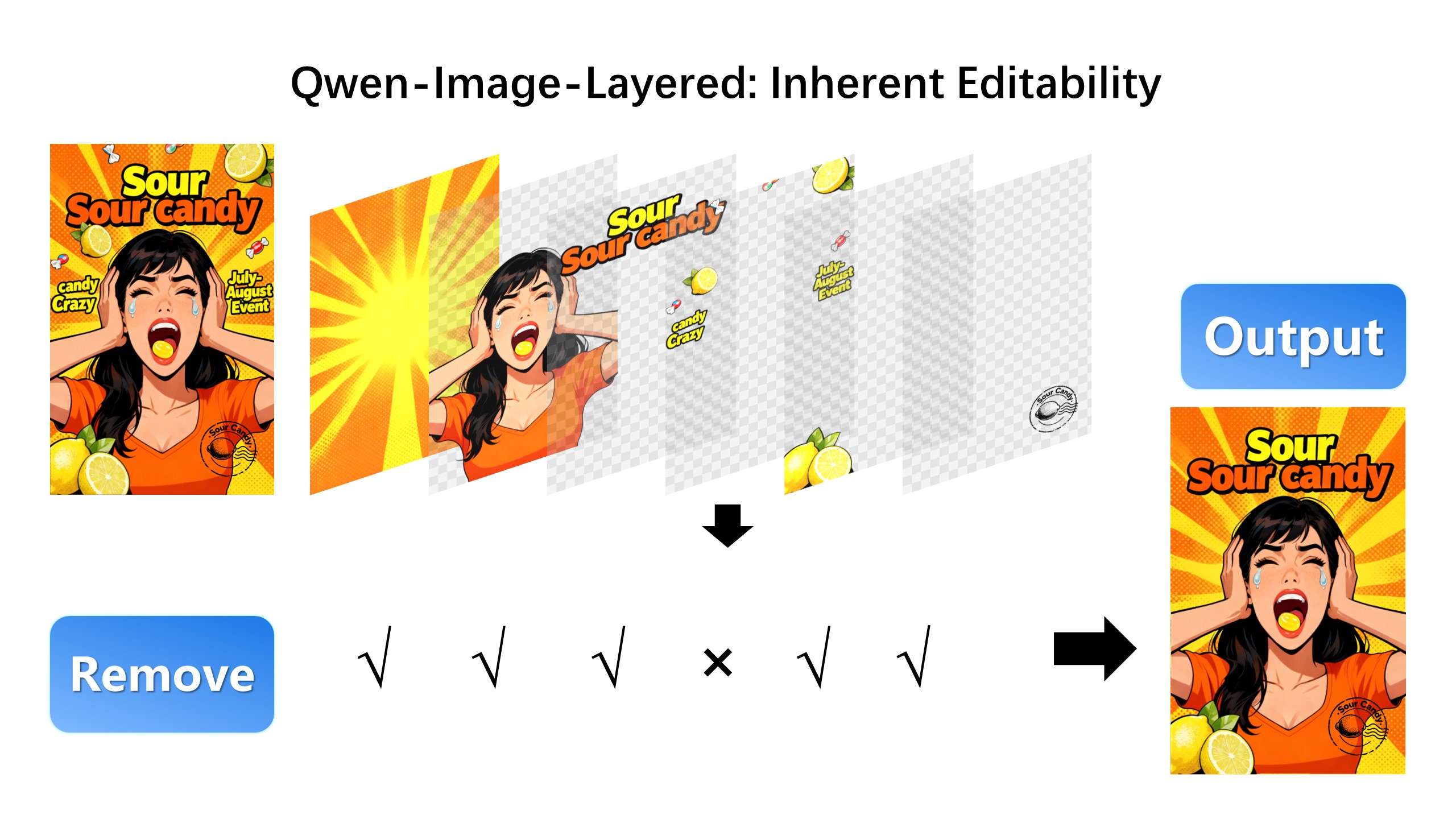
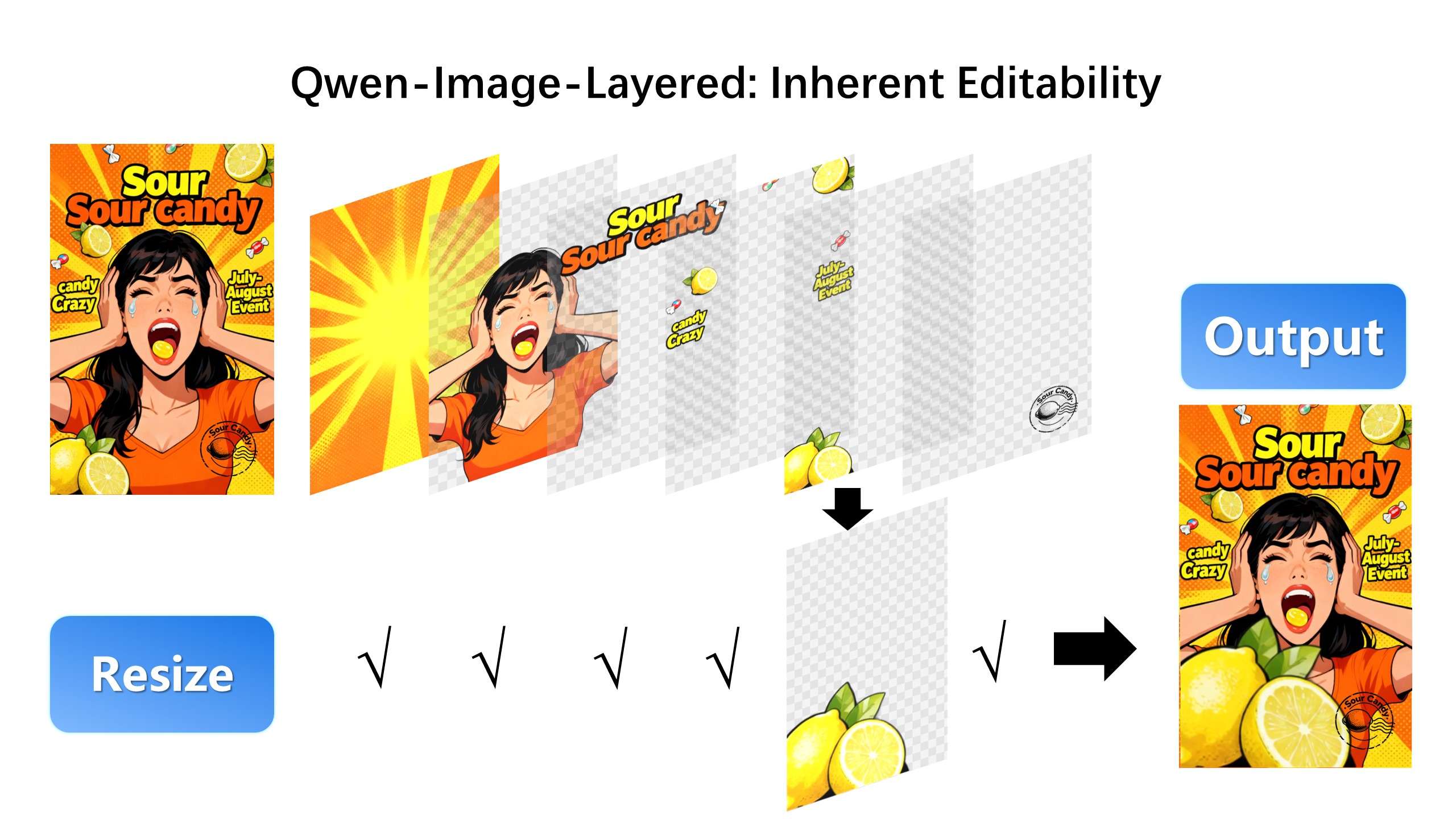
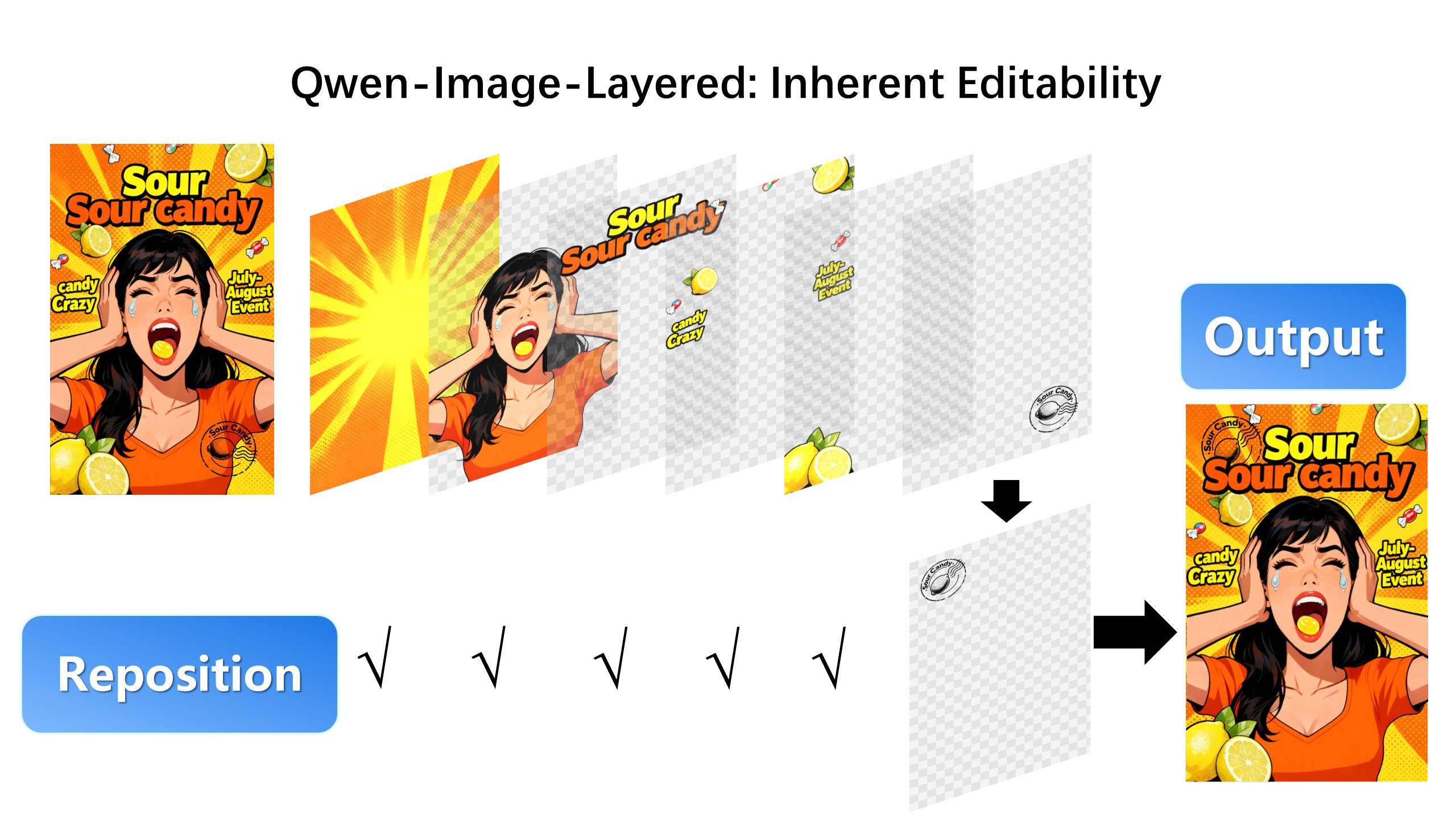
It decomposes a single image into multiple semantically meaningful RGBA layers, each with its own transparency (alpha channel). These layers can be edited, rearranged, replaced, or recomposed independently—without affecting the rest of the image.
Editable Layers
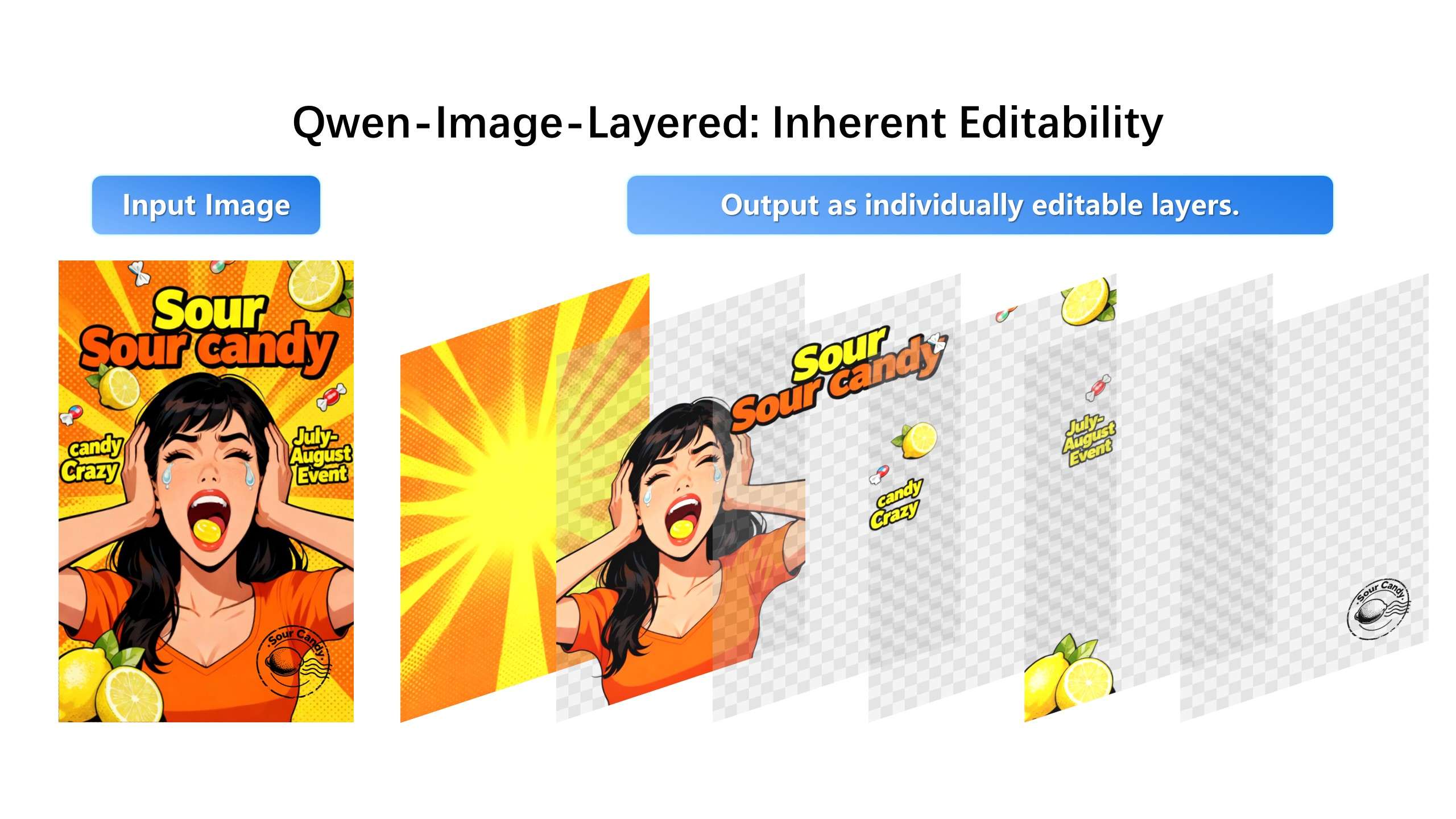
Recolor
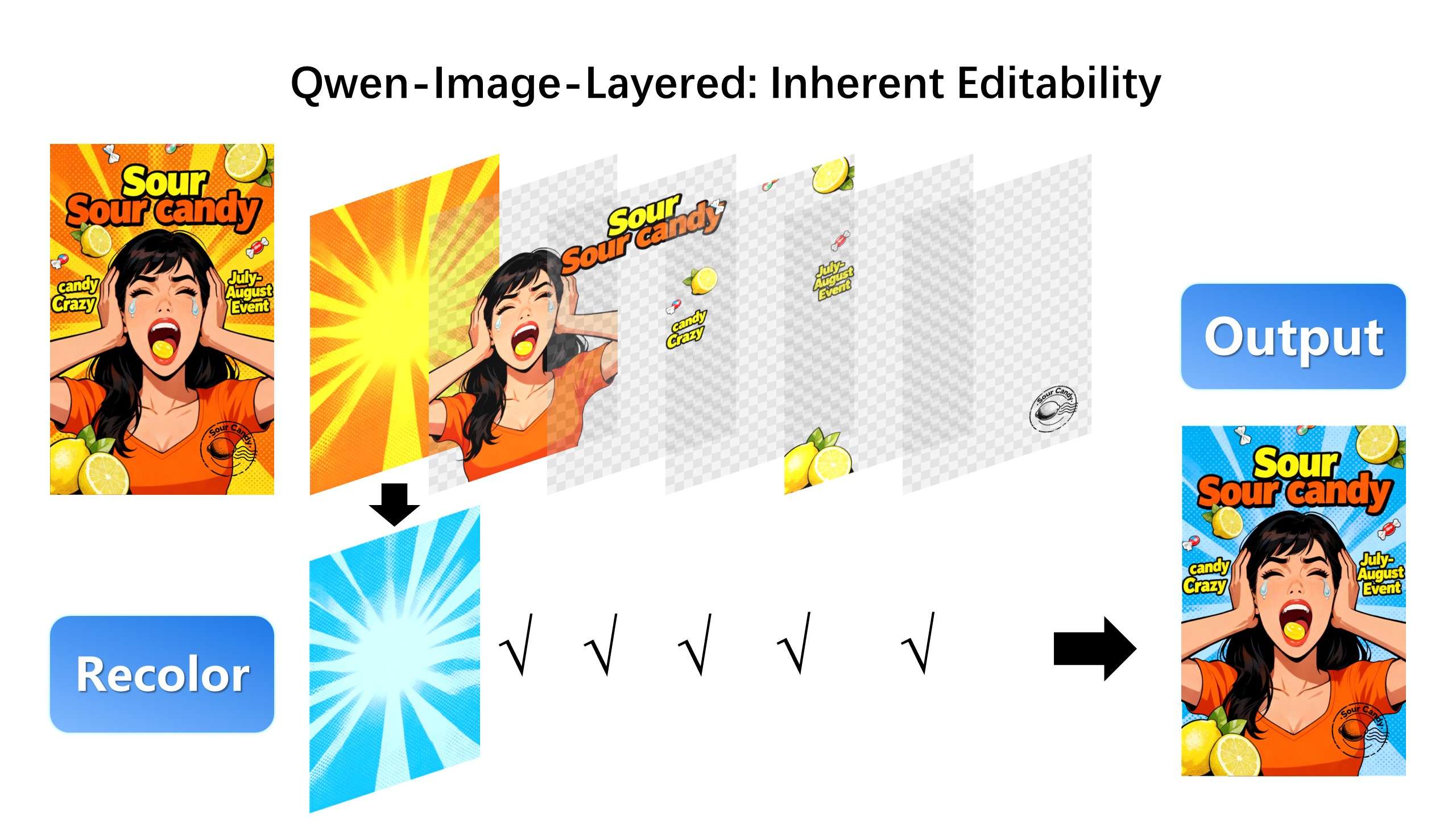
Replace
Revise
Remove
Resize
Reposition
In short: Photoshop-style layers, delivered via API.
Suggested Read: Introducing Happy Horse 1.1 API on Pixazo
What You Can Do with Qwen Image Layered on Pixazo?
True Layer-Based Editing
- Automatically separates background, foreground, text, and objects
- Each layer is returned as an RGBA image with an alpha mask
- Modify or replace individual layers without breaking the image
Semantic Layer Decomposition
- Layers are context-aware, not simple cutouts
- Text, people, products, and backgrounds are intelligently disentangled
- Visual consistency is preserved during recomposition
Built for Developers
- Clean and predictable API responses
- JSON manifests with layer metadata
- Fully integrated into Pixazo’s unified image API ecosystem
Suggested Read: Introducing VEED Fabric 1.0 API on Pixazo
Now Live on the Pixazo Playground
You can try Qwen Image Layered instantly—no code required.
Using the Pixazo Playground, you can:
- Upload any image
- Decompose it into editable layers
- Preview individual RGBA layers and alpha masks
- View the final recomposed output
This makes the Playground ideal for experimentation, demos, and workflow validation.
Qwen Image Layered API is now live on the Pixazo Playground
Input
- Image file or image URL
- Optional layer count (or automatic detection)
- Output format (PNG, ZIP, JSON)
Output
- Multiple RGBA image layers
- Alpha masks per layer
- Layer metadata (ordering, grouping, hints)
- Final composite image
The API fits seamlessly into:
- Creative automation pipelines
- Design and marketing tools
- No-code and low-code platforms
- Enterprise image workflows
Suggested Read: AI Image Generation Model Comparison
Real-World Use Cases
Design & Marketing
- Edit visuals without reshoots or full regeneration
E-commerce
- Generate clean, reusable layered product assets
Creative Automation
- Batch-process images into editable components
AI Design Platforms
- Build Canva- or Photoshop-like experiences via API
Suggested Read: Top Open-source Image Generation Models
Production-Ready & Enterprise Friendly
Like all Pixazo APIs, Qwen Image Layered is:
- Commercial-use ready
- Built on scalable infrastructure
- Consistent across API and Playground
- Designed for real-world production workloads
Suggested Read: Top Image Generation APIs
What’s Coming Next?
This launch is just the beginning. Upcoming capabilities include:
- Layer-specific editing using text prompts
- PSD export support
- Batch layer decomposition
- Brand-aware and style-constrained layers
Get Started Today
- Build with Pixazo API — Available now
- 📘 Explore the API docs — https://www.pixazo.ai/models/qwen-image
Qwen Image Layered API on Pixazo turns flat images into fully editable creative assets—one API call at a time.
Frequently Asked Questions about Qwen Image Layered API
1. What is Qwen Image Layered API?
Qwen Image Layered API is an advanced image editing API that converts a single flat image into multiple semantically meaningful RGBA layers. Each layer can be edited independently, similar to working with Photoshop layers, without regenerating the entire image.
2. How is Qwen Image Layered different from traditional image segmentation tools?
Unlike basic segmentation tools that only cut objects out, Qwen Image Layered intelligently decomposes images into context-aware layers such as background, foreground, text, and objects. It preserves visual consistency and transparency, making the output inherently editable and production-ready.
3. What formats does the Qwen Image Layered API return?
The API returns multiple RGBA image layers along with alpha masks, structured layer metadata in JSON format, and a final recomposed image. Outputs can be delivered as PNG files, ZIP archives, or JSON manifests depending on your workflow needs.
4. Can I use Qwen Image Layered without writing code?
Yes. Qwen Image Layered is available on the Pixazo Playground, where you can upload images, preview individual layers, inspect alpha masks, and view the recomposed result—all without writing any code.
5. What are the common use cases for Qwen Image Layered API?
Common use cases include design and marketing asset editing, e-commerce product image workflows, creative automation pipelines, and building Canva- or Photoshop-like design tools using APIs.
Deepak Joshi
Author · Pixazo
Deepak writes about generative AI models, APIs, and the workflows teams use to ship them. Reviewed by Abhinav Girdhar.