Color Space Handoffs That Break AI VFX Shots


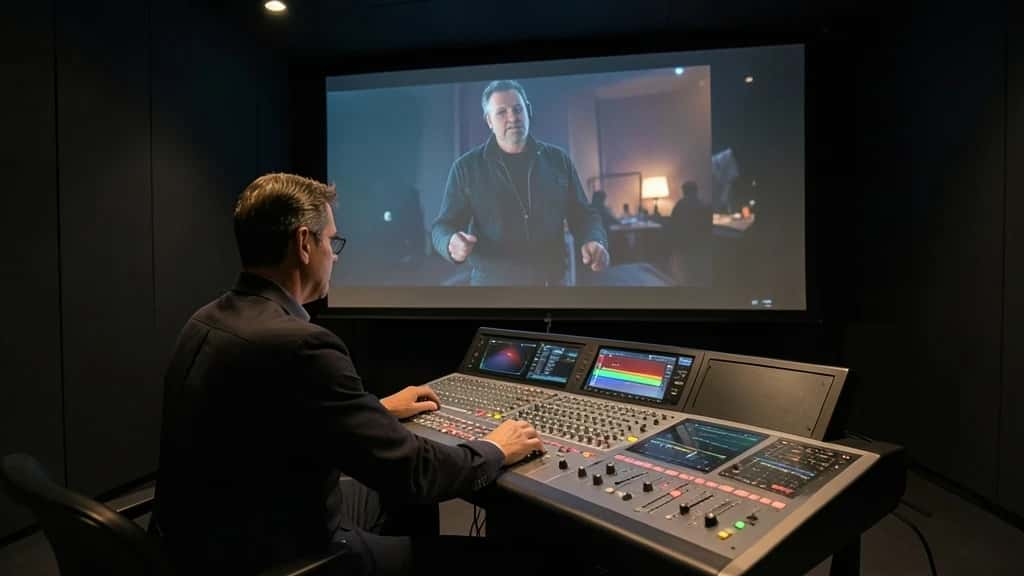
A VFX shot can be lit, shot and tracked perfectly and still arrive broken, because the file carried the wrong color space or lost its color transform somewhere on the way. Color management is the invisible layer that tells every tool how to read the pixels, and when a handoff drops or mangles that information the shot composites wrong: the added element will not sit, the key turns muddy, and the grade fights the plate instead of finishing it. This guide explains what a color space is, where handoffs break, and how to keep color consistent from camera to composite, the same color discipline a clean AI SDR to HDR conversion depends on when a shot has to move from standard to high dynamic range.
You will learn what a color space actually is, the points in a pipeline where color breaks, what a broken handoff looks like, and how to keep it consistent.
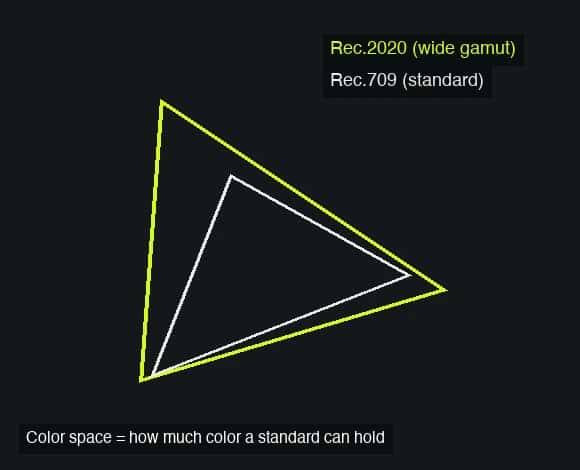
What a Color Space Actually Is
- ▸A gamut, a curve and a white point: A color space defines which colors exist (the gamut), how brightness is encoded (the transfer function or gamma) and what counts as white. Change any one and the image shifts.
- ▸Files need their color space declared: A clip is just numbers until a tool is told how to interpret them. Lose that label and the tool guesses, usually wrong.
- ▸Log and linear are not viewable as is: Camera log and scene-linear data look flat or dark until a transform maps them to a display. That transform is the handoff that keeps getting dropped.
- ▸VFX needs a known working space: Compositing and 3D expect a defined working space, often scene-linear through ACES, so every element lives in the same color world before it is combined.
Where Color Handoffs Break
- ▸Camera to edit: Log footage gets a temporary look baked in, and the real color space is never written down for the next stage.
- ▸Edit to VFX: The artist receives a clip with no color tag, or a viewing LUT baked into the pixels, and treats log as if it were already display ready.
- ▸Element to composite: A render, stock plate or AI-generated element lives in a different space than the plate, so they never match when layered.
- ▸Grade to delivery: The shot is graded in one space and delivered in another, for example Rec.709 content pushed into a Rec.2020 HDR container without conversion.
Suggested Read: 8-bit, 10-bit, 16-bit: What HDR Conversion Really Recovers
What a Broken Handoff Looks Like
A color space mistake rarely throws an error. It just looks wrong, and because it looks like a creative choice it can survive all the way to delivery before anyone names the cause.
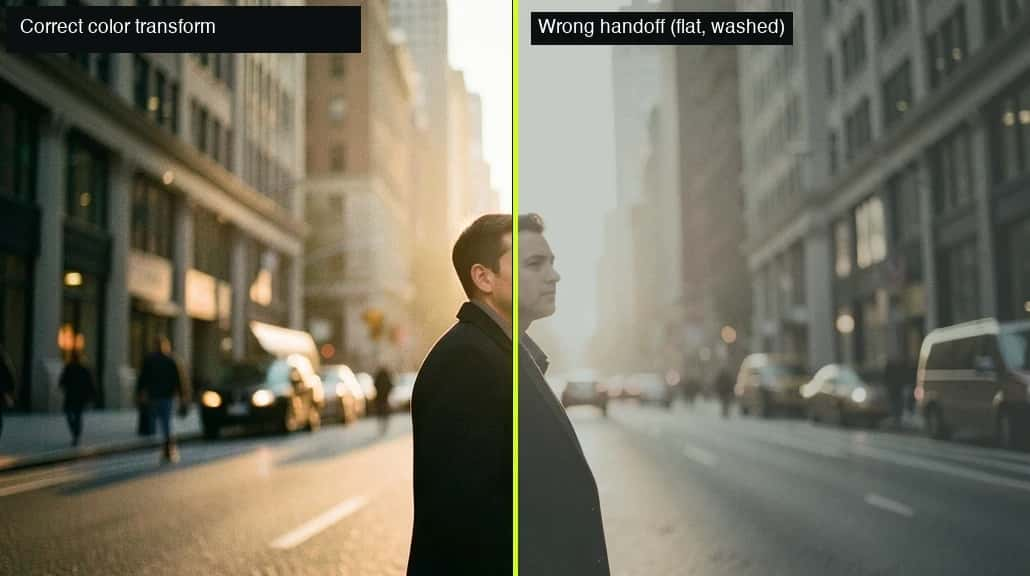
- ▸Flat and washed out: Log footage passed on without its transform looks low contrast and milky, with lifted blacks and no punch.
- ▸Crushed and dark: Scene-linear data read as if it were display gamma goes heavy and dark, burying shadow detail.
- ▸A color cast or shift: Mismatched primaries or white points tint the whole frame, and skin tones drift first.
- ▸A doubled or missing LUT: A viewing LUT applied twice, or once where it should not be, bends contrast and color in a way no grade cleanly undoes.
Suggested Read: Codecs, Bit Depth and Why Proxies Ruin Mattes
Managed vs Broken Color Handoff
The difference between a shot that composites cleanly and one that fights you usually comes down to a handful of habits rather than one big mistake. Here is how a managed color handoff compares to a broken one, point by point, so you can tell at a glance which side a given pipeline is really on.
| Managed handoff | Broken handoff |
|---|---|
| Every clip tagged with its color space | Clips passed on with no color information |
| One known working space, often ACES | Each tool guessing its own interpretation |
| Viewing LUTs applied non-destructively | Look LUTs baked into the delivered pixels |
| Elements converted into the plate space | Renders and stock layered in mismatched spaces |
| Transforms documented for every stage | Transforms remembered by whoever set them up |
| Checked on scopes, not just the monitor | Judged on an uncalibrated display by eye |
Suggested Read: Chroma Subsampling: The Setting That Decides Your Key
How to Keep Color Consistent From Camera to Composite
Suggested Read: What Footage Survives AI Rotoscoping
Where a Managed VFX Pipeline Fits In
AI tools make color management more important, not less, because an AI matte, relight or generated element has to live in the same color space as the plate to blend at all. A color-managed pipeline puts every element into one working space first, so the AI pass and the human comp agree on what the pixels mean. For a slate of shots that have to stay consistent across vendors, AI Compositing keeps the color pipeline intact from plate to final.
Suggested Read: Shooting for a Clean Plate
A Quick Color Handoff Checklist
- ▸Every clip and element carries its color space tag
- ▸The project has one agreed working space, such as ACES
- ▸No look LUT is baked into the pixels being passed on
- ▸Incoming renders and stock are converted into the plate space
- ▸A graded reference still travels with each shot
- ▸The delivery color space matches the graded master
Conclusion
Color space is the quiet contract between every stage of a VFX pipeline, and a broken handoff is almost always a dropped transform rather than a creative miss. Pick one color pipeline, tag everything, keep viewing LUTs off the delivered pixels, and convert every element into the same working space before you combine them. Do that and the composite sits, the key holds and the grade finishes the shot. Skip it and you spend the schedule chasing a shift that a single documented transform would have prevented.
FAQ
What is a color space in simple terms?
It is a defined range of color plus the rules for encoding brightness and white. It tells every tool how to read the pixels. Common examples are Rec.709 for standard video, Rec.2020 for wide gamut HDR, and ACES as a working space for VFX.
Why do color space handoffs break VFX shots?
Because the color transform that should travel with the footage gets dropped or doubled. The artist then reads log as display ready, or layers an element in a different space, so the composite does not match and the grade fights the plate.
What does a broken color handoff look like?
Usually a flat, washed out image from untransformed log, a crushed dark image from linear read as display gamma, or a color cast from mismatched primaries. It looks like a creative choice, which is why it survives so long.
What is ACES and why use it?
ACES is a standard color pipeline that gives VFX a single scene-linear working space. Every camera and element is converted into it, combined, then converted out for delivery, so color stays consistent across tools and vendors.
Should I bake a LUT into my footage before VFX?
No. Keep viewing LUTs as a non-destructive display transform. Baking a look into the pixels locks in contrast and color the artist cannot cleanly undo, and it is a common cause of doubled-LUT handoffs.
Does AI VFX need color management?
Yes, more than ever. An AI matte, relight or generated element only blends if it sits in the same color space as the plate. A managed pipeline converts everything into one working space so the AI pass and the comp agree.
How do I keep color consistent across vendors?
Agree one color pipeline up front, tag every clip and element with its color space, share reference stills, and check on scopes rather than by eye. Document the transforms so they do not live only in one person head.
Deepak Joshi
Author · Pixazo
Deepak writes about generative AI models, APIs, and the workflows teams use to ship them. Reviewed by Abhinav Girdhar.