Best AI Image Upscaler APIs in 2026


Enlarging an image without turning edges to mush is a specific skill, and the models that do it best are not the ones that generate from scratch. Your pick depends on source resolution, target size, and how much detail you need invented versus preserved. This roundup follows the image upscaler API catalog on Pixazo across the upscalers available right now.
Upscale through one endpoint. Every upscaler below shares the same Pixazo key, so you compare results by changing a parameter, billed per image. Get a free API key →
AI Image Upscaler models at a glance
| Model | Provider | What it’s best for |
|---|---|---|
| SeedVR2 | SeedVR2 | AI upscaling for images and videos with detail enhancement. |
| Crystal Upscaler | Clarity AI | AI image upscaling up to 4x with detail preservation. |
| P Image | Pruna AI | AI-powered image editing and transformation by Pruna AI. |
Quick picks
- SeedVR2: AI upscaling for images and videos with detail enhancement.
- Crystal Upscaler: AI image upscaling up to 4x with detail preservation.
- P Image: AI-powered image editing and transformation by Pruna AI.
Suggested Read: Introducing the Recraft V4.1 Flash API on Pixazo API
The 3 best ai image upscaler models on Pixazo
1. SeedVR2 by SeedVR2
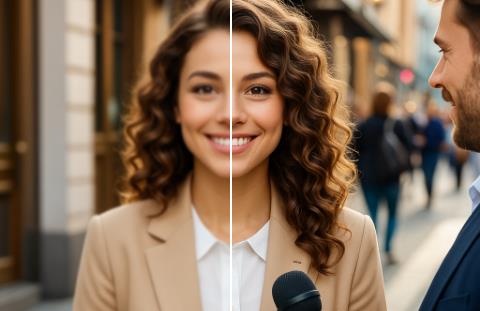
AI upscaling for images and videos with detail enhancement. Available on the Pixazo API through one unified endpoint, so you can benchmark it against the others on your own inputs without changing your integration.
Suggested Read: Best fal.ai Alternatives for Image & Video Generation APIs (2026)
2. Crystal Upscaler by Clarity AI
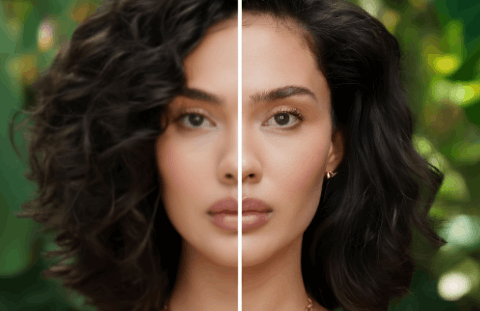
AI image upscaling up to 4x with detail preservation. Available on the Pixazo API through one unified endpoint, so you can benchmark it against the others on your own inputs without changing your integration.
3. P Image by Pruna AI
AI-powered image editing and transformation by Pruna AI. Available on the Pixazo API through one unified endpoint, so you can benchmark it against the others on your own inputs without changing your integration.
Suggested Read: 9 Best AI Image Extenders and Uncrop Tools
Start with the AI Image Upscaler API
Every model here runs through one Pixazo API key — pick a model, send a request, and switch freely as new models launch.
Explore the AI Image Upscaler API
Or browse the full model catalog across image, video, and audio.
Suggested Read: Best Image Restoration APIs in 2026
Frequently asked questions
Which ai image upscaler API is best in 2026?
It depends on your use case — SeedVR2, Crystal Upscaler and P Image are among the strongest right now. Because every model here runs on one Pixazo endpoint, the fastest way to decide is to test them on your own inputs.
Can I switch between these models without changing my code?
Yes. Pixazo exposes every ai image upscaler model through a single API — you change one model parameter, not your integration, and billing stays unified.
Are new models added automatically?
This list is refreshed from Pixazo’s live ai image upscaler catalog, so newly launched models appear on the same endpoint as they go live.
Suggested Read: Best Lora APIs in 2026
How does pricing work?
Pay-as-you-go through one key, with no per-provider contracts. See the AI Image Upscaler API page for current rates.
Is there a free ai image upscaler API to start with?
Yes. Create a free key from the Pixazo API console and call any model on this list right away, then move to pay-as-you-go as your volume grows.
Do I need a separate API key for each model?
No. One Pixazo key works across every ai image upscaler model here, so you can benchmark and switch models without managing separate credentials or contracts.
Suggested Read: Best Image To Image APIs in 2026
Which model should I start with?
SeedVR2, Crystal Upscaler, P Image are strong defaults today. Because they share one endpoint, the fastest way to choose is to run the same input through each and compare.
Can I use the outputs commercially?
Commercial rights depend on the specific model you call. Check each model page for its licensing terms before shipping to production.
How do I get started with the ai image upscaler API?
Grab a key from the API console, pick a model from the list above, and send your first request to the unified endpoint.
Model list sourced from the live Pixazo AI Image Upscaler API catalog. Written by Deepak Joshi, reviewed by Abhinav Girdhar. Last updated July 2026.
Suggested Read: Best AI Video Upscaler APIs in 2026
Deepak Joshi
Author · Pixazo
Deepak writes about generative AI models, APIs, and the workflows teams use to ship them. Reviewed by Abhinav Girdhar.